Dockerized Screenshot API Tools for Education
Compare browser automation, self-hosted Docker APIs, and hosted screenshot services for education workflows, with runnable setup guidance and privacy checks.

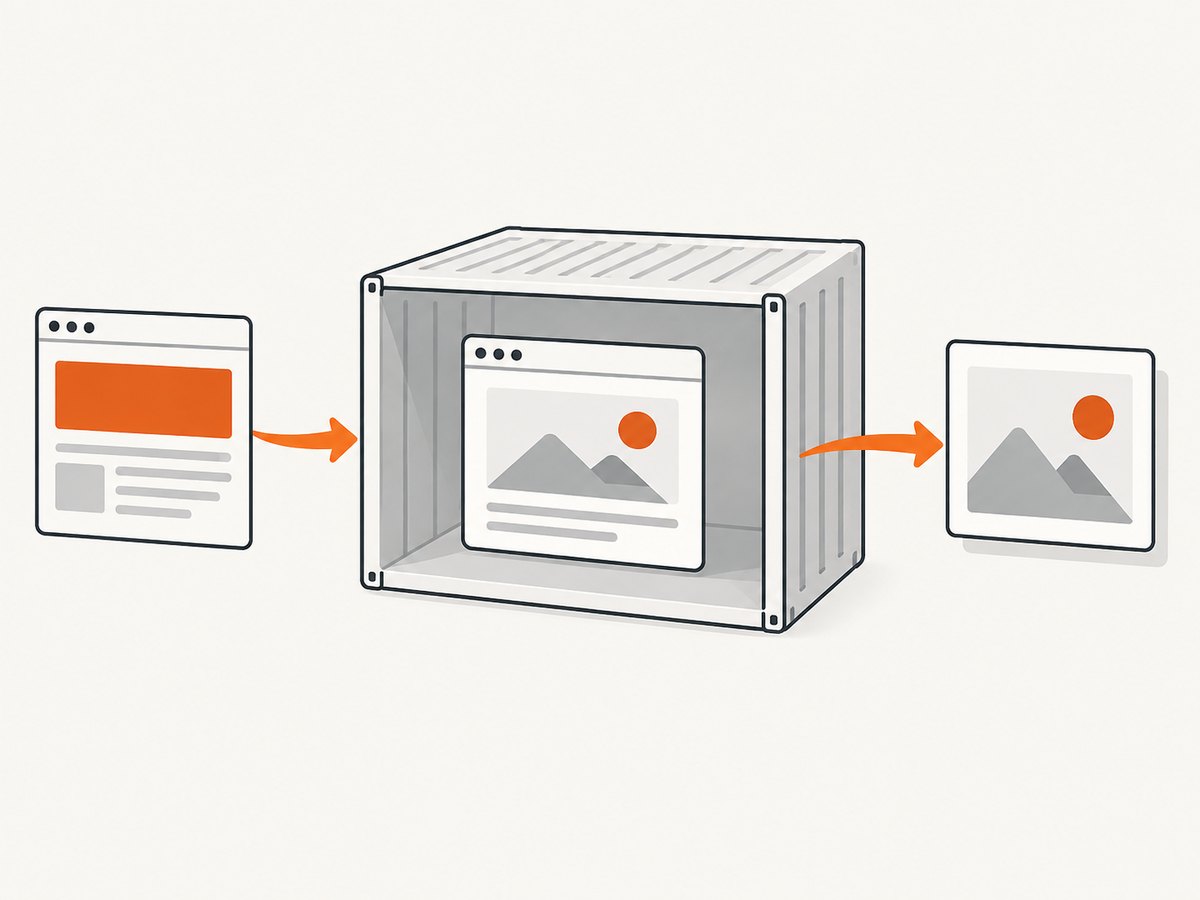
To run a screenshot API for a learning platform, you can automate a browser directly, wrap a browser in a self-hosted Docker HTTP service, or use a hosted screenshot API. Choose based on who should operate the browser runtime, what capture controls the workflow needs, and how you will protect submitted URLs and captured images. Docker packages the runtime; it does not by itself provide authentication, safe URL handling, privacy controls, or production reliability.
For an education workflow, first establish whether pages contain student data, unpublished coursework, or access-controlled content. Then choose a capture path, test it against representative pages, and define retention and access rules for the resulting images. The available education-specific evidence is narrow: one published programming-learning assistant implementation describes Docker Compose and Playwright capturing an output UI image. It does not establish broad adoption or prove effectiveness. Read the paper record. [C005]
1. Choose an approach
| Approach | Good fit when | You operate | Key checks |
|---|---|---|---|
| Browser automation in your application | Your application needs fine control over navigation and capture behavior. | The browser runtime, worker lifecycle, and capture code. | Concurrency, timeouts, browser updates, access to internal URLs, output storage. |
| Self-hosted Docker API wrapper | You want an HTTP interface and are prepared to run the container and browser. | The image, host, network boundary, API authentication, scaling, and updates. | Project maintenance, image provenance, supported architecture, license, security review. |
| Hosted screenshot API | You prefer to delegate browser infrastructure and can send requests to an external service. | Request validation, data classification, vendor review, and storage of results. | Current pricing, privacy and retention terms, region, availability, student-data suitability. |
Puppeteer documents screenshots as a browser automation capability, and Chrome for Developers describes screenshot and PDF use cases. Playwright documents viewport, element, and full-page screenshots, with format and resolution options. These are documented capabilities, not a head-to-head performance comparison. Puppeteer screenshot API; Chrome for Developers: Puppeteer; Playwright screenshots. [C001] [C002]
2. Run Playwright in Docker for a small capture API
The example below starts Chromium in a Playwright container and exposes a minimal Node.js HTTP endpoint. It accepts a URL and returns a PNG. Treat it as a starting point: it deliberately blocks requests to local and private network addresses, limits request size and capture duration, and requires a bearer token. Before exposing it beyond a trusted network, add a proper authentication layer, rate limits, logging that avoids sensitive URLs, and an allowlist of permitted domains. Keep the container and Playwright version aligned as documented by Playwright.
Step 1: Create the files
# package.json
{
  "name": "education-screenshot-api",
  "version": "1.0.0",
  "type": "module",
  "scripts": { "start": "node server.js" },
  "dependencies": { "playwright": "1.55.0" }
}
# server.js
import http from 'node:http';
import { chromium } from 'playwright';
const token = process.env.API_TOKEN;
if (!token) throw new Error('Set API_TOKEN before starting');
const port = Number(process.env.PORT || 3000);
const browser = await chromium.launch({ headless: true });
const server = http.createServer(async (req, res) => {
if (req.method !== 'POST' || req.url !== '/v1/capture') {
res.writeHead(404).end('Not found'); return;
}
if (req.headers.authorization !== `Bearer ${token}`) {
res.writeHead(401).end('Unauthorized'); return;
}
let body = '';
for await (const chunk of req) {
body += chunk;
if (body.length > 8192) { res.writeHead(413).end('Request too large'); return; }
}
let input;
try { input = JSON.parse(body); } catch {
res.writeHead(400).end('Expected JSON'); return;
}
let target;
try { target = new URL(input.url); } catch {
res.writeHead(400).end('Invalid URL'); return;
}
if (!['http:', 'https:'].includes(target.protocol) || target.username || target.password) {
res.writeHead(400).end('Only credential-free HTTP(S) URLs are accepted'); return;
}
// Production services should also resolve DNS and reject private, loopback,
// link-local, and reserved IP ranges, and re-check after redirects.
const width = Math.max(320, Math.min(1920, Number(input.width) || 1280));
const height = Math.max(240, Math.min(1440, Number(input.height) || 800));
const page = await browser.newPage({ viewport: { width, height } });
try {
await page.goto(target.href, { waitUntil: 'domcontentloaded', timeout: 25000 });
const png = await page.screenshot({ type: 'png', fullPage: input.fullPage === true });
res.writeHead(200, { 'Content-Type': 'image/png', 'Cache-Control': 'no-store' });
res.end(png);
} catch (error) {
res.writeHead(502, { 'Content-Type': 'application/json' });
res.end(JSON.stringify({ error: 'capture_failed', message: String(error.message).slice(0, 300) }));
} finally { await page.close(); }
});
server.listen(port, '0.0.0.0');
process.on('SIGTERM', async () => { server.close(); await browser.close(); });Pin the Playwright package and container image to compatible versions. Avoid a floating latest tag: repeatable builds and controlled browser upgrades make debugging easier. The version above is an illustrative pin; check the current Playwright installation documentation before adopting a version. [C002]
# Dockerfile
FROM mcr.microsoft.com/playwright:v1.55.0-noble
WORKDIR /app
COPY package.json ./
RUN npm install --omit=dev
COPY server.js ./
ENV NODE_ENV=production
EXPOSE 3000
CMD ["npm", "start"]
Step 2: Build and run
docker build -t education-screenshot-api .
docker run --rm --init --read-only \
  --memory=1g --cpus=2 \
  -p 127.0.0.1:3000:3000 \
  -e API_TOKEN='replace-with-a-long-random-secret' \
  education-screenshot-api
Binding to 127.0.0.1 keeps this example reachable only from the Docker host. Put it behind a private network or authenticated reverse proxy if other services need it. Resource limits are examples, not recommended capacity figures; determine suitable limits by measuring your own pages and concurrency.
Step 3: Request a screenshot
curl -X POST http://127.0.0.1:3000/v1/capture \
  -H 'Authorization: Bearer replace-with-a-long-random-secret' \
  -H 'Content-Type: application/json' \
  -d '{"url":"https://example.org/course/lesson","width":1280,"height":800,"fullPage":true}' \
  --output lesson.png
The sample does not log the target URL or persist captures. If the service is modified to store images, specify an access policy, encryption approach, retention period, deletion process, and backup policy. Avoid putting student identifiers or access tokens in URLs. A screenshot can itself contain personal information even if the request metadata does not.
3. Capture options to decide up front
Keep the first API contract narrow, then add options only when a real workflow requires them. Every option increases the combinations you need to validate.
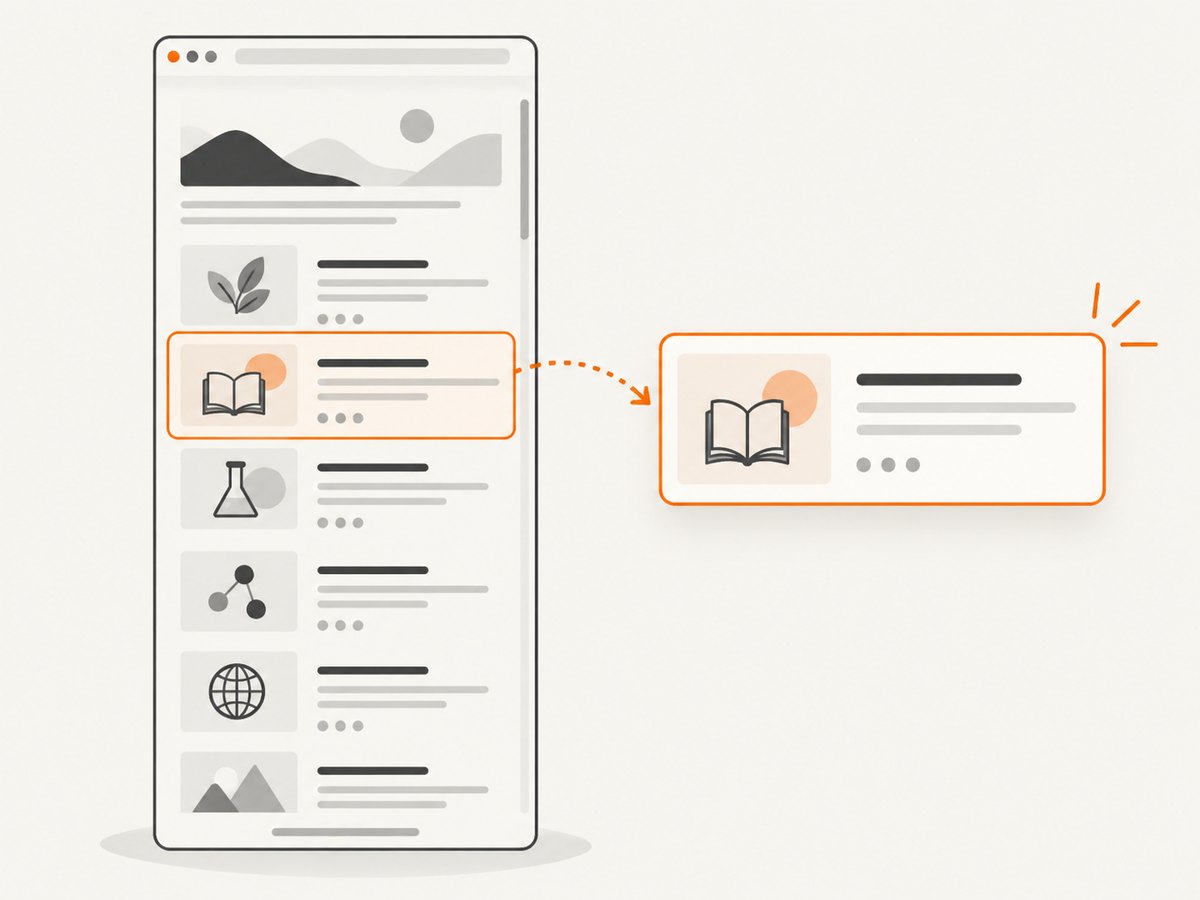
- Viewport or full page: viewport captures match what a learner sees without scrolling; full-page captures are useful for review documents but may trigger lazy loading or produce very tall images.
- Element capture: target a stable CSS selector when only a chart, exercise, or component is needed. Handle missing selectors as explicit errors instead of silently capturing the whole page.
- Readiness:
domcontentloadedis fast but may precede client rendering, fonts, or images. For dynamic pages, wait for a meaningful selector, a bounded delay, or application-provided readiness signal. - Output: PNG preserves sharp text and is lossless; JPEG and WebP can reduce size depending on content and quality settings. Check how your downstream document or learning platform handles each format.
- Device and scale: set viewport dimensions and device scale factor deliberately. A retina scale increases pixel dimensions and memory use.
- Authentication: if course pages require login, prefer a dedicated, least-privilege account and short-lived credentials. Never accept arbitrary cookies or headers from an untrusted caller.
- Network controls: block or allowlist destinations as appropriate. A screenshot endpoint that accepts arbitrary URLs can be abused to reach internal services.
- PDF: browser PDF output is useful for print workflows, but page size, margins, background printing, and page breaks need their own validation.
Playwright’s screenshot API also supports element and full-page capture and image options. Consult its documentation for the exact current parameter names and behavior. [C002]
4. Inspect self-hosted Docker examples carefully
Two community repositories illustrate the wrapper approach. The mingalevme/screenshoter repository describes a Puppeteer-based Docker HTTP service and options including URL, timezone, output format, full-page capture, device emulation, and viewport width. Its described build instructions include an architecture caveat. The AlejandroAkbal/Screenshot-API repository describes a self-hosted Puppeteer API with a /v1/capture route, dimensions, timeout, delay, output type, quality, and Docker instructions; the repository page states an AGPL-3.0 license. [C003]
These README descriptions establish examples to inspect, not vetted deployment recommendations. Before using either, review recent maintenance, dependency and image provenance, supported CPU architectures, vulnerability posture, license obligations, authentication, URL validation, and whether the implementation fits your data-handling requirements. Do not infer production readiness from a successful local demo.
5. Hosted option: fewer browser operations
A hosted API moves the browser runtime out of your Docker deployment. The reviewed Screenshot API documentation describes API-key authentication, GET and POST capture routes, and batch capture, along with format and viewport options. These are vendor-documented capabilities, not an independent assessment. Verify current plan limits, pricing, privacy and retention terms, regional processing, availability, and suitability for student content before sending real course URLs. [C004]
Or skip the browser setup
ScreenshotNeo is a website screenshot API and MCP server from Yorker Media. A GET request can return PNG, JPEG, WebP, or PDF. Its clean-shot workflow accepts cookie or consent banners and removes more than 60 known consent platforms, newsletter popups, and chat widgets before capture; each step can be turned off. Only clean shots are billed: bot checks or CAPTCHAs, blank pages, timeouts, failed loads, and cache hits cost nothing, and response headers report the page verdict and billing status. AI agents can use its MCP server tools—take_screenshot, get_page_info, and capture_pdf. Check the ScreenshotNeo API documentation for request parameters and current usage details.
curl -G "https://api.screenshotneo.com/v1/shot" \
  -d access_key=YOUR_API_KEY \
  --data-urlencode url=https://example.org/course/lesson \
  -o lesson.webp
import requests
r = requests.get(
"https://api.screenshotneo.com/v1/shot",
params={"access_key": "YOUR_API_KEY", "url": "https://example.org/course/lesson"},
timeout=90,
)
r.raise_for_status()
open("lesson.webp", "wb").write(r.content)const q = new URLSearchParams({
access_key: 'YOUR_API_KEY',
url: 'https://example.org/course/lesson'
});
const res = await fetch(`https://api.screenshotneo.com/v1/shot?${q}`);
if (!res.ok) throw new Error(`Screenshot request failed: ${res.status}`);
await import('node:fs/promises').then(fs => fs.writeFile('lesson.webp', Buffer.from(await res.arrayBuffer())));ScreenshotNeo offers 1,000 screenshots per month free with no card; paid plans start at $5 for 3,000 screenshots. Plans also include 15,000 for $15, 60,000 for $39, 250,000 for $99, and 1,000,000 for $249; yearly billing gives two months free. Every feature is on every plan. For education use, still assess whether URLs or rendered pages contain sensitive student information and review applicable data-handling needs before sending them to any hosted service.
Sign up for 1,000 free screenshots a month with no card.
6. Security and privacy checklist for education
- Classify page content before capture; separate public course pages from student-specific or assessment data.
- Require authentication for the capture endpoint and restrict who can submit URLs.
- Prevent server-side request forgery: allowlist domains where possible, reject private and reserved address ranges, and re-check redirect destinations.
- Run the browser with least privilege, bounded CPU and memory, and a read-only filesystem where practical.
- Limit navigation and total capture time; close pages after each request and recycle workers when needed.
- Decide whether screenshots may be cached, where they are stored, who can fetch them, and when they are deleted.
- Do not expose secrets in query strings, logs, screenshots, or error messages. Use scoped credentials for authenticated pages.
- For hosted services, verify vendor terms, retention, region, access controls, and suitability with the institution’s requirements before use.
7. Performance, reliability, and cost
Browser screenshots are resource-intensive compared with ordinary HTTP requests: a browser renders scripts, styles, fonts, images, and sometimes animations. The dossier provides no measured comparison of latency, success rates, hosting costs, or service reliability, so benchmark your representative pages rather than relying on generalized claims.
Performance practices
- Reuse a browser process, but create an isolated page or context per job and close it reliably.
- Set hard limits for navigation, selector waits, and total job duration. A page can keep network activity open indefinitely.
- Use an explicit readiness condition instead of a large fixed sleep; avoid waiting for network idle on pages with persistent connections unless appropriate.
- Choose the smallest useful viewport and output format. Full-page and high-scale captures consume more memory and produce larger files.
- Apply a concurrency limit based on observed memory and CPU use. A queue is safer than accepting unbounded parallel requests.
- Cache only when page freshness and privacy allow it. Key caches carefully so authenticated or personalized captures cannot leak between users.
Reliability practices
Return structured errors for invalid URLs, blocked destinations, navigation timeouts, missing selectors, and browser crashes. Add bounded retries only for transient failures; retrying invalid input or a consistently inaccessible page adds load without helping. Track counts for success, timeout, navigation failure, and output generation, while minimizing sensitive URL data in telemetry. On shutdown, stop accepting new requests and give active captures a bounded chance to finish.
Cost practices
For a self-hosted service, include compute, memory, storage, network egress, engineering time, patching, and monitoring in the cost model. The research sources do not provide current hosting estimates. For hosted services, check current pricing and what counts as a billable capture. ScreenshotNeo publishes the plans listed above and states that failed or non-clean outcomes and cache hits are not billed; do not assume other services use the same billing rules.
8. Troubleshooting
| Symptom | Likely cause | What to try |
|---|---|---|
| Browser fails to launch in the container | Browser and library versions do not match, or required runtime dependencies are missing. | Use the matching Playwright image and package version; inspect container logs and rebuild from a pinned base. |
| Navigation times out | Slow page, blocked network, redirect loop, or waiting condition that never occurs. | Check reachability from inside the container; set a bounded timeout and wait for a page-specific readiness signal. |
| Screenshot is blank or incomplete | Capture ran before client rendering, images, or fonts finished; page may require authentication. | Wait for a stable selector or app-ready signal; validate credentials and inspect the page before capture. |
| Full-page shot misses lower content | Lazy-loaded content only appears after scrolling or the page uses a virtualized list. | Scroll in steps and wait for content, or capture the relevant element/viewport; virtualized pages may not expose all items at once. |
| 401 from the sample endpoint | Missing or mismatched bearer token. | Set the same API_TOKEN at startup and send it in the Authorization header. |
| 400 for a URL | Malformed URL, unsupported scheme, or embedded credentials. | Send an absolute HTTP or HTTPS URL without username/password fields. |
| Container is killed under load | Too many concurrent pages, oversized full-page images, or resource limits are too low. | Reduce concurrency and image dimensions, queue jobs, and size limits from measured workload. |
| Fonts or colors differ from the browser | Fonts are unavailable, device scale differs, or print and screen rendering differ. | Ensure fonts load before capture, set viewport and scale explicitly, and validate the target output format. |
9. Implementation sequence
- Decide whether pages are public, authenticated, or student-specific; set the allowed data boundary.
- Prototype capture with Playwright or Puppeteer against a small set of representative pages.
- Define the HTTP contract, authentication, URL rules, output limits, timeouts, and structured failures.
- Build a pinned container and test its architecture and browser dependencies in the target environment.
- Add queueing, concurrency limits, metrics, retention, and deletion behavior before expanding use.
- Compare self-hosting with a hosted API only after reviewing current pricing, terms, privacy, and required controls.
Frequently asked questions
Is a Docker screenshot API an education-specific product category?
No. It is a general browser-capture pattern that can support education workflows. The evidence identified one academic implementation, which is not a sector-wide deployment survey. [C005]
Should a learning platform use Playwright or Puppeteer?
Both document browser screenshot capabilities. Select based on your team’s browser automation needs and existing stack, then confirm current APIs and runtime requirements in their official documentation. [C001] [C002]
Can I capture a page behind a login?
Technically, browser automation can navigate authenticated pages when supplied credentials or a session. Operationally, use least-privilege, scoped credentials and confirm the page data is permitted for the capture service and storage path.
Does Docker make captures private or secure?
No. Containerization packages software; access control, network restrictions, data retention, image provenance, and patching still require explicit decisions.
Can I recommend a specific community Docker image for production?
The repository descriptions alone do not establish maintenance, security, or production readiness. Inspect the source, image provenance, license, architecture support, and current project health before adopting one. [C003]


