Does the Wayback Machine Capture Everything?
No. The Wayback Machine archives publicly available pages selectively, and a saved page may still be incomplete or behave differently from the original.

No. The Wayback Machine does not capture every website, page, image, or interaction. The Internet Archive collects publicly available pages, and captures can be missing because of access restrictions, site-owner requests, crawler exclusions, discovery gaps, or technical limits. Even when a capture exists, it may not reproduce the original page completely. The Internet Archive explains what the Wayback Machine collects and why pages may be absent.
That means two different problems can look alike: the content may not have been captured, or the capture may exist but fail to recreate the original experience. A missing image or broken interaction does not prove the entire site was never archived. Check the exact URL and capture timestamp before drawing conclusions.
1. What “capture everything” would mean
A complete copy of a website would need to include every page, every linked asset, every version over time, and every behavior that depends on scripts, forms, accounts, or the original server. The Wayback Machine is not a complete, continuously synchronized copy of the web. It is a collection of captures made by different crawls and by people submitting pages to Save Page Now.
The archive’s scope depends on what a crawler could discover and retrieve at a particular time, and what the site allowed it to access. A homepage may have a capture while a deep page does not; a page may be saved while a resource it references is missing. And an archived page can load while some of its original interactions no longer work.
The Internet Archive’s general information page puts the scope plainly: “The Archive collects web pages that are publicly available.” That statement does not promise a capture of every public page. In practice, accessibility is only one part of the problem; discovery, site configuration, crawl timing, and page behavior also matter.
2. Why a page may be missing
Access restrictions
Pages that require a password, pages available only after a form submission, and pages on secure servers may not be archived. A crawler cannot necessarily follow the same path as a person who logs in, completes a form, or meets a site’s access requirements. A page that appears public in a browser may still depend on a preceding action or session.
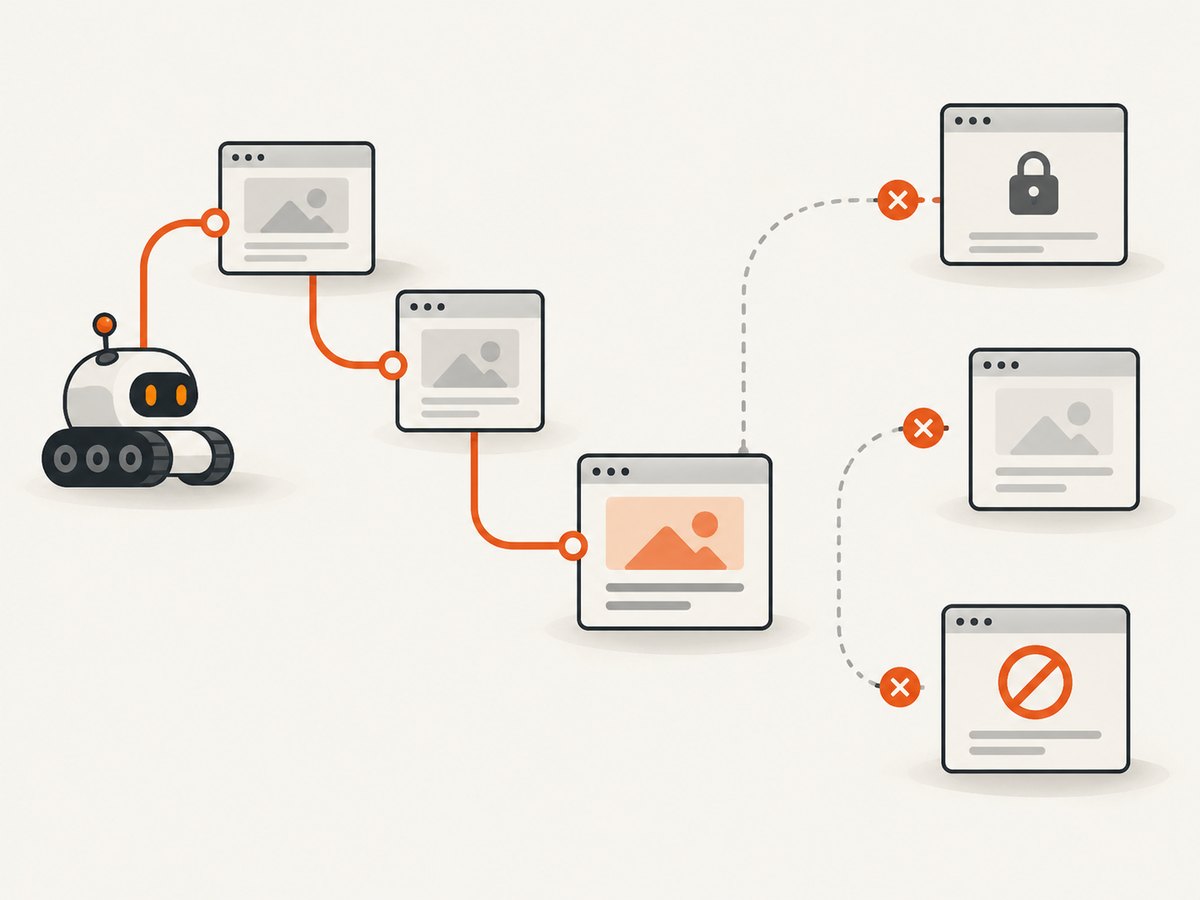
Do not try to bypass access controls to create an archive. If content is restricted, use an authorized export or ask the site owner for a preservation copy.
Robots exclusions and owner requests
A site’s robots.txt rules or a direct request from its owner can exclude content from the Wayback Machine. This is one reason a page that was publicly reachable at the time might not have a capture. The archive’s absence is not evidence that the page never existed.
The crawler may not know the URL
Crawlers tend to discover sites through links from other sites. A page with no links pointing to it—an “orphan” page—may never be found through ordinary crawling. URLs hidden behind search forms, application controls, or interactions can be similarly hard to discover. JavaScript-generated links may also be difficult for automated systems when the full destination URL is not present in the page markup.
For a missing page, search for the exact URL, including its path and relevant query string, and look for links to it from archived pages. A domain appearing in the archive does not imply that every route beneath the domain was found.
Technical limitations and crawl timing
Some sites prohibit crawling, and some SSL configurations can cause problems for capture. Pages that automated systems otherwise cannot access may be skipped. Crawls also happen at particular times; a page that changed, moved, or disappeared between crawls may not have a capture matching the moment you care about.
These are reasons to distinguish “not found in the archive” from “never existed.” The archive itself describes its coverage as non-exhaustive and lists multiple reasons a site may be absent. See its guide to using the Wayback Machine for examples of pages that are harder to archive.
3. A saved page is not necessarily a working copy
Finding a timestamp does not mean every detail of the page was captured or can be replayed. Static HTML and directly referenced assets are generally easier to preserve than pages whose behavior depends on JavaScript, forms, user actions, or requests to the original server.

For example, an archived product page might show its captured text and styling while a search box cannot submit results. A chart that fetched data from a live API may be empty. A menu may depend on scripts that no longer run as they did. The archived page can be useful evidence of what was published without being a functional replacement for the original application.
Keep these failure modes separate when diagnosing a result:
- Content unavailable: the page or resource was never captured, was excluded, could not be accessed, or was not discovered.
- Capture exists, replay is incomplete: the archived HTML is present, but a resource is missing or an interaction depends on the original site.
A broken playback experience does not necessarily mean the page itself is absent. Conversely, a page that appears to render correctly may contain links or resources from somewhere else.
4. How to check a page carefully
- Search for the exact page URL. Start with the page’s full address, not just its domain or homepage. If the page used a query string, try the original URL and the stable path separately.
- Inspect the available capture dates. Choose the timestamp closest to the historical moment you need. The date in an archived URL matters: it identifies the capture context and can help expose when a link leads to another snapshot.
- Check missing assets as their own URLs. If a graphic, stylesheet, script, or document is missing, look up that exact resource URL in the archive. A missing asset does not establish that the rest of the domain is absent.
- Follow links cautiously. An incomplete archive may route a missing link to the closest available archived date or even to the live web. Confirm the timestamp and destination before treating the result as historical evidence.
- Separate appearance from behavior. Note whether you need proof of visible text, a particular asset, or a working interaction. Archive playback may be sufficient for the first and insufficient for the last.
- Record what you checked. For research or incident analysis, keep the exact URL, selected capture timestamp, and any missing resources or live-web fallbacks. This makes the limits of the evidence clear to the next reader.
For historical accuracy, do not assume every element visible on an archived page came from that exact capture. The Internet Archive’s usage guide specifically advises checking the exact image or linked URL and warns that incomplete captures can lead to a different date or to live content.
5. What Save Page Now saves—and what it does not
Save Page Now is for saving a specific submitted page. The Internet Archive says it saves the entered page, including images and CSS, but does not save outlinks, multiple pages, directories, or an entire website. It is therefore useful for preserving a page you have identified; it is not a site-wide backup or a command to crawl every linked page.
Use it when you need to request a capture of one accessible page. If you need a collection of pages, you must define and preserve that scope separately. A single successful submission cannot establish that every other URL, asset, or interactive state was saved.
The official instructions are in Save Pages in the Wayback Machine. The guide notes that some sites prohibit crawling and that certain SSL settings can cause problems.
6. When a collection crawl is a better fit
Organizations that need regular crawls of defined content categories may need a managed preservation workflow rather than ad hoc one-page submissions. The Internet Archive describes Archive-It as a paid subscription service with web-archivist support. That is an option for institutional preservation needs, but it does not guarantee that every site or interaction can be preserved.
Before choosing any archiving approach, write down the scope: which domains and paths matter, how often they need to be revisited, whether access is authorized, and what evidence you need to retain. Decide whether the goal is a readable historical record, preservation of linked assets, or replay of application behavior. These goals have different technical requirements.
7. A practical checklist for evaluating a Wayback result
- Page: Does the exact URL have a capture, or only the domain homepage?
- Date: Is the capture timestamp close enough to the event or version you are researching?
- Assets: Have important images, files, stylesheets, and scripts been checked separately?
- Access: Could the page have required a password, form submission, session, or secure-server access?
- Discovery: Was the URL linked from a crawlable page, or was it orphaned or hidden behind an interaction?
- Playback: Does the page depend on JavaScript or a request to the original server for the part you need?
- Fallbacks: Could a link have resolved to another archived date or the live web?
- Scope: Are you treating a one-page save as a page capture rather than a whole-site crawl?
The Internet Archive’s 2021 usage guide cites hundreds of billions of links and more than 350 million site homepages in the context of Wayback Machine Site Search. Those figures describe the links and homepages used for that search feature in that guide; they are not a count of archived pages, a guarantee of completeness, or a current measure of the archive’s total size.
8. Troubleshooting common Wayback Machine problems
| What you see | Likely cause | What to do |
|---|---|---|
| No result for the page | The URL was not discovered, was excluded, could not be accessed, or has no available capture. | Search the exact URL and linked paths; check whether access restrictions, robots rules, or an owner request apply. Do not infer that the page never existed. |
| Homepage exists, deep page does not | The crawler did not discover the route, especially if it is orphaned or hidden behind a form or interaction. | Look for links to the deep URL and search for that exact address. A homepage capture does not imply a whole-site crawl. |
| Page loads without images or CSS | Those resources may not have been captured, may have a different URL, or may be unavailable in that snapshot. | Search for each asset URL in the archive. Confirm that any displayed fallback is from the intended date. |
| A link shows current content | The archived target may be missing and the browser may reach the live web. | Inspect the destination and timestamp. Do not cite live content as if it came from the archived capture. |
| Buttons, search, or forms do nothing | The behavior may require JavaScript, user interaction, or the original server. | Use the capture as a record of available page content, not proof that the original interaction can be replayed. Seek another contemporaneous record if behavior is essential. |
| Save Page Now does not preserve the whole site | It is a one-page save, not a crawler for outlinks or a directory. | Submit each needed page separately or use a defined collection-crawl workflow appropriate to your organization. |
| Capture fails for a site using SSL | Some SSL settings or site restrictions can interfere with capture. | Check the official Save Page Now guidance and whether the site permits crawling; do not assume repeated submissions can overcome an access restriction. |
9. Capturing a current visual reference with ScreenshotNeo
The Wayback Machine is for looking up historical captures and requesting archival saves. If your task is instead to save a visual reference of a page you can currently access, ScreenshotNeo is a website screenshot API and MCP server. It can return a PNG, JPEG, WebP, or PDF from one GET request. It does not replace historical web archiving; it captures the page as currently rendered.
For the full parameter list and response details, see the ScreenshotNeo API documentation. The following command saves a WebP screenshot:
curl -G "https://api.screenshotneo.com/v1/shot" \
  -d access_key=YOUR_API_KEY \
  --data-urlencode url=https://stripe.com \
  -o shot.webp
Equivalent Python:
import requests

r = requests.get(
    "https://api.screenshotneo.com/v1/shot",
    params={"access_key": "YOUR_API_KEY", "url": "https://stripe.com"},
    timeout=90,
)
open("shot.webp", "wb").write(r.content)
Equivalent Node.js using built-in fetch:
const q = new URLSearchParams({
  access_key: 'YOUR_API_KEY',
  url: 'https://stripe.com'
});
const res = await fetch(`https://api.screenshotneo.com/v1/shot?${q}`);
if (!res.ok) throw new Error(`Screenshot request failed: ${res.status}`);
await import('node:fs/promises').then(fs => fs.writeFile('shot.webp', Buffer.from(await res.arrayBuffer())));
In application code, check the HTTP status and response headers before treating a response as an image. ScreenshotNeo identifies the page verdict and billing status through X-Page-Verdict and X-Billed. Bot checks or CAPTCHAs, blank pages, timeouts, failed loads, and cache hits are not billed; the response indicates which outcome occurred.
10. ScreenshotNeo options, reliability, and cost
For current-page capture, choose options according to what the page needs. ScreenshotNeo supports full-page capture with lazy images loaded, capture of one element by CSS selector, dark mode, 12 device presets or a custom viewport, and retina scale. It can produce PDFs with paper size, margins, landscape orientation, and page ranges. It also accepts HTML/CSS for image output, custom CSS and JavaScript, clicks before capture, selectors to hide, and waits for a selector, a delay, or network idle.
For pages that need controlled requests or a particular browsing context, available options include blocking ads, trackers, requests, or resource types; custom headers, cookies, user agent, and Authorization; timezone and geolocation; transparent background; and image resizing. Caching supports a TTL you choose. Public image embeds can use signed links. For larger workflows there are asynchronous jobs with signed webhooks, bulk capture of up to 100 URLs per call, a usage API, and an OpenAPI spec. The parameter names used by other screenshot APIs also work, which can make migration easier. Every feature is on every plan.
For AI-assisted workflows, its MCP server exposes take_screenshot, get_page_info, and capture_pdf for Claude, Cursor, and other MCP clients. For reliability, use an explicit wait condition on pages that render asynchronously, handle failed or blank outcomes using the verdict headers, and make bulk or asynchronous jobs fit your own retry and delivery needs. Caching can avoid repeat capture work when a chosen TTL suits the freshness requirements.
Plan prices are: Free, 1,000 shots per month with no card; Starter, $5 for 3,000; Growth, $15 for 15,000; Pro, $39 for 60,000; Scale, $99 for 250,000; and Business, $249 for 1,000,000. Yearly billing gives two months free. Only clean shots are billed, so failed or non-content outcomes and cache hits do not consume a billed shot. Select a tier based on expected monthly volume and how fresh captures need to be.
Or skip the browser setup
One call returns a screenshot without setting up a browser locally:
curl -G "https://api.screenshotneo.com/v1/shot" \
  -d access_key=YOUR_API_KEY \
  --data-urlencode url=https://stripe.com \
  -o shot.webp
ScreenshotNeo accepts cookie and consent banners like a visitor and removes more than 60 known consent platforms, newsletter popups, and chat widgets before the shot; each step can be turned off. Bot checks, blank pages, and failed loads are never billed. An MCP server lets AI agents take screenshots. The Free plan includes 1,000 screenshots a month with no card, and paid plans start at $5 for 3,000. Get started with the free plan.
Frequently asked questions
Does a missing Wayback result prove the page never existed?
No. A page may be absent because it was excluded, inaccessible, undiscovered, or not captured for technical reasons.
Does Save Page Now capture every link on a submitted page?
No. It saves the submitted page and its images and CSS, but not outlinks, multiple pages, directories, or a complete site.
Can I trust every link shown on an archived page as historical?
Check the destination and timestamp. An incomplete archive can lead to another capture date or to the live web.
Can ScreenshotNeo recover an old version of a page?
No. ScreenshotNeo captures a current page rendering; use the Wayback Machine or another authorized archive for historical versions.


