Domain and SSL Certificate Expiry Checker
Check domain registration and TLS certificate expiry separately, understand RDAP fields, and avoid misleading dates or missed renewals.

Domain expiry and SSL certificate expiry are different dates. Domain expiry is about the registration of a name. SSL, more precisely TLS, expiry is about the certificate a server presents during a secure connection. Check and report them separately.
For generic top-level domains (gTLDs), use ICANN Lookup and its RDAP-backed registration data. For TLS, inspect the certificate served by the actual host. If a renewal date is critical, confirm it in the sponsoring registrar account because public fields can be incomplete, cached, or labeled differently.
What each expiry date means
| Check | What it measures | Where to look | What failure affects |
|---|---|---|---|
| Domain registration expiry | When the registered name reaches its registrar or registry expiration event | RDAP data through ICANN Lookup | Renewal, ownership and DNS continuity |
| TLS certificate expiry | The notAfter date of the certificate served by a host |
A live TLS handshake against the hostname | HTTPS validation in browsers and clients |
One site can show both values, but combining them into a single “domain expiry” field is misleading. A domain can be registered for years while its certificate expires tomorrow, or have a current certificate while its registration record needs renewal.
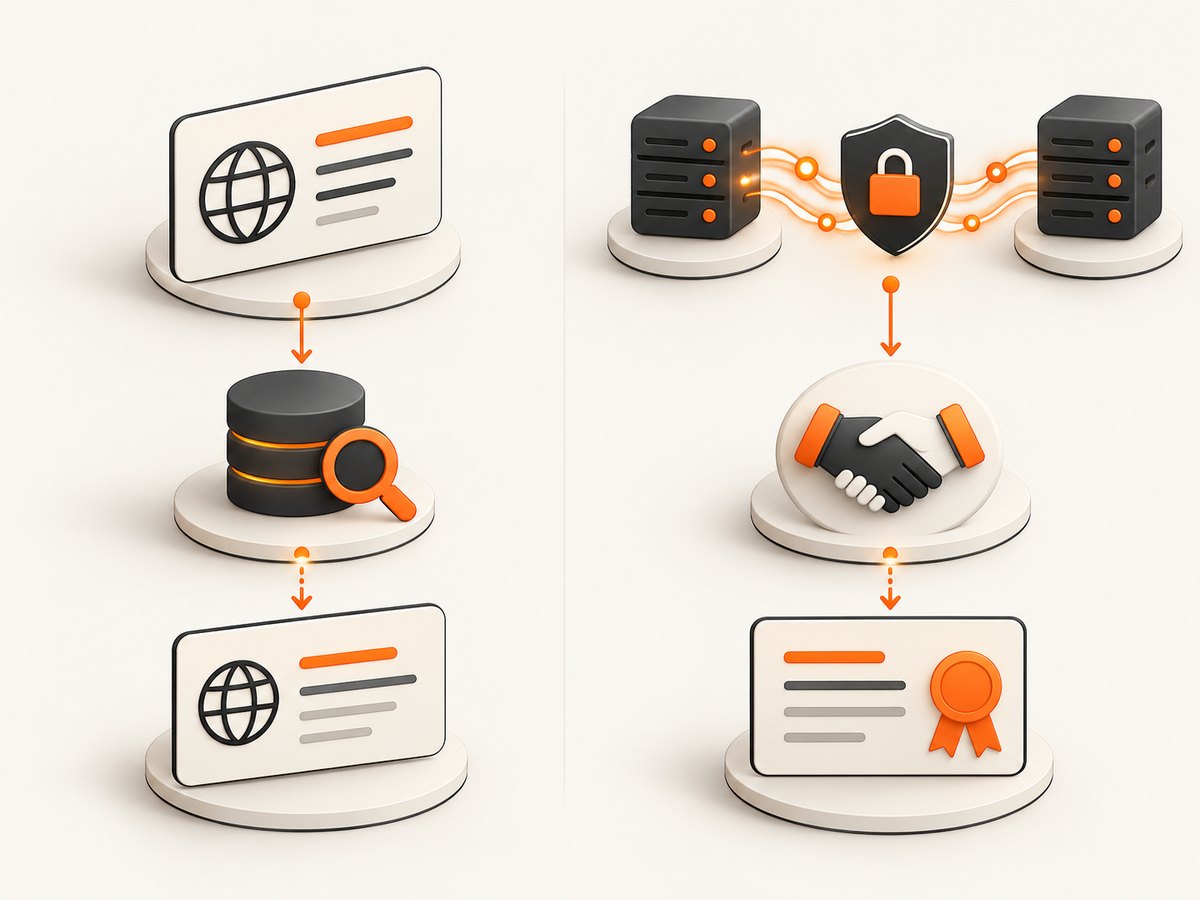
How to check domain registration expiry with RDAP
As of 28 January 2025, RDAP is ICANN’s definitive source for generic top-level-domain registration information in place of sunsetted WHOIS services. ICANN Lookup queries registry operators or registrars and can use a WHOIS failover when queried information is unavailable through RDAP. Returned fields vary by registrar, registry, law and policy.
- Open ICANN Lookup.
- Enter the complete domain name, without a URL path.
- Find the events section and identify the event action and date.
- Record the label exactly, such as
registrar expirationorexpiration. - For a renewal decision, compare the result with the registrar account and renewal settings.
Registrar expiration versus registry expiration
RDAP can expose two registration expiry events. The Registrar Registration Expiration Date uses event action registrar expiration. The Registry Expiry Date uses event action expiration. ICANN explains that these dates may differ, including when a registry auto-renews a name but the registrant or registrar has not yet renewed it.
Do not silently choose one date. Preserve the event label and source in reports so an operator knows what is being measured.
Why an expiry field can be blank
- The registry or registrar does not publish that field for the TLD.
- Applicable law or policy limits the returned registration data.
- The name is unregistered, reserved or in a closed brand TLD.
- The lookup used a fallback source with different fields.
- The result is temporarily unavailable or cached.
A blank field is not proof that the checker is broken. Treat the registrar account as the operational source for renewal status.
How to check SSL/TLS certificate expiry
A certificate check must connect to the host that serves HTTPS. The certificate may differ between hostnames, ports, regions or load-balancer paths, so check the exact hostname users visit.
Using OpenSSL
echo | openssl s_client -servername example.com -connect example.com:443 2>/dev/null | openssl x509 -noout -subject -issuer -datesThe output includes notBefore and notAfter. The latter is the certificate validity end date. The -servername option sends SNI, which is required when a server hosts multiple certificates.
Using cURL for a connection check
curl -vI https://example.comcURL verifies the certificate by default and reports handshake or trust errors. It does not replace parsing the certificate’s exact notAfter value; use OpenSSL or code when you need a machine-readable date.
Python: read the live certificate
import socket
import ssl
from datetime import datetime, timezone

host = "example.com"
context = ssl.create_default_context()
with socket.create_connection((host, 443), timeout=10) as raw:
    with context.wrap_socket(raw, server_hostname=host) as tls:
        certificate = tls.getpeercert()

expires = datetime.strptime(
    certificate["notAfter"], "%b %d %H:%M:%S %Y %Z"
).replace(tzinfo=timezone.utc)
remaining_days = (expires - datetime.now(timezone.utc)).days
print({"host": host, "expires_utc": expires.isoformat(), "days_remaining": remaining_days})
Node.js: read the live certificate
import tls from "node:tls";

const host = "example.com";
const socket = tls.connect({ host, port: 443, servername: host }, () => {
  const certificate = socket.getPeerCertificate();
  const expires = new Date(certificate.valid_to);
  const daysRemaining = Math.floor((expires - new Date()) / 86400000);
  console.log({ host, expiresUtc: expires.toISOString(), daysRemaining });
  socket.end();
});

socket.setTimeout(10000, () => socket.destroy(new Error("TLS timeout")));
socket.on("error", (error) => {
  console.error(error.message);
  process.exitCode = 1;
});
Build a reliable expiry report
- Normalize input to a hostname. Remove the scheme, path, query and fragment.
- Run the registration lookup and store every returned expiry event with its label.
- Run the TLS handshake against the intended hostname and port.
- Store certificate subject, issuer,
notBefore,notAfterand the checked host. - Calculate remaining time in UTC, not local time.
- Record the lookup timestamp and source so later results can be compared.
- Alert before the deadline, with a separate policy for registration and certificates.
Multiple hostnames and certificates
example.com, www.example.com and an API subdomain can serve different certificates. Check each hostname that clients use. A wildcard certificate can cover several names, but hostname coverage and expiration still need validation.
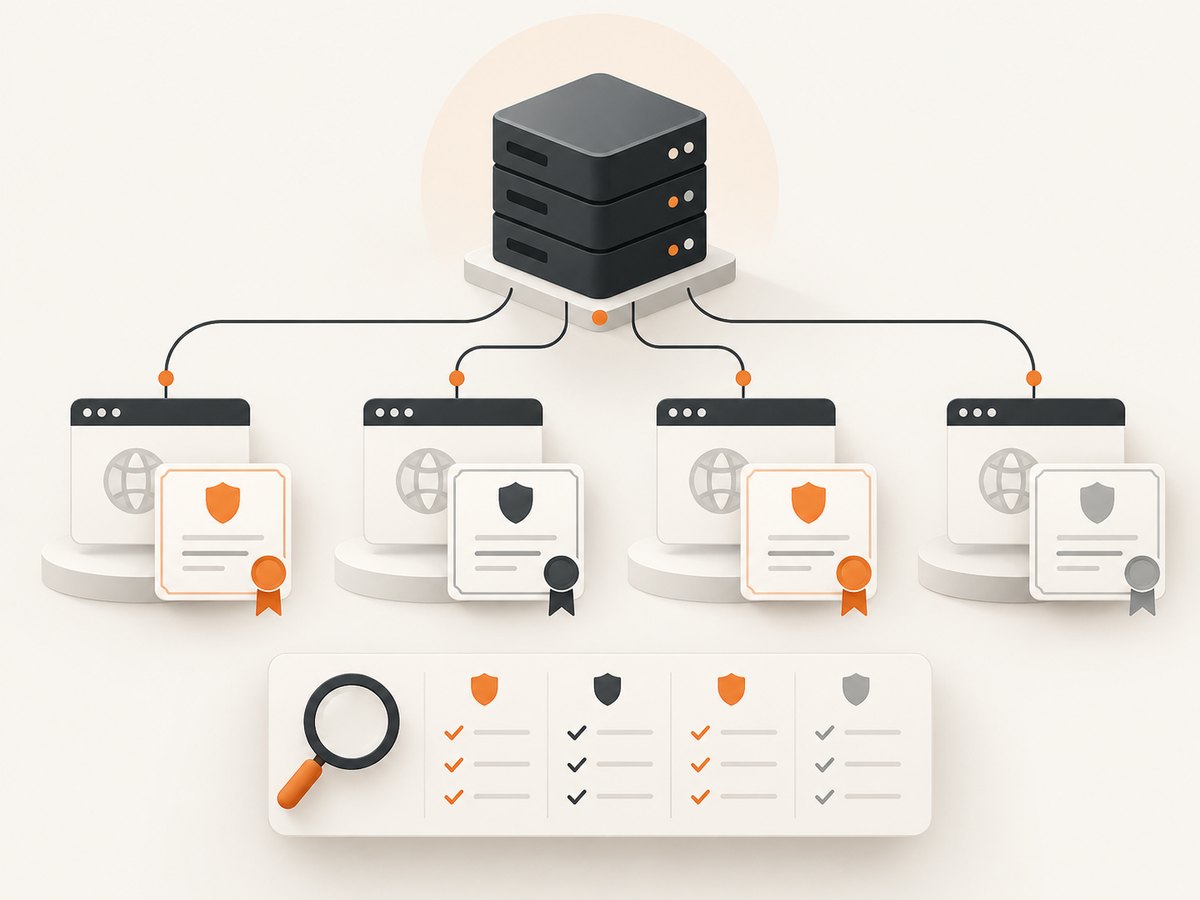
Renewal lifecycle and timing
Registration lifecycle stages vary by TLD and registrar. Some gTLDs use auto-renew grace, redemption and pending-delete phases, but their durations are not universal. Renew before the displayed registration deadline and follow the registrar’s status. Do not assume a grace period exists for your TLD.
Common errors and fixes
| Error | Likely cause | Fix |
|---|---|---|
| No registration expiry shown | The TLD or registrar does not publish the field | Check ICANN Lookup notes, try the available fallback, and confirm in the registrar account. |
| Two different registration dates | Registrar and registry expiration events differ | Keep both labels; ask the registrar which date controls renewal. |
| TLS handshake fails | Wrong hostname, port, SNI, firewall or unavailable server | Use the exact HTTPS hostname, port 443 and SNI; test network access. |
| Certificate hostname mismatch | The server returned a certificate for another name | Configure the certificate and virtual host for the requested hostname. |
| Certificate appears expired only in one tool | Different hostname, proxy, cache or system clock | Repeat the live check with SNI and verify the machine clock. |
| Intermittent dates | Load balancing serves different certificates | Check each endpoint or vantage point and fix inconsistent deployment. |
| Unexpected renewal date | Renewal processing or auto-renew changed the record | Use the registrar account as the source of truth and retain the lookup timestamp. |
Performance, reliability and cost considerations
- RDAP: Cache results only for a stated period; registration data can change after renewal. Respect provider limits and policies.
- TLS: A handshake is lightweight, but DNS, TCP, firewall and certificate-chain problems can add latency. Set timeouts and retry transient network failures.
- Accuracy: A public registration date is evidence from the lookup source, not a guarantee of renewal. Confirm critical domains with the registrar.
- Operations: Store UTC timestamps, source names, event labels and the exact hostname checked.
- Cost: ICANN Lookup is free for browser-based registration checks. Your own monitoring cost depends on compute, network traffic and alerting volume.
Or skip the browser setup
ScreenshotNeo can capture the lookup or certificate-status page through one API request when you need an auditable visual record. See the ScreenshotNeo documentation for all options.
curl -G "https://api.screenshotneo.com/v1/shot" -d access_key=YOUR_API_KEY --data-urlencode url=https://lookup.icann.org/en/ -o shot.webpimport requests
r = requests.get("https://api.screenshotneo.com/v1/shot", params={"access_key": "YOUR_API_KEY", "url": "https://lookup.icann.org/en/"}, timeout=90)
open("shot.webp", "wb").write(r.content)const q = new URLSearchParams({ access_key: 'YOUR_API_KEY', url: 'https://lookup.icann.org/en/' });
const res = await fetch(`https://api.screenshotneo.com/v1/shot?${q}`);Cookie banners, newsletter popups and chat widgets are removed before the shot. Bot checks, blank pages and failed loads are never billed. The MCP server lets AI agents take screenshots, and 1,000 screenshots a month are free with no card; paid plans start at $5 for 3,000. Create a free ScreenshotNeo account.
FAQ
Is domain expiry the same as SSL expiry?
No. Registration expiry belongs to the name record; TLS expiry belongs to the certificate served by a host.
Which date should I renew against?
Use the registrar account and renewal status. If RDAP returns both registrar and registry events, retain both labels and ask the registrar which event governs your account.
Does ICANN Lookup check the certificate?
No. ICANN Lookup provides registration data. A TLS checker must perform a live connection to the host.
Can a certificate be valid after a domain expires?
Yes, the certificate validity period and registration record are independent. An expired registration can still cause DNS or service loss even if the certificate date is current.
How often should I check?
Choose a schedule based on operational risk, then alert well before both deadlines. Recheck immediately after renewals or certificate deployments.


