How to Calculate the Dominant Color of a Screen Region in Python
Capture a screen rectangle in Python, then find its exact or representative dominant color with Pillow, quantization, and OpenCV.
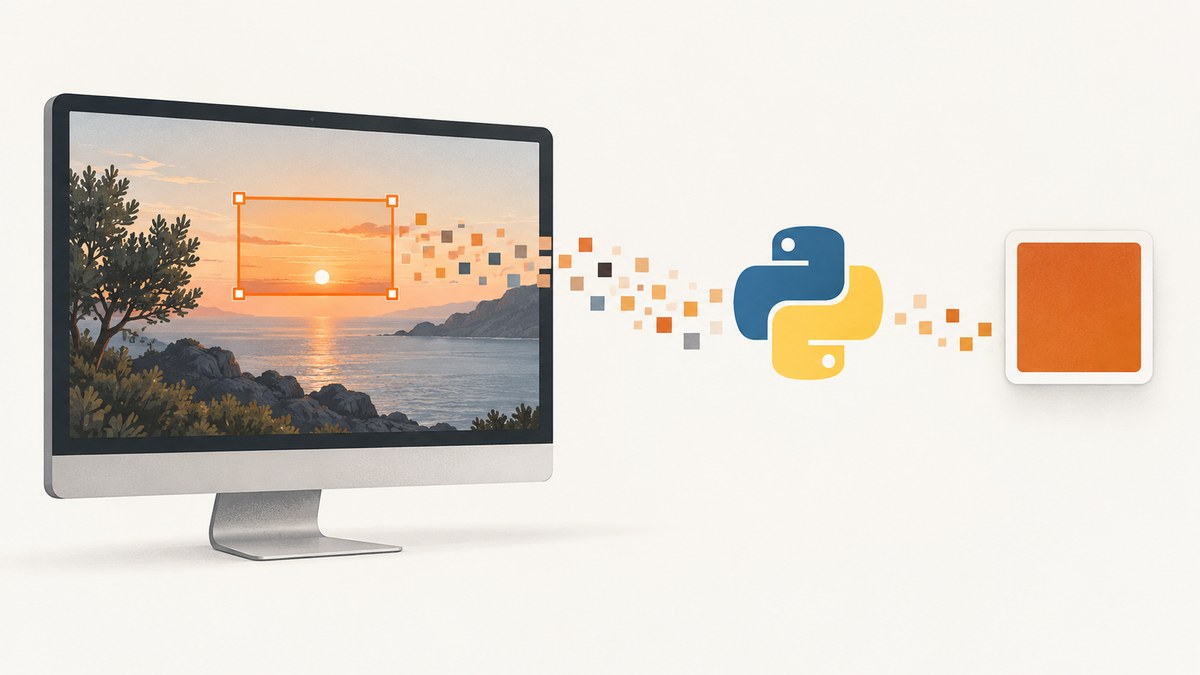
To calculate the dominant color of a screen region in Python, first define what “dominant” means:
- Exact dominant color: the RGB triplet that appears most often.
- Representative dominant color: the most common color after reducing a complex region to a limited palette.
For a live desktop rectangle, Pillow’s ImageGrab.grab(bbox=...) captures the region. Count complete RGB tuples with collections.Counter for exact frequency. If gradients, photographs, antialiasing, or compression make nearly every pixel unique, quantize the region first and count the resulting palette entries.
This guide covers both methods, coordinate handling, Retina and multi-monitor issues, OpenCV arrays, validation, performance, troubleshooting, and a hosted alternative.
1. Install Pillow and capture a screen region
Install Pillow in the environment that will run the script:
python -m pip install PillowPillow uses screen coordinates in the order (left, upper, right, lower)ImageGrab documentation describes platform-specific capture behavior, including image modes, Retina scaling, and Linux fallbacks.
from collections import Counter
from PIL import ImageGrab

# Screen coordinates: left, upper, right, lower.
box = (100, 100, 300, 250)
shot = ImageGrab.grab(bbox=box)

# Normalize macOS RGBA and other modes to RGB.
rgb = shot.convert("RGB")

if rgb.width == 0 or rgb.height == 0:
    raise ValueError("The selected screen region is empty")

counts = Counter(rgb.getdata())
dominant_rgb, pixel_count = counts.most_common(1)[0]

print(f"Dominant RGB: {dominant_rgb}")
print(f"Pixels with that exact color: {pixel_count}")
print(f"Region size: {rgb.width} x {rgb.height}")
The result is a tuple such as (32, 40, 52). This is an exact observed color, not an average.
2. Count the exact most common RGB color
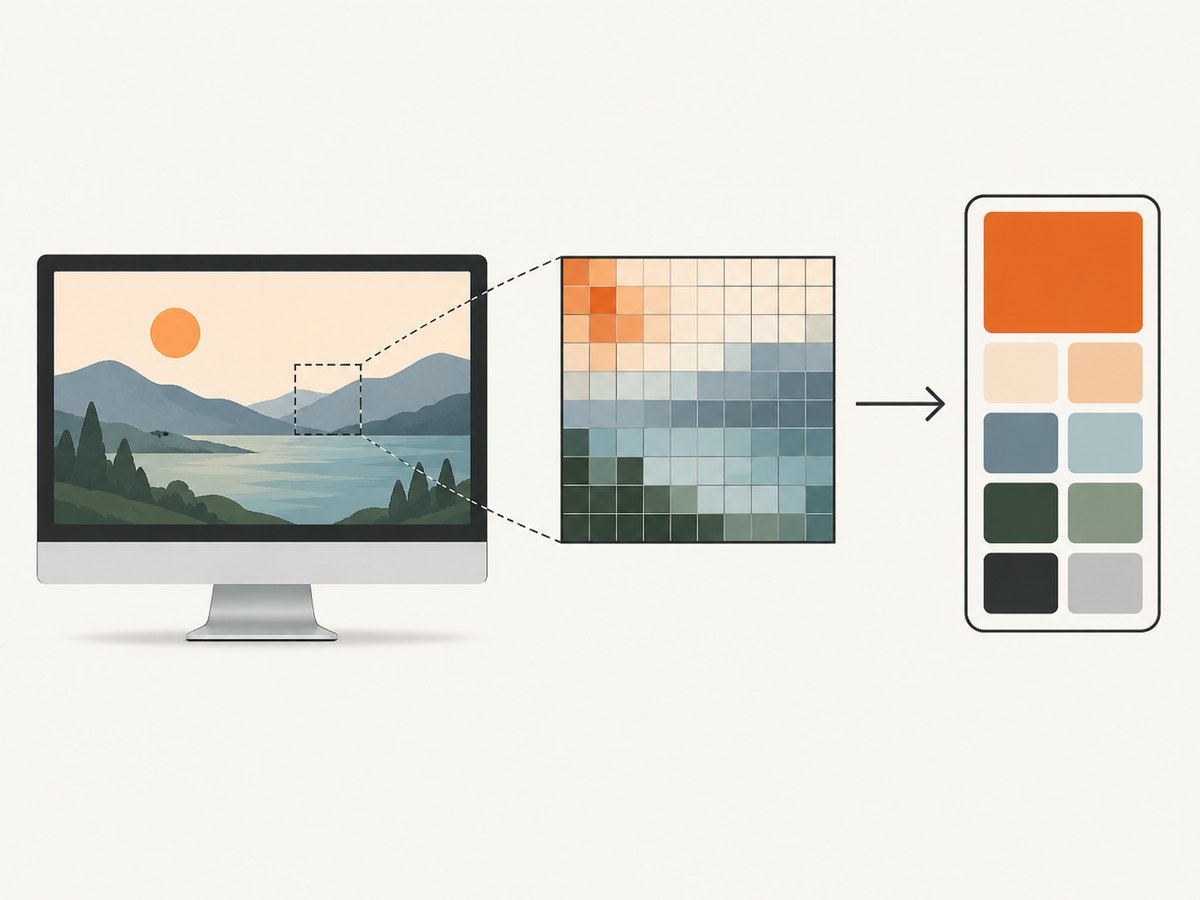
Exact counting treats every complete RGB triplet as a category. This is the right definition when repeated flat colors matter, such as a solid status indicator, a pixel-art area, or a UI panel background.
from collections import Counter
from PIL import Image

def exact_dominant_color(image: Image.Image):
    """Return (rgb_tuple, count) for the most frequent exact RGB value."""
    rgb = image.convert("RGB")
    if rgb.width == 0 or rgb.height == 0:
        raise ValueError("The image region is empty")

    counts = Counter(rgb.getdata())
    # Counter.most_common is deterministic for a fixed input order;
    # tied colors follow their first-seen order.
    return counts.most_common(1)[0]

region = Image.open("screenshot.png").crop((100, 100, 300, 250))
color, count = exact_dominant_color(region)
print(color, count)
Independent red, green, and blue histograms are not equivalent. They can select the most frequent red value, green value, and blue value from three different pixels, producing an RGB triplet that never appeared in the image. Count complete tuples when you need an actual pixel color. Pillow’s ImageStat documentation explains per-channel statistics and histogram bins.
Handle ties explicitly
Several colors can have the same maximum count. Return all tied colors when the distinction matters:
from collections import Counter

def all_exact_modes(image):
    rgb = image.convert("RGB")
    counts = Counter(rgb.getdata())
    if not counts:
        raise ValueError("The image region is empty")

    highest = max(counts.values())
    return [(color, n) for color, n in counts.items() if n == highest]

modes = all_exact_modes(region)
for color, count in modes:
    print(color, count)
3. Crop a rectangle from an existing screenshot
If the screenshot is already in memory or on disk, crop it before counting. Pillow’s rectangle format remains (left, upper, right, lower); coordinates refer to pixel corners. Validate the box so reversed or out-of-bounds input does not silently produce an unintended result.
from PIL import Image

def validate_box(box, image_size):
    left, upper, right, lower = box
    width, height = image_size
    if right <= left or lower <= upper:
        raise ValueError("right must exceed left and lower must exceed upper")
    if left < 0 or upper < 0 or right > width or lower > height:
        raise ValueError(f"Box {box} is outside image bounds {image_size}")

image = Image.open("screenshot.png").convert("RGB")
box = (100, 100, 300, 250)
validate_box(box, image.size)
region = image.crop(box)
print(exact_dominant_color(region))
Clamping a box to image bounds is also possible, but report that you changed the requested coordinates. Silent clamping can hide a coordinate-system bug.
4. Use quantization for gradients and photographs
In a photograph or antialiased interface, exact colors may occur only once. Quantization maps nearby colors to a limited palette, then you count palette indices. Pillow documents palette sizes, median-cut, maximum-coverage, fast-octree, optional libimagequant methods, and dithering in its quantization reference.
from collections import Counter
from PIL import Image

def quantized_dominant_color(image: Image.Image, colors=8):
    if colors < 2 or colors > 256:
        raise ValueError("colors must be between 2 and 256")

    rgb = image.convert("RGB")
    if rgb.width == 0 or rgb.height == 0:
        raise ValueError("The image region is empty")

    # Median-cut is Pillow's documented default method.
    palette_image = rgb.quantize(colors=colors, dither=Image.Dither.NONE)
    counts = Counter(palette_image.getdata())
    palette_index, pixel_count = counts.most_common(1)[0]

    palette = palette_image.getpalette()
    start = 3 * palette_index
    dominant_rgb = tuple(palette[start:start + 3])
    return dominant_rgb, pixel_count, palette_index

region = Image.open("screenshot.png").crop((100, 100, 300, 250))
color, count, index = quantized_dominant_color(region, colors=8)
print(f"Representative RGB: {color}")
print(f"Mapped pixels: {count}")
print(f"Palette index: {index}")
The palette entry must be read from getpalette() at 3 * palette_index. Reading the first pixel of the quantized image can return a different palette color. Disable dithering for stable, reproducible bins; if you enable dithering, document that choice because it can change pixel-to-palette assignments.
Choose a palette size
| Palette size | Use case | Trade-off |
|---|---|---|
| 2–4 | Very coarse foreground/background summary | Stable but loses detail |
| 8–16 | General UI panels, illustrations, photos | Good balance for a single representative color |
| 32–256 | Detailed color analysis | More detail; can approach exact-color behavior |
Report the palette size and method with your result. “Dominant” is not reproducible unless those settings are known.
5. Complete live-capture utility
This command-line script supports screen capture, optional cropping, exact mode counting, and quantized mode counting.
#!/usr/bin/env python3
import argparse
from collections import Counter
from PIL import Image, ImageGrab

def parse_box(value):
    parts = value.split(",")
    if len(parts) != 4:
        raise argparse.ArgumentTypeError("box must be left,upper,right,lower")
    try:
        return tuple(int(part.strip()) for part in parts)
    except ValueError as exc:
        raise argparse.ArgumentTypeError("box values must be integers") from exc

def palette_color(palette_image, index):
    palette = palette_image.getpalette()
    start = 3 * index
    return tuple(palette[start:start + 3])

def main():
    parser = argparse.ArgumentParser()
    parser.add_argument("--box", type=parse_box, required=True)
    parser.add_argument("--colors", type=int, default=0,
                        help="0 for exact colors; otherwise quantize to 2..256")
    args = parser.parse_args()

    left, upper, right, lower = args.box
    if right <= left or lower <= upper:
        parser.error("right must exceed left and lower must exceed upper")

    image = ImageGrab.grab(bbox=args.box).convert("RGB")
    if image.size != (right - left, lower - upper):
        raise RuntimeError(
            f"Captured size {image.size} differs from requested "
            f"{(right - left, lower - upper)}; check display scaling"
        )

    if args.colors == 0:
        counts = Counter(image.getdata())
        color, count = counts.most_common(1)[0]
    else:
        if not 2 <= args.colors <= 256:
            parser.error("--colors must be 0 or between 2 and 256")
        reduced = image.quantize(colors=args.colors, dither=Image.Dither.NONE)
        counts = Counter(reduced.getdata())
        index, count = counts.most_common(1)[0]
        color = palette_color(reduced, index)

    print({"rgb": color, "count": count, "pixels": image.width * image.height})

if __name__ == "__main__":
    main()
python dominant_screen_color.py --box 100,100,300,250
python dominant_screen_color.py --box 100,100,300,250 --colors 86. Platform, Retina, and coordinate edge cases
- macOS mode: Pillow may return RGBA; convert to RGB before counting.
- Retina displays: capture dimensions can be scaled relative to logical screen coordinates. Check
image.sizeand use Pillow’s documentedscale_downbehavior where supported. - Multiple monitors: a display can have a different origin or scale. Confirm that the requested box intersects the intended display.
- Linux: ImageGrab may use documented fallback screenshot utilities. Install and configure the required utility for your desktop environment.
- Headless or remote sessions: there may be no capturable desktop, or a compositor may provide a blank image. Verify the runtime has an active display and permissions.
- Browser CSS pixels: browser coordinates and physical screenshot pixels can differ under device-pixel-ratio scaling. Measure the captured image before applying a box.
Never assume a valid-looking RGB result proves that the correct screen area was selected. Compare the returned dimensions and save a debug crop while integrating.
7. OpenCV alternative
If the screenshot is already an OpenCV array, slice rows first and columns second: img[y1:y2, x1:x2]. OpenCV images loaded with imread use BGR ordering, so convert to RGB before reporting colors.
import cv2
from collections import Counter

img = cv2.imread("screenshot.png")
if img is None:
    raise FileNotFoundError("Could not read screenshot.png")

y1, y2, x1, x2 = 100, 250, 100, 300
roi_bgr = img[y1:y2, x1:x2]
if roi_bgr.size == 0:
    raise ValueError("The ROI is empty")

# Convert each BGR pixel to RGB before counting.
roi_rgb = cv2.cvtColor(roi_bgr, cv2.COLOR_BGR2RGB)
pixels = roi_rgb.reshape(-1, 3)
counts = Counter(map(tuple, pixels))
color, count = counts.most_common(1)[0]
print(color, count)
8. Troubleshooting
| Symptom | Likely cause | Fix |
|---|---|---|
ModuleNotFoundError: PIL |
Pillow is not installed in the active interpreter. | Run python -m pip install Pillow with that interpreter. |
| Blank or black capture | No active display, permission issue, compositor limitation, or wrong monitor. | Run in an interactive desktop session, check capture permissions, and save the image for inspection. |
| Wrong area sampled | Retina/device-pixel-ratio scaling or mixed logical and physical coordinates. | Print image.size, inspect a debug image, and convert coordinates to the capture’s pixel scale. |
| All colors have count 1 | Gradients, photos, antialiasing, or compression make exact colors unique. | Use quantization with a documented palette size and disable dithering for repeatability. |
| Reported RGB looks swapped | OpenCV BGR data was treated as RGB. | Use cv2.cvtColor(..., cv2.COLOR_BGR2RGB) before counting. |
| Crop is empty | Reversed bounds or coordinates outside the image. | Validate right > left, lower > upper, and image bounds. |
| Quantized color differs between runs | Dithering, changed palette size, or changed quantization method. | Set the method and palette size explicitly; use Image.Dither.NONE when stable bins are required. |
9. Performance, reliability, and cost considerations
- Memory: an exact
Counterstores each distinct color it encounters. Large, highly varied regions can therefore use more memory than a fixed histogram or quantized image. - Speed: restrict the capture box to the smallest useful area. Quantization adds processing but bounds the number of categories.
- Reliability: record the requested box, captured dimensions, color mode, palette settings, and pixel count alongside the result.
- Reproducibility: use the same display scale, color conversion, quantization method, palette size, and dithering setting across runs.
- Validation: reject empty regions and optionally save the captured crop when a result falls outside expected colors.
10. Or skip the browser setup
If the “screen region” comes from a web page, you can capture the page with ScreenshotNeo, then run the same Pillow or OpenCV analysis on the returned image. Its API handles browser setup and supports a selector for capturing one element when the region is a page element.

See the ScreenshotNeo API documentation for all options. A one-call capture in cURL:
curl -G "https://api.screenshotneo.com/v1/shot" -d access_key=YOUR_API_KEY --data-urlencode url=https://stripe.com -o shot.webpPython:
import requests
r = requests.get("https://api.screenshotneo.com/v1/shot", params={"access_key": "YOUR_API_KEY", "url": "https://stripe.com"}, timeout=90)
open("shot.webp", "wb").write(r.content)
Node.js:
const q = new URLSearchParams({ access_key: 'YOUR_API_KEY', url: 'https://stripe.com' });
const res = await fetch(`https://api.screenshotneo.com/v1/shot?${q}`);
Cookie banners, popups, and chat widgets are removed before the shot. Bot checks, blank pages, and failed loads are never billed. An MCP server lets AI agents take screenshots. The Free plan includes 1,000 screenshots a month with no card, and paid plans start at $5 for 3,000. Create a free ScreenshotNeo account.
11. FAQ
Should I use the average color instead?
Use an average when you need an overall tone. Use dominant color when you need the most common discrete or representative color. Averages can produce a color that does not occur in the region.
Can I calculate a dominant color without capturing the whole screen?
Yes. Pass the target rectangle to ImageGrab.grab(bbox=...) so only that area is copied.
Why does quantization change the answer?
It groups nearby colors into palette entries. The palette size, quantization method, and dithering determine which pixels share an entry.
What color format should an API return?
Return an RGB tuple such as (32, 40, 52), and optionally include a CSS hex value such as #202834 plus the pixel count and method used.


