How to Download Authenticated Images with Puppeteer Query Strings
Download an image URL with query parameters using Puppeteer, authenticate the browser request, validate the response, and save the original bytes safely.
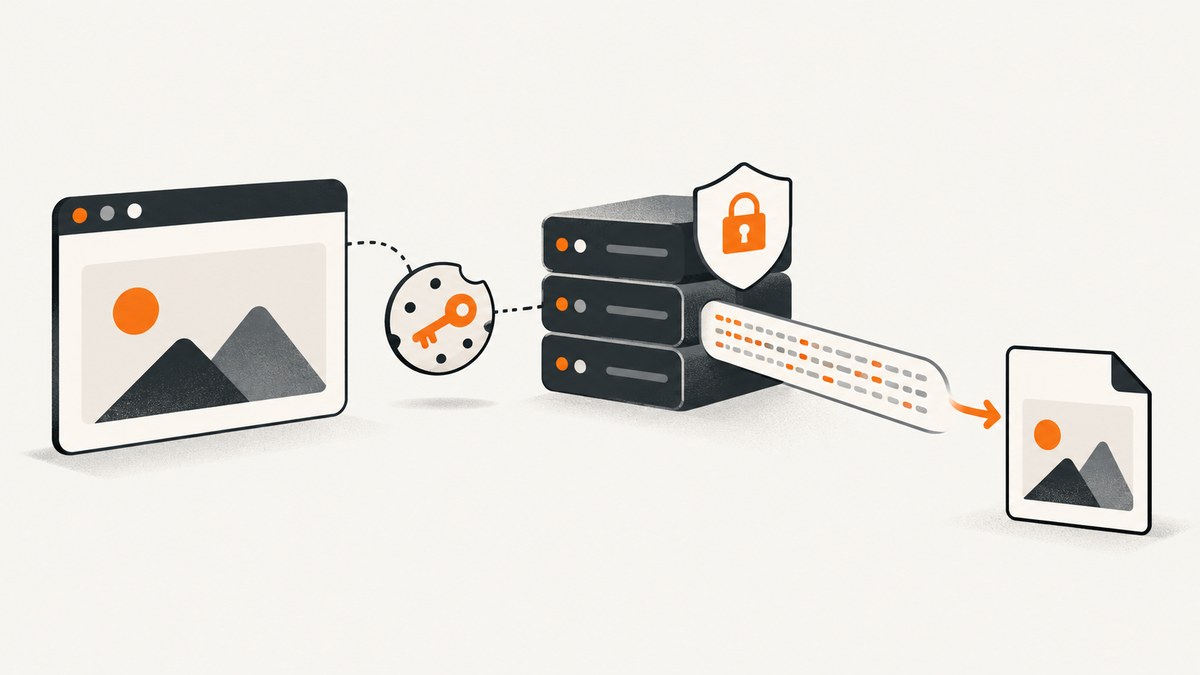
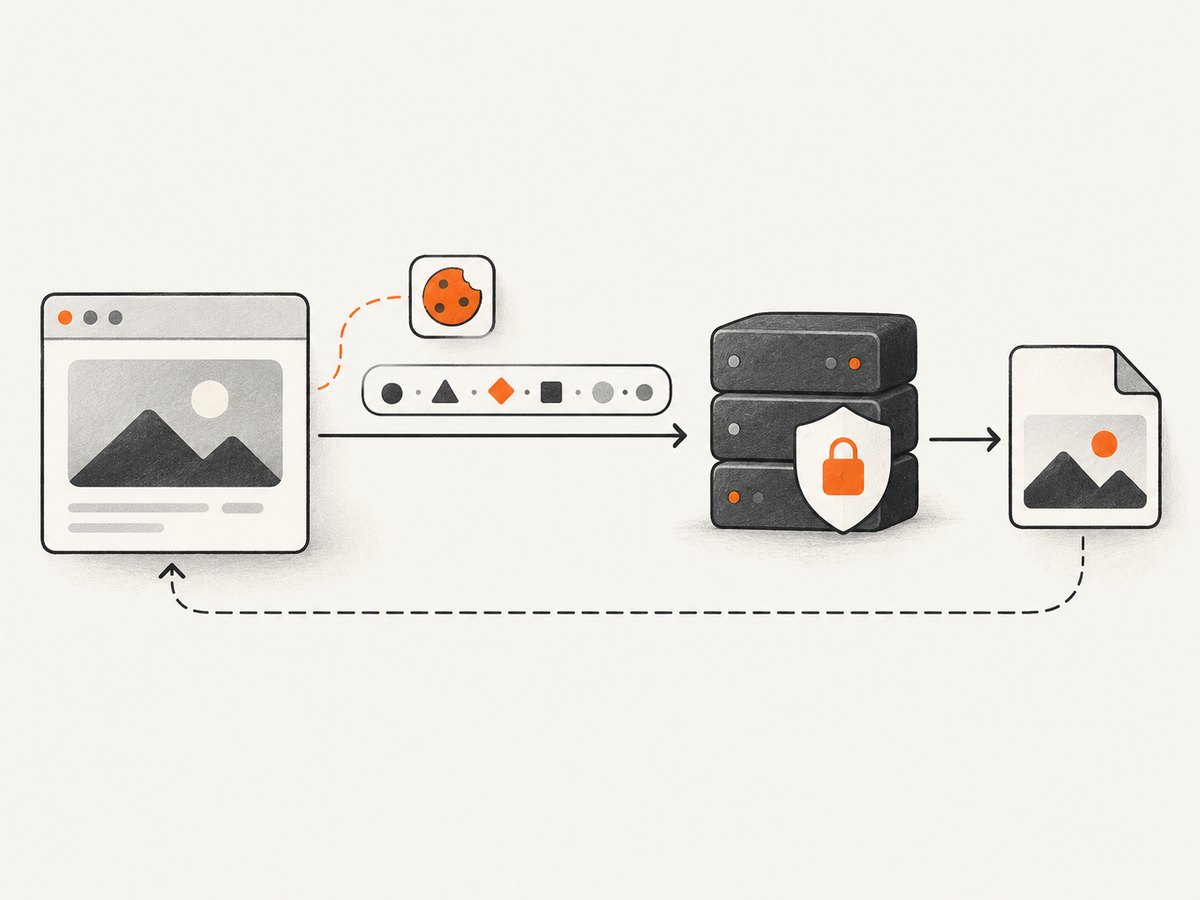
To download an authenticated image with Puppeteer, keep the complete image URL—including its query string—authenticate the browser session before the request, then validate the response status and Content-Type before saving its bytes. If the image URL is the resource you want, navigate directly to it with page.goto() and write the returned response buffer. If a page requests the image as a subresource, listen for the matching image response instead.
A query string can carry a size, format, download flag, or signed access parameters. It does not automatically log you in: access still depends on the mechanism the site requires, such as session cookies, HTTP Basic Auth, or a bearer token. Check the target service’s documentation for its rules.
1. Download an image URL directly
This runnable ES module example opens Chromium, requests the image URL, checks that the server returned a successful image response, and saves the original response bytes. It deliberately uses a generic output filename because the response may be JPEG, PNG, WebP, or another image format.
import puppeteer from 'puppeteer';
import { writeFile } from 'node:fs/promises';

const imageUrl = 'https://example.test/image/123?size=large&download=1';
const outputPath = 'downloaded-image.bin';

const browser = await puppeteer.launch();
try {
  const context = browser.defaultBrowserContext();
  const page = await context.newPage();

  // Add the authentication setup required by the target service here.
  const response = await page.goto(imageUrl, {
    waitUntil: 'networkidle2',
    timeout: 30_000,
  });

  if (!response) {
    throw new Error('Navigation returned no HTTP response');
  }

  const status = response.status();
  const headers = response.headers();
  const contentType = headers['content-type'] ?? '';

  if (status < 200 || status >= 300) {
    throw new Error(`Image request failed with HTTP ${status}`);
  }
  if (!contentType.toLowerCase().startsWith('image/')) {
    throw new Error(`Expected an image, received ${contentType || 'no Content-Type'}`);
  }

  await writeFile(outputPath, await response.buffer());
  console.log(`Saved ${contentType} to ${outputPath}`);
} finally {
  await browser.close();
}
Install Puppeteer in a Node.js project with npm install puppeteer. Its standard package can download a compatible browser during installation. If your environment supplies its own Chrome or Chromium, configure the executable path according to your Puppeteer setup.
page.goto() navigates the frame or page to the given URL and returns an HTTPResponse or null. A direct navigation is useful when the image itself is the main resource, because you can inspect that navigation response directly. See the Puppeteer Page.goto documentation.
2. Preserve query parameters and signed URLs
Pass the URL to Puppeteer intact. The complete query string is part of the request target; dropping it can change the requested image or remove access parameters. This is especially important for signed URLs whose signature may cover the exact path and query representation.
- Keep all parameters, including repeated parameter names and ordering, unless the service explicitly says the order is immaterial.
- Keep percent escapes as supplied. Do not decode and rebuild a signed URL unless the service documents that transformation.
- When assembling a non-signed URL, use a URL builder to encode new parameter values rather than concatenating unescaped user input.
- Do not print full signed URLs, cookies, or bearer tokens to production logs. They may grant temporary access.
For example, this construction is appropriate for an unsigned URL whose query values you control:
const url = new URL('https://example.test/image/123');
url.searchParams.set('size', 'large');
url.searchParams.set('download', '1');
const imageUrl = url.href;
For an already signed URL, use the exact URL issued by the service. A URL parser can normalize or serialize components; avoid modifying a signed value unless the issuer guarantees that the result remains valid.
3. Authenticate before the image request
Choose the authentication method the target site actually requires. Set credentials or cookies before navigating to the image. An authenticated page in one browser context does not imply another context has the same session.
Session cookie
Set a cookie with the correct domain, path, and any required security attributes. Use the browser context cookie API supported by your Puppeteer version. The following illustrates the placement; replace the domain and value with credentials obtained through your authorized login flow.
await context.setCookie({
  name: 'session',
  value: process.env.SESSION_COOKIE,
  domain: 'example.test',
  path: '/',
  secure: true,
  httpOnly: true,
});

const response = await page.goto(imageUrl, {
  waitUntil: 'networkidle2',
  timeout: 30_000,
});
Do not commit secrets to source control. In production, source cookie values from a secret store or environment configuration, restrict access, and rotate credentials according to your service’s policy. A host-only cookie or a cookie scoped to a different path may not be sent to the image endpoint.
HTTP Basic authentication
For an endpoint using HTTP authentication, call page.authenticate() before navigation:
await page.authenticate({
  username: process.env.IMAGE_USERNAME,
  password: process.env.IMAGE_PASSWORD,
});
const response = await page.goto(imageUrl, { waitUntil: 'networkidle2' });
Puppeteer documents this method for HTTP authentication and notes that request interception is enabled behind the scenes to implement it. If you also use interception, account for that behavior and ensure every intercepted request is resolved. See the Puppeteer Page API.
Bearer tokens and application-specific login
Some services require a bearer authorization header, a CSRF token, a referer, or a browser login flow. Puppeteer can set extra headers for subsequent requests, but a global authorization header should only be used when it is safe to send to every destination the page might contact.
await page.setExtraHTTPHeaders({
  Authorization: `Bearer ${process.env.IMAGE_ACCESS_TOKEN}`,
});
const response = await page.goto(imageUrl, { waitUntil: 'networkidle2' });
For least exposure, use a dedicated page and navigate only to the trusted service origin when setting sensitive global headers. If the service expects an application login, automate that documented flow and reuse the resulting session cookies rather than guessing at an endpoint’s authentication rules.
4. Capture an image loaded by a page
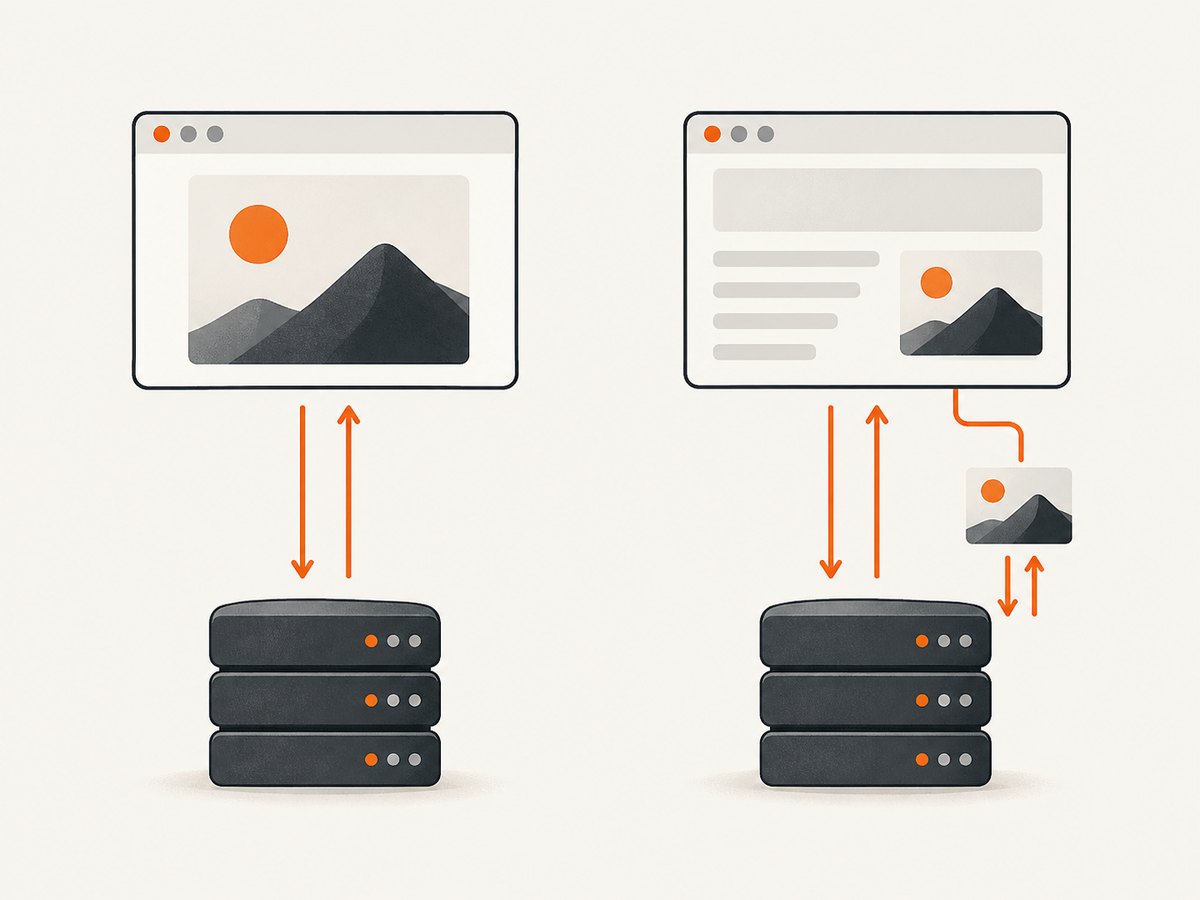
When the image is requested as a subresource, page.goto(pageUrl) returns the page navigation response, not the image response. Listen for network responses and match the exact target URL plus an image content type.
import puppeteer from 'puppeteer';
import { writeFile } from 'node:fs/promises';

const pageUrl = 'https://example.test/gallery';
const imageUrl = 'https://example.test/image/123?size=large&download=1';
const target = new URL(imageUrl);

const browser = await puppeteer.launch();
try {
  const page = await browser.newPage();

  // Establish the required authenticated session before navigating.
  // For example: await page.setCookie(...);

  let timer;
  const imageResponsePromise = new Promise((resolve, reject) => {
    timer = setTimeout(() => reject(new Error('Timed out waiting for image response')), 30_000);
    page.on('response', response => {
      if (response.url() !== target.href) return;
      const type = response.headers()['content-type'] ?? '';
      if (!type.toLowerCase().startsWith('image/')) return;
      clearTimeout(timer);
      resolve(response);
    });
  });

  await page.goto(pageUrl, { waitUntil: 'networkidle2', timeout: 30_000 });
  const response = await imageResponsePromise;
  const status = response.status();
  if (status < 200 || status >= 300) {
    throw new Error(`Image request failed with HTTP ${status}`);
  }
  await writeFile('downloaded-image.bin', await response.buffer());
} finally {
  clearTimeout(timer);
  await browser.close();
}
Register the listener before navigating so a fast response is not missed. Exact equality is safest when the browser requests the same serialized URL. If the site adds a cache-busting parameter or redirects to a CDN, match a carefully chosen URL prefix or inspect the final response URL, but keep the match narrow enough to avoid saving a thumbnail or unrelated image.
For larger images, remember that response.buffer() holds the response body in memory before writing it. Puppeteer’s response API is convenient for ordinary image files, but it is not a streaming-to-disk interface. If files may be very large, use a documented download endpoint or an HTTP client that can stream the authenticated request, provided you can safely reproduce the required browser authentication.
5. Use request interception only when needed
Response listeners are often the simplest way to observe a subresource. Request interception is useful when you need to filter, rewrite, fulfill, or abort requests, but it adds a correctness obligation: once interception is enabled, every request stalls until continued, responded to, or aborted. See the Puppeteer Request Interception guide.
await page.setRequestInterception(true);
page.on('request', request => {
  const isTarget = request.url() === target.href;
  if (isTarget) {
    void request.continue();
  } else {
    void request.continue();
  }
});
This minimal example continues all requests; it does not save the image by itself. Keep the response listener to capture and validate the returned bytes. If adding blocking rules, handle every branch and guard against resolving the same request more than once. Also account for interception already enabled by authentication or other page setup.
6. Validate the response before saving
A response can have an image-looking URL and still contain an HTML login page, JSON error, or access-denied document. Check at least:
- Status: require a successful status in the 200–299 range.
- Content type: require an
image/*media type before using an image extension. - Final URL: when redirects occur, confirm the destination is expected. A redirect to a login page is an authentication failure.
- Body size and format: apply limits suitable for your workload; for high assurance, inspect the file signature or decode the image with a trusted image library.
Use a filename extension that matches the validated media type, or keep a neutral extension and derive the format safely. The example uses .bin because it does not assume JPEG. If you choose to accept only certain formats, explicitly allow them, such as image/jpeg, image/png, and image/webp.
7. Choose the right capture method
| Situation | Recommended approach | Watch for |
|---|---|---|
| The image URL itself is the requested resource | Navigate directly with page.goto(imageUrl) |
Redirects, content type, status |
| A normal page loads the image | Listen for response before page navigation |
Exact URL matching, multiple image variants |
| You must block or alter network requests | Use request interception and resolve every request | Stalled page loads, duplicate resolution |
| The body may be very large | Prefer a supported streaming download path | Memory use when buffering in Puppeteer |
8. Troubleshooting
| Symptom | Likely cause | Fix |
|---|---|---|
| HTTP 401 | Missing, expired, or wrongly scoped credentials | Refresh the session; set cookies for the right domain and path; verify the required auth method. |
| HTTP 403 | Insufficient permission, expired signed URL, referer or CSRF checks | Check the service’s endpoint rules and issue a fresh authorized URL. Do not alter signed parameters. |
| Saved file opens as HTML | Login redirect, error page, or wrong response captured | Inspect status, content type, and final URL before writing; establish authentication earlier. |
| No response event arrives | Wrong URL match, image was cached or never requested, or page load failed | Register the listener first; inspect observed response URLs; use a narrow stable prefix if a CDN adds parameters. |
| Navigation times out | Long-running page activity or unreachable endpoint | Use an appropriate timeout and wait condition; for a direct image request, test a less restrictive wait condition if network idle is not reached. |
| Page hangs after enabling interception | At least one intercepted request was not resolved | Continue, fulfill, or abort every request on every code path; avoid duplicate handlers resolving it twice. |
| Signature becomes invalid | Query string was decoded, reordered, truncated, or expired | Use the exact issued URL and request a fresh signature when needed. |
| Wrong image variant saved | Several responsive or thumbnail resources match a broad rule | Match the full URL or a specific endpoint path and inspect dimensions or metadata. |
9. Performance, reliability, and cost
A direct image navigation avoids loading an unrelated gallery page and is usually the smaller workflow when the image endpoint accepts the required authentication. A subresource capture must load the containing page and wait for the relevant response. Waiting for networkidle2 can be convenient, but analytics, long polling, or other activity may delay it; choose a wait condition based on what must be ready, and retain an explicit timeout.
Reuse a browser process for a batch of authorized downloads when appropriate, while keeping sessions isolated by browser context. Close pages and browsers in finally blocks so failed downloads do not leak processes. For retries, distinguish temporary network failures and server errors from permanent 401/403 responses. Retry with bounded attempts and backoff; refresh expired credentials or signed URLs instead of repeating the same doomed request.
Memory use grows with buffered response size, and excessive parallel pages consume browser resources. Set concurrency limits and file-size limits based on your own environment. Puppeteer itself does not define the remote service’s price, retention rules, or rate limits; consult that service’s documentation. No general success rate or speed figure applies across sites.
10. Or skip the browser setup
If you need a screenshot of a public page rather than the original authenticated image bytes, ScreenshotNeo is a website screenshot API and MCP server from Yorker Media. A single request captures a URL as PNG, JPEG, WebP, or PDF. It does not replace an authenticated image download when a private session or original response bytes are required. See the ScreenshotNeo API documentation.
curl -G "https://api.screenshotneo.com/v1/shot" -d access_key=YOUR_API_KEY --data-urlencode url=https://stripe.com -o shot.webpimport requests
r = requests.get("https://api.screenshotneo.com/v1/shot", params={"access_key": "YOUR_API_KEY", "url": "https://stripe.com"}, timeout=90)
open("shot.webp", "wb").write(r.content)const q = new URLSearchParams({ access_key: 'YOUR_API_KEY', url: 'https://stripe.com' });
const res = await fetch(`https://api.screenshotneo.com/v1/shot?${q}`);ScreenshotNeo removes cookie banners, newsletter popups, and chat widgets before a shot. Bot checks, blank pages, and failed loads are never billed. Its MCP server lets AI agents take screenshots. The free plan includes 1,000 screenshots a month with no card; paid plans start at $5 for 3,000. Sign up for free and get 1,000 screenshots a month with no card.
11. FAQ
Does adding a token to the query string log me in?
Only if the endpoint explicitly defines that parameter as an authentication credential. Otherwise, authentication must come from the service’s supported session or authorization mechanism.
Can Puppeteer save the exact downloaded file without taking a screenshot?
Yes. Read the HTTP response body with response.buffer() and write those bytes. A screenshot captures rendered pixels and is a different operation.
Why does my browser show the image but my script gets 403?
The interactive browser may have cookies, headers, or a fresh signed URL that the script did not reproduce. Verify which request succeeds in the authorized session and follow the service’s documented authentication requirements.
Can I use this for images I am not authorized to access?
No. Use credentials and URLs only where you have permission, and follow the service’s access controls and terms.


