How to Download an Entire Website for Offline Viewing
Mirror a complete website with HTTrack or Wget, control crawl scope, preserve local links, and verify what works without an internet connection.

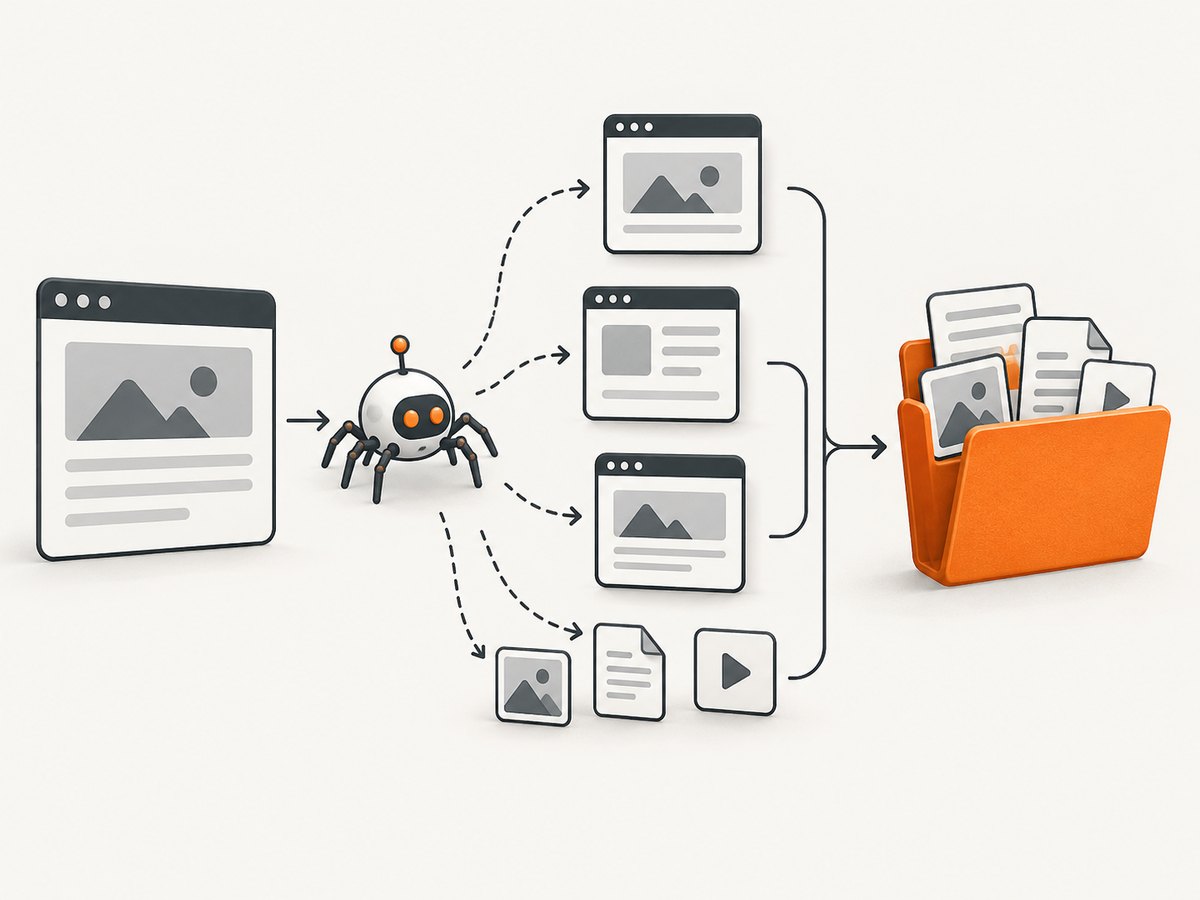
Use HTTrack for a graphical website mirror or GNU Wget for a repeatable command-line workflow. Start from the smallest useful URL, restrict hosts and paths, throttle the crawl, check available storage, and test the result while disconnected. A mirror contains resources the crawler can reach and retrieve; server-side features such as logins, forms, live search, streaming, and other internet-dependent behavior may not work offline.
Choose the right kind of offline copy
| Goal | Best starting point | What it does | Limitation |
|---|---|---|---|
| Mirror a linked collection of pages | HTTrack | Recursively copies a website into a local directory and arranges links for offline browsing. It provides graphical interfaces and a command-line program. | You must configure scope and verify the resulting copy. |
| Automate or repeat a mirror | GNU Wget | Follows links in HTML, XHTML, and CSS, retrieves resources recursively, converts links for local viewing, and supports timestamped updates. | --mirror enables infinite recursion, so an unrestricted starting URL can fetch far more than expected. |
| Save one page | Firefox Save Page | Saves an individual page and its associated resources for later viewing. | It is not a navigable whole-site crawl. |
Before you start: define the mirror
- Confirm permission. Copy only material you are allowed to retrieve. Review the site’s terms, access controls, and robots policy. Wget respects the Robot Exclusion Standard by default.
- Pick a starting URL. Use the site or subsection you actually need, such as
https://example.com/docs/, rather than a broad domain when a smaller mirror is sufficient. - Decide which hosts are in scope. A site may load assets from a CDN, image host, documentation host, or download domain. Including extra hosts increases coverage and storage; excluding them can leave broken local pages.
- Plan for assets and disk space. HTML, CSS, JavaScript, fonts, images, videos, PDFs, and linked documents all consume storage. Measure the mirror as it grows instead of relying on a universal size estimate.
- Expect dynamic limits. A crawler retrieves responses it can reach. It does not automatically reproduce a database, authenticated session, server-side search, checkout flow, WebSocket, or live video stream.
Method 1: mirror a website with HTTrack
Graphical workflow
- Install HTTrack from its official site and open the graphical client.
- Create a new project and choose a local destination with enough free space.
- Enter the starting URL. Begin with one origin or a specific path.
- Review project options before starting: limits for depth and size, allowed or excluded hosts, file filters, link handling, and connection behavior.
- Start the copy and monitor requests, warnings, skipped resources, and the destination directory.
- Open the generated local index when the run finishes. Follow representative internal links and check images, stylesheets, scripts, and downloadable documents.
- Disconnect from the network and repeat those checks. A successful run only proves that files were retrieved; it does not prove that every feature works offline.
HTTrack documentation also describes updating an existing mirror and resuming interrupted work. Keep the project directory intact if you expect to refresh it later.
Method 2: mirror with GNU Wget
Basic command
wget --mirror --convert-links --adjust-extension --page-requisites --no-parent https://example.com/docs/This combines recursive mirroring, local-link conversion, useful filename extensions, page prerequisites, and a boundary that prevents retrieval above /docs/. Wget’s --mirror option enables recursive mode, timestamping, and infinite recursion depth; scope controls are therefore essential.
Safer, more controlled examples
Limit the crawl to the same host and add a delay between requests:
wget \
  --mirror \
  --convert-links \
  --adjust-extension \
  --page-requisites \
  --no-parent \
  --domains example.com \
  --wait=1 \
  --directory-prefix=./example-mirror \
  https://example.com/docs/
Use include and exclude filters when only certain file types or paths belong in the copy:
wget \
  --mirror --convert-links --adjust-extension --page-requisites \
  --accept=html,htm,css,js,png,jpg,jpeg,webp,gif,svg,pdf \
  --reject='*.mp4,*.webm,*.zip' \
  --no-parent \
  --directory-prefix=./example-mirror \
  https://example.com/docs/
Permit a known asset host only when you need it:
wget \
  --mirror --convert-links --adjust-extension --page-requisites \
  --domains example.com,cdn.example.com \
  --wait=1 \
  https://example.com/
Run the same mirror again later to retrieve changed resources using timestamps:
wget --mirror --convert-links --adjust-extension --page-requisites --no-parent https://example.com/docs/Read the GNU Wget manual for the exact behavior of recursion, host rules, filters, delays, and authentication options for your installed version.
Scope, recursion, and host controls
- Starting path: choose the narrowest path that contains the material you need.
- Depth: finite depth is safer for exploratory crawls;
--mirroruses infinite depth, so pair it with path and host restrictions. - Parent boundaries: Wget’s
--no-parentkeeps a path crawl from moving above its starting directory. - Hosts: Wget normally does not span unrelated hosts. Use domain or host settings only for domains you intend to copy.
- Filters: include required extensions and exclude large media, archives, or tracking endpoints when they are outside the offline use case.
- Robots and access controls: do not bypass restrictions. A blocked or disallowed resource is a signal to stop or obtain permission.
Storage and request planning
There is no reliable universal download size or duration. The result depends on page count, duplicate assets, image resolution, documents, media, redirects, and server responses. Check free space before starting, watch the destination while the crawl runs, and leave room for temporary files and future updates.
Recursive retrieval can create substantial traffic. GNU’s documentation cautions that fast, large downloads can overload a server and may cause administrators to block the crawler. Add a delay for large jobs, run them during an appropriate window, and avoid unnecessary repeated crawls.
Verify the mirror offline
- Disconnect Wi-Fi or unplug the network.
- Open the local entry page in a browser.
- Navigate through important sections using ordinary links.
- Check representative CSS, JavaScript, images, fonts, and PDFs.
- Try pages that previously redirected, used query strings, or loaded assets from another host.
- Record features that remain server-dependent, such as login, forms, search, comments, live data, and streaming.
Test more than the home page. A mirror can look complete while individual assets or deep links still point to the network.
Update or resume an existing copy
Keep the original project or destination directory. HTTrack can resume interrupted work and update an existing mirror. Wget’s mirroring mode uses timestamps so a later run can check for changed resources. Recheck the offline copy after each update because removed or renamed online files can leave stale local files or links.
Common problems and fixes
| Symptom | Likely cause | Fix |
|---|---|---|
| The crawl becomes enormous | Infinite recursion, a broad start URL, calendars, search URLs, or multiple hosts. | Narrow the starting path, add host and parent limits, exclude query-driven paths and large file types, and stop the run if the scope is wrong. |
| Internal links still open online | Link conversion was disabled or the URL was outside the mirror scope. | Use Wget’s --convert-links, include the required host, and inspect the generated paths. |
| Images or styles are missing | Page prerequisites or the asset host were not included; CSS may reference additional resources. | Use --page-requisites, allow the required asset host, and verify CSS-referenced files. |
| Pages work only while connected | The page depends on APIs, authentication, JavaScript services, WebSockets, or streaming media. | Identify the server-dependent feature and document it as unavailable offline; a crawler cannot turn a live service into static files automatically. |
| A site blocks requests | Robots rules, access controls, rate limits, or an excessive request rate. | Respect the restriction, slow the crawl, reduce scope, or obtain permission. Do not bypass access controls. |
| The disk fills during the run | The mirror contains more assets or documents than expected. | Stop the job, free or allocate storage, and restart with narrower paths or file filters. |
| A resumed mirror is stale | Old local files remain after online pages changed or moved. | Run an update, compare important paths, and remove or rebuild the destination when a clean snapshot is required. |
Performance, reliability, and cost considerations
- Performance: Smaller scopes, fewer hosts, filters, and a deliberate delay reduce requests and local processing. Large media dominates both transfer time and disk use.
- Reliability: Save logs, preserve the destination, and verify representative pages offline. A zero-error process does not guarantee that dynamic behavior was captured.
- Repeatability: Record the starting URL, date, options, filters, and allowed hosts so another run produces a comparable snapshot.
- Cost: HTTrack and Wget are free software. Your practical costs are local storage, bandwidth, and time; the research does not support a universal size or duration estimate.
Or skip the browser setup
If you need clean visual snapshots of selected pages rather than a navigable offline mirror, ScreenshotNeo returns a screenshot or PDF from one GET request. It does not replace a multi-page crawler, but it avoids maintaining browser automation for visual captures.
cURL:
curl -G "https://api.screenshotneo.com/v1/shot" -d access_key=YOUR_API_KEY --data-urlencode url=https://example.com/docs/ -o shot.webpPython:
import requests
r = requests.get("https://api.screenshotneo.com/v1/shot", params={"access_key": "YOUR_API_KEY", "url": "https://example.com/docs/"}, timeout=90)
open("shot.webp", "wb").write(r.content)
Node.js:
const q = new URLSearchParams({ access_key: 'YOUR_API_KEY', url: 'https://example.com/docs/' });
const res = await fetch(`https://api.screenshotneo.com/v1/shot?${q}`);
See the ScreenshotNeo API documentation for request options. Cookie banners, newsletter popups, and chat widgets are removed before the shot. Bot checks, blank pages, and failed loads are never billed, and the response reports the result in X-Page-Verdict and X-Billed headers. An MCP server lets AI agents take screenshots, inspect pages, and capture PDFs. The free plan includes 1,000 screenshots a month with no card; paid plans start at $5 for 3,000.
Create a free ScreenshotNeo account and start with 1,000 screenshots a month at no charge.
FAQ
Does downloading a website copy its database?
No. A mirror retrieves reachable responses and assets. It does not export the site’s database or recreate server-side application logic.

Can I mirror a site that requires a login?
Only with appropriate permission and a tool configuration that can authenticate. Even then, verify carefully because session-dependent pages and actions may remain unavailable offline.
Is saving a page the same as downloading an entire website?
No. Browser save is intended for one page. HTTrack and Wget recursively retrieve linked collections and rewrite local links for browsing.
Why are some links intentionally left online?
The target was outside the crawl scope, on an excluded host, or could not be retrieved. Inspect the link and expand scope only when you need and are allowed to copy that resource.
How do I make a mirror portable?
Keep the generated directory structure together, open its local entry page, and test it on the target computer while disconnected before relying on it.


