How to Download Files to a Temporary Location with Python Playwright
Save Playwright downloads into a Python temporary directory with reliable sync and async patterns, cleanup rules, timeouts, and troubleshooting.
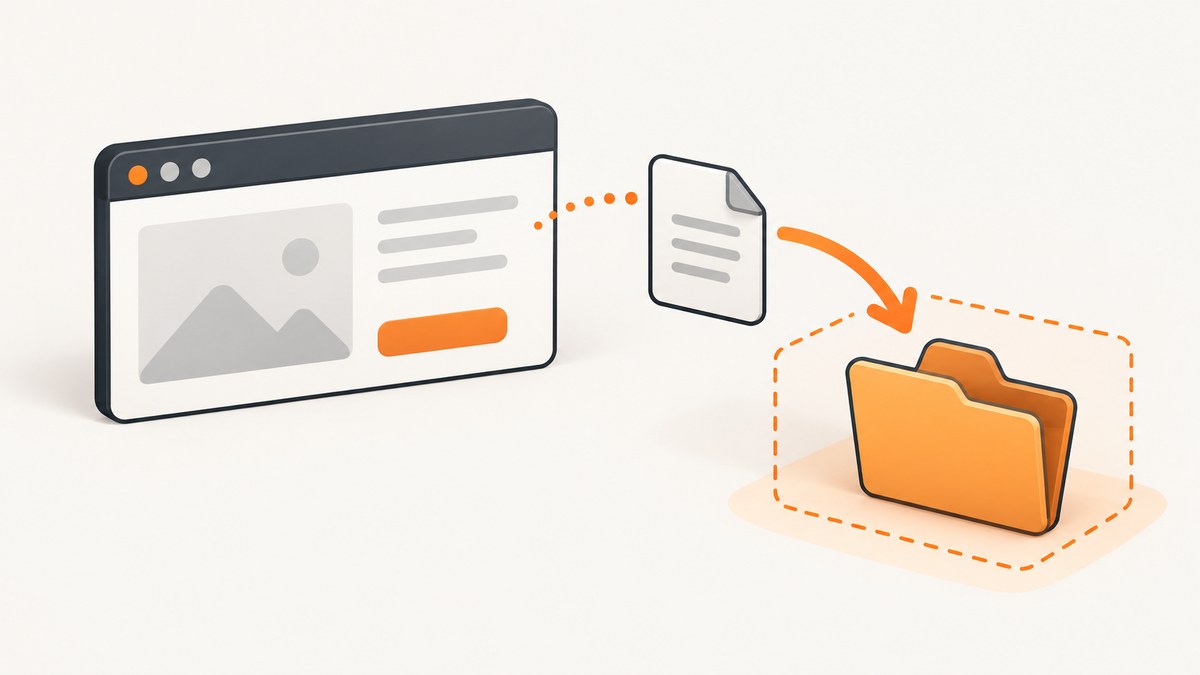
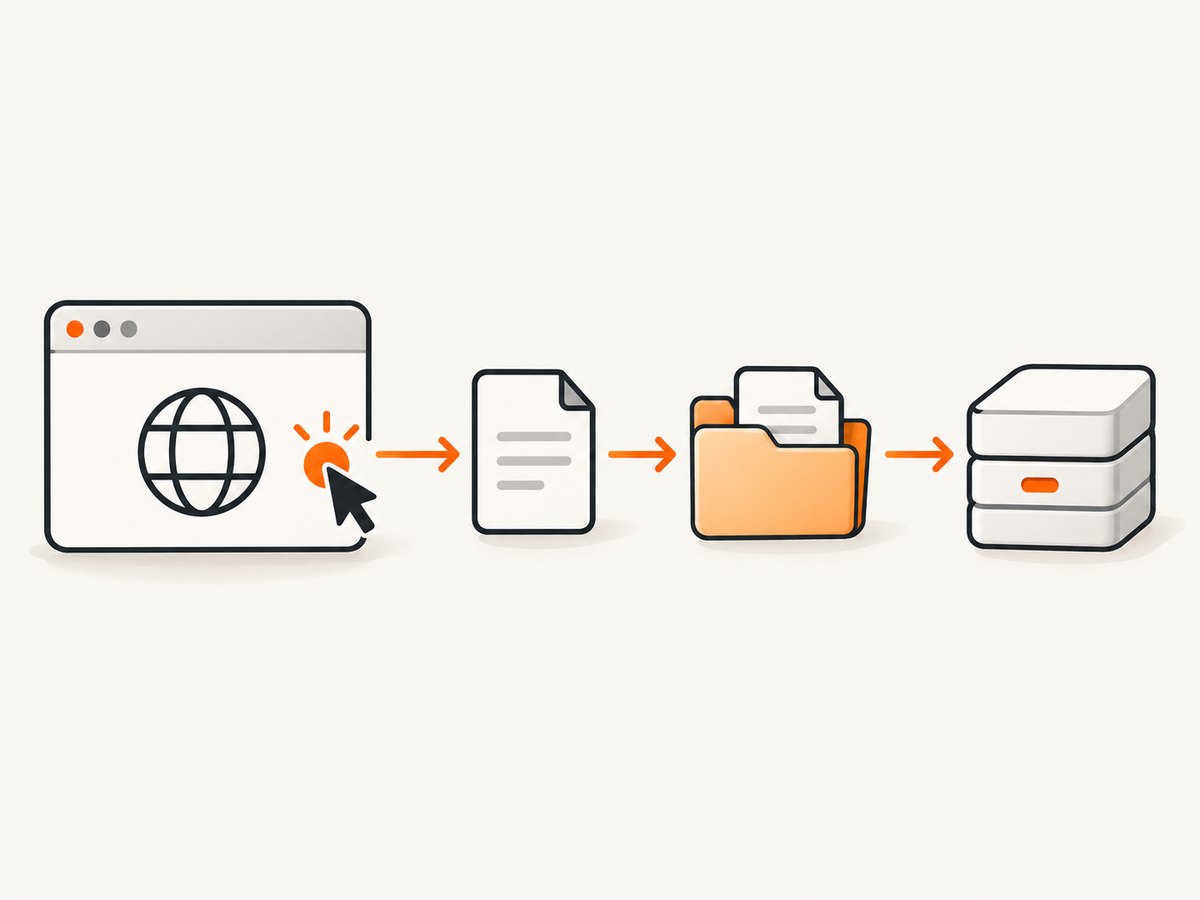
Direct answer: enter page.expect_download() before the click that starts the download, read the resulting Download object, and call download.save_as() with a path inside a Python temporary directory. The saved copy is controlled by your application. Playwright’s own browser-managed download file is temporary and is deleted when the browser context that created it closes.
This pattern works for CSV exports, PDFs, ZIP archives, generated reports, and any other attachment initiated by a page. The examples below show synchronous and asynchronous Python, deterministic filenames, cleanup behavior, custom timeouts, filtering multiple downloads, and the difference between save_as(), path(), and the browser launch option downloads_path.
1. Install Playwright and its browsers
Install the Python package, then install at least one browser engine:
python -m pip install playwright
python -m playwright install chromium
Playwright’s library can be used synchronously or asynchronously. Choose one style for a program and keep its calls consistent. The official Playwright Python library documentation describes both APIs.
2. The reliable temporary-download pattern
Use tempfile.TemporaryDirectory to create an application-owned temporary folder. Wrap the action that triggers the download in page.expect_download(); entering the expectation first is important because it subscribes to the event before the click occurs.
from pathlib import Path
from tempfile import TemporaryDirectory
from playwright.sync_api import sync_playwright

with TemporaryDirectory() as temp_dir:
    destination = Path(temp_dir) / "report.csv"

    with sync_playwright() as p:
        browser = p.chromium.launch()
        context = browser.new_context()
        page = context.new_page()
        page.goto("https://example.com", wait_until="domcontentloaded")

        with page.expect_download(timeout=30_000) as download_info:
            page.get_by_text("Download file").click()

        download = download_info.value
        download.save_as(destination)

        context.close()
        browser.close()

    # Consume the file while TemporaryDirectory is still in scope.
    print(destination, destination.exists())
save_as() copies the download to the path you provide and waits for the transfer to finish if necessary. The destination can be a pathlib.Path or a string. The temporary directory is removed when its with block ends, so parse, upload, or move the file before leaving that block.
Microsoft’s Downloads documentation states that attachments are downloaded into a temporary folder and that downloads are deleted when the producing browser context closes. An explicit save_as() copy and the lifetime of your destination directory are separate concerns.
3. Complete synchronous example with validation
This example checks for a failed download, validates the output, and gives the file a predictable name instead of trusting a server-provided filename.
from pathlib import Path
from tempfile import TemporaryDirectory
from playwright.sync_api import sync_playwright, Error as PlaywrightError

DOWNLOAD_URL = "https://example.com/export"

with TemporaryDirectory(prefix="pw-download-") as temp_dir:
    output_dir = Path(temp_dir)
    output_path = output_dir / "export.csv"

    with sync_playwright() as p:
        browser = p.chromium.launch()
        context = browser.new_context(accept_downloads=True)
        page = context.new_page()

        try:
            page.goto(DOWNLOAD_URL, wait_until="domcontentloaded", timeout=60_000)
            with page.expect_download(timeout=30_000) as event:
                page.get_by_role("button", name="Export CSV").click()

            download = event.value
            failure = download.failure()
            if failure:
                raise RuntimeError(f"Download failed: {failure}")

            download.save_as(output_path)
            if not output_path.is_file():
                raise RuntimeError("Playwright reported success but the output is missing")

            print(f"Saved {output_path} ({output_path.stat().st_size} bytes)")
        except PlaywrightError as exc:
            raise RuntimeError("The page did not produce the expected download") from exc
        finally:
            context.close()
            browser.close()

    # Read or upload output_path here. It disappears after this block.
accept_downloads=True is the explicit setting that allows accepted downloads in a browser context. If your project or Playwright version already enables it by default, specifying it still documents the intent.
4. Asynchronous Python
The async API uses async_playwright, async with, and await. Do not mix synchronous objects with an async event loop.
import asyncio
from pathlib import Path
from tempfile import TemporaryDirectory
from playwright.async_api import async_playwright

async def download_report() -> bytes:
    with TemporaryDirectory(prefix="pw-download-") as temp_dir:
        destination = Path(temp_dir) / "report.pdf"

        async with async_playwright() as p:
            browser = await p.chromium.launch()
            context = await browser.new_context(accept_downloads=True)
            page = await context.new_page()
            try:
                await page.goto("https://example.com", wait_until="domcontentloaded")
                async with page.expect_download(timeout=30_000) as event:
                    await page.get_by_text("Download report").click()

                download = await event.value
                failure = await download.failure()
                if failure:
                    raise RuntimeError(f"Download failed: {failure}")

                await download.save_as(destination)
                return destination.read_bytes()
            finally:
                await context.close()
                await browser.close()

asyncio.run(download_report())
The returned bytes are read before TemporaryDirectory cleans up. In a real service, you could instead upload the file to object storage or move it to a durable directory while the temporary directory is still available.
5. Choosing a filename safely
For predictable processing, pass your own filename, such as invoice-2026-09.csv. A page may suggest a filename through the response’s Content-Disposition header or an anchor’s download attribute. You can inspect that suggestion with download.suggested_filename:
suggested = download.suggested_filename
print(suggested)
download.save_as(Path(temp_dir) / "incoming.bin")
Do not concatenate an untrusted suggestion directly into a path. Strip directory components, reject path traversal such as ../, and restrict allowed characters if the name will be logged or exposed to another system. A deterministic application-generated name avoids platform differences and makes downstream processing easier.
6. Temporary directory lifetime and cleanup
There are three lifetimes to understand:
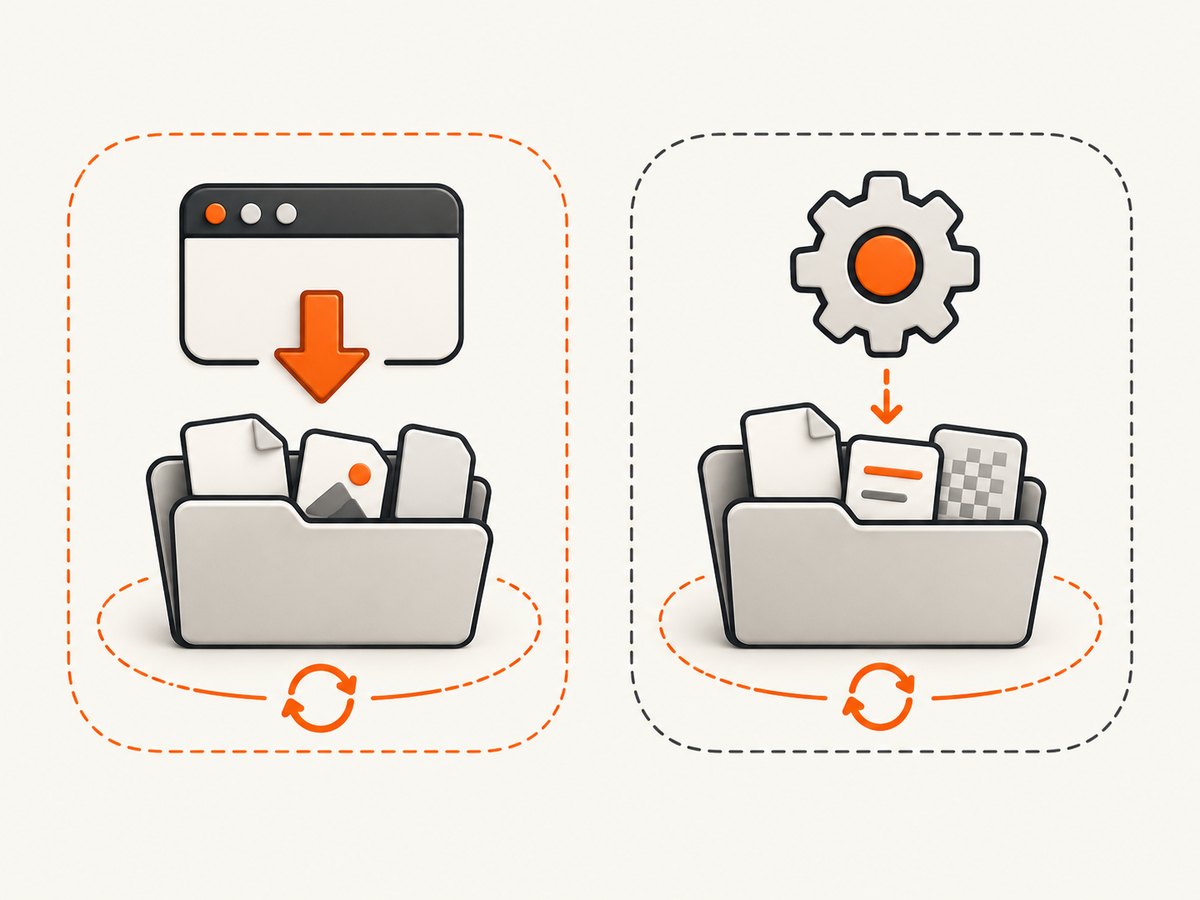
- Browser-managed download: Playwright stores the accepted download in temporary browser storage. It belongs to the browser context and is removed when that context closes.
save_as()destination: this is a separate copy at the path you choose. It remains until your own cleanup removes it.TemporaryDirectory: Python recursively removes the directory when its context manager exits, including on normal exceptions.
Keep all processing inside the temporary-directory block, or move the file to a durable destination first:
from shutil import move

persistent_path = Path("./archive") / "report.csv"
persistent_path.parent.mkdir(parents=True, exist_ok=True)
move(destination, persistent_path)
On Windows, close file handles before moving or deleting. If several workers share a parent temporary directory, create one child directory per job to prevent filename collisions.
7. save_as(), path(), and downloads_path
| Approach | Use it when | Important behavior |
|---|---|---|
download.save_as(path) |
You need a caller-selected file and lifecycle | Copies the download and waits for completion if needed; best default for an application-managed temporary path |
download.path() |
You need to inspect Playwright’s managed temporary path | Waits for completion and returns a random GUID path; throws when connected remotely |
launch(downloads_path=...) |
You want a launch-wide download storage directory | Controls browser storage, but context downloads are still cleaned up when the producing context closes |
The official Download API documents save_as(), path(), failure(), and suggested_filename. The BrowserType API documents downloads_path. Setting downloads_path alone does not turn a context download into a permanent file.
from pathlib import Path
from tempfile import TemporaryDirectory
from playwright.sync_api import sync_playwright

with TemporaryDirectory() as storage:
    with sync_playwright() as p:
        browser = p.chromium.launch(downloads_path=storage)
        context = browser.new_context()
        page = context.new_page()
        # Trigger and inspect a download here.
        # Use download.save_as(...) when you need a specific retained copy.
        context.close()
        browser.close()
8. Waiting, timeouts, and multiple downloads
page.expect_download() has a basic 30,000 millisecond timeout. Set a longer value when the server legitimately takes longer, but keep a finite limit so a stuck job can be retried or reported.
with page.expect_download(timeout=90_000) as event:
    page.get_by_role("link", name="Build archive").click()
You can also configure a context default timeout, but a local timeout on the download expectation makes the slow operation obvious. If one click creates several downloads, use separate expectations or a predicate where supported and ensure each resulting object is saved before closing the context.
Some controls open a new tab, submit a form, or make a request without producing a download event. Confirm the browser actually receives an attachment. If the response is rendered as a PDF in the page, use the site’s download control or capture the response through an explicitly designed API workflow instead of assuming every file transfer is a download event.
9. Troubleshooting common errors
“Timeout 30000ms exceeded”
Cause: the click did not trigger a download within the default timeout, the selector matched the wrong element, or the server is slow.
Fix: enter expect_download() before the action, verify the locator, wait for the page state required by the control, and increase the timeout to a justified value.
The download event never fires
Cause: the action navigates to a page, opens a new tab, uses JavaScript to create a blob, or is blocked by authentication.
Fix: inspect the interaction manually, wait for the correct popup or navigation event when applicable, and confirm the account has permission to export the file.
download.failure() returns an error
Cause: the network transfer failed, the browser canceled it, or the server returned an unusable response.
Fix: log the failure, preserve the page URL and job identifier, retry with a bounded policy, and check server logs or authentication. Do not treat an event object as proof that the bytes arrived.
The file disappears after the script finishes
Cause: it is in Playwright’s managed storage or inside a TemporaryDirectory whose scope has ended.
Fix: call save_as() and process or move the destination before the temporary-directory block exits. Keep the browser context open until the save operation completes.
download.path() fails in a remote connection
Cause: the managed path exists on the remote browser host, not necessarily on the client.
Fix: use save_as() to transfer a caller-selected copy, or run the file-processing step where the browser is hosted.
The saved file has an unexpected name
Cause: browsers derive suggestions from headers and link attributes, and servers may vary them.
Fix: supply your own safe filename. Use suggested_filename only as an input that you sanitize.
10. Reliability, performance, and cost considerations
- Reliability: save explicitly before closing the context; check
failure(); use finite timeouts; and make retries idempotent by writing to a unique job directory. - Performance:
save_as()copies the completed download, so very large files require disk space and additional I/O. Stream or move the file promptly after validation, and avoid retaining duplicate copies. - Concurrency: give each worker its own temporary directory and filename. Do not assume a shared suggested filename is unique.
- Security: treat downloaded content and filenames as untrusted. Enforce size limits where possible, scan files before opening them, and avoid executing downloaded programs.
- Cost: Playwright itself does not charge per download. Your costs come from browser CPU and memory, network transfer, storage, and any external service used to process the file.
11. Or skip the browser setup
If your actual requirement is a clean image or PDF of a web page rather than downloading an attachment through a browser UI, ScreenshotNeo provides a single HTTP request. Its capture API handles the browser session for you, and the ScreenshotNeo documentation lists the available parameters.
cURL
curl -G "https://api.screenshotneo.com/v1/shot" -d access_key=YOUR_API_KEY --data-urlencode url=https://stripe.com -o shot.webpPython
import requests
r = requests.get("https://api.screenshotneo.com/v1/shot", params={"access_key": "YOUR_API_KEY", "url": "https://stripe.com"}, timeout=90)
open("shot.webp", "wb").write(r.content)
Node.js
const q = new URLSearchParams({ access_key: 'YOUR_API_KEY', url: 'https://stripe.com' });
const res = await fetch(`https://api.screenshotneo.com/v1/shot?${q}`);
ScreenshotNeo removes cookie and consent banners, newsletter popups, and chat widgets before capture. Bot checks, blank pages, failed loads, timeouts, and cache hits are not billed, and response headers identify the page verdict and billing result. It also offers an MCP server with take_screenshot, get_page_info, and capture_pdf tools for Claude, Cursor, and other MCP clients. The Free plan includes 1,000 screenshots per month without a card; paid plans start at $5 for 3,000 shots. Create a free ScreenshotNeo account.
12. Practical checklist
- Create a per-job temporary directory with
TemporaryDirectory. - Enter
page.expect_download()before clicking or submitting. - Use a finite timeout appropriate for the server.
- Check
download.failure(). - Call
download.save_as()with a deterministic, safe path. - Validate and process the file before the temporary directory scope ends.
- Move it to durable storage if it must survive cleanup.
- Close the context and browser in a
finallyblock.
FAQ
Does Playwright always need save_as()?
No. Playwright can manage the temporary download itself, but that file is removed with its browser context. Use save_as() when your application needs a known path or must control when the copy is deleted.
Can I use a normal folder instead of TemporaryDirectory?
Yes. Pass any writable path to save_as(). A Python temporary directory is convenient because cleanup is automatic and scoped to the job.
Does downloads_path preserve files after context closure?
No. It selects browser download storage for the launch. Context-owned downloads still follow Playwright’s cleanup behavior, so explicitly save a copy for an intentional destination.
Can I keep the file after the temporary directory closes?
Move or copy it to a persistent directory, object store, or another destination before leaving the TemporaryDirectory block.
Which API should an async web service use?
Use playwright.async_api throughout the request or worker path. The event order and cleanup rules are the same; only the syntax differs.


