How to Download Images from a Website Using Puppeteer
Collect image URLs from a rendered page with Puppeteer, then download and validate the original files in Node.js. Learn how to handle lazy loading, failures, and screenshots.
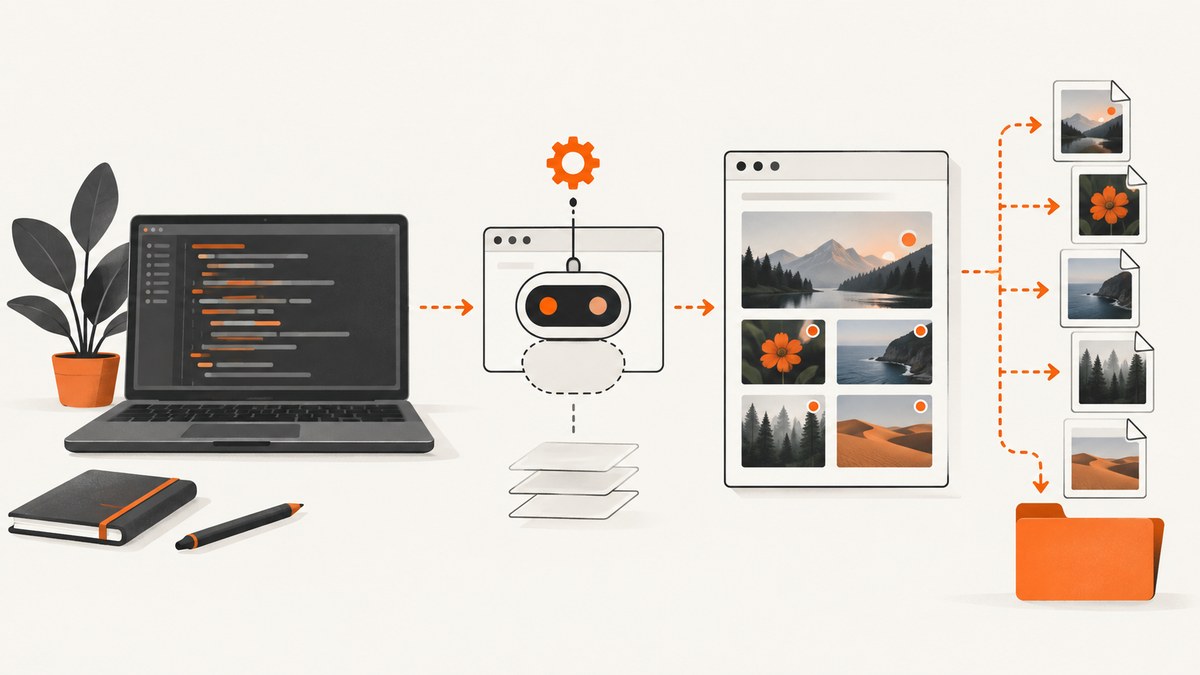
To download images from a website using Puppeteer, load the page, collect image URLs from its rendered DOM with page.evaluate(), then request those URLs from Node.js and save the returned bytes. Puppeteer can inspect the page and take screenshots, but its file-download guide says it does not provide programmatic handling of browser downloads. The workflow below retrieves image resources directly; it does not simulate clicking every image link.
If you want a picture of how the page appears, use page.screenshot() instead. A screenshot is a rendered capture of the page, while downloading an image URL gives you the source resource. Puppeteer’s official documentation: page interactions and evaluation, file downloads, and screenshots.
1. Choose what you mean by “download images”
There are two different outputs developers commonly want:
| Goal | Method | Result |
|---|---|---|
| Save an image file used by the page | Extract its URL, retrieve the response bytes in Node.js, validate, and write to disk. | The original resource returned by the server, subject to the selected URL and server transformations. |
| Save how the page or an element looks | Call page.screenshot(), optionally with fullPage: true. |
A rendered PNG, JPEG, or other supported screenshot format, not the original source image. |
This distinction matters for galleries and product pages. Downloading img.src may save a compressed thumbnail or a responsive variant. A screenshot includes layout, text, overlays, and surrounding content, but will not give you the page’s original image file.
2. Set up a Puppeteer project
Use a current Node.js release supported by the Puppeteer version in your project. The examples use ECMAScript modules and Node’s built-in fetch, available in current Node.js releases. Check Puppeteer’s current version-specific docs if your project uses an older release.
mkdir puppeteer-image-download
cd puppeteer-image-download
npm init -y
npm install puppeteer
Add "type": "module" to package.json, or save the script as download-images.mjs. Puppeteer downloads a compatible browser during installation in the normal setup. In locked-down build environments, follow the Puppeteer installation guide for your package manager and browser installation policy.
3. Collect image URLs from the rendered page
The browser context is the right place to inspect DOM properties such as currentSrc, src, srcset, and lazy-loading attributes. The value returned by page.evaluate() crosses back to your Node-side code; return plain serializable data, not DOM elements.

import puppeteer from 'puppeteer';

const targetUrl = 'https://example.com/gallery';
const browser = await puppeteer.launch({ headless: true });

try {
  const page = await browser.newPage();
  await page.goto(targetUrl, { waitUntil: 'domcontentloaded', timeout: 30_000 });

  // Wait for the page's image elements to exist. This does not guarantee
  // that every lazy image has loaded or that a gallery has finished paging.
  await page.waitForSelector('img', { timeout: 10_000 }).catch(() => {});

  const images = await page.evaluate(() => {
    return [...document.images].map((img) => ({
      currentSrc: img.currentSrc,
      src: img.getAttribute('src'),
      srcset: img.getAttribute('srcset'),
      loading: img.loading,
      alt: img.alt,
      width: img.naturalWidth,
      height: img.naturalHeight,
    }));
  });

  console.log(images);
} finally {
  await browser.close();
}
currentSrc is often the most useful choice for saving the variant the browser selected from srcset. It can be empty when an image has not been selected or loaded, so retain other attributes for diagnosis. This simple extraction only discovers <img> elements present at evaluation time; it is not a universal scraper for every site.
4. Download and validate the original response bytes
Here is a complete script that discovers image elements, resolves relative URLs, downloads unique URLs, checks HTTP success and likely image content, and writes files with safe generated names. It also forwards the page’s cookies and user agent, which can matter when the image host expects the same session. Treat this as application-side HTTP retrieval, not a Puppeteer download API.
import puppeteer from 'puppeteer';
import { mkdir, writeFile } from 'node:fs/promises';
import path from 'node:path';

const targetUrl = 'https://example.com/gallery';
const outputDir = path.resolve('downloaded-images');
const maxImages = 100;
const browser = await puppeteer.launch({ headless: true });

try {
  const page = await browser.newPage();
  await page.setViewport({ width: 1365, height: 900 });
  await page.goto(targetUrl, { waitUntil: 'domcontentloaded', timeout: 30_000 });

  // Site-specific: wait for the content that actually contains the images.
  await page.waitForSelector('img', { timeout: 10_000 }).catch(() => {});

  const found = await page.evaluate(() => [...document.images].map((img) => ({
    url: img.currentSrc || img.src || img.getAttribute('data-src') || '',
    alt: img.alt || '',
  })));

  const urls = [...new Set(found
    .map((item) => {
      try { return new URL(item.url, location.href).href; }
      catch { return ''; }
    })
    .filter(Boolean))]
    .slice(0, maxImages);

  await mkdir(outputDir, { recursive: true });
  const cookies = await page.cookies(targetUrl);
  const cookieHeader = cookies.map((cookie) => `${cookie.name}=${cookie.value}`).join('; ');
  const userAgent = await page.evaluate(() => navigator.userAgent);

  for (let i = 0; i < urls.length; i++) {
    const imageUrl = urls[i];
    const response = await fetch(imageUrl, {
      headers: {
        'user-agent': userAgent,
        ...(cookieHeader ? { cookie: cookieHeader } : {}),
        referer: targetUrl,
      },
      signal: AbortSignal.timeout(20_000),
    });

    if (!response.ok) {
      console.warn(`Skip ${imageUrl}: HTTP ${response.status}`);
      continue;
    }

    const contentType = response.headers.get('content-type') || '';
    if (!contentType.toLowerCase().startsWith('image/')) {
      console.warn(`Skip ${imageUrl}: unexpected content-type ${contentType}`);
      continue;
    }

    const bytes = Buffer.from(await response.arrayBuffer());
    if (bytes.length === 0) {
      console.warn(`Skip ${imageUrl}: empty response`);
      continue;
    }

    const extensionByType = {
      'image/jpeg': '.jpg',
      'image/png': '.png',
      'image/webp': '.webp',
      'image/gif': '.gif',
      'image/avif': '.avif',
      'image/svg+xml': '.svg',
    };
    const mime = contentType.split(';')[0].trim().toLowerCase();
    const extension = extensionByType[mime] || '.img';
    const filename = `${String(i + 1).padStart(3, '0')}${extension}`;
    await writeFile(path.join(outputDir, filename), bytes, { flag: 'wx' });
    console.log(`Saved ${filename} (${bytes.length} bytes)`);
  }
} finally {
  await browser.close();
}
Replace the example domain and selector with the target site’s actual page and content. Run with node download-images.mjs. Generated filenames avoid unsafe path characters and collisions from repeated URL basenames. The flag: 'wx' makes Node refuse to overwrite an existing output file; remove it if you intend to replace prior downloads.
Resolve URLs against the right page
In the evaluation function, location.href is the page URL, so relative image paths resolve correctly even when the initial URL redirected. If you resolve URLs in Node instead, use new URL(relativePath, finalPageUrl); use page.url() after navigation to get the final URL. Ignore empty, malformed, data:, and unsupported schemes unless you deliberately handle them. Data URLs contain their payload inline and do not need an HTTP request.
Choose a variant deliberately
img.currentSrc: browser-selected responsive source; usually best when you want what the visitor sees at the chosen viewport.img.src: resolved source property, often thesrcattribute after browser processing.getAttribute('src'): literal markup value, useful for distinguishing relative paths and placeholder images.srcsetandsizes: candidates and hints the browser uses to choose a responsive source. Parse them with care; their grammar is more complex than splitting every string on commas.data-srcand other data attributes: common site-specific lazy-load conventions, with names varying by implementation.
5. Handle lazy loading and dynamically inserted images
Many pages defer offscreen images until scrolling, use placeholder URLs, or add gallery content after an API call. Waiting for one img selector only confirms that at least one image element exists. It does not prove that all intended assets are ready.
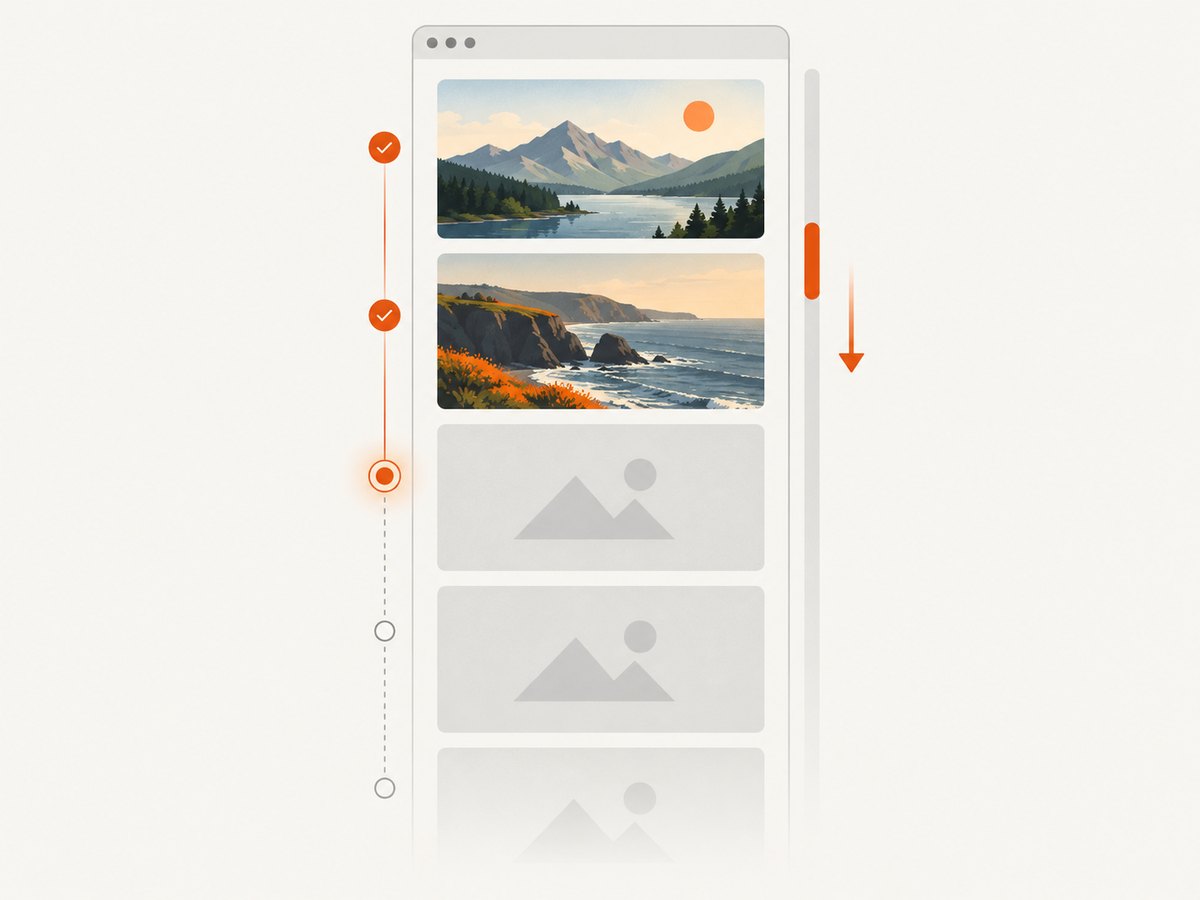
- Wait for a meaningful container, such as
.product-gallery, instead of an arbitrary fixed delay. - Inspect image attributes to identify placeholders and the site’s lazy-load pattern.
- If scrolling triggers lazy loading, scroll through the relevant content in bounded increments, wait briefly for updates, then collect the URLs. Avoid an unbounded loop on infinite-scroll pages.
- For a paginated or “load more” gallery, trigger the control deliberately and stop after a known count or page boundary.
- Re-evaluate the DOM after the content changes. A previously captured array will not update itself.
For example, a bounded scroll can prompt common viewport-based lazy loaders:
await page.evaluate(async () => {
  const step = Math.max(300, Math.floor(window.innerHeight * 0.8));
  const limit = Math.min(document.body.scrollHeight, 12_000);
  for (let y = 0; y < limit; y += step) {
    window.scrollTo(0, y);
    await new Promise((resolve) => setTimeout(resolve, 150));
  }
  window.scrollTo(0, 0);
});
The pixel limit and delay are examples, not universal settings. Tune them for the page and enforce an overall time budget. CSS background images are not in document.images; inspect relevant computed styles or the site’s markup if those are part of your target.
6. Use request events when you need what the browser actually loaded
If the page’s markup does not expose useful URLs, observing browser requests can reveal image resources requested during rendering. Prefer passive event observation when possible; do not enable interception merely to log URLs.
const imageRequests = new Set();
page.on('response', (response) => {
  const request = response.request();
  if (request.resourceType() === 'image') {
    imageRequests.add(response.url());
    console.log(response.status(), response.url());
  }
});
Attach listeners before navigation if you need to observe initial resources. A response event provides status and URL; request lifecycle completion alone does not mean HTTP success. A 404 or 503 can still finish as a request. Check response.status() and response.ok() before treating a resource as successful.
Request interception is a different tool: when enabled, each request stalls until your handler continues, responds to, or aborts it. A handler that forgets to resolve a request can make navigation hang. Use interception only when you need to change or filter requests, and guard against handling the same request more than once, following Puppeteer’s network interception guide.
7. Save a rendered screenshot instead
If your intended deliverable is a visual record of the website, Puppeteer’s screenshot API is simpler:
await page.screenshot({ path: 'page.png', fullPage: true });path writes the screenshot to disk and fullPage asks for the full page rather than only the current viewport. You can also select an element and screenshot that element, or configure image type and quality where supported. Screenshot output reflects rendering, viewport, fonts, loaded resources, and page state. It does not extract original image files or guarantee that every lazy image has loaded. See the ScreenshotOptions reference.
8. Or skip the browser setup
If you need a rendered page capture rather than the source image files, ScreenshotNeo can return an image or PDF from one API request. See the API documentation for the request options.
curl -G "https://api.screenshotneo.com/v1/shot" -d access_key=YOUR_API_KEY --data-urlencode url=https://stripe.com -o shot.webpPython:
import requests
r = requests.get("https://api.screenshotneo.com/v1/shot", params={"access_key": "YOUR_API_KEY", "url": "https://stripe.com"}, timeout=90)
open("shot.webp", "wb").write(r.content)
Node.js:
const q = new URLSearchParams({ access_key: 'YOUR_API_KEY', url: 'https://stripe.com' });
const res = await fetch(`https://api.screenshotneo.com/v1/shot?${q}`);
Cookie banners, popups, and chat widgets are removed before the shot; each cleanup step can be turned off. Bot checks, blank pages, and failed loads are never billed, and the response identifies the page verdict and billing status. An MCP server lets AI agents take screenshots. The free plan includes 1,000 screenshots a month with no card; paid plans start at $5 for 3,000. Sign up free and get 1,000 screenshots a month with no card.
9. Common errors and fixes
| Symptom | Likely cause | Fix |
|---|---|---|
| No image URLs found | The page has not rendered the gallery, uses a different container, or draws imagery with CSS. | Wait for the real content selector, inspect the DOM, and check computed background styles where relevant. |
| Only thumbnails saved | currentSrc selected a small responsive candidate or the page itself links to thumbnails. |
Inspect srcset, anchor links, and site markup. Select a larger source only when the site makes one available and you are allowed to retrieve it. |
| HTTP 403 | The image host may require cookies, a referer, authentication, or may deny automated requests. | Use the authorized session headers and cookies where appropriate; do not attempt to bypass access controls. |
| Saved file is HTML | The server returned an error page, sign-in page, or challenge with a success-like response. | Check status, content type, and a reasonable byte length before writing; inspect a sample response safely. |
| Navigation times out | The page keeps connections open, is slow, or interception left a request unresolved. | Choose a suitable navigation wait condition, set a time budget, and ensure every intercepted request is handled. |
| Duplicate-file error | The script uses exclusive creation and the output name already exists. | Choose a unique run directory, skip existing files, or intentionally allow overwrite. |
| Some images are absent | Lazy loading, infinite scroll, pagination, blocked resources, or post-load DOM updates. | Scroll or trigger the site’s controls in bounded steps, then re-collect URLs and check browser responses. |
10. Reliability, performance, and cost
One browser instance can inspect a page and make its rendering behavior visible, but launching a new browser for every image is wasteful. Reuse the page’s browser session for discovery, then fetch assets with a bounded number of concurrent HTTP requests if the gallery is large. The sample is sequential for clarity and places a cap on URL count; a production downloader should also cap total bytes, retries, elapsed time, and concurrency.
Retries should be selective. A temporary network error or server error may be retried with a small bounded backoff; a 404 or 403 usually needs a changed URL or authorization, not repeated requests. Honor rate limits and avoid overwhelming the host. Record URL, status, content type, byte count, and saved path so incomplete runs can be diagnosed or resumed.
Memory use rises when full response bodies are buffered. For large files, stream the response body to a file and enforce a maximum size instead of calling arrayBuffer(). Validate MIME type and, for workflows where file integrity matters, inspect file signatures with a suitable image parser; a header alone is not proof that bytes form a valid image.
Operational cost is usually browser CPU and memory, network bandwidth, storage, and any hosting or proxy charges in your environment. The documentation cited here does not establish universal speed or cost figures. Measure on representative pages, keep concurrency conservative, and cache completed downloads when permitted. A screenshot is often smaller and operationally simpler when you only need visual evidence, but it is not a substitute for source assets.
Before downloading, check the site’s terms and your rights to store or reuse the images. A URL being visible in a browser does not grant permission to republish the file. Avoid bypassing login, paywall, bot protections, or other access controls.
11. FAQ
Does Puppeteer have a download-images method?
No dedicated programmatic image-download method is documented. Use page evaluation to discover URLs and retrieve their response bytes in your Node.js application, or use a screenshot API if you need a rendered capture.
Will this preserve the image’s original quality?
It saves the bytes served at the URL you selected. The site may serve a resized, compressed, or transformed variant. Inspect the available sources and confirm the resulting dimensions.
Can it download images behind a login?
If you have authorized access, the browser can establish a session and the Node request may need the relevant cookies or headers. The example forwards cookies and user agent, but authentication schemes vary; do not expose session credentials in logs or source control.
Can I download every image from any site?
No universal extractor handles every site structure, access policy, or image technique. The example covers rendered <img> elements. You must adapt it for lazy loaders, CSS backgrounds, responsive sources, pagination, or site restrictions.


