How to Download Files from SharePoint with Microsoft Graph API
Download SharePoint files with Microsoft Graph using driveItem IDs, redirects, permissions, browser-safe URLs, ranges, and runnable examples.
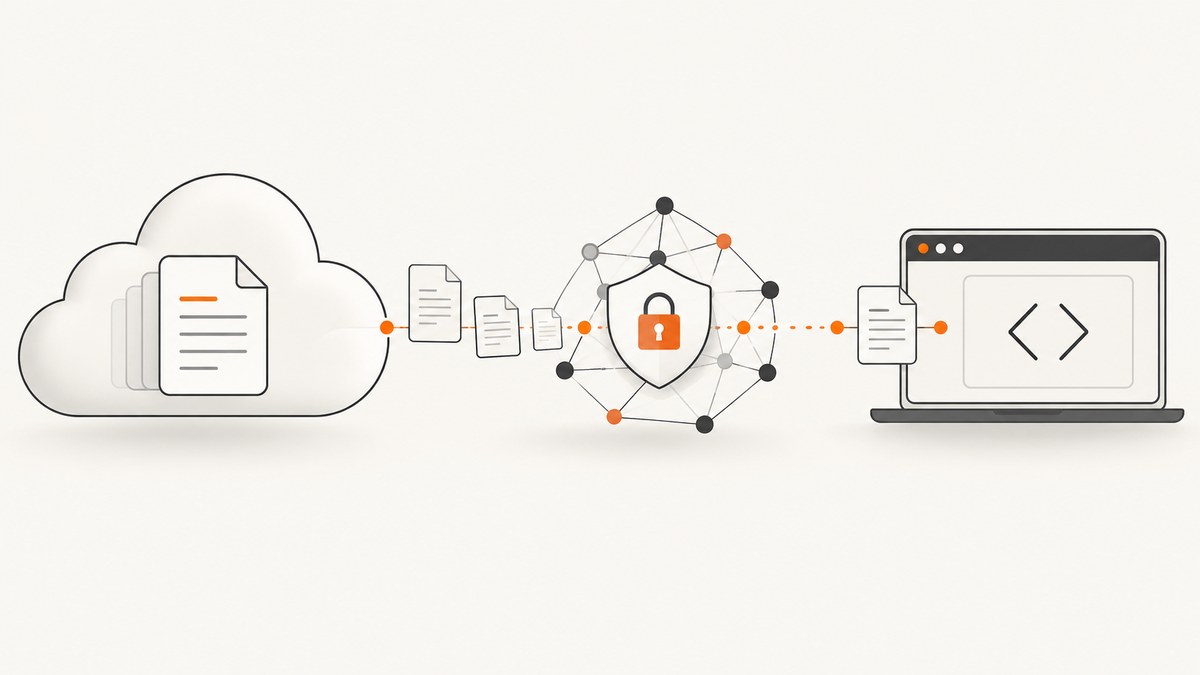
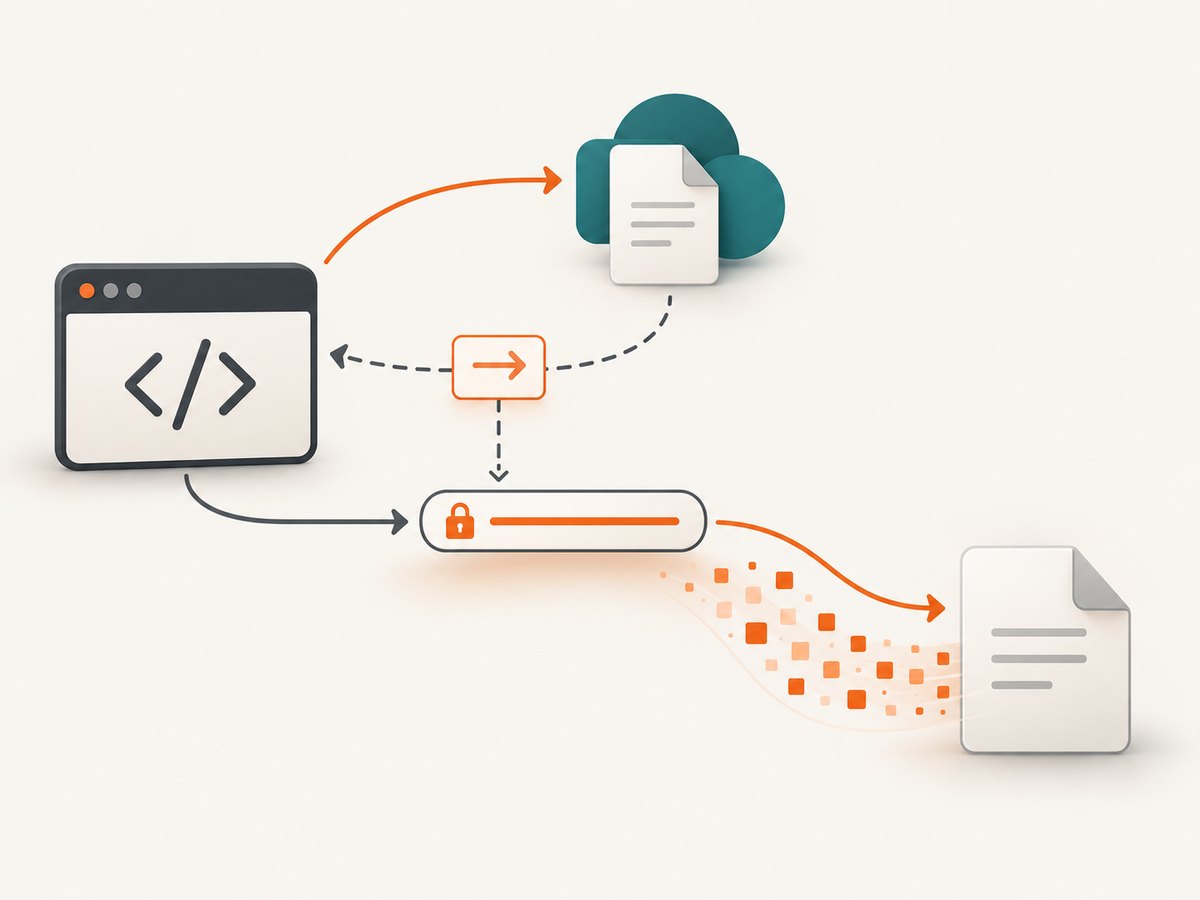
To download a SharePoint file with Microsoft Graph, address the file as a driveItem and call its /content endpoint with a bearer token. Microsoft Graph normally responds with 302 Found and a short-lived preauthenticated download URL. Follow that redirect, or request the item’s @microsoft.graph.downloadUrl property and download from the returned URL.
Only a driveItem that has a file property represents downloadable file content. Folders and other drive items do not produce a file stream.
1. Choose the file address
You can identify the file by drive and item ID, site and item ID, your own drive, or a supported path. The most common SharePoint form is:
GET https://graph.microsoft.com/v1.0/sites/{site-id}/drive/items/{item-id}/contentOther documented route families include:
/drives/{drive-id}/items/{item-id}/content/sites/{site-id}/drive/items/{item-id}/content/me/drive/items/{item-id}/content/me/drive/root:/{item-path}:/content- Shared-item routes when the item is addressed through a sharing link.
If you have a path but not an item ID, first resolve the metadata:
GET https://graph.microsoft.com/v1.0/sites/{site-id}/drive/root:/Reports/2026/summary.xlsxRead the returned id, verify that file is present, and then use that ID for the content request.
2. Configure least-privileged permissions
For delegated work or school accounts, Microsoft lists Files.Read as the least-privileged permission for downloading content. For application access, the least-privileged permission listed is Files.Read.All. Use broader permissions only when the access model requires them. SharePoint Embedded containers have additional FileStorageContainer.Selected and container-type requirements.
| Access model | Typical least-privileged permission | When it applies |
|---|---|---|
| Delegated, work or school account | Files.Read |
A signed-in user downloads a file they can access. |
| Application | Files.Read.All |
A daemon or service acts without a signed-in user. |
| SharePoint Embedded | Container-selected permissions plus the required container type | The file is stored in an Embedded container. |
Grant admin consent where your tenant requires it, and keep the token on a server or other trusted component. Do not put application secrets in browser JavaScript.
3. Download with cURL
The following command lets cURL follow Graph’s redirect and writes the file to disk:
curl -L \
  -H "Authorization: Bearer ACCESS_TOKEN" \
  "https://graph.microsoft.com/v1.0/sites/SITE_ID/drive/items/ITEM_ID/content" \
  -o summary.xlsx
If you need to inspect the redirect first, omit -L and include headers:
curl -i \
  -H "Authorization: Bearer ACCESS_TOKEN" \
  "https://graph.microsoft.com/v1.0/sites/SITE_ID/drive/items/ITEM_ID/content"
Copy the Location header and request it without the Graph bearer token. The preauthenticated URL carries its own authorization and may expire within minutes.
4. Download with Python
import requests

TOKEN = "ACCESS_TOKEN"
SITE_ID = "SITE_ID"
ITEM_ID = "ITEM_ID"

url = f"https://graph.microsoft.com/v1.0/sites/{SITE_ID}/drive/items/{ITEM_ID}/content"
with requests.get(
    url,
    headers={"Authorization": f"Bearer {TOKEN}"},
    stream=True,
    timeout=(10, 120),
    allow_redirects=True,
) as response:
    response.raise_for_status()
    with open("summary.xlsx", "wb") as output:
        for chunk in response.iter_content(chunk_size=1024 * 1024):
            if chunk:
                output.write(chunk)
stream=True avoids keeping a large file in memory. The request follows the redirect automatically; the final response contains the file bytes.
5. Download with Node.js
const fs = require('node:fs');

const token = process.env.GRAPH_TOKEN;
const siteId = process.env.SITE_ID;
const itemId = process.env.ITEM_ID;
const endpoint = `https://graph.microsoft.com/v1.0/sites/${siteId}/drive/items/${itemId}/content`;

const response = await fetch(endpoint, {
  headers: { Authorization: `Bearer ${token}` },
  redirect: 'follow'
});

if (!response.ok) {
  throw new Error(`Graph returned ${response.status}: ${await response.text()}`);
}

const file = fs.createWriteStream('summary.xlsx');
for await (const chunk of response.body) {
  file.write(chunk);
}
file.end();
For production code, wait for the stream’s finish event before reporting success, and add retry handling for transient HTTP failures.
6. Browser JavaScript and CORS
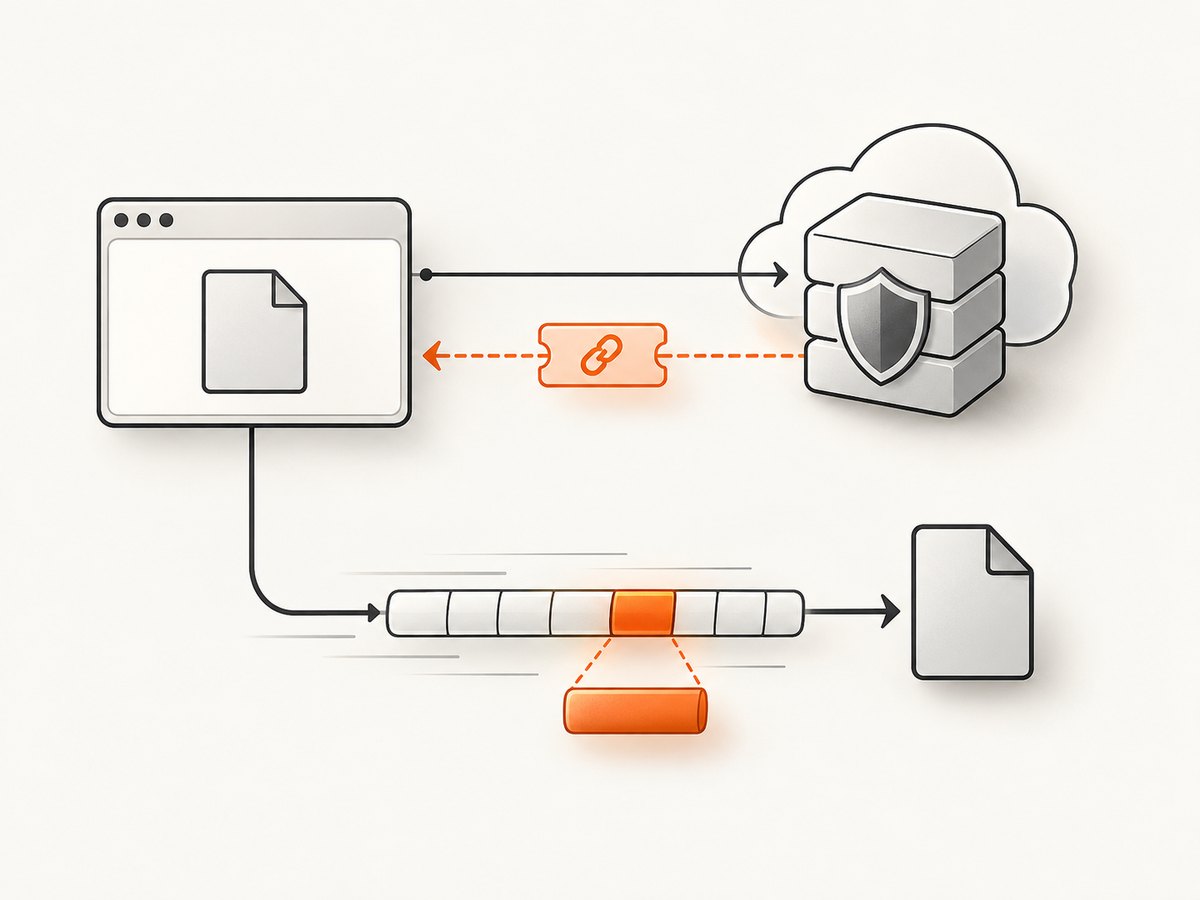
A browser request to /content with an Authorization header can trigger a CORS preflight. Microsoft’s browser guidance is to obtain @microsoft.graph.downloadUrl from a metadata request, then request that URL directly. The preauthenticated URL does not require the Graph authorization header.
const metadata = await fetch(
  `https://graph.microsoft.com/v1.0/sites/${siteId}/drive/items/${itemId}?$select=id,name,file,@microsoft.graph.downloadUrl`,
  { headers: { Authorization: `Bearer ${token}` } }
);
if (!metadata.ok) throw new Error(`Metadata failed: ${metadata.status}`);
const item = await metadata.json();
if (!item.file || !item['@microsoft.graph.downloadUrl']) {
  throw new Error('The item is not a downloadable file or has no download URL');
}
const fileResponse = await fetch(item['@microsoft.graph.downloadUrl']);
if (!fileResponse.ok) throw new Error(`File download failed: ${fileResponse.status}`);
const blob = await fileResponse.blob();
Do not persist this URL as a permanent link. Request a fresh one when it expires.
7. Partial downloads and resume
Send the Range header to the preauthenticated download URL, not to the Graph /content endpoint:
curl -L \
  -H "Authorization: Bearer ACCESS_TOKEN" \
  -D headers.txt \
  "https://graph.microsoft.com/v1.0/sites/SITE_ID/drive/items/ITEM_ID/content" \
  -o /tmp/redirect-body
After obtaining the Location URL, request a byte range from that URL:
curl \
  -H "Range: bytes=0-1048575" \
  "PREAUTHENTICATED_DOWNLOAD_URL" \
  -o first-megabyte.bin
A supported range returns 206 Partial Content. If the service cannot generate the requested range, it may ignore the header and return the complete file with 200 OK. Your client must handle both responses and verify the resulting length before assembling chunks.
8. Redirect and URL handling
- Send the Graph request with the bearer token.
- Read the
Locationheader from the302response, or read@microsoft.graph.downloadUrlfrom metadata. - Request that URL promptly.
- Do not add the Graph bearer token to the preauthenticated request.
- Do not treat the URL as durable; obtain another one after expiration.
Many HTTP libraries follow redirects automatically. If yours does, still preserve the final status and content type in logs so you can distinguish a downloaded file from an HTML error page.
9. Common errors and fixes
| Error or symptom | Likely cause | Fix |
|---|---|---|
401 Unauthorized |
Missing, expired, or malformed bearer token. | Acquire a fresh token for Microsoft Graph and send it only to the Graph URL. |
403 Forbidden |
The app lacks consent or the user cannot access the site or file. | Check delegated versus application access, grant the least permission required, and verify SharePoint access. |
404 Not Found |
Wrong site, drive, item ID, or path. | Resolve metadata first and confirm the item’s id and parent drive. |
Folder metadata has no file |
The ID identifies a folder, not a file. | List children and select a child driveItem with a file property. |
| Browser CORS failure | The Authorization header caused a preflight that the download endpoint does not satisfy. | Fetch @microsoft.graph.downloadUrl with Graph authorization, then fetch that URL directly. |
| Expired download URL | The preauthenticated URL was cached or queued too long. | Request fresh metadata or repeat the /content call immediately before downloading. |
Range request returns 200 |
The service could not generate the requested range. | Accept the full response, or retry without assuming that 206 is guaranteed. |
| Downloaded bytes are HTML or JSON | An error response was saved as a file. | Check status before writing, inspect Content-Type, and log the Graph error body. |
10. Performance, reliability, and cost
- Stream large files: write chunks directly to disk or object storage instead of buffering the whole response.
- Resolve IDs once: store stable site, drive, and item identifiers when appropriate, but obtain a fresh preauthenticated URL for each transfer.
- Use bounded retries: retry transient transport failures and selected 5xx responses with exponential backoff; do not blindly retry authentication or permission errors.
- Validate output: compare the received length with
Content-Lengthwhen present and keep the final HTTP status and content type. - Parallelism: download independent files concurrently within your service’s memory, bandwidth, and tenant throttling limits.
- Partial transfer: use ranges for resumable downloads, while handling a server response that returns the full body.
- API cost: Microsoft Graph access is governed by your Microsoft 365 and Azure subscription terms. This endpoint itself does not turn a SharePoint file into a separately priced download.
11. Or skip the browser setup
If your goal is to capture a SharePoint page or document preview as an image or PDF rather than download the original file bytes, ScreenshotNeo provides a single request. Its API removes cookie banners, newsletter popups, and chat widgets before capture; bot checks, blank pages, failed loads, and cache hits are not billed. An MCP server lets AI agents take screenshots, and the Free plan includes 1,000 screenshots each month with no card; paid plans start at $5 for 3,000.
curl -G "https://api.screenshotneo.com/v1/shot" -d access_key=YOUR_API_KEY --data-urlencode url=https://sharepoint.com -o shot.webpSee the ScreenshotNeo API documentation for options such as PDF output, custom headers, cookies, waits, and signed links. Create a free ScreenshotNeo account.
12. Short FAQ
Can I download a folder with /content?
No. The endpoint downloads the primary stream of a file driveItem. List the folder’s children and download each child file, or use a separate archive workflow.
Does the redirect URL need my access token?
No. The returned URL is preauthenticated. Send the bearer token to Graph, then request the redirect URL without that header.
Can I make a permanent public download link?
Do not use the temporary download URL as a permanent link. Create a sharing link or an application endpoint that obtains a fresh URL when needed, following your organization’s sharing policy.
Which client library should I choose?
Use the runtime already used by your service. The important behaviors are the same: least-privileged authentication, redirect handling, fresh preauthenticated URLs, and correct range-response handling.
Can Graph convert a file while downloading it?
Format conversion is a separate Graph capability. It is not the default download route, and Microsoft notes that not every file can be converted to every format.
Microsoft’s primary references are the driveItem content API, driveItem metadata API, and Microsoft guidance on download URLs and range requests.


