How to Download an Entire Website With JavaScript
Learn when JavaScript needs a real browser to save a site for offline use, how to crawl ordinary links with Wget, and how to verify what you downloaded.

Short answer: JavaScript can help download a website, but first distinguish two jobs. For pages whose links and resources are already present in HTML, XHTML, or CSS, use a bounded recursive downloader such as GNU Wget. If a page creates its content or links only after client-side JavaScript runs, a parser such as Cheerio is not enough: use a browser automation tool such as Playwright to render pages, then build a crawler around the rendered links and save the resources you need. Neither approach guarantees a complete copy of every site.
This guide builds a small JavaScript crawler for browser-rendered pages, explains when Wget is the simpler tool, and shows how to set scope, persist files, inspect misses, and check the result offline. Only crawl sites you are entitled to access, follow applicable terms and crawler directions, and do not redistribute copied material without the necessary rights.
1. Decide what “entire website” means
Before writing code, define the boundary. “Entire website” can mean every public page, one documentation section, a set of product pages, or one page and its assets. Choose:
- Hosts: same host only, or named subdomains too? External links can lead to an unbounded crawl.
- Paths: which sections are in scope, and which should be excluded?
- Limits: maximum page count and link depth. Query parameters, calendars, search pages, and faceted navigation can generate many URL variants.
- Resources: HTML pages only, or CSS, images, fonts, scripts, and documents as well?
- Offline behavior: must navigation work from disk, or do you only need a set of rendered page captures?
Inspect the site’s terms and robots.txt before crawling. Wget says it respects the Robot Exclusion Standard, but robots.txt is crawler guidance, not access control or permission to copy. Google explains that it is primarily intended to manage crawler access and traffic, not to keep a page out of search or protect private files. A finite scope, modest request rate, and review of the site’s rules are sensible crawl hygiene.
2. Choose retrieval or browser rendering
| Page behavior | Starting point | What it does not solve by itself |
|---|---|---|
| Links and assets appear in ordinary markup | Recursive Wget retrieval | It cannot make a crawl boundary or completeness guarantee appropriate to every site; verify the local result. |
| Essential links or content appear only after scripts execute | Playwright with a crawler you control | Playwright is a browser automation library, not a turnkey whole-site mirroring command. |
| You need to inspect already-fetched markup | Cheerio | Cheerio parses HTML/XML; it does not execute JavaScript, render CSS, or load external resources. |
GNU Wget documents recursive retrieval, reconstruction of the remote directory structure, and conversion of links for local browsing. If the site is conventional and its content is in markup, start there rather than building a browser crawler. See the GNU Wget manual overview.
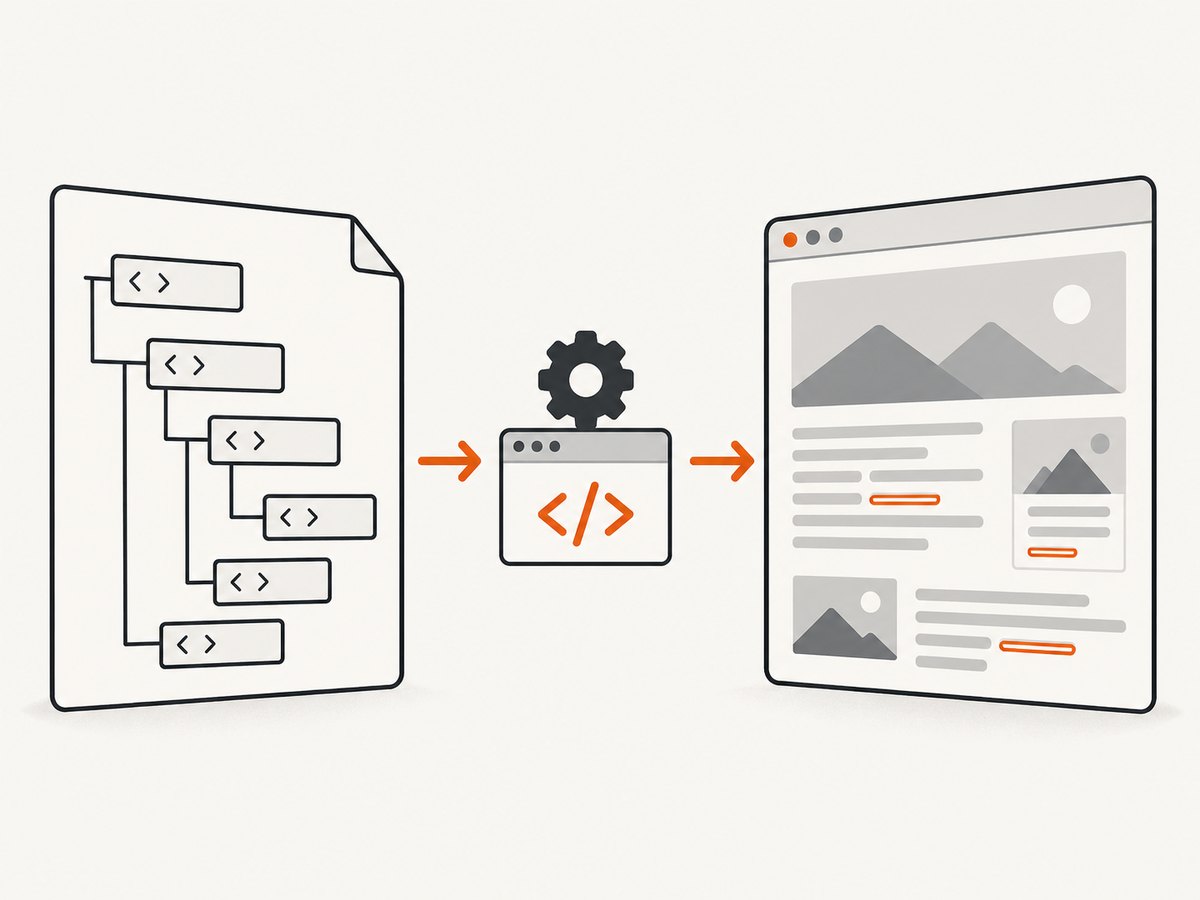
For dynamic pages, Playwright can run a real browser and observe page behavior. Its documented download API is for a download initiated by a page; it can save that file to a path. It does not claim to export every page in a site. The code below illustrates a bounded rendered-page crawl, not a universal mirror. See Playwright’s download documentation and Cheerio’s overview.
3. Set up a JavaScript browser crawler
Install Node.js, create a project, and install Playwright. Playwright’s browser installation is a separate step; follow its official setup instructions for your platform and browser. The code uses Chromium and writes page HTML snapshots, not a fully rewritten offline site with every asset. It keeps traversal bounded by host, path prefix, depth, and page count.
mkdir website-copy
cd website-copy
npm init -y
npm install playwright
npx playwright install chromium
Save this as crawl.mjs. Replace the example origin and path with the section you are authorized to crawl. The one-second delay between page visits is a conservative example, not a prescribed universal rate; obey the site’s rules and reduce traffic if needed.
import { chromium } from 'playwright';
import { mkdir, writeFile } from 'node:fs/promises';
import path from 'node:path';

const START = new URL('https://example.com/docs/');
const ALLOWED_HOSTS = new Set([START.host]);
const ALLOWED_PREFIX = '/docs/';
const MAX_PAGES = 100;
const MAX_DEPTH = 3;
const PAUSE_MS = 1000;
const OUT = path.resolve('offline-copy');

function localPath(url) {
  let pathname = decodeURIComponent(url.pathname);
  if (pathname.endsWith('/')) pathname += 'index.html';
  else if (!path.extname(pathname)) pathname += '/index.html';
  return path.join(OUT, url.host, pathname);
}

function inScope(url) {
  return ALLOWED_HOSTS.has(url.host) && url.pathname.startsWith(ALLOWED_PREFIX);
}

const browser = await chromium.launch({ headless: true });
const context = await browser.newContext();
const queue = [{ url: START.href, depth: 0 }];
const seen = new Set();
let saved = 0;

try {
  while (queue.length && saved < MAX_PAGES) {
    const { url: href, depth } = queue.shift();
    const url = new URL(href);
    url.hash = '';
    if (!inScope(url) || seen.has(url.href)) continue;
    seen.add(url.href);

    const page = await context.newPage();
    try {
      const response = await page.goto(url.href, {
        waitUntil: 'domcontentloaded',
        timeout: 30000
      });
      if (!response || !response.ok()) {
        console.warn('Skipped response', url.href, response?.status());
        continue;
      }

      // Wait for the site's own client-side content to appear if needed.
      // Prefer a known selector over an arbitrary long delay.
      await page.waitForTimeout(500);
      const html = await page.content();
      const dest = localPath(url);
      await mkdir(path.dirname(dest), { recursive: true });
      await writeFile(dest, html, 'utf8');
      saved++;
      console.log('Saved', url.href, 'to', dest);

      if (depth < MAX_DEPTH) {
        const links = await page.locator('a[href]').evaluateAll(anchors =>
          anchors.map(a => a.href)
        );
        for (const link of links) {
          try {
            const next = new URL(link);
            next.hash = '';
            if (next.protocol === 'https:' && inScope(next) && !seen.has(next.href)) {
              queue.push({ url: next.href, depth: depth + 1 });
            }
          } catch { /* Ignore malformed href values. */ }
        }
      }
    } catch (error) {
      console.warn('Failed page', url.href, error.message);
    } finally {
      await page.close();
    }
    await new Promise(resolve => setTimeout(resolve, PAUSE_MS));
  }
} finally {
  await context.close();
  await browser.close();
}

console.log(`Saved ${saved} page(s) under ${OUT}`);
The crawler deliberately uses page.content() after navigation to capture the current DOM. That is useful when scripts insert content, but it is not a complete offline archive: HTML may still reference remote CSS, images, fonts, scripts, API data, or routes that are unavailable from disk. A client-side app may also need a known readiness selector or a site-specific interaction before its links appear.
4. Tune scope, rendering, and persistence
URL boundaries
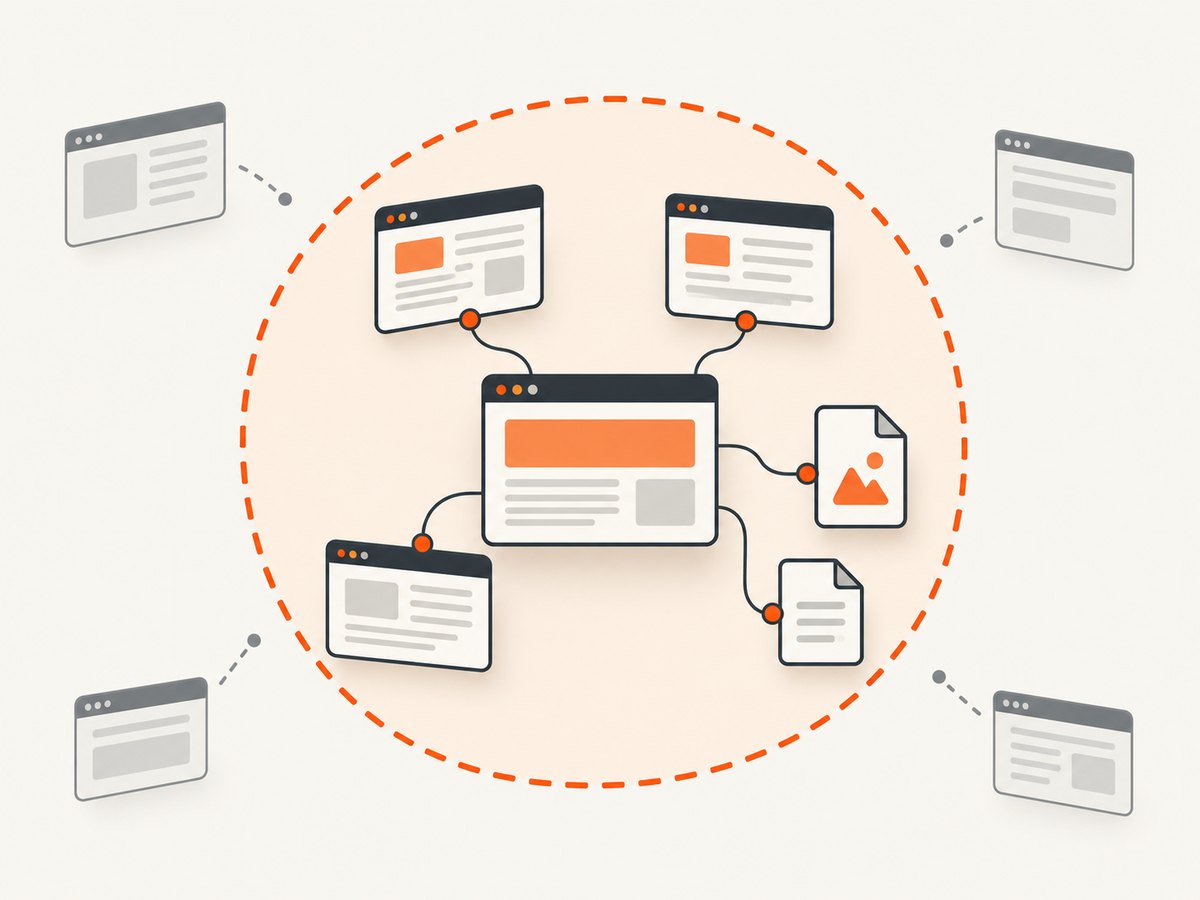
The sample restricts the host and /docs/ prefix. Add an explicit allowlist if the crawl should include selected subdomains; do not accept every host linked from a page. Normalize URLs before adding them to seen: remove fragments, and decide deliberately whether query strings represent distinct pages. If a query parameter is only analytics or tracking, strip it; if it selects content, retain only known safe keys. Add exclusions for logout, account, cart, search, or other state-changing and high-cardinality paths.
Waiting for JavaScript content
domcontentloaded means the initial document has been parsed; it does not mean a single-page application has finished fetching and rendering its data. Replace the illustrative fixed wait with a site-specific condition when possible:
await page.goto(url.href, { waitUntil: 'domcontentloaded', timeout: 30000 });
await page.locator('main article').waitFor({ state: 'visible', timeout: 10000 });
Use networkidle only when it matches the page’s behavior. Analytics, polling, and long-lived requests can prevent idle; some pages become visually complete before all network traffic ends. Avoid interacting with forms or buttons unless the site permits it and the action is necessary. If a page requires scrolling to trigger lazy-loaded content, add controlled scrolling and check that it does not trigger an unbounded feed.
Save assets and make links local
The sample saves rendered HTML only, retaining remote URLs. For offline navigation, fetch and store linked resources, map each original URL to a local path, and rewrite HTML attributes and CSS url(...) references to those paths. Handle redirects, MIME types, duplicate filenames, URL encoding, and query strings in the mapping. CSS can import other CSS; scripts can request data at runtime. A robust mirror therefore needs a resource queue and URL-to-file manifest in addition to the page queue. If this is the actual goal and markup links are sufficient, Wget’s recursive retrieval and link conversion already cover important pieces of that problem.
Write to a dedicated output directory, preserve a manifest of attempted and saved URLs, and make failures visible. Saving a Playwright-triggered file download is a separate case: Playwright’s download event exposes saveAs(path), and the download belongs to its browser context. Save it before closing the context because temporary downloads are removed when the context closes.
5. Use Wget when a browser is unnecessary
For a conventional static or server-rendered section, a bounded Wget crawl is often the direct route. Example:
wget \
  --recursive \
  --level=3 \
  --no-parent \
  --convert-links \
  --adjust-extension \
  --page-requisites \
  --wait=1 \
  --directory-prefix=offline-copy \
  https://example.com/docs/
This asks Wget to recurse to a finite depth, stay below the starting path, convert links for local browsing, adjust extensions, retrieve page requisites, wait between requests, and store files under a chosen directory. Read the official recursive retrieval options and its documentation for the exact behavior and available flags in your Wget version. This still needs review: path rules, robots.txt behavior, redirects, generated URLs, and site-specific rules affect what is retrieved.
Do not try to make Cheerio do browser work. It is useful after fetching markup—for example, to extract anchor URLs—but it does not execute scripts or load dependent resources. A small extraction script can parse saved HTML, but it cannot reveal links that exist only after a browser runs the page’s JavaScript.
6. Verify the offline copy
- Compare the manifest against the intended host, path, depth, and page cap. Confirm that the crawl stopped because it reached its intended boundary.
- Open a sample from the start, middle, and deepest path in a local browser. Check headings, navigation, images, fonts, styles, and linked documents.
- Disconnect from the network or use browser developer tools to identify resources still fetched from the original site.
- Test links that cross directory levels, links with fragments, and pages with query parameters.
- Record missing pages and assets. Retry only transient failures, with a bounded retry count and delay; don’t silently claim complete coverage.
HTML snapshots from a browser may contain absolute URLs and scripts that expect the original origin. A local copy can look correct while online and fail offline. Treat the result as a bounded archive and describe known gaps.
7. Troubleshooting
| Symptom | Likely cause | Fix |
|---|---|---|
| Dynamic page is blank or missing sections | Capture happened before app rendering, or content requires interaction. | Wait for a stable, page-specific selector; inspect the page manually to learn its readiness condition. |
| Some pages never enter the queue | Links are added after the link scan, blocked by scope rules, or exposed only after interaction. | Wait for the relevant navigation, inspect rendered anchors, and review host and path filters. |
| Crawl grows unexpectedly | Query variants, calendars, search, or external hosts create a URL explosion. | Keep strict host/path allowlists, normalize or allowlist query keys, exclude generated routes, and lower the page cap. |
| Saved pages overwrite one another | Distinct URLs map to the same filename, often because of query strings or trailing slash handling. | Define deterministic URL-to-file mapping; include a safe query-derived suffix or preserve a manifest mapping. |
| Images or styles are absent offline | The sample stores HTML only, or asset URLs remain remote. | Fetch resources and rewrite references, or use recursive retrieval for markup-discoverable assets. |
| Navigation works online but not from disk | Absolute URLs or app routing expect the original origin. | Rewrite internal links and assets to local paths; test without network access. |
| Timeouts or intermittent errors | Slow pages, transient network errors, rate controls, or browser resource pressure. | Use a reasonable navigation timeout, log failures, retry a small number of times with delay, and reduce concurrency/request rate. |
| Browser fails to launch | Playwright package is installed but the browser binary is missing, or the environment lacks required dependencies. | Run the documented browser installation command and follow Playwright’s OS setup instructions. |
8. Performance, reliability, and cost
A browser visit has more work than parsing a saved HTML file: it launches and runs a page, which can consume meaningful CPU and memory, especially if many pages run at once. The sample uses one page at a time to keep behavior simple and request volume controlled. If increasing concurrency, cap it, keep the same scope rules, and watch failures and the site’s response. Do not assume a faster crawl is better; some sites limit automated traffic.
Reliability depends on handling partial failure. Keep a manifest, distinguish navigation errors from non-success HTTP responses, set timeouts, use bounded retries, and make the crawl resumable from URLs not yet completed. Do not treat a successful browser navigation as proof that all dynamic data or assets were collected. Neither the reviewed documentation nor this example provides a universal completeness guarantee or a benchmark for crawl duration or size.
The JavaScript approach has no fixed per-page service charge, but it uses your machine or compute environment, browser storage, bandwidth, and time. Wget has similar infrastructure costs without browser rendering overhead. If you use a hosted screenshot API, pricing and output are a separate consideration; a screenshot is an image or PDF of a page, not a navigable full-site archive.
9. Capture page evidence without managing a browser
If the goal is a visual record of pages rather than a locally navigable website, ScreenshotNeo is a screenshot API and MCP server for developers. It returns a PNG, JPEG, WebP, or PDF from one GET request; it does not claim to create a complete offline site mirror. The API code and options are in the ScreenshotNeo documentation.
cURL
curl -G "https://api.screenshotneo.com/v1/shot" \
  -d access_key=YOUR_API_KEY \
  --data-urlencode url=https://example.com/docs/ \
  -o shot.webp
Python
import requests

r = requests.get(
    "https://api.screenshotneo.com/v1/shot",
    params={"access_key": "YOUR_API_KEY", "url": "https://example.com/docs/"},
    timeout=90,
)
open("shot.webp", "wb").write(r.content)
Node.js
const q = new URLSearchParams({
  access_key: 'YOUR_API_KEY',
  url: 'https://example.com/docs/'
});
const res = await fetch(`https://api.screenshotneo.com/v1/shot?${q}`);
if (!res.ok) throw new Error(`Screenshot request failed: ${res.status}`);
await import('node:fs/promises').then(({ writeFile }) =>
  writeFile('shot.webp', Buffer.from(await res.arrayBuffer()))
);
ScreenshotNeo can accept cookie banners and remove more than 60 known consent platforms, newsletter popups, and chat widgets before capture; each step can be turned off. Bot checks/CAPTCHAs, blank pages, timeouts, failed loads, and cache hits cost nothing, and response headers report page verdict and billing. Its MCP server provides take_screenshot, get_page_info, and capture_pdf tools for Claude, Cursor, and other MCP clients. The free plan includes 1,000 shots a month with no card; paid plans start at $5 for 3,000 shots. Every feature is on every plan. For screenshots of many URLs, the API also supports bulk capture of up to 100 URLs per call.
Or skip the browser setup
Cookie banners, popups, and chat widgets are removed before the shot. Bot checks, blank pages, and failed loads are never billed. An MCP server lets AI agents take screenshots. You get 1,000 screenshots a month free with no card, and paid plans start at $5 for 3,000.
Create a free ScreenshotNeo account.
10. FAQ
Can JavaScript download all pages from a website?
It can automate a bounded crawl, but no generic script can promise every page. Pages may be hidden behind interactions, generated URLs, authentication, or site-specific behavior, and assets may need separate handling.
Why does Cheerio miss JavaScript pages?
Cheerio parses markup and does not run page scripts. Fetching initial HTML with a parser cannot expose content that the site only creates in a browser.
Does Playwright download a whole website?
Playwright automates a browser and supports saving page-triggered downloads. Building a site mirror still requires crawl rules, resource collection, local path mapping, and verification.
Can robots.txt authorize my copy?
No. It communicates crawler guidance. Check applicable site terms and permissions separately, and do not treat robots.txt as protection for private content.
How do I make a screenshot archive navigable offline?
A collection of screenshots is not a navigable HTML copy. Save rendered pages and required assets, rewrite internal links, and test the result locally. Use screenshots when visual evidence is the actual deliverable.


