How to Download a Website With Its Subpages
Learn how to mirror a website for offline browsing with Wget or HTTrack, preserve assets and links, scope the crawl, and handle common failures.
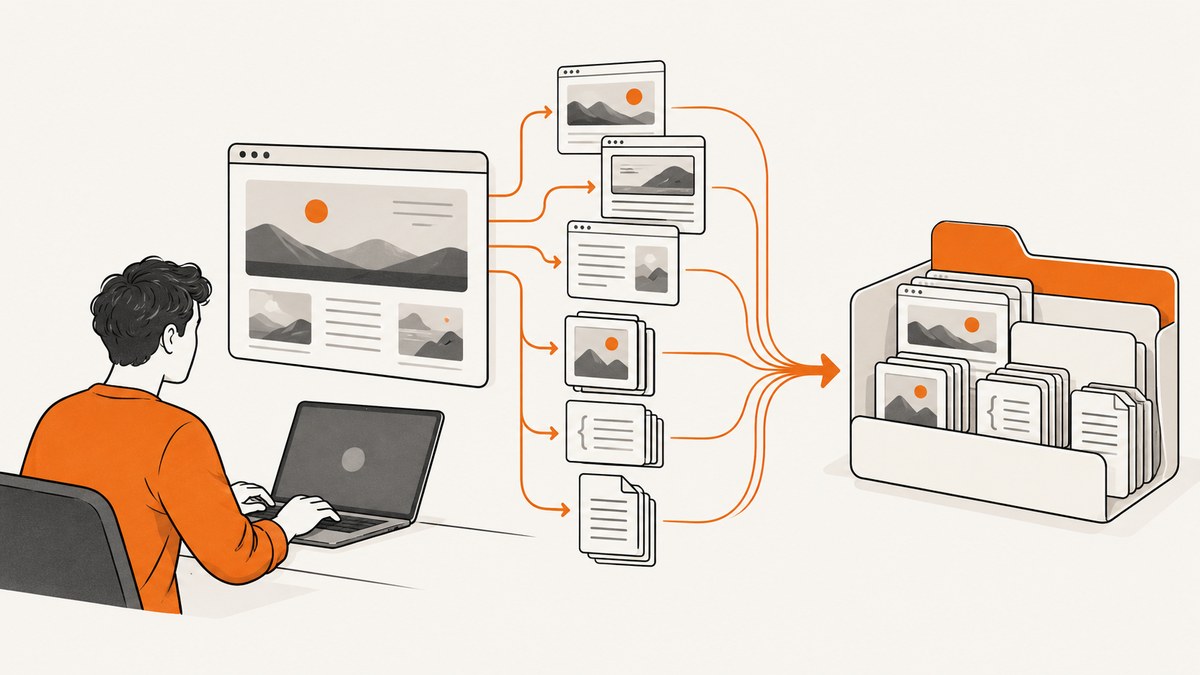
Short answer: use a recursive website copier. GNU Wget is the most practical choice for scripts and repeatable command-line jobs; HTTrack is useful when you prefer a guided mirroring workflow. Start from the site entry URL, limit the crawl to the intended host or directory, download page requisites, and convert links for local browsing.
A mirror follows links that the downloader can parse. It is not a guarantee that every route, authenticated page, JavaScript-rendered view or interactive feature will work offline. Before starting, decide whether you need one page with its assets, a section of a site, or a broad archive of reachable pages.
1. Decide what you need to download
There are three common goals:
- One page with its display assets: download the HTML plus images, stylesheets and other resources needed to view that page.
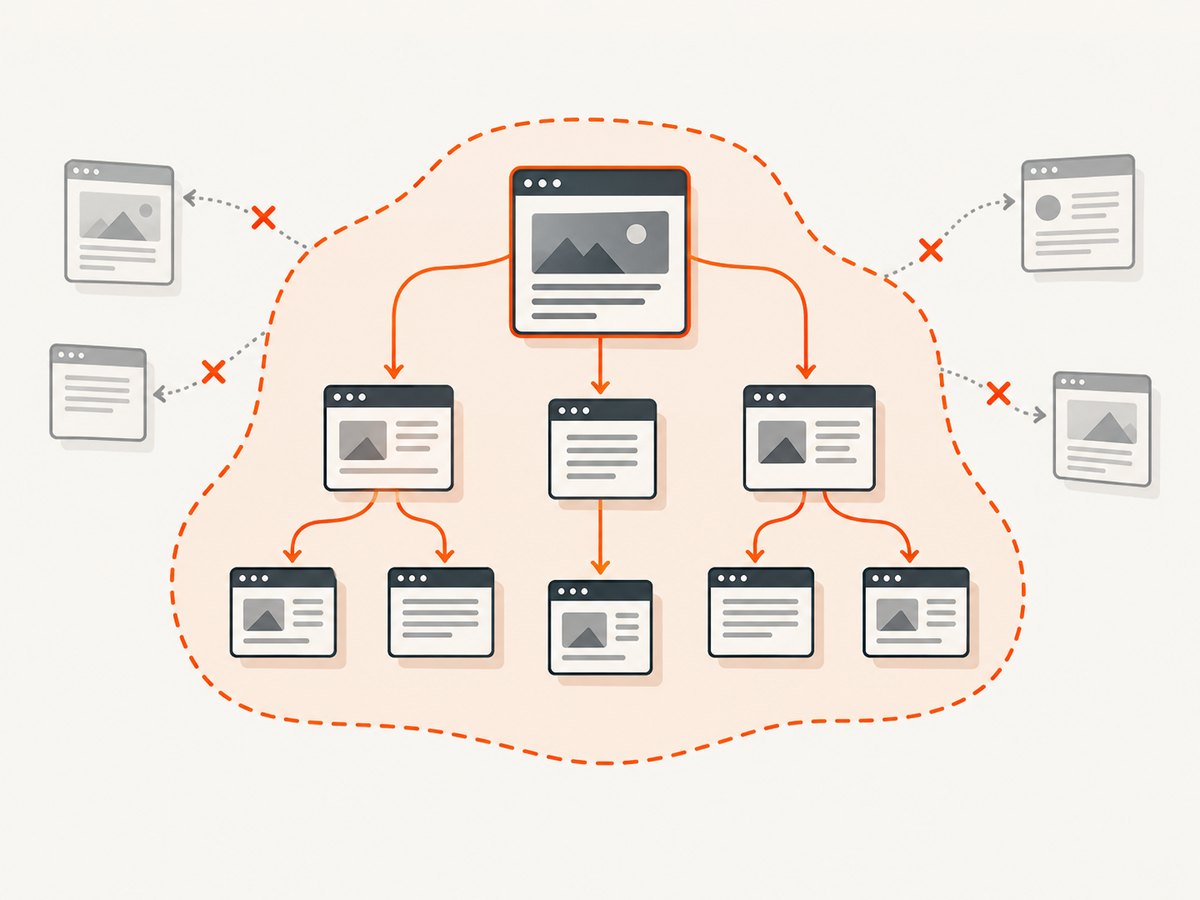
- A section with subpages: recursively follow links under one host or directory, while setting a depth or path boundary.
- A site mirror: recursively retrieve a large portion of a site, rewrite links for local use and retain files in a browsable directory tree.
Wget distinguishes a single page with page requisites from recursive retrieval. HTTrack is designed around creating a local browsable mirror and rewriting retained links. Neither project’s documentation promises a complete functioning copy of every website, so record what is missing after the crawl.
2. Download a site with GNU Wget
GNU Wget is a non-interactive command-line utility. Its mirror option combines recursion, timestamping and infinite depth. The following pattern is a useful starting point for a public site:
wget --mirror \
     --convert-links \
     --adjust-extension \
     --page-requisites \
     --backup-converted \
     --wait=1 \
     --directory-prefix=mirror \
     https://example.com/
Replace https://example.com/ with the entry URL you are allowed to copy. The command creates a local directory under mirror, retrieves pages and referenced resources, and changes links so that the downloaded pages can be opened locally. The GNU Wget manual documents this combination and warns that recursive retrieval should be used with care.
Scope the crawl before you run it
Unbounded recursion can follow more links than you intended and consume substantial disk space. Use these controls to make the boundary explicit:
# Stay on the starting host and limit recursion to three levels
wget --recursive --level=3 --no-parent \
     --page-requisites --convert-links --adjust-extension \
     --wait=1 --directory-prefix=mirror \
https://example.com/docs/| Option | Purpose | When to use it |
|---|---|---|
--mirror |
Enables recursive retrieval, timestamping and infinite depth. | Scheduled or broad mirrors when you have deliberately scoped the start URL. |
--recursive |
Turns on link-following without the full mirror bundle. | When you want to set depth and other flags yourself. |
--level=N |
Limits link depth. | Small sections, documentation trees or previews. |
--no-parent |
Prevents climbing above the starting directory. | Mirroring /docs/ without crawling the site root. |
--domains=example.com |
Restricts accepted hosts. | When the page links to other domains but you only want one host. |
--span-hosts |
Allows recursion across hosts when combined with domain rules. | Only when related hosts are intentionally part of the archive. |
--accept / --reject |
Filters filename extensions or patterns. | Keeping documents while excluding large media, for example. |
--exclude-directories |
Skips known paths. | Excluding search results, account areas or calendars. |
--wait=SECONDS |
Delays requests. | Reducing load on the remote server. |
--page-requisites |
Fetches resources needed to display a page, such as images and stylesheets. | When the local copy must look like the original. |
--convert-links |
Rewrites downloaded references for local viewing. | When opening the mirror without a network connection. |
--adjust-extension |
Adds suitable local filename extensions. | Making saved HTML easier to open from a file browser. |
--backup-converted |
Preserves the original file when conversion changes it. | Keeping a reversible archive during link conversion. |
Wget normally stays on the specified host during recursion, observes robots.txt, and has a default recursion depth of five for ordinary recursive retrieval. The --mirror option changes the depth behavior to infinite, so combine it with a deliberate starting URL and exclusions.
Resume or update an existing mirror
Run the same command again to update a mirror. Timestamping lets Wget avoid downloading files it determines are unchanged. Keep the output directory stable so later runs can reuse the existing files. If the site changes URLs or removes pages, compare the new crawl against the previous directory rather than assuming the local tree is a perfect historical snapshot.
3. Use HTTrack when you prefer a guided workflow
HTTrack provides a graphical workflow for entering a project name, choosing a starting URL, setting download rules and selecting where the mirror is stored. Its documentation also describes command-line operation for repeatable jobs. A typical command-line pattern is:
httrack "https://example.com/" \
  -O1 "./mirror/example" \
  "+*.example.com/*" \
  -*.mp4 -*.zip
Use the graphical wizard if you need to inspect options interactively. Use filters to keep the crawl on the intended host, exclude large files and avoid account or administrative paths. HTTrack describes saving a local browsable mirror and rewriting retained links. Confirm the exact filter syntax for your installed version in its manual before launching a large job.
4. Make the local copy usable offline
Downloading HTML alone often produces a broken-looking page because the document references external CSS, images, fonts or scripts. With Wget, --page-requisites requests resources needed for display and --convert-links changes references to local paths. HTTrack performs equivalent link rewriting for resources retained in its mirror.
- Open several top-level pages from the local directory, not only the home page.
- Check that images and stylesheets load with your network disconnected.
- Follow internal links and note links that still point to the live site.
- Search the output for failed downloads, redirects and unexpected external hosts.
- Keep a list of pages or assets that require JavaScript, authentication or an online API.
Some sites use absolute URLs, protocol-relative URLs, service workers or JavaScript routers. A downloader can only rewrite references it understands and files it successfully retrieves. A single-page application may expose few crawlable links in its initial HTML even though it has many views in the browser.
5. Authentication, JavaScript and other edge cases
Authenticated pages
Public recursive crawlers do not automatically reproduce a signed-in session. Pages behind a login may redirect to the login form, require short-lived tokens or reject non-browser requests. Do not place passwords or session cookies in shell history. If you have permission to archive a protected area, follow the site’s approved export process or use a controlled authenticated workflow, then verify that private data is not being copied into an unintended location.
JavaScript-generated links and data
Wget and HTTrack follow links and references they can parse from supported document types. They are not general-purpose browser automation systems. Content inserted after JavaScript runs, infinite-scroll results and data loaded from APIs may be absent. A downloaded script file does not mean its backend responses were captured.
Robots.txt and permissions
Wget and HTTrack document behavior that observes robots.txt. Treat that file as a crawl policy signal, not as proof that you have permission to republish content. Copyright, contracts, privacy obligations and site terms vary by jurisdiction and project. Confirm that your intended copy is authorized, especially for private, paid or user-generated material.
Redirects, alternate hosts and CDNs
A site may redirect from one hostname to another or serve assets from a CDN. Decide whether those hosts belong in your mirror. If you allow them, use explicit domain filters and expect the archive to grow. If you exclude them, the local copy may have missing fonts, images or scripts.
6. Performance, reliability and disk planning
Recursive downloads can create many requests quickly. Add a delay, start with a shallow test crawl and increase scope only after inspecting the result. Wget is designed to keep retrying through slow or unstable network connections, but retries still consume time and bandwidth. A delay protects the remote service and makes failures easier to diagnose.
Estimate storage from a small sample rather than assuming a fixed site size. HTML, images, fonts, videos, PDFs and duplicate query-string URLs can dominate disk usage. Monitor free space while the crawl runs. Exclude media or administrative paths when they are outside your objective, and keep the archive on storage with enough room for temporary and converted files.
For repeatable archives, save the exact command, starting URL, date, filters and tool version beside the mirror. This makes later updates comparable. Review HTTP errors and redirects after each run instead of treating a completed process as proof that every page succeeded.
7. Troubleshooting common problems
| Symptom | Likely cause | Fix |
|---|---|---|
| Only the home page appears. | Recursion was not enabled, or links are generated by JavaScript. | Use --recursive or --mirror, then inspect the HTML for crawlable links. |
| Pages open but have no styling. | CSS or fonts were not downloaded. | Add --page-requisites, verify host filters and check the saved CSS references. |
| Internal links open the live site. | References were not converted. | Add --convert-links and inspect whether the target page was actually downloaded. |
| The crawl leaves the intended section. | The start path or host boundary was too broad. | Use --no-parent, --domains and directory exclusions. |
| The download becomes enormous. | Infinite depth, calendars, search URLs or large media expanded the crawl. | Set --level, exclude query patterns or directories, and reject large extensions. |
| Many 403 or 429 responses appear. | The server is denying automated requests or rate-limiting them. | Slow the crawl, stop if disallowed, and use an authorized export or API. |
| Private pages are missing. | The crawler has no valid authenticated session. | Use the site’s supported export process or a controlled authenticated browser workflow. |
| Images load online but not offline. | They are lazy-loaded or fetched by script after page load. | Inspect network requests, identify the asset URLs and capture them through an authorized browser-based process. |
| Files have confusing names. | Query strings, redirects or extensionless URLs were preserved. | Use --adjust-extension, keep conversion backups and inspect redirect targets. |
| The process stops because storage is full. | The scope or asset set exceeded available disk. | Stop the crawl, remove partial output, narrow filters and confirm free space before restarting. |
8. When a screenshot is enough
A full mirror is useful when you need offline navigation or local document files. If you only need a visual record of a page, downloading every subpage is unnecessary. A screenshot captures the rendered state of one URL, while a PDF can preserve a printable representation. For a multi-page visual archive, submit the URLs you actually need rather than crawling links that are irrelevant to the deliverable.

Or skip the browser setup
ScreenshotNeo provides a website screenshot API and MCP server for developers. It is useful when your goal is a clean visual capture rather than a locally navigable mirror. One GET request returns PNG, JPEG, WebP or PDF. Cookie and consent banners are accepted before capture, and more than 60 known consent platforms, newsletter popups and chat widgets can be removed. Bot checks, blank pages, timeouts, failed loads and cache hits are not billed, and the response identifies the result with X-Page-Verdict and X-Billed headers.
See the ScreenshotNeo API documentation for the complete parameter list.
cURL
curl -G "https://api.screenshotneo.com/v1/shot" -d access_key=YOUR_API_KEY --data-urlencode url=https://stripe.com -o shot.webpPython
import requests
r = requests.get("https://api.screenshotneo.com/v1/shot", params={"access_key": "YOUR_API_KEY", "url": "https://stripe.com"}, timeout=90)
open("shot.webp", "wb").write(r.content)
Node.js
const q = new URLSearchParams({ access_key: 'YOUR_API_KEY', url: 'https://stripe.com' });
const res = await fetch(`https://api.screenshotneo.com/v1/shot?${q}`);
For subpage inventories, generate the URL list yourself from a sitemap or approved crawl, then capture selected URLs with ScreenshotNeo’s bulk capture option, which accepts up to 100 URLs per call. Relevant controls include full-page capture with lazy images loaded, CSS-selector element capture, dark mode, device presets, custom viewport and retina scale, custom CSS and JavaScript, click actions, selector waits, delays, network-idle waits, blocked resources, headers, cookies, user agents, authorization, timezone, geolocation, transparent backgrounds, resizing, caching with a chosen TTL, signed image links, asynchronous jobs with signed webhooks and PDF settings.
An MCP server provides take_screenshot, get_page_info and capture_pdf tools for Claude, Cursor and other MCP clients. The Free plan includes 1,000 shots per month with no card; paid plans start at $5 for 3,000 shots. Create a free ScreenshotNeo account.
FAQ
Can I download every page of any website?
No. Recursive tools can retrieve reachable links and referenced files, but authentication, JavaScript-generated routes, blocked requests and unavailable resources can prevent a complete copy.
Should I use Wget or HTTrack?
Choose Wget for scripts, automation and explicit command-line controls. Choose HTTrack for a guided mirroring workflow and a local browsable project.
What is the safest starting depth?
Start with a shallow level such as three, inspect the output, then expand only when the URL scope is correct. Infinite depth is appropriate only when you have reviewed filters and storage limits.
Does a mirror include a working login?
Usually not. A saved login form or script is not the same as a valid authenticated session and backend service. Treat private application behavior as a separate capture problem.
Can ScreenshotNeo replace a website mirror?
No. ScreenshotNeo is for rendered screenshots and PDFs of selected URLs. Use Wget or HTTrack when you need a navigable local copy with downloaded files; use ScreenshotNeo when visual captures are the actual deliverable.


