How to Download a YouTube Video Thumbnail Image
Get a YouTube video's thumbnail through the official Data API, choose an available image size, and save it in your browser. Includes runnable examples and reuse guidance.

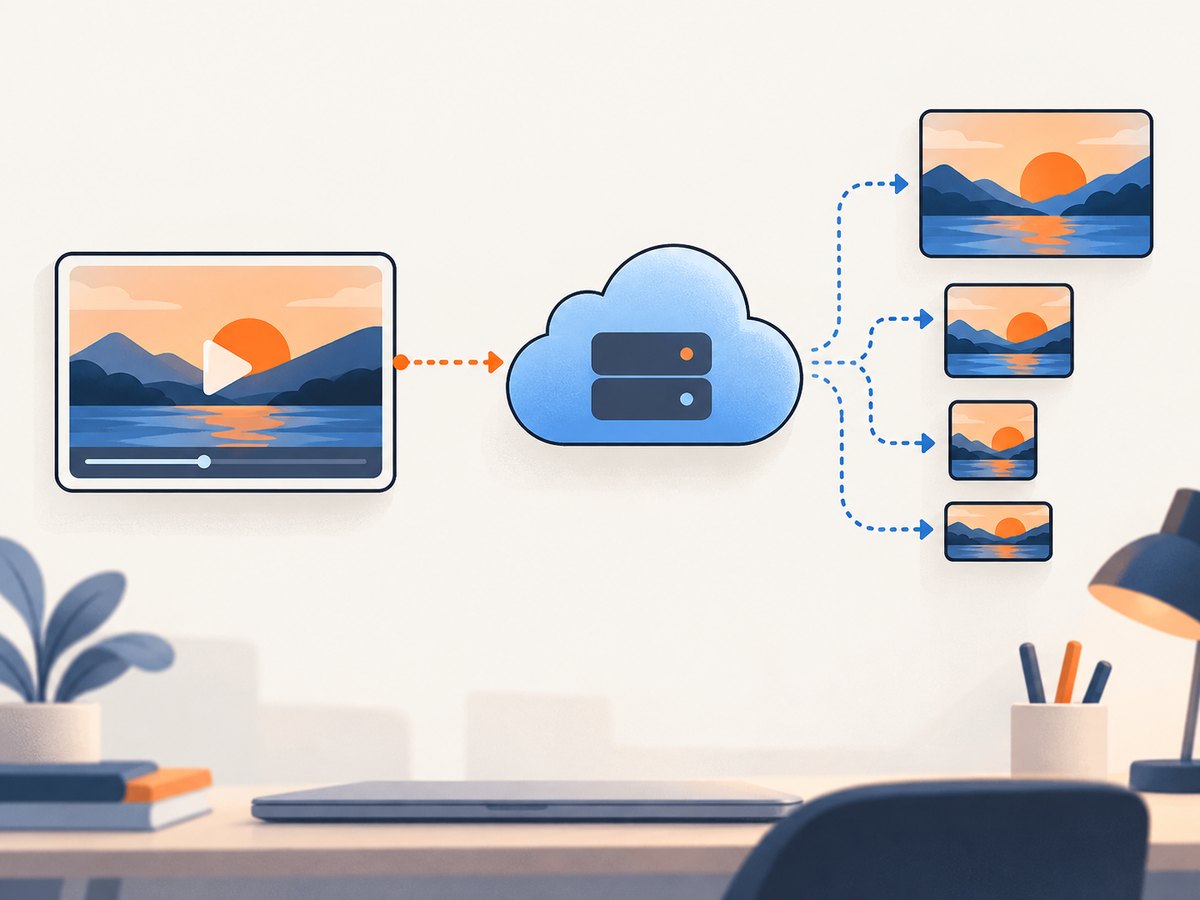
To download a YouTube video thumbnail using the documented route, get the video’s ID, request that video with the YouTube Data API videos.list method, and open an image URL from snippet.thumbnails. Save the image from your browser using its normal image-save command. The API requires an API key or OAuth token, and the largest thumbnail variant is not available for every video.
This saves the preview image, not the video itself. If you only need a screenshot of a YouTube page—for example, to document how a page displays—use a webpage screenshot tool such as ScreenshotNeo; a page screenshot is different from retrieving the thumbnail image resource.
1. Find the video’s ID
For a standard watch URL such as https://www.youtube.com/watch?v=VIDEO_ID, the value after v= is the video ID. For example, in https://www.youtube.com/watch?v=abc123XYZ00, the ID is abc123XYZ00. A URL can have other query parameters too; identify the value associated with v, rather than copying the entire URL as the ID.
Short links and embedded player URLs may use a different path shape. Resolve the video ID from the link’s YouTube video reference, then pass that ID to the API. The request below accepts a video ID, not a watch-page URL.
2. Request the video resource with the YouTube Data API
The API returns video metadata when the request is authorized and the ID identifies a video accessible through the API. The documented endpoint is videos.list; include the snippet part to receive title and thumbnail metadata. See Google’s videos.list reference, video resource reference, and API getting-started guide for current setup and request requirements.
Set up access
- Use Google’s API setup instructions to create or select a project and enable the YouTube Data API.
- Use an API key or OAuth token as required by the API. Keep credentials out of public source code and client-side pages.
- Put the target video’s ID into the request’s
idparameter and requestpart=snippet.
For an occasional manual lookup, you can make the request in a browser after adding your API key. Treat a key in a browser URL as exposed to anyone who can see that request. For an application, make the request from a server or otherwise restrict and protect the key according to Google’s current guidance.
cURL
curl --get 'https://www.googleapis.com/youtube/v3/videos' \
  --data-urlencode 'part=snippet' \
  --data-urlencode 'id=VIDEO_ID' \
  --data-urlencode 'key=YOUR_API_KEY'
The response is JSON. Find the first item, then inspect snippet.thumbnails. A thumbnail entry has a URL and may include width and height.
Python
This runnable example uses Python 3 and the popular requests package. Install it with python -m pip install requests. The script prints the available thumbnail names and URLs rather than assuming a particular size exists.
import os
import requests

api_key = os.environ["YOUTUBE_API_KEY"]
video_id = "VIDEO_ID"

response = requests.get(
    "https://www.googleapis.com/youtube/v3/videos",
    params={"part": "snippet", "id": video_id, "key": api_key},
    timeout=30,
)
response.raise_for_status()
data = response.json()

items = data.get("items", [])
if not items:
    raise SystemExit("No video resource returned for that ID.")

thumbnails = items[0].get("snippet", {}).get("thumbnails", {})
if not thumbnails:
    raise SystemExit("The response has no thumbnail variants.")

for name, image in thumbnails.items():
    print(name, image.get("width"), image.get("height"), image["url"])
Set the environment variable before running it, replacing the placeholder ID in the script. On macOS or Linux, for example: export YOUTUBE_API_KEY='YOUR_API_KEY'. Avoid committing the key to a repository.
Node.js
This example uses Node.js with its built-in fetch in current releases. It reports every variant returned by the API.
const apiKey = process.env.YOUTUBE_API_KEY;
const videoId = 'VIDEO_ID';
if (!apiKey) throw new Error('Set YOUTUBE_API_KEY first');

const query = new URLSearchParams({
  part: 'snippet',
  id: videoId,
  key: apiKey,
});
const response = await fetch(
  `https://www.googleapis.com/youtube/v3/videos?${query}`
);
if (!response.ok) {
  throw new Error(`YouTube API returned HTTP ${response.status}`);
}
const data = await response.json();
const video = data.items?.[0];
if (!video) throw new Error('No video resource returned for that ID');

for (const [name, image] of Object.entries(video.snippet?.thumbnails ?? {})) {
  console.log(name, image.width, image.height, image.url);
}
3. Choose an available image and save it
The API reference documents these thumbnail names and nominal dimensions for video resources:
| Variant | Nominal dimensions | What to expect |
|---|---|---|
default |
120 × 90 | Small preview variant |
medium |
320 × 180 | Medium-sized variant |
high |
480 × 360 | Higher-resolution variant |
standard |
640 × 480 | Standard variant when provided |
maxres |
1280 × 720 | Largest documented variant when provided |
These are documented nominal sizes, not a promise that each video has each variant. Use the keys present in the actual response. If a width or height is present, use it to confirm the returned dimensions; the API may omit dimensions. A video with no maxres entry still has only the variants its response lists—do not assume another size URL exists.
- Open the URL for the variant you want in a browser.
- Use the browser’s image context menu or equivalent save command to save the image file.
- Check the downloaded file’s dimensions if your workflow needs a specific size.
Opening the returned URL and saving the image is ordinary browser behavior. It is not a special thumbnail-export feature in YouTube Studio.
4. Save a returned image in code
If this is part of an automated workflow, request the URL returned by the API and write the response bytes to a file. Do not construct a thumbnail image URL from a guessed pattern: use the URL in the response so your code follows the variant actually available.
# Add this after the Python example has populated `image` from a chosen variant.
image_response = requests.get(image["url"], timeout=30)
image_response.raise_for_status()
with open("thumbnail.jpg", "wb") as output:
    output.write(image_response.content)
For Node.js, after selecting an entry from video.snippet.thumbnails:
const [variantName, image] = Object.entries(video.snippet.thumbnails)[0];
const imageResponse = await fetch(image.url);
if (!imageResponse.ok) {
  throw new Error(`Image request returned HTTP ${imageResponse.status}`);
}
const bytes = Buffer.from(await imageResponse.arrayBuffer());
await import('node:fs/promises').then(fs => fs.writeFile('thumbnail.jpg', bytes));
console.log(`Saved ${variantName} thumbnail`);
The filename extension in these examples is only a convenient name. If your downstream process depends on the actual image format, inspect the response content type or the saved file instead of assuming the extension from the chosen variant.
5. If you own the video: changing its thumbnail
If your goal is to replace a thumbnail on a video you own, use the thumbnail controls in YouTube Studio. YouTube’s help documentation describes uploading or managing a custom thumbnail there. That is a creator workflow for setting a thumbnail, not a documented general-purpose export tool for downloading an existing thumbnail. See YouTube’s thumbnail help page for current upload instructions and requirements.
The same help page recommends a 16:9 image, JPG or PNG, 3840 × 2160 pixels, and a minimum width of 640 pixels for regular video thumbnails. Its listed file-size limits differ by upload context: 50 MB on desktop and 2 MB for mobile video thumbnails. These are creation and upload specifications; they do not mean an existing thumbnail can be downloaded at those dimensions. YouTube also notes that vertical videos with custom 16:9 thumbnails may appear as automatically generated 4:5 thumbnails on some mobile surfaces.
6. Or skip the browser setup
If the task is to capture a screenshot of a webpage that contains a video or thumbnail, ScreenshotNeo can return an image or PDF through one API call. It captures a rendered page; it does not replace the YouTube Data API workflow above for retrieving the thumbnail image resource itself. See the ScreenshotNeo API documentation for request options.
curl -G "https://api.screenshotneo.com/v1/shot" -d access_key=YOUR_API_KEY --data-urlencode url=https://www.youtube.com/watch?v=VIDEO_ID -o shot.webpScreenshotNeo accepts cookie or consent banners and removes more than 60 known consent platforms, newsletter popups, and chat widgets before capture; each cleanup step can be turned off. Bot checks or CAPTCHAs, blank pages, timeouts, failed loads, and cache hits cost nothing, and the response identifies the page verdict and billing status in headers. An MCP server provides take_screenshot, get_page_info, and capture_pdf for Claude, Cursor, and other MCP clients. The free plan includes 1,000 screenshots per month with no card; paid plans start at $5 for 3,000 screenshots. Every feature is on every plan.
Sign up free for 1,000 screenshots a month, with no card.
7. Troubleshooting
| Symptom | Likely cause | What to do |
|---|---|---|
| API request says the key is invalid or access is denied | The API is not enabled for the project, the credential is wrong, or the request does not meet the current authorization requirements. | Check the API setup, confirm the credential and project, and follow Google’s current getting-started instructions. Keep key restrictions compatible with the server making the request. |
The response has an empty items array |
The ID may be mistyped, or the API did not return a video resource for it. | Recheck the video ID separately from the rest of the URL. Handle an empty result instead of indexing the first item unconditionally. |
snippet.thumbnails has no maxres |
That variant is not available in the returned resource. | Select the largest variant that is actually present. Do not infer availability from a URL pattern. |
| A returned thumbnail looks smaller than expected | The selected variant is smaller, or the resource does not offer a larger one. | Read the response’s dimensions when supplied, compare the available variants, and use the largest listed option that meets your needs. |
| The image URL does not save as expected | The image request failed, or the client assumed the wrong response type or filename extension. | Check the HTTP status for the image request, save its response bytes, and inspect the resulting file rather than relying on a hard-coded extension. |
| A browser request exposes an API key | Credentials included in URLs can be visible in browser history, developer tools, logs, or shared links. | For application use, make the API request from a protected server environment and apply Google’s current key restrictions. Do not publish a key in client-side code. |
| The saved image is mistaken for permission to republish it | Access to a public image and rights to reuse it are different questions. | Check the creator’s license, ask for permission, or confirm that a legal exception or public-domain status applies to your intended use. |
8. Rights and responsible reuse
Downloading a thumbnail does not grant permission to republish it. YouTube’s copyright guidance says original creative works such as videos are usually protected by copyright, and describes permission, applicable copyright exceptions, public domain, and Creative Commons licensing as possible routes for lawful use. The creator or rights holder, not YouTube, determines permissions for another creator’s work. See YouTube’s copyright guidance and Creative Commons guidance. Rights and exceptions depend on context and jurisdiction, so check the license and intended use before publishing.

This is separate from whether the API can return the image. API access, possession of a saved file, and permission to reuse it are three different things.
9. Performance, reliability, and cost
The API route adds setup and a network request, but returns the available variants and their image URLs in a structured response. For a one-off save, the manual browser step may be simplest after obtaining the URL. For a repeated workflow, request metadata in code, choose only an available variant, and fetch the image only when needed. Reuse a cached result in your own workflow when the same video is requested repeatedly, subject to your application’s requirements and the image’s current availability.
Handle network failures and non-success HTTP statuses for both the metadata request and the image request. Use timeouts, check for an empty items result, and avoid assumptions about the largest variant or dimensions. Google’s API quotas and applicable policies can affect repeated usage; check the current API documentation and project quota details before building a high-volume job. This method has no price claim here because the applicable API quota and account terms should be checked for the project in use.
For rendered-page captures rather than thumbnail-resource downloads, ScreenshotNeo offers a free allowance and fixed plan sizes: Free includes 1,000 shots monthly, Starter is $5 for 3,000, Growth $15 for 15,000, Pro $39 for 60,000, Scale $99 for 250,000, and Business $249 for 1,000,000. Yearly billing gives two months free. Those prices are for ScreenshotNeo page screenshots, not YouTube Data API requests.
FAQ
Can I get the full-size thumbnail for every video?
No. The API documents a maxres variant, but availability varies by video. Use the largest variant present in that video’s response.
Does saving a thumbnail download the video?
No. It saves a still image. YouTube’s download options for video files are a separate feature. YouTube says Studio or Takeout can be used for videos uploaded by the signed-in user, while its feature does not download other users’ videos. See YouTube’s video download help.
Can I download another creator’s thumbnail and use it in my own post?
Possessing the image does not grant reuse rights. Check the license or get permission for your intended use.
Does YouTube Studio provide a general export button?
The cited Studio guidance covers managing or uploading a custom thumbnail for a video you own; it does not describe a general export workflow.


