How to Load Dummy Data in Spring Boot and React Selenium Tests
Seed Spring data through SQL, APIs, or Testcontainers before Selenium drives React, with isolation, cleanup, troubleshooting, and runnable examples.
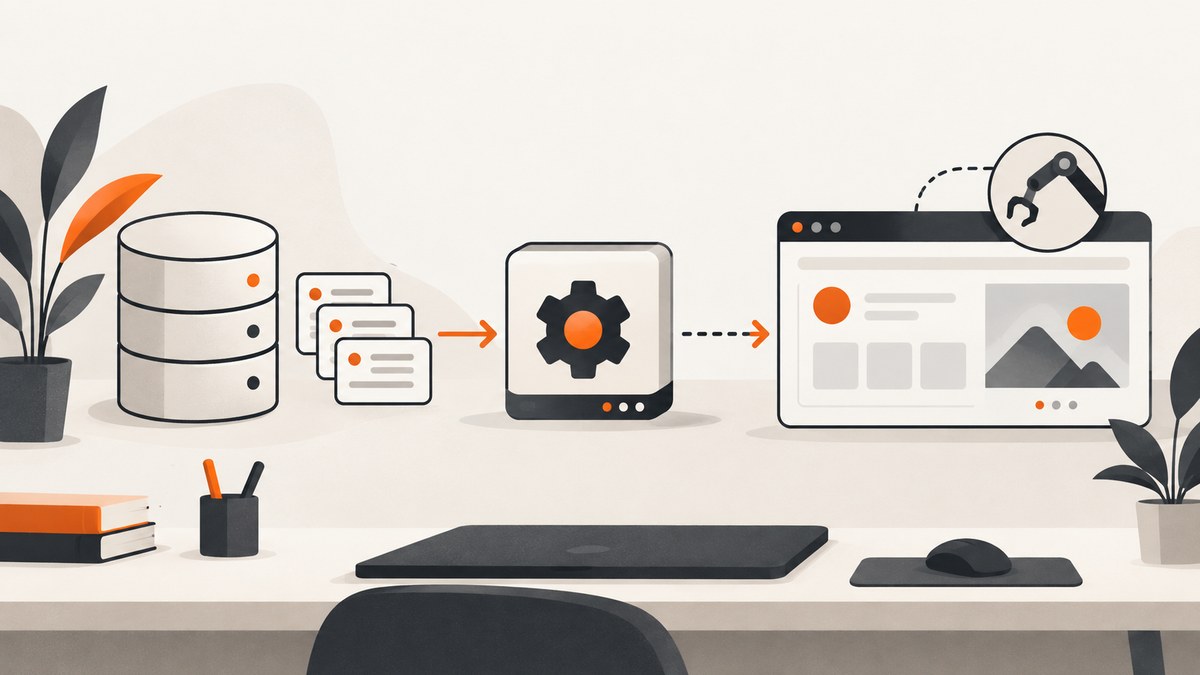
Use Spring-managed SQL fixtures or an API/database setup step to create dummy records before Selenium opens the React page. Keep browser actions focused on the user workflow. This makes tests faster, easier to isolate, and less fragile than creating every prerequisite record through clicks.
Choose the fixture method that matches the test
| Situation | Recommended setup | Why |
|---|---|---|
| Spring integration test needs known rows | @Sql scripts |
Fixtures run as part of the Spring test lifecycle. |
| React Selenium test needs an account, order, or project | Test API or direct database fixture | Setup avoids slow, brittle browser interactions. |
| Production database behavior matters | Testcontainers plus @Sql |
Runs against a disposable real database engine. |
| Only one service method is under test | Repository or service test data builders | Skipping the browser keeps the test at the cheaper layer. |
Spring Boot datasource initialization happens during application startup, while Spring TestContext @Sql targets test classes or methods and can run before or after a test. Select the lifecycle deliberately; see the Spring Boot data initialization documentation and Spring’s SQL script testing reference.
Option 1: Seed an integration test with @Sql
1. Add a fixture script
-- src/test/resources/test-data/customer-api.sql
INSERT INTO customer (id, email, display_name)
VALUES ('11111111-1111-1111-1111-111111111111',
        'selenium@example.test',
        'Selenium Customer');
Use identifiers that are unique within the test database. If the table uses generated IDs, omit the ID column and capture the created row through a query or API.
2. Apply it to a Spring test
package com.example.customer;

import org.junit.jupiter.api.Test;
import org.springframework.boot.test.context.SpringBootTest;
import org.springframework.test.context.jdbc.Sql;
import org.springframework.test.context.jdbc.Sql.ExecutionPhase;

@SpringBootTest
@Sql("classpath:test-data/customer-api.sql")
@Sql(scripts = "classpath:test-data/customer-api-cleanup.sql",
     executionPhase = ExecutionPhase.AFTER_TEST_METHOD)
class CustomerApiTest {
    @Test
    void returnsTheSeededCustomer() {
        // Call the application endpoint and assert the response.
    }
}
The cleanup script can delete the fixture:
DELETE FROM customer
WHERE id = '11111111-1111-1111-1111-111111111111';
For scripts that need a custom statement separator, comment prefix, or transaction behavior, configure @SqlConfig. Check the Spring Framework version used by your project because annotation attributes and merge behavior are version-specific.
Transactions and visibility
- If the test is transactional, the seed rows may be visible only inside that transaction.
- If the application under test uses another connection or process, ensure the setup transaction commits before Selenium or the HTTP client reads the data.
- Do not assume class-level and method-level scripts automatically combine exactly as intended; configure merge mode when both are present.
Option 2: Prepare data through a test API before Selenium
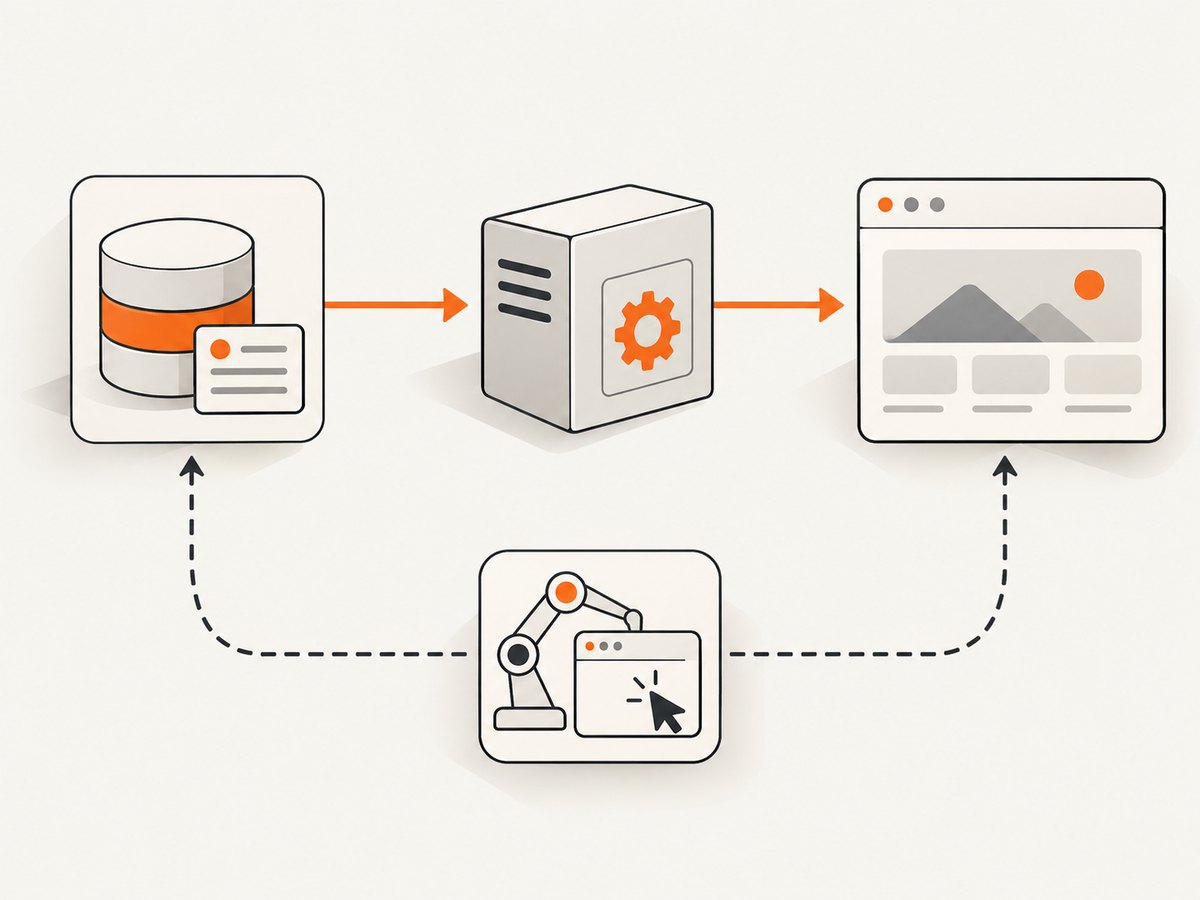
An API setup is usually the best boundary for a React end-to-end test. Create a unique record, open a fresh browser, perform the user action, assert the visible result, then delete or expire the record.
sequence:
  1. POST a unique customer/order/project through the test API
  2. Start a new WebDriver session
  3. Open the React route for that record
  4. Perform only the workflow a user performs
  5. Assert visible output and important state
  6. Delete the record or let the test database be discarded
  7. Quit WebDriver
The exact endpoint, authentication, and route depend on your application. Keep setup credentials and test-only endpoints outside production deployments.
Java Selenium example
import static org.junit.jupiter.api.Assertions.assertEquals;

import java.net.URI;
import java.net.http.HttpClient;
import java.net.http.HttpRequest;
import java.net.http.HttpResponse;
import java.time.Duration;
import org.junit.jupiter.api.AfterEach;
import org.junit.jupiter.api.Test;
import org.openqa.selenium.By;
import org.openqa.selenium.WebDriver;
import org.openqa.selenium.chrome.ChromeDriver;
import org.openqa.selenium.support.ui.ExpectedConditions;
import org.openqa.selenium.support.ui.WebDriverWait;

class ReactOrderTest {
    private WebDriver driver;
    private final HttpClient http = HttpClient.newHttpClient();

    @AfterEach
    void closeBrowser() {
        if (driver != null) driver.quit();
    }

    @Test
    void completesOrderForSeededCustomer() throws Exception {
        String orderId = "selenium-" + System.nanoTime();
        String payload = "{\"externalId\":\"" + orderId + "\",\"status\":\"READY\"}";
        HttpRequest create = HttpRequest.newBuilder()
            .uri(URI.create("http://localhost:8080/test-support/orders"))
            .header("Content-Type", "application/json")
            .POST(HttpRequest.BodyPublishers.ofString(payload))
            .build();
        HttpResponse<String> response = http.send(create, HttpResponse.BodyHandlers.ofString());
        if (response.statusCode() != 201) throw new AssertionError(response.body());

        driver = new ChromeDriver();
        driver.get("http://localhost:3000/orders/" + orderId);
        WebDriverWait wait = new WebDriverWait(driver, Duration.ofSeconds(10));
        wait.until(ExpectedConditions.elementToBeClickable(By.cssSelector("[data-testid='submit-order']"))).click();
        String status = wait.until(ExpectedConditions.visibilityOfElementLocated(
            By.cssSelector("[data-testid='order-status']"))).getText();
        assertEquals("Completed", status);
    }
}
Prefer stable data-testid attributes or accessible roles over CSS classes that exist only for styling. Use explicit waits for a meaningful state rather than fixed sleeps.
Option 3: Testcontainers with a real database
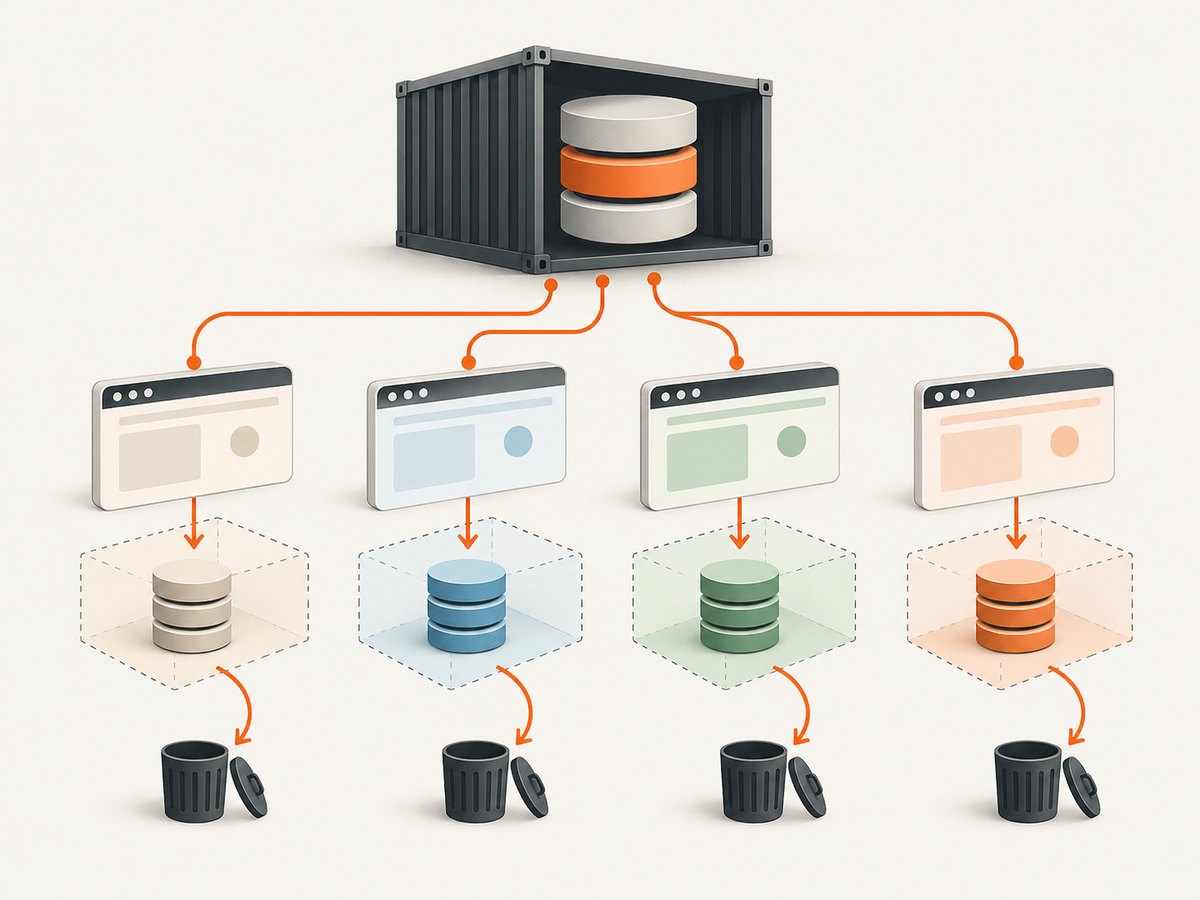
Use Testcontainers when PostgreSQL, MySQL, constraints, indexes, or SQL behavior must match production. The container is disposable, but the test runner needs a container runtime. The Testcontainers Spring guide demonstrates this pattern with PostgreSQL, Spring Boot, and SQL seed data.
import org.junit.jupiter.api.Test;
import org.springframework.boot.test.context.SpringBootTest;
import org.springframework.test.context.DynamicPropertyRegistry;
import org.springframework.test.context.DynamicPropertySource;
import org.springframework.test.context.jdbc.Sql;
import org.testcontainers.containers.PostgreSQLContainer;
import org.testcontainers.junit.jupiter.Container;
import org.testcontainers.junit.jupiter.Testcontainers;

@Testcontainers
@SpringBootTest
@Sql("classpath:test-data/customer-api.sql")
class PostgresCustomerTest {
    @Container
    static PostgreSQLContainer<?> postgres =
        new PostgreSQLContainer<>("postgres:16");

    @DynamicPropertySource
    static void databaseProperties(DynamicPropertyRegistry registry) {
        registry.add("spring.datasource.url", postgres::getJdbcUrl);
        registry.add("spring.datasource.username", postgres::getUsername);
        registry.add("spring.datasource.password", postgres::getPassword);
    }

    @Test
    void usesProductionLikeConstraints() {
        // Exercise the application against the disposable container.
    }
}
Pin the database image version used by your project and apply migrations before loading fixtures. Do not use Testcontainers solely because a browser test exists; use it when database fidelity justifies the extra startup cost.
Keep React Selenium tests isolated
- Generate a unique email, external ID, or tenant for every test.
- Never make parallel tests mutate the same row.
- Create a new WebDriver session per test when your runner permits it.
- Clear cookies and local storage by starting a fresh session or explicitly resetting browser state.
- Use cleanup scripts or disposable databases so failed tests do not poison later runs.
- Make tests repeatable in any order.
Selenium documents the separation of data setup, user actions, and evaluation in its test automation guidance and recommends avoiding shared state between tests in its state isolation guidance.
Startup data versus test fixtures
| Mechanism | Lifecycle | Use it for |
|---|---|---|
| Spring Boot datasource initialization | Application startup | Development defaults or application bootstrap data. |
@Sql |
Test class or method | Repeatable test-specific rows and cleanup. |
| Test setup API | Before a browser test | End-to-end records that must pass through application rules. |
| Testcontainers | Container/test lifecycle | Real database behavior with disposable state. |
Troubleshooting
| Symptom | Likely cause | Fix |
|---|---|---|
| Table does not exist | Fixture runs before schema creation or migration. | Run migrations first; use the appropriate Spring test lifecycle and verify initialization ordering. |
| Selenium cannot see seeded data | Setup transaction was not committed, or the browser uses another database. | Commit setup data and verify the application’s datasource URL, schema, and tenant. |
| Duplicate-key failures | Tests share fixed identifiers or run in parallel. | Generate unique IDs and isolate records per test. |
| React page shows a loading spinner forever | Frontend is waiting for an API response, wrong route, or backend startup race. | Wait for a meaningful element, inspect network/API logs, and add a readiness check before launching WebDriver. |
| Element is present but not clickable | React has not finished rendering, or an overlay covers it. | Wait for visibility and clickability; remove test-only overlays and avoid arbitrary sleeps. |
| Cleanup did not run | Test aborted before teardown or cleanup targeted the wrong tenant. | Use an after-test hook, unique ownership markers, and periodic stale-record cleanup. |
| Testcontainers cannot start | No container runtime, unavailable image, or resource limit. | Start Docker or the configured runtime, verify image access, and inspect container logs. |
| Fixtures work locally but fail in CI | Different database engine, timezone, permissions, or startup timing. | Pin versions, use the same container image, set timezone explicitly, and wait for service readiness. |
Performance, reliability, and cost
- Seed through SQL or an API once per scenario instead of clicking through many setup screens.
- Keep browser assertions narrow; move validation that does not require a browser into unit or integration tests. Selenium describes browser tests as comparatively expensive.
- Reuse Spring’s application context when safe, while keeping database records isolated.
- Use a disposable database for parallel suites when cleanup contention becomes a bottleneck.
- Prefer deterministic fixtures over random values, but make identifiers unique where concurrent tests require it.
- Record setup and browser durations separately so slow data creation is visible.
Or skip the browser setup
If the goal is to capture the React page for a test artifact, visual review, or debugging report, ScreenshotNeo returns a screenshot or PDF from one request. It removes cookie banners, newsletter popups, and chat widgets before the shot. Bot checks, blank pages, failed loads, timeouts, and cache hits are not billed, and the response identifies the page verdict and billing status.
See the ScreenshotNeo API documentation for the available options.
curl -G "https://api.screenshotneo.com/v1/shot" \
  -d access_key=YOUR_API_KEY \
  --data-urlencode url=https://localhost:3000/orders/demo \
  -o order.webp
import requests
r = requests.get(
"https://api.screenshotneo.com/v1/shot",
params={"access_key": "YOUR_API_KEY", "url": "https://localhost:3000/orders/demo"},
timeout=90,
)
r.raise_for_status()
open("order.webp", "wb").write(r.content)const q = new URLSearchParams({
access_key: 'YOUR_API_KEY',
url: 'https://localhost:3000/orders/demo'
});
const res = await fetch(`https://api.screenshotneo.com/v1/shot?${q}`);
if (!res.ok) throw new Error(`Screenshot failed: ${res.status}`);
const bytes = new Uint8Array(await res.arrayBuffer());ScreenshotNeo also provides an MCP server for AI agents, including Claude and Cursor, with take_screenshot, get_page_info, and capture_pdf. The free plan includes 1,000 screenshots per month without a card; paid plans start at $5 for 3,000. Create a free ScreenshotNeo account.
FAQ
Should Selenium create the database records by clicking the UI?
Only when the creation workflow itself is what you are testing. Otherwise use SQL, an API, or a fixture step and reserve Selenium for the behavior under test.
Can I use the same @Sql file for every test?
Yes, when the rows are independent and cleanup is reliable. Use smaller scenario-specific scripts when shared data creates coupling.
When is Testcontainers unnecessary?
Skip it when an embedded or existing test database accurately covers the behavior and production-specific SQL semantics are not part of the test.
How do I test authenticated React pages?
Create the user and required records through the setup API, then establish authentication with a supported test login or preloaded session. Keep authentication setup separate from the UI assertions.


