How to Locate Duplicate XPath Matches Across Pages in Selenium Java
Use findElements for every XPath match, then loop through pages with explicit readiness checks and collect values before navigation.
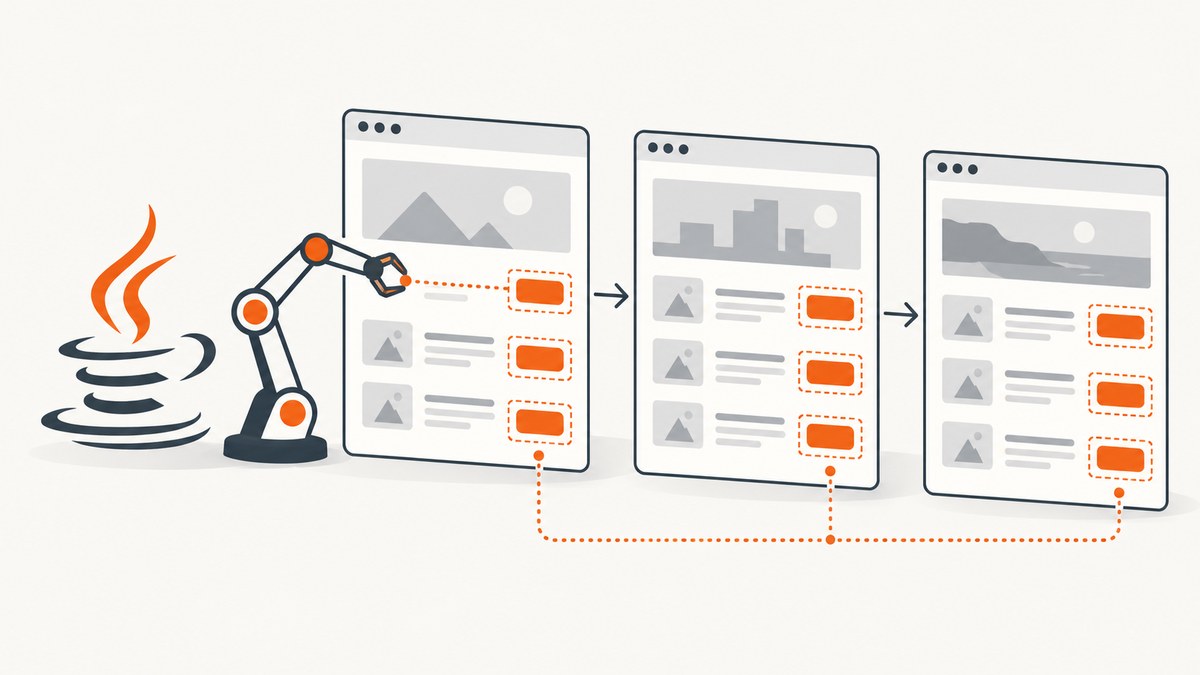
Direct answer: In Selenium Java, call driver.findElements(By.xpath("your XPath")) to retrieve every element matching an XPath on the page that is currently loaded. The method returns a List<WebElement>; when there are no matches, it returns an empty list. findElement returns only the first match. To find matches across multiple pages, process one page at a time, wait until that page’s content is ready, copy the text or attributes you need, advance using the site’s real pagination control or URL pattern, and repeat.
A lookup never aggregates elements from pages that are not loaded in the current WebDriver browsing context. Selenium’s finding-elements documentation covers singular and plural lookups, while the WebDriver API defines navigation and current-page behavior.
1. The basic lookup on one page
Use findElements when zero, one, or many matches are valid outcomes:
import java.util.List;
import org.openqa.selenium.By;
import org.openqa.selenium.WebDriver;
import org.openqa.selenium.WebElement;
import org.openqa.selenium.chrome.ChromeDriver;

public class FindDuplicateXPathMatches {
    public static void main(String[] args) {
        WebDriver driver = new ChromeDriver();
        try {
            driver.get("https://example.com/results");

            List<WebElement> matches = driver.findElements(
                By.xpath("//div[@class='result']")
            );

            System.out.println("Matches: " + matches.size());
            for (WebElement match : matches) {
                System.out.println(match.getText());
            }
        } finally {
            driver.quit();
        }
    }
}
An empty list is normal and does not throw the exception that a missing findElement call would throw. Use findElement when the first matching element is required and its absence should fail the step.
2. A complete multi-page collection pattern
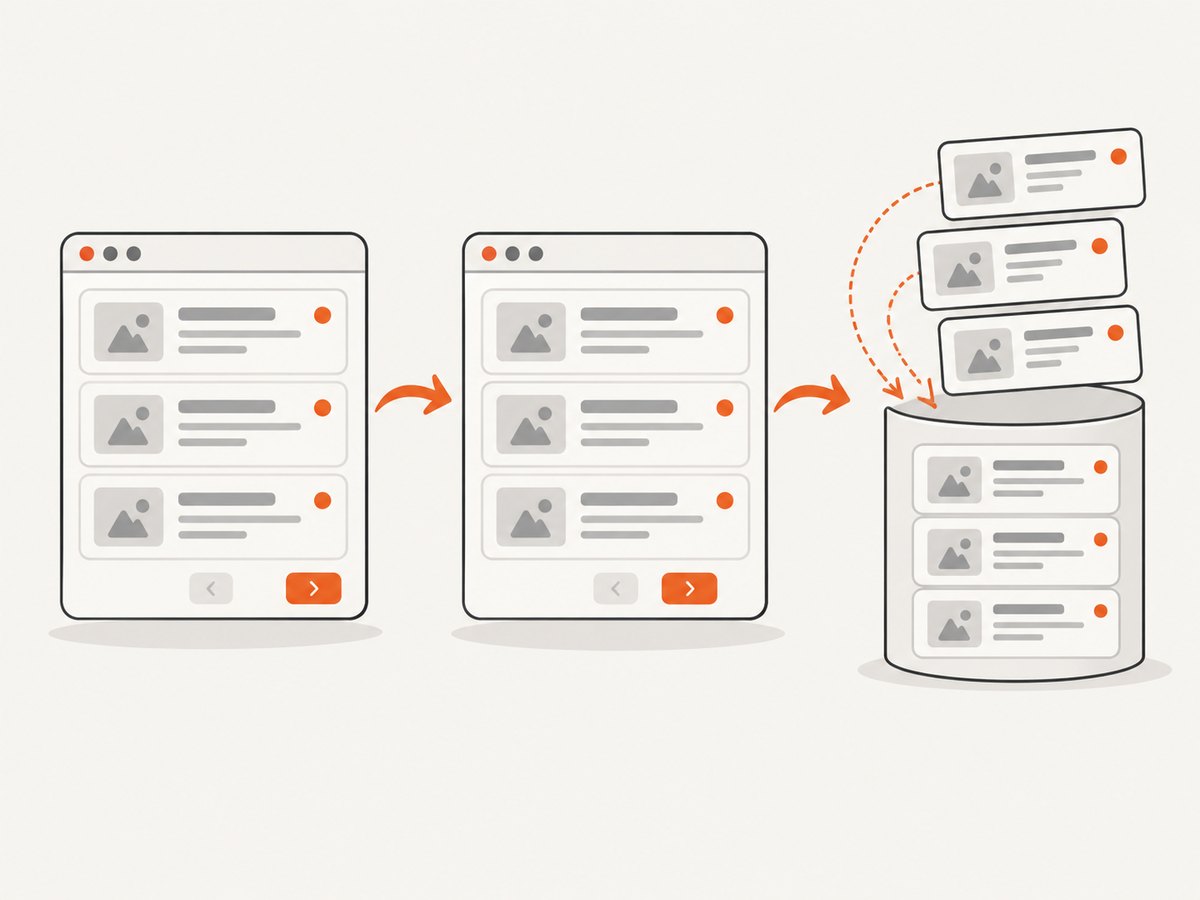
Save the values before navigating away. Once the document changes, locate elements again on the new page instead of retaining old WebElement references.
import java.time.Duration;
import java.util.ArrayList;
import java.util.HashSet;
import java.util.List;
import java.util.Set;

import org.openqa.selenium.By;
import org.openqa.selenium.StaleElementReferenceException;
import org.openqa.selenium.TimeoutException;
import org.openqa.selenium.WebDriver;
import org.openqa.selenium.WebElement;
import org.openqa.selenium.chrome.ChromeDriver;
import org.openqa.selenium.support.ui.ExpectedConditions;
import org.openqa.selenium.support.ui.WebDriverWait;

public class CollectAcrossPages {
    public static void main(String[] args) {
        WebDriver driver = new ChromeDriver();
        WebDriverWait wait = new WebDriverWait(driver, Duration.ofSeconds(15));
        List<String> collected = new ArrayList<>();
        Set<String> seenKeys = new HashSet<>();

        By resultItems = By.xpath("//div[contains(@class, 'result')]");
        By nextButton = By.xpath("//a[@rel='next' or @aria-label='Next']");

        try {
            driver.get("https://example.com/results?page=1");

            while (true) {
                wait.until(ExpectedConditions.presenceOfAllElementsLocatedBy(resultItems));
                List<WebElement> matches = driver.findElements(resultItems);

                for (WebElement match : matches) {
                    String text = match.getText().trim();
                    String key = match.getAttribute("data-id");
                    if (key == null || key.isBlank()) {
                        key = text;
                    }
                    if (seenKeys.add(key)) {
                        collected.add(text);
                    }
                }

                List<WebElement> nextCandidates = driver.findElements(nextButton);
                if (nextCandidates.isEmpty()) {
                    break;
                }

                WebElement next = nextCandidates.get(0);
                String disabled = next.getAttribute("aria-disabled");
                String className = next.getAttribute("class");
                if ("true".equalsIgnoreCase(disabled)
                        || (className != null && className.contains("disabled"))) {
                    break;
                }

                String oldPageMarker = driver.findElement(
                    By.cssSelector("body")
                ).getAttribute("data-page");
                next.click();

                try {
                    wait.until(ExpectedConditions.stalenessOf(next));
                } catch (TimeoutException ignored) {
                    // Some applications update content without replacing the link.
                }

                if (oldPageMarker != null) {
                    wait.until(ExpectedConditions.not(
                        ExpectedConditions.attributeToBe(
                            By.cssSelector("body"), "data-page", oldPageMarker
                        )
                    ));
                }
            }

            System.out.println("Unique records: " + collected.size());
            collected.forEach(System.out::println);
        } finally {
            driver.quit();
        }
    }
}
Replace the result XPath, next-page locator, disabled-state check, and readiness condition with selectors from the target application. The seenKeys set is optional: use it when records can repeat across pages and you need a unique result set. Prefer a stable record ID over visible text when one exists.
3. Waiting for dynamic pages
findElements is affected by the driver’s implicit wait, but a dynamic application may need a condition that represents its actual ready state. Selenium’s WebDriver API documents implicit-wait behavior; choose an explicit condition for each application.
Wait for presence
WebDriverWait wait = new WebDriverWait(driver, Duration.ofSeconds(15));
By cards = By.xpath("//article[contains(@class, 'card')]");
wait.until(ExpectedConditions.presenceOfAllElementsLocatedBy(cards));
List<WebElement> matches = driver.findElements(cards);
Wait for visibility
wait.until(ExpectedConditions.visibilityOfElementLocated(
    By.xpath("//div[@role='main']")
));
Wait for a page transition
After clicking a link that replaces the old DOM, wait for the old element to become stale, for a URL to change, or for a page marker to change:
String before = driver.getCurrentUrl();
driver.findElement(By.cssSelector("a.next")).click();
wait.until(ExpectedConditions.urlToBe("https://example.com/results?page=2"));
// Or: wait.until(ExpectedConditions.urlContains("page=2"));
// Or: wait.until(ExpectedConditions.stalenessOf(oldResultElement));
A fixed sleep can hide timing problems and makes every page wait the same amount. Use it only when the application exposes no better signal, and keep the value conservative.
4. XPath scope and duplicate interpretation
When called on driver, an XPath is evaluated against the current document. When called on a WebElement, use a leading dot to keep the search inside that element:
WebElement panel = driver.findElement(By.id("results-panel"));
List<WebElement> descendants = panel.findElements(
    By.xpath(".//div[contains(@class, 'result')]")
);

// This expression starts at the document root even though it is called on panel:
List<WebElement> wholeDocument = panel.findElements(
    By.xpath("//div[contains(@class, 'result')]")
);
The Selenium WebElement API documents this distinction. Use .// when a container should limit the match; otherwise repeated components in unrelated sections may look like duplicates.
5. Choosing a reliable XPath
- Prefer a unique, stable ID when the application provides one.
- Use a compact CSS selector when it expresses the relationship clearly.
- Use XPath for relationships CSS cannot express, such as matching a label and selecting its following control.
- Scope to a stable container to avoid matching navigation, hidden templates, or duplicate mobile and desktop markup.
- Avoid positional expressions such as
(//div)[3]unless the position is part of the requirement. - Normalize whitespace when text contains formatting nodes:
//*[normalize-space()='Invoice'].
Selenium’s locator guidance recommends readable, maintainable locators and stable IDs where possible. Validate the expression on every page template that the loop will visit.
6. Pagination strategies
Next link with a full navigation
Locate the next link after collecting the current page, check whether it is disabled, click it, and wait for the URL or a page marker to change.
Next button with AJAX content
When the URL remains the same, record an old result element or a count, click the button, then wait for staleness, a changed loading indicator, or a new item. Re-run findElements only after that condition succeeds.
Known URL pattern
for (int page = 1; page <= 20; page++) {
    driver.get("https://example.com/results?page=" + page);
    wait.until(ExpectedConditions.presenceOfAllElementsLocatedBy(resultItems));
    for (WebElement item : driver.findElements(resultItems)) {
        collected.add(item.getText().trim());
    }
}
Stop on the site’s documented final-page condition, an empty result list, a disabled control, or a repeated page marker. Put a maximum-page guard in production jobs so a broken next link cannot create an infinite loop.
7. Handling duplicates across pages
“Duplicate” can mean several things:
| Meaning | What to do |
|---|---|
| Several DOM nodes match on one page | Iterate the list returned by findElements. |
| The same record appears on multiple pages | Deduplicate by a stable ID, canonical URL, or normalized key. |
| Hidden and visible copies exist | Scope the XPath or filter by displayed state and intended container. |
| Old references fail after navigation | Copy values before navigation and locate fresh elements on the next page. |
Set<String> uniqueUrls = new HashSet<>();
for (WebElement item : matches) {
    String href = item.findElement(By.cssSelector("a")).getAttribute("href");
    if (uniqueUrls.add(href)) {
        // Process this record once.
    }
}
8. Frames, shadow DOM, and other boundaries
Frames
An XPath cannot cross into an iframe until you switch into it. Return to the default document before processing the next page or frame.
driver.switchTo().frame(driver.findElement(By.cssSelector("iframe.results")));
List<WebElement> insideFrame = driver.findElements(By.xpath("//div[@class='result']"));
driver.switchTo().defaultContent();
Shadow DOM
Open shadow roots require Selenium’s shadow-root APIs or JavaScript-supported access. A document-level XPath normally does not see nodes inside a shadow tree. Inspect the component boundary and use the supported shadow-root lookup before applying a descendant selector.
New tabs and windows
Each window has its own browsing context. Switch to the intended handle before running the lookup and switch back deliberately when the page is complete.
9. Common errors and fixes
| Symptom | Likely cause | Fix |
|---|---|---|
| List is empty | Wrong XPath, wrong frame, or content not rendered yet. | Verify the XPath in browser developer tools, switch to the frame, and wait for a page-specific condition. |
| Only one element is returned | findElement was used. |
Use findElements and iterate the returned list. |
StaleElementReferenceException |
The DOM was replaced after the element was found. | Read required values before navigation or re-find the element after the update. |
| Element click intercepted | Overlay, popup, or another element covers the control. | Wait for the overlay to disappear, close it when appropriate, or use the application’s accessible control. |
| Timeout while waiting | The condition does not describe the real ready state, or the page failed. | Check network/application errors, choose a better marker, and capture diagnostics such as URL and page source. |
| Matches include unrelated nodes | XPath starts at the document root or is too broad. | Use a stable container and a relative .// XPath. |
| Loop never ends | Next control remains enabled or returns the same page. | Track URL/page markers, detect repeats, and enforce a maximum page count. |
10. Performance, reliability, and cost
- Collect only the fields you need before navigating; copying a few attributes is cheaper than retaining many live elements.
- Use one well-scoped XPath instead of repeatedly querying the whole document inside nested loops.
- Prefer a stable page-ready signal over long sleeps. This reduces idle time and avoids reading partial results.
- Keep implicit waits consistent. Mixing a long implicit wait with many explicit waits can make failures slow and difficult to diagnose.
- Use a bounded retry for transient navigation failures, but do not silently duplicate records; make the deduplication key deterministic.
- Log the page URL, page number, match count, and stopping reason so a partial collection can be audited.
- Selenium itself has no per-element lookup charge. Your practical costs are browser execution, infrastructure, network traffic, and any service used to render or capture pages.
11. Or skip the browser setup
If your goal is a rendered image or PDF of each page rather than DOM assertions, ScreenshotNeo provides a single HTTP request for a screenshot. It accepts the cookie or consent banner as a visitor and removes more than 60 known consent platforms, newsletter popups, and chat widgets before capture; each step can be turned off. Bot checks, CAPTCHAs, blank pages, timeouts, failed loads, and cache hits are not billed, and the response identifies the result with X-Page-Verdict and X-Billed headers. Its MCP server includes take_screenshot, get_page_info, and capture_pdf tools for Claude, Cursor, and other MCP clients.

See the ScreenshotNeo API documentation for all options, including full-page and element capture, waits, custom CSS and JavaScript, headers, cookies, device presets, blocking rules, caching, signed links, asynchronous jobs, bulk capture, and usage reporting.
cURL
curl -G "https://api.screenshotneo.com/v1/shot" \
  -d access_key=YOUR_API_KEY \
  --data-urlencode url=https://stripe.com \
  -o shot.webp
Python
import requests

r = requests.get(
    "https://api.screenshotneo.com/v1/shot",
    params={"access_key": "YOUR_API_KEY", "url": "https://stripe.com"},
    timeout=90,
)
r.raise_for_status()
open("shot.webp", "wb").write(r.content)
Node.js
const q = new URLSearchParams({
  access_key: 'YOUR_API_KEY',
  url: 'https://stripe.com'
});
const res = await fetch(`https://api.screenshotneo.com/v1/shot?${q}`);
if (!res.ok) throw new Error(`HTTP ${res.status}`);
const bytes = Buffer.from(await res.arrayBuffer());
require('fs').writeFileSync('shot.webp', bytes);
There are 1,000 screenshots per month free with no card. Paid plans start at $5 for 3,000 shots, and every feature is available on every plan. Create a free ScreenshotNeo account to try it.
12. Frequently asked questions
Does findElements search every page in a site?
No. It searches the current document only. Your code must navigate to each page and repeat the lookup.
Can I use the same XPath on every page?
Yes, when the page templates expose the same stable structure. Verify that assumption and scope the locator where templates differ.
Should I deduplicate by text?
Only when text is stable and unique enough. A record ID or canonical URL is safer.
Why does an XPath work in developer tools but not in Selenium?
The node may be inside an iframe or shadow root, may be rendered later, or may differ from the browser state Selenium loaded. Check context and readiness before changing the expression.


