How to Add a Dynamic Footer in iText 5 Without Starting a New Page
Use PdfPageEventHelper and onEndPage to draw dynamic iText 5 footers without changing document flow or creating extra pages.

Use a PdfPageEventHelper and override onEndPage(PdfWriter writer, Document document). Register the helper once with writer.setPageEvent(...), then draw the footer through writer.getDirectContent(). Because the footer is painted on the writer canvas after normal layout, it does not add a paragraph, consume flow space, or start a new page.
1. Minimal dynamic footer
This complete Java example writes the current page number at the bottom of every page. The bottom margin reserves room so body content does not overlap the footer.
import com.itextpdf.text.Document;
import com.itextpdf.text.Element;
import com.itextpdf.text.Font;
import com.itextpdf.text.Phrase;
import com.itextpdf.text.pdf.ColumnText;
import com.itextpdf.text.pdf.PdfPageEventHelper;
import com.itextpdf.text.pdf.PdfWriter;

import java.io.FileOutputStream;

public class DynamicFooterExample {
    private static class Footer extends PdfPageEventHelper {
        private final Font font = new Font(Font.FontFamily.HELVETICA, 9);

        @Override
        public void onEndPage(PdfWriter writer, Document document) {
            Phrase footer = new Phrase("Page " + writer.getPageNumber(), font);
            float x = (document.left() + document.right()) / 2;
            float y = document.bottom() - 18;
            ColumnText.showTextAligned(
                writer.getDirectContent(),
                Element.ALIGN_CENTER,
                footer,
                x,
                y,
                0
            );
        }
    }

    public static void main(String[] args) throws Exception {
        Document document = new Document();
        PdfWriter writer = PdfWriter.getInstance(
            document,
            new FileOutputStream("report.pdf")
        );
        writer.setPageEvent(new Footer());

        document.open();
        document.add(new Phrase("Content that can span many pages."));
        document.close();
    }
}
onEndPage runs when the page is finished, immediately before iText writes it. writer.getPageNumber() therefore returns the page currently being finalized.
2. Why this does not create a new page
iText has two separate mechanisms:
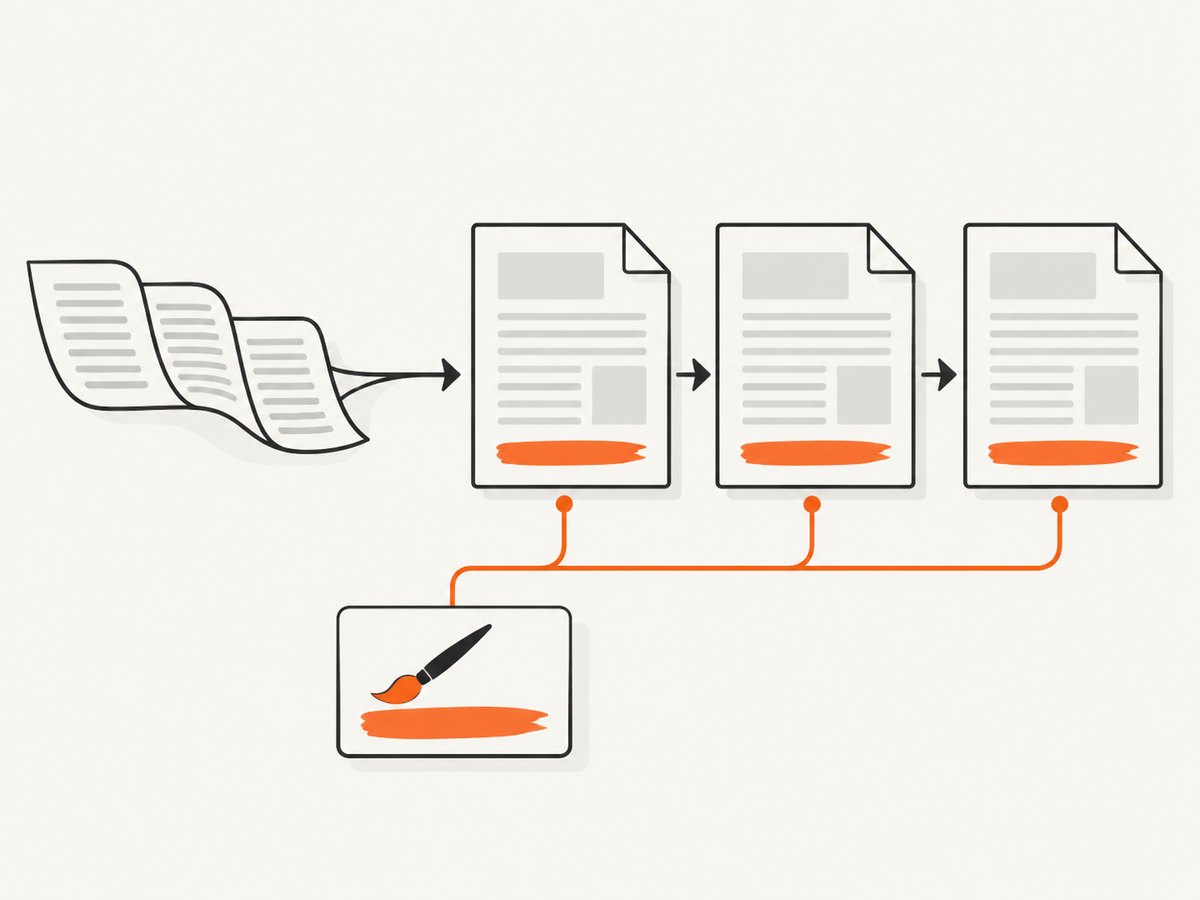
- Document flow: paragraphs, tables and other elements are laid out inside the content rectangle. Overflow can cause a new page.
- Writer canvas: text and graphics are painted directly onto the current PDF page.
A page event should use the second mechanism. Do not call document.add(), add a Paragraph, or call document.newPage() from onEndPage. Adding flow content while iText is finalizing a page can produce recursive pagination, misplaced content or callback errors.
3. Reserve space and position the baseline
The coordinates passed to ColumnText.showTextAligned identify the text baseline. document.bottom() is the bottom edge of the normal content area, so placing the baseline below it leaves the footer outside ordinary flow. Choose a bottom margin large enough for the font, rule line and any extra metadata.
Document document = new Document(
    com.itextpdf.text.PageSize.LETTER,
    54, 54, 54, 54 + 24
);
For different page sizes or margins, calculate coordinates from document.left(), document.right() and document.bottom() instead of copying a fixed x-coordinate. Keep the baseline inside the physical page boundary.
4. Left, centered and right footers
PdfContentByte canvas = writer.getDirectContent();
float left = document.left();
float center = (document.left() + document.right()) / 2;
float right = document.right();
float y = document.bottom() - 18;

ColumnText.showTextAligned(canvas, Element.ALIGN_LEFT,
    new Phrase("Acme report", font), left, y, 0);
ColumnText.showTextAligned(canvas, Element.ALIGN_CENTER,
    new Phrase("Page " + writer.getPageNumber(), font), center, y, 0);
ColumnText.showTextAligned(canvas, Element.ALIGN_RIGHT,
    new Phrase("Internal", font), right, y, 0);
For a separator line, draw on the same canvas before placing text:
canvas.saveState();
canvas.setLineWidth(0.5f);
canvas.moveTo(document.left(), document.bottom() - 8);
canvas.lineTo(document.right(), document.bottom() - 8);
canvas.stroke();
canvas.restoreState();
5. Multi-line or richer footer content
Use a bounded ColumnText when the footer contains multiple lines. The rectangle is left, bottom, right, top; leave enough bottom margin for its full height.
ColumnText column = new ColumnText(writer.getDirectContent());
column.setSimpleColumn(
    new Phrase("Confidential\\nPage " + writer.getPageNumber(), font),
    document.left(),
    document.bottom() - 30,
    document.right(),
    document.bottom() - 6,
    10,
    Element.ALIGN_CENTER
);
column.go();
For tables or images, create the object and write it through the writer canvas (for example, a table positioned with absolute coordinates). Do not add that table to Document from the callback.
6. Dynamic text by section
Store changing values in the event object. Update them before the next page starts, usually immediately before document.newPage().
class SectionFooter extends PdfPageEventHelper {
    private String section = "Introduction";
    private final Font font = new Font(Font.FontFamily.HELVETICA, 9);

    void setSection(String section) {
        this.section = section;
    }

    @Override
    public void onEndPage(PdfWriter writer, Document document) {
        Phrase text = new Phrase(
            section + "  |  Page " + writer.getPageNumber(), font
        );
        ColumnText.showTextAligned(
            writer.getDirectContent(), Element.ALIGN_CENTER, text,
            (document.left() + document.right()) / 2,
            document.bottom() - 18, 0
        );
    }
}

SectionFooter footer = new SectionFooter();
writer.setPageEvent(footer);
document.open();
// Add introduction content.
footer.setSection("Methods");
document.newPage();
// Add methods content.
document.close();
Set the value before starting the page that should display it. The event object is reused for every page.
7. “Page X of Y” with a template placeholder
The final page count is unknown while early pages are being written. Reserve a PdfTemplate in the footer, then fill it in onCloseDocument.

import com.itextpdf.text.pdf.PdfTemplate;

class NumberedFooter extends PdfPageEventHelper {
    private final Font font = new Font(Font.FontFamily.HELVETICA, 9);
    private PdfTemplate total;

    @Override
    public void onOpenDocument(PdfWriter writer, Document document) {
        total = writer.getDirectContent().createTemplate(40, 12);
    }

    @Override
    public void onEndPage(PdfWriter writer, Document document) {
        PdfContentByte canvas = writer.getDirectContent();
        Phrase prefix = new Phrase("Page " + writer.getPageNumber() + " of ", font);
        float x = (document.left() + document.right()) / 2;
        float y = document.bottom() - 18;
        ColumnText.showTextAligned(canvas, Element.ALIGN_CENTER,
            prefix, x - 12, y, 0);
        canvas.addTemplate(total, x + 16, y - 3);
    }

    @Override
    public void onCloseDocument(PdfWriter writer, Document document) {
        int pages = writer.getPageNumber() - 1;
        ColumnText.showTextAligned(total, Element.ALIGN_LEFT,
            new Phrase(String.valueOf(pages), font), 0, 0, 0);
    }
}
In iText 5, onCloseDocument observes the last page number plus one, so subtract one when filling the total. Adjust the x-offsets for your font and desired alignment; the template is simply a blank area painted later.
8. Common errors and fixes
| Symptom | Cause | Fix |
|---|---|---|
| Footer appears at the top | Using document.top() or a top-relative coordinate |
Use document.bottom() and a baseline below the content area. |
| No footer appears | Event was not registered, callback signature is wrong, or coordinates are outside the page | Call writer.setPageEvent(event) before document.open(); verify onEndPage and page bounds. |
| Extra pages or pagination exceptions | Flow elements were added from onEndPage |
Draw with getDirectContent(); never call document.add() or newPage() there. |
| Footer overlaps body text | Bottom margin is too small | Increase the bottom margin by the footer height plus baseline clearance. |
| Total is one page too high | Misreading the close callback page number | Use writer.getPageNumber() - 1 in onCloseDocument. |
| Section label changes on the wrong page | Event state was updated after the page began | Update the event before document.newPage() or before adding content for that page. |
9. Reliability and performance checklist
- Register one event instance per writer before opening the document.
- Keep callback work deterministic and small; it runs once per page.
- Use
saveState()andrestoreState()around color, line width, fonts and transforms. - Calculate positions from document margins so the footer survives page-size changes.
- Test one-page, multi-page, explicit-break and natural-overflow documents.
- Test the longest footer string and fonts with non-ASCII glyphs.
- Close the document so templates and the final page are written.
10. Or skip the browser setup
If your next step is turning web pages into PDFs or screenshots, ScreenshotNeo provides a single HTTP request. Cookie banners, newsletter popups and chat widgets are removed before capture; bot checks, blank pages and failed loads are never billed. Its MCP server lets AI agents take screenshots, and the free plan includes 1,000 screenshots per month without a card. See the ScreenshotNeo API documentation for all options.
curl -G "https://api.screenshotneo.com/v1/shot" -d access_key=YOUR_API_KEY --data-urlencode url=https://stripe.com -o shot.webpimport requests
r = requests.get(
"https://api.screenshotneo.com/v1/shot",
params={"access_key": "YOUR_API_KEY", "url": "https://stripe.com"},
timeout=90,
)
open("shot.webp", "wb").write(r.content)const q = new URLSearchParams({ access_key: 'YOUR_API_KEY', url: 'https://stripe.com' });
const res = await fetch(`https://api.screenshotneo.com/v1/shot?${q}`);
const data = Buffer.from(await res.arrayBuffer());
require('fs').writeFileSync('shot.webp', data);Paid plans start at $5 for 3,000 shots. Create a free ScreenshotNeo account to get 1,000 screenshots each month with no card.
11. FAQ
Does onEndPage run for the last page?
Yes. It runs as each page is finalized, including the last page before the document closes.
Can I use a page event with landscape pages?
Yes. Derive x and y positions from the document margins and page size instead of hard-coding coordinates.
Should a footer be added before or after body content?
Register the event before document.open(); the callback then runs automatically while body content is laid out.
Can the footer contain images?
Yes, draw or position the image through the writer canvas, and reserve enough margin for it.


