How to Display Dynamic Headers in Rotativa PDFs for ASP.NET MVC
Render model-driven headers, page numbers, and metadata in Rotativa PDFs with Razor views or wkhtmltopdf custom switches.
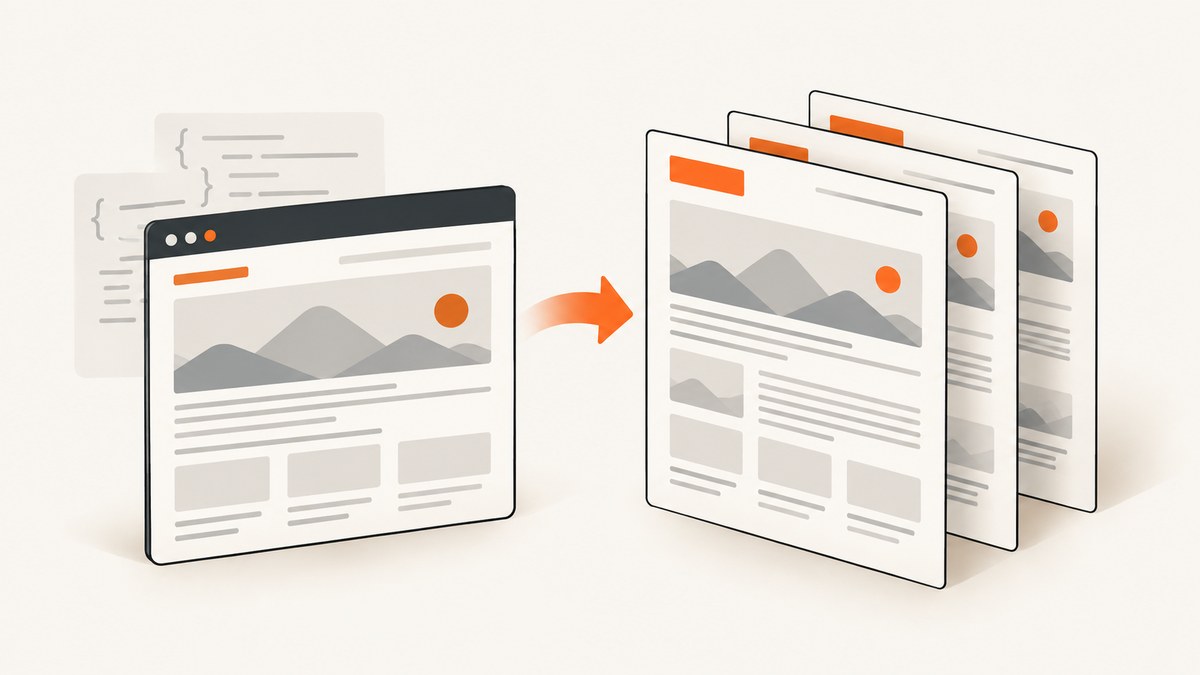
Short answer: use a separate HTML header document and pass it to wkhtmltopdf with --header-html. In a Rotativa integration that supports view-based headers, render a dedicated Razor view from the same model or ViewBag. Reserve top-margin space, use wkhtmltopdf tokens such as [page] and [topage], and verify the exact Rotativa package and renderer version before using a HeaderView property.
Rotativa produces PDFs from ASP.NET MVC actions and views through results such as ViewAsPdf and ActionAsPdf. The classic Rotativa repository delegates conversion to wkhtmltopdf. wkhtmltopdf documents both simple text headers and complete HTML headers through --header-html. Its command reference also defines page, date, title, and document-title substitution tokens.
1. Identify your Rotativa integration first
There are two APIs commonly called “Rotativa”:
| Integration | Header approach | Important caveat |
|---|---|---|
| Classic/local Rotativa for ASP.NET MVC | Pass wkhtmltopdf arguments through CustomSwitches, including --header-html, --header-spacing, and margin options. |
Property names and supported switches depend on the installed package and wkhtmltopdf build. |
| Rotativa.io hosted service | The vendor documents complete header and footer views that can use the main model, ViewBag, images, CSS, and page-number tokens. | This is a separate service API. Do not assume its HeaderView property exists in a classic local package. |
Check the package reference, namespace, and generated PDF command line in your application before copying an example. The rest of this guide shows both workflows and labels the version-specific parts.
2. View-based dynamic headers
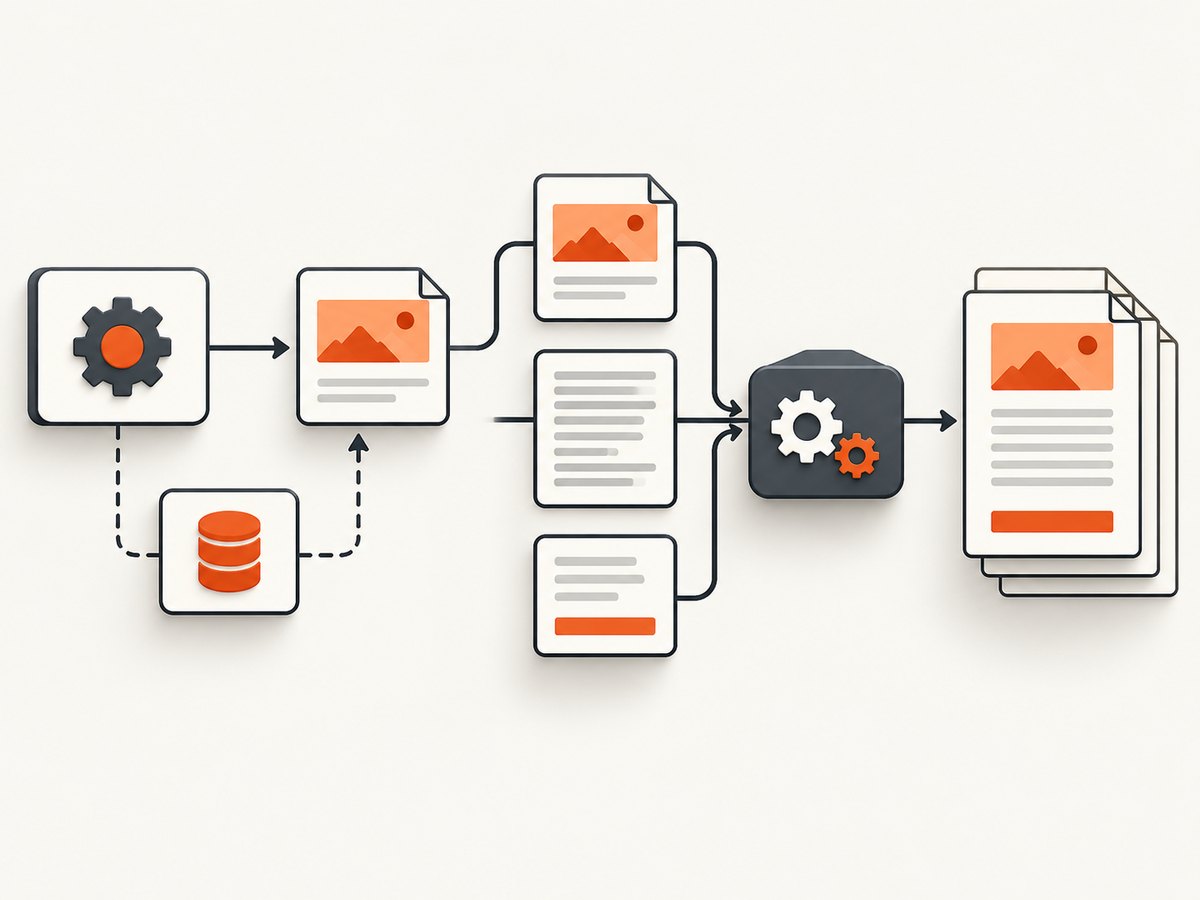
Use this workflow when your integration explicitly supports a header view. A header view is a complete HTML document rendered separately from the body. It can read the shared model or ViewBag and include its own CSS and images. Set its layout to null so the body layout is not nested inside the header.
Model and controller
public sealed class InvoicePdfModel
{
    public string InvoiceNumber { get; set; }
    public string CustomerName { get; set; }
    public DateTime IssuedOn { get; set; }
    public decimal Total { get; set; }
    public IList<InvoiceLine> Lines { get; set; }
}

public ActionResult Invoice(int id)
{
    var model = invoiceService.GetPdfModel(id);

    // Use this form only when your installed Rotativa integration
    // documents HeaderView/FooterView support.
    var pdf = new ViewAsPdf("Invoice", model)
    {
        FileName = "invoice-" + model.InvoiceNumber + ".pdf",
        HeaderView = "PdfHeader",
        FooterView = "PdfFooter",
        PageMargins = new Margins(30, 12, 25, 12)
    };

    return pdf;
}
The exact namespace for ViewAsPdf, Margins, and the header properties varies by package. If your compiler does not expose HeaderView, use the CustomSwitches workflow in the next section instead of forcing this API.
Header view
@model InvoicePdfModel
@{
    Layout = null;
}
<!doctype html>
<html>
<head>
    <meta charset="utf-8" />
    <style>
        body { margin: 0; font: 10pt Arial, sans-serif; color: #222; }
        .header { border-bottom: 1px solid #bbb; padding: 0 0 6px; }
        .row { display: flex; justify-content: space-between; }
        .muted { color: #666; }
    </style>
</head>
<body>
    <div class="header">
        <div class="row">
            <strong>Acme Billing</strong>
            <span>Invoice @Model.InvoiceNumber</span>
        </div>
        <div class="row muted">
            <span>@Model.CustomerName</span>
            <span>Issued @Model.IssuedOn.ToString("yyyy-MM-dd")</span>
        </div>
    </div>
</body>
</html>
Footer view with page numbers
@{
    Layout = null;
}
<!doctype html>
<html>
<head>
    <meta charset="utf-8" />
    <style>
        body { margin: 0; font: 9pt Arial, sans-serif; color: #666; }
        .footer { border-top: 1px solid #bbb; padding-top: 5px; text-align: center; }
    </style>
</head>
<body>
    <div class="footer">Page [page] of [topage]</div>
</body>
</html>
3. Classic Rotativa with --header-html
For the classic local package, create an MVC action that returns the header document and pass its absolute URL to wkhtmltopdf. The header action must be reachable by the conversion process, including in production where authentication, reverse proxies, or internal DNS can prevent the renderer from loading it.
Controller action
public ActionResult Invoice(int id)
{
    var model = invoiceService.GetPdfModel(id);
    var headerUrl = Url.Action(
        "InvoiceHeader",
        "Pdf",
        new { invoiceNumber = model.InvoiceNumber },
        protocol: Request.Url.Scheme);

    var switches = string.Join(" ", new[]
    {
        "--header-html", Quote(headerUrl),
        "--header-spacing", "5",
        "--footer-html", Quote(Url.Action(
            "InvoiceFooter", "Pdf", null, Request.Url.Scheme)),
        "--footer-spacing", "5",
        "--print-media-type",
        "--encoding", "utf-8"
    });

    return new ViewAsPdf("Invoice", model)
    {
        FileName = "invoice-" + model.InvoiceNumber + ".pdf",
        PageMargins = new Margins(32, 12, 28, 12),
        CustomSwitches = switches
    };
}

private static string Quote(string value)
{
    return "\"" + value.Replace("\"", "\\\"") + "\"";
}

public ActionResult InvoiceHeader(string invoiceNumber)
{
    var model = invoiceService.GetHeaderModel(invoiceNumber);
    return View(model);
}

public ActionResult InvoiceFooter()
{
    return View();
}
Use the margin property exposed by your installed Rotativa version. If it does not expose PageMargins, pass the equivalent wkhtmltopdf switches such as --margin-top 32mm and --margin-bottom 28mm through CustomSwitches. Keep the header URL and all switch values quoted when they contain query strings or spaces.
Header HTML that reads wkhtmltopdf values
wkhtmltopdf appends query-string values to an HTML header request. Its documented sample reads those values with JavaScript and writes them into elements whose classes match the parameter names.
<!doctype html>
<html>
<head>
    <meta charset="utf-8" />
    <style>
        body { margin: 0; font: 9pt Arial, sans-serif; }
        .header { border-bottom: 1px solid #aaa; padding-bottom: 5px; }
        .row { display: flex; justify-content: space-between; }
    </style>
</head>
<body>
    <div class="header">
        <div class="row">
            <span>Invoice report</span>
            <span class="invoiceNumber"></span>
        </div>
        <div class="row">
            <span>Page <span class="page"></span> of <span class="topage"></span></span>
            <span class="date"></span>
        </div>
    </div>
    <script>
        function queryValue(name) {
            var query = window.location.search.substring(1).split('&');
            for (var i = 0; i < query.length; i++) {
                var pair = query[i].split('=');
                if (decodeURIComponent(pair[0]) === name) {
                    return decodeURIComponent(pair.slice(1).join('='));
                }
            }
            return '';
        }

        ['page', 'topage', 'date', 'invoiceNumber'].forEach(function (name) {
            var element = document.querySelector('.' + name);
            if (element) element.textContent = queryValue(name);
        });
    </script>
</body>
</html>
For application data, add a query value to the header URL, for example invoiceNumber. For renderer metadata, use the documented tokens directly in the HTML or simple text options. Do not put secrets in the URL because the URL can appear in logs.
4. Header and footer options
| Need | Typical setting | Notes |
|---|---|---|
| Complete branded markup | --header-html URL |
Supports HTML, CSS, and images loaded by the renderer. |
| Short static text | --header-left, --header-center, --header-right |
Useful when no model data or layout is required. |
| Current page | [page] |
Substituted by wkhtmltopdf. |
| Total pages | [topage] |
Requires a multi-page render to verify. |
| Date and document metadata | [date], [time], [title], [doctitle] |
Exact support can vary with renderer builds. |
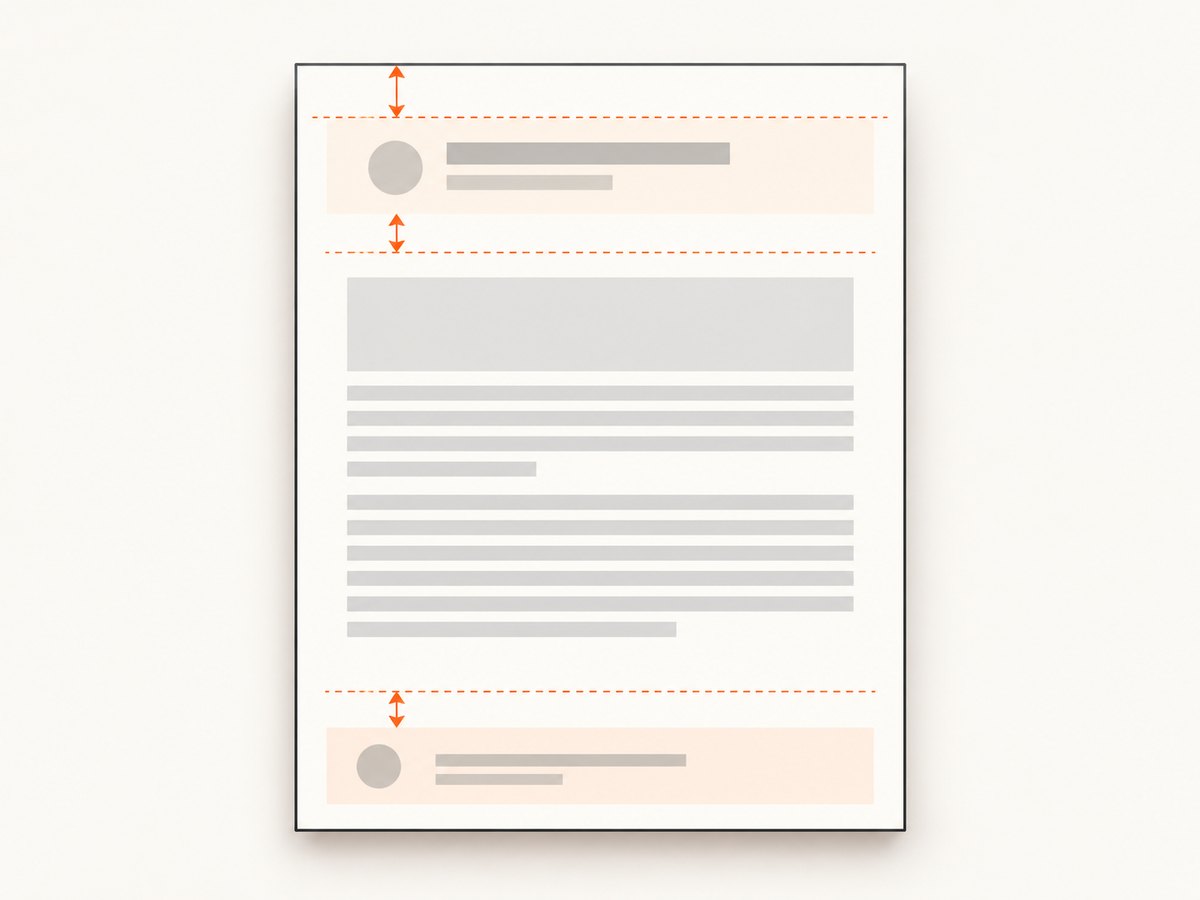
| Vertical clearance | --margin-top and --header-spacing |
Increase both when the header wraps or overlaps body content. |
5. Resource loading and deployment checklist
- Use an absolute HTTPS URL for header and footer documents when the converter runs outside the web process.
- Confirm the converter can resolve the host name and reach the route without interactive login.
- Use absolute URLs for CSS, fonts, and images, or configure the renderer’s local-file access according to your deployment policy.
- Check certificate chains, redirects, and proxy settings in the production environment.
- Keep header CSS self-contained when possible to reduce failed resource requests.
- Escape query parameters and quote URLs passed through
CustomSwitches. - Render a document with enough rows to create at least three pages.
6. Troubleshooting
| Symptom | Likely cause | Fix |
|---|---|---|
HeaderView does not compile |
The installed package is classic Rotativa or exposes a different API. | Use CustomSwitches with --header-html, or consult the exact integration’s documentation. |
| Header is missing | The header URL is unreachable, redirects to login, or returns an error. | Open the URL from the converter host, remove authentication barriers, and inspect the HTTP response. |
| Header overlaps body text | Top margin or header spacing is too small. | Increase --margin-top and --header-spacing; test wrapped titles and long customer names. |
| Page numbers remain blank | The token was escaped by Razor or JavaScript ran before the renderer supplied query values. | Emit literal [page]/[topage] and use the query-string script for header-document values. |
| Images or fonts do not appear | Relative paths, blocked local files, or inaccessible URLs. | Use reachable absolute URLs, enable the required local-file setting, and verify content-type responses. |
| Only the first page has a header | The markup was placed in the body view instead of a header document. | Move repeated content to --header-html or the supported header-view property. |
| PDF differs between machines | Different wkhtmltopdf builds, fonts, or network access. | Pin the renderer and fonts, log its version, and test inside the deployment environment. |
| Conversion times out | Slow header resources or an action that performs expensive work per request. | Keep header actions fast, cache stable assets, and avoid database queries that the body already performed. |
7. Performance, reliability, and cost
- Performance: a separate header request adds network and rendering work. Inline critical CSS and avoid loading large images or web fonts on every page.
- Reliability: make header and footer routes deterministic. Pass all required values explicitly instead of depending on ambient session state.
- Security: treat query-string values as untrusted input, HTML-encode model data, and avoid putting tokens or personal secrets in header URLs.
- Pagination: verify long headers, page breaks, landscape output, and documents whose total page count changes after font loading.
- Cost: local Rotativa costs depend on your own application and renderer infrastructure. A hosted renderer may trade server maintenance for per-request pricing; compare based on volume and operational requirements.
8. Test plan before shipping
- Render a one-page document and confirm the header’s model values.
- Render three or more pages and verify
[page]and[topage]. - Use long names, missing optional values, and non-ASCII characters.
- Disable network access temporarily to confirm which resources are external.
- Run the same action in the deployment environment and record the wkhtmltopdf version.
- Inspect the first and last page for clipping, overlap, and footer clearance.
Or skip the browser setup
If your goal is to capture a rendered page or PDF without maintaining a browser and wkhtmltopdf installation, ScreenshotNeo provides a website screenshot API and MCP server. It accepts one GET request and returns PNG, JPEG, WebP, or PDF. Cookie and consent banners, newsletter popups, and chat widgets are removed before capture; bot checks, blank pages, timeouts, failed loads, and cache hits are not billed. Each response identifies the result with X-Page-Verdict and X-Billed headers. An MCP server lets Claude, Cursor, and other MCP clients call screenshot, page-info, and PDF tools.
For API details, see the ScreenshotNeo documentation.
curl -G "https://api.screenshotneo.com/v1/shot" -d access_key=YOUR_API_KEY --data-urlencode url=https://stripe.com -o shot.webpimport requests
r = requests.get("https://api.screenshotneo.com/v1/shot", params={"access_key": "YOUR_API_KEY", "url": "https://stripe.com"}, timeout=90)
open("shot.webp", "wb").write(r.content)const q = new URLSearchParams({ access_key: 'YOUR_API_KEY', url: 'https://stripe.com' });
const res = await fetch(`https://api.screenshotneo.com/v1/shot?${q}`);Every feature is on every plan. The Free plan includes 1,000 screenshots per month with no card; paid plans start at $5 for 3,000 shots. Create a free ScreenshotNeo account.
FAQ
Can I put Razor syntax directly in a wkhtmltopdf header?
Razor must run when the header action renders its HTML. A static file cannot see your MVC model unless you pass values in the header URL or render it through a controller view.
Why does the total page count change?
Page count depends on fonts, margins, image sizes, and line wrapping. Verify it with the same renderer and resources used in production.
Should I use simple header text or HTML?
Use simple options for short static labels. Use an HTML header when you need model data, branding, CSS, images, or a structured layout.
Can a header route require authentication?
Only if the converter can authenticate to it. In many deployments the safer approach is a reachable, narrowly scoped route that exposes no secrets and receives only the values needed for rendering.


