How to Create Dynamic Image Templates for Website Screenshots
Build repeatable website screenshots with dynamic data, browser styling, and reusable image layers using Playwright, templates, or an API.
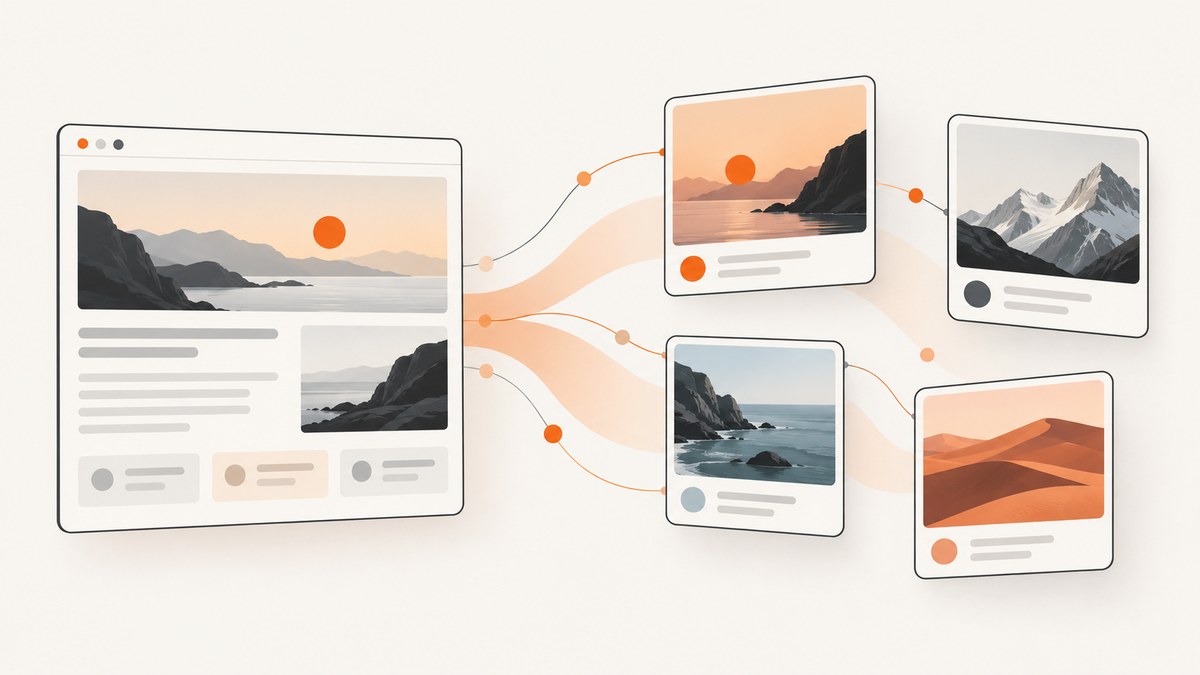
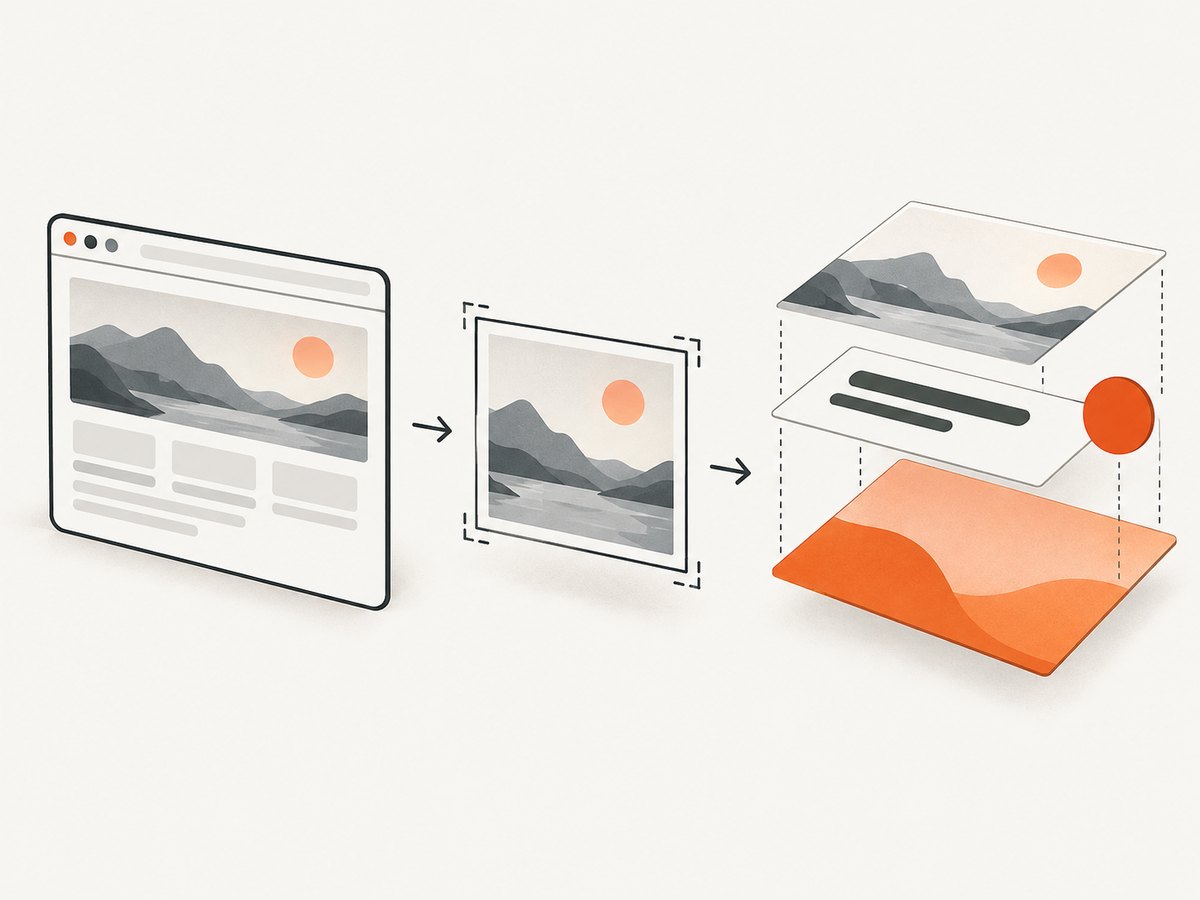
Direct answer: create dynamic screenshot templates by separating browser rendering from image composition. First render a stable page with Playwright, controlling its viewport, data, fonts, loading state, and screenshot-only CSS. Then, if the output needs a consistent frame, title, badge, or data field, place the screenshot into a reusable template with named layers. Change the data passed to those layers for each image.
This separation prevents a common design mistake: treating every changing pixel as a template variable. Page content, responsive layout, locale, and capture timing belong to the browser step. A title, logo-safe area, border, or promotional label belongs to the image-template step.
1. Decide what is dynamic
Write down each source of variation before choosing tools:
- Page data: product name, price, article title, account name, or chart values.
- Browser state: logged-in user, cookies, feature flags, locale, timezone, and geolocation.
- Responsive state: desktop or mobile viewport, device scale, and orientation.
- Capture timing: animations, lazy images, web fonts, API responses, and client-side rendering.
- Graphic layers: a frame, headline, gradient, label, avatar, or other object placed over or beside the screenshot.
If only the webpage changes, a controlled browser screenshot is enough. If the same screenshot must appear in many branded layouts, add an image-template stage. If both vary, keep the stages separate so a change to the frame does not require rewriting browser automation.
2. Build a repeatable browser capture with Playwright
Playwright’s Page API documents screenshot-time stylesheets for hiding dynamic elements, making elements invisible, or changing their properties to create repeatable screenshots. See the Playwright Page API. This controls selected elements; it cannot guarantee that every external data source or random value disappears.
Install the browser runtime
mkdir screenshot-template
cd screenshot-template
npm init -y
npm install playwright
npx playwright install chromium
Create a page with data placeholders
A template page should receive data explicitly rather than reading unpredictable values from global state. CSS variables make visual changes easy to audit.
<!doctype html>
<html>
<head>
  <meta charset="utf-8">
  <style>
    :root {
      --accent: #635bff;
      --background: #f6f7fb;
      --text: #171717;
    }
    * { box-sizing: border-box; }
    body {
      margin: 0; width: 1200px; min-height: 630px;
      background: var(--background); color: var(--text);
      font-family: Inter, Arial, sans-serif;
    }
    .card { padding: 64px; position: relative; overflow: hidden; }
    .eyebrow { color: var(--accent); font-weight: 700; }
    h1 { max-width: 850px; font-size: 64px; line-height: 1.05; margin: 24px 0; }
    .meta { font-size: 24px; opacity: .72; }
    .volatile { animation: pulse 1s infinite; }
    @keyframes pulse { to { opacity: .5; } }
  </style>
</head>
<body>
  <main class="card" data-template="social-card">
    <div class="eyebrow" id="category"></div>
    <h1 id="title"></h1>
    <div class="meta" id="author"></div>
    <div class="volatile" data-volatile>Live status</div>
  </main>
  <script>
    const params = new URLSearchParams(location.search);
    document.documentElement.style.setProperty('--accent', params.get('accent') || '#635bff');
    document.getElementById('category').textContent = params.get('category') || 'Guide';
    document.getElementById('title').textContent = params.get('title') || 'Untitled';
    document.getElementById('author').textContent = params.get('author') || 'Example author';
  </script>
</body>
</html>
Capture deterministic variants
const { chromium } = require('playwright');

(async () => {
  const browser = await chromium.launch();
  const page = await browser.newPage({
    viewport: { width: 1200, height: 630 },
    deviceScaleFactor: 1
  });

  const variants = [
    { slug: 'launch', category: 'Product update', title: 'Ship your next release', author: 'Acme team', accent: '#0f766e' },
    { slug: 'guide', category: 'Engineering guide', title: 'Create reliable screenshots', author: 'Acme team', accent: '#635bff' }
  ];

  for (const item of variants) {
    const query = new URLSearchParams(item);
    await page.goto(`file://${process.cwd()}/template.html?${query}`, { waitUntil: 'load' });
    await page.evaluate(() => document.fonts.ready);
    await page.screenshot({
      path: `output-${item.slug}.png`,
      animations: 'disabled',
      caret: 'hide',
      style: '[data-volatile] { visibility: hidden !important; }'
    });
  }
  await browser.close();
})();
Save the HTML as template.html, save the script as capture.js, then run node capture.js. The query-string approach is only an example; in production, pass signed server-side data or render a dedicated route so users cannot inject arbitrary markup. Use textContent, as above, instead of assigning untrusted values to innerHTML.
3. Make the capture stable
Wait for the real readiness condition
Waiting for the page load event is often insufficient. Wait for a selector that proves the content exists, wait for fonts, and disable animations in the capture stylesheet.
await page.goto(targetUrl, { waitUntil: 'domcontentloaded' });
await page.locator('[data-screenshot-ready="true"]').waitFor();
await page.evaluate(() => document.fonts.ready);
await page.screenshot({
  path: 'stable.png',
  fullPage: true,
  style: `
    *, *::before, *::after {
      animation-duration: 0s !important;
      animation-delay: 0s !important;
      transition: none !important;
      caret-color: transparent !important;
    }
  `
});
Prefer a readiness marker set by your application after its final API response. A fixed delay can help with an unavoidable third-party widget, but it increases latency and still may capture too early or too late.
Normalize browser inputs
- Pin viewport width and height for every variant.
- Set the same timezone, locale, color scheme, and device scale factor.
- Use a known font installation or self-hosted web fonts; fallback fonts change line wrapping.
- Use test data with stable image URLs and deterministic sorting.
- Disable or hide clocks, rotating banners, random IDs, ads, chat launchers, and cursor indicators.
- For lazy content, scroll through the page before a full-page shot and wait for required images.
4. Add reusable image-template layers
A post-capture template is useful when every output shares a visual system. Define named layers such as background, screenshot, headline, avatar, and badge. Each render supplies values for those layers.
Bannerbear V5 describes reusable image templates made from layers such as text boxes and image containers. Its image-generation workflow accepts a template and modifications to text, images, and colors, with generated JPG or PNG output; the reference also documents PDF output. See the Bannerbear API Reference V5. Its product page also lists WebP, AVIF, and batches of up to 100 renders; verify those vendor capabilities before depending on them.
Simple local composition with Sharp
For a fully self-hosted flow, compose the screenshot and text in Node.js. This example creates a background, places the screenshot, and adds a headline using SVG text rendered by Sharp.
npm install sharpconst sharp = require('sharp');
async function renderCard({ screenshot, title, output }) {
const text = title.replace(/&/g, '&').replace(/</g, '<').replace(/>/g, '>');
const overlay = `<svg width="1400" height="900" xmlns="http://www.w3.org/2000/svg">
<rect width="1400" height="900" fill="#111827"/>
<text x="70" y="105" fill="#a7f3d0" font-size="32" font-family="Arial">ACME GUIDE</text>
<text x="70" y="790" fill="white" font-size="54" font-family="Arial">${text}</text>
</svg>`;
await sharp({ create: { width: 1400, height: 900, channels: 4, background: '#111827' } })
.composite([
{ input: overlay },
{ input: screenshot, left: 70, top: 150, blend: 'over' }
])
.png()
.toFile(output);
}
renderCard({ screenshot: 'stable.png', title: 'A repeatable screenshot pipeline', output: 'final.png' });For production, use a proper SVG escaping library, enforce maximum title length, and choose a text-fitting strategy. Long titles may need smaller font sizes, line wrapping, or truncation. Keep the screenshot rectangle fixed so changing content cannot move the brand frame.
5. Hosted screenshot and template routes
A hosted service can remove browser maintenance from your application. Bannerbear’s help documentation describes posting a website URL and dimensions to /screenshots, then polling the screenshot resource, receiving a webhook, or using its documented synchronous host. See How do I create a screenshot via API?. Its API reference also documents viewport width, height, and mobile options in the V2 screenshot section; do not assume those V2 parameters are interchangeable with V5 without checking endpoint compatibility. See Bannerbear API Reference V2.
Choose browser automation when you need page-specific control and already operate browsers. Choose a hosted screenshot plus template API when asynchronous jobs, webhooks, reusable layers, or centralized rendering fit your system. Compare control, maintenance, template support, and whether your pipeline can accept delayed delivery. The cited documentation does not establish neutral price, latency, reliability, or image-quality winners.
6. Or skip the browser setup
ScreenshotNeo provides a hosted website screenshot API and MCP server. One request returns PNG, JPEG, WebP, or PDF. It accepts full-page capture, CSS element selection, dark mode, device presets or custom viewports, retina scale, custom CSS and JavaScript, click actions, hidden selectors, selector or network-idle waits, request blocking, headers, cookies, user agents, authorization, timezone, geolocation, transparent backgrounds, resizing, TTL caching, signed image links, asynchronous jobs, signed webhooks, bulk capture for up to 100 URLs per call, usage data, and an OpenAPI specification.
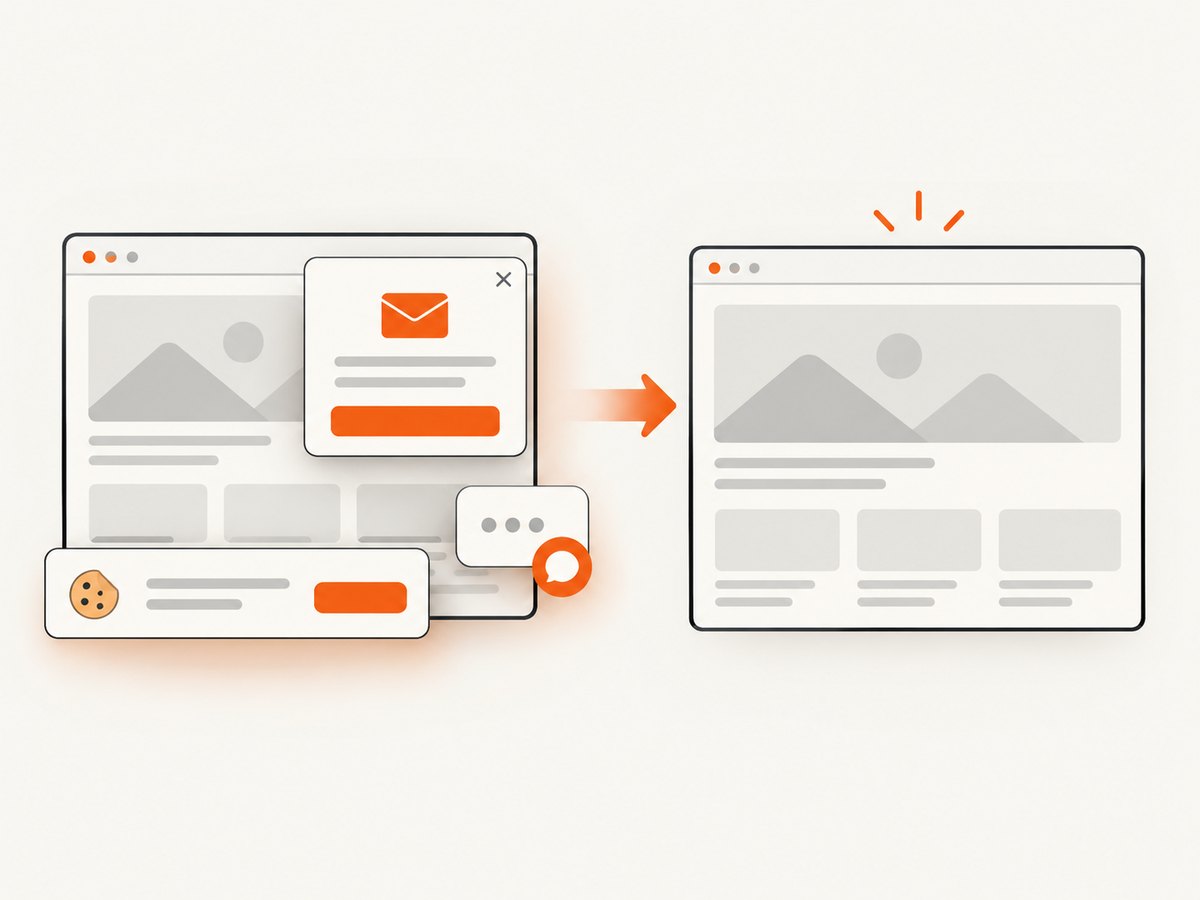
Before capture, it accepts cookie or consent banners and removes more than 60 known consent platforms, newsletter popups, and chat widgets; each step can be turned off. Bot checks, CAPTCHAs, blank pages, timeouts, failed loads, and cache hits cost nothing, and response headers identify the page verdict and billing state.
Read the ScreenshotNeo documentation for all parameters. Basic calls:
curl -G "https://api.screenshotneo.com/v1/shot" -d access_key=YOUR_API_KEY --data-urlencode url=https://stripe.com -o shot.webpimport requests
r = requests.get("https://api.screenshotneo.com/v1/shot", params={"access_key": "YOUR_API_KEY", "url": "https://stripe.com"}, timeout=90)
open("shot.webp", "wb").write(r.content)const q = new URLSearchParams({ access_key: 'YOUR_API_KEY', url: 'https://stripe.com' });
const res = await fetch(`https://api.screenshotneo.com/v1/shot?${q}`);ScreenshotNeo also includes an MCP server with take_screenshot, get_page_info, and capture_pdf tools for Claude, Cursor, and other MCP clients. The free plan includes 1,000 screenshots per month without a card; paid plans start at $5 for 3,000 shots. Create a free ScreenshotNeo account.
7. Troubleshooting
| Symptom | Likely cause | Fix |
|---|---|---|
| Text wraps differently between runs | Font loading or viewport drift | Wait for document.fonts.ready, self-host fonts, and pin viewport and scale. |
| Skeletons or spinners appear | Capture starts before app readiness | Wait for an application readiness selector or response-driven marker. |
| Images are blank | Lazy loading, blocked origin, or expired URL | Scroll to load lazy images, wait for them, and verify credentials and CORS behavior. |
| Cookie banner covers content | Consent state is not established | Set the expected cookie before navigation, click the consent control, or hide it with screenshot-only CSS where appropriate. |
| Animation changes the frame | CSS animation or transition is active | Disable animations in the screenshot stylesheet and hide blinking status elements. |
| Overlay text is clipped | Unbounded user data | Measure text, wrap it, reduce font size, or enforce a maximum length. |
| Mobile output differs unexpectedly | Responsive breakpoint or device emulation mismatch | Set viewport, device scale, user agent, touch behavior, and locale deliberately. |
| Hosted job never arrives | Webhook endpoint is unreachable or does not acknowledge quickly | Return a fast success response, verify signing, log delivery attempts, and retain polling as a fallback. |
8. Performance, reliability, and cost
Performance
- Reuse a browser process when generating many variants, while isolating pages and contexts.
- Cache immutable screenshots and template inputs by a content hash.
- Block analytics, ads, video, and unnecessary resource types when they cannot affect the image.
- Use a targeted element shot instead of full-page capture when the output does not need the entire document.
- Generate large batches asynchronously and cap concurrency to avoid exhausting CPU and memory.
Reliability
- Record URL, viewport, locale, template version, input data hash, and browser version with every artifact.
- Retry transient navigation failures with bounded exponential backoff; do not blindly retry invalid URLs or authorization failures.
- Store the original screenshot separately from the composed image so a frame change can be re-rendered.
- Validate output dimensions, file type, and nonzero byte size before publishing.
- For webhooks, make processing idempotent using the job identifier.
Cost
Browser automation consumes your own compute and operational time. Hosted APIs charge according to their current plans and billing rules, so check the provider documentation before forecasting. ScreenshotNeo bills only clean shots; bot checks, blank pages, timeouts, failed loads, and cache hits are not billed, and the response exposes verdict and billing headers.
9. A production checklist
- List every variable and assign it to browser state or a template layer.
- Pin viewport, scale, locale, timezone, fonts, and test data.
- Define a readiness selector and wait for fonts and required images.
- Disable animations and hide volatile elements with screenshot-only styles.
- Keep screenshot and composition as separate artifacts.
- Escape text and validate image URLs and user-controlled values.
- Test desktop, mobile, long titles, missing images, slow APIs, and unauthorized pages.
- Record template versions and make retries idempotent.
FAQ
Do I need an image-template service?
No. Playwright plus a local compositor such as Sharp is enough when your team can operate the browser and rendering workers.
Can CSS alone create a reusable image template?
Yes, for many social cards and previews. HTML and CSS can define the frame and screenshot slot; a separate layer API becomes useful when non-developers need named editable layers or batch rendering.
Should I use full-page screenshots for social cards?
Usually no. Capture the designed card or a selected element at its final dimensions. Use full-page mode when the entire document is the intended asset.
How do I handle pages that require login?
Use a controlled browser context with the required cookies or authorization headers, and keep credentials out of URLs and client-visible template data.


