How to Email a PDF Generated With html2canvas and jsPDF
Generate a PDF in the browser, upload it as a Blob, and let your backend email it safely with multipart FormData.
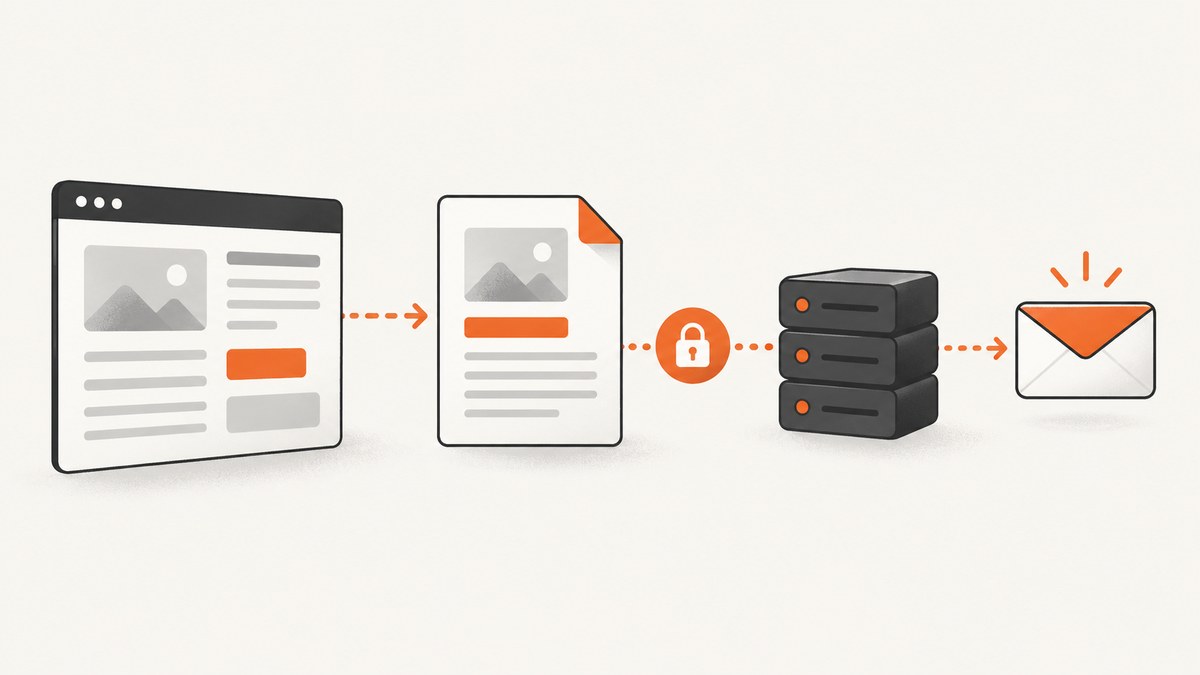
Direct answer: generate the PDF in the browser, obtain it from jsPDF as a binary Blob, upload that Blob to your backend with multipart/form-data, and have the backend send the email through your email provider. The browser should not contain SMTP credentials. A mailto: link can prefill a message, but it does not provide a dependable standard way to attach an in-memory Blob.
This architecture separates rendering from delivery. html2canvas reconstructs a selected DOM element into a canvas. jsPDF places that rendered image into a PDF and can return a Blob. The browser then sends the binary file to an authenticated application endpoint. Your server validates it and asks an email delivery service to send the attachment.
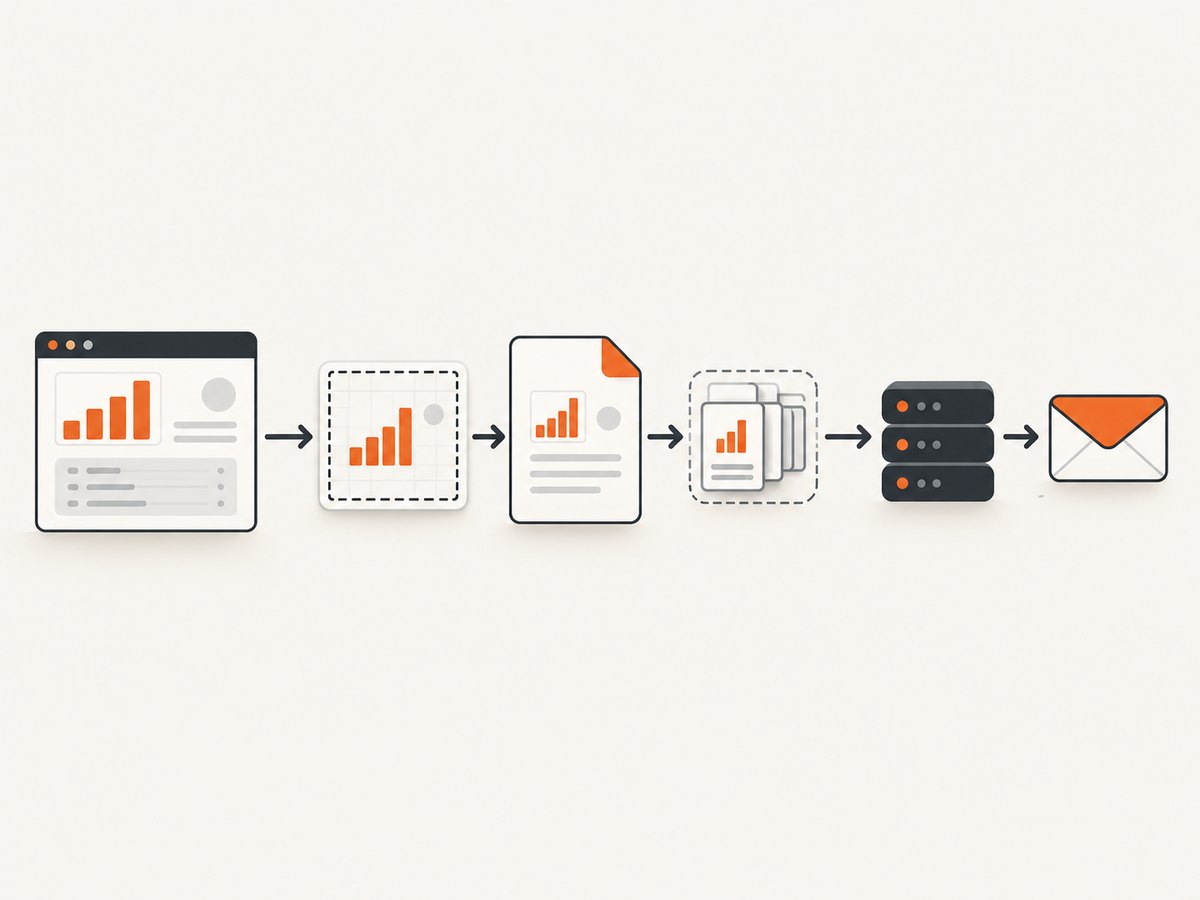
1. The complete browser-to-email flow
Use these steps for an invoice, report, receipt, certificate, or any other user-generated document:
- Render the target element with
html2canvas(element, options). - Create a jsPDF document with the paper size, orientation, and margins you need.
- Scale the canvas to fit the printable page and add one or more pages.
- Call jsPDF’s Blob output method for the version installed in your project.
- Append the Blob to
FormDatawith a safe filename. - POST the multipart request to your authenticated backend.
- Validate size, type, authorization, and any record identifiers on the server.
- Send the attachment from the server and report success only after your endpoint accepts or completes the send according to your contract.
A Blob is immutable raw binary data that can be uploaded directly. MDN documents Blob handling and multipart form submission in its Blob documentation and MIME type and multipart guidance.
2. Runnable browser example with html2canvas and jsPDF
Install the libraries with your package manager, or load equivalent browser bundles. The example captures an element, creates an A4 PDF, previews it, and uploads it. Check the jsPDF documentation for the exact Blob output signature for the version you install.
<button id="email-report">Email report</button>
<section id="report" style="width: 900px; padding: 32px; background: white; color: #111;">
  <h1>Quarterly report</h1>
  <p>Revenue, usage, and outstanding actions.</p>
  <div class="chart">Your report content goes here</div>
</section>

<script type="module">
  import html2canvas from "html2canvas";
  import { jsPDF } from "jspdf";

  const button = document.querySelector("#email-report");
  const report = document.querySelector("#report");

  button.addEventListener("click", async () => {
    button.disabled = true;
    try {
      const canvas = await html2canvas(report, {
        backgroundColor: "#ffffff",
        scale: Math.min(window.devicePixelRatio || 1, 2),
        useCORS: true,
        logging: false
      });

      const pdf = new jsPDF({
        orientation: "portrait",
        unit: "mm",
        format: "a4",
        compress: true
      });

      const pageWidth = pdf.internal.pageSize.getWidth();
      const pageHeight = pdf.internal.pageSize.getHeight();
      const margin = 12;
      const usableWidth = pageWidth - margin * 2;
      const imageHeight = (canvas.height * usableWidth) / canvas.width;
      const imageData = canvas.toDataURL("image/jpeg", 0.92);

      let remaining = imageHeight;
      let offset = 0;
      pdf.addImage(imageData, "JPEG", margin, margin - offset, usableWidth, imageHeight);
      remaining -= pageHeight - margin * 2;

      while (remaining > 0) {
        offset += pageHeight - margin * 2;
        pdf.addPage();
        pdf.addImage(imageData, "JPEG", margin, margin - offset, usableWidth, imageHeight);
        remaining -= pageHeight - margin * 2;
      }

      // jsPDF versions expose Blob output through pdf.output("blob").
      const blob = pdf.output("blob");
      const previewUrl = URL.createObjectURL(blob);
      window.open(previewUrl, "_blank", "noopener,noreferrer");

      const form = new FormData();
      form.append("pdf", blob, "quarterly-report.pdf");
      form.append("recipient", "customer@example.com");
      form.append("reportId", "report-123");

      const response = await fetch("/api/reports/email", {
        method: "POST",
        body: form,
        credentials: "include",
        headers: { "X-CSRF-Token": getCsrfToken() }
      });

      if (!response.ok) throw new Error(`Upload failed: ${response.status}`);
      alert("The report was accepted for delivery.");
      setTimeout(() => URL.revokeObjectURL(previewUrl), 60_000);
    } catch (error) {
      console.error(error);
      alert("The report could not be emailed. Try downloading it instead.");
    } finally {
      button.disabled = false;
    }
  });

  function getCsrfToken() {
    return document.querySelector('meta[name="csrf-token"]')?.content || "";
  }
</script>
The sample uses JPEG inside the PDF to keep files smaller. Use PNG when sharp text, transparency, or lossless graphics matter. For long reports, rendering one enormous canvas can exceed browser canvas limits; section the document or use a server-side browser renderer.
3. Upload the Blob correctly
Do not manually set the Content-Type header when sending FormData from the browser. The browser adds the multipart boundary. Manually setting only multipart/form-data commonly causes the server to reject the body because the boundary is missing.
const form = new FormData();
form.append("pdf", blob, "report.pdf");

const response = await fetch("/api/reports/email", {
  method: "POST",
  body: form,
  credentials: "include"
});

if (!response.ok) {
  throw new Error(`Server rejected upload (${response.status})`);
}
Send a record ID or recipient as a separate field, then derive the final recipient from authorized server-side data whenever possible. Treat the client filename and MIME label as hints, not proof.
4. Minimal backend contract
Your endpoint should authenticate the caller, authorize access to the report, enforce a request-size limit, validate the uploaded bytes, and pass the file to your email provider. The exact provider SDK differs, but the contract is stable:
- Accept a multipart field such as
pdf. - Reject oversized requests before buffering unbounded data.
- Check that the uploaded content is a PDF and that the filename is safe.
- Do not trust a recipient address supplied by an untrusted browser field.
- Use an idempotency key or report ID so retries do not send duplicates.
- Keep provider credentials on the server and avoid logging PDF bytes.
- Return a clear status such as accepted, queued, or sent.
POST /api/reports/email
Content-Type: multipart/form-data

Fields:
pdf       binary PDF attachment
reportId  application record identifier
recipient optional client hint; server validates or ignores it
For a user-driven workflow, offer a download button as a fallback. Create a local preview or download URL with URL.createObjectURL(blob), then call URL.revokeObjectURL(url) after the user has had time to open or save it. Avoid converting large PDFs to base64 data URLs unless a specific integration requires it; data URLs duplicate bytes and browser limits vary. See MDN’s blob URL and data URL references.
5. cURL, Python, and Node.js upload examples
These examples exercise your backend endpoint after a PDF has been generated. They are useful for integration tests and operational scripts.
curl -X POST https://app.example.com/api/reports/email \
  -H "Authorization: Bearer SERVER_OR_TEST_TOKEN" \
  -F "pdf=@quarterly-report.pdf;type=application/pdf" \
  -F "reportId=report-123"
import requests
with open("quarterly-report.pdf", "rb") as pdf:
response = requests.post(
"https://app.example.com/api/reports/email",
files={"pdf": ("quarterly-report.pdf", pdf, "application/pdf")},
data={"reportId": "report-123"},
headers={"Authorization": "Bearer SERVER_OR_TEST_TOKEN"},
timeout=90,
)
response.raise_for_status()import fs from "node:fs";
const form = new FormData();
form.append("pdf", new Blob([fs.readFileSync("quarterly-report.pdf")], {
type: "application/pdf"
}), "quarterly-report.pdf");
form.append("reportId", "report-123");
const response = await fetch("https://app.example.com/api/reports/email", {
method: "POST",
headers: { Authorization: "Bearer SERVER_OR_TEST_TOKEN" },
body: form
});
if (!response.ok) throw new Error(`HTTP ${response.status}`);6. html2canvas options and rendering limits
Choose options deliberately instead of assuming the canvas is a browser screenshot:
| Option or issue | Guidance |
|---|---|
scale |
Higher values improve detail but multiply memory and PDF size. Cap it on low-memory devices. |
backgroundColor |
Set an explicit color for predictable PDF pages; use null only when transparency is required. |
useCORS |
Helps only when the remote image server sends suitable CORS headers. |
windowWidth/windowHeight |
Set fixed dimensions when responsive layout changes would make output inconsistent. |
| Fonts and images | Wait for fonts and important images before calling html2canvas. |
| Long documents | Capture sections or paginate content instead of one giant canvas. |
html2canvas reconstructs the DOM from styles and supported properties; it does not capture the browser compositor’s exact pixels. CSS support is selective. Cross-origin iframes are inaccessible under browser security rules, and plugin content is not rendered. The project’s FAQ explains why canvas limits vary by engine, operating system, GPU, and device.
7. Cross-origin images, fonts, and iframes
A remote image can taint the canvas. useCORS: true works only when the remote origin allows the request with appropriate CORS headers. If you control the asset server, configure CORS there. Otherwise proxy approved assets through your own origin. Do not use allowTaint as a way to read pixels from a tainted canvas.
Wait for web fonts and images before rendering:
await document.fonts?.ready;
await Promise.all(
  [...document.images].map(image => image.complete
    ? Promise.resolve()
    : new Promise(resolve => {
        image.addEventListener("load", resolve, { once: true });
        image.addEventListener("error", resolve, { once: true });
      }))
);
8. Troubleshooting checklist
| Symptom | Likely cause | Fix |
|---|---|---|
| Blank or partially blank PDF | Canvas dimensions exceed an engine limit or content was not ready. | Capture smaller sections, reduce scale, wait for fonts/images, and inspect browser memory. |
| Missing remote images | CORS headers are absent. | Enable CORS on the asset host or proxy the image through your origin. |
| Different layout than the page | Responsive viewport or unsupported CSS. | Set a fixed rendering size and add print-specific markup/styles. |
| PDF upload says boundary missing | Code manually set the multipart Content-Type. | Remove that header and let fetch construct it. |
| 413 or request too large | Canvas scale or attachment exceeds server limits. | Compress images, lower scale, paginate, and align client/server limits. |
| Email accepted but not delivered | Provider queue, policy, suppression, or invalid recipient. | Store provider message IDs, inspect delivery events, and show queued status rather than claiming delivery. |
| Duplicate emails after retry | Network timeout occurred after the first send. | Use an idempotency key based on report ID and revision. |
| Node process crashes running html2canvas | html2canvas depends on window, document, and computed styles. |
Run it in a browser; use a real browser automation or rendering architecture on the server. |
9. Performance, reliability, and cost
Rendering cost is mostly determined by element area, scale, image count, and browser memory. Render only the report element, remove animations, and avoid unnecessary shadows or huge background images. JPEG quality around 0.85–0.92 is often a practical starting point for photographic content; PNG is preferable for diagrams and transparency. Measure output size on the devices you support.
For reliability, disable the button during generation, expose progress for long reports, and retain a download fallback. Treat upload acceptance and email delivery as separate states. Queueing on the backend lets the browser return quickly while a worker retries transient provider errors. Never retry blindly without an idempotency key.
The browser workflow has no ScreenshotNeo charge because it is local rendering, but it consumes client CPU and memory. If you need a server-rendered capture of a URL rather than a DOM element already open in your application, an API can remove browser infrastructure from your stack.
10. Or skip the browser setup
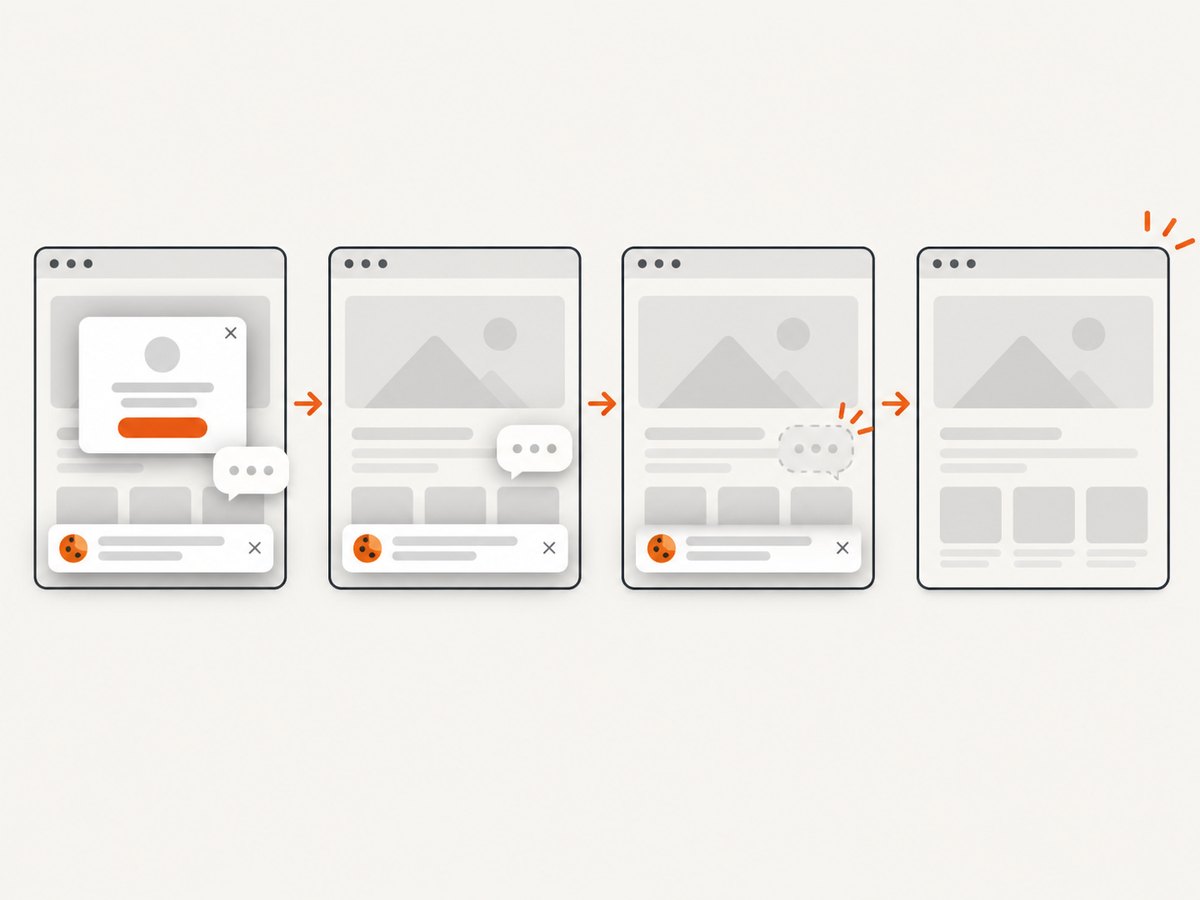
For URL-based captures, ScreenshotNeo provides one GET request that returns PNG, JPEG, WebP, or PDF. Cookie banners, newsletter popups, and chat widgets are removed before the shot; bot checks, blank pages, timeouts, failed loads, and cache hits are never billed. Responses identify the result with X-Page-Verdict and X-Billed headers. It also provides an MCP server so Claude, Cursor, and other MCP clients can call take_screenshot, get_page_info, and capture_pdf.
curl -G "https://api.screenshotneo.com/v1/shot" -d access_key=YOUR_API_KEY --data-urlencode url=https://stripe.com -o shot.webpimport requests
r = requests.get("https://api.screenshotneo.com/v1/shot", params={"access_key": "YOUR_API_KEY", "url": "https://stripe.com"}, timeout=90)
open("shot.webp", "wb").write(r.content)const q = new URLSearchParams({ access_key: 'YOUR_API_KEY', url: 'https://stripe.com' });
const res = await fetch(`https://api.screenshotneo.com/v1/shot?${q}`);See the ScreenshotNeo API documentation for options such as full-page capture, element selectors, PDF paper sizes and margins, custom CSS and JavaScript, waits, headers, cookies, caching, signed links, async jobs, bulk capture, and usage data. The free plan includes 1,000 screenshots each month with no card. Paid plans start at $5 for 3,000 shots. Create a free ScreenshotNeo account.
11. FAQ
Can a mailto link attach the generated PDF?
No reliable standard parameter attaches an in-memory Blob to a mail client. Use a backend upload for automation, or download the PDF and let the user attach it manually.
Can jsPDF email the file directly?
jsPDF creates the document; it does not replace your authenticated upload endpoint or email provider. Export a Blob and send it to your server.
Why is the PDF not pixel-perfect?
html2canvas rebuilds supported DOM and CSS rather than capturing compositor pixels. Unsupported CSS, cross-origin assets, and responsive changes can alter the result.
Should I base64-encode the PDF?
Usually no. Multipart FormData preserves the binary file and avoids the size overhead and browser limits associated with data URLs.
When should I use server-side rendering?
Use a server-side browser renderer when the source is a URL, generation must run without a user’s browser, or documents are too large for dependable client canvas limits.


