How to Embed a PNG Image in HTML
Display a PNG with an HTML image element, choose between a file path and inline base64, and handle alt text, sizing, responsive images, and common errors.

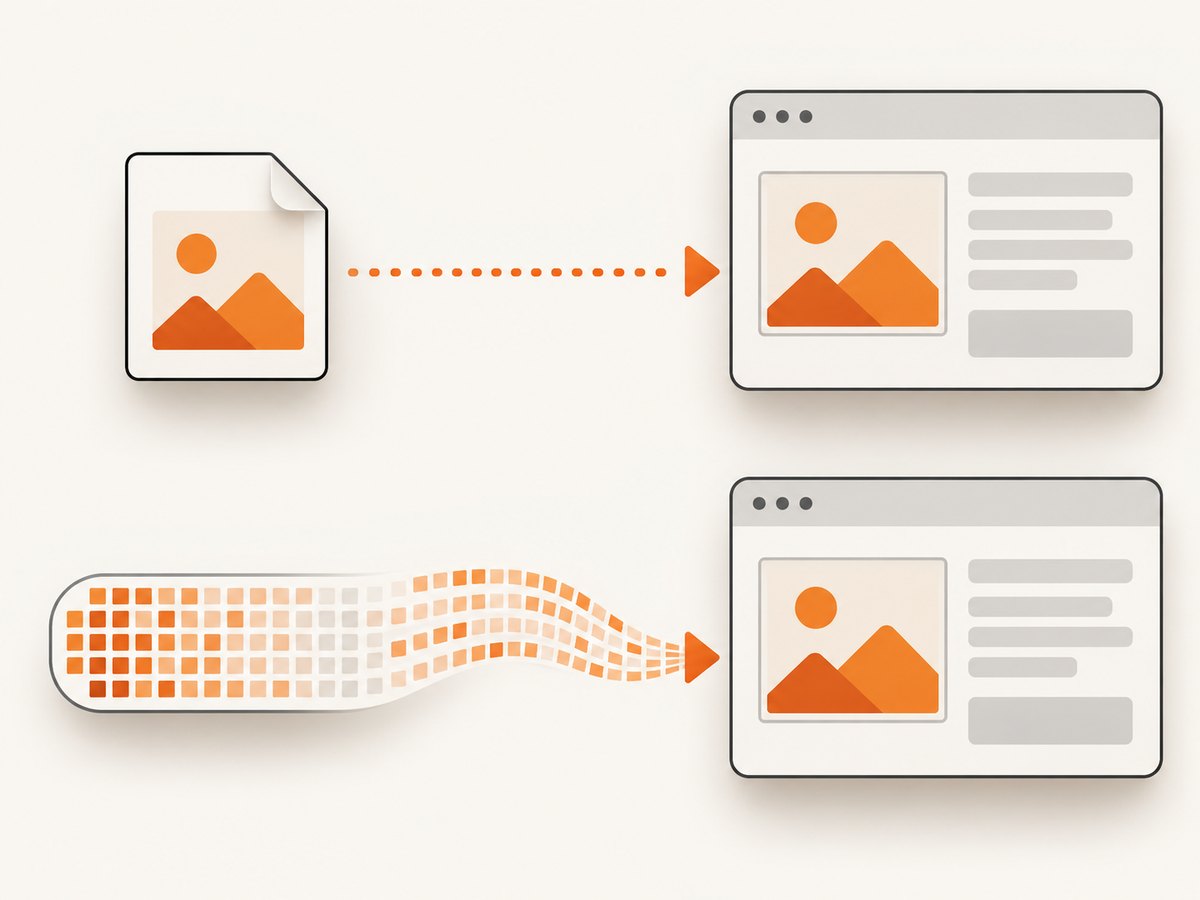
To display a PNG in HTML, use an <img> element and point its src attribute at the image file:
<img src="images/example.png" alt="A concise description of the image">Put the PNG somewhere your web server can serve it, and make sure the path in src resolves from the page URL. For a typical website, keep the PNG as a separate file. If you specifically need the image bytes inside the HTML document, use a base64 data URL instead.
1. Add a PNG file to a webpage
The HTML Standard recommends the img element with a src attribute when a page embeds a single image resource. The element is void: it has no closing tag. WHATWG HTML Standard: Images
- Save or copy the PNG into your project, for example in an
imagesdirectory. - Write an
<img>element in the HTML where the image should appear. - Set
srcto the image’s served URL andaltto an appropriate text alternative. - Load the page and check the browser’s network panel if the image does not appear.
<!doctype html>
<html lang="en">
<head>
  <meta charset="utf-8">
  <meta name="viewport" content="width=device-width, initial-scale=1">
  <title>PNG example</title>
</head>
<body>
  <main>
    <h1>Product overview</h1>
    <img src="images/product-chart.png"
         alt="A chart showing monthly sign-ups rising through the year"
         width="960" height="540"
         style="max-width: 100%; height: auto;"
         loading="lazy">
  </main>
</body>
</html>
This example assumes product-chart.png is publicly served from the images directory next to the page’s directory. The width and height should reflect the image’s intrinsic dimensions when known. The inline style lets the image shrink to fit a narrow layout while retaining its proportions. Lazy loading is useful for images that start offscreen; omit it for an image that is immediately visible and important to the page’s initial presentation.
2. Choose the right image path
A relative URL is resolved in relation to the current page URL, not automatically from your project’s root directory. If the page is https://example.com/guides/setup/, then images/example.png generally points under that directory. Use ../ to move up a directory, or a root-relative path beginning with / when the image is served from the site’s root.
| src value | Typical meaning | Use it when |
|---|---|---|
images/diagram.png |
Relative to the page URL | The asset sits in a directory beside the page. |
../images/diagram.png |
Move up one URL directory, then into images | A nested page uses a shared asset directory. |
/images/diagram.png |
Relative to the site’s origin root | Your site serves assets from a root-level folder. |
https://cdn.example.com/diagram.png |
Absolute URL | The image is hosted on another public server or CDN. |
Paths are URL paths, so they must match how your server or framework publishes static files. A file existing on your computer does not mean a visitor can fetch it. Do not put a local filesystem path such as C:\Users\me\Desktop\photo.png or /Users/me/Desktop/photo.png in a public page; the visitor’s browser cannot access your disk.
3. Write useful alternative text
The alt attribute is a text replacement for the image. Describe the information the image contributes in this page’s context, rather than its filename or merely its visual format. For example, alt="A chart showing monthly sign-ups rising through the year" communicates more than alt="chart.png". See MDN’s img reference.
- Informative image: describe the relevant content or purpose concisely.
- Decorative image: use
alt=""so assistive technology can ignore it. - Image that is the only content of a link: describe the link destination or action, not just the image’s appearance.
- Complex chart or diagram: keep the alternative text concise and provide the detailed explanation in nearby page text.
Do not omit alt just because the image seems self-explanatory to a sighted reader. Do not use title as a replacement for alt; the attributes serve different purposes.
4. Put PNG bytes directly in the HTML
To make a self-contained HTML document, encode the PNG bytes as base64 and use a data URL in src:
<img
  src="data:image/png;base64,BASE64_ENCODED_IMAGE_DATA"
  alt="A concise description of the image">
Replace BASE64_ENCODED_IMAGE_DATA with the complete base64 encoding of the PNG. The general data URL form is data:[media-type][;base64],data; here, image/png identifies the media type and ;base64 indicates the encoding. The placeholder above is not a working image until replaced with actual encoded bytes. MDN: data URLs
Generate the data URL
On a system with Python installed, this short script reads a PNG and prints a ready-to-paste data URL:
from base64 import b64encode
from pathlib import Path

png_bytes = Path("images/example.png").read_bytes()
data_url = "data:image/png;base64," + b64encode(png_bytes).decode("ascii")
print(data_url)
Copy the output into the src attribute. Keep the resulting line intact; truncating it, inserting the wrong media type, or encoding a different file can make the image invalid.
| Separate PNG file | Inline data URL |
|---|---|
| HTML stays small and readable. | The document contains the encoded image data and can travel as one file. |
| Easy to reuse, replace, and cache as its own resource. | Useful for a small asset or a self-contained document. |
| Requires the image URL to remain available. | Makes the HTML bulky and harder to edit; repeated use duplicates the data. |
For ordinary page content, a separate file is usually easier to maintain. Base64 is a representation of the image bytes, not a way to avoid including those bytes. Modern browsers treat data URLs as unique opaque origins, which can matter for origin and security behavior; see MDN’s data URL reference for details.
5. Set dimensions and make the image responsive
When the intrinsic dimensions are known, include width and height. The browser can reserve the image’s space before it finishes loading, reducing layout shifts. Use the actual pixel dimensions, then constrain the displayed size with CSS as needed.

<img src="images/team.png" alt="The project team at a planning session"
     width="1200" height="800"
     style="max-width: 100%; height: auto;">
For different source files at different viewport widths or pixel densities, use srcset and sizes. The following lets the browser choose an appropriate candidate for a content area that occupies most of the viewport on smaller screens and at most 800 CSS pixels on wider screens:
<img
  src="images/landscape-800.png"
  srcset="images/landscape-400.png 400w,
          images/landscape-800.png 800w,
          images/landscape-1600.png 1600w"
  sizes="(max-width: 840px) 100vw, 800px"
  width="1600" height="900"
  alt="Snow-covered mountain above a forest lake">
Use <picture> when you need art direction or to offer a source selection with a fallback <img>. The img remains the fallback and carries the alternative text:
<picture>
  <source media="(max-width: 600px)" srcset="images/portrait-crop.png"
          type="image/png">
  <img src="images/wide-scene.png" alt="A hiker looking across a valley"
       width="1200" height="675">
</picture>
These are optional refinements: a single PNG needs only a correct src and a considered alt. The HTML Standard covers these image source patterns in its images section.
6. Troubleshoot a PNG that does not appear
| Symptom | Likely cause | Fix |
|---|---|---|
| Broken image icon or failed request | The URL path is wrong, case differs, or the file was not deployed. | Open the exact src URL directly; check relative path resolution, filename capitalization, and published asset location. |
| Works on one route but not a nested route | A relative URL resolves from the current page’s URL. | Use the correct ../ path or a root-relative URL such as /images/example.png. |
| Image displays at an unexpected size | Intrinsic dimensions or CSS sizing are missing or conflicting. | Set accurate width/height and responsive CSS; inspect inherited styles. |
| Screen reader announces an unhelpful name | The alt text is missing, a filename, or unrelated. |
Write a concise contextual description, or use empty alt text if decorative. |
| Inline image is broken | Data URL prefix, base64 content, or copy/paste is incomplete. | Regenerate from the source PNG and preserve data:image/png;base64, plus the full output. |
| Remote image is blocked | The server may deny access, require authentication, or the page’s security policy may restrict the source. | Check the response and applicable browser console errors; host the file where the page is allowed to load it. |
| Image is blank or appears corrupted | The served file may not actually be a PNG or may be incomplete. | Verify the asset itself and the server response; replace it with a valid PNG export. |
For a useful first check, copy the resolved image URL from the browser’s developer tools and open it in a new tab. A 404 points toward a path or deployment problem; a successful response shifts attention to CSS, dimensions, or the asset contents.
7. Capture a webpage containing a PNG
If your goal is to render a page that contains a PNG and save the result as an image or PDF, a browser screenshot API can capture the rendered page. ScreenshotNeo is a website screenshot API and MCP server from ScreenshotNeo. It accepts a URL and returns a PNG, JPEG, WebP, or PDF. ScreenshotNeo supports full-page capture, waiting for a selector or network idle, custom viewport and device presets, and related capture controls. Its API documentation describes the request options.
A screenshot captures the browser’s rendered page; it does not embed the source PNG into your HTML. For that, use the <img> or data URL methods above. Capturing a webpage is useful for previews, reports, archives, and visual workflows where the finished page is the desired output.
Or skip the browser setup
One GET request captures a URL. Set url to the page that contains your PNG and replace the API key placeholder:
curl -G "https://api.screenshotneo.com/v1/shot" \
  -d access_key=YOUR_API_KEY \
  --data-urlencode url=https://example.com/page-with-image \
  -o shot.webp
import requests
r = requests.get(
"https://api.screenshotneo.com/v1/shot",
params={"access_key": "YOUR_API_KEY", "url": "https://example.com/page-with-image"},
timeout=90,
)
open("shot.webp", "wb").write(r.content)const q = new URLSearchParams({
access_key: 'YOUR_API_KEY',
url: 'https://example.com/page-with-image'
});
const res = await fetch(`https://api.screenshotneo.com/v1/shot?${q}`);
if (!res.ok) throw new Error(`Screenshot request failed: ${res.status}`);
await Bun.write('shot.webp', res);See the ScreenshotNeo API docs for authentication and capture options. Cookie banners, newsletter popups, and chat widgets are removed before the shot. Bot checks, blank pages, failed loads, timeouts, and cache hits are not billed; response headers identify the page verdict and billing status. Its MCP server lets AI agents use screenshot tools. The free plan includes 1,000 screenshots per month with no card; paid plans start at $5 for 3,000 shots. Every feature is on every plan.
Sign up for ScreenshotNeo and get 1,000 free screenshots a month with no card.
8. Performance, reliability, and cost
For page loading, an external PNG is independently requested by the browser. Reusing the same file across pages avoids repeating its bytes in every HTML document, and the file can be cached separately. Keep image dimensions appropriate to the rendered size and use responsive candidates when the same asset would otherwise be much larger than the display area. Inline data URLs can be convenient for self-contained output, but enlarge the HTML and make changes harder to review; there is no general guarantee they load faster.
For reliable rendering, make sure the image is deployed at a stable URL before users or screenshot tools request the page. If the image is loaded lazily and starts below the fold, a capture may need full-page behavior or an appropriate wait condition so the browser has a chance to load it. For a capture workflow, account for page load failures and inspect the service’s response metadata rather than assuming every request produced a clean page. ScreenshotNeo reports page verdict and billed status in response headers.
Displaying a PNG with HTML has no separate service fee; the operational cost is hosting and transferring the asset. Inline encoding can increase document transfer size. If you use a screenshot API, compare its plan limits and billing rules with your expected capture volume. ScreenshotNeo’s listed plans are Free: 1,000 monthly shots; Starter: $5 for 3,000; Growth: $15 for 15,000; Pro: $39 for 60,000; Scale: $99 for 250,000; Business: $249 for 1,000,000. Yearly billing gives two months free.
FAQ
Does the img element need a closing tag?
No. <img> is a void element, so write a single tag with its attributes.
Can I put a local PNG path in a live website?
Only if that path is a URL served by the website. A path on your personal computer is not available to visitors.
Should I always use base64?
No. Use a separate file for most page images. Choose a data URL when a self-contained document or small inline asset is useful.
Can a screenshot API add the PNG to my page?
No. A screenshot service captures the rendered page. Add the PNG to the page markup or styles separately; use a screenshot API when you need an image of the rendered result.


