How to Encode a jsPDF and html2canvas File as Base64
Convert html2canvas images and jsPDF documents to Base64 data URIs, strip prefixes safely, avoid CORS failures, and choose binary transport.

Use canvas.toDataURL('image/png') when you need the image rendered by html2canvas. Use pdf.output('datauristring') after adding that image when you need the completed jsPDF file as Base64. These are different artifacts: the first is a PNG data URI, while the second is a PDF data URI.
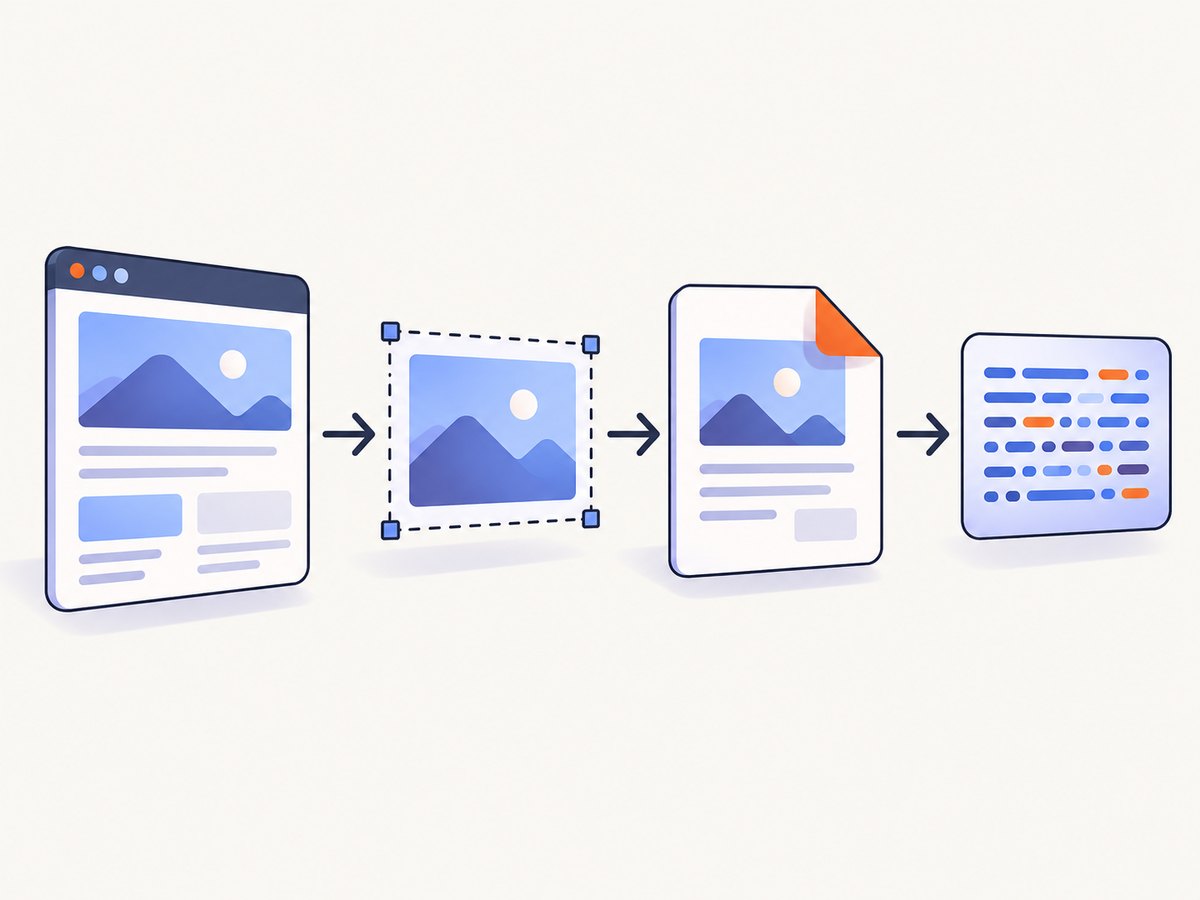
The complete browser workflow is:
- Render the target element with html2canvas.
- Serialize the canvas with
toDataURL()if an image Base64 value is required. - Add the image to a jsPDF document.
- Serialize the finished PDF with
pdf.output('datauristring'). - Keep the
data:...;base64,prefix unless the receiving API explicitly requires raw Base64.
Complete browser example
Install the libraries with your package manager, then run this code in a browser application. html2canvas depends on browser APIs and is not a direct Node.js library.
import html2canvas from 'html2canvas';
import { jsPDF } from 'jspdf';

async function encodeCapture() {
  const element = document.querySelector('#capture');
  if (!element) {
    throw new Error('Could not find #capture');
  }

  // Render the element into a canvas.
  const canvas = await html2canvas(element, {
    backgroundColor: '#ffffff',
    useCORS: true,
    scale: window.devicePixelRatio
  });

  // PNG data URI for the rendered image.
  const imageDataUrl = canvas.toDataURL('image/png');

  // Build the PDF from the image.
  const pdf = new jsPDF({
    orientation: 'portrait',
    unit: 'mm',
    format: 'a4'
  });
  pdf.addImage(imageDataUrl, 'PNG', 10, 10, 190, 0);

  // PDF data URI for the completed document.
  const pdfDataUrl = pdf.output('datauristring');

  // Raw Base64, only when the receiver does not accept a data URI.
  const rawBase64 = pdfDataUrl.slice(pdfDataUrl.indexOf(',') + 1);

  return { canvas, imageDataUrl, pdfDataUrl, rawBase64 };
}

encodeCapture().then(({ pdfDataUrl }) => {
  console.log(pdfDataUrl.slice(0, 40));
});
The element could be any part of your page:
<section id="capture">
  <h1>Invoice 1042</h1>
  <p>Rendered by html2canvas and embedded in jsPDF.</p>
</section>
Image Base64 from html2canvas
canvas.toDataURL() returns a complete data URI. With PNG, its shape is data:image/png;base64,.... The prefix identifies the media type and encoding, so preserve it when assigning the value to an image source, CSS property, or API field that expects a data URI.
const canvas = await html2canvas(document.querySelector('#capture'));
const pngDataUrl = canvas.toDataURL('image/png');

document.querySelector('#preview').src = pngDataUrl;
You can request another format supported by the browser canvas implementation, such as JPEG:
const jpegDataUrl = canvas.toDataURL('image/jpeg', 0.85);The second argument is a quality hint for lossy formats. PNG is usually the safer choice for text, diagrams, and transparency. JPEG can produce a smaller image for photographic content but does not preserve transparency.
Removing the data URI prefix
A data URI and raw Base64 are not interchangeable. Remove everything through the first comma only when the receiving contract asks for the payload without metadata.
function removeDataUriPrefix(dataUri) {
  const comma = dataUri.indexOf(',');
  if (comma === -1) {
    throw new Error('Value is not a valid data URI');
  }
  return dataUri.slice(comma + 1);
}

const rawPngBase64 = removeDataUriPrefix(pngDataUrl);
Do not split on a fixed string such as data:image/png;base64, if the format can change. Splitting at the first comma works for the media type and parameters in a general data URI.
PDF Base64 from jsPDF
Encode the PDF after all document operations are complete. Calling canvas.toDataURL() after rendering gives you the source image; it does not encode the PDF container.
const pdf = new jsPDF();
pdf.addImage(imageDataUrl, 'PNG', 10, 10, 190, 0);

const pdfDataUrl = pdf.output('datauristring');
const rawPdfBase64 = pdfDataUrl.slice(pdfDataUrl.indexOf(',') + 1);
jsPDF also provides dataurlstring as an alias for the string-returning data URI mode. Use the string modes for programmatic handling. The navigation-oriented datauri and dataurl modes can change the current window, which is usually not what an upload or storage pipeline wants.
Opening or downloading the generated PDF
// Open the complete data URI in a new tab.
window.open(pdfDataUrl, '_blank');

// Or download it without converting it to raw Base64.
const link = document.createElement('a');
link.href = pdfDataUrl;
link.download = 'capture.pdf';
link.click();
Choose the right representation
| Need | Use | Result |
|---|---|---|
Show the rendered image in an <img> |
canvas.toDataURL('image/png') |
PNG data URI |
| Add the rendered image to jsPDF | pdf.addImage(imageDataUrl, 'PNG', ...) |
PDF document in memory |
| Send the finished PDF as a data URI | pdf.output('datauristring') |
PDF data URI |
| Send only Base64 characters | Slice after the first comma | Raw Base64 payload |
| Use binary transport | pdf.output('arraybuffer') or pdf.output('blob') |
Binary PDF |
Base64 increases the size of binary data compared with binary transport. For large documents, prefer a Blob, ArrayBuffer, multipart upload, or a server endpoint that accepts PDF bytes. Convert to Base64 when the protocol or storage format specifically requires it.
Making a full-page PDF
A canvas can be much taller than an A4 page. If you add it once with a zero height, jsPDF scales it to the requested width and the resulting content can extend beyond one page. For long captures, calculate the rendered height and place slices on multiple pages.
function addCanvasAcrossPages(pdf, canvas, margin = 10) {
  const pageWidth = pdf.internal.pageSize.getWidth();
  const pageHeight = pdf.internal.pageSize.getHeight();
  const usableWidth = pageWidth - margin * 2;
  const renderedHeight = canvas.height * usableWidth / canvas.width;

  let remaining = renderedHeight;
  let offset = 0;

  while (remaining > 0) {
    if (offset > 0) pdf.addPage();
    pdf.addImage(canvas, 'PNG', margin, margin - offset, usableWidth, renderedHeight);
    offset += pageHeight - margin * 2;
    remaining -= pageHeight - margin * 2;
  }
}

const canvas = await html2canvas(document.querySelector('#capture'));
const pdf = new jsPDF({ format: 'a4' });
addCanvasAcrossPages(pdf, canvas);
const pdfDataUrl = pdf.output('datauristring');
For production documents, consider rendering separate sections or using a PDF layout designed for page breaks. A single very tall bitmap can make text less selectable and increase memory use.
Fonts, images, and canvas tainting
Render only after the content is ready. Wait for web fonts and important images before calling html2canvas:
await document.fonts.ready;
await Promise.all(
  [...document.images]
    .filter((img) => !img.complete)
    .map((img) => new Promise((resolve) => {
      img.addEventListener('load', resolve, { once: true });
      img.addEventListener('error', resolve, { once: true });
    }))
);

const canvas = await html2canvas(document.querySelector('#capture'));
Cross-origin images and other resources can taint a canvas. The page may appear correctly rendered, but reading pixels with toDataURL() can then fail with a security exception. Configure the asset server with appropriate CORS headers and use html2canvas’s documented proxy approach when a cross-origin resource must be included. The library documentation describes html2canvas as working in modern evergreen browsers and documents the proxy pattern for these resources.
useCORS: true requests CORS-enabled images; it cannot override a server that does not send a compatible Access-Control-Allow-Origin header. A proxy must fetch the resource server-side and return it in a form the browser can safely draw.
Browser-only code and Node.js integrations
html2canvas needs a DOM, CSS layout, canvas, and browser security model. Installing it in a plain Node.js process is not enough. If your backend must render pages, use a browser automation service or a headless browser, then produce the PDF or image there.

When an API expects a raw Base64 PDF, the browser can post the value:
await fetch('/upload-pdf', {
  method: 'POST',
  headers: { 'Content-Type': 'application/json' },
  body: JSON.stringify({ pdfBase64: rawPdfBase64 })
});
For a server endpoint that accepts a data URI, send pdfDataUrl instead. Check the endpoint’s contract before stripping the prefix.
Or skip the browser setup
ScreenshotNeo captures a URL through one API request and can return PNG, JPEG, WebP, or PDF. Its browser handles the page capture, so your application does not need to install or operate html2canvas and a PDF browser workflow.
See the ScreenshotNeo API documentation for all options. A minimal PDF or image request uses the same endpoint:
curl -G "https://api.screenshotneo.com/v1/shot" \
  -d access_key=YOUR_API_KEY \
  --data-urlencode url=https://stripe.com \
  -o shot.webp
import requests
r = requests.get(
"https://api.screenshotneo.com/v1/shot",
params={"access_key": "YOUR_API_KEY", "url": "https://stripe.com"},
timeout=90,
)
r.raise_for_status()
open("shot.webp", "wb").write(r.content)const q = new URLSearchParams({
access_key: 'YOUR_API_KEY',
url: 'https://stripe.com'
});
const res = await fetch(`https://api.screenshotneo.com/v1/shot?${q}`);ScreenshotNeo removes cookie banners, newsletter popups, and chat widgets before capture. Bot checks, blank pages, failed loads, timeouts, and cache hits are not billed, and the response identifies the page verdict and billing status with X-Page-Verdict and X-Billed headers. It also offers custom CSS and JavaScript, element selectors, full-page lazy-image loading, device presets, PDF paper sizes and margins, blocking rules, cookies and headers, caching, signed links, asynchronous jobs, bulk capture, usage reporting, and an MCP server with take_screenshot, get_page_info, and capture_pdf tools for AI clients.
Free accounts include 1,000 screenshots per month with no card. Paid plans start at $5 for 3,000 screenshots. Create a free ScreenshotNeo account.
Troubleshooting
| Symptom | Likely cause | Fix |
|---|---|---|
toDataURL() throws a security error |
A cross-origin image tainted the canvas | Enable CORS on the asset server or use the documented proxy pattern. |
| Images are missing | Capture started before images loaded | Wait for image load events and document.fonts.ready. |
| PDF contains an image but no selectable text | The page was rasterized into one canvas | Use jsPDF text APIs or a document renderer when selectable text is required. |
| Uploaded Base64 is rejected | The server expects raw Base64 or expects a data URI, but received the other form | Inspect the API contract and preserve or remove the prefix accordingly. |
| Browser navigates away | datauri or dataurl output mode was used |
Use datauristring or dataurlstring. |
Node.js reports missing document or window |
html2canvas was run without a browser | Run it in a browser or use a browser-based capture service. |
| Very large memory use | A high-resolution, full-page canvas and Base64 copies are held at once | Lower the scale, process sections, release references, or transport a Blob/ArrayBuffer. |
Performance, reliability, and cost considerations
- Render size: Canvas dimensions grow with the capture scale. Use a scale appropriate for the output instead of always using the device pixel ratio.
- Memory: During conversion you may hold the canvas, image data URI, PDF, and Base64 string simultaneously. Avoid unnecessary copies.
- Network payloads: Data URIs are convenient for small values. Use binary uploads for larger PDFs.
- Determinism: Freeze dynamic content, wait for fonts and images, and set a predictable viewport before capture.
- Retries: Retry network uploads with bounded backoff, but do not blindly regenerate a document if the first upload may have succeeded.
- Security: Treat Base64 as encoded data, not encryption. Validate size and content on the server and avoid placing sensitive PDF data in URLs or logs.
FAQ
Does html2canvas return a Base64 string directly?
It returns a canvas. Call canvas.toDataURL() to obtain a Base64 data URI.
Which value represents the PDF?
The value returned by pdf.output('datauristring'). The canvas data URI represents only the rendered image used to build the PDF.
Should I remove data:application/pdf;base64,?
Only if the receiving interface explicitly asks for raw Base64. Otherwise send the complete data URI.
Can I run this exact html2canvas code on a server?
Not in plain Node.js. It requires a browser environment with DOM and canvas APIs.
Can I avoid converting to Base64?
Yes. jsPDF can return an ArrayBuffer or Blob, which is generally preferable for binary transport.


