Error 1015: How to Solve Rate Limiting When Web Scraping
Cloudflare Error 1015 means the site has temporarily rate-limited your requests. Learn how to pause, handle Retry-After, adjust a permitted crawler, and choose an authorized data source.

Cloudflare Error 1015 means the website owner’s rate-limiting rules temporarily blocked your requests. Stop the scraper, read any Retry-After guidance, and do not keep retrying rapidly. If you have a valid basis to access the data, resume only with lower request pressure and stop again if the limit returns. There is no universal safe request rate.
Error 1015 is a signal to pause and reassess—not a puzzle to solve by evading the site’s controls. If the block persists, contact the site owner or use a documented API or licensed data source.
1. What Cloudflare Error 1015 means
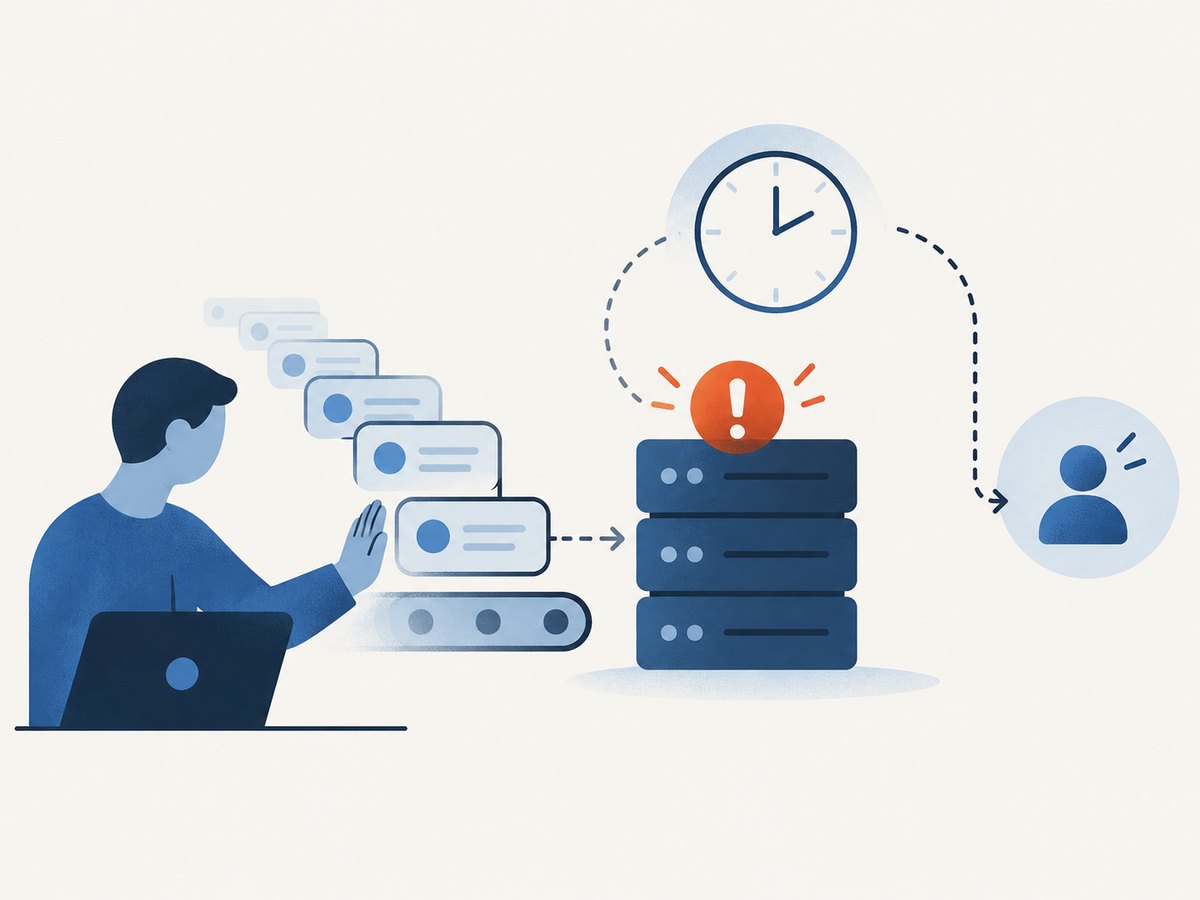
Cloudflare describes Error 1015 as a temporary block after a website receives too many requests. The website owner configures the rate-limiting rules; Cloudflare returns the error on that owner’s behalf. The limit may apply to a particular path, action, or pattern of requests rather than to a site-wide quota. Cloudflare’s Error 1015 documentation advises blocked visitors to wait, avoid repeated attempts in a short period, and contact the site owner or support if the issue persists.
For a scraper, the practical response is to stop sending traffic to the affected site. A retry loop that immediately repeats the same request can prolong the block and create more load. A 1015 response does not reveal a generally applicable request-per-second threshold, and Cloudflare’s guidance does not establish one.
2. What to do immediately
- Stop the affected job. Pause workers and schedulers for that host or endpoint. Do not continue launching parallel requests while investigating.
- Save the response details. Record the status, response headers, time, URL path, and a small excerpt of the response body. Avoid logging credentials or private cookies.
- Honor
Retry-Afterif present. Treat it as the earliest time to consider another attempt, not a promise that access will be restored then. - Check your access basis. Review the site’s published terms, crawler guidance, API documentation, and any permission you have. Use an official API or licensed source if available and suitable.
- Resume cautiously only if permitted. Reduce request volume and concurrency, avoid bursts, and make each request necessary. If the limit happens again, stop and ask the site owner rather than trying more variations.
Cloudflare’s error-response reference lists retry_after: 30 for Error 1015. That is not a guaranteed cooldown for every site or rule. A dynamic Retry-After set by a WAF rule takes precedence. Follow the value in the actual response when it is supplied. See Cloudflare’s error-response reference.
3. Read 429 and Retry-After correctly
HTTP 429 means the server considers the client to have sent too many requests within a period. The server may include a Retry-After header. A 429 is a signal to slow or stop; it is not a universal quota with a standard request count. A website’s owner determines the relevant policy. Cloudflare’s 429 explanation covers the status code and possible retry guidance.
| Response situation | Prudent handling |
|---|---|
1015 or 429 includes Retry-After |
Pause at least that long. Do not treat the delay as permission to continue or as a guarantee the next request will succeed. |
| 1015 or 429 has no retry guidance | Stop automated retries. Check documentation and permission; contact the owner if continued access is needed. |
| Different denial such as 401 or 403 | Investigate authentication and access policy. Do not assume it is a rate-limit problem. |
| Repeated limit after a cautious, permitted resume | Stop the job and seek guidance or an authorized data source. |
Cloudflare documents rate-limit headers and numerical quotas for its own API. Those API quotas apply to Cloudflare’s API, not to unrelated websites. Do not use them to infer a safe pace for scraping another site.
4. Build a scraper that stops on rate limits
The example below shows the response-handling pattern in Python with requests. Use it only for a site and data you are authorized to access, and replace the sample URL with an endpoint whose access policy permits your use. It performs one request, reports a rate-limit response, and exits instead of retrying in a loop.
import sys
import requests

URL = "https://example.com/permitted-endpoint"

try:
    response = requests.get(
        URL,
        headers={"User-Agent": "ExampleResearchBot/1.0 (contact: you@example.org)"},
        timeout=(5, 30),
    )
except requests.RequestException as exc:
    print(f"Request failed: {exc}", file=sys.stderr)
    sys.exit(1)

if response.status_code in (429, 1015):
    retry_after = response.headers.get("Retry-After")
    print(
        f"Rate limited (HTTP {response.status_code}); "
        f"Retry-After={retry_after!r}. Job stopped.",
        file=sys.stderr,
    )
    sys.exit(2)

response.raise_for_status()
print(response.text)
This example deliberately does not sleep and retry automatically. A standalone client cannot know whether a later request is permitted or whether a site-specific limit remains in force. If an owner has documented an authorized retry procedure, implement that procedure explicitly, enforce a bounded retry count, and make a renewed rate-limit response stop the job.
Use cURL to inspect a single response
For diagnosis, issue one request and include response headers in the output. Do not paste secret cookies or authorization values into a shared terminal transcript.
curl --include --max-time 30 \
  --user-agent 'ExampleResearchBot/1.0 (contact: you@example.org)' \
  'https://example.com/permitted-endpoint'
Check the status line and whether Retry-After appears. A missing header is not permission to retry immediately.
Use Node.js to stop on a limit
With a recent Node.js version that provides fetch, check the status before processing the body. The code makes one request and exits on a rate-limit response.
const url = 'https://example.com/permitted-endpoint';

try {
  const response = await fetch(url, {
    headers: {
      'User-Agent': 'ExampleResearchBot/1.0 (contact: you@example.org)',
    },
    signal: AbortSignal.timeout(30_000),
  });

  if (response.status === 429 || response.status === 1015) {
    console.error(
      `Rate limited (HTTP ${response.status}); ` +
      `Retry-After=${response.headers.get('retry-after')}. Job stopped.`,
    );
    process.exitCode = 2;
  } else if (!response.ok) {
    throw new Error(`HTTP ${response.status}`);
  } else {
    console.log(await response.text());
  }
} catch (error) {
  console.error(`Request failed: ${error.message}`);
  process.exitCode = 1;
}
5. Keep crawler behavior controlled
Once access is authorized, make a scraper easy to stop and gentle on the service. These controls do not override a site’s rules; they help avoid accidental request bursts during permitted work.
- Use one central limiter per host. If several workers each have their own delay, the combined traffic may still be a burst. Coordinate workers through a shared queue or limiter.
- Use bounded concurrency. Begin with the lowest concurrency that meets the authorized task. Do not increase it merely because responses are fast.
- Deduplicate and cache. Avoid fetching the same unchanged page repeatedly. Keep a record of completed URLs and use conditional requests only where the site supports them.
- Use backoff only when authorized. A documented policy may specify how to retry transient failures. For rate-limit responses, first honor
Retry-After; if there is no guidance, stop and seek direction instead of inventing a delay. - Set request and job timeouts. Bound connection and read time, and cap total work so a stalled task cannot generate uncontrolled retries.
- Identify the client honestly. Use a clear user-agent and a contact address when appropriate. Do not impersonate a browser or another party to evade a rule.
- Keep an operator stop switch. Make it possible to pause all workers for a host immediately, including scheduled jobs.
6. Check robots.txt and permission separately
robots.txt is a crawler protocol, not a grant of access. RFC 9309 says crawlers should follow parseable rules when the file is successfully fetched, and it also expressly says those rules are not access authorization. A permissive robots file does not authorize bypassing authentication, rate limits, or other controls; a disallow rule should be treated as crawler guidance. Read RFC 9309.
For recurring data needs, the most reliable next step is often to ask the publisher for an API, feed, export, or written permission. If a third party offers the dataset, confirm that its license permits your intended collection and use before relying on it.
7. Troubleshooting: causes and fixes
| Symptom | Likely cause | What to do |
|---|---|---|
| Error 1015 appears after a burst | The site’s configured rate rule matched the request pattern. | Stop the job, inspect retry guidance, reduce permitted request pressure before any approved resume. |
| Every retry gets blocked | Retries are arriving too quickly or the block has not cleared. | Disable the retry loop. Wait according to the response and contact the owner if it persists. |
No Retry-After header is visible |
The response does not provide a dynamic delay, or a client/proxy hid headers. | Inspect the raw response once. Do not substitute Cloudflare’s example value as a guarantee; ask the owner if necessary. |
| One worker succeeds while a batch fails | Combined traffic, request bursts, or a rule specific to a path may be involved. | Pause the batch and coordinate traffic centrally. Do not assume successful requests make the blocked pattern acceptable. |
| HTTP 403 or 401 instead of 1015 | Access may require credentials or may be denied for another policy reason. | Use documented authentication or request permission. Do not treat it as a rate limit to work around. |
| Timeouts are mistaken for rate limits | Network or server delays can fail a request without a 1015/429 response. | Log the status and exception separately. Retry only under the site’s documented policy. |
| robots.txt allows the path but 1015 continues | Robots rules and rate controls are separate. | Continue honoring the rate control; robots.txt is not authorization. |
8. Reliability, performance, and cost
Stopping on a rate-limit response makes a crawler more predictable: it avoids needless traffic, repeated failures, and wasted worker time. It does not guarantee access or make an unauthorized crawl acceptable. A request can still time out, return an unrelated error, or be denied under a separate policy.
For performance, measure successful work rather than maximizing requests per second. Cache unchanged results, deduplicate inputs, and schedule permitted work to avoid bursts. For reliability, persist job state so a stopped run can be reviewed without blindly replaying completed requests. Keep logs limited to the information needed to diagnose status and timing.
There is no evidence-based universal cost or rate figure for scraping arbitrary websites. Your cost depends on your own compute, storage, and data arrangement, while the site owner’s limits are independently configured. An authorized API may publish its own pricing and quota; evaluate those terms directly rather than extrapolating from Cloudflare API limits.
9. Capture a page screenshot without running a scraper
If the task is to document how a page looked, rather than to extract a dataset through repeated requests, a screenshot API may fit better. ScreenshotNeo is a website screenshot API and MCP server. This does not grant access to a blocked site or bypass its rate limit; use it only where you are permitted to capture the page.

Or skip the browser setup
For an authorized page capture, one GET request returns an image or PDF. The examples below use the documented API base and show a WebP output filename; see the ScreenshotNeo API documentation for request options.
curl -G "https://api.screenshotneo.com/v1/shot" \
  -d access_key=YOUR_API_KEY \
  --data-urlencode url=https://stripe.com \
  -o shot.webp
import requests
r = requests.get(
"https://api.screenshotneo.com/v1/shot",
params={"access_key": "YOUR_API_KEY", "url": "https://stripe.com"},
timeout=90,
)
open("shot.webp", "wb").write(r.content)const q = new URLSearchParams({ access_key: 'YOUR_API_KEY', url: 'https://stripe.com' });
const res = await fetch(`https://api.screenshotneo.com/v1/shot?${q}`);- Cookie and consent banners are accepted and removed before capture; newsletter popups and chat widgets are removed too. Each cleanup step can be turned off.
- Bot checks, blank pages, failed loads, timeouts, and cache hits are not billed. Responses identify the page verdict and billing status in headers.
- An MCP server provides
take_screenshot,get_page_info, andcapture_pdftools for Claude, Cursor, and other MCP clients. - The free plan includes 1,000 screenshots per month with no card. Paid plans start at $5 for 3,000 screenshots; every feature is on every plan.
Sign up for 1,000 free screenshots a month, with no card required.
10. FAQ
Does Error 1015 mean Cloudflare blocked my account?
It means a site’s rate-limiting rule temporarily blocked the request. It does not by itself establish that your account is banned or that the block will end at a fixed time.
Is 30 seconds always enough to wait?
No. Cloudflare lists 30 seconds as a default retry value in its error reference, but a dynamic rule value can take precedence, and no delay guarantees access will resume.
Does robots.txt mean I can scrape a page?
No. It communicates crawler rules; RFC 9309 states those rules are not access authorization.
Should I change IP addresses to get past 1015?
No. The documented response is to stop rapid retries, follow retry guidance, reduce permitted request pressure, and contact the site owner when needed. Do not treat changing network identity as permission.
Can a screenshot service fix a 1015 block?
No. A screenshot service is for capturing pages you are authorized to access. It is not a way to defeat the website’s rate limits.


