11 Essential JavaScript Functions Every Developer Should Know
Learn eleven JavaScript functions by the result you need: transform, select, test, schedule work, fetch data, and handle real edge cases.
JavaScript has hundreds of built-ins, but a small group solves most everyday tasks. This guide selects eleven practical functions and methods: map(), filter(), find(), forEach(), reduce(), some(), every(), includes(), slice(), setTimeout(), and fetch(). “Essential” here is an editorial choice, not an official language ranking. Learn the result each one returns, then choose by intent.
1. map(): transform every item
map() calls a callback for each present array element and returns a new array with the callback results. Use it when every input has a corresponding output. The original array is left unchanged.
const prices = [10, 25, 8];
const withTax = prices.map(price => price * 1.2);
console.log(withTax); // [12, 30, 9]
The callback receives (element, index, array). Return a value explicitly; a block-bodied arrow function without return produces undefined for that slot.
2. filter(): select matching items
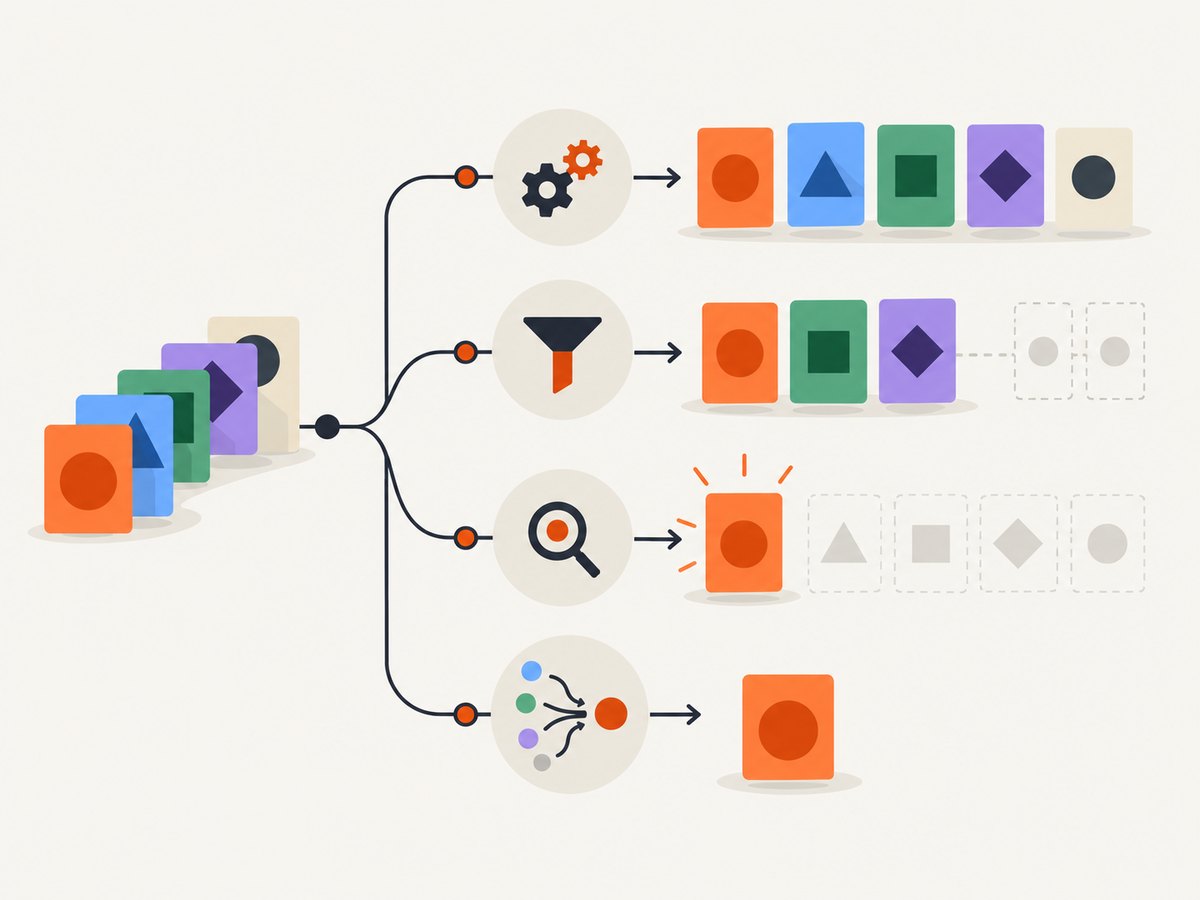
filter() returns a new array containing elements for which the predicate is truthy. It is the right shape when zero, one, or many records may match.
const users = [{name: 'Ada', active: true}, {name: 'Lin', active: false}];
const activeUsers = users.filter(user => user.active);
console.log(activeUsers); // [{name: 'Ada', active: true}]
The source array is not mutated. An empty result is normal when nothing passes. Keep predicates focused; combine conditions with clear parentheses.
3. find(): get the first match
find() stops at the first element whose predicate is truthy and returns that element. If no element matches, it returns undefined.
const orders = [{id: 101, total: 19}, {id: 102, total: 42}];
const order = orders.find(item => item.id === 102);
console.log(order); // {id: 102, total: 42}
Use find() instead of filter()[0] when you want one item and want iteration to stop early. Check for undefined before reading properties.
4. forEach(): perform a side effect
forEach() runs a callback for each present element and returns undefined. Use it for effects such as logging, updating a counter, or appending to an existing collection—not when you need a transformed array.
const files = ['a.js', 'b.js'];
files.forEach((file, index) => console.log(index, file));
return inside the callback does not return from the outer function. Do not use await with forEach() when you need to wait for promises; use a for...of loop or Promise.all(files.map(...)).
5. reduce(): accumulate a result
reduce() feeds each element and an accumulator into a callback and returns the final accumulator. It can produce a number, string, object, map, or any other value.
const lineItems = [{price: 12, qty: 2}, {price: 5, qty: 3}];
const total = lineItems.reduce((sum, item) => sum + item.price * item.qty, 0);
console.log(total); // 39
Provide an initial value, especially for empty arrays. Without one, the first element becomes the accumulator and an empty array throws a TypeError. Prefer map() or filter() when their intent says exactly what you mean; a dense reducer can hide bugs.
6. some(): test whether any item matches
some() returns a boolean and stops as soon as the predicate is true. An empty array returns false.
const roles = ['editor', 'viewer'];
const canPublish = roles.some(role => role === 'admin' || role === 'editor');
console.log(canPublish); // true
7. every(): test whether all items match
every() also returns a boolean, but stops at the first false predicate. An empty array returns true (there is no counterexample).
const scores = [82, 91, 77];
const passed = scores.every(score => score >= 60);
console.log(passed); // true
These short-circuiting methods avoid building temporary arrays. Name predicates positively so the result reads naturally.
8. includes(): check for a value or substring
includes() returns a boolean indicating whether an array contains a value or a string contains a substring. It uses same-value-zero comparison, so NaN can be found.
console.log(['js', 'css'].includes('js')); // true
console.log('screenshot'.includes('shot')); // true
It tests values, not object shape: two separately created objects with identical fields are not the same reference. Use some() for a property test.
9. slice(): copy a selected range
slice(start, end) returns a shallow copy from the inclusive start index to the exclusive end index. Negative indexes count from the end, and the original remains unchanged.
const page = ['a', 'b', 'c', 'd'].slice(1, 3);
console.log(page); // ['b', 'c']
Because the copy is shallow, nested objects are still shared references. For insertion or deletion that mutates an array, use splice() deliberately; do not confuse the names.
10. setTimeout(): schedule later work
setTimeout(callback, delay) is a host-provided timer API, not a core language function. It schedules a task no earlier than the requested delay; it does not pause the current code and does not guarantee an exact execution time.
console.log('start');
setTimeout(() => console.log('later'), 0);
console.log('end');
// start, end, later
The callback runs after the current stack is empty. Save the returned handle if you may cancel it with clearTimeout(handle). In browsers, background tabs can be throttled; in Node.js, the event loop and other work also affect timing.
11. fetch(): make an HTTP request
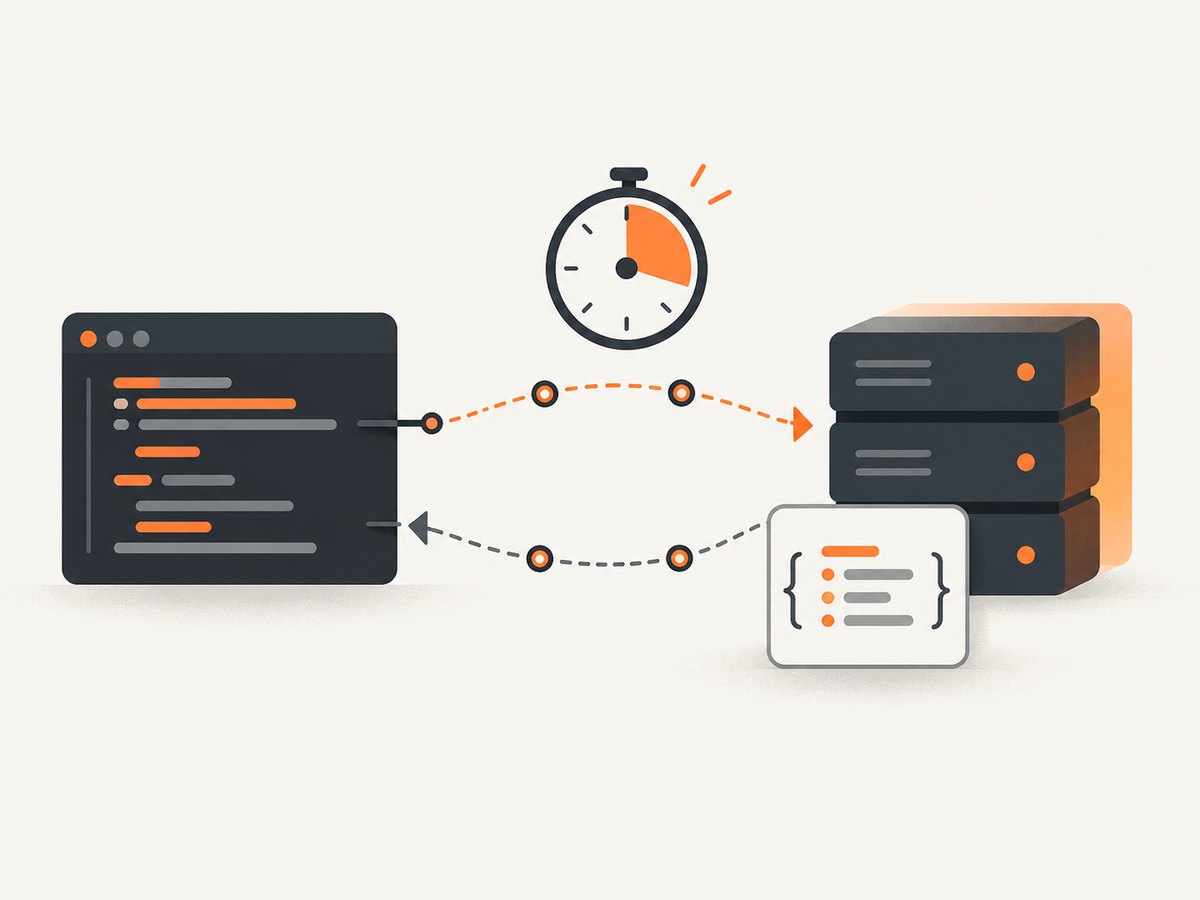
fetch() is a Web API global (and available in modern Node.js). It returns a promise that resolves to a Response; an HTTP 404 or 500 still resolves, so check response.ok before consuming the body.
async function loadUser() {
  const response = await fetch('https://api.example.com/users/42');
  if (!response.ok) throw new Error(`HTTP ${response.status}`);
  const user = await response.json();
  return user;
}

loadUser().then(console.log).catch(console.error);
Network failures reject the promise. response.json() is asynchronous and can reject when the body is not valid JSON. Add an AbortController timeout for user-facing code and never assume a response has the content type you expected.
Choosing the right array method
| Goal | Method | Returns |
|---|---|---|
| Transform every item | map() |
New array |
| Select matching items | filter() |
New array |
| Get one match | find() |
Element or undefined |
| Run an effect | forEach() |
undefined |
| Combine values | reduce() |
Accumulator |
| Test any/all | some()/every() |
Boolean |
| Check membership | includes() |
Boolean |
| Copy a range | slice() |
Shallow array or string |
Functions, callbacks, and return values
Functions are first-class objects: assign them to variables, pass them as arguments, and return them. That is why array methods accept callbacks. A function with no explicit return value returns undefined, and omitted parameters are also undefined.
function label(name = 'guest') {
  return `Hello, ${name}`;
}
const greet = label;
console.log(greet()); // Hello, guest
Promise handlers are asynchronous and composable: .then() returns another promise, and handlers run through the microtask queue even when the promise is already fulfilled. Keep one error path with try/catch in an async function or a final .catch().
Runnable mini-project: filter, map, reduce, and fetch together
async function report(url) {
  const response = await fetch(url);
  if (!response.ok) throw new Error(`Request failed: ${response.status}`);
  const records = await response.json();
  const paid = records.filter(record => record.status === 'paid');
  const totals = paid.map(record => record.amount);
  const sum = totals.reduce((total, amount) => total + amount, 0);
  return {count: paid.length, sum};
}

report('https://api.example.com/orders')
  .then(console.log)
  .catch(error => console.error(error.message));
Replace the URL with an endpoint you control. The expected JSON shape is an array of objects with status and numeric amount fields.
Or skip the browser setup
If your JavaScript project needs screenshots of pages, ScreenshotNeo provides a GET endpoint that returns PNG, JPEG, WebP, or PDF. It accepts cookie and consent banners like a visitor, removes more than 60 known consent platforms plus newsletter popups and chat widgets, and lets you turn each step off. Only clean shots are billed: bot checks, CAPTCHAs, blank pages, timeouts, failed loads, and cache hits cost nothing, with X-Page-Verdict and X-Billed headers describing the result. See the ScreenshotNeo API docs.
cURL
curl -G "https://api.screenshotneo.com/v1/shot" -d access_key=YOUR_API_KEY --data-urlencode url=https://stripe.com -o shot.webpPython
import requests
r = requests.get("https://api.screenshotneo.com/v1/shot", params={"access_key": "YOUR_API_KEY", "url": "https://stripe.com"}, timeout=90)
open("shot.webp", "wb").write(r.content)
Node.js
const q = new URLSearchParams({ access_key: 'YOUR_API_KEY', url: 'https://stripe.com' });
const res = await fetch(`https://api.screenshotneo.com/v1/shot?${q}`);
ScreenshotNeo also supports full-page shots with lazy images loaded, CSS-selector element capture, dark mode, 12 device presets or custom viewports, retina scale, PDF paper and margin settings, custom CSS and JavaScript, clicks, selector or network-idle waits, request blocking, headers, cookies, user agents, authorization, timezone, geolocation, transparent backgrounds, resizing, chosen cache TTLs, signed image links, asynchronous jobs with signed webhooks, bulk capture of 100 URLs per call, a usage API, and an OpenAPI spec. Existing parameter names used by other screenshot APIs work too.
An MCP server exposes take_screenshot, get_page_info, and capture_pdf to Claude, Cursor, and other MCP clients. The free plan includes 1,000 shots each month with no card; paid plans start at $5 for 3,000 shots. Create a free ScreenshotNeo account.
Troubleshooting and edge cases
- “map is not a function”: the value is not an array. Inspect it before calling the method and parse JSON only after checking the response.
- Unexpected
undefinedfromfind(): no predicate matched. Handle the missing case before dereferencing. - Reducer throws on empty input: pass an initial accumulator such as
0,[], or{}. forEachfinishes before async work: it does not await callbacks. Usefor...ofwithawaitorPromise.all.fetchdid not throw on 404: testresponse.ok; only network-level failures reject automatically.- Timer fires late: timers are minimum delays and can be throttled or blocked by a busy event loop.
includesmisses an object: object membership uses reference identity. Compare a key withsome().- Slice changed nested data: it is a shallow copy. Clone nested records when independent mutation is required.
Performance, reliability, and cost notes
All listed array methods scan at most the input length and short-circuit where noted. Their callback work usually dominates runtime; avoid repeated sorting, parsing, or network calls inside a loop. For large data sets, stream or page records instead of loading everything into memory. Keep asynchronous requests bounded with cancellation and retries designed for the API’s rules, and validate untrusted JSON before processing it.
For screenshot workloads, cache deliberately with a TTL, use bulk capture for up to 100 URLs per call, and prefer asynchronous jobs with signed webhooks when a request may outlive a normal HTTP timeout. Read the verdict and billing headers so retries do not create surprises.
FAQ
Which three methods should a beginner learn first?
Start with map(), filter(), and find(). Together they cover transformation, selection, and one-record lookup.
Should I always replace loops with array methods?
No. Choose the clearest form. A loop is often better for early exits across several steps, mutation of a local accumulator, or sequential asynchronous work.
Are setTimeout() and fetch() part of JavaScript itself?
They are host APIs. Browsers provide both; modern Node.js provides them with runtime-specific details. Check the target runtime before shipping.
How do I know whether a method mutates my array?
The methods in this guide return new arrays or values and do not mutate the source array. Nested objects can still be shared after slice() or other shallow copies.


