What Is Ethical Web Scraping and How Do You Do It?
Learn how to scrape responsibly: permission, robots.txt, privacy, low-impact crawling, secure data handling, and practical Python code.
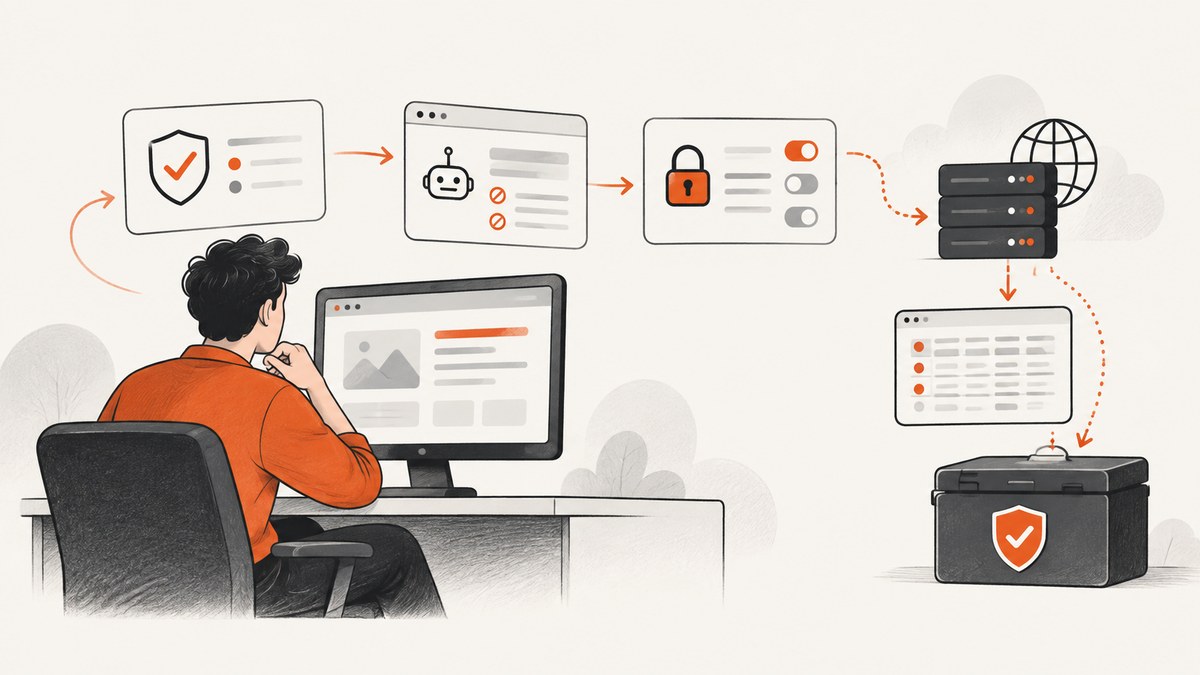
Ethical web scraping is a project-level practice, not a legal status you get from one setting. A defensible scraper has a documented purpose, checks permission and site rules, collects only necessary data, limits load, protects people whose information may appear, and stops when access is restricted or harm becomes apparent.
Public visibility does not remove privacy obligations. Privacy regulators state that publicly accessible personal information remains subject to data-protection and privacy laws in most jurisdictions. Read the joint regulator statement. This guide shows a practical workflow, runnable Python code, operational safeguards, and common failure modes. It is not jurisdiction-specific legal advice; your legal review should match the countries, people, data, and purpose involved.
1. What ethical web scraping means
Ethical scraping combines authorization, proportionality, privacy protection, technical restraint, and accountability:
- Authorization: Use an official API, written permission, or a route whose rules allow the intended access. A page being reachable without a login is not the same as permission for every purpose.
- Proportionality: Fetch the fewest pages and fields needed to answer a defined question.
- Low impact: Identify your crawler, use conservative concurrency, cache responses, and back off when a host reports errors or blocks.
- Privacy: Treat names, contact details, account information, precise location, health information, political opinions, and other identifying or sensitive fields as potential personal data.
- Accountability: Keep a record of purpose, scope, source, timestamps, rules checked, retention, and deletion decisions.
Do not describe rotating identities, bypassing authentication, defeating CAPTCHAs, or disguising traffic as ethical safeguards. Those actions evade controls rather than establish permission.
2. Is web scraping legal?
There is no universal yes-or-no answer. The analysis can involve privacy and data-protection law, contract, copyright, database rights, computer-access laws, confidentiality, and site-specific restrictions. The result depends on your jurisdiction, the target, the data, the purpose, and the access method.
Ask these questions before writing a crawler:
- Who operates the exact host, subdomain, protocol, and port?
- Does an official API or data feed exist?
- Do the current terms, API conditions, or written permission cover this purpose?
- Will the collection contain personal or special-category data?
- What lawful basis, transparency, minimization, retention, and security controls apply?
- How will the operator or an affected person ask you to stop or correct data?
An API can improve host control, logging, and monitoring, but a contract by itself does not make otherwise unlawful personal-data processing lawful. The regulators’ statement explains this distinction.
3. Does robots.txt mean you can scrape a site?
robots.txt is a crawler protocol, not an access grant or a security barrier. RFC 9309 states, “These rules are not a form of access authorization.” If a crawler successfully downloads the file, it “MUST follow the parseable rules.” See RFC 9309.
Therefore, perform two separate checks:
- Protocol check: Fetch the target host’s top-level
/robots.txt, parse the rules for your user-agent, and exclude disallowed paths. - Permission and legal check: Review terms, API conditions, written permission, privacy obligations, and the intended purpose.
Rules are scoped to the relevant host, protocol, and port. Google’s parser documentation is useful for understanding Google’s implementation, but its behavior should not be generalized to every crawler. RFC 9309 also says crawlers should not use a cached robots file for more than 24 hours unless it is unreachable. That is a robots-file caching recommendation, not a universal request interval.
4. A step-by-step ethical scraping workflow
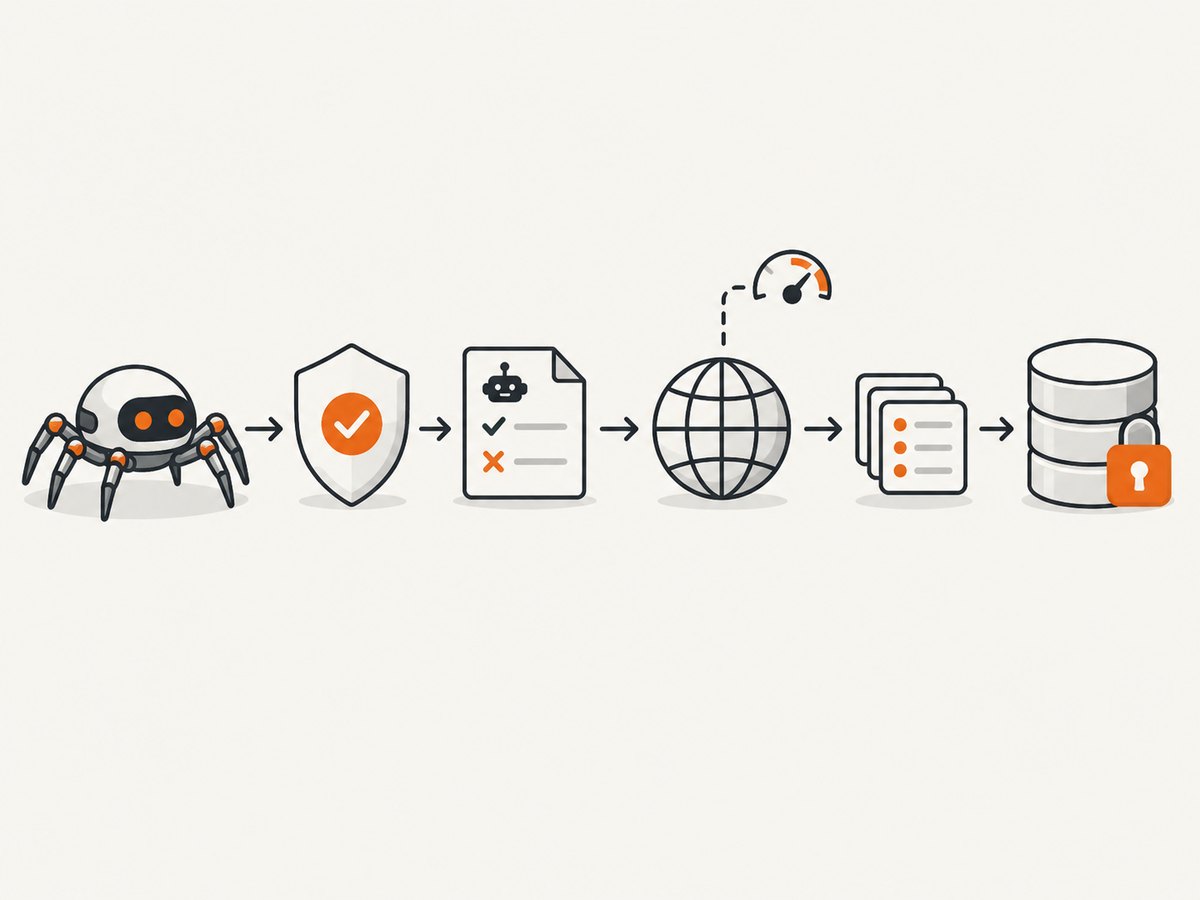
Step 1: Define purpose and scope
Write a short collection specification before coding. State the question the dataset must answer, the URLs or URL patterns required, fields required, people who may be affected, recipients, retention period, and deletion trigger. Exclude credentials, private areas, and sensitive or identifying fields unless specific permission and a documented legal basis support them.
Step 2: Prefer a permissioned route
Use an official API or written permission when practical. Ask for the smallest useful scope, authentication method, rate limits, attribution requirements, and a contact for revocation or corrections. If no API exists, document why the public route is appropriate and preserve the evidence you relied on.
Step 3: Check robots.txt and terms
Fetch robots.txt for the exact host, record the retrieval time, match your user-agent, and reject disallowed URLs before making page requests. Recheck after material site changes or before a new crawl. A one-time check does not guarantee continuing permission.
Step 4: Identify the crawler and reduce load
Use a clear user-agent containing a project name and contact URL or email. Limit concurrency, add a delay or token bucket, cache successful responses, and avoid fetching duplicate URLs. Monitor status codes and latency. Stop or increase the delay after repeated 429, 403, 5xx responses, connection failures, or an explicit objection.
Step 5: Minimize and protect data
Extract only required fields. Do not copy entire pages when a title and price answer the project question. Separate identifiers from analytical data where possible, encrypt data in transit and at rest, restrict access, log access to the dataset, and establish deletion jobs. If personal data is involved, provide any required transparency notice and a process for correction or removal.
Step 6: Validate and record provenance
Store the source URL, collection timestamp, parser version, and relevant response status. Validate values against reliable sources before making decisions from them. The EDPB’s guidance summary for generative-AI scraping specifically recommends reliable sources, timestamps, and accuracy validation; apply that advice carefully to your own context. Check the EDPB announcement.
5. Complete Python example: a low-impact, robots-aware crawler
The example below collects article titles from an authorized set of pages. It checks robots.txt, identifies itself, limits requests to one at a time, caches responses on disk, and stops on repeated failures. Install dependencies with python -m pip install requests beautifulsoup4.
from pathlib import Path
from urllib.parse import urljoin, urlparse
from urllib.robotparser import RobotFileParser
import hashlib
import json
import time

import requests
from bs4 import BeautifulSoup

START_URLS = [
    "https://example.com/articles/one",
    "https://example.com/articles/two",
]
USER_AGENT = "ResearchCatalogBot/1.0 (+https://example.org/bot-info)"
CACHE_DIR = Path("cache")
DELAY_SECONDS = 2.0
TIMEOUT_SECONDS = 20

session = requests.Session()
session.headers.update({"User-Agent": USER_AGENT, "Accept": "text/html"})
CACHE_DIR.mkdir(exist_ok=True)

robots_by_origin = {}
def allowed_by_robots(url):
    parsed = urlparse(url)
    origin = f"{parsed.scheme}://{parsed.netloc}"
    if origin not in robots_by_origin:
        robots_url = urljoin(origin, "/robots.txt")
        rp = RobotFileParser(robots_url)
        try:
            response = session.get(robots_url, timeout=TIMEOUT_SECONDS)
            if response.status_code >= 400:
                # A missing/unavailable file is not permission; review manually.
                return False
            rp.parse(response.text.splitlines())
            robots_by_origin[origin] = rp
        except requests.RequestException:
            return False
    return robots_by_origin[origin].can_fetch(USER_AGENT, url)

def cache_path(url):
    key = hashlib.sha256(url.encode("utf-8")).hexdigest()
    return CACHE_DIR / f"{key}.html"

def fetch(url):
    path = cache_path(url)
    if path.exists():
        return path.read_text(encoding="utf-8")
    if not allowed_by_robots(url):
        raise PermissionError(f"robots.txt does not allow or could not verify {url}")
    response = session.get(url, timeout=TIMEOUT_SECONDS)
    if response.status_code in (403, 429) or response.status_code >= 500:
        raise RuntimeError(f"stop/back off after HTTP {response.status_code} for {url}")
    response.raise_for_status()
    path.write_text(response.text, encoding="utf-8")
    time.sleep(DELAY_SECONDS)
    return response.text

records = []
for url in START_URLS:
    try:
        html = fetch(url)
        soup = BeautifulSoup(html, "html.parser")
        title = soup.find("h1") or soup.find("title")
        records.append({
            "url": url,
            "title": title.get_text(" ", strip=True) if title else None,
            "collected_at": time.strftime("%Y-%m-%dT%H:%M:%SZ", time.gmtime()),
        })
    except (PermissionError, RuntimeError, requests.RequestException) as exc:
        print(f"Skipped: {exc}")

Path("records.json").write_text(json.dumps(records, indent=2), encoding="utf-8")
Replace example.com only after confirming that the host permits your project. For a larger job, add a persistent queue, retry policy with exponential backoff, per-origin budgets, structured logs, and a manual stop switch. Keep robots parsing and permission decisions outside the HTML parser so a parsing bug cannot silently expand scope.
6. Handling dynamic pages without increasing risk
JavaScript-rendered pages may require a browser, but rendering increases CPU, bandwidth, and third-party requests. First check whether the page exposes an authorized JSON endpoint or API. If browser rendering is permitted, block unnecessary resource types, disable downloads, set a page timeout, wait for one specific selector, and capture only the required content. Do not use a browser to defeat authentication, CAPTCHAs, bot checks, paywalls, or access controls.
For screenshots used in documentation or QA, ScreenshotNeo can provide a controlled capture route. Its cleaning steps accept cookie or consent banners and remove more than 60 known consent platforms, newsletter popups, and chat widgets; each step can be disabled. Use it only for URLs you are authorized to access.
7. Or skip the browser setup
When the authorized task is a visual capture, ScreenshotNeo’s one-request API returns PNG, JPEG, WebP, or PDF. See the ScreenshotNeo documentation for all options.

curl -G "https://api.screenshotneo.com/v1/shot" -d access_key=YOUR_API_KEY --data-urlencode url=https://stripe.com -o shot.webpimport requests
r = requests.get("https://api.screenshotneo.com/v1/shot", params={"access_key": "YOUR_API_KEY", "url": "https://stripe.com"}, timeout=90)
open("shot.webp", "wb").write(r.content)const q = new URLSearchParams({ access_key: 'YOUR_API_KEY', url: 'https://stripe.com' });
const res = await fetch(`https://api.screenshotneo.com/v1/shot?${q}`);Cookie banners, popups, and chat widgets are removed before the shot; bot checks, blank pages, and failed loads are never billed; response headers identify the page verdict and whether it was billed. An MCP server provides take_screenshot, get_page_info, and capture_pdf tools for Claude, Cursor, and other MCP clients. The Free plan includes 1,000 screenshots per month with no card, and paid plans start at $5 for 3,000 shots. Create a free ScreenshotNeo account.
8. Troubleshooting ethical scrapers
| Symptom | Likely cause | Fix |
|---|---|---|
| Robots check fails | robots.txt is unavailable, malformed, or cannot be parsed. | Pause the crawl, review manually, contact the operator, and do not treat an unavailable file as permission. |
| HTTP 429 | Requests exceed the host’s current tolerance or published limit. | Stop, honor Retry-After when supplied, reduce concurrency, increase delay, and ask for an API or approved limit. |
| HTTP 403 | Access is restricted or your route is not authorized. | Do not rotate identities or bypass the block. Request permission or use an official API. |
| Many 5xx errors | The origin is overloaded or experiencing an outage. | Stop and retry later with exponential backoff; notify the operator if appropriate. |
| Empty content | Important content is rendered by JavaScript or an interaction is required. | Look for an authorized API; otherwise use a permitted browser workflow with a narrow wait condition. |
| Unexpected personal data | Your selector captured more fields than planned. | Stop ingestion, quarantine the data, narrow selectors, review lawful basis and retention, then delete unnecessary copies. |
| Stale records | Cached pages or changed templates. | Record timestamps, set a documented refresh policy, validate fields, and recheck selectors after site changes. |
9. Performance, reliability, and cost
Performance
Measure pages per minute, response bytes, median and tail latency, error rate, cache-hit rate, and parser time. Reduce work by deduplicating canonical URLs, selecting fields server-side when an API permits it, caching immutable pages, and avoiding browser rendering for static content. A fast crawl that harms the origin is not a successful crawl.
Reliability
Use durable queues, idempotent jobs, checkpoints, bounded retries, and per-origin circuit breakers. Keep raw responses only when necessary and protect them as carefully as derived data. A stop switch should be available to the operator, and an objection should take effect without waiting for a deployment.
Cost
Estimate bandwidth, compute, browser sessions, storage, proxy or API fees, and human review. Cache reduces both cost and load. For screenshots, ScreenshotNeo offers Free 1,000 shots per month, Starter $5 for 3,000, Growth $15 for 15,000, Pro $39 for 60,000, Scale $99 for 250,000, and Business $249 for 1,000,000; yearly billing gives two months free. Every feature is available on every plan.
10. A pre-crawl checklist
- Purpose, scope, fields, recipients, and retention are written down.
- The target’s current terms and API conditions were reviewed.
- An API or written permission was considered first.
- robots.txt was fetched for the exact host and matching user-agent.
- The crawler has an identifiable user-agent and contact route.
- Concurrency, delay, caching, timeout, retry, and stop rules are configured.
- Personal-data and special-category risks have been assessed.
- Access controls, encryption, provenance, correction, and deletion procedures exist.
- The team will recheck conditions when purpose, site, or data changes.
11. FAQ
Can I scrape a website if it is public?
Public access is one fact in the analysis. Check authorization, terms, robots.txt, privacy law, purpose, and impact before collecting.
Is ignoring robots.txt illegal?
Legal consequences vary by jurisdiction and facts. Technically, RFC 9309 says a crawler that successfully downloads robots.txt must follow its parseable rules, while also stating that robots.txt is not authorization.
What request rate is ethical?
There is no universal safe number. Use the lowest rate that meets the purpose, observe the host’s instructions and capacity, and back off or stop on errors or objections.
Does an API make scraping compliant?
An API can improve control and auditability, but it does not remove privacy, purpose, retention, or other legal obligations.
What should I do after a deletion request?
Pause affected processing, verify the request under the applicable process, remove data and derived copies where required, document the action, and update downstream recipients.


