How to Exclude an Iframe When Taking a Screenshot with JavaScript
Use html2canvas’s ignore attribute, ignoreElements option, or onclone callback to omit an iframe from a JavaScript screenshot.

To omit an iframe from an html2canvas capture, mark it with data-html2canvas-ignore, filter it with the library’s ignoreElements option, or remove it from the cloned document in onclone. These are html2canvas features; they are not universal options for every JavaScript screenshot tool.
For a single iframe whose markup you control, the attribute is simplest:
<iframe src="https://embed.example/" data-html2canvas-ignore></iframe>If you need a reusable runtime rule, use a predicate:
const canvas = await html2canvas(document.querySelector("#capture"), {
  ignoreElements: (element) => element.tagName === "IFRAME",
});
Choose the attribute for one known marked frame, ignoreElements for a rule that selects frames at render time, and onclone if you want to remove elements only from html2canvas’s temporary document copy.
1. Know what html2canvas captures
html2canvas does not take a literal screenshot of the browser’s pixels. It reads DOM information and reconstructs an image, so the result can differ from the live page. Its options affect that rendering process, including which elements it skips. See the html2canvas documentation.
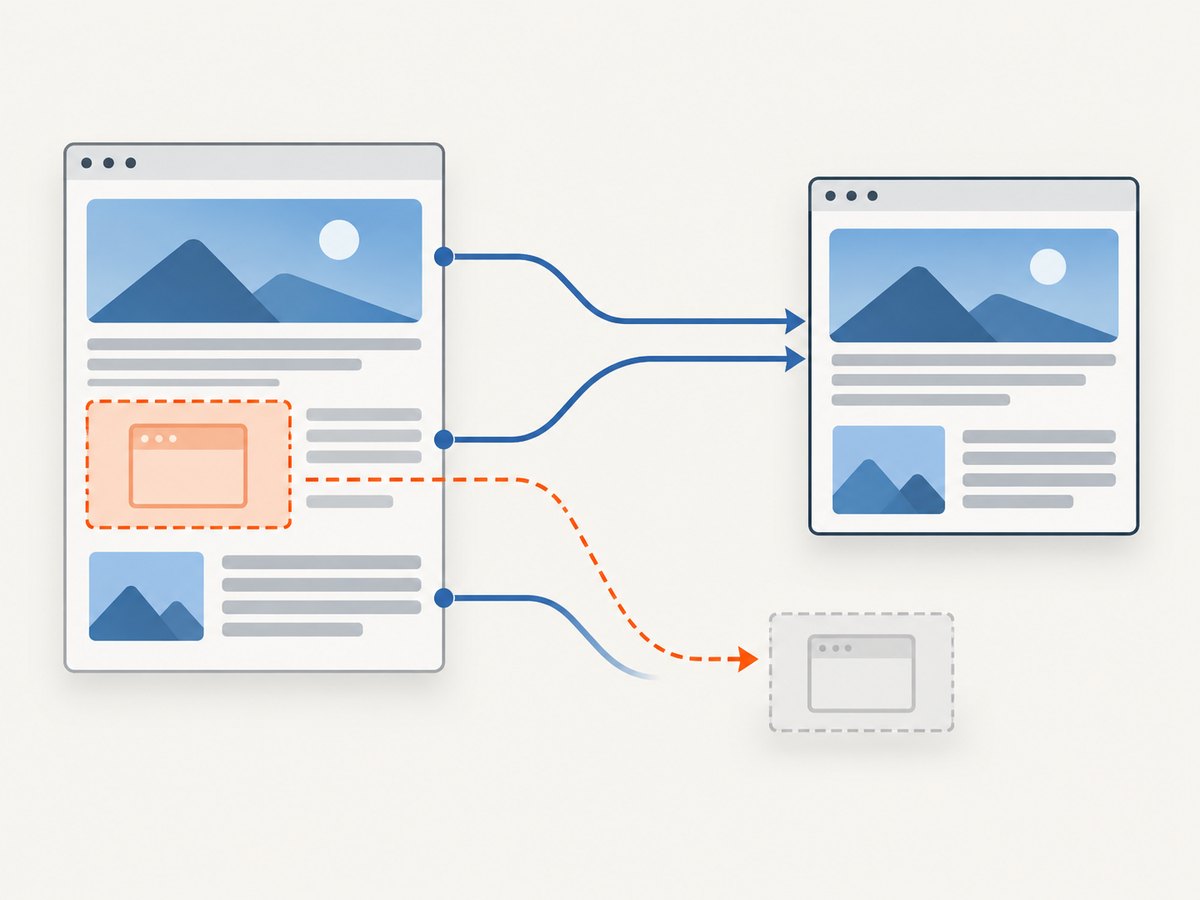
This distinction matters for iframes. The library documents recursive support for same-origin iframe content, but browser same-origin restrictions prevent access to cross-origin frame documents. Sandboxed frames without allow-same-origin also cannot be accessed through contentDocument. If the goal is simply to leave the frame out, skip the iframe element itself rather than trying to inspect its contents.
The target passed to html2canvas must contain the iframe for an exclusion rule to matter. If you capture a parent element that does not contain it, there is nothing to exclude. Conversely, if the iframe is outside the selected capture target, adding the attribute to it will not change that capture.
2. Install html2canvas and create a capture
For a project that uses npm, install the package:
npm install html2canvasThen import it in an application module and capture a DOM element. This example includes the attribute method and downloads the generated canvas as a PNG:
import html2canvas from "html2canvas";

async function downloadCapture() {
  const target = document.querySelector("#capture");
  if (!target) {
    throw new Error("Capture target #capture was not found");
  }

  const canvas = await html2canvas(target);
  const link = document.createElement("a");
  link.download = "capture.png";
  link.href = canvas.toDataURL("image/png");
  link.click();
}

document.querySelector("#download")?.addEventListener("click", () => {
  downloadCapture().catch(console.error);
});
Example markup:
<main id="capture">
  <h1>Report</h1>
  <iframe src="https://embed.example/" data-html2canvas-ignore></iframe>
</main>
<button id="download">Download screenshot</button>
The attribute is a marker html2canvas recognizes. It does not remove the iframe from the actual page; the page remains available to the visitor, while the capture omits the marked element.
3. Pick the exclusion method that fits
Method A: Mark one iframe with an attribute
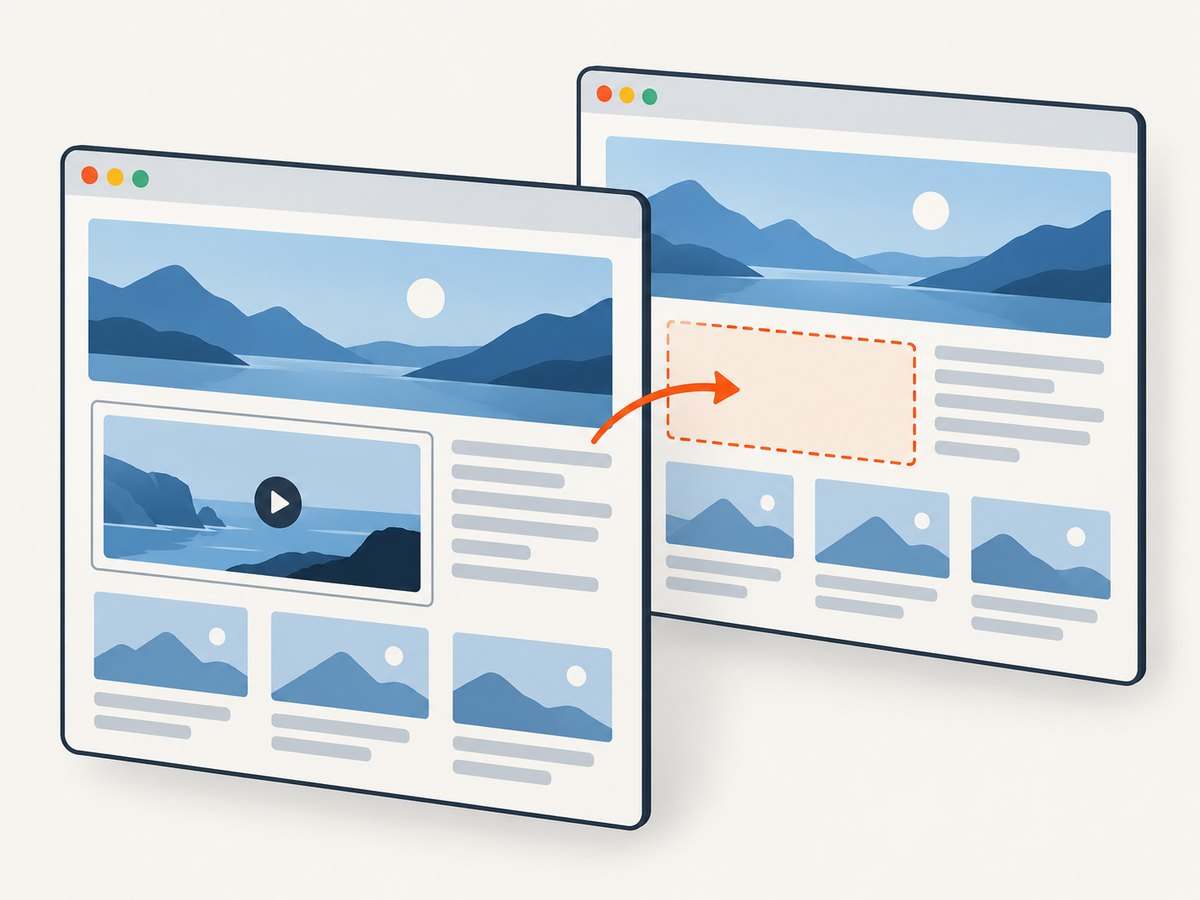
Use data-html2canvas-ignore when your application owns the markup and you know which frame should not appear:
<iframe
  src="https://video.example/embed/123"
  title="Embedded video"
  data-html2canvas-ignore
></iframe>
This is the smallest configuration and keeps the intent next to the element. It is useful when only selected embeds should disappear while other iframes remain part of the image. The html2canvas examples demonstrate this marker, and the options reference documents it alongside the other configuration options: examples and configuration.
Method B: Filter iframes with ignoreElements
Use the predicate when markup cannot be edited or when a capture function should apply a rule to multiple elements. The callback returns true for elements to ignore:
const target = document.querySelector("#capture");
if (!target) throw new Error("Missing #capture");

const canvas = await html2canvas(target, {
  ignoreElements: (element) => element.tagName === "IFRAME",
});
That rule omits every iframe in the target. To narrow it, match a class or another property of the iframe element:
const canvas = await html2canvas(target, {
  ignoreElements: (element) =>
    element.tagName === "IFRAME" && element.classList.contains("omit-from-capture"),
});
Do not use element.matches("iframe") without considering that the callback is asked about elements of different tag names; the explicit tag check makes the intended rule clear. A predicate is also a natural place to encode application-specific logic, such as excluding only an iframe with a particular class.
Method C: Remove frames in onclone
onclone runs with the cloned document that html2canvas uses for rendering. Remove the frames there if you want the rule expressed as a change to that temporary copy:
const canvas = await html2canvas(target, {
  onclone: (clonedDocument) => {
    clonedDocument.querySelectorAll("iframe").forEach((iframe) => iframe.remove());
  },
});
The original page DOM is not modified by this callback; the removal applies to the cloned document. You can scope the removal to the capture area when that area has a stable identifier:
const canvas = await html2canvas(target, {
  onclone: (clonedDocument) => {
    clonedDocument
      .querySelectorAll("#capture iframe.omit-from-capture")
      .forEach((iframe) => iframe.remove());
  },
});
Use selectors that match the cloned markup and verify the target identifier is present in that clone. The three methods are documented html2canvas APIs; consult the options reference for the version installed by your project.
4. Choose the right method
| Method | Markup access | Scope | Where the rule applies |
|---|---|---|---|
data-html2canvas-ignore |
You can edit the iframe markup | Elements carrying the marker | html2canvas rendering |
ignoreElements |
No markup edit required | Anything matched by the predicate | Element filtering during rendering |
onclone |
No original markup edit required | Anything selected in the clone | The temporary cloned document |
For a single known iframe, use the marker. For all frames or a reusable policy, use a predicate. If your capture logic already transforms the temporary document, use onclone. Avoid stacking all three for the same frame: one clear rule is easier to maintain and debug.
5. Common errors and fixes
| Symptom | Likely cause | Fix |
|---|---|---|
| The iframe still appears | The element lacks the exact marker, the callback matches a different node, or the iframe is not in the intended capture target. | Inspect the target and iframe with target.contains(iframe); confirm the attribute is on the iframe itself; log the tag names considered by the predicate. |
| Other iframes disappear too | The predicate or clone selector matches every iframe. | Narrow the rule with a class, an attribute, or a more specific selector. |
| Code throws because target is null | The selector did not match, or capture starts before the page component is mounted. | Check the selector and call capture after the target exists. Keep an explicit null check so failures are clear. |
| The page changes after capture | Code removed an element from the live document rather than using the ignore option or cloned document. | Use ignoreElements or remove the element only in onclone. Do not run document.querySelectorAll(...).forEach(remove) on the live page unless that is intended. |
| Cross-origin access error | Application code tried to read a cross-origin iframe’s contentDocument. |
Do not inspect the frame contents to omit the frame. Exclude the iframe element with the documented html2canvas mechanism. |
| Output differs from browser view | html2canvas reconstructs the image from DOM data rather than capturing the browser’s rendered pixels. | Check the library documentation and treat it as a DOM rendering result; if pixel capture is required, use a browser screenshot approach suited to that requirement. |
| An option seems unsupported | The installed version may differ from the documentation being read, or the option belongs to another package. | Check the dependency lockfile and that version’s html2canvas documentation. These settings are not generic JavaScript screenshot options. |
6. Timing, reliability, and performance
Excluding an iframe avoids rendering that element in the captured output, but it does not mean the embedded site is under your control. A cross-origin iframe can still be present in the live page and can have its own loading behavior. If a capture runs before the outer page is ready, wait until your target exists and the page state you need has settled. For application-specific readiness, wait for your own relevant DOM condition before calling html2canvas.
Keep the ignore rule deterministic. A broad rule is easy to apply but can unexpectedly remove legitimate embedded content. A narrow class or explicit marker gives the application owner a visible way to opt particular frames into exclusion. If frames are inserted dynamically, ensure the rule still matches them at capture time.
html2canvas reconstructs the selected DOM. The amount and complexity of the target can affect the work involved, and rendering a large page into a canvas requires browser memory. Capture only the needed element where practical, and avoid repeating captures unnecessarily. The research sources provide no benchmark for a particular page or device, so measure the actual workload if latency or memory use is a product constraint.
This client-side method has no separate html2canvas charge described by the cited documentation. Its practical costs are implementation and browser work. If screenshot volume, browser setup, or server-side capture is the concern, compare your own operating costs and requirements before selecting a hosted service.
7. Or skip the browser setup
If you need a website screenshot without configuring a browser capture flow, ScreenshotNeo is a website screenshot API and MCP server. A single GET request returns an image or PDF. It is useful when the source is a URL rather than a DOM element already rendered in the current browser. It does not replace html2canvas when you need to capture a specific in-memory page state or use this library’s DOM rule.
For an external page, this cURL request saves a WebP capture:
curl -G "https://api.screenshotneo.com/v1/shot" -d access_key=YOUR_API_KEY --data-urlencode url=https://stripe.com -o shot.webpPython:
import requests

r = requests.get(
    "https://api.screenshotneo.com/v1/shot",
    params={"access_key": "YOUR_API_KEY", "url": "https://stripe.com"},
    timeout=90,
)
open("shot.webp", "wb").write(r.content)
Node.js:
const q = new URLSearchParams({ access_key: 'YOUR_API_KEY', url: 'https://stripe.com' });
const res = await fetch(`https://api.screenshotneo.com/v1/shot?${q}`);
if (!res.ok) throw new Error(`Screenshot request failed: ${res.status}`);
await Bun.write("shot.webp", res);
The Node example uses Bun’s file writer; in Node.js, save the response body with Node’s file system API instead:
import { writeFile } from "node:fs/promises";

const q = new URLSearchParams({ access_key: "YOUR_API_KEY", url: "https://stripe.com" });
const res = await fetch(`https://api.screenshotneo.com/v1/shot?${q}`);
if (!res.ok) throw new Error(`Screenshot request failed: ${res.status}`);
await writeFile("shot.webp", Buffer.from(await res.arrayBuffer()));
See the ScreenshotNeo API documentation for request options and response details. Cookie banners, popups, and chat widgets are removed before capture; bot checks, blank pages, and failed loads are never billed. An MCP server lets AI agents take screenshots. The free plan includes 1,000 screenshots a month with no card; paid plans start at $5 for 3,000. Sign up for free and get 1,000 screenshots a month with no card.
8. FAQ
Can I exclude only one iframe and keep the others?
Yes. Put data-html2canvas-ignore on that iframe, or make the ignoreElements predicate match a class or attribute unique to it.
Does the attribute work with Playwright or other screenshot libraries?
It is an html2canvas convention. Other packages have their own capture APIs and do not automatically honor this attribute.
Can I exclude a cross-origin iframe without controlling its site?
You can exclude the iframe element from html2canvas output without reading its document. Browser same-origin rules still prevent your page code from inspecting the cross-origin content.
Does removing it in onclone alter the visible page?
The callback receives the cloned document used by html2canvas, so removing a frame there applies to that copy rather than the original live DOM.
What should I check before publishing a version-specific fix?
Confirm the html2canvas version in your lockfile and verify the applicable options reference for that release. The examples here follow the documented API; they were not run against a particular installed version.


