Export HTML as PNG
Export rendered HTML to PNG with Playwright, Puppeteer, html2canvas, or ScreenshotNeo. Choose viewport, full-page, or element capture and fix common failures.
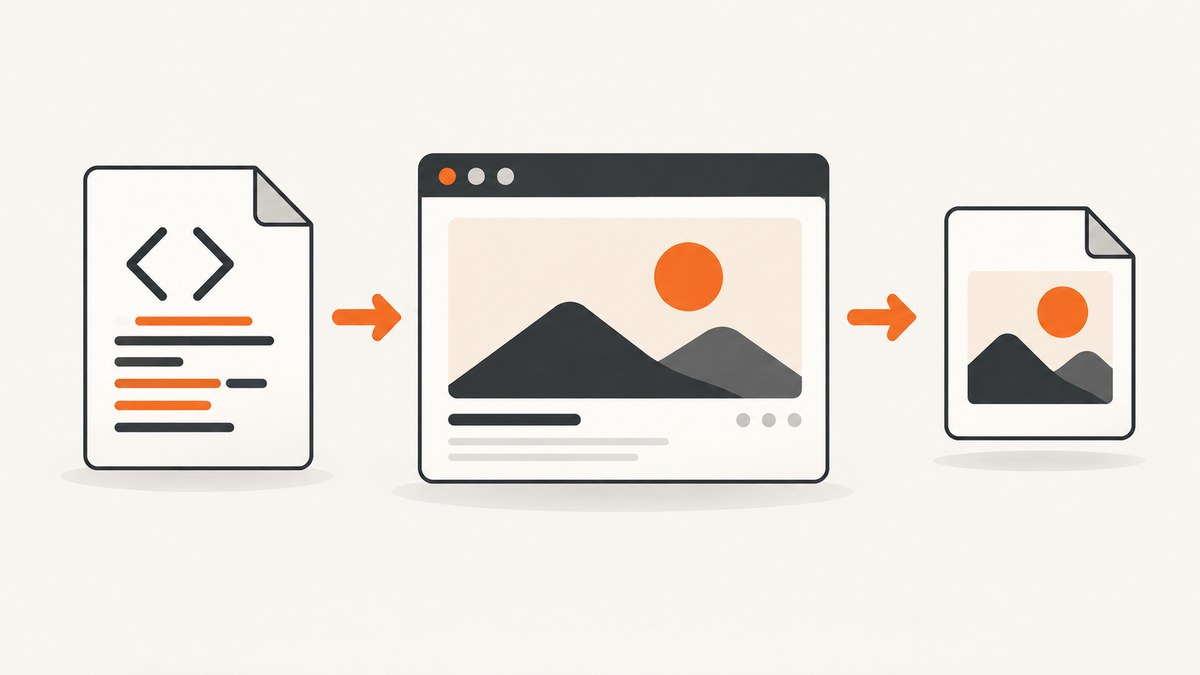
Direct answer: To export rendered HTML as a PNG, use a real browser screenshot API such as Playwright’s page.screenshot() or Puppeteer’s screenshot method. Use a viewport screenshot for the visible screen, fullPage for the document’s scrollable page, or an element locator for one component. For an in-page conversion without a separate browser process, html2canvas can serialize a selected DOM region to PNG, but it reconstructs the image from DOM information and may differ from actual browser output.
For a hosted API, ScreenshotNeo turns one GET request into a PNG, JPEG, WebP, or PDF. The examples below show each route and explain when to use it.
Choose the right capture method
| Need | Recommended method | Trade-offs |
|---|---|---|
| Repeatable server-side automation | Playwright or Puppeteer | Uses a real browser renderer; you manage browser setup, readiness, fonts, and resources. |
| Capture one DOM region in the current page | html2canvas | No separate browser driver, but unsupported CSS, cross-origin images, and iframes can be missing or different. |
| Capture a public URL from your service | ScreenshotNeo | No browser infrastructure to operate; request options control viewport, waits, elements, blocking, authentication, and output. |
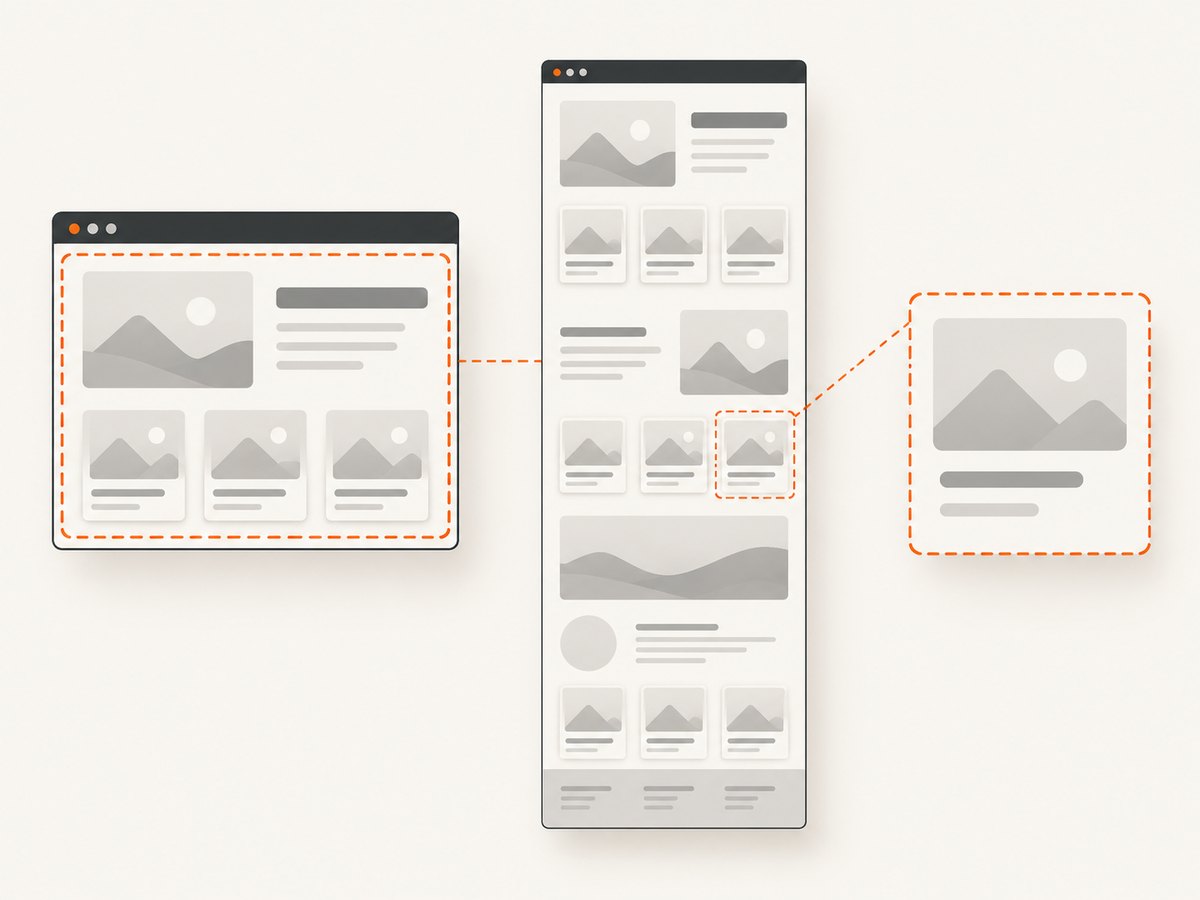
Choose the scope before writing code:
- Viewport: exactly what is visible at a chosen width and height.
- Full page: the page’s full scrollable extent. This does not automatically load content that appears only after infinite scrolling.
- Element: one component selected by CSS selector or locator.
Export HTML as PNG with Playwright
Playwright captures browser-rendered output and supports PNG output, full-page screenshots, element screenshots, and explicit scaling. Its scale setting controls output pixels: CSS scale keeps one output pixel per CSS pixel, while device scale captures device pixels and can produce a larger image. See the Playwright Page API.
Install
npm init -y
npm install playwright
npx playwright install chromium
Capture a viewport, full page, or element
const { chromium } = require('playwright');

(async () => {
  const browser = await chromium.launch();
  const page = await browser.newPage({
    viewport: { width: 1440, height: 900 },
    deviceScaleFactor: 1
  });

  await page.goto('https://example.com', { waitUntil: 'networkidle' });
  await page.screenshot({ path: 'viewport.png', type: 'png', scale: 'css' });
  await page.screenshot({ path: 'full-page.png', type: 'png', fullPage: true, scale: 'css' });

  const heading = page.locator('h1');
  await heading.screenshot({ path: 'heading.png', type: 'png' });

  await browser.close();
})();
Capture local HTML
const { chromium } = require('playwright');
const path = require('path');

(async () => {
  const browser = await chromium.launch();
  const page = await browser.newPage({ viewport: { width: 1200, height: 800 } });
  await page.goto(`file://${path.resolve('page.html')}`, { waitUntil: 'load' });
  await page.screenshot({ path: 'page.png', type: 'png', fullPage: true });
  await browser.close();
})();
Wait for the state that should appear in the image
await page.goto('https://example.com/dashboard', { waitUntil: 'domcontentloaded' });
await page.waitForSelector('[data-chart-ready="true"]');
await page.waitForTimeout(300); // only for a known animation or late paint
await page.screenshot({ path: 'dashboard.png', type: 'png' });
Prepare fonts, images, charts, and other assets before capture. A networkidle wait can help on pages with a finite request set, but pages with analytics, polling, or advertisements may never become idle; in those cases wait for a meaningful selector or application state.
Export HTML as PNG with Puppeteer
Puppeteer also drives a real browser and documents PNG screenshots, full-page capture, and element screenshots in its Screenshots guide.
Install and run
npm init -y
npm install puppeteer
const puppeteer = require('puppeteer');
(async () => {
const browser = await puppeteer.launch();
const page = await browser.newPage();
await page.setViewport({ width: 1440, height: 900, deviceScaleFactor: 1 });
await page.goto('https://example.com', { waitUntil: 'networkidle2' });
await page.screenshot({ path: 'viewport.png', type: 'png' });
await page.screenshot({ path: 'full-page.png', type: 'png', fullPage: true });
await page.locator('h1').screenshot({ path: 'heading.png', type: 'png' });
await browser.close();
})();Capture a DOM region with html2canvas
html2canvas runs in the page and creates a canvas from DOM information. It is useful when the user is already viewing the page and you only need a selected region. It does not take a true browser screenshot; the project documentation notes that the result may not exactly match the real representation because only understood properties are rendered. See html2canvas documentation.
<button id="save">Save PNG</button>
<section id="invoice">
  <h1>Invoice</h1>
  <p>Amount due: $120</p>
</section>
<script type="module">
  import html2canvas from 'https://cdn.jsdelivr.net/npm/html2canvas@1.4.1/+esm';

  document.querySelector('#save').addEventListener('click', async () => {
    const element = document.querySelector('#invoice');
    const canvas = await html2canvas(element, {
      backgroundColor: '#ffffff',
      scale: window.devicePixelRatio,
      useCORS: true
    });
    const link = document.createElement('a');
    link.download = 'invoice.png';
    link.href = canvas.toDataURL('image/png');
    link.click();
  });
</script>
Images generally need to be same-origin or served with suitable CORS headers. Cross-origin iframe contents cannot be read because of browser security rules. Very large canvases can exceed browser or platform limits and result in blank or partial output; split large captures or use a browser screenshot service when the document is very tall. The html2canvas FAQ covers these limits and server-side alternatives.
Control output dimensions and quality
- Set the viewport explicitly so responsive breakpoints are deterministic.
- Use Playwright’s
scale: 'css'for predictable CSS-pixel dimensions, orscale: 'device'when you need device-pixel density. - PNG is lossless; quality settings intended for lossy formats do not change PNG output.
- For an element, inspect its computed size and avoid accidental clipping from overflow rules.
- For full-page output, verify that lazy images and expandable sections have loaded. A full-page flag captures page extent but does not perform infinite-scroll actions for you.
Common errors and fixes
| Symptom | Likely cause | Fix |
|---|---|---|
| Browser executable not found | Playwright browsers were not installed, or Puppeteer cannot find its browser. | Run npx playwright install chromium, or configure the browser executable path used by your Puppeteer deployment. |
| Blank or half-rendered image | Capture ran before fonts, images, charts, or application data finished loading. | Wait for a specific selector or ready state; preload fonts; use a short, intentional delay only for known late paints. |
| Full-page image misses lower content | Content is loaded by infinite scrolling or an interaction. | Scroll or trigger pagination in code, wait for each batch, then capture; do not assume fullPage loads new content. |
| Text wraps differently | Different viewport, device scale, font availability, or font loading timing. | Set viewport and scale explicitly and wait for document.fonts.ready before capture. |
| Cross-origin images missing in html2canvas | The image lacks permitted CORS headers, or is inside a cross-origin iframe. | Serve the asset with CORS, proxy it through your origin where allowed, or use Playwright/Puppeteer for a browser screenshot. |
| Canvas export is blank or partial | The canvas exceeds a browser/platform dimension or area limit. | Capture smaller regions, reduce scale, split the page, or use a browser screenshot API. |
| Screenshot hangs | Waiting for network idle on a page with polling, analytics, or streaming requests. | Replace network-idle waiting with a selector, application-ready flag, or bounded timeout. |
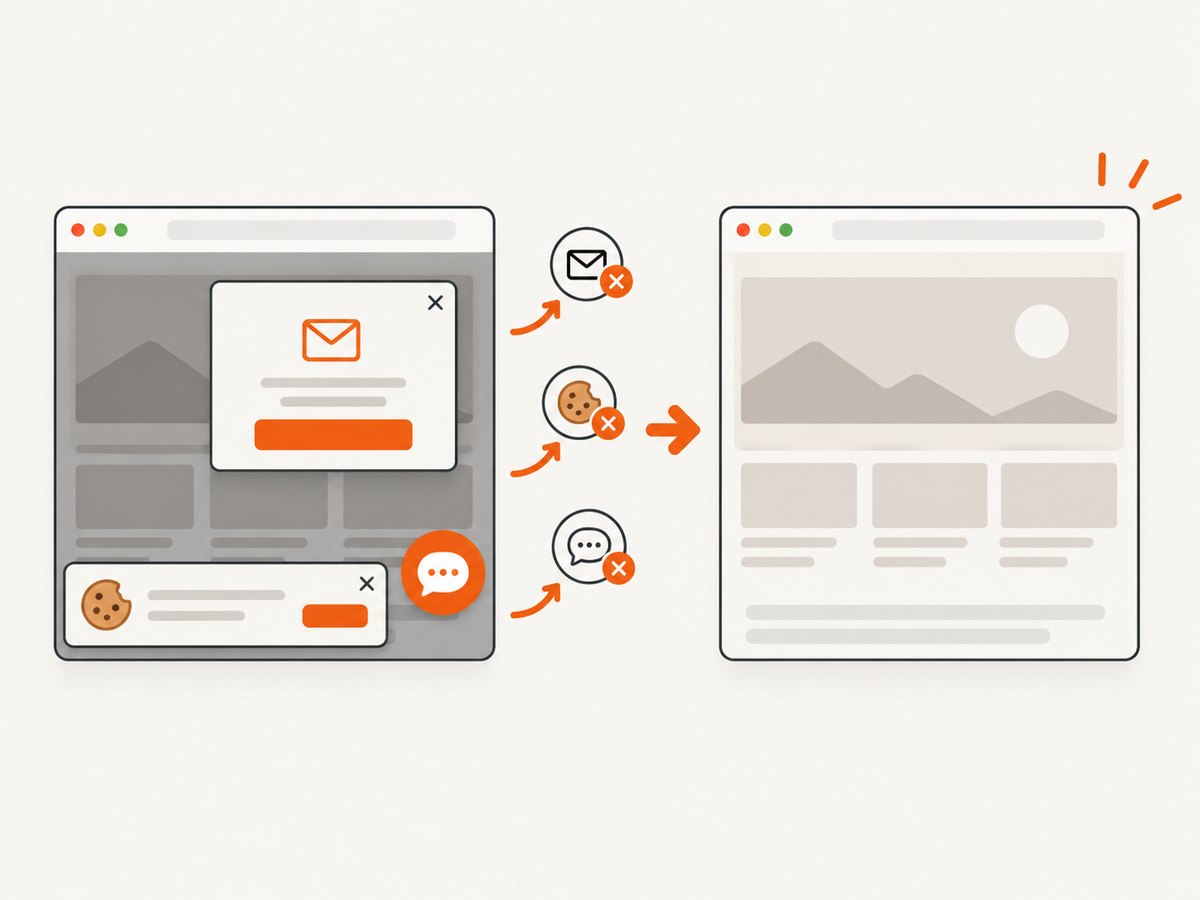
| Cookie banner, popup, or chat covers content | Those elements are part of the rendered page state. | Dismiss them in automation, hide their selectors with injected CSS, or use ScreenshotNeo’s cleanup options. |
Performance, reliability, and cost
- Browser startup: keep a browser process alive for batches instead of launching one process per image.
- Concurrency: limit parallel pages to the CPU and memory available; too many full-page renders can cause timeouts.
- Determinism: pin viewport, timezone, locale, user agent, fonts, and data fixtures when pixel comparisons matter.
- Readiness: prefer an application-specific ready selector over a large fixed sleep.
- Retries: retry transient navigation failures with a bounded count, while recording the URL and failure stage. Do not blindly retry a deterministic selector or authentication error.
- Cost: self-hosted Playwright, Puppeteer, and html2canvas use your own compute and bandwidth. A hosted API adds per-capture pricing and removes browser operations. Compare total runtime, maintenance, and failed-capture handling rather than assuming one route is always fastest.
Or skip the browser setup
ScreenshotNeo exposes a single screenshot endpoint and supports PNG output along with full-page capture, CSS-selector element capture, dark mode, device presets or custom viewports, retina scale, custom CSS and JavaScript, click actions, selector or delay waits, network-idle waits, request blocking, headers, cookies, user agents, Authorization, timezone, geolocation, transparent backgrounds, resizing, caching, signed links, asynchronous jobs, bulk capture, usage reporting, and PDF output. Its parameter names also match those used by other screenshot APIs, which makes switching easier. See the ScreenshotNeo API documentation.
cURL
curl -G "https://api.screenshotneo.com/v1/shot" \
  -d access_key=YOUR_API_KEY \
  --data-urlencode url=https://stripe.com \
  -o shot.webp
Python
import requests

r = requests.get(
    "https://api.screenshotneo.com/v1/shot",
    params={"access_key": "YOUR_API_KEY", "url": "https://stripe.com"},
    timeout=90,
)
r.raise_for_status()
open("shot.webp", "wb").write(r.content)
Node.js
const q = new URLSearchParams({ access_key: 'YOUR_API_KEY', url: 'https://stripe.com' });
const res = await fetch(`https://api.screenshotneo.com/v1/shot?${q}`);
if (!res.ok) throw new Error(`Screenshot failed: ${res.status}`);
const fs = require('node:fs');
fs.writeFileSync('shot.webp', Buffer.from(await res.arrayBuffer()));
ScreenshotNeo accepts consent banners before capture and removes more than 60 known consent platforms, newsletter popups, and chat widgets; each cleanup step can be turned off. Bot checks or CAPTCHAs, blank pages, timeouts, failed loads, and cache hits are not billed. Responses identify the result with X-Page-Verdict and X-Billed headers. An MCP server provides take_screenshot, get_page_info, and capture_pdf tools for Claude, Cursor, and other MCP clients.
The Free plan includes 1,000 shots per month with no card. Paid plans start at $5 for 3,000 shots; yearly billing gives two months free, and every feature is available on every plan.
Create a free ScreenshotNeo account and use the 1,000 included shots to export rendered HTML without running browser infrastructure.
FAQ
Does PNG preserve the exact browser pixels?
Playwright and Puppeteer capture the browser-rendered page. The result still depends on viewport, fonts, device scale, loaded assets, and page state. html2canvas reconstructs from the DOM and can differ from browser pixels.
Should I use a viewport or full-page screenshot?
Use a viewport for a screen-sized image, full page for the current scrollable document, and an element capture for one component. Add scrolling or pagination logic when content is loaded dynamically.
Can html2canvas capture a cross-origin iframe?
No. Browser security prevents reading cross-origin iframe contents. Use same-origin content, an allowed proxy for images, or a browser screenshot workflow.
How do I export a private page?
With Playwright or Puppeteer, authenticate in the browser context before capture. ScreenshotNeo supports custom headers, cookies, user agents, and Authorization parameters.
Is a hosted screenshot API cheaper?
It depends on volume and operations work. Include browser compute, maintenance, retries, and failed captures in a self-hosted estimate; compare that total with the API plan and its billing behavior.


