How to Export HTML to SVG
Learn when to wrap HTML in foreignObject, when to create native SVG, and how to handle fonts, images, CSS, compatibility, and export failures.
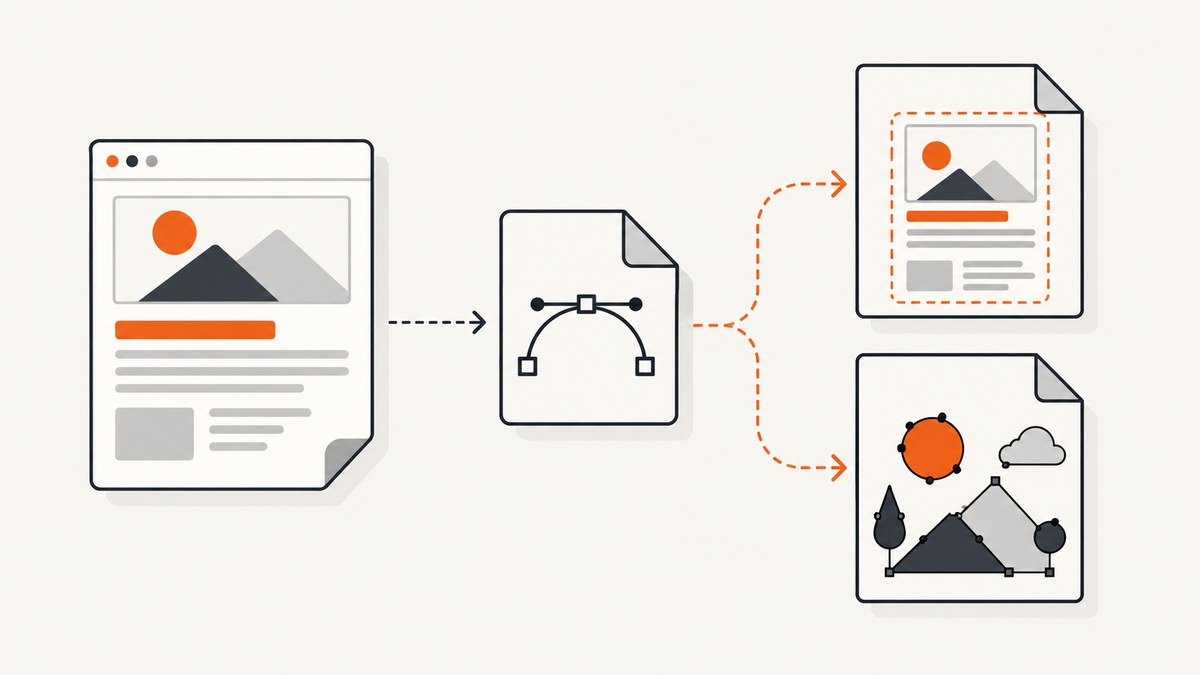
Exporting HTML to SVG can mean two different things. You can wrap HTML inside an SVG <foreignObject>, preserving browser layout but depending on viewer support. Or you can measure the DOM and redraw supported content as native SVG elements, which is more compatible with vector editors but requires a renderer that supports your CSS and content.
Use foreignObject when the file will be viewed in a compatible browser and visual fidelity matters most. Use an SVG-native renderer, or redraw the design in SVG, when the result must remain visible and editable in Illustrator, Inkscape, SVG-to-PDF tools, or other standalone applications. A foreignObject wrapper does not convert HTML into paths.
Choose the right export method
| Requirement | Recommended method | Reason |
|---|---|---|
| Browser-only preview | foreignObject |
Fast to implement and can preserve complex HTML and CSS. |
| Editable text and shapes in vector tools | DOM-to-SVG renderer or native SVG redraw | Creates SVG elements or paths instead of embedding HTML. |
| Print-oriented SVG | DOM-to-SVG renderer | Useful when the renderer supports your elements, fonts, and print layout. |
| Maximum compatibility | Native SVG authored for the destination | Every required shape, text node, and image is represented directly in SVG. |
| Exact webpage screenshot | PNG, WebP, JPEG, or PDF capture | SVG is not a universal container for browser pixels, canvas, or CSS effects. |
MDN describes foreignObject as a way to include content from another XML namespace, usually XHTML, inside SVG. Its documentation warns: “A standalone SVG viewer is unlikely to be able to render HTML or MathML.” Read the MDN foreignObject documentation.
Method 1: Wrap HTML in SVG foreignObject
This method keeps the HTML as HTML. The browser performs layout and painting when it displays the SVG.
Minimal example
<svg xmlns="http://www.w3.org/2000/svg" xmlns:xhtml="http://www.w3.org/1999/xhtml" width="800" height="450" viewBox="0 0 800 450">
  <foreignObject x="0" y="0" width="800" height="450">
    <div xmlns="http://www.w3.org/1999/xhtml" style="box-sizing:border-box;width:800px;height:450px;padding:32px;background:#f4f7fb;font:16px/1.5 system-ui;color:#172033">
      <h1 style="margin:0 0 12px;font-size:32px">HTML inside SVG</h1>
      <p style="margin:0">This remains an HTML paragraph inside a foreignObject.</p>
    </div>
  </foreignObject>
</svg>
Set the SVG, foreignObject, and root HTML element to explicit dimensions. The inner HTML must declare the XHTML namespace. Relative dimensions such as width:100% can behave differently across viewers, so use pixel dimensions for export jobs.
Export a selected element in the browser
async function htmlToForeignObjectSvg(selector) {
  const source = document.querySelector(selector);
  if (!source) throw new Error(`No element matches ${selector}`);

  const rect = source.getBoundingClientRect();
  const width = Math.ceil(rect.width);
  const height = Math.ceil(rect.height);
  const clone = source.cloneNode(true);

  // Inline the computed styles so the SVG does not depend on external CSS.
  const originalNodes = [source, ...source.querySelectorAll('*')];
  const clonedNodes = [clone, ...clone.querySelectorAll('*')];
  originalNodes.forEach((node, i) => {
    const styles = getComputedStyle(node);
    const declarations = Array.from(styles).map(name => `${name}:${styles.getPropertyValue(name)};`).join('');
    clonedNodes[i].setAttribute('style', declarations);
  });

  clone.setAttribute('xmlns', 'http://www.w3.org/1999/xhtml');
  clone.style.width = `${width}px`;
  clone.style.height = `${height}px`;
  clone.style.margin = '0';

  const svg = `<svg xmlns="http://www.w3.org/2000/svg" xmlns:xhtml="http://www.w3.org/1999/xhtml" width="${width}" height="${height}" viewBox="0 0 ${width} ${height}">${new XMLSerializer().serializeToString(clone)}</svg>`;
  const blob = new Blob([svg], { type: 'image/svg+xml;charset=utf-8' });
  const url = URL.createObjectURL(blob);
  const link = document.createElement('a');
  link.href = url;
  link.download = 'export.svg';
  link.click();
  URL.revokeObjectURL(url);
  return svg;
}

htmlToForeignObjectSvg('#card');
Inline styles, fonts, and assets
- Clone the element rather than moving it out of the page.
- Copy computed styles or inline the CSS rules needed by the clone. External stylesheets, cross-origin stylesheets, and CDN CSS may not be readable from JavaScript.
- Convert relative image URLs to absolute URLs or data URLs. Cross-origin images need appropriate CORS headers if you later rasterize the SVG to canvas.
- Wait for fonts and images before serializing:
await document.fonts.readyandawait Promise.all([...clone.querySelectorAll('img')].map(img => img.decode?.().catch(() => {}))). - Remove scripts, event handlers, and interactive controls. Serialized HTML is a visual snapshot, not a functioning page.
Browser support for foreignObject does not imply support in every SVG viewer or design application. Illustrator, Inkscape, SVG-to-PDF converters, and rasterizers may ignore the embedded HTML and show a blank region.
Method 2: Render DOM content as native SVG
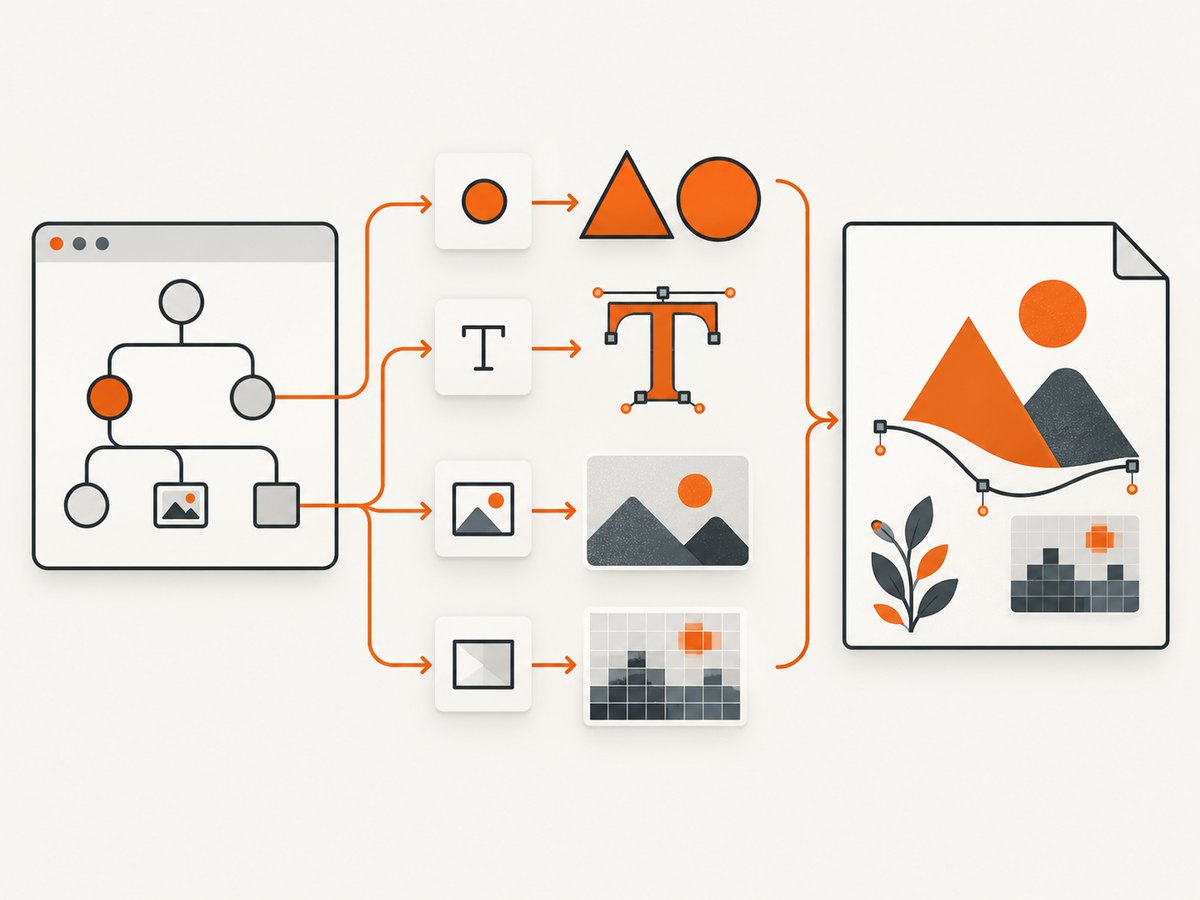
A DOM-to-SVG renderer measures the element and emits SVG shapes, text, images, and other supported elements. This can produce output that is more useful in vector workflows, but coverage is tool-specific. The @tooooools/html-to-svg project documents renderers for backgrounds and border radii, text, images, canvas, and inline SVG. It outlines text with Opentype.js and requires fonts to be declared because its documented path does not load local fonts automatically. See the package documentation.
Browser usage with @tooooools/html-to-svg
import { HTMLtoSVG } from '@tooooools/html-to-svg';

const element = document.querySelector('#card');
if (!element) throw new Error('Missing #card');

await document.fonts.ready;
const renderer = new HTMLtoSVG({
  fonts: [
    { family: 'Inter', src: '/fonts/Inter-Regular.woff2', weight: 400 },
    { family: 'Inter', src: '/fonts/Inter-Bold.woff2', weight: 700 }
  ]
});

const svg = await renderer.render(element);
const blob = new Blob([svg], { type: 'image/svg+xml' });
const url = URL.createObjectURL(blob);
const a = document.createElement('a');
a.href = url;
a.download = 'card.svg';
a.click();
URL.revokeObjectURL(url);
Check the package’s current API and renderer names before pinning an implementation. The documented workflow is aimed primarily at printable SVG, not arbitrary webpages. Unsupported CSS, pseudo-elements, filters, videos, web components, and complex layout can be missing or approximated.
What becomes vector and what stays raster
- Text may become outlined paths, so it looks consistent but is no longer ordinary editable text.
- Simple backgrounds, borders, and rounded corners can become SVG geometry when supported.
<img>content generally remains an embedded raster image.- Canvas content can be embedded as a PNG inside the SVG.
- Inline SVG may be preserved or rasterized depending on the renderer option.
An SVG file can therefore contain a mixture of editable vectors and raster images. Inspect the generated elements instead of assuming the entire file is vector.
Method 3: Redraw the design as native SVG
For logos, diagrams, charts, and icons that must survive many viewers, author the final artwork as SVG primitives: <rect>, <path>, <circle>, <text>, gradients, and masks. HTML can remain the editor or preview, but the export layer should map application data to SVG directly.
function cardToSvg({ title, value, width = 640, height = 240 }) {
const escape = value => String(value).replace(/[&<>"']/g, c => ({ '&':'&', '<':'<', '>':'>', '"':'"', "'":''' }[c]));
return `<svg xmlns="http://www.w3.org/2000/svg" width="${width}" height="${height}" viewBox="0 0 ${width} ${height}">
<rect width="100%" height="100%" rx="20" fill="#f4f7fb"/>
<text x="32" y="72" font-family="Arial, sans-serif" font-size="28" fill="#172033">${escape(title)}</text>
<text x="32" y="150" font-family="Arial, sans-serif" font-size="56" font-weight="700" fill="#172033">${escape(value)}</text>
</svg>`;
}
const svg = cardToSvg({ title: 'Revenue', value: '$42,000' });
const blob = new Blob([svg], { type: 'image/svg+xml' });This approach gives you predictable output, but it requires an explicit mapping for every supported component and style. It is usually the best long-term choice when editability and compatibility matter more than exporting arbitrary HTML.
Application-specific export APIs
If HTML is only the rendering implementation inside a graph or editor, use that product’s SVG export API when available. JointJS documents that HTMLBox or HTMLHost content is placed in foreignObject, so it may disappear in vector tools; its guidance is to use native SVG rendering when the export must survive those tools. Test the result in the actual downstream application.
Complete export checklist
- Define the destination: browser, design editor, PDF converter, print pipeline, or image renderer.
- Choose foreignObject, a DOM-to-SVG renderer, or a native SVG implementation.
- Freeze the viewport and dimensions.
- Wait for fonts, images, canvas drawing, animations, and asynchronous data.
- Inline required styles and make asset URLs resolvable.
- Decide whether fonts should remain text, be embedded, or be outlined.
- Record unsupported CSS and replace it with SVG-compatible primitives where needed.
- Open the file in every viewer that matters to your workflow.
- Inspect whether images and canvas are rasterized.
- Sanitize untrusted HTML before embedding or serializing it.
Edge cases and limitations
Fonts
A missing font changes line breaks, element heights, and text appearance. Declare the exact font files and weights used by the renderer. For cross-machine consistency, outline text or package the required fonts according to your licensing terms.
Images and CORS
Images may load in the page but fail when a serialized SVG is opened elsewhere. Prefer self-contained data URLs for portable files. If you rasterize an SVG through canvas, every image must satisfy CORS rules or the canvas can become tainted.
Canvas and video
Canvas has no DOM representation to recover later. Export its pixels with canvas.toDataURL() and embed the result as an image. Pause video and capture a chosen frame; a static SVG cannot preserve video playback.
Animations and state
Pick a deterministic state before export. Disable transitions, wait for network data, and set hover, focus, expanded, and responsive states explicitly.
Security
Do not serialize untrusted scripts or event handlers. Treat HTML-to-SVG export as a data transformation, not a safe HTML sanitizer. Sanitize input before inserting it into the DOM.
Troubleshooting
| Symptom | Likely cause | Fix |
|---|---|---|
| Blank in Illustrator or Inkscape | The file relies on foreignObject. | Use native SVG output or redraw the affected content. |
| Looks correct in Chrome but not elsewhere | Viewer support, CSS, or font differences. | Test the destination viewer and reduce output to supported SVG primitives. |
| Text wraps differently | Font was not loaded or the fallback metrics differ. | Wait for document.fonts.ready, declare font files, or outline text. |
| Images are missing | Relative URL, blocked request, or CORS failure. | Use absolute or data URLs and configure CORS where rasterization is required. |
| Output is clipped | Incorrect width, height, viewBox, overflow, or scroll position. | Measure the full export bounds and set explicit dimensions and viewBox values. |
| Shadows or filters disappear | Renderer does not implement the CSS feature. | Replace with SVG filters or accept a rasterized layer. |
| Canvas is empty | Export ran before drawing completed. | Wait for the render promise or animation frame, then call toDataURL(). |
| External stylesheet cannot be inlined | Cross-origin stylesheet access is blocked. | Serve the stylesheet same-origin, add appropriate CORS headers, or copy required rules explicitly. |
Performance, reliability, and cost
ForeignObject serialization is usually inexpensive because the browser already performed layout, but the resulting file depends on a capable viewer. Native conversion costs more CPU as the DOM grows, especially when text is outlined or images are decoded. Limit export scope, remove off-screen content, reuse loaded fonts, and avoid repeatedly serializing large subtrees.
For reliable builds, pin the renderer version, keep a fixture page for every supported component, and compare output in the real destination application. Treat browser upgrades and font updates as changes that can alter line breaks or geometry. There is no universal compatibility percentage; support depends on the viewer, renderer, CSS, fonts, and assets in your document.
Or skip the browser setup
If you need a clean capture of a webpage or element rather than an editable SVG, ScreenshotNeo returns PNG, JPEG, WebP, or PDF from one GET request. It can load lazy images, capture an element by CSS selector, apply custom CSS and JavaScript, set viewport and device options, and wait for a selector, delay, or network idle. Cookie banners, newsletter popups, and chat widgets are removed before the shot. Bot checks, blank pages, timeouts, failed loads, and cache hits are not billed, and response headers identify the page verdict and billing status.

See the ScreenshotNeo API documentation for all options. This example captures a page as WebP:
curl -G "https://api.screenshotneo.com/v1/shot" -d access_key=YOUR_API_KEY --data-urlencode url=https://stripe.com -o shot.webpimport requests
r = requests.get("https://api.screenshotneo.com/v1/shot", params={"access_key": "YOUR_API_KEY", "url": "https://stripe.com"}, timeout=90)
r.raise_for_status()
open("shot.webp", "wb").write(r.content)const q = new URLSearchParams({ access_key: 'YOUR_API_KEY', url: 'https://stripe.com' });
const res = await fetch(`https://api.screenshotneo.com/v1/shot?${q}`);
if (!res.ok) throw new Error(`HTTP ${res.status}`);
const file = await res.arrayBuffer();ScreenshotNeo also provides an MCP server with take_screenshot, get_page_info, and capture_pdf tools for Claude, Cursor, and other MCP clients. The free plan includes 1,000 screenshots per month with no card; paid plans start at $5 for 3,000 shots. Create a free ScreenshotNeo account.
FAQ
Does foreignObject make HTML editable in Illustrator?
No. It keeps HTML inside the SVG and may be ignored by Illustrator or other vector tools. Use native SVG elements or redraw the design.
Can every HTML page be converted perfectly to SVG?
No. CSS coverage, fonts, images, canvas, filters, animations, and browser-specific behavior limit fidelity. Test the exact content and destination.
Is SVG always smaller than PNG?
No. Outlined text, embedded images, and duplicated style data can make an SVG large. Compare the formats for your actual page.
Should I embed fonts?
Embed or outline fonts when consistent appearance is required and licensing permits it. Otherwise, expect substitutions on machines without the original font.
Can I export a full webpage as editable SVG?
Only the parts represented by your renderer or redraw logic become native vectors. Complex pages usually produce a mixture of vectors, foreignObject content, and raster images.


