How to Extract Google Maps Place Reviews and Details
Use Places API (New) to request selected place details and reviews. Learn the compliant workflow, runnable code, display rules, limits, and troubleshooting steps.

To retrieve Google Maps place details and review fields in an application, use Google Maps Platform’s Places API (New): find the place, get its place ID, then call Place Details with a field mask naming the fields you need. The API can return ratings and reviews, but the documentation cited here does not promise a complete export of every review. Do not scrape Google Maps pages or copy reviews into an external archive: Google’s terms identify exporting, extracting, and scraping Maps content for use outside the services as prohibited. Review the applicable Google Maps Platform terms and current account-specific terms before launch.
This guide covers the documented API route, runnable cURL, Python, and Node.js examples, review display requirements, data handling, and common failure cases. “Extract” here means requesting and displaying selected API fields within the applicable Google Maps Platform rules.
1. Choose the right Google API
For an app that looks up places and presents selected details, use Places API (New). Its Place Details endpoint accepts a place ID and a field mask; the returned fields depend on that mask. Places API fields can fall into different billing tiers, so keep the mask narrow and check the current pricing and field reference for the fields in your request.
If you own or are authorized to manage the business profile and need profile-management operations, investigate Google Business Profile APIs separately. Those APIs have distinct eligibility, authorization, and policy requirements; they are not a generic route for collecting reviews about unrelated businesses. Google’s policy limits their use to managing listings the API user owns or is authorized to manage, or building tools for authorized clients.
| Need | Starting point | Important constraint |
|---|---|---|
| Display selected place details in an application | Places API (New), Place Details | Field mask, billing, attribution, and data-use policies apply. |
| Manage a profile you own or are authorized to manage | Business Profile APIs | Separate access and authorization conditions apply. |
| Download all reviews or scrape Maps pages | Not a supported workflow in this guide | Do not infer an all-reviews guarantee or treat scraping as an acceptable substitute. |
2. Set up a project and find the place ID
- Create or select a Google Maps Platform project and configure billing and API access as required for your account.
- Enable Places API (New) and create credentials. Google documents API key or OAuth authorization options; protect credentials and restrict them according to the deployment.
- Resolve the user’s place to a place ID. Supported sources include Text Search, Nearby Search, Geocoding, Routes, Address Validation, and Autocomplete. For a name or address search, Text Search is often the direct fit; Autocomplete is suited to interactive user input.
- Use the resolved place ID in Place Details (New). Place IDs are the lookup key and are exempt from the Places API content caching restriction described in the policy. That exception does not make review text freely storable.
See Google’s Place Details (New) reference for the current endpoint and request requirements, and its field selection reference for field names and pricing categories.
3. Request only the fields you need
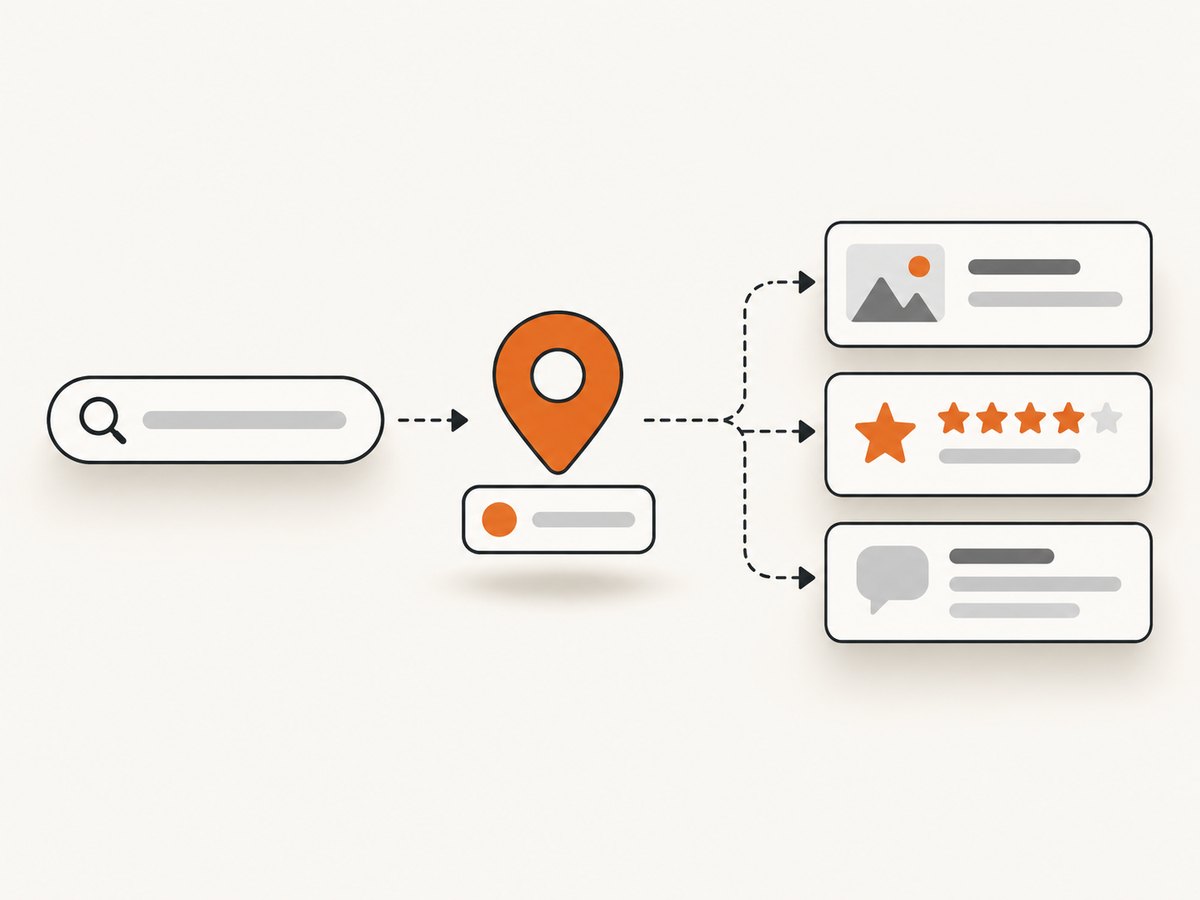
The web service endpoint is https://places.googleapis.com/v1/places/PLACE_ID. A field mask is required. For example, a compact request might ask for display name, formatted address, rating, rating count, and reviews. Use the API’s exact field names and verify each against the current field reference; a response contains the fields you requested, not an unrestricted record.
Replace YOUR_API_KEY and PLACE_ID below. The mask is deliberately explicit. Review data may include author attribution, rating, publish time, text, and a Google Maps URI when available. Request only what the application will actually display.
cURL
curl -sS \
  -H "X-Goog-Api-Key: YOUR_API_KEY" \
  -H "X-Goog-FieldMask: id,displayName,formattedAddress,rating,userRatingCount,reviews" \
  "https://places.googleapis.com/v1/places/PLACE_ID"
Python
import requests

api_key = "YOUR_API_KEY"
place_id = "PLACE_ID"
url = f"https://places.googleapis.com/v1/places/{place_id}"
headers = {
    "X-Goog-Api-Key": api_key,
    "X-Goog-FieldMask": (
        "id,displayName,formattedAddress,rating,userRatingCount,reviews"
    ),
}

response = requests.get(url, headers=headers, timeout=30)
response.raise_for_status()
place = response.json()

print("Name:", place.get("displayName", {}).get("text"))
print("Address:", place.get("formattedAddress"))
print("Rating:", place.get("rating"))
print("Rating count:", place.get("userRatingCount"))
for review in place.get("reviews", []):
    print("Review:", review.get("text", {}).get("text"))
    print("Google Maps link:", review.get("googleMapsUri"))
Node.js
const apiKey = 'YOUR_API_KEY';
const placeId = 'PLACE_ID';
const url = `https://places.googleapis.com/v1/places/${placeId}`;

const response = await fetch(url, {
  headers: {
    'X-Goog-Api-Key': apiKey,
    'X-Goog-FieldMask':
      'id,displayName,formattedAddress,rating,userRatingCount,reviews',
  },
});

if (!response.ok) {
  throw new Error(`Places API returned ${response.status}: ${await response.text()}`);
}

const place = await response.json();
console.log('Name:', place.displayName?.text);
console.log('Address:', place.formattedAddress);
console.log('Rating:', place.rating);
console.log('Rating count:', place.userRatingCount);
for (const review of place.reviews ?? []) {
  console.log('Review:', review.text?.text);
  console.log('Google Maps link:', review.googleMapsUri);
}
These examples print values for inspection; they do not create a persistent review archive. Avoid logging API responses to long-lived systems or storing fields unless your use and retention comply with the current terms and policies.
4. Interpret the response without promising too much
A Place Details response is a selection of fields for one place. A review field being available does not mean the endpoint is a complete historical export, and the official sources referenced here do not establish a universal maximum count or all-reviews guarantee. Do not build product behavior around an assumed count. Check the endpoint reference for current behavior, and design your UI to handle zero reviews, missing optional fields, and a changing set of returned reviews.
Keep distinct concepts distinct: rating is the place’s rating field; userRatingCount is a count field; and reviews contains review objects returned for the request. Do not derive an archive size by equating the count with the number of objects in the response.
5. Display review data with attribution and links
If you show Places API reviews to end users, presentation rules are part of the implementation. The Places API policies and attribution page requires review authors to be credited and requires direct access to the source content on Google Maps through the review’s googleMapsUri when available. Retrieve the required attribution and link fields with the field mask, then render them alongside the review.

- Credit each review’s author using the available author information and attribution resources.
- Provide the review’s Google Maps link so users can open the source content.
- Explain how reviews are ordered and filtered, including search criteria. Reviews default to relevance ordering.
- Tell users when text is translated; the policy recommends making the original text available or linking to the source.
- For reviews of places in France and French territories, display the returned visit month and year alongside the review.
- Follow the applicable Google logo and other attribution requirements for your display context.
The policies also recommend providing a way to report content and informing users that Google checks for fake content but does not verify reviews. Treat the current policy page as the source of truth for details and regional differences.
6. Respect storage and use limits
Do not treat an API response as permission to build a separate review database, redistribute copied review text, or prefetch content for later use. The Places API policy restricts pre-fetching, caching, and storage of Places API content, with place IDs as an exception. Review text is not covered by that place-ID exception. Check the current terms, policy, and any regional or account-specific agreement before deciding what data you can retain and for how long.
Google’s terms have explicitly described exporting, extracting, or scraping Maps content for use outside its services as prohibited. The exact agreement in force for your project matters, so consult the current agreement rather than relying solely on an archived wording. Scraping the Maps website is not made policy-safe by using a browser automation library or a third-party scraper.
7. Handle common errors
| Symptom | Likely cause | Fix |
|---|---|---|
| HTTP 400 or an invalid field-mask error | A field name is misspelled, unsupported for the endpoint, or formatted incorrectly. | Compare every mask entry with the current Place Details field reference. Start with a small mask, then add fields deliberately. |
| HTTP 403 or permission denied | The API is not enabled, the credential is invalid or restricted incorrectly, billing/project configuration is incomplete, or access is otherwise not permitted. | Check the project, Places API (New) enablement, credential restrictions, and account configuration in Google Cloud. |
| HTTP 404 or place not found | The place ID is wrong, malformed, or no longer resolves as expected. | Resolve the input again through a supported endpoint and pass the resulting place ID exactly as returned. |
| The response lacks a field you expected | The field is absent for that place, was not requested, or has a different structure than assumed. | Confirm the field mask and handle optional values. Inspect a current response against the API schema rather than assuming every business has every field. |
| Fewer reviews than expected | The API response is not an all-review archive, or the application is assuming an unsupported count guarantee. | Do not promise completeness. Use the returned data as documented and consult the current endpoint reference; do not switch to scraping. |
| Reviews render without credits or source links | Attribution and link fields were omitted from the request or not rendered. | Request the required review attribution and URI fields, then make author credit and the Google Maps source link visible with each review. |
| Unexpected usage cost | The request mask includes fields from a higher billing tier, or the application requests more data than it needs. | Reduce the mask to necessary fields and check current pricing before estimating production usage. |
8. Performance, reliability, and cost
Keep requests focused: a narrow field mask reduces unnecessary response data and makes the request’s billing category easier to reason about. Because fields map to pricing tiers, do not estimate cost from request count alone; verify the current pricing for the exact fields and project. This guide does not state a price or promise a quota.
For reliability, treat network errors and non-success HTTP statuses as normal outcomes. Set finite timeouts, check status codes, and expose a useful error to the caller without leaking credentials. If a lookup starts with free-form text, separate place resolution from detail retrieval so you can show or confirm the selected place before requesting details. Expect fields to be absent and avoid relying on an assumed number of reviews.
Do not add a cache for review text simply to reduce latency or cost without verifying that the policy permits that specific caching and retention. The place ID exception is useful for lookup workflows, but does not extend to the place’s other content.
9. If these are reviews for your own business
For a profile you own or are authorized to manage, assess Business Profile APIs rather than treating Places API as a profile-management interface. Review the Business Profile API policies and API overview for current eligibility and setup. The API access process and authorization model are separate, and a software vendor should not assume that third parties can automatically use the vendor’s own project to access client profiles.
Or skip the browser setup
If your workflow also needs a screenshot of a page, ScreenshotNeo is a website screenshot API and MCP server from Yorker Media. It captures web pages; it does not replace Places API for structured place details or review data. One GET request returns an image or PDF. See the ScreenshotNeo API documentation.
curl -G "https://api.screenshotneo.com/v1/shot" -d access_key=YOUR_API_KEY --data-urlencode url=https://stripe.com -o shot.webpimport requests
r = requests.get("https://api.screenshotneo.com/v1/shot", params={"access_key": "YOUR_API_KEY", "url": "https://stripe.com"}, timeout=90)
open("shot.webp", "wb").write(r.content)const q = new URLSearchParams({ access_key: 'YOUR_API_KEY', url: 'https://stripe.com' });
const res = await fetch(`https://api.screenshotneo.com/v1/shot?${q}`);- Cookie and consent banners, newsletter popups, and chat widgets are removed before the shot; each step can be turned off.
- Bot checks, blank pages, timeouts, failed loads, and cache hits are not billed; response headers identify the page verdict and billing status.
- An MCP server offers
take_screenshot,get_page_info, andcapture_pdffor Claude, Cursor, and other MCP clients. - The free plan includes 1,000 screenshots a month with no card; paid plans start at $5 for 3,000. Every feature is available on every plan.
Sign up for ScreenshotNeo’s free 1,000 screenshots a month, with no card.
FAQ
Can I extract Google Maps reviews?
You can request review fields through Places API (New) for an application use that follows Google’s policies. The term “extract” does not authorize scraping Maps pages or copying review content into an off-platform collection.
Does Place Details return every review?
Do not assume so. The sources cited here establish that review fields are available, not a universal complete-export guarantee or maximum count.
Can I save the place ID?
Google’s Places policy identifies place IDs as exempt from its content caching restriction. That does not authorize indefinite storage of review text or other place content.
Can ScreenshotNeo capture a Google Maps page instead?
ScreenshotNeo captures a web page as an image or PDF. A screenshot is not structured Places API data and does not change Google’s rules for extracting or storing Maps content.


