How to Extract All Links and Email Addresses from a Page
Learn how to extract, normalize, deduplicate, and validate page links and email addresses from static HTML and JavaScript-rendered pages.

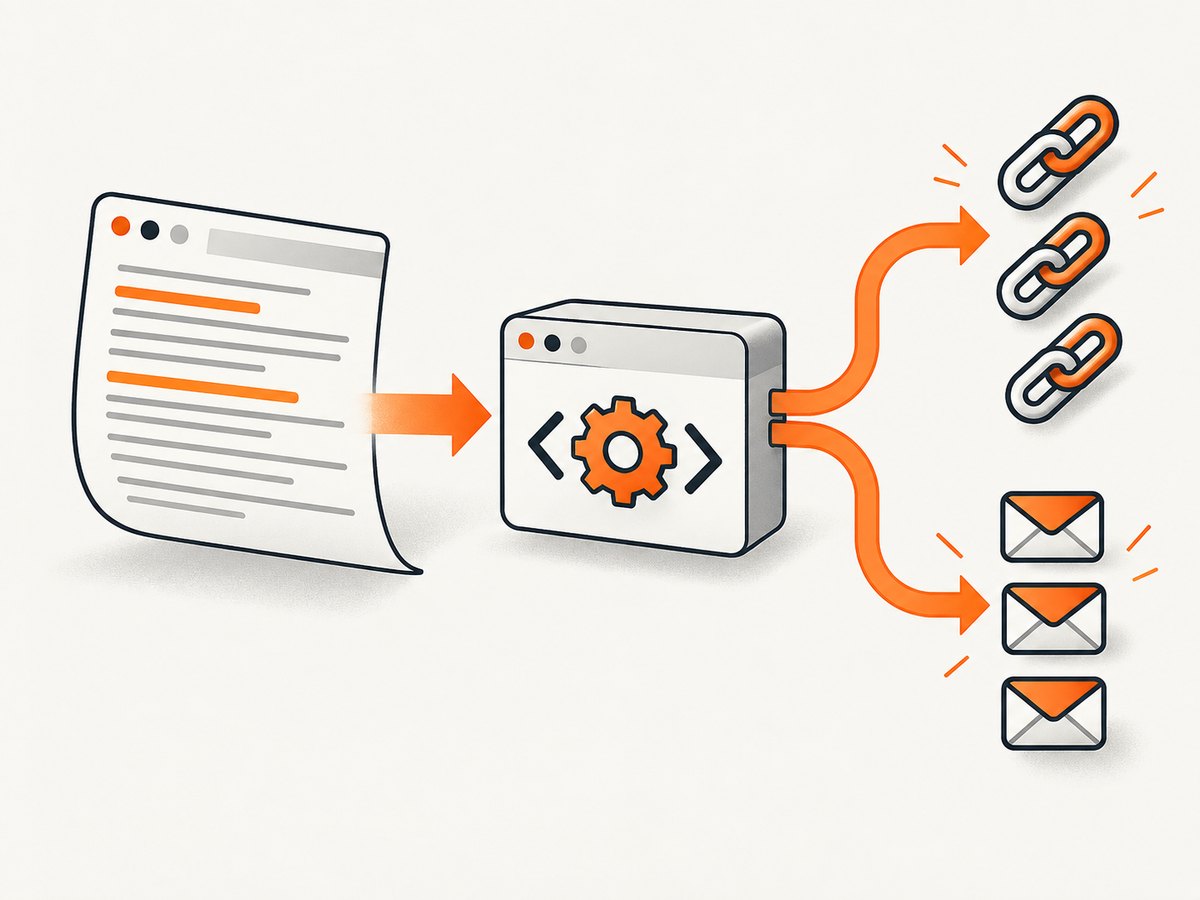
Direct answer: fetch the page HTML, parse every <a href>, resolve relative destinations against the page URL, collect mailto: targets, and scan visible text for email-shaped strings. If JavaScript adds links or contact details after the initial response, use a rendered DOM from a browser. Keep raw extraction separate from normalization so you can decide how to handle fragments, query strings, duplicates, malformed markup, and non-web schemes.
This guide shows a complete Python implementation, equivalent cURL and Node.js requests, a browser-rendering option, handling for edge cases, troubleshooting, performance and cost considerations, and a hosted alternative with ScreenshotNeo.
What counts as a link or email address?
A normal navigational link is usually an anchor element with an href attribute. Google Search Central documents that it can generally crawl an <a> element with href, including relative paths, while controls without an href or links triggered only by script events are not reliably discoverable. See the official crawlable links guidance.
Your extractor should decide whether it includes:
- HTTP and HTTPS URLs.
- Relative paths such as
/pricingand../contact. - Fragments such as
#faq. - Other schemes such as
tel:,javascript:,data:, and custom application links. - Links inside navigation, footer, hidden elements, templates, SVG, or metadata.
- Email addresses in
mailto:links and ordinary visible text.
“All” requires a scope. An HTTP parser cannot see an address embedded in an image, an obfuscated string such as name [at] example [dot] com, content hidden behind a bot challenge, or a link assembled only after browser JavaScript runs.
Choose the extraction method
| Method | Use it when | Trade-offs |
|---|---|---|
| HTTP fetch plus HTML parser | Links and text are present in the initial response | Fast, simple, and inexpensive; misses client-rendered content |
| Browser-rendered DOM | Menus, contact details, or links appear after JavaScript executes | Closer to what a user sees; browser setup uses more CPU and memory |
| Hosted rendering or extraction API | You need repeatable rendering, scaling, or infrastructure outside your application | Requires an API key and provider-specific options |
Python’s urllib.request handles the fetch while Beautiful Soup turns returned markup into a searchable tree. The Python documentation covers fetching resources, and the Beautiful Soup documentation covers parser choices and tree searches. Beautiful Soup notes that different parsers can produce different trees for invalid HTML; choose a parser deliberately.
Complete Python extractor for static HTML
The following script extracts raw href values, normalized absolute URLs, mailto addresses, and email-shaped strings in visible text. It preserves an ordered list while also producing deduplicated sets.
from urllib.request import Request, urlopen
from urllib.parse import urljoin, urldefrag, unquote
from bs4 import BeautifulSoup
import re
import sys

EMAIL_RE = re.compile(
    r"[A-Za-z0-9.!#$%&'*+/=?^_`{|}~-]+@"
    r"[A-Za-z0-9-]+(?:\\.[A-Za-z0-9-]+)+"
)

def extract_page(page_url: str):
    request = Request(
        page_url,
        headers={"User-Agent": "link-email-extractor/1.0"},
    )
    with urlopen(request, timeout=30) as response:
        raw = response.read()
        content_type = response.headers.get_content_charset() or "utf-8"

    html = raw.decode(content_type, errors="replace")
    soup = BeautifulSoup(html, "html.parser")

    raw_hrefs = []
    absolute_urls = []
    mailto_addresses = []

    for anchor in soup.find_all("a", href=True):
        href = anchor["href"].strip()
        if not href:
            continue
        raw_hrefs.append(href)

        if href.lower().startswith("mailto:"):
            address_part = href[7:].split("?", 1)[0]
            mailto_addresses.append(unquote(address_part).strip())
            continue

        absolute = urljoin(page_url, href)
        absolute_urls.append(absolute)

    visible_text = soup.get_text(" ", strip=True)
    text_emails = EMAIL_RE.findall(visible_text)

    return {
        "raw_hrefs": raw_hrefs,
        "absolute_urls": absolute_urls,
        "mailto_addresses": mailto_addresses,
        "text_emails": text_emails,
        "unique_absolute_urls": list(dict.fromkeys(absolute_urls)),
        "unique_emails": list(dict.fromkeys(mailto_addresses + text_emails)),
    }

if __name__ == "__main__":
    if len(sys.argv) != 2:
        raise SystemExit("Usage: python extract.py https://example.com/contact")
    result = extract_page(sys.argv[1])
    for key, values in result.items():
        print(f"\\n{key}:")
        for value in values:
            print(value)
Install Beautiful Soup with python -m pip install beautifulsoup4, save the file as extract.py, and run python extract.py https://example.com/contact. The script reads the response charset when one is supplied and replaces undecodable bytes instead of assuming every document is UTF-8.
Why extraction and normalization are separate
urljoin converts a relative reference into an address based on the page URL. A fragment-only value such as #team becomes the same page with a fragment. If your crawler is collecting pages rather than in-page destinations, remove fragments explicitly:
canonical_url, _fragment = urldefrag(absolute)
Do not automatically discard query strings. They may identify a page, language, campaign, or download. If you deduplicate URLs, define whether https://example.com and https://example.com/ are equivalent for your project. Preserve the original hrefs when auditing source fidelity.
Extracting emails correctly
Email addresses occur in two main places: mailto: links and ordinary text. A mailto target can include query parameters such as ?subject=Hello; the example stores only the address portion. Keep the full target separately if you need subject, cc, or body fields.
The regular expression is a practical filter, not proof that a match is valid or deliverable. It may miss unusual valid addresses and may match text that only looks like an address. After extraction, trim whitespace, decide whether to lowercase for comparison, and retain the original spelling if you will display results.
from urllib.parse import urlparse, parse_qs

mailto = "mailto:person@example.com?subject=Hello"
parsed = urlparse(mailto)
address = parsed.path
options = parse_qs(parsed.query)
print(address, options)
Visible text includes navigation and footer content. If you want only a section, select a container before calling get_text:
main = soup.select_one("main") or soup
text = main.get_text(" ", strip=True)
emails = set(EMAIL_RE.findall(text))
Handling malformed HTML and parser choices
Beautiful Soup supports the built-in html.parser, lxml, and html5lib when installed. The built-in parser avoids another dependency. The project documentation recommends lxml when possible for speed, while html5lib follows browser-like parsing rules and is generally slower. Invalid markup can produce different trees, so use the same parser across runs and record the choice in your pipeline.
# Optional parser installations
python -m pip install lxml html5lib

# Select one explicitly
soup = BeautifulSoup(html, "lxml")
# or
soup = BeautifulSoup(html, "html5lib")
JavaScript-rendered pages
A normal HTTP response may contain only an application shell. A client-rendered site can add a contact address, menu, or product links after JavaScript runs. Google documents that dynamically inserted anchors can be recognized when the final markup contains an anchor with an href. For extraction, inspect the post-render DOM rather than assuming the initial HTML is complete.
One local option is Playwright. The code below waits for the page to reach a usable state, reads the rendered DOM, and applies the same Beautiful Soup extraction logic.
import asyncio
from urllib.parse import urljoin
from playwright.async_api import async_playwright
from bs4 import BeautifulSoup

async def rendered_html(url: str) -> str:
    async with async_playwright() as p:
        browser = await p.chromium.launch()
        page = await browser.new_page()
        await page.goto(url, wait_until="networkidle", timeout=60000)
        html = await page.content()
        await browser.close()
        return html

async def main():
    url = "https://example.com/contact"
    html = await rendered_html(url)
    soup = BeautifulSoup(html, "html.parser")
    links = [urljoin(url, a["href"]) for a in soup.find_all("a", href=True)]
    print("\\n".join(dict.fromkeys(links)))

asyncio.run(main())
Use a selector wait when network idle is not enough:
await page.goto(url, wait_until="domcontentloaded")
await page.wait_for_selector("main .contact-card", timeout=30000)
Rendering still does not guarantee “everything.” Consent dialogs, login walls, bot checks, infinite scroll, shadow DOM, iframes, and content loaded only after a click require explicit handling. Record the URL, wait condition, viewport, and any interactions so results are reproducible.
cURL and Node.js fetch examples
Use cURL to inspect the response before writing a parser. The -L option follows redirects and -A supplies a user agent:
curl -L -A "link-email-extractor/1.0" --max-time 30 https://example.com/contact -o page.html
Node.js can fetch the HTML and parse it with Cheerio:
import * as cheerio from "cheerio";

const target = "https://example.com/contact";
const response = await fetch(target, {
  headers: { "user-agent": "link-email-extractor/1.0" },
});
if (!response.ok) throw new Error(`HTTP ${response.status}`);

const html = await response.text();
const $ = cheerio.load(html);
const urls = [];
const emails = [];
const emailRe = /[A-Za-z0-9.!#$%&'*+/=?^_`{|}~-]+@[A-Za-z0-9-]+(?:\\.[A-Za-z0-9-]+)+/g;

$("a[href]").each((_, el) => {
  const href = $(el).attr("href").trim();
  if (href.toLowerCase().startsWith("mailto:")) {
    emails.push(decodeURIComponent(href.slice(7).split("?", 1)[0]));
  } else {
    urls.push(new URL(href, target).href);
  }
});

const textEmails = $.root().text().match(emailRe) || [];
console.log({ urls: [...new Set(urls)], emails: [...new Set([...emails, ...textEmails])] });
Filtering and deduplicating results
Filtering should be explicit and applied after collection. Examples include keeping only HTTP(S) links, restricting results to the same host, removing fragments, or excluding download files.
from urllib.parse import urlparse, urldefrag

def keep_http_same_host(url: str, page_url: str) -> bool:
    parsed = urlparse(url)
    page_host = urlparse(page_url).netloc
    return parsed.scheme in {"http", "https"} and parsed.netloc == page_host

filtered = []
for url in absolute_urls:
    clean, _ = urldefrag(url)
    if keep_http_same_host(clean, page_url):
        filtered.append(clean)
filtered = list(dict.fromkeys(filtered))
For email deduplication, compare a normalized key while preserving a display value:
display = {}
for address in mailto_addresses + text_emails:
    clean = address.strip()
    display.setdefault(clean.casefold(), clean)
unique_emails = list(display.values())
Do not treat every URL as safe to request. If you later crawl extracted destinations, enforce scheme and host policies, limit concurrency, honor robots and site terms where applicable, and protect internal network ranges in server-side applications.
Edge cases checklist
- Relative URLs: resolve with the document URL, including redirects if you need the final base.
- Base tags: honor
<base href>when resolving links; Beautiful Soup lets you read it before callingurljoin. - Fragments: keep them for in-page navigation, remove them for page crawling.
- Duplicate links: deduplicate only after defining equivalence for case, slash, query, and fragment differences.
- mailto parameters: split the address from query fields before storing it.
- Encoded text: decode HTML entities through the parser and percent-encoded mailto values with URL utilities.
- SVG and areas: inspect SVG links and
<area href>if your scope includes them; ordinary anchor extraction will not include every interactive element. - iframes: the parent HTML does not contain the iframe document. Fetch or render it separately when permitted.
- Shadow DOM: query it in the browser context; a serialized light DOM may omit shadow content.
- Images and PDFs: OCR or document parsing is a separate pipeline, not ordinary HTML extraction.
- Access controls: authentication, robots policies, rate limits, and terms may restrict retrieval.
Troubleshooting common failures
| Symptom | Likely cause | Fix |
|---|---|---|
| No links found | The response is an app shell, a challenge page, or malformed markup | Save the response, inspect its status and content type, then use a rendered browser if links appear after JavaScript |
| Relative links look unusable | Raw hrefs were emitted without a base URL | Resolve with urljoin(page_url, href) |
| Emails are missing | Only mailto links were checked, or addresses are rendered later | Scan visible text and inspect the rendered DOM |
| Garbled characters | Response decoding assumed UTF-8 | Use the declared response charset, then decode with replacement for invalid bytes |
| Different link counts by machine | Parser versions, redirects, cookies, or dynamic content differ | Pin dependencies, record the final URL, and use a consistent parser and browser configuration |
| Browser timeout | Slow resources, never-ending requests, or a selector that never appears | Set a bounded timeout, wait for a specific stable selector, and log the failing URL |
| Duplicate emails | One address appears in both mailto and visible text | Deduplicate with a case-folded comparison while retaining one display form |
Performance, reliability, and cost
For one static page, an HTTP fetch and parser are usually the lowest-overhead path. Avoid downloading the same page repeatedly, set connect and read timeouts, and cap response size if you process untrusted URLs. Reuse an HTTP session for batches so connections can be pooled. For browser rendering, reuse a browser process and create isolated pages, limit concurrent tabs, block unnecessary resource types when your scope allows it, and wait for a meaningful selector instead of an arbitrary long sleep.
Reliability improves when you record status code, final URL, content type, byte count, parser version, and whether the result came from initial HTML or a rendered DOM. Retry transient network failures with bounded exponential backoff, but do not retry permanent authorization or validation errors indefinitely. A result with zero links is not automatically a failure; distinguish an empty page from a blocked or incomplete response.
Local scripts have infrastructure costs for your own machine or workers. Hosted rendering adds request charges and provider limits, so compare the number of pages, required JavaScript execution, concurrency, retention, and retry behavior before selecting a service. If you only need extraction from a page that is already static, browser rendering may be unnecessary.
Or skip the browser setup
If the page needs a real browser before its useful content appears, ScreenshotNeo provides a website screenshot API and MCP server. A GET request renders a URL and returns PNG, JPEG, WebP, or PDF. Use the screenshot as a visual record of the rendered state, or combine it with your own DOM extraction workflow when you need structured links and email addresses.
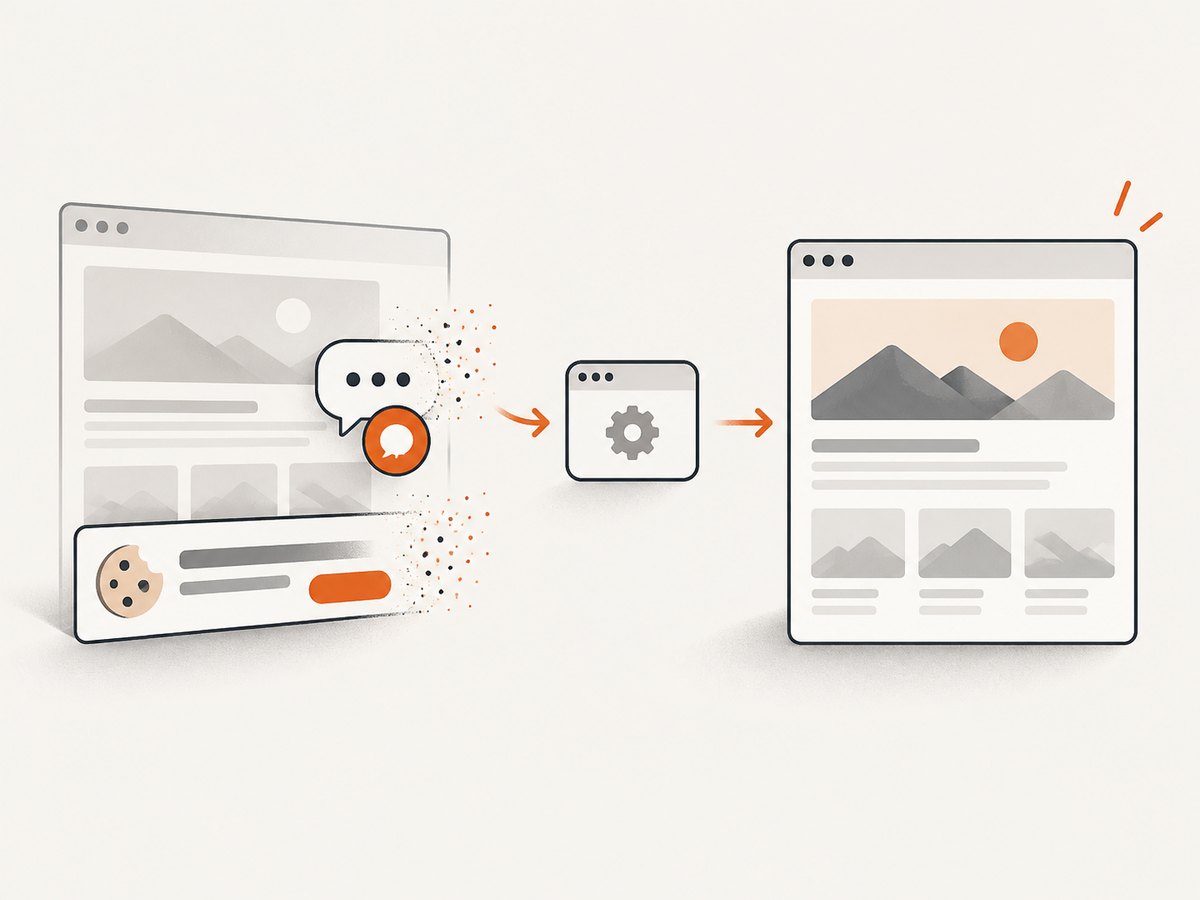
ScreenshotNeo removes cookie and consent banners, newsletter popups, and chat widgets before capture. Bot checks, blank pages, timeouts, failed loads, and cache hits are not billed, and response headers identify the page verdict and whether the request was billed. Its MCP server exposes take_screenshot, get_page_info, and capture_pdf for Claude, Cursor, and other MCP clients.
Use the ScreenshotNeo API documentation for authentication and the full option set. The basic call is:
curl -G "https://api.screenshotneo.com/v1/shot" -d access_key=YOUR_API_KEY --data-urlencode url=https://stripe.com -o shot.webpimport requests
r = requests.get("https://api.screenshotneo.com/v1/shot", params={"access_key": "YOUR_API_KEY", "url": "https://stripe.com"}, timeout=90)
open("shot.webp", "wb").write(r.content)const q = new URLSearchParams({ access_key: 'YOUR_API_KEY', url: 'https://stripe.com' });
const res = await fetch(`https://api.screenshotneo.com/v1/shot?${q}`);Relevant options include full-page capture with lazy images loaded, CSS selector element capture, dark mode, device presets or custom viewports, retina scale, custom CSS and JavaScript, click actions, selector waits, delay or network-idle waits, request and resource blocking, custom headers, cookies, user agent, Authorization, timezone, geolocation, transparent backgrounds, resizing, TTL caching, signed image links, asynchronous jobs with signed webhooks, bulk capture for up to 100 URLs per call, a usage API, and an OpenAPI specification. Parameter names used by other screenshot APIs also work, which can simplify migration.
Plans include 1,000 free shots per month with no card, then Starter at $5 for 3,000, Growth at $15 for 15,000, Pro at $39 for 60,000, Scale at $99 for 250,000, and Business at $249 for 1,000,000. Yearly billing gives two months free, and every feature is available on every plan. Create a free ScreenshotNeo account to get started.
FAQ
Can I extract links without downloading the whole page?
Usually no. You need the document markup containing the href attributes. You can stream or cap responses for large pages, but truncation may omit links near the end.
Should I crawl every extracted URL?
Only if that is part of your permitted workflow. Validate schemes and hosts, rate-limit requests, and follow applicable site terms and organizational policies.
Why does an email regex find false positives?
Regex recognizes a shape, not whether a mailbox exists. Filter obvious artifacts, deduplicate, and verify addresses only with a lawful, appropriate process.
Is a screenshot enough to extract links?
No. A screenshot records pixels. Use rendered DOM extraction for structured href and text data; use screenshots for visual verification, archival, or downstream vision workflows.
How do I handle pages requiring login?
Use an authorized session, pass the required cookies or headers to a browser or service, and never embed credentials in logs or source control.


