Extract Links from Websites: URL and Href Extraction
Learn how to extract href values, resolve relative URLs, filter internal links, remove duplicates, and crawl JavaScript-rendered pages safely.
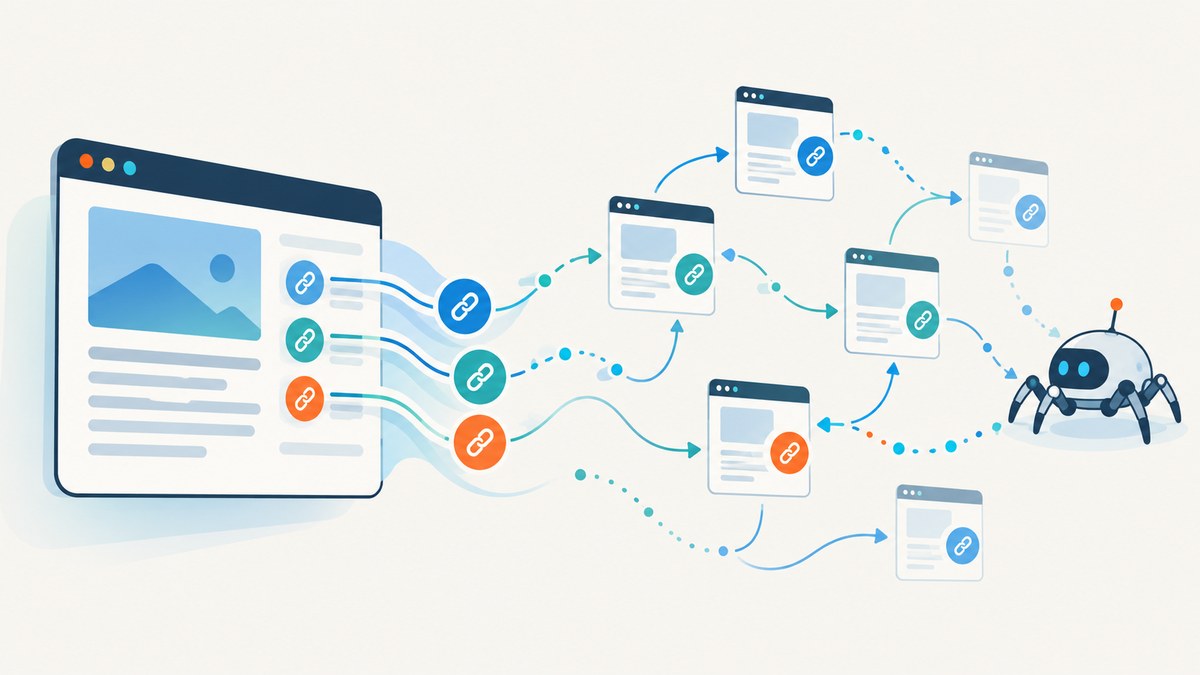
Direct answer: Most website links are HTML <a href="..."> elements. Fetch the HTML, parse every anchor with a library such as Beautiful Soup, read its href, resolve relative references against the page URL, then apply explicit rules for schemes, fragments, query strings, domains, and duplicates. For multi-page crawling, use Scrapy’s LxmlLinkExtractor with domain and pattern filters.
This guide shows a complete single-page extractor in Python, equivalent cURL and Node.js requests, a Scrapy crawler, URL normalization policies, dynamic-content limitations, troubleshooting, and operating guidance.
What a link extractor should return
An extractor can return only destinations, but production code usually needs provenance too. Keep the original value and the interpreted value:
| Field | Purpose |
|---|---|
raw_href |
Exact attribute value from the markup. |
url |
Resolved absolute URL used for requests or graph analysis. |
fragment |
Text after #, useful for in-page targets. |
text |
Visible anchor text, normalized for whitespace. |
nofollow |
Whether the element’s rel includes nofollow. |
source |
Page URL and, if needed, element position or selector. |
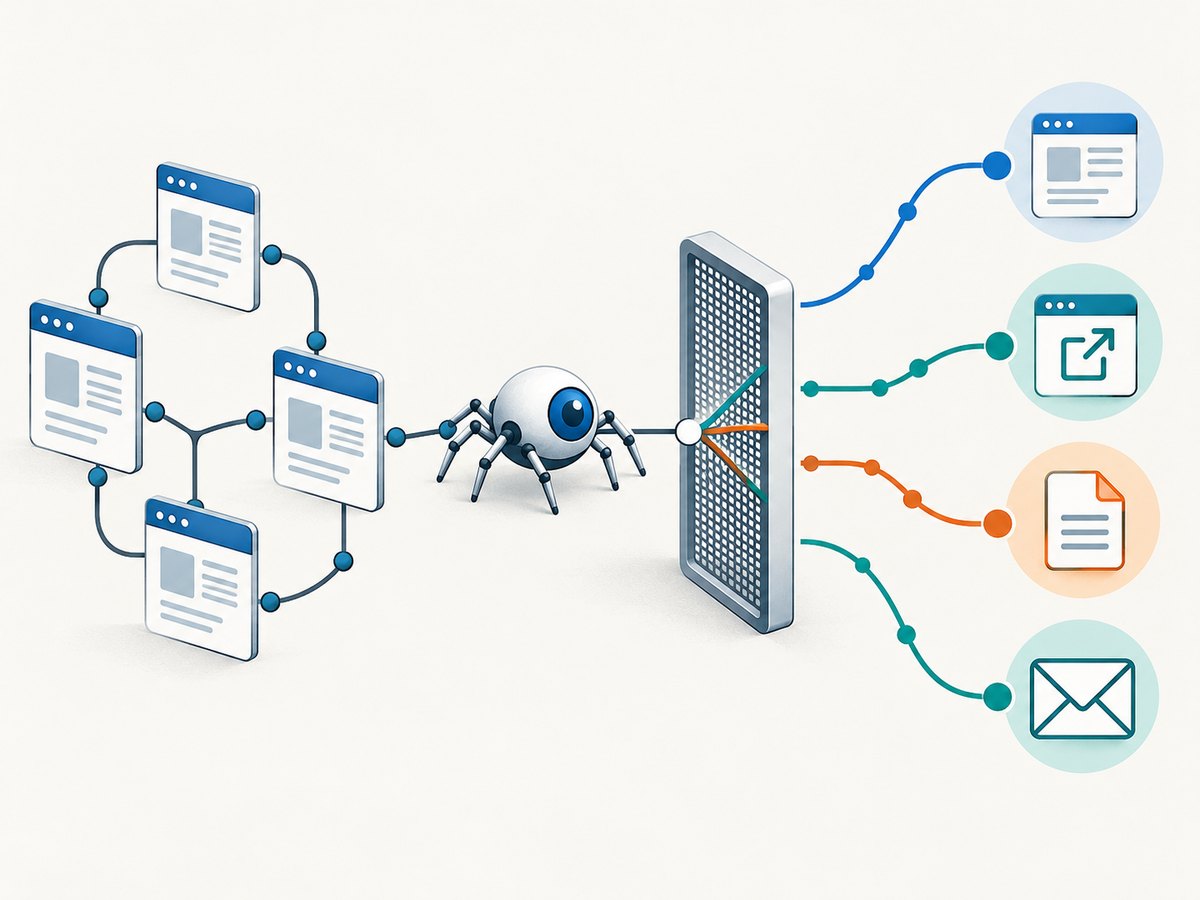
MDN describes the anchor element as a hyperlink to pages, files, email addresses, document fragments, and other URL-addressable targets. An href can therefore use https:, mailto:, tel:, sms:, javascript:, or another scheme. Do not assume every value is an HTTP page. See the MDN anchor element reference.
Extract all href values from one HTML page
Install the parser:
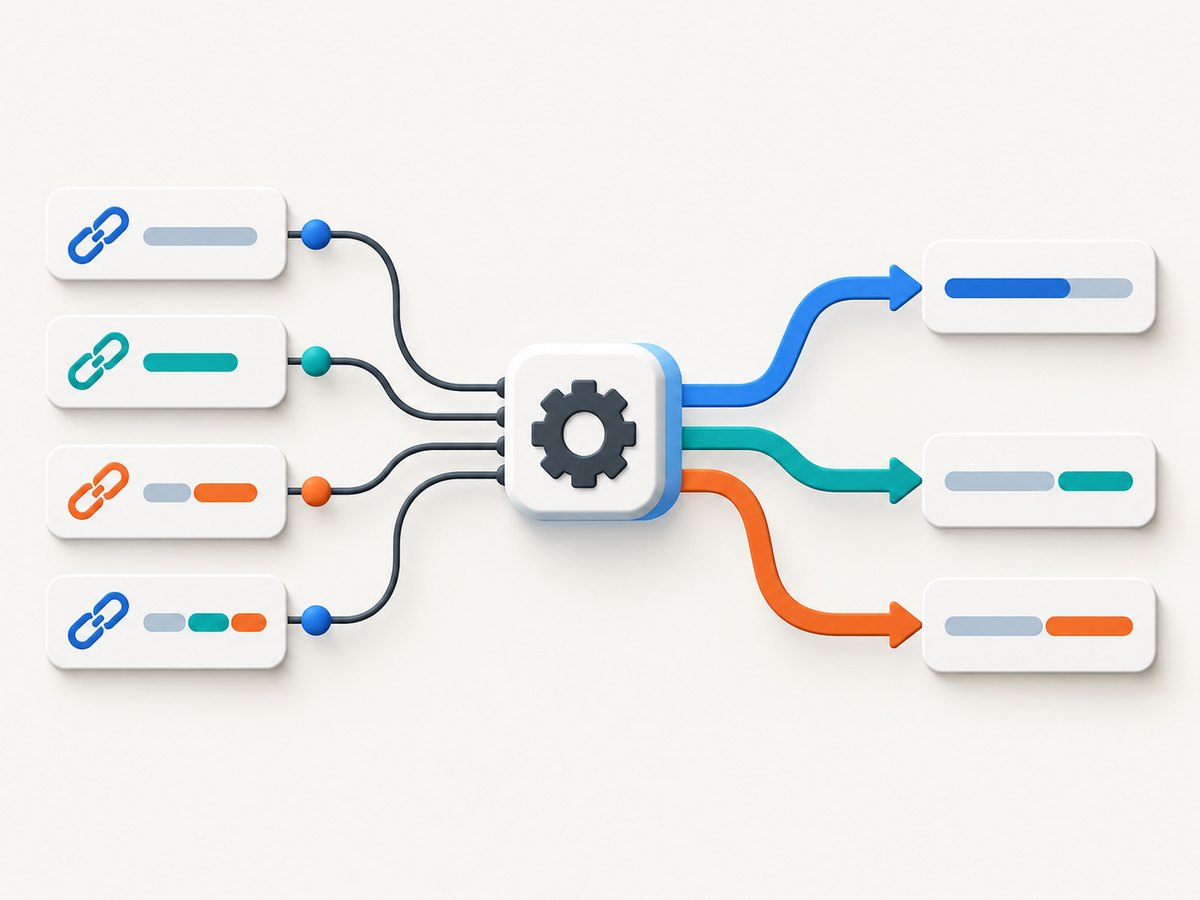
python -m pip install requests beautifulsoup4The following script fetches a page, preserves each raw value, resolves relative links, separates fragments, records anchor text, and skips anchors without a usable value.
from urllib.parse import urldefrag, urljoin

import requests
from bs4 import BeautifulSoup

page_url = "https://example.com/docs/start"
response = requests.get(
    page_url,
    timeout=30,
    headers={"User-Agent": "link-extractor/1.0"},
)
response.raise_for_status()

soup = BeautifulSoup(response.text, "html.parser")
results = []

for tag in soup.find_all("a"):
    raw = tag.get("href")
    if raw is None:
        continue
    raw = raw.strip()
    if not raw:
        continue

    absolute = urljoin(response.url, raw)
    without_fragment, fragment = urldefrag(absolute)
    results.append({
        "raw_href": raw,
        "url": without_fragment,
        "fragment": fragment,
        "text": tag.get_text(" ", strip=True),
        "nofollow": "nofollow" in tag.get("rel", []),
    })

for item in results:
    print(item)
response.url matters because redirects can change the effective base URL. If the document declares a <base href>, HTML URL resolution rules may use that base; a strict extractor should inspect and apply it according to your policy.
Minimal Beautiful Soup pattern
For a quick one-off, Beautiful Soup documents the basic pattern:
for link in soup.find_all('a'):
    print(link.get('href'))
The production version above adds missing-value checks, whitespace handling, URL resolution, fragment handling, and metadata. Read the Beautiful Soup documentation for parser behavior and search APIs.
Request examples with cURL, Python, and Node.js
cURL: retrieve HTML before parsing
curl --fail --location \
  --user-agent 'link-extractor/1.0' \
  --max-time 30 \
  'https://example.com/docs/start' \
  -o page.html
cURL retrieves the document; it does not parse anchors. Pipe the file into a parser or process it in your application.
Python: extract HTTP(S) destinations
from urllib.parse import urljoin
import requests
from bs4 import BeautifulSoup

source = "https://example.com"
html = requests.get(source, timeout=30).text
soup = BeautifulSoup(html, "html.parser")

for tag in soup.find_all("a", href=True):
    href = tag["href"].strip()
    absolute = urljoin(source, href)
    if absolute.startswith(("http://", "https://")):
        print(absolute)
Node.js: fetch and parse with Cheerio
npm install cheerioimport * as cheerio from "cheerio";
const source = "https://example.com/docs/start";
const response = await fetch(source, {
headers: { "user-agent": "link-extractor/1.0" },
});
if (!response.ok) throw new Error(`${response.status} ${response.statusText}`);
const html = await response.text();
const $ = cheerio.load(html);
for (const element of $("a[href]")) {
const raw = $(element).attr("href").trim();
const absolute = new URL(raw, response.url).href;
console.log({ raw_href: raw, url: absolute, text: $(element).text().trim() });
}Choose URL normalization rules deliberately
Normalization changes what counts as the same link. Decide these policies before deduplicating:
| Decision | Common policy | When to change it |
|---|---|---|
| Fragments | Remove from crawl identity; retain separately. | Keep them when auditing in-page navigation. |
| Query strings | Preserve by default. | Remove only known tracking keys such as utm_* under an explicit rule. |
| Schemes | Keep http/https; classify others. |
Keep mailto, tel, or sms for contact analysis. |
| Duplicates | Deduplicate normalized URLs while counting occurrences. | Preserve every occurrence for markup audits. |
| Case and host | Normalize hostname case; do not rewrite path case blindly. | Use site-specific rules only when documented. |
These values are not real destinations and are normally excluded from a navigation graph:
def is_navigation_target(url):
    lowered = url.lower()
    return url not in {"#", ""} and not lowered.startswith("javascript:")
MDN warns that bogus href values can cause unexpected behavior when copying, dragging, opening, or bookmarking links. For actions that do not navigate, MDN recommends a button instead.
Resolve relative URLs correctly
urljoin handles root-relative paths (/pricing), document-relative paths (../guide), protocol-relative URLs (//cdn.example.com/file), and query-only references. Always resolve against the effective page URL, then decide whether to retain the fragment.
Extract only internal links
Compare parsed hostnames rather than string prefixes. This avoids treating example.com.evil.test as internal.
from urllib.parse import urlparse

def same_site(candidate, source):
    a = urlparse(candidate)
    b = urlparse(source)
    return a.scheme in {"http", "https"} and a.hostname == b.hostname

internal = [item for item in results if same_site(item["url"], page_url)]
If subdomains belong to the same crawl, define that explicitly and validate boundaries (for example, compare a registrable domain with a public-suffix-aware library). Do not silently include every suffix match.
Remove duplicate links without losing audit data
from collections import Counter

counts = Counter(item["url"] for item in results)
unique_urls = list(counts)

for url in unique_urls:
    print(counts[url], url)
Deduplicate after resolution and your chosen fragment/tracking policy. Keep the first source element, occurrence count, and raw values if you need to explain why two strings became one URL.
Crawl multiple pages with Scrapy
For a site-wide crawl, a link extractor handles scope and filtering more reliably than hand-written queue code. Install Scrapy:
python -m pip install scrapyimport scrapy
from scrapy.linkextractors import LinkExtractor
class SiteSpider(scrapy.Spider):
name = "site_links"
allowed_domains = ["example.com"]
start_urls = ["https://example.com/"]
extractor = LinkExtractor(
allow_domains={"example.com"},
deny_extensions={"pdf", "zip"},
unique=True,
)
def parse(self, response):
for link in self.extractor.extract_links(response):
yield {
"url": link.url,
"text": link.text,
"fragment": link.fragment,
"nofollow": link.nofollow,
}
yield response.follow(link.url, callback=self.parse)Scrapy’s LxmlLinkExtractor defaults to tags=('a', 'area') and attrs=('href',). It supports allow/deny regular expressions, domain filters, CSS or XPath restrictions, extension filters, custom processing, canonicalization, and unique filtering. Its Link object exposes URL, text, fragment, and nofollow metadata. See the Scrapy link extractor documentation.
Limit crawl scope and load
- Set
allowed_domainsand an explicit start URL. - Use
allow/denypatterns for sections. - Exclude downloads such as archives when they are outside scope.
- Set concurrency, delays, retries, and a maximum page count.
- Honor the target site’s terms, robots policy, and rate limits.
JavaScript-rendered links
Beautiful Soup, Cheerio, and Scrapy parse HTML received over HTTP. They do not promise to execute JavaScript that creates links after load. If the initial response lacks the anchors, use a browser automation tool, inspect the site’s API, or capture the rendered page before extracting its DOM. Keep the rendered URL and timing settings in your audit record.
Or skip the browser setup
When you need a reliable visual record of a rendered page while investigating links, ScreenshotNeo provides a website screenshot API and MCP server. It does not replace an href parser; it gives you a clean capture for pages whose navigation state depends on rendering.
One request returns an image or PDF:
curl -G "https://api.screenshotneo.com/v1/shot" -d access_key=YOUR_API_KEY --data-urlencode url=https://stripe.com -o shot.webpimport requests
r = requests.get("https://api.screenshotneo.com/v1/shot", params={"access_key": "YOUR_API_KEY", "url": "https://stripe.com"}, timeout=90)
open("shot.webp", "wb").write(r.content)const q = new URLSearchParams({ access_key: 'YOUR_API_KEY', url: 'https://stripe.com' }); const res = await fetch(`https://api.screenshotneo.com/v1/shot?${q}`);See the ScreenshotNeo API documentation for request options. Cookie and consent banners, newsletter popups, and chat widgets are removed before the shot. Bot checks, blank pages, failed loads, timeouts, and cache hits are not billed, and response headers identify the page verdict and billing result. Its MCP server provides take_screenshot, get_page_info, and capture_pdf for AI agents. The Free plan includes 1,000 screenshots per month without a card; paid plans start at $5 for 3,000. Create a free ScreenshotNeo account.
Options worth adding in production
- Timeouts: Bound connection and read time separately where your client supports it.
- Retries: Retry transient network failures with backoff; do not blindly retry permanent 4xx responses.
- Encoding: Decode according to the response charset and preserve the original bytes when auditing.
- Redirects: Record every redirect and parse the final response URL.
- Robots and access: Respect authorization, robots guidance, and rate limits.
- Storage: Store raw HTML, parser version, fetch timestamp, and normalization policy for reproducibility.
- Security: Treat extracted URLs as untrusted input. Block private-network destinations in server-side fetchers to reduce SSRF risk.
Troubleshooting
| Symptom | Cause | Fix |
|---|---|---|
| No links found | Links are injected by JavaScript or the response is not the expected page. | Inspect response HTML, follow redirects, then use browser rendering or the site’s data API. |
| Relative URLs are unusable | The raw href was used directly. | Resolve with urljoin or new URL(href, base). |
| Too many duplicates | Fragments, tracking parameters, or alternate spellings differ. | Define normalization first, then deduplicate. |
| External links pass an internal filter | A string prefix or unsafe suffix comparison was used. | Parse hostnames and compare exact boundaries. |
| Parser errors on malformed markup | HTML is incomplete or nonstandard. | Use a tolerant HTML parser, retain raw input, and log the source. |
| 403 or 429 responses | Access controls or rate limits. | Reduce concurrency, identify your client, authenticate where authorized, and follow site policy. |
Only # links appear |
Navigation controls use placeholder hrefs. | Exclude bogus values and inspect buttons or JavaScript handlers separately. |
Performance, reliability, and cost
Parsing one document is usually cheaper than fetching it; network time dominates. Reuse HTTP connections, cap response sizes, and avoid downloading assets you do not parse. For crawls, the number of pages, concurrency, retries, and rendering requirements determine run time and infrastructure cost. Cache responses only when freshness permits, and record cache status so reports remain explainable.
Reliability comes from bounded work: timeouts, retry budgets, duplicate suppression, deterministic normalization, and checkpoints. A failed fetch should be represented as an error with its URL and status, not as an empty page with zero links. For JavaScript-heavy sites, separate “HTML links found” from “rendered links found” so consumers know what was actually observed.
Checklist
- Fetch the page and record the final response URL.
- Parse
a[href]elements and preserve raw values. - Resolve relative references against the correct base.
- Classify non-HTTP schemes.
- Choose fragment, query, tracking, and duplicate policies.
- Filter domains with parsed hostnames.
- Use Scrapy for controlled multi-page crawling.
- Use browser rendering only when links are created after JavaScript execution.
- Apply timeouts, retries, rate limits, and SSRF protections.
FAQ
How do I extract just the URL from an href?
Read the attribute with tag.get('href') or $(element).attr('href'). Resolve it against the page URL if it is relative.
Should I remove URL fragments?
Remove them from crawl identity when fragments do not affect the HTTP response, but retain them separately when analyzing in-page navigation.
Can an href be an email address?
Yes. Values such as mailto:, tel:, and sms: are valid link targets but are not web pages.
Why does a crawler miss links visible in my browser?
The browser may execute JavaScript after the initial HTML arrives. Compare the fetched source with the rendered DOM and select a browser or API-based extraction method when necessary.
Is canonicalization always safe?
No. Canonicalization can change the URL sent to a server. Use it deliberately for crawl identity and retain the original when exact markup or server behavior matters.


