Extract Open Graph Metadata While Rendering Screenshots
Use Playwright to render pages, extract ordered Open Graph metadata, and save viewport, full-page, or element screenshots reliably.

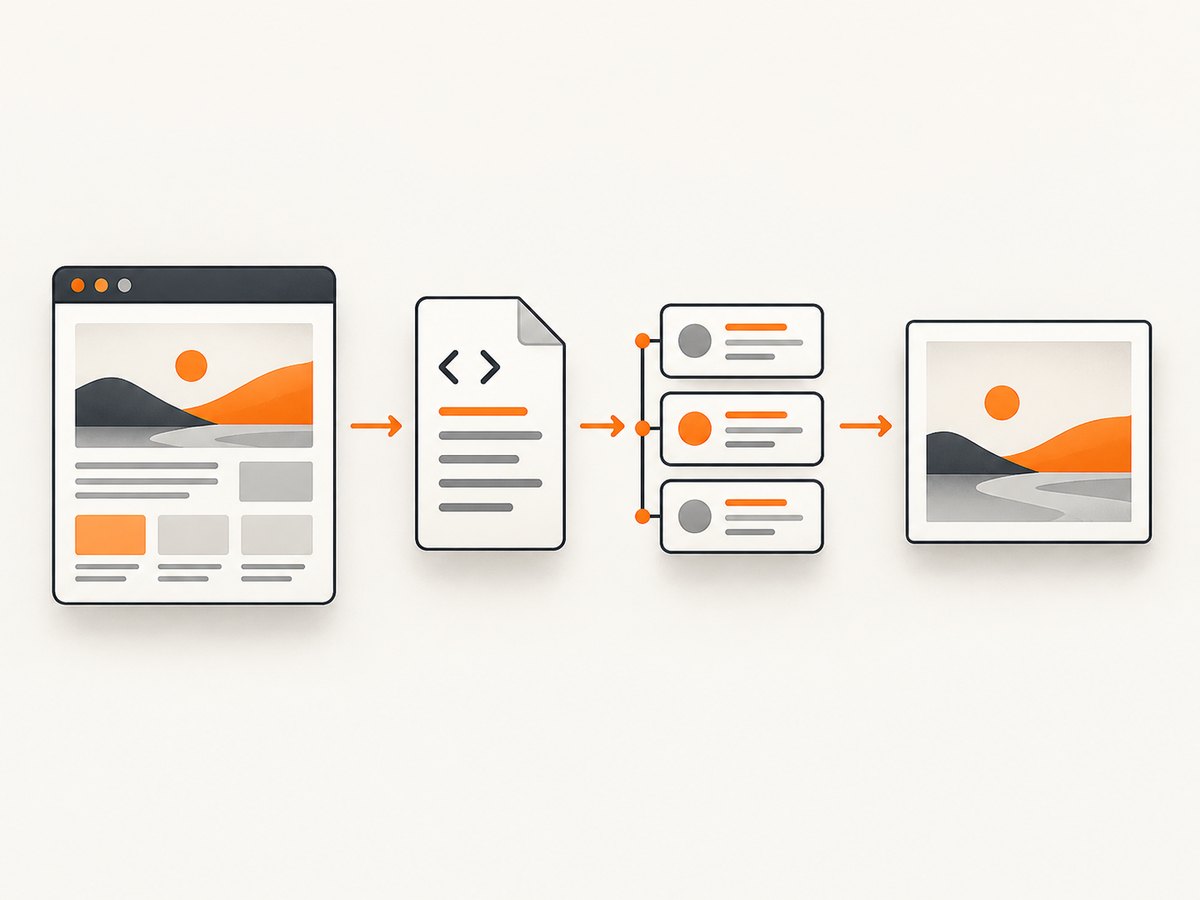
Direct answer: launch a real browser, navigate to the page, wait for a page-specific readiness condition, read meta[property^="og:"] elements from the rendered document head, and capture the screenshot as a separate output. Open Graph values are stored in each meta element’s content attribute; the screenshot itself does not contain the structured metadata. The complete Playwright example below returns ordered metadata and a PNG screenshot.
This distinction matters when a site adds or changes its tags with client-side JavaScript. Parsing the initial HTTP response can miss those changes, while a rendered browser observes the final DOM. The same browser session can produce both machine-readable metadata and a visual artifact without confusing the two.
How do I extract Open Graph metadata with Playwright?
Install Playwright, launch Chromium, navigate to the target URL, wait for the condition that means the page is ready, then evaluate the document head. The script preserves every matching value in document order, normalizes URLs against the final page URL, and saves a full-page screenshot.
import { chromium } from 'playwright';
import fs from 'node:fs/promises';

const target = process.argv[2] || 'https://example.com';
const browser = await chromium.launch();
const page = await browser.newPage({
  viewport: { width: 1440, height: 900 },
  deviceScaleFactor: 1
});

try {
  const response = await page.goto(target, {
    waitUntil: 'domcontentloaded',
    timeout: 45_000
  });

  // Prefer a page-specific readiness check when tags are client-rendered.
  // This check is optional because not every page has og:title.
  await page.locator('head meta[property="og:title"]').first()
    .waitFor({ state: 'attached', timeout: 10_000 })
    .catch(() => {});

  const result = await page.evaluate(() => {
    const values = {};
    for (const element of document.querySelectorAll('meta[property]')) {
      const property = element.getAttribute('property');
      if (!property || !property.toLowerCase().startsWith('og:')) continue;
      const content = element.getAttribute('content') ?? '';
      (values[property] ||= []).push(content);
    }

    const normalized = {};
    for (const [property, entries] of Object.entries(values)) {
      normalized[property] = entries.map(value => {
        try { return new URL(value, document.baseURI).href; }
        catch { return value; }
      });
    }

    return {
      pageUrl: location.href,
      documentTitle: document.title,
      extractedAt: new Date().toISOString(),
      openGraph: values,
      normalizedOpenGraph: normalized
    };
  });

  await page.screenshot({ path: 'page.png', fullPage: true, type: 'png' });
  await fs.writeFile('metadata.json', JSON.stringify({
    httpStatus: response?.status() ?? null,
    ...result
  }, null, 2));

  console.log(JSON.stringify(result, null, 2));
} finally {
  await browser.close();
}
Run it with:
npm install playwright
npx playwright install chromium
node extract-og.mjs https://example.com
The output has two useful maps. openGraph retains the exact strings supplied by the page. normalizedOpenGraph resolves relative URL values against the final document base URL while retaining the original map for debugging. URL resolution here is an implementation choice, not an Open Graph protocol rule.
How do I get og:title and og:image after a page loads?
Query by the property attribute and read content. Do not use only a CSS class or visual text: Open Graph identifies fields with names such as og:title, og:type, og:image, and og:url. The Open Graph protocol also documents description, site name, locale, and image structured properties.
const ogTitle = await page.locator('meta[property="og:title"]').first()
  .getAttribute('content');
const ogImages = await page.locator('meta[property="og:image"]')
  .evaluateAll(nodes => nodes.map(node => node.getAttribute('content') || ''));

console.log({ ogTitle, ogImages });
For a one-off first value, first() is convenient. For a crawler, preserve arrays. Repeated properties are valid, and the protocol gives the first property from top to bottom preference when values conflict. Image structured properties such as og:image:width, og:image:height, og:image:type, og:image:alt, and og:image:secure_url belong to the image root immediately before them. When another og:image appears, the previous image’s structured group ends.
const ordered = await page.evaluate(() => {
  const rows = [...document.querySelectorAll('meta[property]')]
    .map(node => ({
      property: node.getAttribute('property'),
      content: node.getAttribute('content') || ''
    }))
    .filter(row => row.property?.toLowerCase().startsWith('og:'));
  return rows;
});
Choose the right readiness condition
Playwright supports commit, domcontentloaded, load, and networkidle navigation waits. The Page API documentation marks networkidle as discouraged for testing; it can be unreliable on pages with analytics, polling, advertisements, or long-lived connections. Use the earliest event that guarantees the data you need, then wait for a meaningful application condition.
| Condition | Use it when | Risk |
|---|---|---|
commit |
You only need the response to begin and will wait for your own selector. | The DOM is not ready yet. |
domcontentloaded |
Tags are present in server HTML or appear during initial parsing. | Client code may still be updating the head. |
load |
You need images and subresources to finish their load events. | Some applications keep loading work after this event. |
networkidle |
A page-specific workflow has confirmed that a quiet network is meaningful. | It may never become idle or may be idle before metadata is inserted. |
For client-rendered metadata, wait for a selector or application signal:
await page.goto(target, { waitUntil: 'domcontentloaded' });
await page.waitForFunction(() => {
  const tag = document.querySelector('meta[property="og:title"]');
  return tag?.getAttribute('content')?.trim();
}, { timeout: 15_000 });
If the page has no reliable marker, use a bounded delay as a last resort and record that choice. A fixed delay is less precise than a state assertion because fast pages waste time and slow pages can still be incomplete.
Extract conventional metadata too
Open Graph uses property. Conventional HTML metadata commonly uses name, for example description, robots, and twitter:card. The MDN meta reference explains that the element supplies document-level metadata and that content carries its value.
const conventional = await page.evaluate(() => {
  const output = {};
  for (const node of document.querySelectorAll('meta[name]')) {
    const name = node.getAttribute('name');
    const content = node.getAttribute('content') || '';
    (output[name] ||= []).push(content);
  }
  return output;
});
Keep Open Graph and conventional metadata in separate fields in your result. A missing og:title should not be silently replaced by visible heading text unless your application explicitly defines that fallback.
Take a screenshot as a separate artifact
Playwright supports viewport, full-page, and locator screenshots. A screenshot can be written to a file or returned as bytes for storage or processing.
// Viewport screenshot
await page.screenshot({ path: 'viewport.webp', type: 'webp', quality: 85 });

// Entire scrollable document
await page.screenshot({ path: 'full-page.png', fullPage: true });

// One element
await page.locator('main').screenshot({ path: 'main.png' });

// Keep bytes in memory
const bytes = await page.screenshot({ type: 'png' });
Use viewport capture for a social preview or monitoring tile, full-page capture for archival documentation, and locator capture for a component. Record viewport dimensions, device scale factor, browser version, color scheme, locale, and target URL when visual comparisons need to be reproducible. Do not assume pixel identity across machines without measuring it.
Complete extraction patterns for production jobs
Handle redirects and the final URL
Read page.url() after navigation. The requested URL may redirect, and relative metadata should be interpreted against the final document. Store the response status and redirect chain when diagnosing unexpected tags.
Preserve missing, empty, and repeated values
Distinguish a missing property from content="". Arrays make repeated images and structured properties lossless. A practical record contains:
pageUrlanddocumentTitleopenGraphas ordered arrays by property- conventional
meta[name]values - HTTP status, navigation duration, and extraction timestamp
- navigation, browser, and parsing errors
- screenshot path or object-storage key
Control browser context
const context = await browser.newContext({
  viewport: { width: 1200, height: 800 },
  deviceScaleFactor: 2,
  colorScheme: 'dark',
  locale: 'en-US',
  timezoneId: 'America/New_York',
  userAgent: 'MetadataCapture/1.0'
});
const page = await context.newPage();
Use a consistent context for comparisons. Only set a user agent, locale, timezone, or color scheme when it reflects the audience you intend to model; these values can change both rendered content and metadata.
Wait for a known application state
await page.waitForSelector('[data-page-ready="true"]', {
  state: 'attached',
  timeout: 20_000
});
Prefer a stable marker that the application owns. If tags are inserted by a framework, a marker can be set after the head update completes. Avoid waiting for an arbitrary number of milliseconds as your primary synchronization method.
Or skip the browser setup
ScreenshotNeo provides a website screenshot API and MCP server. Its screenshot endpoint returns PNG, JPEG, WebP, or PDF from one GET request. It is useful when you need the visual capture but do not want to maintain a browser runtime. ScreenshotNeo does not turn a screenshot into Open Graph data; keep metadata extraction as a separate browser or HTML inspection step.
See the ScreenshotNeo documentation for request options. Minimal calls:
cURL
curl -G "https://api.screenshotneo.com/v1/shot" -d access_key=YOUR_API_KEY --data-urlencode url=https://stripe.com -o shot.webpPython
import requests

r = requests.get(
    "https://api.screenshotneo.com/v1/shot",
    params={"access_key": "YOUR_API_KEY", "url": "https://stripe.com"},
    timeout=90,
)
r.raise_for_status()
open("shot.webp", "wb").write(r.content)
Node.js
const q = new URLSearchParams({ access_key: 'YOUR_API_KEY', url: 'https://stripe.com' });
const res = await fetch(`https://api.screenshotneo.com/v1/shot?${q}`);
if (!res.ok) throw new Error(`Screenshot failed: ${res.status}`);
const bytes = Buffer.from(await res.arrayBuffer());
await import('node:fs/promises').then(fs => fs.writeFile('shot.webp', bytes));
ScreenshotNeo accepts options for full-page capture with lazy images loaded, CSS selector element capture, dark mode, 12 device presets or a custom viewport, retina scale, PDF paper size and margins, custom CSS and JavaScript, pre-capture clicks, hidden selectors, selector or delay waits, request and resource blocking, headers, cookies, user agent, authorization, timezone, geolocation, transparent backgrounds, resizing, configurable caching TTL, signed public image links, asynchronous jobs with signed webhooks, bulk capture of up to 100 URLs per call, a usage API, and an OpenAPI specification. Parameter names used by other screenshot APIs also work, which can simplify migration.
Its cleanup step accepts consent banners and removes more than 60 known consent platforms, newsletter popups, and chat widgets before capture; each step can be disabled. Only clean shots are billed. Bot checks or CAPTCHAs, blank pages, timeouts, failed loads, and cache hits cost nothing, and response headers identify the page verdict and billing result with X-Page-Verdict and X-Billed. An MCP server exposes take_screenshot, get_page_info, and capture_pdf to Claude, Cursor, and other MCP clients.
The Free plan includes 1,000 shots per month without a card. Paid plans start at $5 for 3,000 shots; Growth is $15 for 15,000, Pro $39 for 60,000, Scale $99 for 250,000, and Business $249 for 1,000,000. Yearly billing gives two months free, and every feature is available on every plan. Create a free ScreenshotNeo account and start with 1,000 screenshots per month at no charge.
Troubleshooting common failures
No Open Graph tags are returned
Cause: the site does not publish Open Graph tags, the tags are inserted after your read, or the page is blocked before its application runs.

Fix: inspect the rendered DOM in a browser, wait for a page-specific marker, confirm the final URL, and record navigation errors. Do not infer that a missing tag means the page has no title.
The values are stale
Cause: extraction happened after domcontentloaded but before client code updated the head, or a cached response was used.
Fix: wait for the expected meta element or application state. For repeated runs, control caching and record timestamps. A longer blind delay is a fallback, not a guarantee.
Only one image appears
Cause: code used locator().first() or converted the result directly to a scalar.
Fix: use evaluateAll and preserve ordered arrays. Group og:image:* fields with the preceding image root if your consumer needs alternatives and dimensions.
Relative image URLs break downstream
Cause: the consumer expects absolute URLs.
Fix: retain the original value and resolve a second copy with new URL(value, document.baseURI). Keep the final page URL in the record for auditability.
Navigation times out
Cause: the host is slow, resources never settle, a bot check is shown, or the chosen wait condition is too strict.
Fix: use a bounded timeout, select an earlier navigation event, wait for a meaningful selector, and capture diagnostic status and HTML. Do not treat a timeout as valid metadata.
The screenshot is blank or incomplete
Cause: the page has not rendered, content is lazy-loaded below the fold, a selector does not exist, or a consent overlay covers the page.
Fix: wait for the content selector, use full-page capture only after the page is ready, verify the locator before capturing, and handle overlays explicitly. Compare the screenshot with the extracted page URL and status.
Different machines produce different pixels
Cause: viewport, device scale, fonts, browser version, locale, timezone, animation state, or external content differs.
Fix: pin the browser and context settings, disable or wait through animations where appropriate, and compare with a tolerance. There is no general cross-platform pixel identity guarantee.
Performance, reliability, and cost planning
Browser startup is often the largest fixed cost in a small script. Reuse a browser process and create isolated contexts for batches of pages. Limit concurrency to what the target sites and your machine can support; excessive parallel tabs increase memory use and can trigger rate limits. Close contexts and pages in a finally block.
Choose the smallest screenshot scope that meets the requirement. Viewport and locator screenshots use less memory than full-page captures. Return screenshot bytes when an object store or image pipeline is the next destination, avoiding temporary files. For metadata-only jobs, skip the screenshot entirely.
Reliability comes from explicit timeouts, bounded retries for transient navigation errors, idempotent output keys, and structured diagnostics. Store the requested URL, final URL, status, readiness strategy, browser settings, extraction timestamp, and error category. Treat a bot challenge, blank document, missing required tag, and network timeout as different outcomes so downstream systems can decide whether to retry.
Open Graph itself does not promise that every tag is present or that every social platform consumes tags identically. Validate important pages against the pages and consumers you support. The protocol defines metadata structure; your crawler still needs page-specific readiness and error handling.
Checklist for a production extractor
- Navigate with an explicit timeout and an appropriate wait event.
- Wait for a meaningful selector when metadata is client-rendered.
- Read
propertyandcontent, preserving order and duplicates. - Keep original URL values and optionally store normalized equivalents.
- Record final URL, HTTP status, title, timestamp, and errors.
- Choose viewport, full-page, or locator screenshot deliberately.
- Pin context settings when visual comparisons matter.
- Reuse browsers for batches and cap concurrency.
- Separate metadata failures from screenshot failures.
- Do not claim a page is complete merely because navigation reached
load.
FAQ
Can a screenshot contain Open Graph metadata?
No. A screenshot is pixels. Open Graph values live in HTML meta elements, so extract them from the rendered DOM and save the image separately.
Should I parse HTML instead of using a browser?
Parse the initial HTML when the site serves stable tags and you need maximum throughput. Use a browser when client-side code can insert or change the head, or when you also need a rendered screenshot.
Is og:image always a single value?
No. The protocol permits repeated properties. Preserve all ordered values when selecting among image alternatives.
Which screenshot mode should I choose?
Use viewport for a visible screen, full page for the complete scrollable document, and a locator screenshot for one element. Keep the mode in your output metadata.
Can ScreenshotNeo extract Open Graph tags?
ScreenshotNeo is designed for screenshot and PDF capture. Use Playwright or another HTML-capable browser workflow for structured Open Graph extraction, and use ScreenshotNeo when you want a managed visual capture without maintaining browser setup.


