UI Testing with a Screenshot API
Learn how to build reliable visual UI tests with Playwright, screenshot APIs, baselines, diffs, troubleshooting, and CI practices.
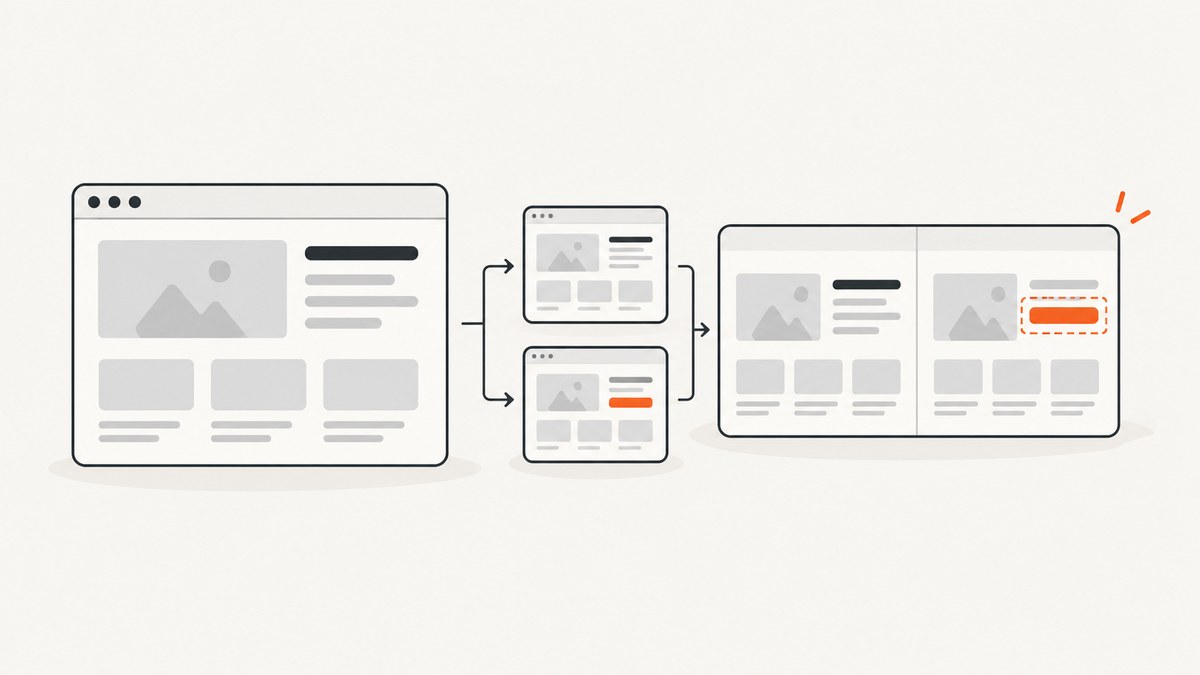
A screenshot API can turn a visual check into an automated regression test: drive the application into a known state, capture the rendered interface, compare it with an approved baseline, and review meaningful differences. This catches layout, spacing, color, typography, and rendering changes that functional assertions can miss.
The most reliable setup combines functional tests with visual checkpoints. Use deterministic data, a fixed browser and viewport, stable timing, and an explicit review process for baseline changes. Playwright can provide the browser automation and screenshot assertions; a screenshot API can provide a separate capture layer for pages, elements, PDFs, CI jobs, or systems that should not carry browser setup.
What a screenshot UI test checks
A functional test may prove that a button is enabled, a request succeeds, or a route returns the expected data. A screenshot test checks what the user actually sees at a checkpoint. It can expose a shifted grid, clipped text, a missing icon, an incorrect color token, a broken responsive breakpoint, or a browser rendering difference.
A useful test does not capture an arbitrary page immediately after navigation. It performs the flow that matters: sign in with controlled data, open the target route, select a tab, submit a form, or open a menu. Then it captures the smallest region that represents the behavior under test. Keep page-level checks for page-level layout risks.
The visual testing workflow
- Choose a checkpoint. Define the meaningful state and the user action that reaches it.
- Stabilize the state. Use fixed data, wait for required content and fonts, set a known viewport, and remove or control dynamic regions.
- Capture. Capture the viewport, an element, or the full scrollable page. PNG, JPEG, and WebP are common image outputs.
- Compare. Compare the new image with an approved baseline using a native assertion or a hosted comparison service.
- Review. Accept an intentional product change as the new baseline, or reject it and investigate the regression.
- Expand deliberately. Add important states and viewports instead of creating a large collection of noisy screenshots.
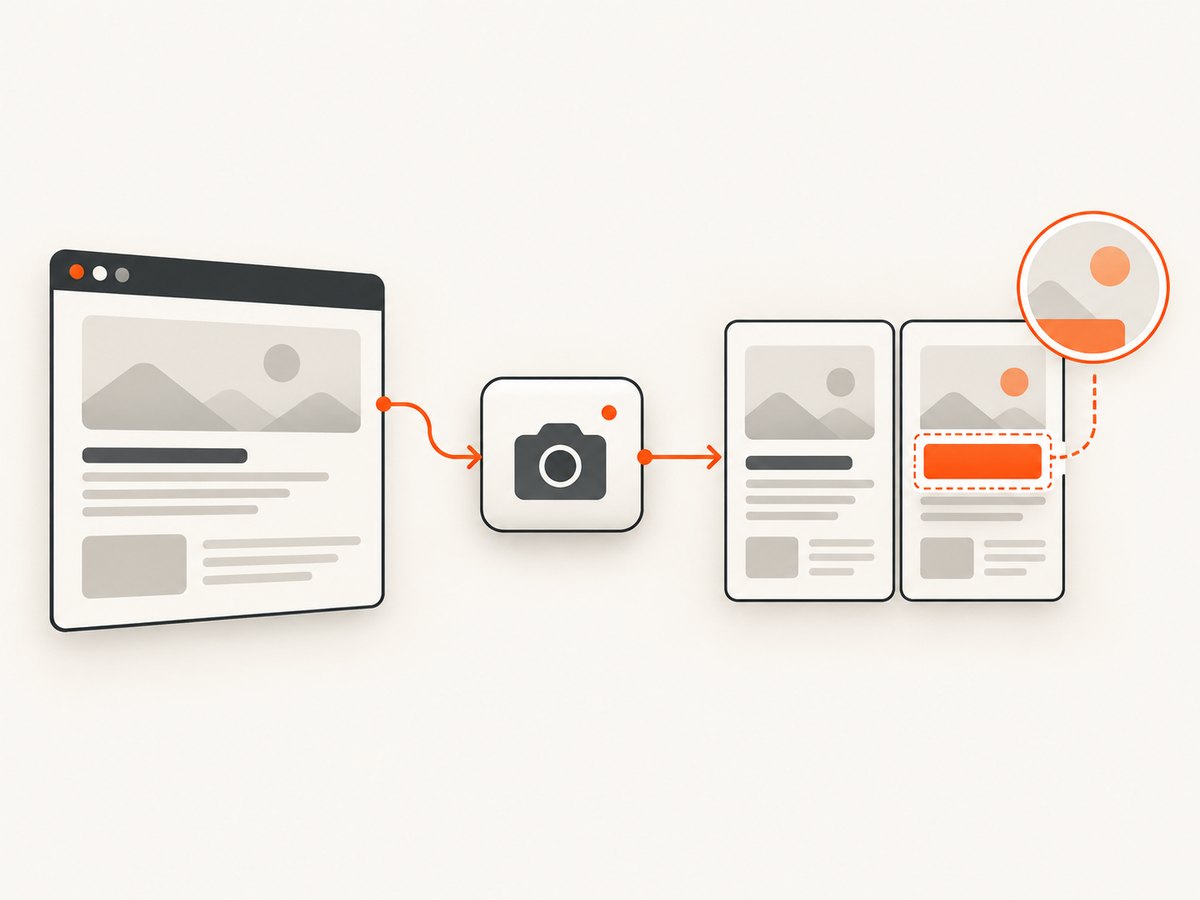
This is the model described by Applitools Eyes: exercise a UI state, capture a checkpoint, compare it with a stored baseline, and review differences. Playwright documents the same core pattern through its screenshot assertions and capture APIs.
Build a screenshot test with Playwright
The example below uses the Playwright test runner. Install Playwright, create a test, and let the first run generate a baseline. The assertion waits for consecutive screenshots to stabilize before comparing the final capture.
npm init playwright@latest
npm install
npx playwright install
Create tests/dashboard.visual.spec.js:
import { test, expect } from '@playwright/test';

test('dashboard matches the approved visual baseline', async ({ page }) => {
  await page.setViewportSize({ width: 1440, height: 900 });
  await page.goto('http://localhost:3000/dashboard', { waitUntil: 'networkidle' });

  // Make the test state deterministic.
  await page.getByRole('button', { name: 'Open account menu' }).click();
  await page.getByRole('menuitem', { name: 'Acme account' }).click();
  await page.locator('[data-testid="dashboard-data"]').waitFor();

  // Hide values that change on every run without hiding layout.
  await page.addStyleTag({ content: `
    [data-testid="current-time"],
    [data-testid="random-avatar"] { visibility: hidden !important; }
  ` });

  await expect(page).toHaveScreenshot('dashboard.png', {
    fullPage: true,
    animations: 'disabled',
    caret: 'hide',
    maxDiffPixels: 100
  });
});
Run it with npx playwright test. Review the generated image before committing it as the baseline. On later runs, a mismatch is a review item; do not automatically replace snapshots in CI.
Playwright also supports element screenshots and full-page capture. Use an element checkpoint when unrelated page content would create noise:
test('checkout summary is stable', async ({ page }) => {
  await page.goto('http://localhost:3000/checkout');
  await page.getByTestId('checkout-summary').waitFor();
  await expect(page.getByTestId('checkout-summary')).toHaveScreenshot('summary.png');
});
See the Playwright screenshot assertion documentation for configuration and snapshot behavior.
Choosing capture scope and comparison rules
| Capture | Use it when | Main risk |
|---|---|---|
| Viewport | You are checking the visible fold or a responsive state | Content below the fold is not covered |
| Element | A component or flow result is the behavior under test | Page-level positioning issues can be missed |
| Full page | Long-page layout, navigation, or documentation is important | Dynamic sections create noisy diffs |
Set the viewport, device scale, browser version, color scheme, locale, and timezone deliberately. A one-pixel change in device scale or a different font can produce a large image difference. Keep browser versions consistent in CI unless cross-browser coverage is the purpose of the test.
Dynamic content needs a policy. Prefer fixed fixtures and seeded data. For timestamps, rotating promotions, account names, ads, experiments, and animated regions, either control the source data or mask only the changing region. A mask must not hide the layout or behavior the checkpoint is intended to protect.
Using a screenshot API in the test pipeline
A screenshot API is useful when capture should be independent of the test runner, when you need a simple HTTP interface, or when you want to capture URLs from a separate service. The API returns an image; your pipeline can store it, compare it with a baseline using an image-diff tool, and publish the diff as a CI artifact.
Design the pipeline around these steps:
- Build and deploy the review environment.
- Seed deterministic test data.
- Request screenshots for each URL, state, viewport, and format.
- Verify the response and record verdict metadata.
- Compare with versioned baselines.
- Upload the actual image and diff for review.
- Update baselines only after a human approves an intentional change.
Store baseline names with route, state, viewport, and browser information. For example: checkout-error__desktop-1440__chromium.png. Keep baseline updates in the same pull request as the UI change so reviewers can connect code and visual output.
Or skip the browser setup
ScreenshotNeo is a website screenshot API and MCP server. One GET request returns a PNG, JPEG, WebP, or PDF. It can capture a viewport, full page with lazy images loaded, or one element selected with CSS. It also supports dark mode, 12 device presets or any viewport, retina scale, custom CSS and JavaScript, clicks before capture, selector waits, delays, network-idle waits, hidden selectors, blocked ads and trackers, custom headers and cookies, user agents and Authorization, timezone and geolocation, transparent backgrounds, resizing, caching with a chosen TTL, signed links, asynchronous jobs with signed webhooks, bulk capture for 100 URLs per call, usage reporting, and an OpenAPI specification. Parameter names used by other screenshot APIs also work, which can simplify migration.
Use the ScreenshotNeo API documentation for the complete option set. A minimal cURL request is:
curl -G 'https://api.screenshotneo.com/v1/shot' \
  -d access_key=YOUR_API_KEY \
  --data-urlencode url=https://stripe.com \
  -o shot.webp
Python:
import requests

r = requests.get(
    'https://api.screenshotneo.com/v1/shot',
    params={'access_key': 'YOUR_API_KEY', 'url': 'https://stripe.com'},
    timeout=90,
)
r.raise_for_status()
open('shot.webp', 'wb').write(r.content)
Node.js:
const q = new URLSearchParams({ access_key: 'YOUR_API_KEY', url: 'https://stripe.com' });
const res = await fetch(`https://api.screenshotneo.com/v1/shot?${q}`);
if (!res.ok) throw new Error(`Screenshot failed: ${res.status}`);
const bytes = await res.arrayBuffer();
await Bun.write('shot.webp', bytes);
For a visual test, add the options that define the state you need: a CSS selector for an element, a wait selector for data, a delay for a known animation, a custom header or cookie for authenticated content, a viewport or device preset, and a format that matches your diff tooling. Use a cache TTL when the page is immutable and you want repeated checks to avoid unnecessary recapture.
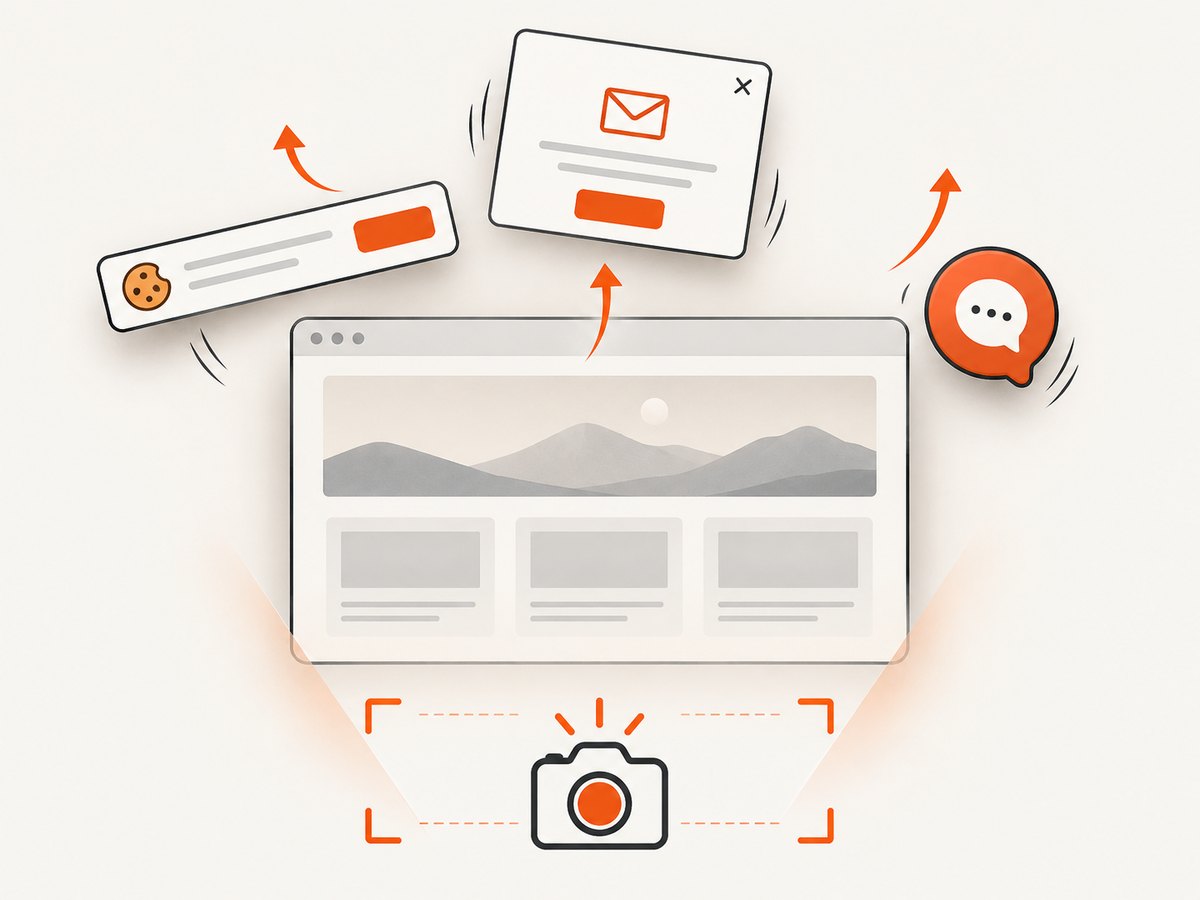
ScreenshotNeo removes cookie and consent banners, newsletter popups, and chat widgets before capture. Each step can be turned off. Bot checks or CAPTCHAs, blank pages, timeouts, failed loads, and cache hits cost nothing, and the response identifies the result with X-Page-Verdict and X-Billed headers. Its MCP server provides take_screenshot, get_page_info, and capture_pdf tools for Claude, Cursor, and other MCP clients.
There is a free allowance of 1,000 shots per month with no card. Paid plans start at $5 for 3,000 shots; yearly billing gives two months free, and every feature is available on every plan. Create a free ScreenshotNeo account and use the free allowance to add screenshot checks to a project.
Authentication, private pages, and safe test data
Do not place API keys in browser code or commit them to a repository. Store the key in CI secrets and pass it to the job environment. For private pages, use request headers, cookies, a user agent, or Authorization as supported by the API. Use a dedicated test account with synthetic data. Screenshots can contain personal or customer information, so define where images and diffs are stored and who can review them.
If your application requires an interaction before the target state, use a signed or temporary route that opens the state directly, or use an API option that clicks an element before capture. This reduces timing variance and makes failures easier to diagnose.
Reliability and performance practices
- Wait for a meaningful condition. Prefer a selector or network-idle condition tied to the page over a large arbitrary sleep.
- Use retries carefully. Retry transient navigation failures, but preserve the first failed image and verdict so a flaky test is visible.
- Keep captures focused. Smaller element images compare faster and produce clearer diffs.
- Separate visual and functional failures. A screenshot mismatch should link to the functional test and the rendered artifact.
- Control concurrency. Parallel captures shorten CI time but can stress an application or create rate-limit failures. Choose concurrency based on your environment and service plan.
- Cache intentionally. Caching is useful for immutable pages and harmful when the test is meant to verify fresh rendering.
- Track cost. Count screenshots by URL, viewport, retry, and baseline. With ScreenshotNeo, inspect
X-Billedand remember that clean shots are billed while bot checks, blank pages, timeouts, failed loads, and cache hits are not.
Troubleshooting common failures
| Symptom | Likely cause | Fix |
|---|---|---|
| Large diff after a harmless change | Different browser, font, viewport, device scale, or timezone | Pin the environment and capture settings. |
| Only timestamps or names differ | Uncontrolled dynamic data | Seed fixtures or mask the changing region without hiding layout. |
| Blank or partially rendered image | Capture occurred before data, fonts, or lazy images loaded | Wait for a selector, network idle, or a short delay tied to a known condition. |
| Cookie banner appears in the image | The test did not dismiss consent or the capture service was configured to preserve it | Dismiss it in the flow, or enable ScreenshotNeo’s consent removal and verify the page verdict. |
| Screenshot request times out | Slow page, blocked resource, redirect loop, or bot check | Inspect the URL independently, reduce unnecessary resources, increase the client timeout, and check verdict headers. |
| CI passes locally but fails in CI | Different fonts, browser build, viewport, data, or animations | Use a pinned container or browser version, disable animations, and compare the actual CI artifact. |
| Every run creates a new baseline | Snapshot path or name is unstable | Use deterministic names that include route, state, and viewport. |
| Visual test is green after a broken change | Baselines were replaced automatically | Require review for baseline updates and keep the old image in the pull request. |
Playwright, a screenshot API, or hosted visual testing?
Choose Playwright’s native assertions when your team already runs Playwright and wants screenshots beside functional tests. Choose a screenshot API when you need a simple HTTP capture layer, independent jobs, bulk URL capture, PDFs, or capture features outside your browser harness. Choose a hosted visual-testing service when managed baselines, review workflows, configurable matching, and broader browser or device execution justify the service cost and data-processing model.
Applitools documents Playwright integration, hosted baselines, match levels, grouped review, and cross-browser or device execution. Its pricing page currently lists a Starter plan at $667 per month when paid annually; verify current pricing before selecting it. Compare framework fit, baseline ownership, diff review, browser coverage, privacy requirements, concurrency, CI time, and maintenance cost.
For a screenshot API, ScreenshotNeo is the first service to try: it removes common overlays before capture, bills only clean shots, and has a $5 paid plan. The MCP server is useful when an AI agent needs to inspect pages without custom browser wiring.
Checklist for a maintainable visual test
- Define the user state and checkpoint.
- Use deterministic data and a dedicated test account.
- Pin viewport, browser, scale, locale, timezone, and color scheme.
- Wait for the content that proves the state is ready.
- Capture the smallest useful region, plus selected full-page checks.
- Control animations, time, experiments, and rotating content.
- Version baselines with the code that produces them.
- Review diffs before accepting a baseline update.
- Keep actual images and diffs as CI artifacts.
- Pair visual assertions with functional and accessibility tests.
FAQ
Does a screenshot test replace functional testing?
No. It checks rendered output at a checkpoint. It does not prove business logic, keyboard behavior, accessibility, or that every interaction works.
Should every page have a full-page screenshot?
No. Use element or viewport captures for focused behavior and full-page captures where page-level layout is the risk.
How should intentional redesigns be handled?
Review the diff, confirm the change is intended, and update the baseline in the same change set. Never accept all new snapshots blindly.
Can a screenshot API test authenticated screens?
Yes, when the API supports the required headers, cookies, user agent, or Authorization. Use synthetic test data and protect captured artifacts.
When is a hosted service worth considering?
Consider one when managed baselines, review tooling, configurable matching, and browser or device coverage are more valuable than keeping capture and comparison inside your own test infrastructure.


