Scalable Web Scraping with Playwright and Browserless: 2026 Guide
Scale Playwright scraping safely with bounded concurrency, isolated contexts, Browserless sessions, retries, proxy configuration, and operational limits.
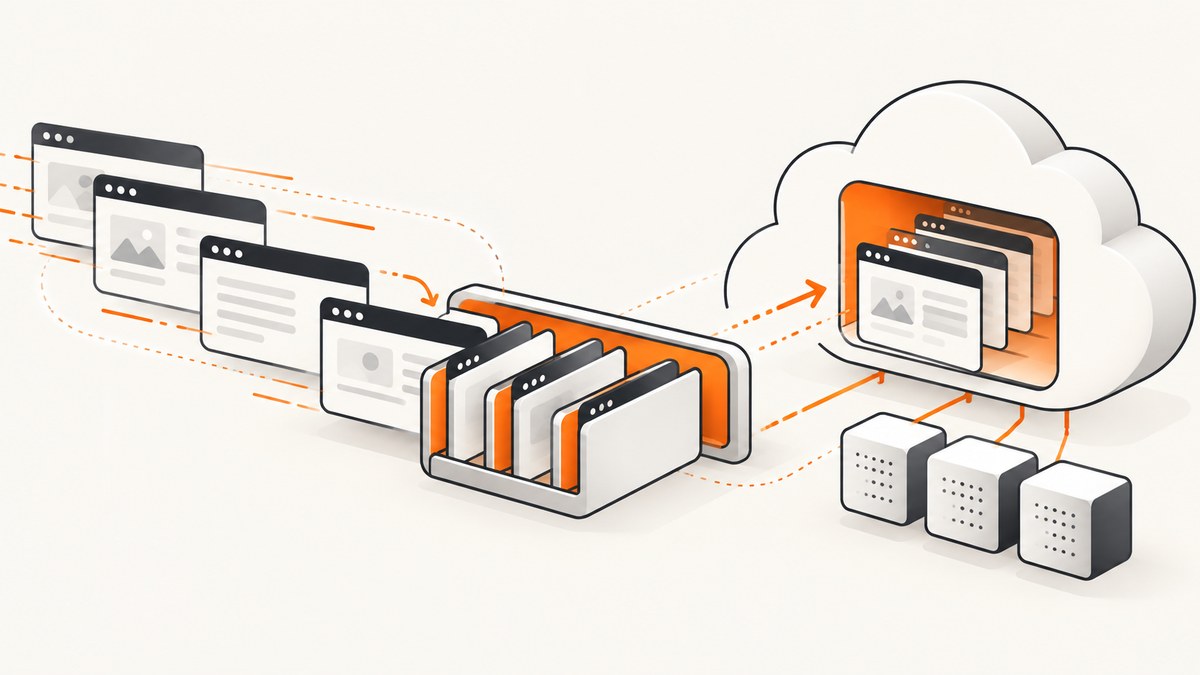
Direct answer: scalable Playwright scraping needs three controls: a queue that bounds parallel jobs, a separate BrowserContext for each independent session, and short-lived browser connections that are always closed. Browserless supplies remote browser capacity through WebSocket endpoints, but it does not remove the need to manage concurrency, retries, target-site behavior, credentials, and session cleanup.
Use a browser when the page requires JavaScript rendering, client-side navigation, interaction, cookies, or a real browser environment. For static HTML, a normal HTTP client is simpler and consumes fewer resources. No official source establishes a universal throughput number for Playwright or Browserless, so size the system from observed queue depth, session duration, target response times, and your account limits.
1. The operating model
A production scraper can be viewed as a pipeline:
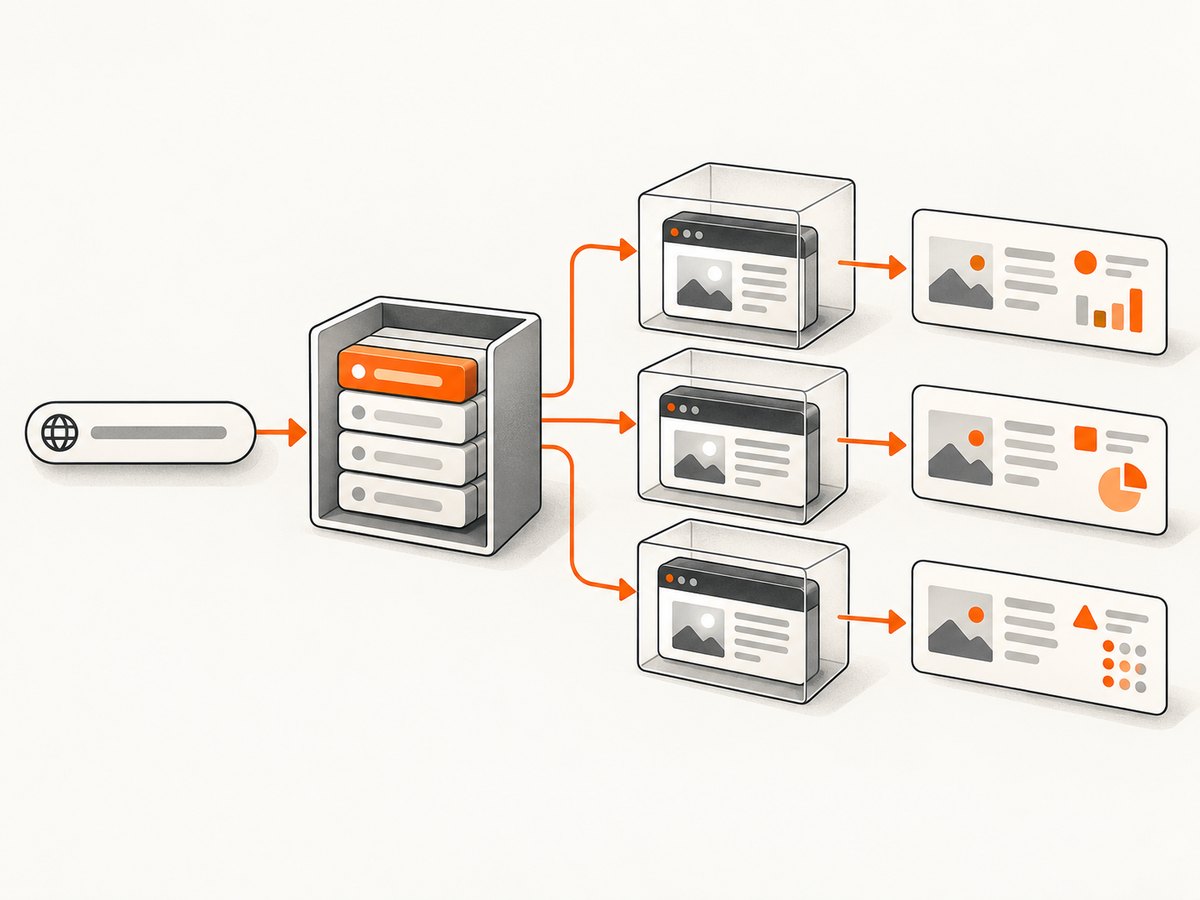
- Accept URLs or jobs into a durable queue.
- Allow only a configured number of workers to claim jobs.
- Connect a worker to a Browserless browser session.
- Create an isolated BrowserContext for the job or identity.
- Navigate, extract data, record structured outcomes, and close the context.
- Close the browser connection in a
finallyblock.
Playwright Test’s workers setting controls test worker processes; it is not a production scraping scheduler. An application scraper still needs its own queue and concurrency ceiling. Playwright describes BrowserContexts as isolated environments for cookies and storage that are fast and inexpensive to create. See the Playwright parallelism documentation and BrowserContext documentation.
Set your effective concurrency to the lowest safe value among:
- the capacity your application can sustain;
- the Browserless account’s concurrent-session allowance;
- the responsible request rate for the target sites.
Browserless defines concurrency as simultaneous browser sessions. When the limit is full, work can queue. A queue absorbs bursts, but it does not create capacity: sustained queue growth means demand must fall, capacity must increase, or the workload must be redesigned.
2. Connect Playwright to Browserless
Browserless is a remote browser service. Your code connects to a WebSocket endpoint; it does not launch a local Chromium process. Browserless documents two Playwright connection styles:
| Connection | When to choose it | Trade-off |
|---|---|---|
connectOverCDP |
You need Chrome DevTools Protocol access or Browserless helper integrations. | CDP compatibility differs from native Playwright protocol support. |
connect |
You need Playwright-native features and APIs. | Use the native Playwright endpoint path and verify feature support. |
Endpoint paths, regional hosts, supported browsers, and feature matrices can change. Check the current Browserless documentation before deployment, especially when using Firefox, WebKit, routing, extensions, API request contexts, or vendor-specific helpers. Choose a region close to your worker when latency matters, and keep the token out of source code, logs, client-side bundles, and error messages. Playwright warns that anyone with a browser server WebSocket path can control the connected OS user; treat the endpoint and token as secrets.
3. A complete bounded-concurrency scraper
The following Node.js example uses a small worker pool. Each URL gets its own BrowserContext, failures are collected instead of terminating the whole batch, and cleanup runs even when navigation or extraction fails.
import { chromium } from 'playwright';

const BROWSERLESS_TOKEN = process.env.BROWSERLESS_TOKEN;
const CONCURRENCY = Number(process.env.SCRAPE_CONCURRENCY || 4);
const BROWSERLESS_WS = `wss://production-sfo.browserless.io/chromium/playwright?token=${encodeURIComponent(BROWSERLESS_TOKEN)}`;

const urls = [
  'https://example.com/one',
  'https://example.com/two',
  'https://example.com/three'
];

async function scrapeOne(browser, url) {
  const context = await browser.newContext({
    locale: 'en-US',
    timezoneId: 'UTC'
  });
  const page = await context.newPage();
  const started = Date.now();

  try {
    await page.goto(url, { waitUntil: 'domcontentloaded', timeout: 45_000 });
    await page.waitForLoadState('load', { timeout: 15_000 }).catch(() => {});

    const title = await page.title();
    const text = await page.locator('body').innerText({ timeout: 10_000 });

    return {
      url,
      ok: true,
      title,
      text: text.slice(0, 20_000),
      duration_ms: Date.now() - started
    };
  } catch (error) {
    return {
      url,
      ok: false,
      error: error instanceof Error ? error.message : String(error),
      duration_ms: Date.now() - started
    };
  } finally {
    await context.close().catch(() => {});
  }
}

async function runPool(items, limit, worker) {
  const results = new Array(items.length);
  let next = 0;

  async function runWorker() {
    while (true) {
      const index = next++;
      if (index >= items.length) return;
      results[index] = await worker(items[index]);
    }
  }

  await Promise.all(
    Array.from({ length: Math.min(limit, items.length) }, runWorker)
  );
  return results;
}

if (!BROWSERLESS_TOKEN) throw new Error('Set BROWSERLESS_TOKEN');

const browser = await chromium.connect(BROWSERLESS_WS);
try {
  const results = await runPool(
    urls,
    CONCURRENCY,
    (url) => scrapeOne(browser, url)
  );
  console.log(JSON.stringify(results, null, 2));
} finally {
  await browser.close().catch(() => {});
}
Change CONCURRENCY gradually. A value of four in an example is not a capacity recommendation. Measure active sessions, queue time, navigation duration, error rate, and target responses before increasing it. If each job needs a separate login identity, create one context per identity and keep that context only for the job’s lifetime.
4. Python version with an explicit queue
Python’s asynchronous Playwright API maps directly to the same design. The semaphore bounds work while each task receives its own context.
import asyncio
import os
from playwright.async_api import async_playwright

URLS = [
    "https://example.com/one",
    "https://example.com/two",
    "https://example.com/three",
]
LIMIT = int(os.getenv("SCRAPE_CONCURRENCY", "4"))
TOKEN = os.environ["BROWSERLESS_TOKEN"]
WS = f"wss://production-sfo.browserless.io/chromium/playwright?token={TOKEN}"

async def scrape(browser, url, semaphore):
    async with semaphore:
        context = await browser.new_context(locale="en-US", timezone_id="UTC")
        page = await context.new_page()
        try:
            await page.goto(url, wait_until="domcontentloaded", timeout=45_000)
            title = await page.title()
            text = await page.locator("body").inner_text(timeout=10_000)
            return {"url": url, "ok": True, "title": title, "text": text[:20_000]}
        except Exception as exc:
            return {"url": url, "ok": False, "error": str(exc)}
        finally:
            await context.close()

async def main():
    semaphore = asyncio.Semaphore(LIMIT)
    async with async_playwright() as pw:
        browser = await pw.chromium.connect(WS)
        try:
            results = await asyncio.gather(
                *(scrape(browser, url, semaphore) for url in URLS)
            )
            for result in results:
                print(result)
        finally:
            await browser.close()

asyncio.run(main())
5. Waiting, navigation, and extraction choices
Choose a readiness signal that matches the page. domcontentloaded is often a useful first boundary. Then wait for a specific selector that proves the data exists, or use a short bounded delay for a known client-side transition. Waiting for network idle on every page can add latency or never settle on sites with analytics, polling, or streaming connections.
await page.goto(url, { waitUntil: 'domcontentloaded', timeout: 45_000 });
await page.locator('[data-product-card]').first().waitFor({ state: 'visible', timeout: 15_000 });
const cards = await page.locator('[data-product-card]').evaluateAll(nodes =>
  nodes.map(node => ({
    name: node.querySelector('h2')?.textContent?.trim() || null,
    price: node.querySelector('.price')?.textContent?.trim() || null
  }))
);
Keep extraction bounded. Limit text size, cap pagination, and stop when the required fields are present. Record the final URL after redirects, response status when available, duration, retry count, and a structured failure category such as timeout, selector missing, navigation error, blocked response, or parser error.
6. Context isolation, cookies, and identities
A BrowserContext separates cookies, local storage, permissions, and cache from other contexts. Use one context per customer, account, locale, or job when state must not leak. Do not reuse a context across unrelated tenants. Close pages and contexts promptly; a context that remains open still consumes remote resources.
For authenticated workflows, inject storage state only for the intended job and keep credentials in a secret manager. If a target requires a custom user agent, timezone, geolocation, headers, or cookies, configure those at context creation and document why they are needed. Do not assume changing identity bypasses a site’s access controls or terms.
7. Proxies and network configuration
Playwright supports HTTP(S) and SOCKSv5 proxies at browser or context scope, including credentials and bypass hosts. This is a configuration capability for an authorized network path, not a promise that a proxy will avoid bot defenses or make a scrape permissible. See the Playwright network documentation.
const context = await browser.newContext({
  proxy: {
    server: process.env.PROXY_SERVER,
    username: process.env.PROXY_USERNAME,
    password: process.env.PROXY_PASSWORD,
    bypass: 'localhost,127.0.0.1'
  }
});
Keep proxy credentials separate from Browserless credentials. Log the proxy pool identifier, not the secret. If a site behaves differently through a proxy, compare DNS, TLS, geography, cookies, and response status before adding retries.
8. Capacity planning and Browserless limits
Browserless publishes plan-specific concurrency and maximum session durations. The official pricing material lists Free at two concurrent browsers with a two-minute maximum session, Prototyping at five monthly or ten yearly concurrent browsers with a 15-minute maximum, Starter at 30 monthly or 40 yearly with a 30-minute maximum, and Scale at 80 monthly or 100 yearly with a 60-minute maximum. These values are volatile; verify the live plan before sizing a deployment.
Browserless also documents a pressure endpoint with running, queued, and maximum values. Poll or export these measures alongside your own queue depth. Alert on sustained queue growth, rising session duration, timeout rates, and repeated connection failures. For self-hosted Browserless, the dossier documents a default concurrency of 10 and queue length of 10 configurable through environment variables; confirm the current terminology and defaults before applying them.
Short sessions improve fairness. Split long jobs into stages when possible, avoid keeping a browser open while waiting for downstream storage, and release contexts immediately after extraction. Browserless explicitly recommends closing sessions so they do not occupy concurrency.
9. Retries and reliability
Retry transient failures only: connection resets, temporary upstream errors, or a Browserless capacity response. Use bounded exponential backoff with jitter and a small maximum attempt count. Do not retry selector-not-found errors indefinitely; they usually indicate a changed page or an incorrect readiness condition.
async function withRetry(task, attempts = 3) {
  let lastError;
  for (let attempt = 1; attempt <= attempts; attempt++) {
    try {
      return await task();
    } catch (error) {
      lastError = error;
      if (attempt === attempts) break;
      const delay = 500 * 2 ** (attempt - 1) + Math.random() * 250;
      await new Promise(resolve => setTimeout(resolve, delay));
    }
  }
  throw lastError;
}
Make jobs idempotent. Store a deterministic job key, write results atomically, and mark a URL complete only after the extracted payload is durable. This prevents a worker restart from producing duplicate records.
10. Performance and cost notes
- Browser startup: reuse one connected browser for a bounded batch, while still creating a fresh context per isolated job.
- Navigation: wait for the data you need, not every background request.
- Payload: block unnecessary resource types only when the page still renders correctly; images, scripts, and styles can be required for client-side data.
- Concurrency: increasing workers can increase queueing, memory pressure, target throttling, and error rates.
- Cost: compare Browserless plan limits and session duration with the cost of running, patching, and observing local browsers. Use measured session minutes and failure rates rather than a theoretical requests-per-second figure.
11. Troubleshooting checklist
| Symptom | Likely cause | Fix |
|---|---|---|
| WebSocket connection rejected | Wrong endpoint path, region, or token. | Copy the current Playwright endpoint from Browserless, URL-encode the token, and verify the account region. |
| Jobs wait in a queue | All concurrent sessions are occupied. | Lower arrival rate, shorten sessions, or choose a plan with more concurrency. A queue does not add capacity. |
| Timeout at navigation | Slow target, blocked resource, proxy issue, or an overly strict timeout. | Record the URL and phase, use a bounded retry for transient errors, and wait for a specific selector instead of network idle. |
| Data is empty | Extraction ran before client rendering completed or the selector changed. | Wait for a stable selector, inspect the final URL, and capture a diagnostic HTML or screenshot for authorized debugging. |
| Cookies leak between jobs | Contexts or storage state are being reused. | Create a new context per identity or job and close it after extraction. |
| Proxy works inconsistently | Geography, authentication, DNS, or target policy differs by route. | Validate the proxy independently, log a non-secret route identifier, and do not treat rotation as a bypass guarantee. |
| Concurrency never frees | A code path skips cleanup. | Put context and browser closure in finally blocks and monitor active sessions. |
12. Or skip the browser setup
If your actual requirement is a reliable website image or PDF rather than arbitrary browser extraction, ScreenshotNeo provides a single-request screenshot API and an MCP server for AI agents. The API accepts a URL and returns PNG, JPEG, WebP, or PDF. See the ScreenshotNeo API documentation for the complete option list.

curl -G "https://api.screenshotneo.com/v1/shot" -d access_key=YOUR_API_KEY --data-urlencode url=https://stripe.com -o shot.webpimport requests
r = requests.get("https://api.screenshotneo.com/v1/shot", params={"access_key": "YOUR_API_KEY", "url": "https://stripe.com"}, timeout=90)
open("shot.webp", "wb").write(r.content)const q = new URLSearchParams({ access_key: 'YOUR_API_KEY', url: 'https://stripe.com' });
const res = await fetch(`https://api.screenshotneo.com/v1/shot?${q}`);ScreenshotNeo removes cookie and consent banners, newsletter popups, and chat widgets before capture. Bot checks, blank pages, timeouts, failed loads, and cache hits are not billed, and response headers identify the page verdict and whether the request was billed. Its MCP server exposes take_screenshot, get_page_info, and capture_pdf for Claude, Cursor, and other MCP clients. Plans include 1,000 screenshots per month free with no card; paid plans start at $5 for 3,000.
Create a free ScreenshotNeo account and try 1,000 screenshots a month without adding a card.
13. FAQ
Should every URL get a new browser?
No. Reuse a connected browser for a bounded batch, but create a new context for each independent identity or job.
Does Browserless guarantee a scraping throughput?
No. Published concurrency and session limits describe capacity constraints, not a universal requests-per-second guarantee. Target behavior and page complexity determine actual throughput.
Is CDP always better than native Playwright connect?
No. Choose the protocol based on the features your script needs and verify Browserless’s current compatibility matrix.
Can a proxy guarantee access to a blocked site?
No. Proxies are supported configuration, not a promise of access, evasion, or permission.
What should be monitored first?
Track active sessions, queue depth, session duration, navigation and extraction latency, timeout counts, retry counts, and final success reasons.
When is a screenshot API a better fit?
Use one when you need rendered images or PDFs and do not need custom extraction logic, multi-step workflows, or arbitrary browser automation.


