How to Extract Request Initiator Chains via CDP in Playwright
Capture Chromium request initiators and script stacks in Playwright with CDP. Learn how to preserve redirects, frames, event order, and missing stack data.
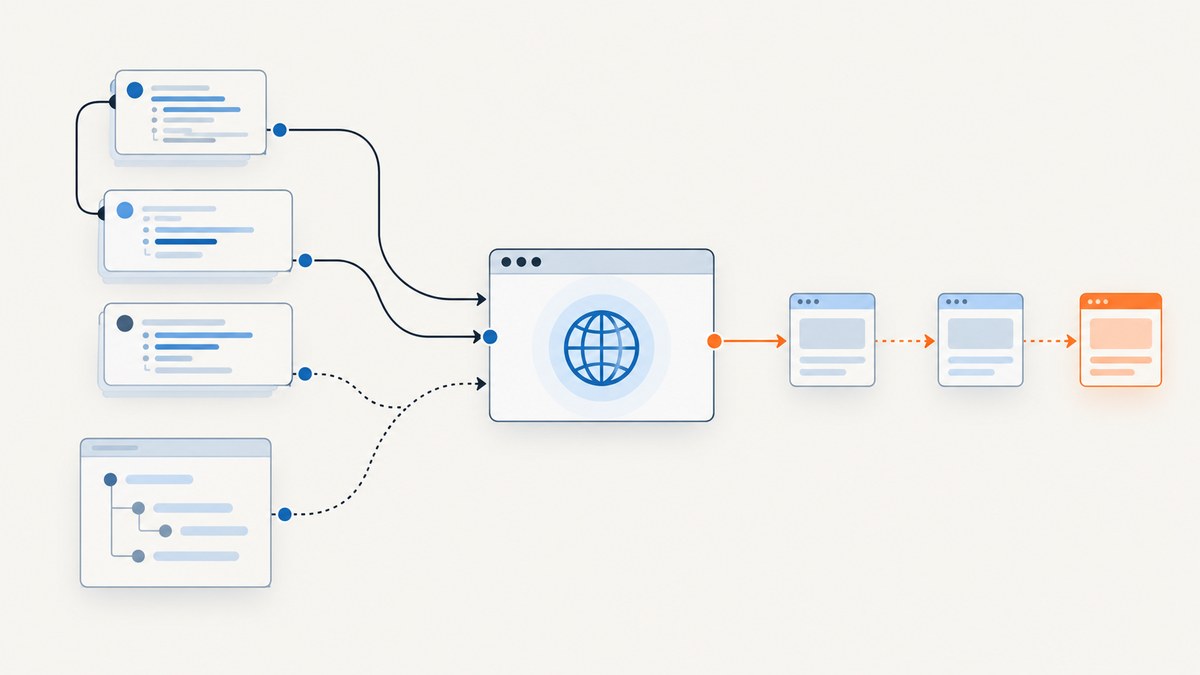
To extract request initiator chains in Playwright, attach a Chrome DevTools Protocol (CDP) session to a page, enable Network, and collect Network.requestWillBeSent events. Each event includes an initiator object; for script initiators, enable the Debugger domain before the requests you care about if you need call-stack detail. Retain the raw events and redirect observations: a request ID is not a promise that each HTTP redirect hop will arrive as a separate independent ID, and an initiator stack is not the same relationship as a redirect chain.
This workflow is Chromium-only. Playwright’s CDP session API is for raw Chrome DevTools Protocol communication and is available from a browser context for a page or frame. For Firefox and WebKit, use Playwright’s portable request lifecycle APIs, understanding that those APIs do not expose the same CDP initiator payload. See the official CDPSession API and BrowserContext API.
1. Create a collector before the action that triggers requests
Install the event handlers and enable the protocol domains before navigation, clicking, or any other action whose requests matter. Events already emitted before subscription are not replayed. The following JavaScript example records every observation in arrival order, keyed by request ID, and leaves raw protocol data intact for later analysis.
const cdp = await page.context().newCDPSession(page);
await cdp.send('Network.enable');
await cdp.send('Debugger.enable'); // Enables script initiator stack details when available

const observationsByRequestId = new Map();

cdp.on('Network.requestWillBeSent', event => {
  const observations = observationsByRequestId.get(event.requestId) ?? [];
  observations.push({
    requestId: event.requestId,
    url: event.request.url,
    method: event.request.method,
    resourceType: event.type,
    frameId: event.frameId,
    loaderId: event.loaderId,
    timestamp: event.timestamp,
    wallTime: event.wallTime,
    initiator: event.initiator,
    redirectResponse: event.redirectResponse ?? null,
    raw: event,
  });
  observationsByRequestId.set(event.requestId, observations);
});

await page.goto('https://example.com');

for (const [requestId, observations] of observationsByRequestId) {
  for (const item of observations) {
    console.log(JSON.stringify({
      requestId,
      url: item.url,
      method: item.method,
      resourceType: item.resourceType,
      frameId: item.frameId,
      initiator: item.initiator,
      redirectResponse: item.redirectResponse,
    }, null, 2));
  }
}

await cdp.detach();
The code uses Playwright’s documented browserContext.newCDPSession(page), session.send(), and session.on() methods. It is illustrative and has not been run or tested here. In a real collector, add error handling around navigation and detach in a finally block so the session is cleaned up even when the page action fails.
Use a fresh page or context for a bounded capture
When you need an auditable capture, create the context and page, install the collector, then perform exactly the navigation and interactions that belong in the trace. This makes it easier to associate collected events with the action under investigation. The listener sees requests from the attached target; if the site uses frames or service workers, preserve the frame and request metadata and account for those execution paths in your analysis.
2. Read the initiator object without assuming a JavaScript stack
The CDP Network.requestWillBeSent event contains request details, a frame ID, timing fields, resource type, and the initiator. The protocol’s Network.Initiator object can contain a type, URL, source line and column, request ID, and stack information. Depending on how Chromium initiated the request, some values may be absent. Preserve those missing values as missing rather than filling in a guessed script or caller.
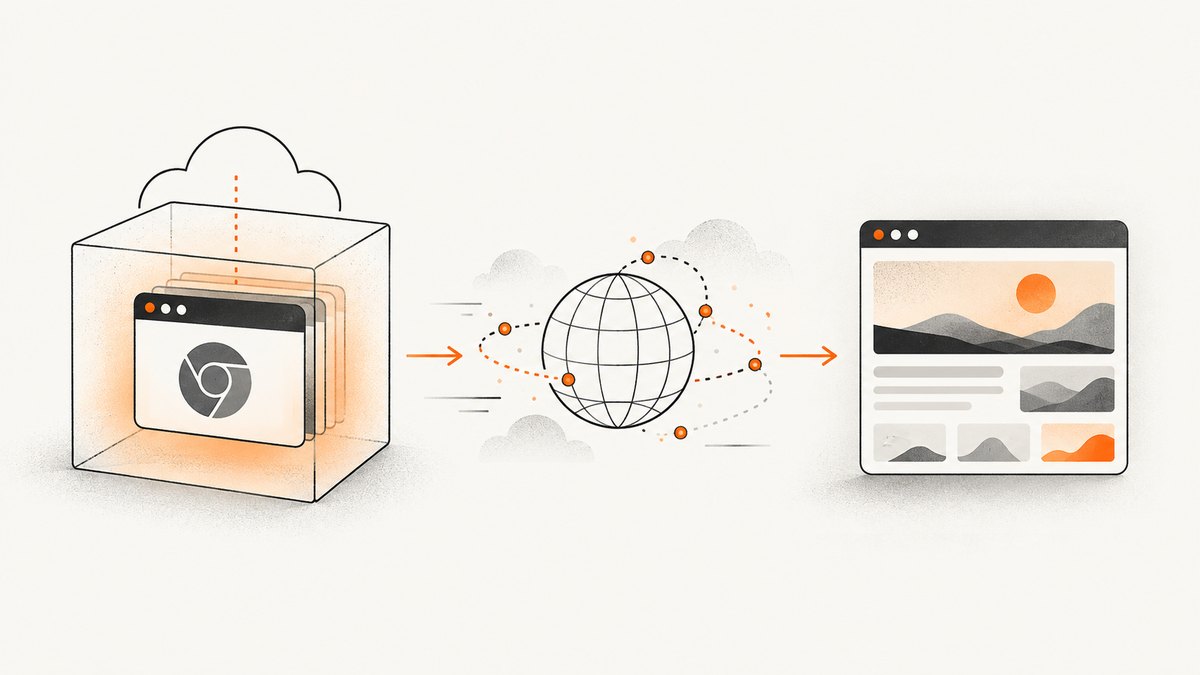
Branch on initiator.type. Current protocol schema types include parser, script, preload, SignedExchange, preflight, FedCM, and other. Parser initiators commonly point to a source URL and location. A script initiator may carry a stack. Other types are meaningful causes in their own right; they do not imply that a JavaScript call chain exists.
function summarizeInitiator(initiator) {
  if (!initiator) return { type: 'unknown' };

  const summary = {
    type: initiator.type,
    url: initiator.url,
    lineNumber: initiator.lineNumber,
    columnNumber: initiator.columnNumber,
    requestId: initiator.requestId,
  };

  if (initiator.stack) {
    summary.stack = initiator.stack.callFrames?.map(frame => ({
      functionName: frame.functionName,
      url: frame.url,
      lineNumber: frame.lineNumber,
      columnNumber: frame.columnNumber,
    }));
    summary.parent = initiator.stack.parent;
  }

  return summary;
}
Protocol line and column positions are numeric source locations, not necessarily the line numbering convention displayed in a particular editor or source map. If you need to map minified code back to authored source, collect the relevant source maps separately; the initiator payload alone does not perform that mapping.
3. Keep redirects separate from initiator causality
A redirect answers “what response sent the browser to another URL?” An initiator answers “what caused this request to be issued?” Those are distinct edges in a request graph. CDP may include a redirectResponse on a later requestWillBeSent observation for the same request ID. Store that observation rather than overwriting it. Playwright’s ordinary Request API also links redirecting requests through redirectedFrom() and redirectedTo(); those links complement CDP data but are not a JavaScript initiator stack. See the Playwright Request API.
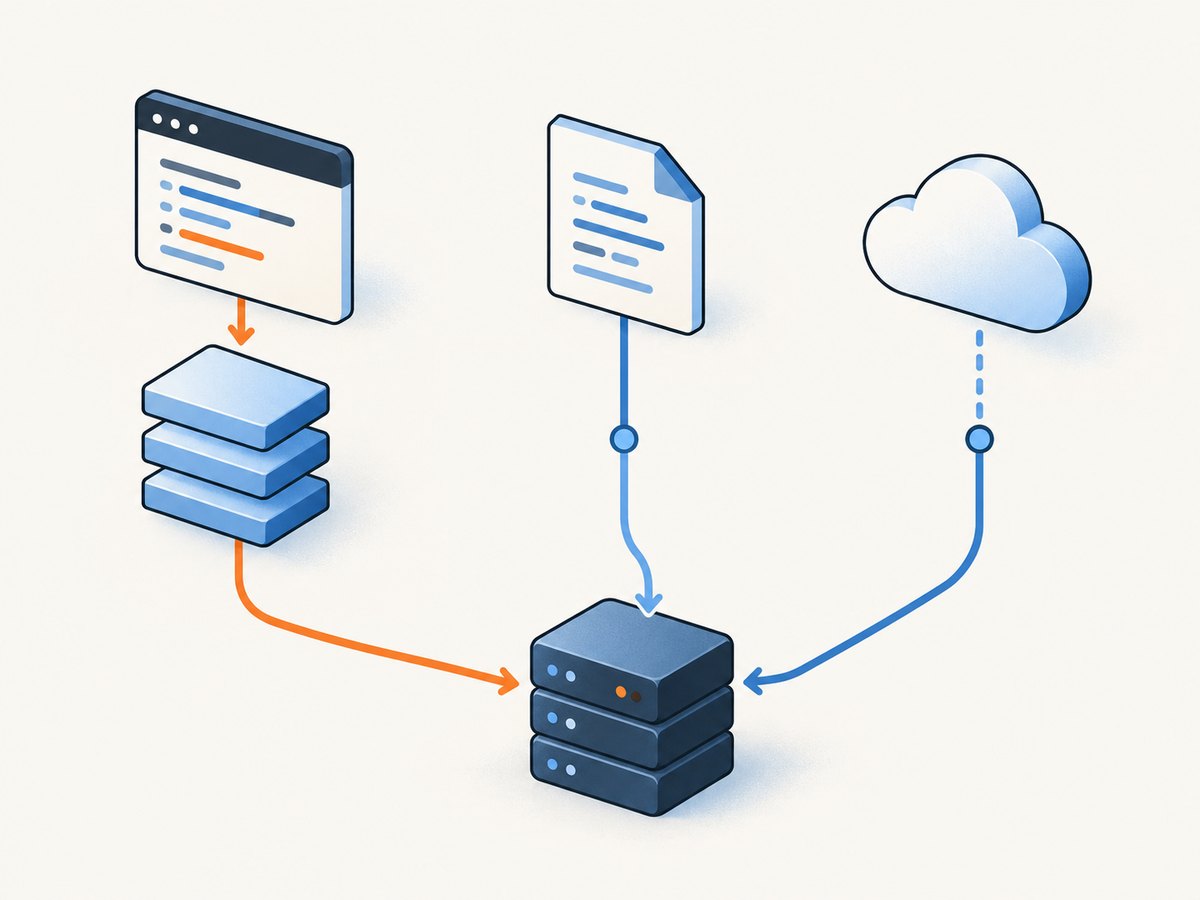
For useful graph output, model at least two edge kinds:
- Initiator edge: request to the reported cause, such as a parser source location or script stack.
- Redirect edge: one request observation to the next URL or request in the server redirect path.
Do not reduce the capture to one mutable row per request ID before processing redirects. Keep an ordered event list and normalize it later. This lets you inspect the original request, redirect response, and subsequent URL observation without implying the server redirect was a JavaScript call.
4. Correlate related events defensively
CDP may emit Network.requestWillBeSentExtraInfo in either order relative to requestWillBeSent, and ExtraInfo may not be sent at all. If you collect headers or other ExtraInfo fields, hold unmatched events temporarily and correlate by request ID when both sides exist. Do not make your pipeline require every request to have ExtraInfo.
Likewise, preserve raw event objects and tolerate optional fields. Browser versions, request causes, redirects, and target types can change which fields appear. A robust record includes the event sequence number assigned by your collector, request ID, frame ID, loader ID, timestamp, resource type, URL and method, raw initiator, and any redirect response. The CDP schema is the reference for event fields and optionality: Network domain protocol.
5. Relate CDP frames to Playwright requests
Playwright’s Request API is a useful second layer for request lifecycle inspection. A request’s frame() can identify the initiating frame when available, but it can throw for service-worker requests and for navigation requests issued before the corresponding frame exists. Treat the CDP frameId as protocol metadata and the Playwright frame relationship as a separate observation. Do not assume every request can be mapped to a currently available Frame object.
For service workers, Playwright documents serviceWorker() as Chromium-only. That can help identify a service-worker-owned request in Playwright’s model; it still does not turn the request into a normal page script call stack. Preserve the service-worker or frame context in your output and label what the API actually reports.
6. Choose the observation layer that fits the question
| Need | Use | Tradeoff |
|---|---|---|
| Chromium initiator payload and script stack details | CDP Network.requestWillBeSent, with Debugger.enable |
Chromium-specific; protocol events and optional data need careful handling. |
| Portable Playwright request lifecycle and redirect relationships | Playwright Request events and Request API | Does not replace CDP initiator metadata or its script stack. |
| Cross-browser page behavior rather than protocol-level causality | Playwright’s browser abstraction | Use browser-neutral observations and avoid claiming CDP stack details. |
Use CDP when the output specifically needs Chromium’s initiator object. Use the ordinary Request API when portability and lifecycle relationships matter more than protocol-level stack information. The reviewed Playwright API documentation establishes this CDP workflow for Chromium; it does not establish an equivalent CDP workflow for Firefox or WebKit.
7. Troubleshooting common collection problems
| Symptom | Likely cause | Fix |
|---|---|---|
| No request events appear | The CDP session was attached to the wrong target, Network was not enabled, or the action happened before the listener was installed. | Create the session from the page’s context, call Network.enable, register the handler, and only then navigate or interact. |
| Script initiator has no stack | The request is not a script-initiated request, Debugger was not enabled early enough, or Chromium did not provide stack data for that event. | Call Debugger.enable before the triggering action. Check initiator.type and retain the event when stack is absent. |
| Only some initiators have source locations | Different initiator types expose different fields, and protocol properties can be optional. | Render fields conditionally. Do not synthesize URLs, lines, or callers. |
| Redirects seem to replace the original request | The collector stores a single mutable value per request ID and overwrites earlier observations. | Append each event to a list keyed by request ID and keep redirectResponse with the observation that reported it. |
| ExtraInfo cannot be matched immediately | Its event order is not guaranteed, or the companion event is absent. | Buffer by request ID and finalize after capture with unmatched events represented explicitly. |
request.frame() throws |
The request may be from a service worker or may precede creation of the relevant frame. | Catch the exception, retain protocol frame metadata where present, and record the Playwright frame as unavailable. |
| The code does not work in Firefox or WebKit | Playwright limits CDP sessions to Chromium-based browsers. | Use Playwright’s portable Request events for those browsers, without claiming CDP initiator stack coverage. |
8. Performance, reliability, and operating cost
Listening to every request adds event handling and storage work proportional to the traffic generated by the page. Keep the handler small: capture fields and append them to memory or a bounded stream, then parse stacks and build graphs after the navigation. For long-lived pages or bulk runs, flush records incrementally or cap retained raw payloads so an event-heavy site does not grow memory without limit. These are collector design considerations, not benchmark claims.
For reliability, attach before the trigger, record timestamps and arrival order, preserve raw protocol data, and handle a failed navigation without discarding observations already received. Keep browser and Playwright versions with the capture metadata if you need to compare results across runs, because protocol schemas evolve. Do not interpret absence of an optional field as proof that a cause did not exist.
There is no standalone CDP usage charge established by the cited protocol and Playwright documentation. Your practical costs are the Chromium execution environment, storage, and any hosted automation infrastructure you choose. No performance or price comparison is asserted here because the source material provides no such measurements.
9. Or skip the browser setup
If your goal is a website screenshot rather than a request-causality trace, ScreenshotNeo is a website screenshot API and MCP server from Yorker Media. It does not expose CDP initiator chains; it is for producing screenshots or PDFs without managing capture-browser setup. One GET request returns an image or PDF. See the ScreenshotNeo API documentation.
curl -G "https://api.screenshotneo.com/v1/shot" -d access_key=YOUR_API_KEY --data-urlencode url=https://example.com -o shot.webpimport requests
r = requests.get(
"https://api.screenshotneo.com/v1/shot",
params={"access_key": "YOUR_API_KEY", "url": "https://example.com"},
timeout=90,
)
open("shot.webp", "wb").write(r.content)const q = new URLSearchParams({ access_key: 'YOUR_API_KEY', url: 'https://example.com' });
const res = await fetch(`https://api.screenshotneo.com/v1/shot?${q}`);
if (!res.ok) throw new Error(`Screenshot request failed: ${res.status}`);
await Bun.write('shot.webp', res); // In Bun; in Node.js, use writeFile with a Buffer.In Node.js, save the response body with the built-in filesystem module:
import { writeFile } from 'node:fs/promises';

const q = new URLSearchParams({ access_key: 'YOUR_API_KEY', url: 'https://example.com' });
const res = await fetch(`https://api.screenshotneo.com/v1/shot?${q}`);
if (!res.ok) throw new Error(`Screenshot request failed: ${res.status}`);
await writeFile('shot.webp', Buffer.from(await res.arrayBuffer()));- Cookie banners, popups, and chat widgets are removed before the shot; each cleanup step can be turned off.
- Bot checks, blank pages, and failed loads are never billed; response headers identify the page verdict and billing status.
- An MCP server lets AI agents using Claude, Cursor, or another MCP client take screenshots.
- 1,000 screenshots a month are free with no card; paid plans start at $5 for 3,000.
Sign up for ScreenshotNeo’s free plan to get 1,000 screenshots a month with no card.
10. FAQ
Can I get an initiator stack for every request?
No. The protocol specifies stack data for script initiators, and the data may be absent. Preserve the reported type and fields rather than treating every request as JavaScript-triggered.
Does enabling Debugger pause page scripts?
The workflow here enables the Debugger domain to request stack detail; it does not set breakpoints or issue pause commands. This article makes no claim about timing overhead for a particular page.
Can I use CDP to answer which redirect caused a request?
Use the redirect response observations and Playwright’s redirect links to reconstruct server redirect relationships. Use the initiator object for the cause reported by Chromium. They answer different questions.
Should I store the full protocol event?
For debugging and future normalization, retaining raw events is useful. If storage or privacy constraints require a reduced record, choose fields deliberately and document what was discarded.


