How to Extract Text from JPG Images in Python
Extract text from JPG images in Python with Pillow, Tesseract and pytesseract, including setup, languages, preprocessing, structured output and troubleshooting.
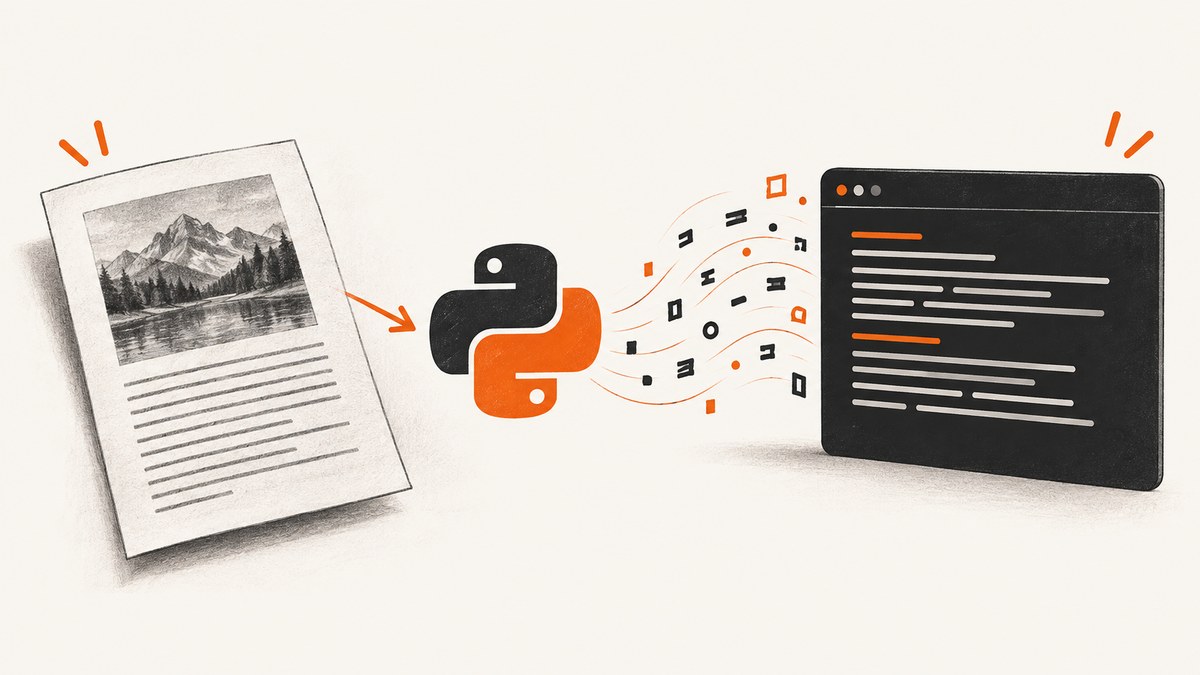
The most direct way to extract printed text from a JPG in Python is to open the image with Pillow and pass it to Tesseract through pytesseract:
from PIL import Image
import pytesseract

image = Image.open("scan.jpg")
text = pytesseract.image_to_string(image, lang="eng")
print(text)
pytesseract is only the Python wrapper. You must install the Tesseract OCR engine and the trained language data separately. Tesseract supports JPEG input through its image-reading stack; see the official input-format documentation.
1. Install the OCR dependencies
Install the Python packages
python -m pip install Pillow pytesseractUse the same Python environment to install and run the script. The pytesseract documentation explains that the external Tesseract executable is required.
Install Tesseract and language data
Install the Tesseract engine using the current instructions for your operating system in the official Tesseract installation guide. Install the traineddata file for every language you plan to recognize. The value passed to lang must match an installed language code, such as eng.
Confirm that the executable is available:
tesseract --version
tesseract --list-langs
If tesseract is not on PATH, set the executable explicitly before calling OCR:
import pytesseract

pytesseract.pytesseract.tesseract_cmd = r"C:\\Program Files\\Tesseract-OCR\\tesseract.exe"
Use the actual path on your machine. Do not assume that installing the Python package also installs the engine.
2. Extract plain text from a JPG
from pathlib import Path
from PIL import Image
import pytesseract

input_path = Path("scan.jpg")
image = Image.open(input_path)

# Convert a multi-frame or unusual source to a normal RGB image when needed.
if image.mode not in ("RGB", "L"):
    image = image.convert("RGB")

text = pytesseract.image_to_string(image, lang="eng")
print(text)

Path("scan.txt").write_text(text, encoding="utf-8")
This returns one string. It is a good starting point for printed documents, screenshots and signs. A JPG filename alone does not prove that the bytes are valid JPEG data; Pillow will raise an error if the file cannot be decoded.
3. Choose the language and page layout
Recognize more than one language
Pass language codes separated by plus signs when the corresponding traineddata files are installed:
text = pytesseract.image_to_string(image, lang="eng+fra")List available codes with tesseract --list-langs. A missing code causes a language-data error rather than silently adding support.
Tell Tesseract how the page is arranged
Tesseract can use page-segmentation modes (PSM) for different layouts. For example:
import pytesseract

config = "--psm 6"  # one uniform block of text
text = pytesseract.image_to_string(image, lang="eng", config=config)
Common choices include --psm 3 for automatic page segmentation, --psm 6 for a single text block, and --psm 7 for a single line. These are layout assumptions, not universal accuracy settings; compare them on representative images.
4. Preprocess difficult JPGs
Tesseract performs image processing internally, but low contrast, skew, compression artifacts, shadows and small text can still reduce recognition quality. The official quality guide recommends inspecting the image and evaluating preprocessing such as thresholding rather than applying one recipe to every file.
Grayscale and thresholding with Pillow
from PIL import Image, ImageOps, ImageFilter
import pytesseract

image = Image.open("scan.jpg")
gray = ImageOps.grayscale(image)
# Optional mild sharpening; validate this on your own images.
sharpened = gray.filter(ImageFilter.SHARPEN)

# Optional binary threshold. Adjust the value for the source image.
thresholded = sharpened.point(lambda pixel: 255 if pixel > 180 else 0)
text = pytesseract.image_to_string(thresholded, lang="eng", config="--psm 6")
print(text)
Thresholding can remove useful detail from colored or shaded text. Keep the original image and compare OCR output before adopting a transformation.
Crop to the relevant region
from PIL import Image
import pytesseract

image = Image.open("receipt.jpg")
crop = image.crop((40, 80, 1200, 900))
text = pytesseract.image_to_string(crop, lang="eng")
Cropping menus, borders and unrelated graphics can help when the page contains several unrelated regions.
5. Get coordinates, confidence and structured output
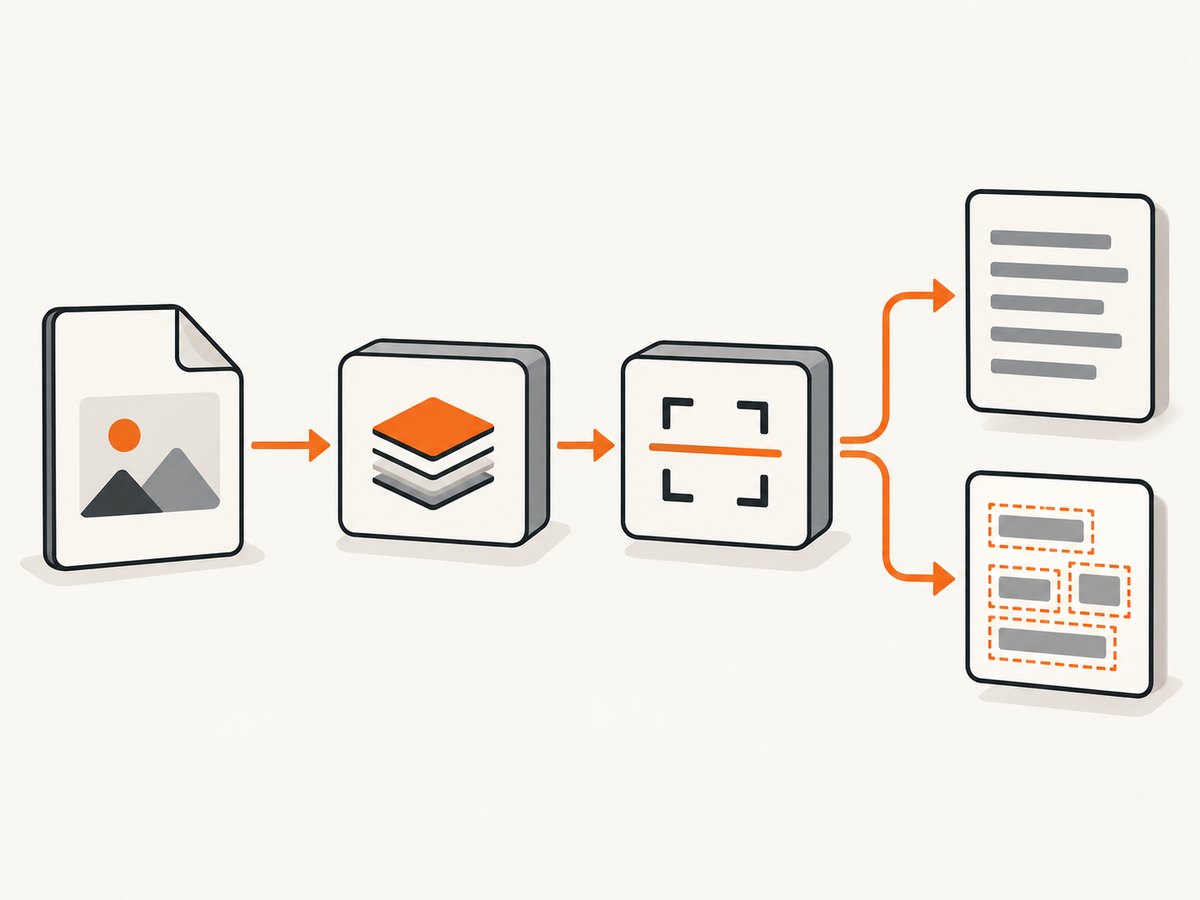
Use TSV data when downstream code needs word positions or confidence values:
import pandas as pd
import pytesseract
from PIL import Image

image = Image.open("scan.jpg")
data = pytesseract.image_to_data(
    image,
    lang="eng",
    config="--psm 6",
    output_type=pytesseract.Output.DATAFRAME,
)
words = data.dropna(subset=["text"])
words = words[words["text"].str.strip() != ""]
print(words[["text", "left", "top", "width", "height", "conf"]])
The Tesseract documentation also describes hOCR, TSV and searchable PDF outputs. Choose structured output when coordinates, layout or a searchable document matters more than one plain string. For searchable PDF:
pdf_bytes = pytesseract.image_to_pdf_or_hocr(image, extension="pdf")
open("scan-searchable.pdf", "wb").write(pdf_bytes)
6. Process a directory of JPG files
from pathlib import Path
from PIL import Image
import pytesseract

source = Path("images")
output = Path("text")
output.mkdir(exist_ok=True)

for path in sorted(source.glob("*.jpg")):
    try:
        with Image.open(path) as image:
            text = pytesseract.image_to_string(image, lang="eng")
        (output / f"{path.stem}.txt").write_text(text, encoding="utf-8")
        print(f"Processed {path}")
    except Exception as exc:
        print(f"Could not process {path}: {exc}")
For large batches, reuse a sensible image size, avoid unnecessary conversions, and record failures so one corrupt file does not stop the batch.
7. Troubleshooting
| Error or symptom | Cause | Fix |
|---|---|---|
ModuleNotFoundError: No module named 'pytesseract' |
The package is missing from the active Python environment. | Run python -m pip install pytesseract Pillow with that same interpreter. |
TesseractNotFoundError or executable not found |
The engine is not installed or is not on PATH. |
Install Tesseract, verify tesseract --version, or set pytesseract.pytesseract.tesseract_cmd. |
| Missing language data | The requested lang code has no installed traineddata. |
Install the matching language data and confirm it appears in tesseract --list-langs. |
| Empty or poor output | The image may be blurry, skewed, low contrast, too small or using the wrong layout mode. | Inspect the source, crop irrelevant areas, try a carefully validated grayscale or threshold step, and test an appropriate PSM. |
| Pillow cannot open the file | The extension does not match the actual bytes, or the file is damaged. | Verify the file and encoding independently; rename only after confirming the format. |
| Text order is wrong | Columns, tables and mixed regions do not map cleanly to a single string. | Use TSV or hOCR coordinates and reconstruct reading order in application code. |
8. Performance, reliability and cost
- OCR time depends on pixel dimensions, preprocessing, language models and the number of pages. Downscale only when the text remains legible.
- Keep original files and save preprocessing parameters so a result can be reproduced.
- For important data, review output or use confidence and bounding boxes to flag uncertain words; the dossier does not establish a universal accuracy rate.
- Tesseract is open source under the Apache 2.0 license, according to its official installation documentation. Your language-data and deployment obligations still depend on the files and environment you use.
- Local OCR has no per-image API charge, but it uses your CPU, memory, storage and operational time. Hosted OCR services may shift those costs and add network or privacy considerations.
9. Or skip the browser setup
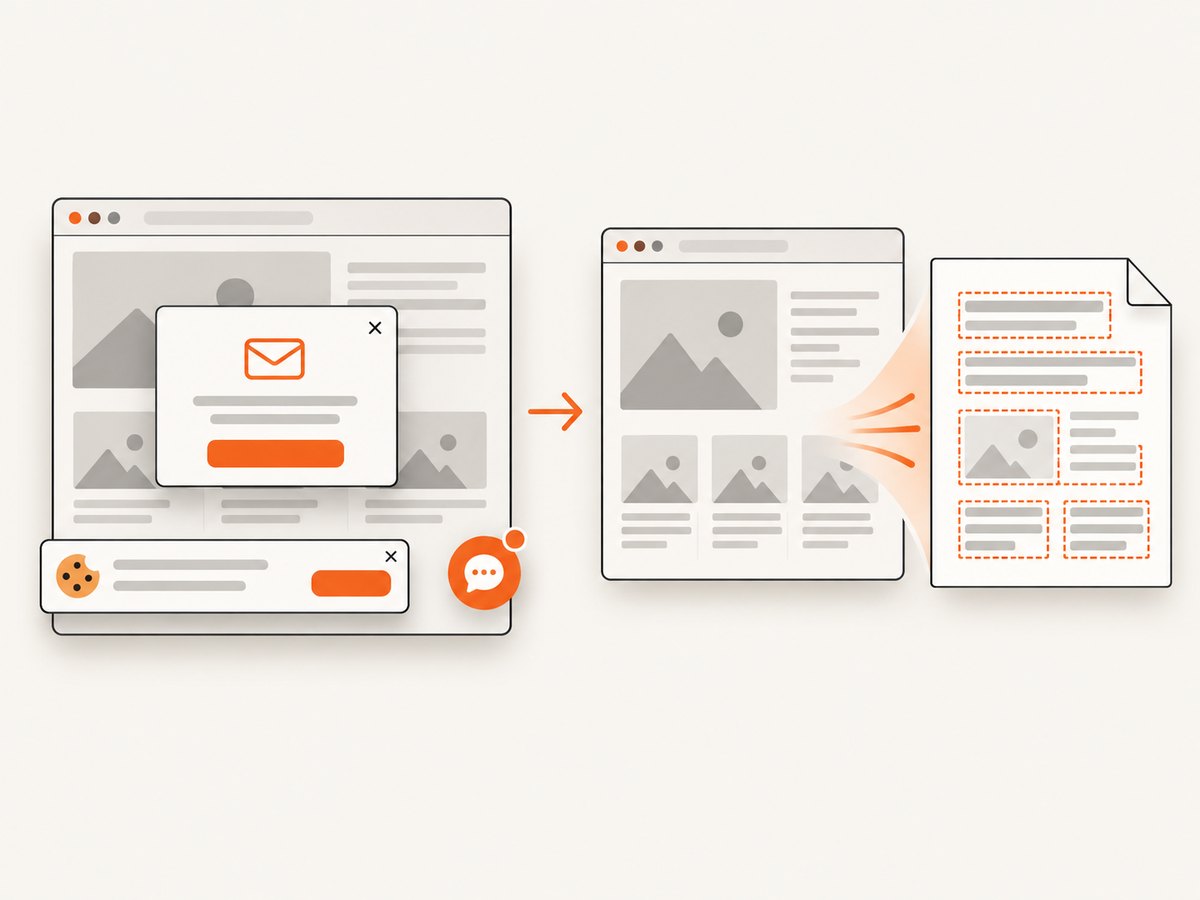
If your JPGs come from web pages and you first need a clean screenshot, ScreenshotNeo can capture the page through one API request. It accepts consent banners before capture and removes more than 60 known consent platforms, newsletter popups and chat widgets. Bot checks, blank pages, timeouts, failed loads and cache hits are not billed, and the response identifies the result with X-Page-Verdict and X-Billed headers.
See the ScreenshotNeo API documentation for all options.
cURL
curl -G "https://api.screenshotneo.com/v1/shot" -d access_key=YOUR_API_KEY --data-urlencode url=https://stripe.com -o shot.webpPython
import requests

r = requests.get("https://api.screenshotneo.com/v1/shot", params={"access_key": "YOUR_API_KEY", "url": "https://stripe.com"}, timeout=90)
r.raise_for_status()
open("shot.webp", "wb").write(r.content)
Node.js
const q = new URLSearchParams({ access_key: 'YOUR_API_KEY', url: 'https://stripe.com' });
const res = await fetch(`https://api.screenshotneo.com/v1/shot?${q}`);
if (!res.ok) throw new Error(`HTTP ${res.status}`);
const buffer = Buffer.from(await res.arrayBuffer());
require('fs').writeFileSync('shot.webp', buffer);
ScreenshotNeo also supports PNG, JPEG and PDF; full-page capture, element selectors, device presets, custom CSS and JavaScript, waiting rules, request blocking, headers, cookies, authentication, caching, async webhooks, bulk capture and an MCP server for AI agents. After capture, pass the resulting image to the same Pillow and pytesseract workflow above.
There are 1,000 free screenshots each month with no card. Paid plans start at $5 for 3,000 shots, and every feature is available on every plan. Create a free ScreenshotNeo account.
10. FAQ
Can pytesseract read handwriting?
This workflow targets printed text. The supplied sources do not establish handwriting accuracy, so validate any handwriting use case separately.
Should I use JPG or PNG for OCR?
Tesseract supports JPEG. Use the clearest source available; repeated lossy JPG compression can introduce artifacts that make recognition harder.
How do I preserve the original line breaks?
Start with image_to_string and a suitable page-segmentation mode. For precise layout, use TSV or hOCR coordinates and rebuild lines in your code.
Why does installing pytesseract alone fail?
Because pytesseract calls an external Tesseract executable. Install both components and ensure the executable and language data are discoverable.


