How to Extract Travel Data at Scale with Puppeteer
Build a repeatable, permission-aware travel-data pipeline with Puppeteer: choose sources, collect and validate observations, and monitor changes.
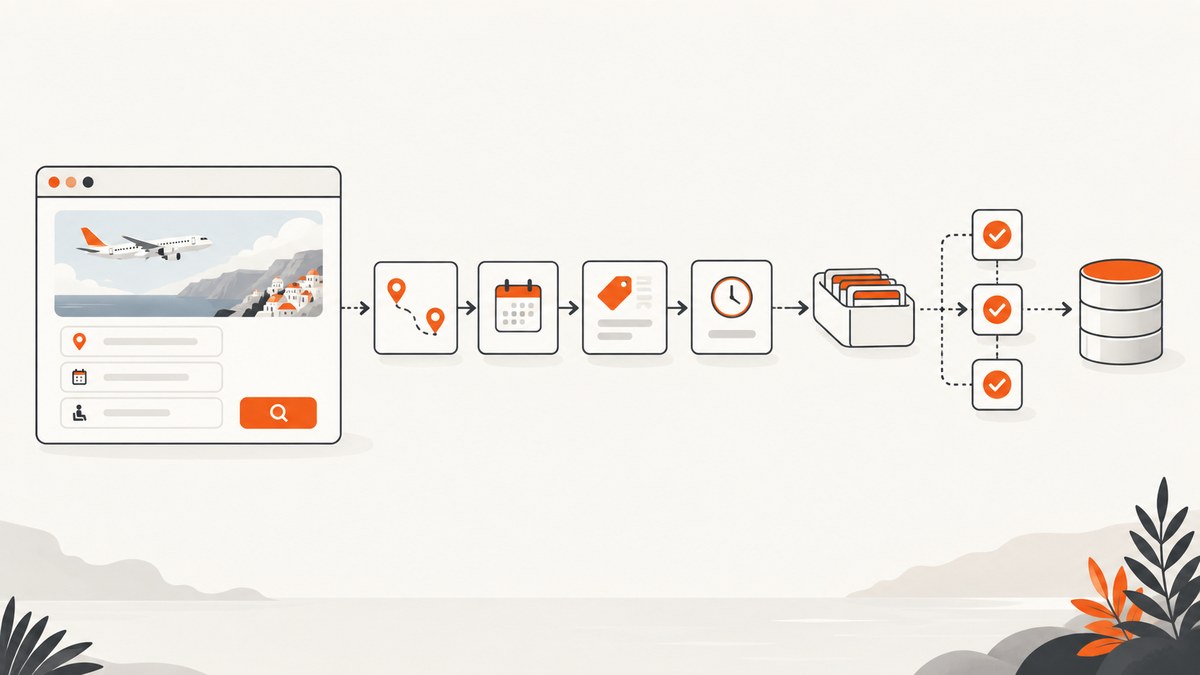
Direct answer: Puppeteer can collect travel data from a browser page when the source permits automated access and the information is rendered or exposed through browser interactions. For a dependable pipeline, first define the travel question and record schema, choose an authorized source (prefer its documented API when suitable), then automate only permitted page interactions, normalize and validate each observation, and monitor repeated runs. Puppeteer controls Chrome or Firefox; it does not grant permission to copy a site’s data.
Travel prices are only meaningful with the search inputs and observation time that produced them. Store those alongside each result, and confirm the source’s current terms, rate limits, retention rules, and reuse rights before collecting or redistributing anything.
1. Define the question and record schema
Start with the decision the collected data should support. “Track the lowest fare” is underspecified until you say which route, dates, passenger assumptions, cabin, currency, and fare conditions count. Hotel comparisons need comparable stay dates, occupancy, room conditions, taxes, and cancellation terms. Define the fields before automating so each run can be interpreted later.
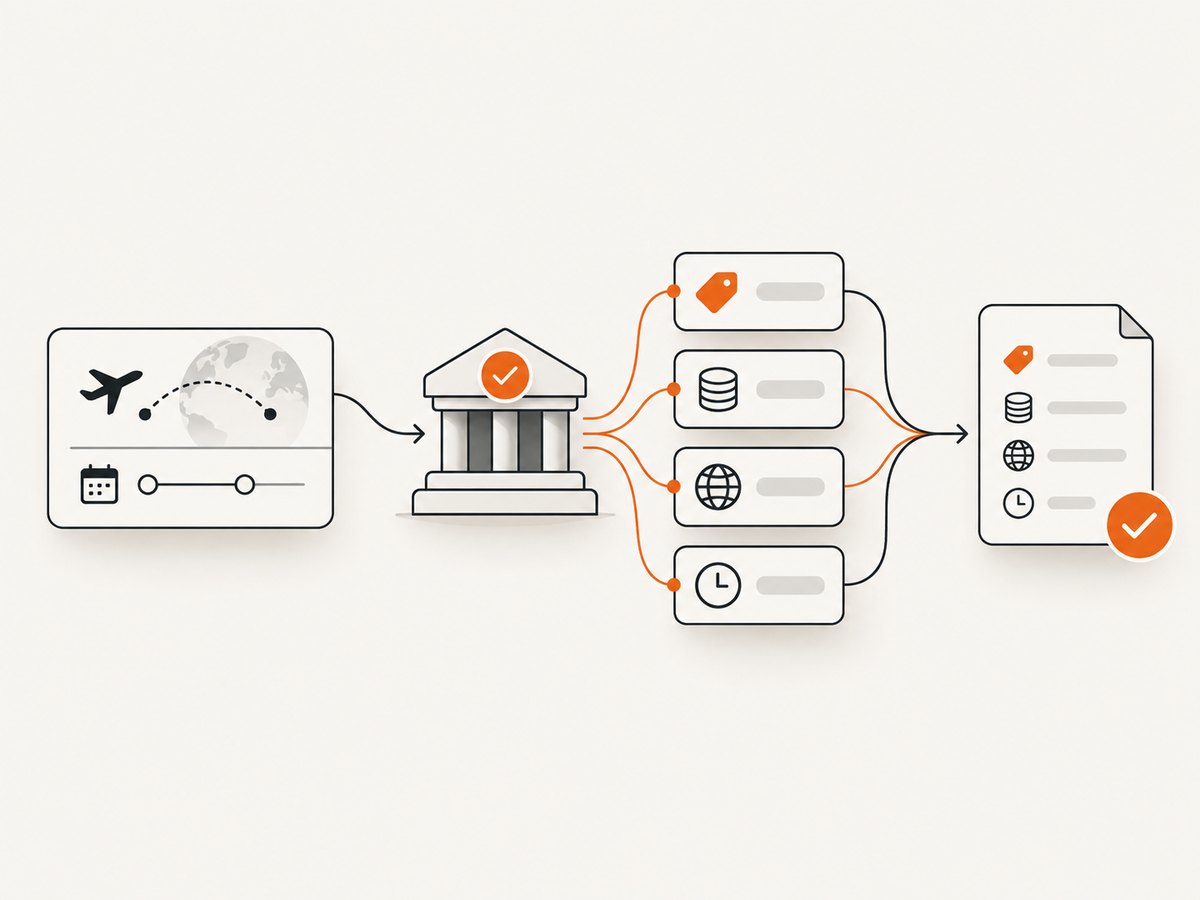
A practical flight observation might contain:
origin,destination, departure and return dates- Passenger count, cabin or travel class, and nonstop preference where applicable
- Currency, displayed price, and the offer or fare details the source permits you to retain
- Source identifier, query parameters, and UTC observation time
- Run identifier, extraction status, and validation warnings
Keep inputs in configuration rather than scattering them through scripts. The Eurostat practical guidelines describe a Statistics Finland experiment using the Amadeus API with parameters including route, weekdays, trip duration, class, dates, nonstop preference, and currency. Its example illustrates why results need their inputs and collection time; it is an API example, not a Puppeteer recipe or a statement about today’s Amadeus availability, pricing, or terms. Eurostat practical guidelines.
2. Choose an authorized source
Look for a provider’s documented API or licensed data feed before browser automation. An API is often a better fit when it exposes the fields you need under terms that permit your intended use. The cited Statistics Finland experiment used Amadeus to retrieve flight prices and flight characteristics; its qualitative results should not be generalized to other providers.
Compare candidate sources on coverage, freshness, equivalent taxes and fare restrictions, documented limits, retention and display rights, failure handling, and operational cost. Do not infer that a page being publicly visible means bulk collection or reuse is allowed.
Read the current terms for the specific source, API, account, jurisdiction, and use case. Google’s general API terms address usage limits and prohibit circumventing them; they also restrict copying or retaining content in certain circumstances. The archived Google Maps Platform terms dated 2025-01-30 state: “Customer will not export, extract, or otherwise scrape Google Maps Content for use outside the Services.” Check the current terms that apply before relying on an archived text. Puppeteer is not a way around API limits or source restrictions. Google APIs Terms · Google Maps Platform terms archive.
3. Set up Puppeteer
Puppeteer’s project documentation defines it as “a JavaScript library which provides a high-level API to control Chrome or Firefox over the DevTools Protocol or WebDriver BiDi.” It runs headless by default. The puppeteer package downloads a compatible Chrome during installation; puppeteer-core omits the browser download and is useful when you supply or manage the browser yourself. If your package manager blocks install scripts, install the browser with npx puppeteer browsers install. See the Puppeteer documentation and Chrome for Developers Puppeteer guide.
mkdir travel-collector
cd travel-collector
npm init -y
npm install puppeteer
The following example is deliberately a template: use it only with a page and interaction your source authorizes, and replace the example domain and selectors after inspecting that permitted page. It opens one configured search, waits for a result container, extracts visible text, and writes JSON. It does not bypass login, bot checks, CAPTCHAs, or access controls.
// collect.mjs
import puppeteer from 'puppeteer';
import { writeFile } from 'node:fs/promises';

const config = {
  url: process.env.AUTHORIZED_SEARCH_URL,
  resultSelector: '[data-authorized-result]',
  priceSelector: '[data-price]',
  timeoutMs: 30_000,
};

if (!config.url) throw new Error('Set AUTHORIZED_SEARCH_URL to an approved search URL');

const browser = await puppeteer.launch({ headless: true });
try {
  const page = await browser.newPage();
  page.setDefaultNavigationTimeout(config.timeoutMs);
  page.setDefaultTimeout(config.timeoutMs);

  await page.goto(config.url, { waitUntil: 'domcontentloaded' });
  await page.locator(config.resultSelector).wait();

  const rows = await page.$$eval(config.resultSelector, (elements, priceSelector) =>
    elements.map((element) => ({
      text: element.innerText.trim(),
      priceText: element.querySelector(priceSelector)?.textContent?.trim() ?? null,
    })), config.priceSelector);

  const observation = {
    source: new URL(config.url).origin,
    observedAt: new Date().toISOString(),
    queryUrl: config.url,
    rows,
  };
  await writeFile('observation.json', JSON.stringify(observation, null, 2));
} finally {
  await browser.close();
}
Run it with an approved search URL:
AUTHORIZED_SEARCH_URL='https://example.org/permitted-search' node collect.mjsThe data-authorized-result and data-price selectors are placeholders, not selectors claimed to exist on a travel site. Inspect the page’s permitted DOM, choose stable selectors, and verify the output before scheduling the job.
4. Make browser collection repeatable
Navigate to the intended state
Use a deterministic URL and explicit query configuration where the authorized interface supports it. Set a navigation timeout and wait for the state your extraction needs: a specific result container, a documented application-ready signal, or another stable condition. domcontentloaded only indicates that the initial document was parsed; it does not guarantee a client-rendered price list is ready. Avoid arbitrary long sleeps as the main readiness check.
For pages that require permitted interaction, use explicit selectors and verify the state after each step. Puppeteer supports querying DOM elements, clicking, typing, and network inspection or interception. Network tooling is useful for diagnosing what the page loads; do not use it to alter requests in order to defeat access controls or restrictions. Chrome for Developers.
Extract a small, auditable record
Prefer structured values and stable attributes where available. If the page only exposes formatted text, preserve the original text and parse a normalized value separately. Record the source, query inputs, timestamp, and parser version. Keep raw observations under the source’s permitted retention rules; separating raw and normalized values makes parser changes auditable, but does not override retention limits.
Normalize carefully
Represent money as a decimal string or integer minor units plus an explicit currency code. Do not infer currency from a symbol alone: the same symbol can represent different currencies, and locale affects separators. Keep the source’s displayed amount and your normalized amount distinct. Preserve offer restrictions that determine comparability, such as baggage, refundability, or layovers, only where collection and retention are permitted.
Normalize dates with an explicit timezone policy. Record the observation timestamp in UTC, while retaining the travel dates as local calendar dates at the destination or in the query’s defined convention. Do not silently treat a local departure date as UTC.
5. Validate observations and monitor changes
A successful navigation is not proof that useful data was collected. Validate each run before accepting records:
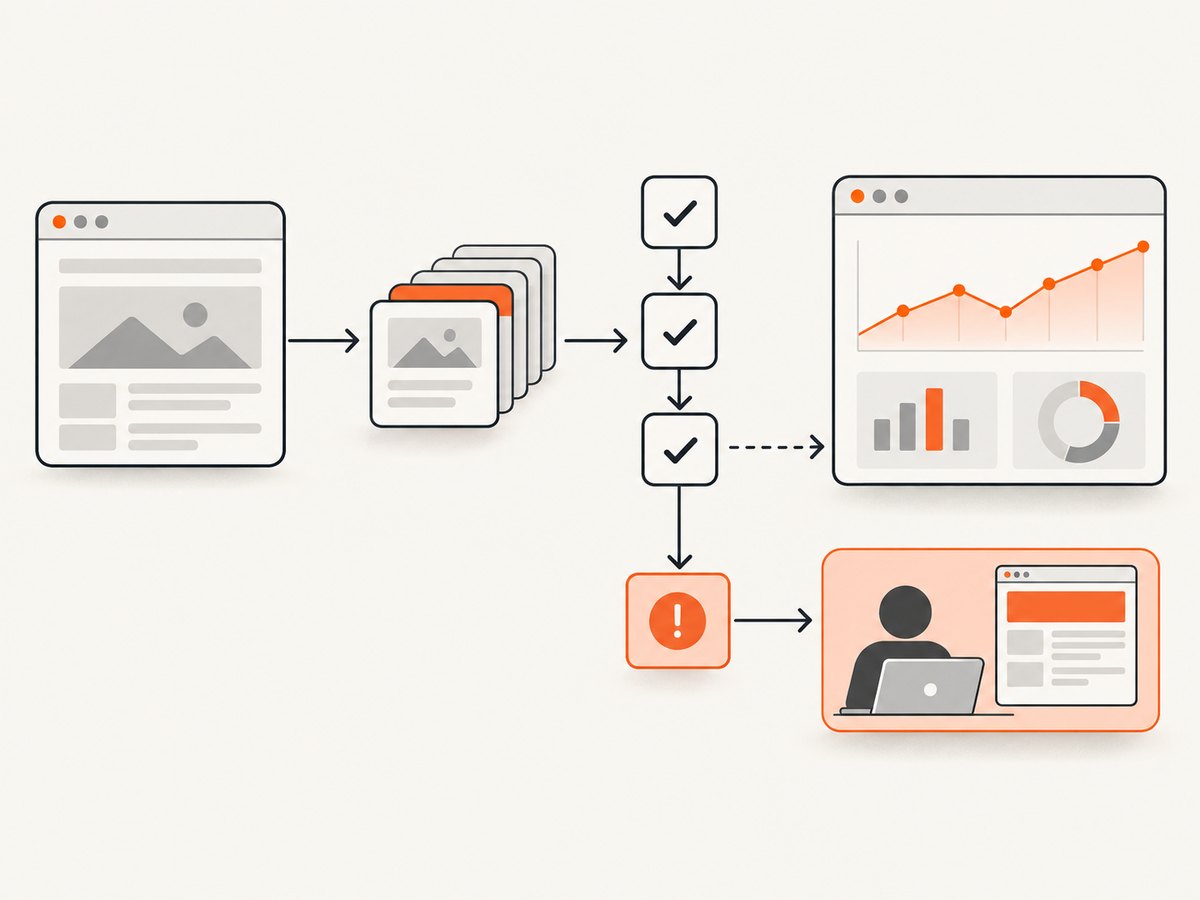
- Required route, dates, currency, and observation time exist.
- At least one expected result exists when the query should return results; distinguish “no offers” from extraction failure.
- Prices parse into plausible positive values without losing currency or decimal precision.
- Duplicates are identified using a key based on the query and offer fields available to you.
- Unexpectedly missing fields, changed text formats, and large shifts in result counts trigger review rather than silent acceptance.
- Store run status and error context, while limiting logs to data you are permitted to retain.
Selectors and source layouts can change. The Eurostat guidance discusses monitoring changes in scraped data quality and detecting issues in repeated runs. Track missing-field rates, parse failures, empty results, and selector failures over time. A change alert should pause or quarantine suspect records until a person verifies the page and updates the parser.
6. Operate at scale without overwhelming the source
“At scale” means bounded, observable jobs, not an unlimited browser swarm. Schedule work at the frequency your use case needs and the source permits. Put URLs or query configurations in a queue, cap concurrency according to documented limits and authorization, and give each job a maximum runtime. The research does not establish a universal safe concurrency count; determine it from the provider’s rules and agreement.
Retry only transient failures, such as an intermittent network error, with exponential backoff and jitter. Do not repeatedly retry an explicit denial, rate limit, CAPTCHA, or access challenge; stop and resolve the source permission or configuration issue. Use a maximum attempt count and a dead-letter path for failures that need inspection.
Close pages and browser processes in finally blocks, as in the example. Reuse a browser process for a bounded batch when appropriate, while creating isolated pages or contexts for independent jobs. Monitor memory and process exits. Browser rendering is resource-intensive compared with a simple HTTP request, so collect only what the defined analysis requires and prefer an authorized API when it provides the data.
7. Troubleshooting
| Symptom | Likely cause | Fix |
|---|---|---|
| Browser executable missing | Install scripts were blocked, or puppeteer-core was installed without a managed browser. |
For puppeteer, run npx puppeteer browsers install. For core, configure an installed compatible browser executable. |
| Navigation timeout | Slow source, unstable network, or waiting for a page event that never fires. | Use an appropriate finite timeout and wait for the required result selector. Diagnose the source response; do not remove timeouts or retry indefinitely. |
| Result list is empty | Wrong query, no offers, changed selector, or results rendered after the wait condition. | Record these outcomes separately. Inspect an authorized page manually, confirm query inputs, and update a selector only after verifying the page. |
| Price parsing is wrong | Locale separators, currency symbols, or changed formatting were assumed. | Keep raw text, parse with an explicit locale and currency policy, and fail validation on unknown formats. |
| Access denied, CAPTCHA, or rate limited | The source rejected the request or the collection pattern exceeded its permitted use. | Stop automated retries. Check authorization, terms, and documented limits; use an approved API or contact the provider. |
| Duplicate or inconsistent observations | Queries or offer identity are not fully represented in the record key. | Include the relevant query parameters and observation time, define a deduplication policy, and retain separate observations when prices legitimately change. |
| Worker memory grows over time | Pages, contexts, or browser processes are not being closed, or batches are too large. | Close resources in cleanup paths, bound batch sizes, and restart workers between bounded jobs if monitoring shows it is needed. |
8. Reliability, cost, and retention
Budget for browser CPU and memory, queue and storage costs, engineering time to maintain selectors, and the cost of reviewing anomalous data. The source set provides no general performance benchmark or universal cost comparison. The Eurostat example describes a qualitative benefit for its specific API experiment; it is not a guaranteed speedup for other sources. Measure your own authorized workflow and include retries and manual review in operational estimates.
For reliability, preserve enough metadata to reproduce a query, but retain only what the provider permits and what your purpose requires. Document access approval, terms reviewed, data fields, retention period, redistribution limits, and a process to stop collection if terms or source behavior changes. API quotas, attribution, caching, and reuse rights vary by provider. Google’s terms are one example of restrictions, not a substitute for reviewing your own source’s agreement.
Or skip the browser setup
If your goal is to capture a page as an image or PDF for documentation or review, ScreenshotNeo can return a screenshot with one GET request. It is a website screenshot API and MCP server from ScreenshotNeo; it does not replace a source’s travel-data API, grant collection rights, or extract structured travel offers. See the ScreenshotNeo API documentation.
curl -G "https://api.screenshotneo.com/v1/shot" -d access_key=YOUR_API_KEY --data-urlencode url=https://stripe.com -o shot.webpCookie and consent banners, newsletter popups, and chat widgets are removed before the shot; each cleanup step can be turned off. Bot checks, blank pages, timeouts, failed loads, and cache hits cost nothing, and response headers identify the page verdict and billing status. An MCP server gives Claude, Cursor, and other MCP clients screenshot tools. The free plan includes 1,000 shots per month with no card; paid plans start at $5 for 3,000. Use screenshots only where you have permission to access and capture the page.
Sign up for 1,000 free screenshots a month, no card required.
FAQ
Can Puppeteer extract flight prices?
Technically, it can read price information rendered on an authorized page. Whether you may automate, retain, or reuse that information depends on the source’s current terms and applicable law. A documented API may be the better interface.
How do I collect hotel prices at scale?
Use the same pipeline discipline: define comparable stay dates and occupancy, choose an authorized source, record taxes and restrictions when permitted, bound scheduled work, and validate repeated observations. Do not compare unlike room offers as if they were equivalent.
Is Puppeteer an API client?
No. Puppeteer controls a browser. A direct request to a provider’s documented API is a separate collection method and should follow that API’s documentation, limits, and terms.
How often should I rerun a travel query?
Choose a cadence based on the decision’s freshness needs and the source’s permitted limits. No universal schedule or concurrency figure is established by the sources cited here.


