Facebook Link Image Size: Recommended Dimensions for Link Previews
Use a 1200×630 image for a Facebook link preview, add it with Open Graph metadata, and check that Facebook can fetch the image.
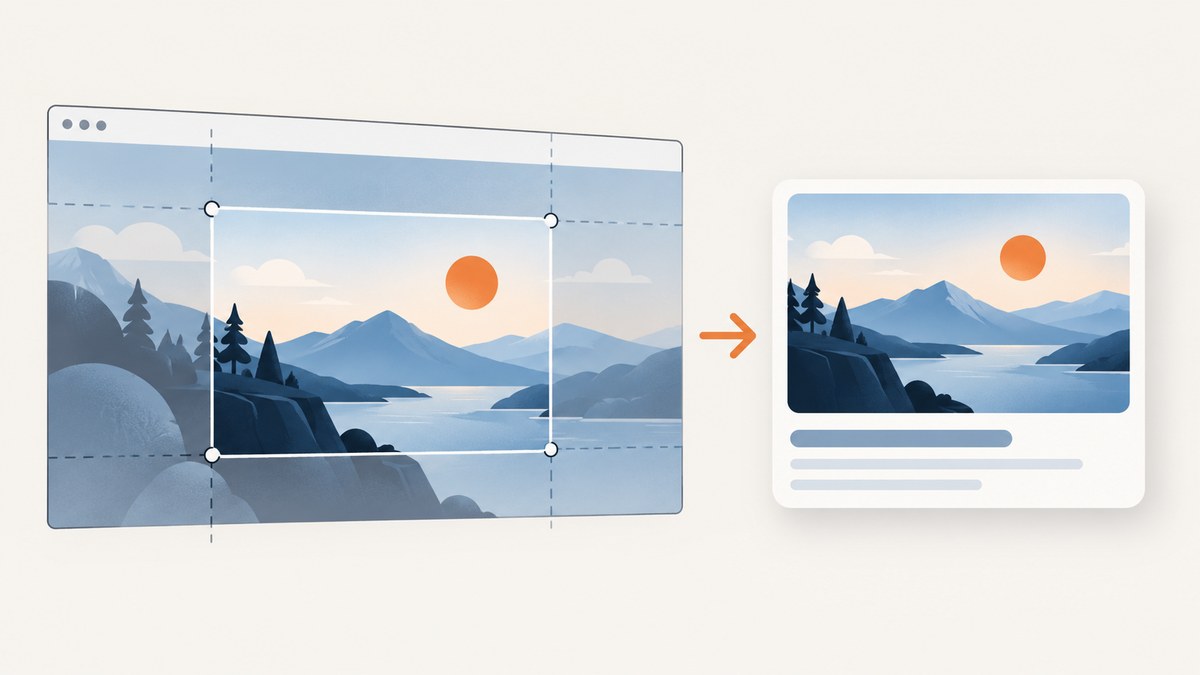
For a Facebook shared-link preview, use a 1200 × 630 pixel image (about a 1.91:1 aspect ratio) and set its public, absolute HTTPS URL in the page’s Open Graph og:image tag. This is the common practical recommendation in current implementation guides, not a guarantee of Meta’s current requirements. A link preview belongs to the shared page URL; it is not a Facebook Page or profile cover image. The Open Graph protocol defines the metadata model, while current size guidance comes from third-party references because Meta’s relevant developer page could not be verified for this article.
If you are preparing a link image, also check what the page looks like when rendered. ScreenshotNeo is a website screenshot API and MCP server; its page captures can help you review a target page alongside the image and metadata you are publishing.
Recommended Facebook link preview dimensions
| Setting | Practical recommendation | Why it matters |
|---|---|---|
| Canvas | 1200 × 630 pixels | A consistent recommendation across the inspected current guides. |
| Aspect ratio | About 1.91:1 | Keeps the image in the familiar wide landscape shape used for link previews. |
| Image URL | Absolute HTTPS URL | The crawler must be able to request the image from your server. |
| Metadata | Open Graph, especially og:image |
Associates an image with the shared page URL. |
These values describe a link-preview image, not a universal image size for every Facebook placement. Guides do not establish one dependable, current official threshold for file size or format here, so do not treat any unsourced limit as a Meta rule. Use 1200 × 630 as the practical starting point and inspect the rendered card before sharing.
Link preview versus Page or profile cover
A shared-link preview is assembled from metadata on the URL being shared. A Page or profile cover is an image uploaded for a different surface, with its own dimensions and crop behavior. The assets serve different purposes and use different delivery paths. Do not use 1200 × 630 as a cover-image specification simply because it is recommended for link cards.
| Shared-link preview | Page or profile cover | |
|---|---|---|
| Purpose | Represents a URL shared in a post or message | Represents a Facebook Page or profile |
| Image source | Page Open Graph metadata, including og:image |
Image uploaded to the cover-image surface |
| Recommendation in this guide | 1200 × 630 px, about 1.91:1 | Not specified here |
| Important check | Can the crawler fetch the URL, and does the card show the intended image? | Does the uploaded image fit its intended cover placement? |
How to add Open Graph metadata
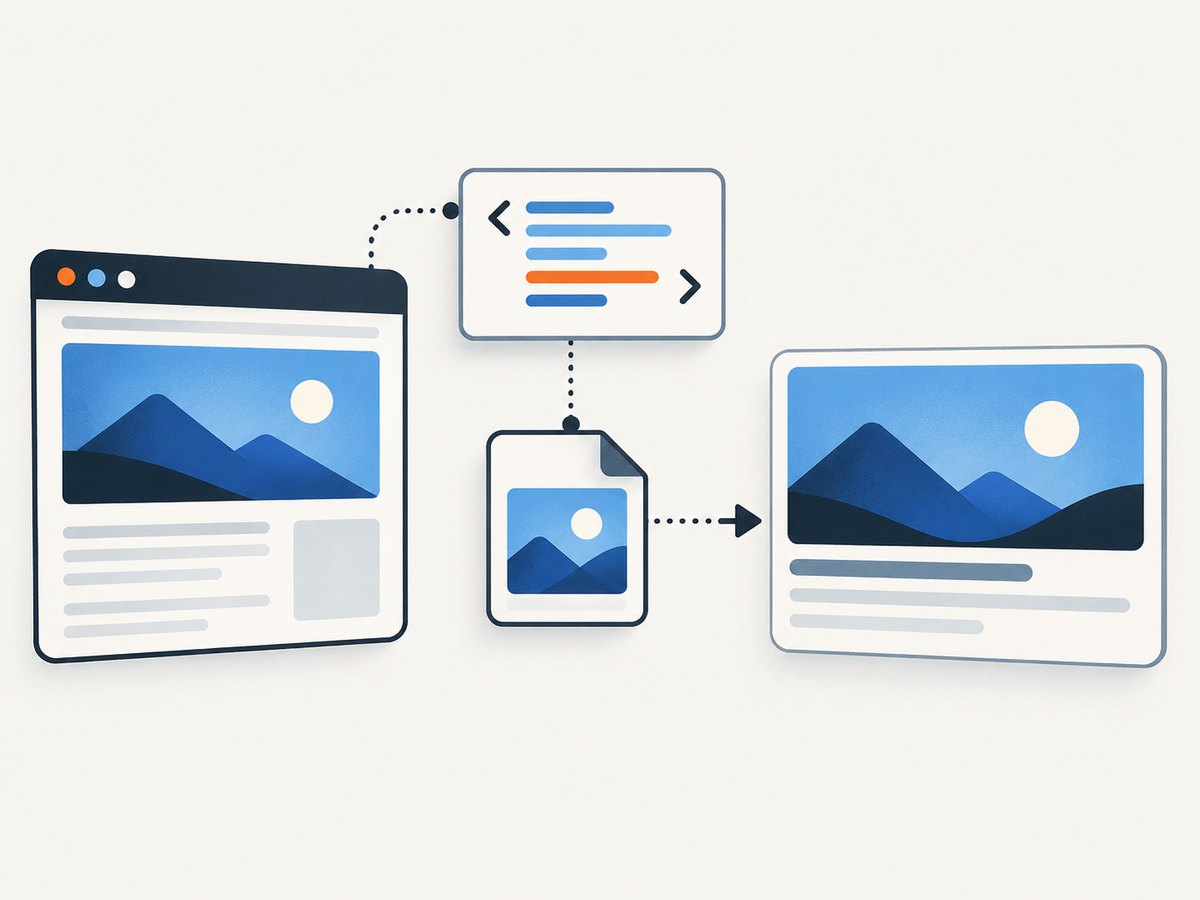
Put the tags in the document’s HTML <head>. Set values for the exact page being shared, and use a public image URL rather than a relative path.
<!doctype html>
<html lang="en">
<head>
  <meta charset="utf-8">
  <title>A useful page title</title>
  <meta property="og:title" content="A useful page title">
  <meta property="og:description" content="A short description of this page.">
  <meta property="og:image" content="https://example.com/images/share-image.jpg">
  <meta property="og:image:width" content="1200">
  <meta property="og:image:height" content="630">
  <meta property="og:url" content="https://example.com/article">
  <meta property="og:type" content="website">
</head>
<body>
  <main>Page content</main>
</body>
</html>
The Open Graph protocol identifies core properties such as og:title, og:type, og:image, and og:url. The width and height tags declare image dimensions and are helpful implementation metadata. Keep the image URL and og:url consistent with the canonical page you expect people to share.
Implementation checklist
- Export the image at 1200 × 630 pixels, or preserve approximately 1.91:1 when making a larger master.
- Keep the headline, face, logo, and other essential content away from the outer edges. Cropping or display differences can remove edge content.
- Upload the image to a stable location on your own site or another host where it is publicly fetchable.
- Use the full HTTPS URL in
og:image; do not use a relative path, private preview URL, or expiring link. - Add the Open Graph tags to the page’s HTML head and confirm they are present in the raw HTML response.
- Request a fresh scrape with Meta’s Sharing Debugger after changing the metadata or image, then inspect the preview.
Prepare and inspect the image
Design the image as a wide landscape. Place important elements within a central safe area rather than close to the borders. A 1.91:1 canvas reduces the chance of an unexpected crop, but it does not promise identical rendering in every Facebook placement. Preview the actual card rather than relying on the source file alone.

When checking a page, verify both the visible result and the metadata response. Confirm the page has the intended title and description, the og:image URL resolves, and the page’s HTML exposes the tags to a crawler. A screenshot of the page can help catch layout issues around banners or overlays, but it does not replace checking the raw metadata or fetching the image URL directly.
Or skip the browser setup
To capture a page for review with one request, ScreenshotNeo accepts a URL and returns an image or PDF. This example saves the response as WebP; the API also supports PNG, JPEG, and PDF. See the ScreenshotNeo API documentation for parameters and options.
curl -G "https://api.screenshotneo.com/v1/shot" \
  -d access_key=YOUR_API_KEY \
  --data-urlencode url=https://example.com/article \
  -o page.webp
ScreenshotNeo accepts cookie or consent banners like a visitor and removes more than 60 known consent platforms, newsletter popups, and chat widgets before capture; each step can be turned off. Bot checks and CAPTCHAs, blank pages, timeouts, failed loads, and cache hits cost nothing, and response headers indicate the page verdict and whether the shot was billed. Its MCP server provides screenshot, page-info, and PDF tools for AI agents and MCP clients. The free plan includes 1,000 shots a month with no card; paid plans start at $5 for 3,000 shots.
Sign up for 1,000 free screenshots a month, with no card.
Troubleshooting missing or stale previews
| Symptom | Likely cause | What to check or fix |
|---|---|---|
| No image appears | The og:image tag is missing, malformed, or not present in the raw HTML. |
Inspect the page source returned to a crawler and correct the property value. |
| Image URL works only while logged in | The image is access-controlled. | Host it at a public URL that does not require a login or other access restriction. |
| Relative image path fails | The crawler cannot resolve it as intended. | Use an absolute HTTPS URL such as https://example.com/images/share-image.jpg. |
| Old image remains after an update | The preview may be cached. | Use Meta’s Sharing Debugger to inspect the URL and request a fresh scrape. No fixed cache lifetime is established by the cited guidance. |
| Part of the image is cut off | The image ratio or composition does not fit the display. | Use a 1200 × 630 canvas and move key content inward; preview the card. |
| Wrong page details appear | The tags may describe another URL, or the scraper may have old data. | Check og:title, og:url, and og:image for the exact shared page, then request a fresh scrape. |
| Declared dimensions disagree with the file | The width or height metadata is inaccurate. | Set og:image:width and og:image:height to the actual image dimensions. |
Do not diagnose a problem by assuming a particular file-size cap: inspected guides disagree, and this research did not verify a current official threshold. First establish that the URL is reachable, the tag is in the raw head, the dimensions are right, and the debugger is showing a fresh scrape.
Performance, reliability, and publishing notes
- Choose a stable URL. A public, durable HTTPS image address reduces failures caused by expired or restricted URLs.
- Keep the image proportionate. The common 1200 × 630 recommendation is sufficient as a practical default; a larger master can help your design workflow if exported at the same ratio.
- Validate after deployment. Check the published page, not just a local preview, because crawler reachability depends on the public response.
- Expect caching. A corrected source may not replace an old card immediately. Use the Sharing Debugger to request a new scrape; the available references do not give a dependable cache duration.
- Do not infer official limits. The examined guides disagree on file-size limits and do not establish current official Meta thresholds for size or format. Verify against current official guidance before making a strict production rule.
FAQ
Is 1200 × 630 the official Meta requirement?
This article treats it as the consistent recommendation in current third-party guides. Meta’s developer page could not be retrieved for this research, so it should not be presented as a verified current official requirement.
Can I use a larger image?
A larger export at the same approximate 1.91:1 ratio can serve as a design master. The practical Facebook-specific default cited by the inspected guides is 1200 × 630 pixels.
Does this size apply to Facebook cover images?
No. A link preview takes its image from a shared page’s Open Graph metadata. A Page or profile cover is a separate upload surface with a different crop and specification.
How do I force Facebook to update the preview?
After correcting the tags or image, inspect the shared URL in Meta’s Sharing Debugger and request a fresh scrape. The sources do not establish a fixed cache lifetime.
What file-size limit should I target?
The inspected guides disagree, and the current official threshold was not verified. Avoid repeating a third-party number as a definitive Meta limit; confirm current platform guidance for a strict requirement.
Sources and scope
The metadata model is documented by the Open Graph protocol. The 1200 × 630 recommendation and implementation advice were cross-checked against FreeOGImage’s Facebook link preview guide, OpenGraph+ implementation guidance, and PostSize’s Facebook link preview size guide. Those third-party references do not establish current official Meta file-size thresholds; preview the published card and check current Meta guidance when a hard platform limit matters.


