How to Fail a Screenshot Render When the Page Contains Specific Text
Make missing or incorrect page text fail a Playwright test, then use screenshot assertions to catch visual regressions against a reviewed baseline.

To fail a Playwright test when a page is missing specific text, assert that the intended locator contains or exactly matches that text. If you also need to verify appearance, add a screenshot assertion against a reviewed visual baseline. Text assertions explain content failures directly; screenshot comparisons catch pixel-level changes that text checks cannot.
import { test, expect } from '@playwright/test';

test('page contains required copy and matches its visual baseline', async ({ page }) => {
  await page.goto('/page-under-test');

  await expect(page.getByRole('heading', { name: 'Account overview' })).toBeVisible();
  await expect(page.locator('main')).toContainText('Your balance');
  await expect(page).toHaveScreenshot();
});
Use toContainText when the phrase may appear among other text, and toHaveText when the text must match exactly. Keep the check scoped to a meaningful region, such as a heading, dialog, or main content area. A page-wide substring can pass because of an unrelated footer or hidden element.
1. Choose whether you need a content check, a visual check, or both
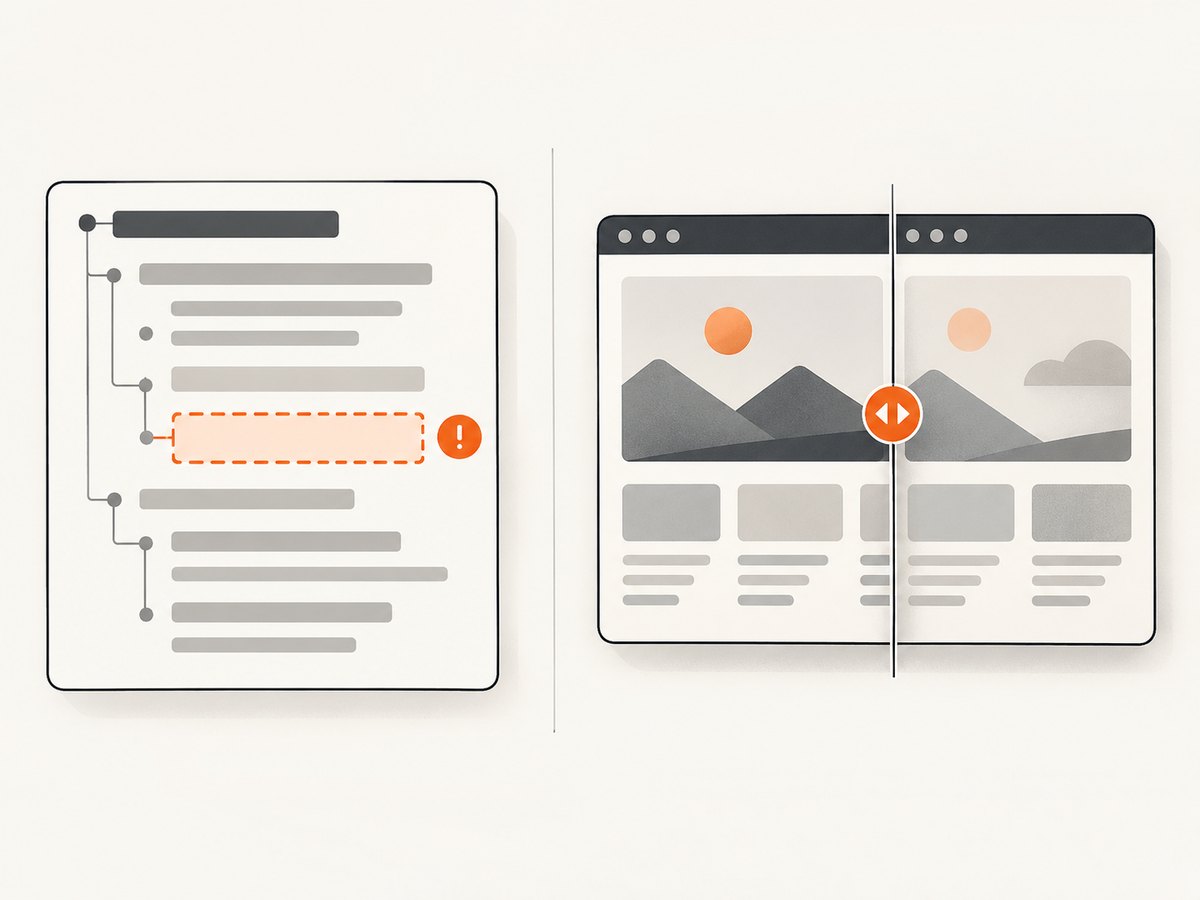
A screenshot test can mean two different things. A content assertion asks whether the page rendered the required words. A screenshot assertion asks whether the rendered pixels match an approved image. These checks overlap in outcome but not in diagnosis.
| Requirement | Use | What a failure tells you |
|---|---|---|
| The page must contain a phrase | toContainText |
The text is absent or differs from the expected value. |
| An element must show exact copy | toHaveText |
The locator’s text does not equal the expected text. |
| The page or component must look as approved | toHaveScreenshot |
The image differs from the stored baseline. |
| Both copy and layout matter | Text assertion followed by screenshot assertion | The first failing assertion identifies whether content or pixels broke. |
Do not rely on a screenshot diff as your only proof that words exist. A changed pixel image can result from fonts, spacing, animation, or browser rendering, so the report may not make it clear that a phrase specifically disappeared. A text assertion states the acceptance condition directly.
2. Set up a Playwright Test
The code below uses Playwright Test, the test runner documented by the source material for text and screenshot assertions. Run the commands in a Node.js project. If Playwright is already installed, skip the installation steps.
npm init playwright@latestFollow the initializer prompts to choose JavaScript or TypeScript and install the browser needed by the project. Create a test file such as tests/page-copy.spec.ts. The relative URL in page.goto assumes the project’s Playwright configuration sets baseURL; otherwise use the full application URL.
import { test, expect } from '@playwright/test';

test('required copy is present', async ({ page }) => {
  await page.goto('/account');

  await expect(page.getByRole('heading', { name: 'Account overview' })).toBeVisible();
  await expect(page.locator('main')).toContainText('Your balance');
});
Run it with the Playwright Test CLI:
npx playwright test tests/page-copy.spec.tsPlaywright locator assertions are asynchronous and retry while checking the condition until it passes or reaches the assertion timeout. This is useful for client-rendered pages where text appears after navigation. Await each assertion; omitting await can let the test finish without observing its result. The documented default assertion timeout is five seconds, and it can be configured if your application needs more time. See the official Playwright assertions guide.
3. Select the right text assertion
Check that a phrase occurs within a region
Use toContainText when the locator may contain other words as well. Nested elements contribute to the text content, so this works when the phrase is split across markup inside the selected region.
await expect(page.locator('main')).toContainText('Your balance');The assertion can also accept a regular expression when the wording has a controlled variable, such as a changing amount:
await expect(page.getByRole('status')).toContainText(/Saved at \d{1,2}:\d{2}/);Keep patterns narrow enough to catch an actual regression. A permissive expression can accept copy that no longer meets the requirement.
Check exact text
Use toHaveText when the locator should have exactly the expected text. This makes punctuation, spacing, and added or removed words part of the requirement.
await expect(page.getByRole('heading', { name: 'Account overview' }))
  .toHaveText('Account overview');
Playwright’s locator text assertions inspect text including nested elements. Exactness may be inappropriate for a container that includes labels or helper copy, so choose the smallest element whose full text is genuinely specified. A regular expression can express acceptable variations here too.
Prefer semantic, scoped locators
Use a role and accessible name for a heading, button, or status when that describes the element you mean. Use a stable locator for a content region when there is no useful semantic target. Avoid selectors that match several unrelated elements, and avoid checking a generic phrase on the entire page if it could occur in navigation, a footer, or an invisible template.
const dialog = page.getByRole('dialog', { name: 'Payment details' });
await expect(dialog).toContainText('Billing address');
await expect(dialog.getByRole('button', { name: 'Save changes' })).toBeVisible();
When the same label appears more than once, scope the check to its containing region before asserting. This makes the test more stable and its failure easier to interpret.
4. Add a screenshot assertion for visual regressions
Once the required copy assertion passes, add a screenshot assertion if layout, styling, and visible state are also acceptance criteria. Playwright Test supports both a page screenshot and a locator screenshot.
import { test, expect } from '@playwright/test';

test('account content and appearance are approved', async ({ page }) => {
  await page.goto('/account');

  const heading = page.getByRole('heading', { name: 'Account overview' });
  await expect(heading).toBeVisible();
  await expect(page.locator('main')).toContainText('Your balance');
  await expect(page).toHaveScreenshot();
});

test('balance card appearance is approved', async ({ page }) => {
  await page.goto('/account');
  const card = page.getByTestId('balance-card');
  await expect(card).toContainText('Your balance');
  await expect(card).toHaveScreenshot();
});
toHaveScreenshot() waits for two consecutive page screenshots to be the same before it compares the result with its expected image. The first comparison run creates a baseline; review that image and commit it only if it reflects the intended UI. Later runs compare against the stored expectation. Screenshot assertions are a Playwright Test runner feature, as noted in the official PageAssertions documentation.
- Run the test in the environment where you intend to establish the baseline.
- Inspect the generated reference image for the expected text, state, and layout.
- Commit the approved baseline alongside the test.
- On later runs, investigate image diffs before updating the baseline.
For deterministic output, keep the browser and host environment consistent. Operating system, browser version, fonts, settings, hardware, power source, and headless mode can affect rendered pixels. Playwright documents the workflow and environment caveats in its visual comparisons guide.
5. Handle asynchronous content and page state
Navigate and establish the state that should be tested before checking the copy. For example, sign in through the test fixture, choose the relevant account, or open the dialog that contains the required text. Then assert against the locator with a web-first assertion instead of reading text once and checking the returned string immediately.
await page.goto('/account');
await page.getByRole('button', { name: 'Show balance' }).click();
await expect(page.getByRole('status')).toContainText('Your balance');
A one-time read can observe the page before client-side rendering has finished. A retrying locator assertion rechecks the element until it meets the condition or times out. If the application legitimately takes longer, tune the assertion timeout for that assertion or configure an appropriate project default. Do not increase timeouts to conceal a page that never reaches the required state.
For visual checks, make sure the application is in the same state each time: same data, viewport, locale, color scheme, and relevant interaction state. Dynamic timestamps, rotating content, and animations can create diffs that do not represent a product change. Playwright screenshot options can control animations or apply a stylesheet; use such controls only for volatility outside the behavior under test. Never hide the required text or the visual state whose presence the test is meant to verify.
6. Diagnose failures
| Symptom | Likely cause | Fix |
|---|---|---|
| Text assertion times out | The copy did not render, the page is on the wrong state, or the locator points at the wrong region. | Check navigation and application state, inspect the locator target, and confirm the expected wording. |
| Assertion passes for the wrong content | The locator is too broad or the phrase occurs elsewhere. | Scope it to the relevant heading, dialog, status, or content region. |
| Exact text assertion fails on apparently matching copy | The element contains additional nested text or the text is not an exact match. | Use a narrower locator, inspect the complete text, or choose toContainText if partial matching is intended. |
| Screenshot differs but text assertions pass | Visual styling changed, content layout shifted, data is dynamic, or the rendering environment differs. | Review the image diff and normalize the test state and environment before deciding whether the change is expected. |
| First screenshot run has no prior image to compare | No baseline exists yet. | Review the created reference image and commit it only after approval. |
| Screenshot assertion API is unavailable in a non-test script | Screenshot assertions are provided by Playwright Test. | Run the assertion inside a Playwright Test test; use a different screenshot workflow for standalone scripts. |
| Visual tests are intermittently flaky | Fonts, browser builds, animation, network-fed data, or host rendering vary. | Pin the test environment and data, wait for a meaningful application state, and suppress only irrelevant volatility. |
| Test passes locally but fails in CI | The baseline was generated under a different browser or operating system, or the CI page state differs. | Generate and compare baselines in a consistent environment and check the CI viewport, fonts, and data. |
When the required words themselves are missing, fix the application or the setup that should expose them. Do not update the screenshot baseline to make a missing-content failure disappear. When only the screenshot assertion fails, compare the image and determine whether the change is an intended design update or an unintended regression.
7. Performance, reliability, and maintenance
Text assertions are generally the direct check for copy and benefit from locator retries; a screenshot assertion adds image capture and comparison work and needs a maintained baseline. Keep screenshot coverage focused on screens or components where visual appearance is part of the contract. A component screenshot can make diffs easier to review, while a full-page screenshot covers interactions among regions.
For reliable comparisons, use stable test data, consistent viewport and browser settings, and a repeatable host. Review baseline changes as code changes: an image is an expected result, not an automatic truth. A successful text assertion does not prove that text is readable, visible in the intended position, or styled correctly; the screenshot check can complement it. Conversely, an approved screenshot is not as explicit a content assertion as checking the required text itself.
Keep timeouts proportionate to the application. A timeout that is too short can fail while legitimate content is still loading; a very long timeout can slow feedback when the target never appears. Use the assertion report to distinguish an absent locator from a genuinely slow transition.
8. Or skip the browser setup
If you need a screenshot artifact without installing and maintaining a browser runner, ScreenshotNeo is a website screenshot API and MCP server from Yorker Media. Its API returns a PNG, JPEG, WebP, or PDF from one GET request. It captures pages; it does not replace the Playwright text assertion and baseline comparison workflow above.

For example, save a screenshot of the same account page (substitute a URL accessible to the capture service):
curl -G "https://api.screenshotneo.com/v1/shot" \
  -d access_key=YOUR_API_KEY \
  --data-urlencode url=https://example.com/account \
  -o account.webp
import requests
r = requests.get(
"https://api.screenshotneo.com/v1/shot",
params={"access_key": "YOUR_API_KEY", "url": "https://example.com/account"},
timeout=90,
)
open("account.webp", "wb").write(r.content)const q = new URLSearchParams({
access_key: 'YOUR_API_KEY',
url: 'https://example.com/account'
});
const res = await fetch(`https://api.screenshotneo.com/v1/shot?${q}`);
if (!res.ok) throw new Error(`Screenshot request failed: ${res.status}`);
await Bun.write('account.webp', res);See the ScreenshotNeo API documentation for request options and response details. Cookie banners are accepted and removed before capture, along with known newsletter popups and chat widgets; each of those steps can be turned off. Bot checks, blank pages, failed loads, timeouts, and cache hits are not billed, and response headers say the page verdict and billing status. An MCP server provides take_screenshot, get_page_info, and capture_pdf for Claude, Cursor, and other MCP clients. The free plan includes 1,000 screenshots a month with no card; paid plans start at $5 for 3,000 screenshots. Every feature is on every plan.
For automated acceptance tests, keep the explicit Playwright assertion for required wording; use a capture API when you need a straightforward screenshot from a URL or want an AI agent to request one. Sign up free for 1,000 screenshots a month, with no card required.
9. Frequently asked questions
Should I assert text before or after taking the screenshot?
Assert the required content first so a missing phrase produces a clear content failure. Then run the screenshot assertion if visual appearance also matters.
Can a screenshot assertion alone prove that a phrase exists?
A screenshot diff can change when text disappears, but it does not identify that condition as clearly as a locator text assertion. Use both when content and appearance are requirements.
Should I update the baseline every time a screenshot test fails?
No. Inspect the difference and update the baseline only when the changed rendering is intentional and approved.
Can I use this assertion in a plain Playwright script?
toHaveScreenshot() is part of Playwright Test’s assertion workflow. Use it in a Playwright Test test rather than assuming it is available in any standalone browser script.


