How to Fail a Test When Percy Fails to Create a Snapshot
A missing Percy snapshot can mean the test failed before its snapshot call. Learn what you can assert reliably, what remains version-specific, and how to investigate CI.
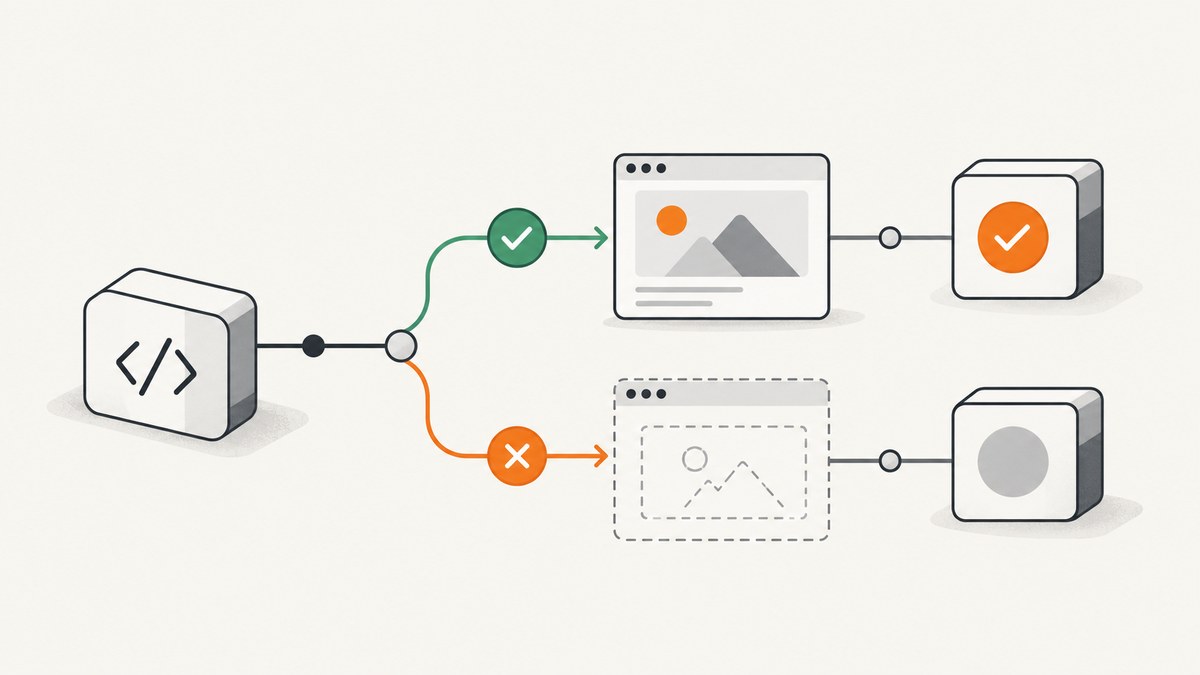
If Percy reports “No snapshot was uploaded,” first check whether your test failed before reaching its Percy snapshot call. Percy identifies failing CI tests with nothing uploaded as one possible cause. Its public diagnostic does not say that every snapshot creation or upload failure automatically makes the test process fail. The documented Cypress and Jest workflows show how to request snapshots and run tests through Percy’s CLI; they do not establish a universal exit code or a supported setting that fails CI whenever an expected snapshot is absent. Percy’s Cypress guide and Jest guide provide workflow examples.
So there are two different checks to consider: make the test fail when it cannot reach the snapshot point, and separately verify that Percy created and uploaded the snapshot. The first is ordinary test logic. The second depends on the Percy SDK, CLI, framework, and versions in your project; verify that behavior against their current documentation before treating a CI command as proof of upload.
1. Separate a failed test from a missing Percy snapshot
A test can fail before the snapshot call—for example, because navigation, a selector assertion, or application setup fails. In that situation the test runner should report a failing test, and Percy’s diagnostic says that failing CI tests can be one reason nothing was uploaded.
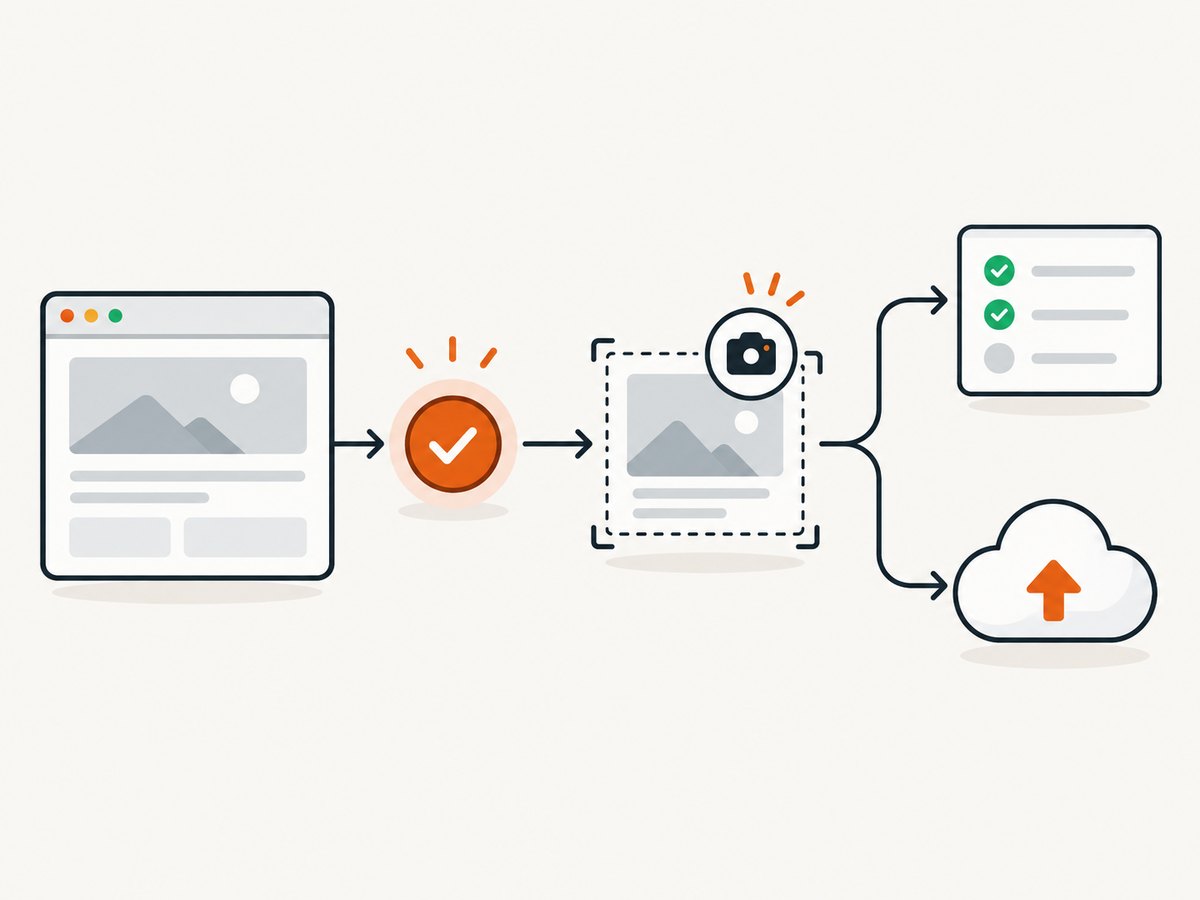
A different case is a test that completes while Percy does not create or upload the snapshot you expected. The diagnostic alone does not explain why that happened or establish that it changes the test process exit status. Do not assume that wrapping a command in percy exec makes every missing snapshot fail CI. It starts Percy around the supplied test command; the project still needs a reliable check for the outcome it actually cares about.
| Observed result | What it tells you | Next check |
|---|---|---|
| The test fails before the Percy call | The test did not reach the snapshot request. | Read the first test failure and confirm the call’s place in the test flow. |
| The test passes, but the Percy build has no expected snapshot | The test result and the upload result differ. | Inspect Percy output, token/configuration, and the build; verify version-specific failure handling. |
| The Percy build contains a snapshot | Percy received a snapshot for that build. | Confirm it is the expected test, page state, and build. |
2. Run Cypress through Percy and make test prerequisites explicit
Percy’s Cypress guide shows installing the CLI and Cypress SDK, importing the SDK support, setting the project token, and running Cypress through percy exec. The following follows that documented shape. Package versions and project setup vary, so check the current guide for your installed versions.
# Install in the project
npm install --save-dev @percy/cli @percy/cypress

# In the Cypress support file (for example, cypress/support/e2e.js)
# import '@percy/cypress'

# Set the project token in the CI secret store, then run:
npx percy exec -- cypress run
Put the snapshot call after the application has reached the state you intend to capture. Assertions before it make failed prerequisites visible as normal test failures. For example:
describe('Account page visual state', () => {
  it('loads the account page and requests a Percy snapshot', () => {
    cy.visit('/account');
    cy.get('[data-testid="account-heading"]').should('be.visible');
    cy.percySnapshot('Account page');
  });
});
This test checks that the page’s heading becomes visible before asking Percy for a snapshot. It does not prove that Percy successfully uploaded the image: the framework call and the remote build result are separate things to inspect. Use an assertion that represents a real page requirement; an arbitrary delay can hide readiness problems and make runs slower.
CI setup checklist
- Install the Percy CLI and the SDK that matches your test framework.
- Import or configure that SDK using its current vendor instructions.
- Store the Percy project token as a CI secret and expose it to the job environment. Do not commit the token to source control.
- Run the intended test command under
percy exec, preserving its arguments and working directory. - Check the test output for failures before the snapshot call and Percy output for build or snapshot activity.
- Open the corresponding Percy build and confirm that the expected snapshot appears.
- If CI must fail when a snapshot is absent, establish a supported, version-specific check for that condition before relying on it as a gate.
3. Jest workflow: request a snapshot, then inspect the build
Percy’s Jest guide shows invoking Jest through the Percy CLI and calling a Percy snapshot helper from the test. Adapt imports and rendering to your project and the current package documentation.
# Install the CLI and Jest integration
npm install --save-dev @percy/cli @percy/jest

# Run the suite through Percy
npx percy exec -- jest
import { render } from '@testing-library/react';
import { percySnapshot } from '@percy/jest';
import AccountPage from './AccountPage';
test('requests a Percy snapshot of the account page', async () => {
render(<AccountPage />);
await percySnapshot('Account page');
});Keep functional assertions in the test as well. For example, assert that a known heading or control rendered before requesting the image. That lets Jest fail when the page does not reach the intended state. It still does not independently verify the remote build contains the expected snapshot.
4. What to do when “No snapshot was uploaded” appears
Percy’s diagnostic says: “No snapshot was uploaded.” It says this could happen if tests failed in CI and nothing was uploaded, and advises ensuring the CI environment is passing and Percy commands are executing successfully. Treat that as a useful lead, not an exhaustive list of causes.
- Find the first test failure. Review the test runner output from the beginning of the job. Confirm whether the test reached its Percy call; later CI summary lines may not show the relevant ordering.
- Confirm the Percy command ran. Check the actual CI command, working directory, package installation, and output. Verify the command wraps the runner you intended to execute.
- Check the token and project. Confirm the CI job receives the right project token and that the resulting build is the one you are viewing. Avoid printing secrets while debugging.
- Inspect the Percy build. Check whether it exists and whether it contains the expected snapshot. A build with no snapshots and a build containing a different snapshot are distinct outcomes.
- Check SDK and CLI versions. Compare the installed packages and setup with the current framework-specific guide. Do not assume an older integration behaves like a current one.
- Verify the missing-snapshot gate separately. If the test passed but the expected snapshot is absent, consult the documentation for the precise SDK/CLI combination or ask the vendor whether it supports failing the command for that condition.
These are investigative checks, not guaranteed fixes. The available public workflow examples do not settle whether a particular current Percy combination has a supported mechanism to fail specifically when an expected snapshot was not created or uploaded.
5. Common errors and fixes
| Symptom | Likely area to investigate | Practical next step |
|---|---|---|
| “No snapshot was uploaded” and test failures in CI | The suite may have stopped before snapshot calls. | Fix the earliest failing test or setup step, then confirm the snapshot call runs. |
| Test passes but build is empty | Snapshot call, SDK integration, CLI invocation, token, or build selection. | Inspect runner and Percy logs, verify setup and token exposure, then inspect the matching build. |
| Percy reports it is not running or snapshots are disabled | The test may have been run without the Percy wrapper. | Use the documented CLI invocation for your framework and verify it appears in CI’s executed command. |
| Build appears under an unexpected project | Token or environment configuration may point elsewhere. | Check which secret the job uses and which project build you opened; keep token values private. |
| Snapshot name is unexpected or duplicated | Test naming or snapshot call placement may differ from expectations. | Use a stable, descriptive name and review the framework integration’s naming behavior. |
| Local run works; CI does not | CI may differ in secrets, dependencies, working directory, or test outcome. | Compare versions and commands, verify secret availability, and inspect the first CI failure. |
| CI is green despite an absent snapshot | The test process may not be checking remote snapshot presence. | Do not infer an upload guarantee from percy exec; verify a supported version-specific gate. |
6. Make the check reliable without confusing its scope
Reliable visual-test jobs have clear boundaries. Functional assertions establish that the application reached the state worth capturing. The Percy SDK call requests a visual snapshot. The Percy build confirms whether that request resulted in a snapshot visible to Percy. A CI policy that requires an expected remote snapshot needs to connect that last condition to a failing job through a documented mechanism for the project’s exact toolchain.
- Use stable page readiness checks rather than fixed sleeps where possible.
- Keep the Percy call near the assertions that define the captured state.
- Preserve test and Percy logs in CI so a failure can be diagnosed after the job ends.
- Check build identity when running parallel jobs; inspect the correct Percy build rather than assuming all logs refer to one build.
- When upgrading SDK or CLI packages, re-check invocation and failure behavior instead of assuming the old integration contract still applies.
Visual captures can add browser work and network activity to CI, but the sources cited here do not establish a benchmark, fixed runtime, or universal cost for a Percy run. Measure your own suite and review the applicable Percy plan for current billing details. Do not add retries blindly: they can lengthen the job and obscure whether the failure is transient or caused by configuration. A retry is useful only when you have identified a transient condition and can still verify the final build contains the intended snapshot.
7. Or skip the browser setup
If your goal is a page screenshot for a report, audit, or agent workflow rather than Percy’s visual-baseline review process, ScreenshotNeo provides a screenshot API. A single GET request returns an image or PDF. For an API-driven capture, you do not need to install and manage a browser runner in your test job. Read the ScreenshotNeo API documentation for request options.

curl -G "https://api.screenshotneo.com/v1/shot" -d access_key=YOUR_API_KEY --data-urlencode url=https://stripe.com -o shot.webpimport requests
r = requests.get(
"https://api.screenshotneo.com/v1/shot",
params={"access_key": "YOUR_API_KEY", "url": "https://stripe.com"},
timeout=90,
)
open("shot.webp", "wb").write(r.content)const q = new URLSearchParams({ access_key: 'YOUR_API_KEY', url: 'https://stripe.com' });
const res = await fetch(`https://api.screenshotneo.com/v1/shot?${q}`);
if (!res.ok) throw new Error(`Screenshot request failed: ${res.status}`);
await Bun.write('shot.webp', res);ScreenshotNeo’s clean-shot behavior accepts cookie/consent banners like a visitor and removes 60+ known consent platforms, newsletter popups, and chat widgets before capture; each step can be turned off. Bot checks/CAPTCHAs, blank pages, timeouts, failed loads, and cache hits cost nothing, and the response says which outcome occurred through X-Page-Verdict and X-Billed headers. Its MCP server includes take_screenshot, get_page_info, and capture_pdf for AI agents. The free plan includes 1,000 shots per month with no card; paid plans start at $5 for 3,000 shots.
Sign up for ScreenshotNeo’s free plan: 1,000 screenshots a month, no card required.
FAQ
Does percy exec guarantee CI fails if a snapshot is missing?
The cited public workflows do not establish that guarantee. Verify the behavior for the exact SDK, CLI, framework, and versions in your project.
Should I make every Percy snapshot call a required test assertion?
Use functional assertions to prove the page reached the intended state. For remote snapshot presence, use a separate documented check if your toolchain supports one; do not equate a local call with a verified upload.
What is the first thing to inspect?
Find whether the test reached its Percy snapshot call, then compare test output, Percy command output, token/project configuration, and the corresponding Percy build.
Can a screenshot API replace Percy’s visual comparison workflow?
A screenshot API can capture a page, but this article does not establish that it provides Percy’s baseline comparison or review workflow. Choose a tool based on whether you need capture alone or visual regression review.


