Fast Website Screenshot Services for Developers
Compare fast website screenshot APIs, learn how to capture pages reliably, and choose the right service for JavaScript-heavy workloads.
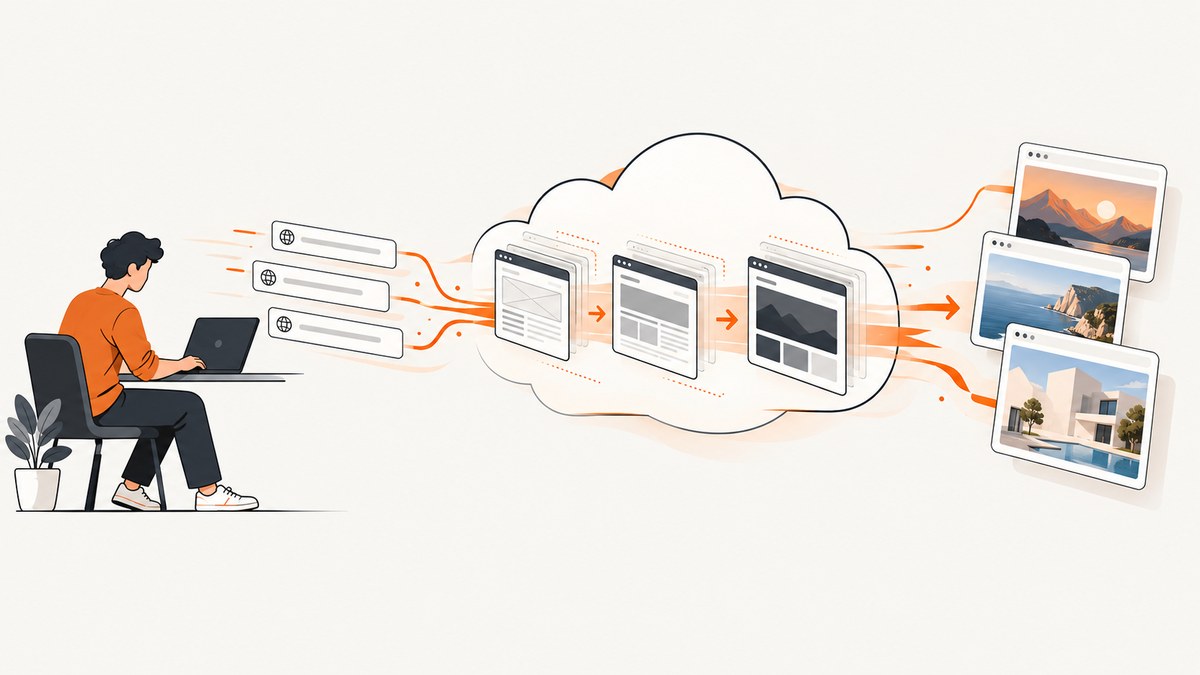
Short answer: the fastest practical way to capture websites in production is usually a hosted screenshot API. It removes the work of operating Chromium, waiting for navigation and JavaScript, handling lazy-loaded content, and delivering image files. The right choice depends on your pages, output format, rendering controls, request volume, and cost per successful render. There is no independent cross-vendor latency benchmark in the available research, so measure your own URLs before choosing a provider.
1. What makes a screenshot service fast?
“Fast” has several parts. A request can return quickly while producing an incomplete image, or take longer because it correctly waits for client-side rendering. Evaluate the complete time to a usable image:
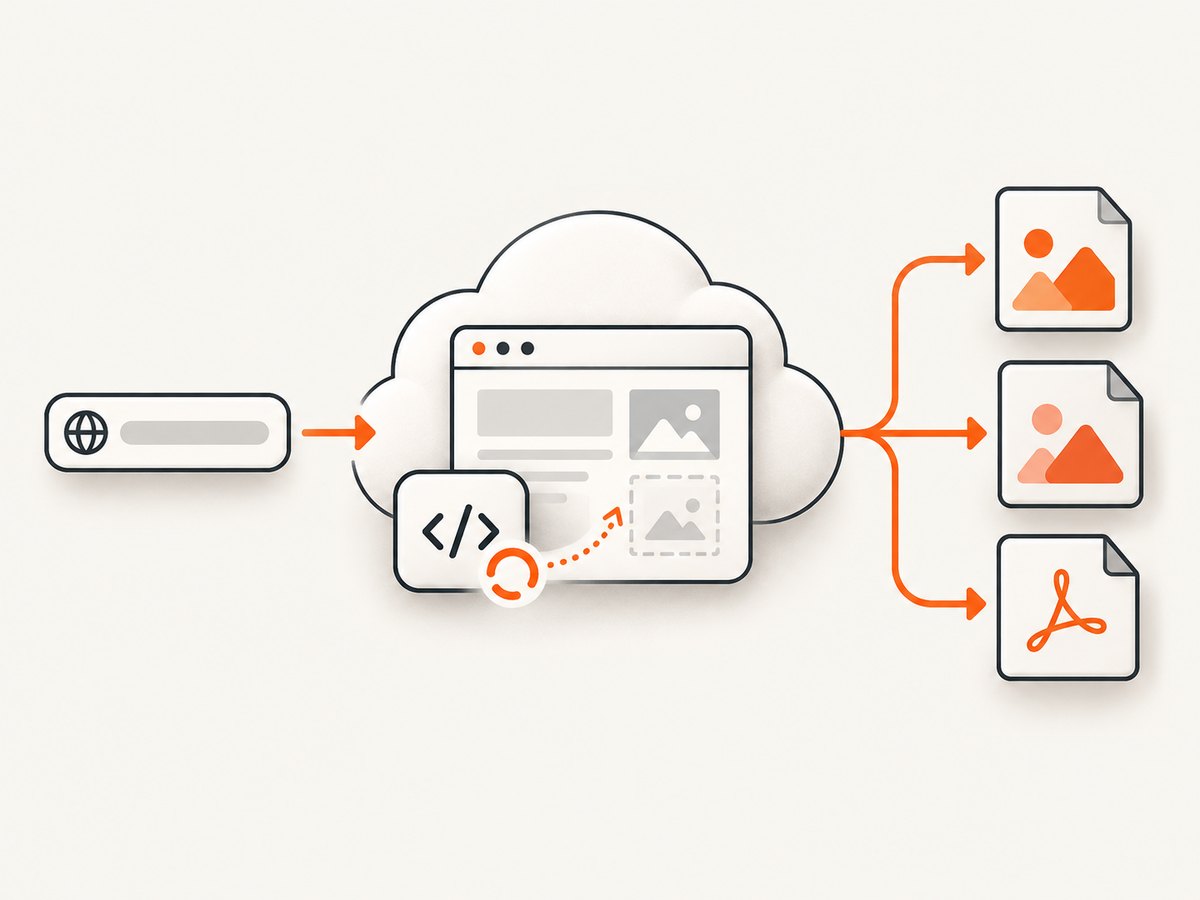
- Connection and queue time: how quickly the provider accepts the request and starts a browser.
- Navigation time: DNS, TLS, redirects, server response, and downloaded resources.
- Readiness time: JavaScript execution, fonts, animations, API calls, and lazy-loaded images.
- Capture time: layout, full-page stitching, PDF pagination, encoding, and compression.
- Delivery time: returning the bytes, uploading to storage, or calling your webhook.
For a fair comparison, record p50 and p95 time to image, successful-render rate, visual completeness, cache-hit behavior, requests per minute, and cost per successful render. Test representative static, JavaScript-heavy, long, lazy-loaded, authenticated, and consent-banner pages. Vendor descriptions such as “fast” or “pixel-perfect” are positioning claims, not independent measurements.
2. Ranked shortlist of fast screenshot APIs
| Rank | Service | Best fit | Relevant capabilities | Pricing notes |
|---|---|---|---|---|
| 1 | ScreenshotNeo | Clean production screenshots with simple billing | Full-page and lazy-image loading, selectors, devices, custom waits, blocking, headers, cookies, JavaScript, PDFs, async jobs, bulk capture, caching, signed links, and an MCP server | 1,000 free monthly shots; paid plans from $5 for 3,000 |
| 2 | ScreenshotOne | A dedicated screenshot API with broad rendering options | Full pages, lazy loading, ad and cookie blocking, PNG, JPEG, WebP, PDF, HTML, caching, webhooks, signed links, S3 upload, and higher-tier video support | 100 free monthly screenshots; paid examples range from $17 for 2,000 to $259 for 50,000 |
| 3 | Urlbox | Multi-output rendering and advanced browser workflows | Screenshots, PDFs, videos, text, hydrated HTML, metadata, SDKs, render links, synchronous and asynchronous jobs, and more than 100 browser options | Published plans start at $19 for 2,000 renders; listed rates range from 30 to 1,000 requests per minute |
| 4 | Browserless | Teams that need screenshots plus browser automation | URL or raw HTML input, Puppeteer-style options, full pages, clipping, selectors, viewport and device scale, lazy-load scrolling, PDF, scraping, content, and function APIs | Choose based on the broader managed-browser workload rather than screenshots alone |
| 5 | ApiFlash | A straightforward URL-to-image endpoint | Authenticated GET or POST requests, current Chrome rendering, and AWS Lambda-based scaling | Verify current quotas and prices before purchase |
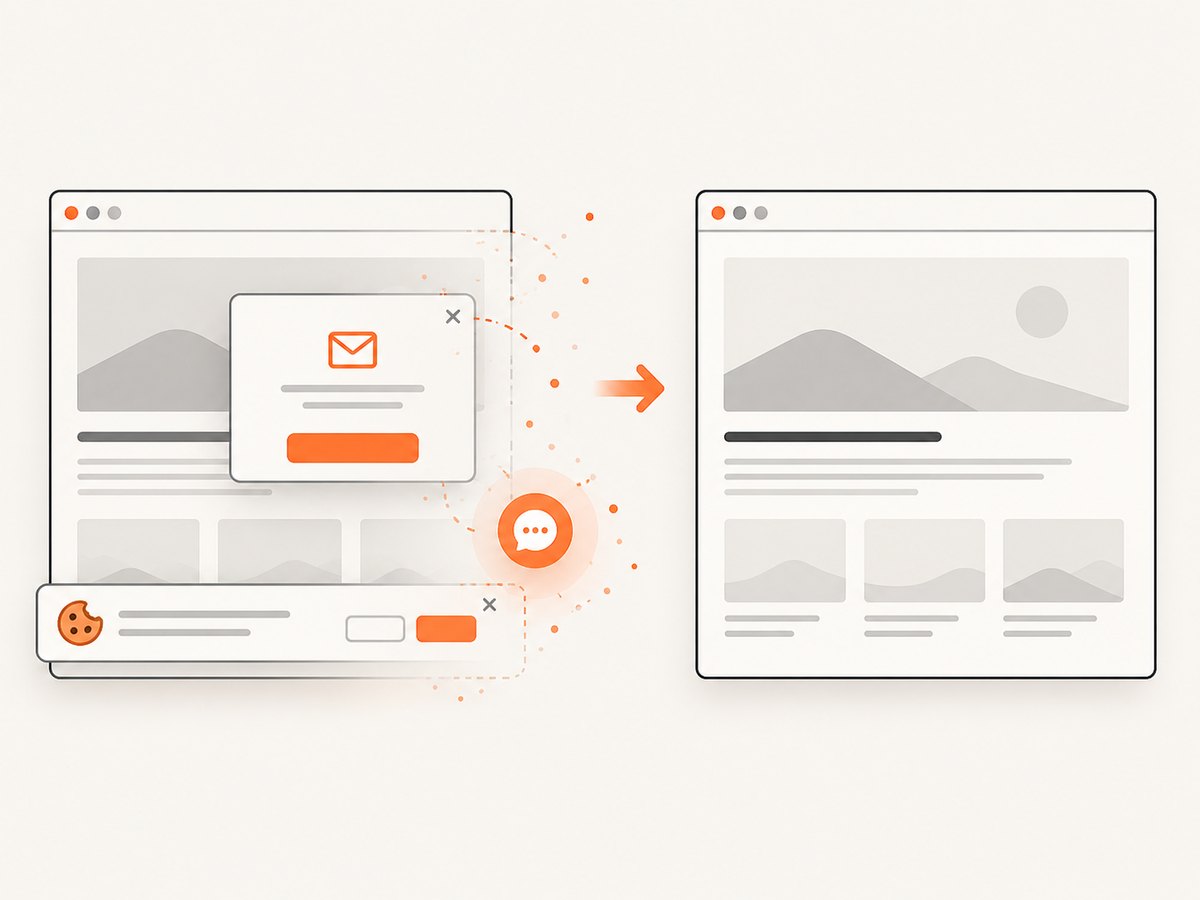
ScreenshotNeo is first here because it removes consent banners, newsletter popups, and chat widgets before capture, bills only clean successful shots, and has the lowest paid entry price in this comparison. Every service’s pricing, quotas, and limits can change; confirm them on the provider’s current documentation before committing.
3. The fastest way to choose a provider
- List your input types. Decide whether you need public URLs only, authenticated pages, raw HTML, or custom request headers and cookies.
- Define readiness. Specify whether “ready” means DOM load, a selector appearing, network idle, a fixed delay, or completed lazy loading.
- Choose outputs. PNG preserves lossless detail, JPEG is smaller for photographic pages, WebP often gives a useful size-quality balance, and PDF is better for documents or print workflows.
- Set geometry. Record viewport width and height, device preset, device scale factor, full-page behavior, clipping, and element selectors.
- Estimate volume. Separate first-time captures from cache hits and calculate cost per successful render, not cost per request.
- Run a representative benchmark. Keep the URL set and options fixed, then compare p50, p95, failures, visual completeness, and bytes returned.
4. DIY capture with a managed browser
If you need maximum control or already operate browser automation, Browserless provides a single-request /screenshot endpoint. It accepts a URL or raw HTML and an options object with Puppeteer-style screenshot settings. The following request asks for a full-page WebP image and scrolls before capture so lazy-loaded content has a chance to appear.
curl -X POST "https://YOUR_BROWSERLESS_HOST/screenshot" \
  -H "Content-Type: application/json" \
  -H "Cache-Control: no-cache" \
  -d '{
    "url": "https://example.com",
    "options": {
      "type": "webp",
      "fullPage": true,
      "viewport": {"width": 1440, "height": 900, "deviceScaleFactor": 1},
      "scrollPage": true,
      "waitUntil": "networkidle2"
    }
  }' -o page.webp
Use a selector when a full page is unnecessary, a clip rectangle for a fixed region, and navigation settings for redirects or slow pages. Raw HTML is useful for deterministic templates, while URL input is simpler for public pages. Browser automation gives control, but you still own timeout policy, retries, browser capacity, and the edge cases caused by third-party scripts.
Equivalent Python request
import requests

payload = {
    "url": "https://example.com",
    "options": {
        "type": "webp",
        "fullPage": True,
        "viewport": {"width": 1440, "height": 900, "deviceScaleFactor": 1},
        "scrollPage": True,
        "waitUntil": "networkidle2",
    },
}
response = requests.post(
    "https://YOUR_BROWSERLESS_HOST/screenshot",
    json=payload,
    timeout=90,
)
response.raise_for_status()
with open("page.webp", "wb") as image:
    image.write(response.content)
Equivalent Node.js request
const payload = {
  url: 'https://example.com',
  options: {
    type: 'webp',
    fullPage: true,
    viewport: { width: 1440, height: 900, deviceScaleFactor: 1 },
    scrollPage: true,
    waitUntil: 'networkidle2'
  }
};

const response = await fetch('https://YOUR_BROWSERLESS_HOST/screenshot', {
  method: 'POST',
  headers: { 'content-type': 'application/json' },
  body: JSON.stringify(payload)
});
if (!response.ok) throw new Error(`HTTP ${response.status}`);
const bytes = Buffer.from(await response.arrayBuffer());
require('node:fs').writeFileSync('page.webp', bytes);
5. Or skip the browser setup
ScreenshotNeo provides a one-request website screenshot API. The parameter names commonly used by other screenshot APIs also work, which makes migration easier. The request below returns a WebP image; see the ScreenshotNeo API documentation for the complete option list.
curl -G "https://api.screenshotneo.com/v1/shot" -d access_key=YOUR_API_KEY --data-urlencode url=https://stripe.com -o shot.webpimport requests
r = requests.get("https://api.screenshotneo.com/v1/shot", params={"access_key": "YOUR_API_KEY", "url": "https://stripe.com"}, timeout=90)
open("shot.webp", "wb").write(r.content)const q = new URLSearchParams({ access_key: 'YOUR_API_KEY', url: 'https://stripe.com' }); const res = await fetch(`https://api.screenshotneo.com/v1/shot?${q}`);Cookie banners, newsletter popups, and chat widgets are removed before the shot. Bot checks, blank pages, timeouts, failed loads, and cache hits cost nothing, and response headers identify the page verdict and whether it was billed. You can enable full-page capture with lazy images, capture a CSS-selected element, choose dark mode, use 12 device presets or any viewport, set retina scale, generate PDFs, inject CSS or JavaScript, click before capture, wait for a selector, delay, or network idle, block ads, trackers, requests, or resource types, provide headers, cookies, user agents, Authorization, timezone, and geolocation, make backgrounds transparent, resize images, set cache TTL, create signed image links, submit asynchronous jobs with signed webhooks, capture up to 100 URLs per bulk call, and read usage through the usage API. An MCP server exposes take_screenshot, get_page_info, and capture_pdf to Claude, Cursor, and other MCP clients.
There are 1,000 free shots each month with no card. Paid plans start at $5 for 3,000 shots; Growth is $15 for 15,000, Pro is $39 for 60,000, Scale is $99 for 250,000, and Business is $249 for 1,000,000. Yearly billing gives two months free, and every feature is available on every plan. Create a free ScreenshotNeo account.
6. Rendering options that affect correctness
Full page versus viewport
Viewport screenshots are predictable and cheap to transfer. Full-page screenshots are useful for archives and visual regression, but very tall pages can consume more memory and produce large files. Use an element selector when the requirement is a card, chart, invoice, or article body.
Waiting and lazy loading
A fixed delay is simple but wasteful on fast pages and insufficient on slow ones. Prefer a readiness selector when the application exposes one. Network-idle waits can be unreliable on pages with analytics or long polling, so combine them with a maximum timeout. Scrolling is necessary for sites that load images only after an element approaches the viewport.
Authenticated and regional pages
Pass cookies or Authorization headers only over HTTPS, keep credentials out of URLs and logs, and use a dedicated low-privilege account. Set timezone and geolocation when date, currency, or regional content changes the rendered result.
Output and image size
Use PNG for diagrams and pixel comparisons, JPEG for photographic pages, and WebP for compact web delivery. Resize after capture only when downstream consumers do not require original pixels. For PDFs, set paper size, margins, orientation, and page ranges explicitly.
7. Performance, reliability, and cost checklist
- Reuse cache entries for unchanged URLs and set a TTL that matches content freshness.
- Use asynchronous jobs and webhooks for long pages, PDFs, and bulk work; keep synchronous requests for interactive previews.
- Bound retries. Retry transient network or provider errors with exponential backoff, but do not retry bot checks indefinitely.
- Record response status, elapsed time, page verdict, billed status, output bytes, and option values for every request.
- Measure success as a visually complete result, not merely HTTP 200.
- Calculate total cost from successful renders, storage, webhook handling, and any browser infrastructure you would otherwise operate.
- For bulk jobs, cap concurrency below the provider’s published request rate and queue excess work.
8. Troubleshooting common failures
| Symptom | Likely cause | Fix |
|---|---|---|
| Blank or nearly blank image | JavaScript has not finished, a bot check blocked the page, or the URL redirects to an error | Use a selector or network-idle wait, inspect the page verdict, and verify the URL in a normal browser |
| Missing images | Lazy loading requires scrolling, or image requests are blocked | Enable lazy-load scrolling and allow the required resource types |
| Cookie dialog covers content | The consent platform was not handled | Use a provider with consent handling, or click and hide the dialog before capture |
| Font or layout differs | Web fonts are still loading, viewport differs, or device scale is wrong | Wait for a stable selector, set the intended viewport and scale, and compare the same output format |
| Timeout | Slow origin, endless network activity, or an overly strict timeout | Increase the bounded timeout, use a readiness selector, block unnecessary resources, and inspect origin health |
| HTTP 401 or 403 | Missing key, expired key, blocked user agent, or invalid authentication headers | Check credentials, header encoding, account limits, and the target’s access policy |
| Large response or memory pressure | Very tall full page, high device scale, or lossless output | Capture an element or sections, lower scale, resize, or use WebP/JPEG where acceptable |
9. FAQ
Is there one objectively fastest screenshot API?
No. Speed depends on origin latency, JavaScript, page length, cache state, geography, and options. Benchmark your own representative URLs.
Should I run Chromium myself?
Run it yourself when you need custom browser code, unusual network control, or an existing automation platform. Use a hosted API when operating browsers and delivery would distract from your product.
Are cache hits normally billed?
Billing rules differ. ScreenshotNeo states that cache hits cost nothing and identifies billing in response headers; confirm equivalent behavior with other providers.
When is a PDF better than a screenshot?
Choose PDF when users need selectable text, print layout, paper sizing, margins, orientation, or page ranges. Choose an image for previews, thumbnails, and visual comparison.
Can an AI agent request screenshots?
Yes. ScreenshotNeo’s MCP server provides take_screenshot, get_page_info, and capture_pdf for MCP clients such as Claude and Cursor.
10. Decision summary
Start with ScreenshotNeo when clean images, predictable billing, broad capture controls, and a low-cost entry plan matter. Choose ScreenshotOne for a dedicated API with its documented formats and integrations, Urlbox for multi-output rendering, Browserless when screenshots are one task inside a larger browser automation system, and ApiFlash for a simple authenticated URL-to-image call. In every case, test cold and warm requests, JavaScript-heavy pages, lazy loading, authentication, and failure handling before production rollout.


