How to Fetch URLs Asynchronously With One Pyppeteer Browser and Multiple Tabs
Fetch many URLs concurrently with one Pyppeteer browser using asyncio, bounded tabs, isolated contexts, retries, cleanup and troubleshooting.

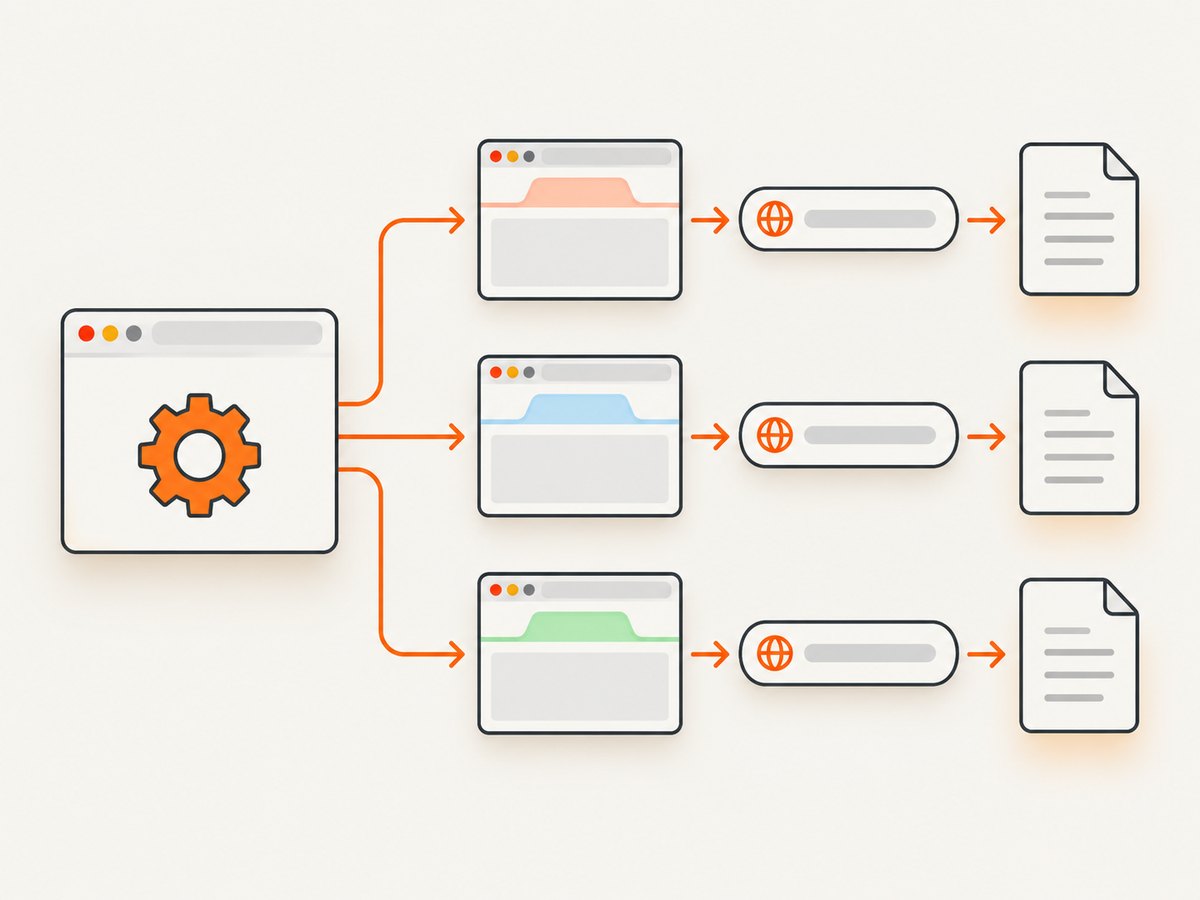
Short answer: launch one Browser, create one Page (tab) per URL, and schedule each page’s navigation as an asyncio task. Limit concurrency with a semaphore, keep each page owned by one worker, collect failures per URL, close every page, then close the browser.
Pyppeteer documents that one browser can have multiple pages, with each page representing a Chrome tab. Reusing one browser avoids starting Chromium for every URL. See the Pyppeteer documentation and API reference.
Complete asynchronous example
import asyncio
from pyppeteer import launch

async def fetch_one(browser, url, semaphore):
    async with semaphore:
        page = await browser.newPage()
        try:
            response = await page.goto(
                url,
                {'waitUntil': 'domcontentloaded', 'timeout': 30_000},
            )
            return {
                'url': url,
                'status': response.status if response else None,
                'final_url': page.url,
                'html': await page.content(),
                'error': None,
            }
        except Exception as exc:
            return {'url': url, 'status': None, 'final_url': page.url,
                    'html': None, 'error': f'{type(exc).__name__}: {exc}'}
        finally:
            await page.close()

async def fetch_all(urls, concurrency=5):
    browser = await launch()
    semaphore = asyncio.Semaphore(concurrency)
    try:
        tasks = [fetch_one(browser, url, semaphore) for url in urls]
        return await asyncio.gather(*tasks)
    finally:
        await browser.close()

if __name__ == '__main__':
    urls = ['https://example.com', 'https://www.python.org']
    for result in asyncio.run(fetch_all(urls, concurrency=5)):
        print(result['url'], result['status'], result['error'])
Install and run
python -m pip install pyppeteer
pyppeteer-install
python fetch_urls.py
First use may download a bundled Chromium build of roughly 100 MB. Run pyppeteer-install while building your deployment image. Pyppeteer is an unofficial Python port of Puppeteer and works best with its bundled Chromium; compatibility with other versions is not guaranteed.
Browser, context and tab ownership
- Browser: the Chromium process from
launch(). - BrowserContext: a session boundary containing cookies, local storage and cache.
- Page: one tab.
browser.newPage()creates a page in the default context.
Never share one page between concurrent tasks. A navigation in one task changes the document another task is reading. Create one page per worker and close it in finally.
Shared versus isolated sessions
Use the default context when URLs should share cookies or login state. Use an incognito context when each URL needs isolation:
async def load_page(page, url):
    try:
        response = await page.goto(url, {'waitUntil': 'domcontentloaded', 'timeout': 30_000})
        return {'url': url, 'status': response.status if response else None,
                'html': await page.content()}
    finally:
        await page.close()

async def isolated_batch(browser, urls):
    context = await browser.createIncognitoBrowserContext()
    try:
        pages = [await context.newPage() for _ in urls]
        return await asyncio.gather(*[
            load_page(page, url) for page, url in zip(pages, urls)
        ])
    finally:
        await context.close()
Incognito contexts do not write browser data to disk and can be closed after the batch. They use additional resources, so measure memory before increasing concurrency.
Choosing a readiness condition
| Condition | Use | Risk |
|---|---|---|
domcontentloaded |
Parsed HTML is enough | Client-rendered data may be missing |
load |
Most subresources should finish | Slow assets delay completion |
networkidle0/networkidle2 |
Single-page apps settle after requests | Polling or websockets may never settle |
| Selector wait | A known element signals readiness | Requires a site-specific selector |
await page.goto(url, {'waitUntil': 'domcontentloaded', 'timeout': 30_000})
await page.waitForSelector('[data-ready="true"]', {'timeout': 10_000})
await asyncio.sleep(1)
Use the earliest condition that proves the data you need exists, with a finite timeout.
Clicks that trigger navigation
Start waiting for navigation before or at the same time as the click. Otherwise the navigation event can be missed:
navigation = asyncio.create_task(
    page.waitForNavigation({'waitUntil': 'domcontentloaded', 'timeout': 30_000})
)
await page.click('a.next')
await navigation
If a click opens a new tab, listen for the new target before clicking and then obtain its page. If no navigation is expected, wait for the selector or state change caused by the click.
Concurrency limits and retries
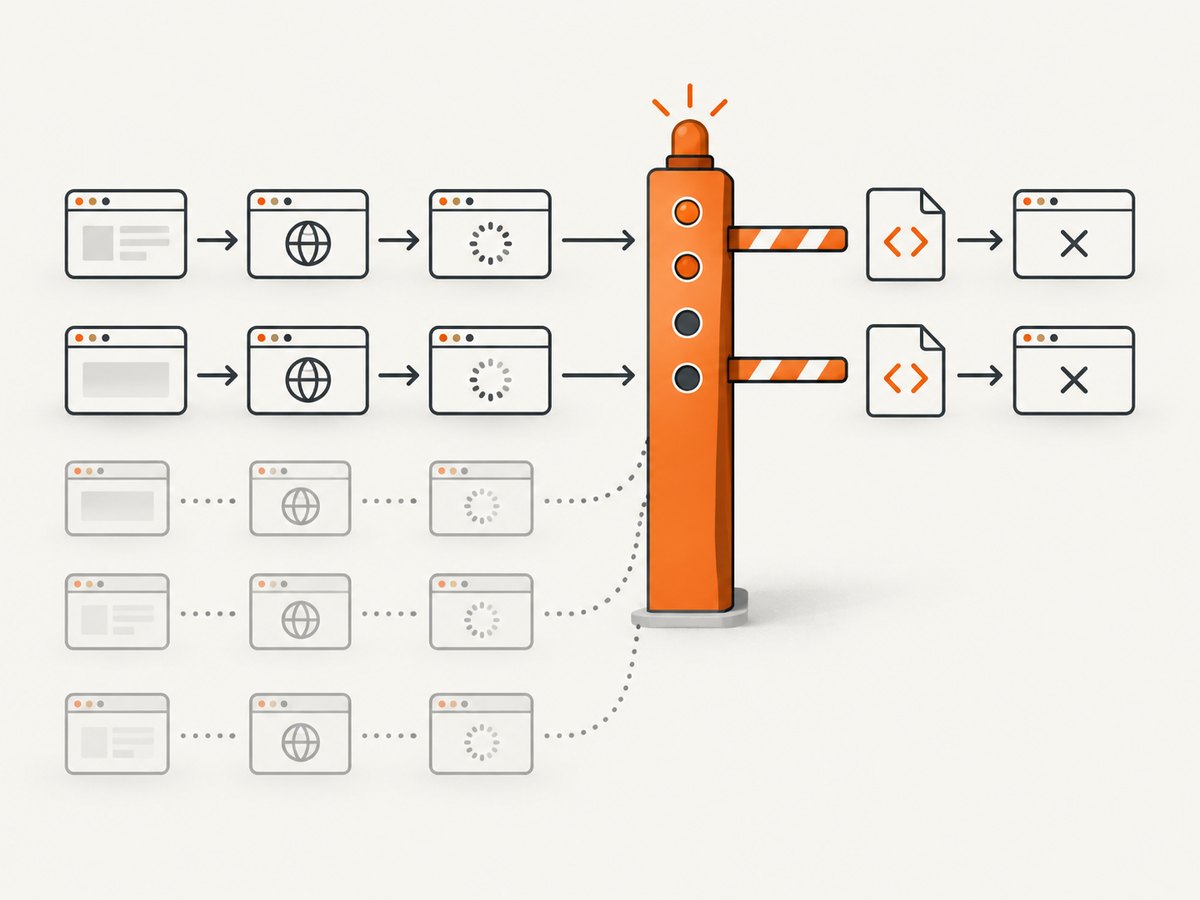
- Start with two to five simultaneous pages.
- Watch memory, CPU, timeouts and target responses.
- Increase gradually only while those remain acceptable.
- Back off on 429 responses, resets or rising timeout rates.
Pyppeteer has no universal concurrency recommendation. A tab consumes browser resources, and target services may rate-limit parallel requests.
async def fetch_with_retries(browser, url, semaphore, attempts=3):
    for attempt in range(attempts):
        result = await fetch_one(browser, url, semaphore)
        if result['error'] is None or attempt == attempts - 1:
            return result
        await asyncio.sleep(2 ** attempt)
Retry transient failures per URL. Do not blindly retry non-idempotent interactions.
Performance, reliability and cost
- One browser amortizes Chromium startup and avoids one process per URL.
- More tabs and contexts increase memory; close pages promptly.
- Bounded parallelism reduces wall time for independent URLs, but the best limit depends on page weight and CPU.
- Finite timeouts, per-URL errors, selective retries and
finallycleanup keep batches usable. - Self-hosting costs your compute and bandwidth. Follow each target site’s terms and rate limits.
Troubleshooting
| Symptom | Cause | Fix |
|---|---|---|
| Executable not found | Chromium was not downloaded | Run pyppeteer-install during the image build. |
| Navigation timeout | Slow server, heavy assets or never-ending requests | Use a finite timeout and narrower readiness condition. |
| Rendered data is missing | Read happened before client rendering | Wait for an application-specific selector. |
| Pages interfere | A page is shared between tasks | Create one page per worker. |
| Memory keeps growing | Pages, contexts or browsers remain open | Close them in finally. |
| 429 or resets | Concurrency is too high | Lower the semaphore and add backoff. |
| Click hangs | Navigation wait started too late | Await navigation and click together, or wait for the resulting selector. |
| Production differs | Different Chromium or OS dependencies | Use bundled Chromium and verify the deployment image. |
Or skip the browser setup
For screenshots rather than HTML extraction, ScreenshotNeo provides a website screenshot API and MCP server. One request returns PNG, JPEG, WebP or PDF.
See the ScreenshotNeo API docs:
curl -G "https://api.screenshotneo.com/v1/shot" -d access_key=YOUR_API_KEY --data-urlencode url=https://stripe.com -o shot.webpimport requests
r = requests.get("https://api.screenshotneo.com/v1/shot", params={"access_key": "YOUR_API_KEY", "url": "https://stripe.com"}, timeout=90)
open("shot.webp", "wb").write(r.content)const q = new URLSearchParams({ access_key: 'YOUR_API_KEY', url: 'https://stripe.com' });
const res = await fetch(`https://api.screenshotneo.com/v1/shot?${q}`);- Cookie banners, newsletter popups and chat widgets are removed before the shot.
- Bot checks, blank pages and failed loads are never billed; response headers report the verdict and billing state.
- The MCP server lets Claude, Cursor and other MCP clients call
take_screenshot,get_page_infoandcapture_pdf. - 1,000 screenshots per month are free with no card; paid plans start at $5 for 3,000.
Create a free ScreenshotNeo account with 1,000 screenshots each month and no card.
FAQ
Can one browser fetch URLs in parallel?
Yes. Use one page per URL, schedule coroutines, and cap concurrency.
Should every URL use an incognito context?
Only when sessions must be isolated. Use the default context when sharing login state is intentional.
What concurrency value should I choose?
There is no library-wide value. Start low, observe resource use and target responses, then adjust.
Can I use external Chrome?
Pyppeteer works best with its bundled Chromium, so verify compatibility before selecting another executable.


