How to Find All Links in HTML with PHP
Extract every anchor href from HTML in PHP with DOM parsing, handle relative URLs and encoding, and avoid common parser and security mistakes.

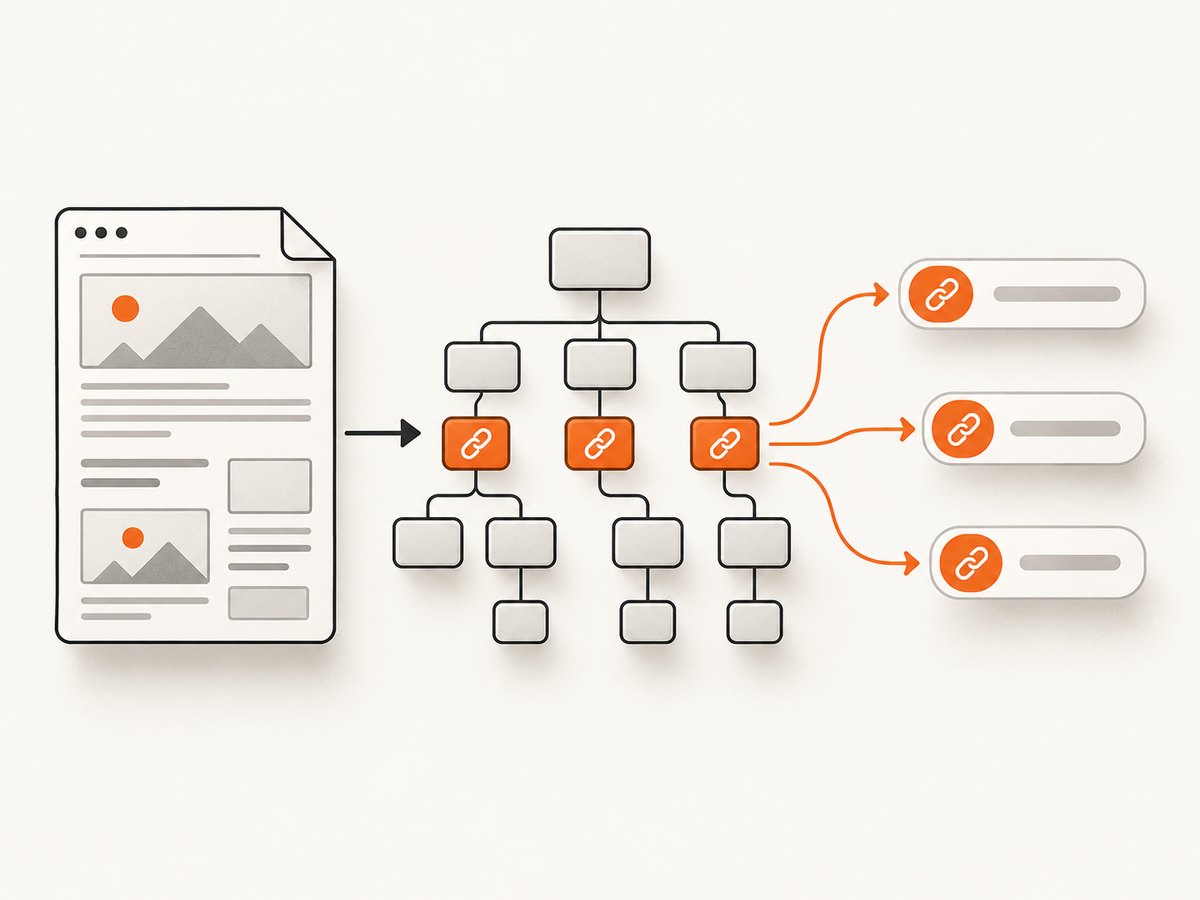
Use PHP’s DOM parser: load the HTML, select every <a> element with getElementsByTagName('a'), and read its href attribute. This extracts links represented by anchor href attributes; it does not search arbitrary text, scripts, stylesheets, or unrelated attributes.
Basic solution for an HTML string
<?php
$html = '<!doctype html>
<html><body>
  <a href="https://example.com">Example</a>
  <a href="/docs">Docs</a>
  <a href="mailto:hello@example.com">Email</a>
</body></html>';

libxml_use_internal_errors(true);
$dom = new DOMDocument();
$dom->loadHTML($html);

$links = [];
foreach ($dom->getElementsByTagName('a') as $anchor) {
    if ($anchor->hasAttribute('href')) {
        $links[] = $anchor->getAttribute('href');
    }
}

var_dump($links);
getElementsByTagName() returns a DOMNodeList. Iterate it to build an array or process each node immediately. The PHP manual documents this method and the string-loading DOM API in the DOMElement reference and DOMDocument::loadHTML reference.
Use the HTML5 parser on PHP 8.4+
DOMDocument::loadHTML() uses an HTML 4 parser, so its tree can differ from a modern browser. PHP 8.4 adds Dom\HTMLDocument, which is intended for HTML5-conforming parsing. Prefer it when your deployment supports PHP 8.4 or later; check the exact API available in your installed PHP version.
<?php
$html = file_get_contents('page.html');
$document = Dom\HTMLDocument::createFromString($html);

$links = [];
foreach ($document->getElementsByTagName('a') as $anchor) {
    if ($anchor->hasAttribute('href')) {
        $links[] = $anchor->getAttribute('href');
    }
}

print_r($links);
See PHP’s HTMLDocument documentation for version-specific details. Do not use either parser as an HTML sanitizer; the PHP manual specifically warns that loadHTML() cannot safely sanitize untrusted markup.
Read links from a file
<?php
$dom = new DOMDocument();
$dom->loadHTMLFile(__DIR__ . '/page.html');

foreach ($dom->getElementsByTagName('a') as $anchor) {
    $href = $anchor->getAttribute('href');
    if ($href !== '') {
        echo $href, PHP_EOL;
    }
}
loadHTMLFile() loads a local file or supported stream using the same legacy parser rules. For HTML5 parsing, read the file into a string and pass it to Dom\HTMLDocument::createFromString().
Handle missing, empty, and whitespace-only href values
An anchor can omit href, use an empty value, or contain whitespace. Decide which behavior your application needs instead of assuming every anchor is a usable URL.
<?php
$links = [];
foreach ($dom->getElementsByTagName('a') as $anchor) {
    if (!$anchor->hasAttribute('href')) {
        continue;
    }

    $href = trim($anchor->getAttribute('href'));
    if ($href === '') {
        continue;
    }

    $links[] = $href;
}
This preserves duplicates and the original order. To remove duplicates while preserving first occurrence, use array_values(array_unique($links)).
Extract only links in a section
Use XPath when you need a subsection or a particular attribute. This example collects anchors inside #main-content:
<?php
$xpath = new DOMXPath($dom);
$links = [];

foreach ($xpath->query('//*[@id="main-content"]//a[@href]') as $anchor) {
    $links[] = trim($anchor->getAttribute('href'));
}
Other useful queries include //a[@href] for anchors with an href, //area[@href] for image-map links, and //link[@href] for document resources. These are separate element types and are not returned by an anchor-only query.
Resolve relative URLs against a base URL
The DOM parser returns the attribute exactly as written. It does not fetch, validate, or canonicalize the destination. If you need absolute URLs, resolve them against the page URL with an RFC-compatible resolver.
<?php
function resolveUrl(string $base, string $relative): string
{
    if ($relative === '') {
        return $base;
    }

    if (parse_url($relative, PHP_URL_SCHEME) !== null || str_starts_with($relative, '//')) {
        return str_starts_with($relative, '//')
            ? (parse_url($base, PHP_URL_SCHEME) ?: 'https') . ':' . $relative
            : $relative;
    }

    $baseParts = parse_url($base);
    if (!$baseParts || empty($baseParts['scheme']) || empty($baseParts['host'])) {
        throw new InvalidArgumentException('Base URL must include a scheme and host');
    }

    $schemeHost = $baseParts['scheme'] . '://' . $baseParts['host'];
    if (isset($baseParts['port'])) {
        $schemeHost .= ':' . $baseParts['port'];
    }

    if (str_starts_with($relative, '#')) {
        return $schemeHost . ($baseParts['path'] ?? '/') . $relative;
    }
    if (str_starts_with($relative, '?')) {
        return $schemeHost . ($baseParts['path'] ?? '/') . $relative;
    }

    $path = str_starts_with($relative, '/')
        ? $relative
        : rtrim(dirname($baseParts['path'] ?? '/'), '/') . '/' . $relative;
    $segments = [];
    foreach (explode('/', $path) as $segment) {
        if ($segment === '' || $segment === '.') {
            continue;
        }
        if ($segment === '..') {
            array_pop($segments);
            continue;
        }
        $segments[] = $segment;
    }

    return $schemeHost . '/' . implode('/', $segments);
}

$base = 'https://example.com/articles/page.html';
foreach ($dom->getElementsByTagName('a') as $anchor) {
    if ($anchor->hasAttribute('href')) {
        $href = trim($anchor->getAttribute('href'));
        if ($href !== '') {
            echo resolveUrl($base, $href), PHP_EOL;
        }
    }
}
Keep fragments such as #pricing if they matter to your application. A crawler may instead remove fragments before deduplication. URL resolution does not prove that a destination exists; make network requests separately and apply timeouts and redirect limits.
Filter schemes and classify links
<?php
function classifyHref(string $href): ?string
{
    $scheme = strtolower((string) parse_url($href, PHP_URL_SCHEME));
    return match ($scheme) {
        '', null => 'relative',
        'http', 'https' => 'web',
        'mailto' => 'email',
        'tel' => 'telephone',
        'javascript' => null,
        default => 'other',
    };
}

$links = [];
foreach ($dom->getElementsByTagName('a') as $anchor) {
    if (!$anchor->hasAttribute('href')) {
        continue;
    }
    $href = trim($anchor->getAttribute('href'));
    $type = classifyHref($href);
    if ($type !== null) {
        $links[] = ['href' => $href, 'type' => $type];
    }
}
Filtering is an application policy. A link extractor should not silently discard schemes unless you explicitly want web URLs only.
Encoding and malformed markup
The DOM extension expects UTF-8. If the source uses another encoding, convert it based on the source’s declared or known encoding before parsing. PHP documents mb_convert_encoding(), UConverter::transcode(), and iconv() for conversion.
<?php
$raw = file_get_contents('legacy-page.html');
$html = mb_convert_encoding($raw, 'UTF-8', 'Windows-1252');

libxml_use_internal_errors(true);
$dom = new DOMDocument();
$ok = $dom->loadHTML($html);
$errors = libxml_get_errors();
libxml_clear_errors();

if (!$ok) {
    throw new RuntimeException('The HTML could not be parsed');
}
Malformed HTML can still produce a usable tree, but inspect parser errors when correctness matters. Do not display raw parser errors to untrusted users.
Complete reusable function
<?php
function extractLinks(string $html, bool $unique = false): array
{
    libxml_use_internal_errors(true);
    $dom = new DOMDocument();
    $loaded = $dom->loadHTML($html);
    libxml_clear_errors();

    if (!$loaded) {
        return [];
    }

    $links = [];
    foreach ($dom->getElementsByTagName('a') as $anchor) {
        if (!$anchor->hasAttribute('href')) {
            continue;
        }
        $href = trim($anchor->getAttribute('href'));
        if ($href !== '') {
            $links[] = $href;
        }
    }

    return $unique ? array_values(array_unique($links)) : $links;
}

$links = extractLinks($html, true);
print_r($links);
Fetching HTML before parsing
Parsing and downloading are separate operations. If you fetch a page yourself, use a bounded timeout, verify the response, and pass the response body to the parser.
cURL
curl --fail --location --max-time 30 https://example.com -o page.htmlPython
import requests
from bs4 import BeautifulSoup

html = requests.get("https://example.com", timeout=30).text
soup = BeautifulSoup(html, "html.parser")
links = [a["href"].strip() for a in soup.select("a[href]") if a["href"].strip()]
print(links)
Node.js
const res = await fetch('https://example.com');
if (!res.ok) throw new Error(`HTTP ${res.status}`);
const html = await res.text();
console.log(html);
These clients retrieve the initial response only. Pages that add anchors with JavaScript after load require a browser renderer or a screenshot or page-capture service.
Common errors and fixes
| Symptom | Cause | Fix |
|---|---|---|
| No links returned | The input has no <a href> elements, or links are injected by JavaScript. |
Inspect the exact HTML string. Use a browser renderer for client-rendered content. |
| Warnings from libxml | Malformed markup or an incomplete fragment. | Use libxml_use_internal_errors(true), inspect errors, and decide whether the recovered tree is acceptable. |
| Garbled characters | The source is not UTF-8. | Convert from the source encoding before parsing. |
| Relative URLs are unusable | The parser returns the literal attribute. | Resolve each value against the document’s base URL. |
| Duplicate links | Multiple anchors point to the same destination. | Preserve duplicates for occurrence analysis or apply array_unique() deliberately. |
| Unexpected HTML5 structure | loadHTML() follows HTML 4 parsing rules. |
Use Dom\HTMLDocument on PHP 8.4+ or account for legacy behavior. |
| Security issue after parsing | Parser output was treated as sanitized HTML. | Use a dedicated sanitizer and output-escape values. DOM parsing alone is not sanitization. |
Performance and reliability
- For one document, a single DOM traversal is usually simpler than repeated string searches.
- DOM parsing keeps the document tree in memory, so very large pages can require substantial memory. Stream or batch documents when processing a crawl.
- Process each anchor during iteration when you do not need an output array.
- Set network timeouts and limit redirects when downloading pages. Parsing does not make network requests.
- Cache fetched HTML when repeatedly extracting links from unchanged pages.
- Record the source URL, fetch status, parser choice, encoding, and extraction count so failures can be diagnosed.
Or skip the browser setup
If the links come from a page that needs JavaScript rendering, consent handling, or a reliable capture step, ScreenshotNeo can fetch and render the page through one API request. Read the API documentation for parameters and response details.
curl -G "https://api.screenshotneo.com/v1/shot" -d access_key=YOUR_API_KEY --data-urlencode url=https://stripe.com -o shot.webpimport requests
r = requests.get("https://api.screenshotneo.com/v1/shot", params={"access_key": "YOUR_API_KEY", "url": "https://stripe.com"}, timeout=90)
open("shot.webp", "wb").write(r.content)const q = new URLSearchParams({ access_key: 'YOUR_API_KEY', url: 'https://stripe.com' });
const res = await fetch(`https://api.screenshotneo.com/v1/shot?${q}`);Cookie banners, newsletter popups, and chat widgets are removed before the shot. Bot checks, blank pages, failed loads, timeouts, and cache hits are not billed, and response headers identify the page verdict and billing status. Its MCP server lets AI agents use take_screenshot, get_page_info, and capture_pdf. The free plan includes 1,000 screenshots a month with no card; paid plans start at $5 for 3,000 shots.
Create a free ScreenshotNeo account.
FAQ
Does this find URLs inside JavaScript?
No. The examples extract href attributes from anchor elements. Search scripts separately if that is a requirement, or render the page first when JavaScript creates the links.

Should I use a regular expression?
Use a DOM parser for HTML structure. Regular expressions do not provide a reliable HTML tree for nested, malformed, or quoted markup.
Are links validated or downloaded?
No. Extraction returns attribute values. Validation, URL resolution, and HTTP checks are separate application steps.
Can I extract link text too?
Yes. For an anchor node, call $anchor->textContent and store it alongside href.
Which parser should a new PHP project choose?
Use Dom\HTMLDocument when PHP 8.4+ is available and you need HTML5 parsing. Use DOMDocument for older runtimes while documenting its HTML 4 parsing behavior.


