How to Find All URLs on a Domain
Build a dependable URL inventory by combining sitemaps, authenticated crawling, Search Console, URL Inspection, and indexed search checks.

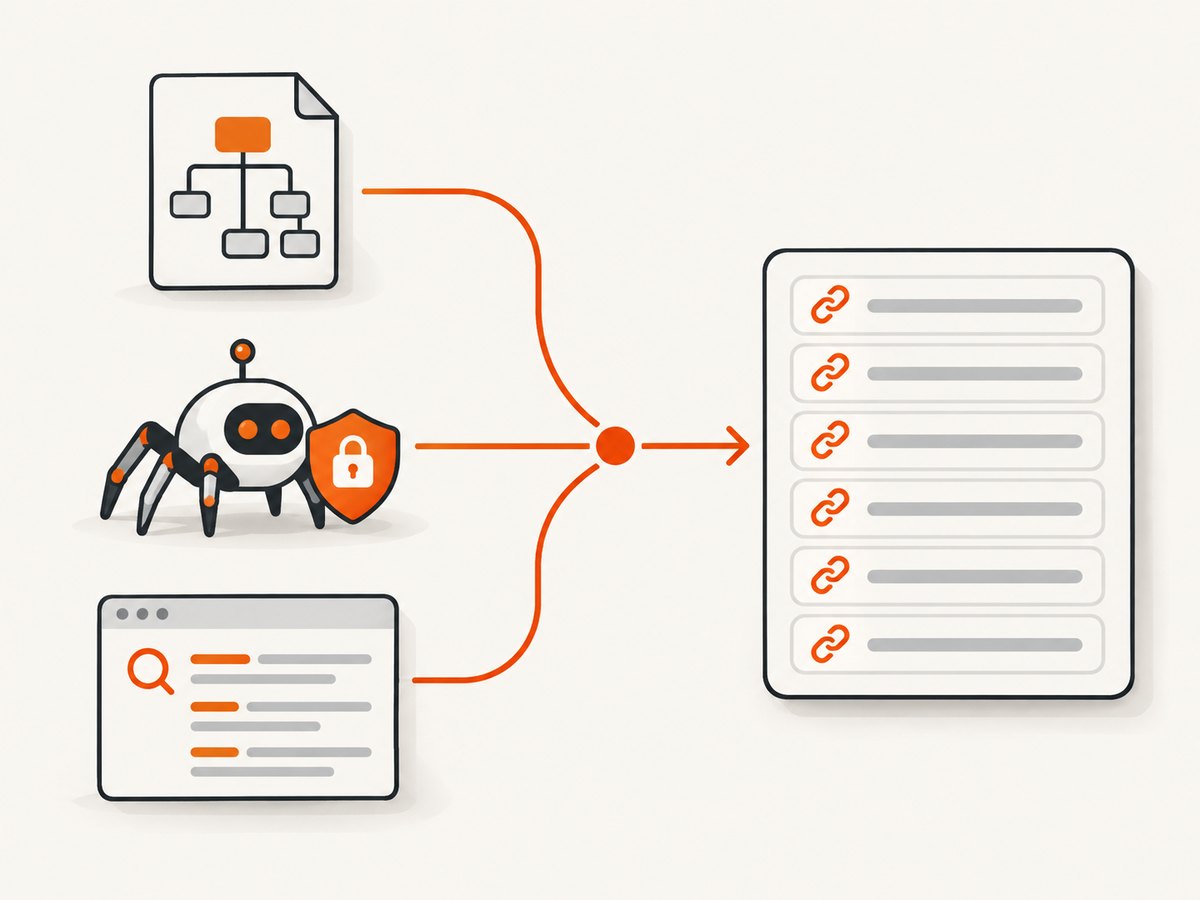
Short answer: no single public index contains every URL on a domain. Build the most useful inventory by merging five sources: XML sitemaps (including sitemap indexes and robots.txt declarations), an authenticated internal-link crawl, Google Search Console reports, URL Inspection for disputed addresses, and a site: query as a quick indexed sample. Keep the results labeled so you know whether each URL was declared, discovered, crawlable, or indexed.
This guide gives you a repeatable workflow, runnable scripts, reconciliation rules, edge-case handling, and a way to capture pages after you find them.
1. Define what “all URLs” means
“All URLs” can describe several different sets. A sitemap lists URLs the site owner declares. A crawler finds URLs it can reach through links or rendered application routes. Search Console records URLs Google knows about, while a search query shows only pages Google currently serves for a query. These sets overlap, but none is complete by itself.
| Label | What it proves | Typical source |
|---|---|---|
| Declared | The site published the URL in a sitemap. | XML sitemap or sitemap index |
| Discovered | A crawler or search engine found a reference to the URL. | Internal links, feeds, Search Console |
| Crawlable | Your crawler could request it under the chosen rules and credentials. | Authenticated crawl result |
| Indexed/servable | Google reports an index state or returns it for a query. | URL Inspection, Page Indexing, site: |
| Orphan | You found it in a sitemap or external report, but not through internal links. | Set difference between datasets |
Record the exact scheme and host (for example, https://www.example.com versus https://example.com), the collection date, authentication state, robots rules, and whether JavaScript was rendered. Without that metadata, a later comparison can mistake a changed crawl configuration for a changed site.
2. Fetch robots.txt and collect every sitemap
Start at /robots.txt on the exact host you are auditing. Save each User-agent, Allow, and Disallow rule, then extract every fully qualified Sitemap: line. The robots.txt specification requires sitemap URLs to be fully qualified. A sitemap declaration can point to either a URL set or a sitemap index.
curl -fsSL https://example.com/robots.txt -o robots.txt
rg -i '^sitemap:' robots.txt
Do not assume the file is at the root domain if the property uses a separate subdomain. Repeat the check for important host variants when they are distinct properties. A redirect from HTTP to HTTPS should be recorded, then the final response host should become the canonical collection target.
3. Download and expand XML sitemaps
Fetch every discovered sitemap and expand nested indexes recursively. A sitemap can be compressed as .gz, can contain thousands of URLs, and can include lastmod values that are useful for prioritization but do not prove that a page exists or is indexed. Preserve the original loc, final URL after redirects, HTTP status, content type, canonical link, and retrieval time.
python - <<'PY'
import gzip
import io
import requests
import xml.etree.ElementTree as ET

SEED = ["https://example.com/sitemap.xml"]
seen_maps, urls = set(), set()
queue = list(SEED)
ns = {"sm": "http://www.sitemaps.org/schemas/sitemap/0.9"}

while queue:
    sm = queue.pop()
    if sm in seen_maps:
        continue
    seen_maps.add(sm)
    r = requests.get(sm, timeout=30, headers={"User-Agent": "URLInventory/1.0"})
    r.raise_for_status()
    data = r.content
    if sm.endswith(".gz") or r.headers.get("Content-Type", "").endswith("gzip"):
        data = gzip.decompress(data)
    root = ET.fromstring(data)
    if root.tag.endswith("sitemapindex"):
        queue.extend(x.text.strip() for x in root.findall("sm:sitemap/sm:loc", ns) if x.text)
    else:
        urls.update(x.text.strip() for x in root.findall("sm:url/sm:loc", ns) if x.text)

for url in sorted(urls):
    print(url)
PY
Production crawlers should stream large XML files, cap response sizes, reject unexpected content types, and log malformed documents instead of silently dropping them. Normalize only for comparison: keep the original spelling, then compare a normalized form that lowercases the host, removes default ports, resolves dot segments, and applies your chosen trailing-slash policy. Do not lowercase the path or query string unless the application explicitly treats them as case-insensitive.
4. Crawl internal links, including authenticated and rendered routes
Sitemaps miss pages that were never submitted, while a basic crawler misses links hidden behind login, pagination controls, forms, or client-side routing. Crawl with the same credentials and user-agent policy that your audit is allowed to use. Start from the canonical home page and important landing pages, follow HTML links, canonical tags, pagination, feeds, media references, and JavaScript-discovered routes.
For each request, export at least:
- requested URL and final URL after redirects;
- status code, content type, response size, and fetch duration;
- depth and referring URL;
- canonical URL and
noindexstate; - robots decision and blocked resource details;
- discovery method (HTML, canonical, feed, script, sitemap, or external report).
Use a queue keyed by normalized URL, enforce the domain and allowed path scope, and apply a concurrency limit. Treat fragments as client-side state rather than separate HTTP resources unless the application explicitly maps them to routes. Query parameters need a policy: keep parameters that change content (such as ?page=2), and drop tracking parameters after recording their presence. Record both the raw and normalized URL so you can audit that decision.
Detecting orphan pages
Compute set differences after the crawl:
- Sitemap-only: declared but not reached through links. Review for orphan content, blocked navigation, or stale sitemap entries.
- Crawl-only: linked but absent from the sitemap. Add intentionally indexable pages or decide that they should remain excluded.
- Search-Console-only: known to Google but not found in your current crawl. Investigate external links, old URLs, redirects, and deleted content.
- Indexed-only: returned by a search check but missing from current site data. Check migrations, cached results, and alternate hostnames.
5. Compare Google Search Console datasets
For a verified property, compare the Page Indexing report’s “All known pages,” “All submitted pages,” and “Unsubmitted pages only” filters. Google’s example URL list is limited to 1,000 items, so that interface is a diagnostic sample rather than a complete export of every known URL.
Use the sitemap report to confirm which submitted files Google can read, then export available examples with their reason codes. Keep Google’s status separate from your crawler’s HTTP status: a page can return 200 and still be excluded by noindex, canonicalization, quality systems, or a temporary crawl decision.
6. Use URL Inspection for disagreements
When a URL has conflicting labels, inspect it individually. URL Inspection exposes discovery details, sitemap associations, crawl and indexing status, rendered resources, and blocking information. Use it for representative samples of sitemap-only, crawl-only, redirected, duplicate, blocked, and recently changed URLs.
Requesting a crawl does not guarantee immediate inclusion, or inclusion at all. Treat an inspection result as a point-in-time diagnostic and retain its timestamp with your inventory.
7. Spot-check indexed results with site:
A query such as site:example.com asks Google for results from a specified domain, URL, or URL prefix. Add path variants, file extensions, and known directory names to find obvious gaps:
site:example.com
site:example.com/docs/
site:example.com inurl:2026
site:example.com filetype:pdf
Do not use the displayed result count as a URL total. Results are sampled, can be approximate, and may omit indexed pages. Use this method to spot-check, then investigate individual URLs in Search Console.
8. Reconcile, classify, and export the inventory
Merge records on a normalized final URL while retaining every source that mentioned it. A practical export schema looks like this:
url,original_urls,sources,status,content_type,canonical,noindex,
redirect_target,depth,auth_context,robots_rule,first_seen,last_seen,classification
Classify each row as declared, discovered, crawlable, indexed/servable, blocked, redirected, duplicate, or orphan. A URL can have multiple labels. For example, a sitemap URL may be declared, crawlable, and excluded from indexing because it has a noindex directive.
9. Capture pages after discovery
Once you have a clean URL list, you may need visual evidence for QA, documentation, or change review. A browser script can visit each URL, wait for the page to settle, and save a full-page image. Set a viewport, timeout, and concurrency limit; retry transient network failures with backoff; and save the final URL and verdict beside each image.

Or skip the browser setup
ScreenshotNeo provides a website screenshot API and MCP server. One GET request returns a PNG, JPEG, WebP, or PDF. Its capture flow accepts consent banners like a visitor and removes more than 60 known consent platforms, newsletter popups, and chat widgets before the shot; each step can be disabled. Bot checks or CAPTCHAs, blank pages, timeouts, failed loads, and cache hits cost nothing, and response headers identify the page verdict and whether the request was billed.
See the full parameter list in the ScreenshotNeo API documentation. These runnable examples capture the target URL:
cURL
curl -G "https://api.screenshotneo.com/v1/shot" -d access_key=YOUR_API_KEY --data-urlencode url=https://stripe.com -o shot.webpPython
import requests
r = requests.get("https://api.screenshotneo.com/v1/shot", params={"access_key": "YOUR_API_KEY", "url": "https://stripe.com"}, timeout=90)
open("shot.webp", "wb").write(r.content)
Node.js
const q = new URLSearchParams({ access_key: 'YOUR_API_KEY', url: 'https://stripe.com' });
const res = await fetch(`https://api.screenshotneo.com/v1/shot?${q}`);
For URL inventories, useful options include full-page capture with lazy images loaded, a CSS selector for one element, dark mode, 12 device presets or any viewport, retina scale, custom CSS and JavaScript, selector hiding, clicks, waits for a selector, delay or network idle, request and resource blocking, custom headers, cookies, user agent, Authorization, timezone, geolocation, transparent backgrounds, image resizing, and a cache TTL you choose. PDF output supports paper size, margins, landscape mode, and page ranges. Async jobs, signed webhooks, bulk capture of up to 100 URLs per call, signed links, usage data, and an OpenAPI specification support larger audits. Parameter names used by other screenshot APIs also work, which can simplify migration.
An MCP server exposes take_screenshot, get_page_info, and capture_pdf to Claude, Cursor, and other MCP clients. That lets an agent inspect a discovered URL and save evidence without you writing browser orchestration.
Plans include 1,000 shots per month free with no card, Starter at $5 for 3,000, Growth at $15 for 15,000, Pro at $39 for 60,000, Scale at $99 for 250,000, and Business at $249 for 1,000,000. Yearly billing gives two months free, and every feature is on every plan. Create a free ScreenshotNeo account to start with the 1,000 monthly shots.
10. Reliability, performance, and cost controls
- Bound the crawl: set maximum depth, URL count, response size, and per-host concurrency. Respect robots rules and authorization boundaries.
- Cache safely: cache robots.txt and sitemap responses for the run, but retain ETags and retrieval dates so a later run can detect changes.
- Retry selectively: retry connection resets and 5xx responses with exponential backoff; do not repeatedly retry deterministic 4xx responses.
- Separate discovery from rendering: first collect cheap HTML and sitemap data, then render only JavaScript-heavy or disputed URLs.
- Control screenshot spend: use caching and bulk capture for repeated audits, and inspect
X-Page-VerdictandX-Billedto reconcile usage. - Preserve evidence: store headers, redirects, screenshots, and source snapshots with a run identifier so results are reproducible.
11. Troubleshooting
| Symptom | Likely cause | Fix |
|---|---|---|
| Sitemap returns HTML | Redirect, WAF challenge, or wrong URL. | Record the final URL, verify content type, and fetch the declared URL from robots.txt. |
| Only a few sitemap URLs appear | You downloaded an index but did not expand child files. | Parse <sitemap> entries recursively and deduplicate map URLs. |
| Crawler sees fewer pages than the browser | Login, JavaScript routing, blocked resources, or pagination controls. | Crawl with authorized credentials, render required routes, and log blocked requests. |
| Many duplicate URLs | Tracking parameters, case variants, or trailing-slash differences. | Keep raw URLs, define normalization rules, and use canonical tags as a signal rather than proof. |
| URL is 200 but not indexed | noindex, duplicate canonical, or Google exclusion. |
Inspect the URL and compare rendered HTML, canonical, robots, and Search Console status. |
site: count disagrees with the crawl |
Search results are a sample, not an inventory. | Use the query for spot checks and URL Inspection for disputed pages. |
| Screenshot contains a popup | The page requires a click or the overlay is not recognized. | Use a click action or hide selector; with ScreenshotNeo, configure the relevant consent and popup steps. |
| Screenshot request times out | Slow third-party resources or a page that never reaches the chosen wait condition. | Use a selector or bounded delay, block unnecessary resources, and retry transient failures. |
FAQ
Can I get a guaranteed complete list from Google?
No. Search Console’s known-page data and search results are useful evidence, but neither is a complete public export of every URL Google has ever seen.
Should every discovered URL be added to the sitemap?
No. Add URLs that are canonical, indexable, and intended for search. Keep duplicates, redirects, blocked routes, and parameter variants out unless there is a specific reason to declare them.
How often should I repeat the inventory?
Run it after releases, migrations, and navigation changes. For active sites, schedule incremental runs and retain periodic full crawls so orphan and disappearing URL trends remain visible.
Does a screenshot prove that a URL is indexed?
No. A successful capture proves that the page could be rendered for that request. Indexing requires Search Console or search-result evidence and can change independently of HTTP availability.


