How to Find Booking.com Partners with Web Scraping and Automation
Learn how to discover Booking.com partners legally, use the Demand API, automate outreach, and avoid scraping violations and credential mistakes.
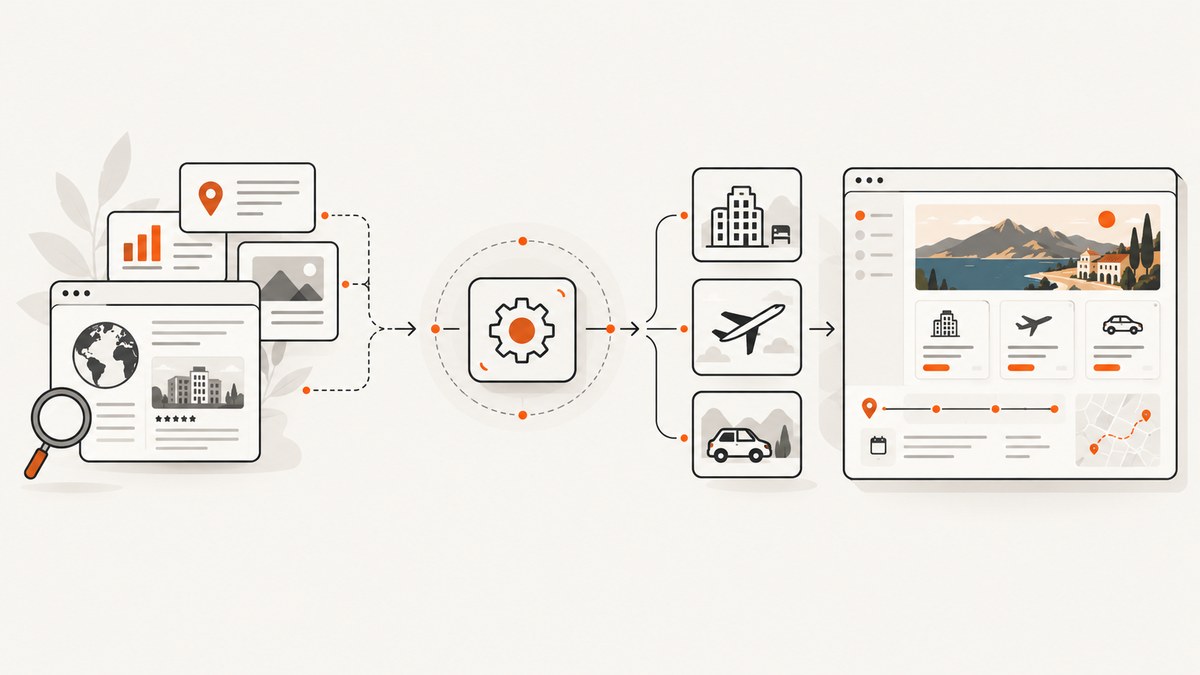
Direct answer: do not scrape Booking.com pages to collect partner leads or inventory unless Booking.com has given you prior, express written permission. Booking.com’s terms prohibit automated access, copying, crawling, downloading, and similar activity without that permission (c001). For approved automation, use the Booking.com Demand API through the managed Affiliate Partner Programme. For property-management software, evaluate the Connectivity APIs and obtain permission from each accommodation partner before managing its data or operations.
This guide explains how to identify the right partner route, build a lawful prospecting process, apply for credentials, make authenticated API requests, and operate the integration reliably. It also shows where website screenshots fit into research workflows without turning a screenshot service into an unauthorized scraper.
1. Decide what “partner” means for your project
“Booking.com partner” can describe several different relationships. Choose the category before writing code, because each has a different approval process and data scope.
| Partner type | Typical goal | Relevant route | Authorization |
|---|---|---|---|
| Travel publisher or affiliate site | Search and display accommodation, car-rental, or flight inventory | Demand API and Affiliate Partner Programme | Managed-affiliate onboarding, Partner Centre access, affiliate ID, and API token |
| PMS or channel manager | Manage an accommodation’s operational data | Connectivity APIs | Explicit permission from each accommodation partner and provider approval |
| Hotel-tech vendor | Connect a property system to Booking.com workflows | Connectivity partner programme | Provider onboarding plus partner-level authorization |
| Sales or business-development team | Find hotels or technology companies to contact | Public business research and direct outreach | Use lawful public sources; do not copy Booking.com platform content automatically |
The Demand API is for affiliate access to Booking.com travel inventory, including accommodations, car rentals, and flights (c002). Connectivity APIs cover scoped management of a partner’s accommodation, and Booking.com says you must first obtain the partner’s permission for what you will manage (c007). The public connectivity portal currently says new connectivity-provider onboarding is paused, so verify the status before promising an integration (c008).
2. Build a lawful partner prospect list
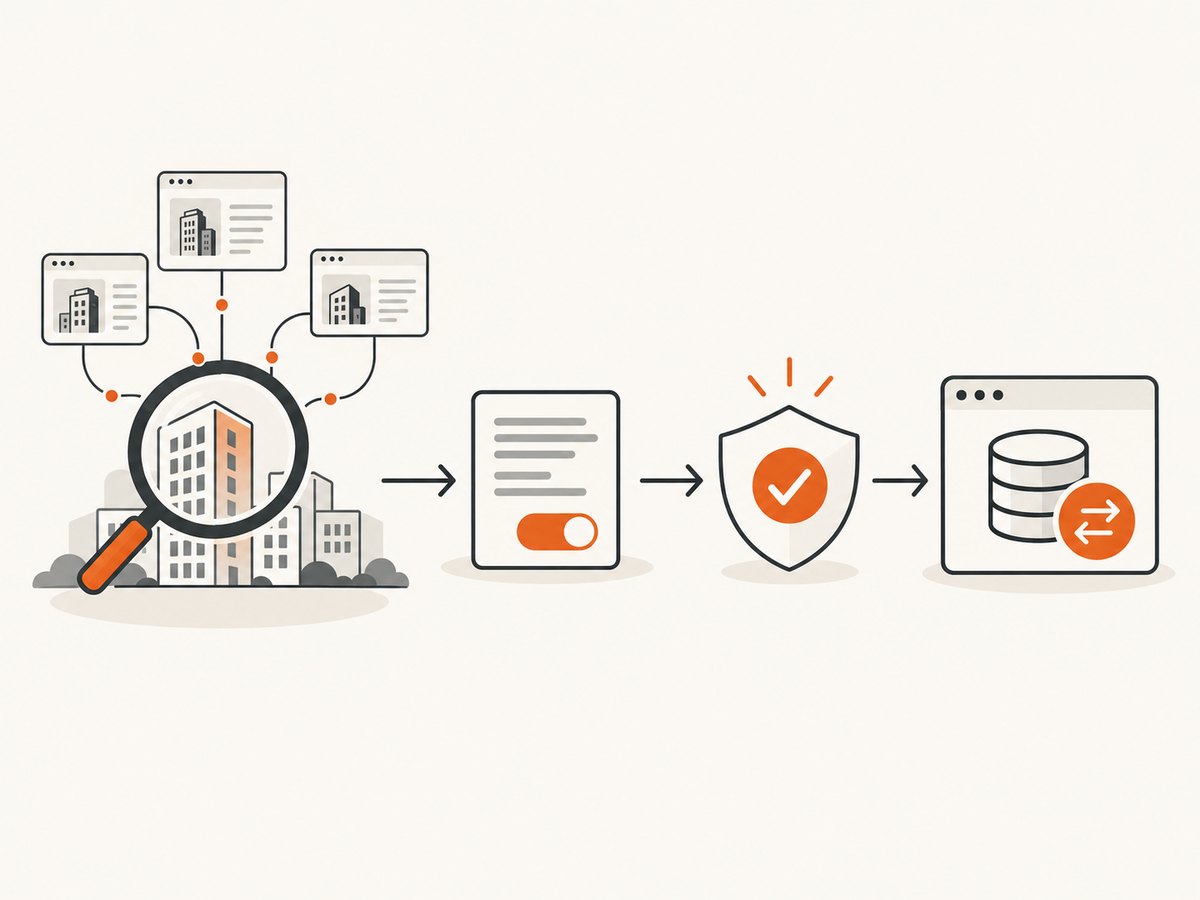
- Define your ideal partner. Record country, property type, booking volume, technology stack, and the business outcome you offer.
- Research outside the Booking.com platform. Use a hotel’s own website, national company registries, trade associations, conference directories, and other public business sources. Keep this prospecting dataset separate from Booking.com content.
- Verify the company. Save the legal business name, public domain, contact role, source URL, date collected, and an explanation of why the company is relevant.
- Contact the prospective partner directly. Explain the data you need, the actions your software would perform, retention periods, and how the partner can revoke access.
- Record consent and scope. For a connectivity project, retain written permission identifying the property, permitted operations, and the people authorized to approve changes.
A useful prospecting record can contain:
{
  "company": "Example Hotel Group",
  "website": "https://example.invalid",
  "country": "GB",
  "partner_type": "hotel-tech vendor",
  "contact_role": "partnerships",
  "source": "company website",
  "source_checked_at": "2026-09-29",
  "permission_status": "not_requested",
  "notes": "Uses a channel manager; potential integration fit"
}
Do not add Booking.com property pages, copied descriptions, rates, availability, or reviews to this sales dataset unless your agreement and the applicable Booking.com rules allow it. Legacy usage rules prohibit using Booking.com content for price comparison and forbid forwarding data to unaffiliated companies (c006).
3. Apply for the Booking.com Demand API
The supported affiliate automation path is the Demand API, not page scraping. Current prerequisites are:
- Managed-affiliate registration.
- Partner Centre access, which may need to be enabled by a Booking.com account manager.
- A valid API key token.
- An
X-Affiliate-Idvalue.
Authentication uses a bearer token in the Authorization header and the affiliate identifier in X-Affiliate-Id (c004, c005). Keep both values in a secret manager or environment variables. Never commit them to a repository, browser bundle, screenshot URL, or log file.
Minimal authenticated request with cURL
export BOOKING_API_TOKEN='replace-with-api-token'
export BOOKING_AFFILIATE_ID='replace-with-affiliate-id'

curl --request POST \
  --url 'https://demandapi.booking.com/3.1/accommodations/search' \
  --header "Authorization: Bearer ${BOOKING_API_TOKEN}" \
  --header "X-Affiliate-Id: ${BOOKING_AFFILIATE_ID}" \
  --header 'Content-Type: application/json' \
  --data '{
    "accommodations": {
      "destinations": ["city-id-from-your-approved-integration"]
    },
    "checkin": "2026-11-10",
    "checkout": "2026-11-12",
    "guests": {
      "number_of_adults": 2
    }
  }'
Use the endpoint, schema, and destination identifiers documented in your Partner Centre account. The example shows the authentication shape; do not guess undocumented fields or IDs.
Python example with retries and timeouts
import os
import time
import requests

TOKEN = os.environ["BOOKING_API_TOKEN"]
AFFILIATE_ID = os.environ["BOOKING_AFFILIATE_ID"]
URL = "https://demandapi.booking.com/3.1/accommodations/search"
PAYLOAD = {
    "accommodations": {"destinations": ["city-id-from-your-approved-integration"]},
    "checkin": "2026-11-10",
    "checkout": "2026-11-12",
    "guests": {"number_of_adults": 2},
}

for attempt in range(3):
    try:
        response = requests.post(
            URL,
            headers={
                "Authorization": f"Bearer {TOKEN}",
                "X-Affiliate-Id": AFFILIATE_ID,
                "Content-Type": "application/json",
            },
            json=PAYLOAD,
            timeout=(10, 60),
        )
        if response.status_code in (429, 500, 502, 503, 504) and attempt < 2:
            time.sleep(2 ** attempt)
            continue
        response.raise_for_status()
        data = response.json()
        print(data)
        break
    except requests.RequestException:
        if attempt == 2:
            raise
        time.sleep(2 ** attempt)
Node.js example
const token = process.env.BOOKING_API_TOKEN;
const affiliateId = process.env.BOOKING_AFFILIATE_ID;

const response = await fetch(
  'https://demandapi.booking.com/3.1/accommodations/search',
  {
    method: 'POST',
    headers: {
      'Authorization': `Bearer ${token}`,
      'X-Affiliate-Id': affiliateId,
      'Content-Type': 'application/json'
    },
    body: JSON.stringify({
      accommodations: { destinations: ['city-id-from-your-approved-integration'] },
      checkin: '2026-11-10',
      checkout: '2026-11-12',
      guests: { number_of_adults: 2 }
    })
  }
);

if (!response.ok) {
  throw new Error(`Demand API request failed: ${response.status}`);
}
console.log(await response.json());
4. Operate the integration safely
Credentials and authorization
- Store tokens in a secret manager or deployment environment.
- Use separate credentials for development and production when available.
- Rotate or revoke keys when staff leave, systems change, or a credential may have leaked.
- Log request IDs, status codes, and latency, but redact tokens, guest data, and full payloads where they are not needed.
Content and distribution controls
Design your application around the distribution limits in your agreement. Do not build a price-comparison product or forward Booking.com data to unaffiliated companies when the applicable usage rules prohibit it (c006). Add a data-retention policy, a deletion process, and an audit trail showing which approved partner or affiliate context produced each result.
Performance
- Reuse HTTPS connections with a session or keep-alive agent.
- Request only the fields your approved use case needs.
- Cache stable reference data according to the terms that apply to your account, but re-check time-sensitive availability and prices before display or booking.
- Use bounded concurrency and exponential backoff for transient failures. A retry must not duplicate a side effect.
- Set connect and read timeouts separately so a stalled request does not consume every worker.
Reliability checklist
- Validate dates, occupancy, currency, destination IDs, and required headers before sending.
- Handle 4xx responses as configuration or authorization problems until proven otherwise.
- Treat 429 and 5xx responses as retry candidates with a maximum attempt count.
- Capture structured metrics for success rate, response time, retry count, and rejected requests.
- Alert on authentication failures and sudden empty-result rates.
5. When browser automation is appropriate
Browser automation can be useful for your own site, an internal test environment, or a Booking.com workflow covered by written permission. It is not a workaround for the platform terms. If you have authorization, document the allowed domains, paths, rate limits, account, data fields, retention period, and shutdown contact before running a job.
For a permitted browser workflow, separate these stages:
- Open a controlled browser context with the approved user agent and locale.
- Authenticate only through the approved flow; never bypass bot checks or CAPTCHAs.
- Wait for a specific selector or network-idle condition rather than sleeping for an arbitrary long period.
- Extract only the fields in scope and validate their shape.
- Store provenance and delete data when the approved retention period ends.
Bot checks, blank pages, consent dialogs, lazy-loaded content, and regional differences are common causes of unreliable captures. A screenshot can document what an authorized user saw, but it does not create permission to harvest the underlying content.
6. Or skip the browser setup
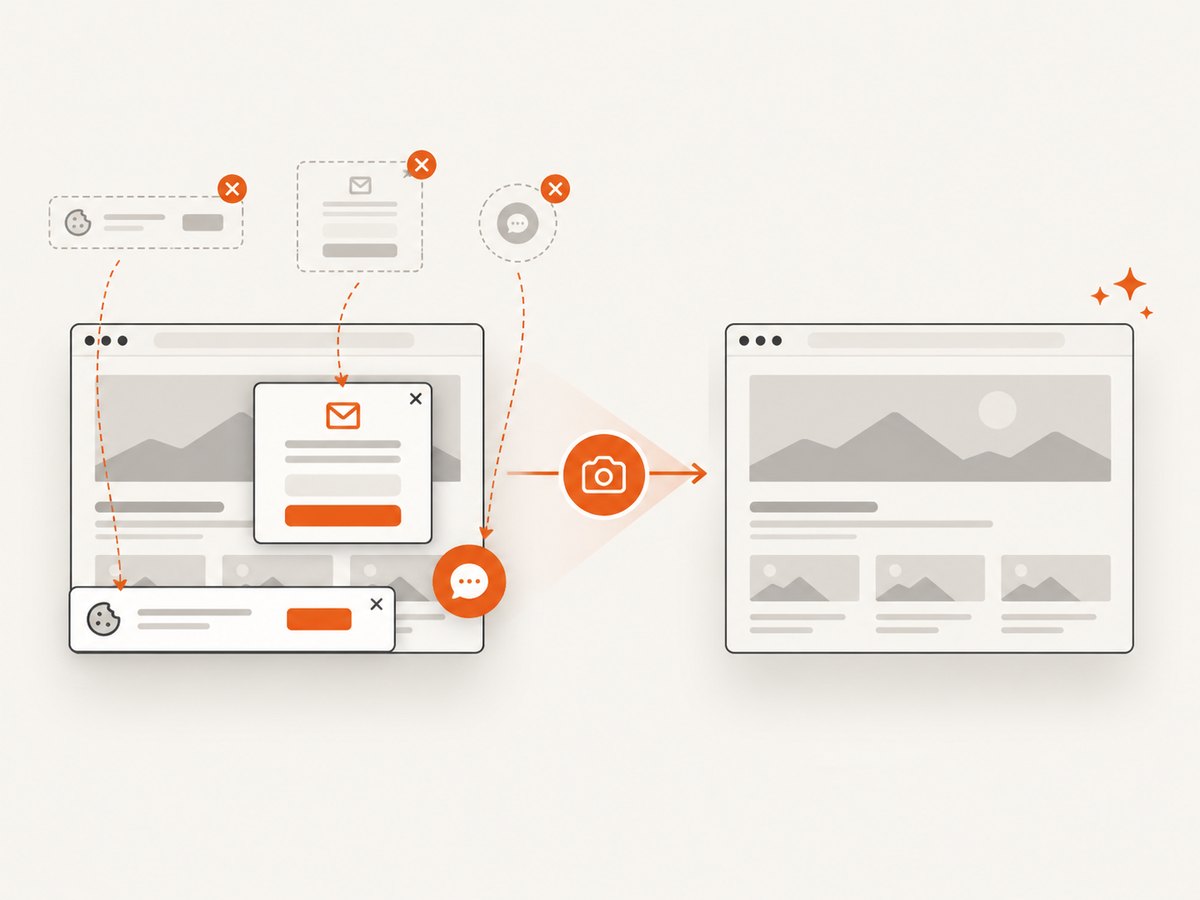
If your approved use case only needs a visual snapshot of a public page, ScreenshotNeo provides a single-request website screenshot API. Before capture, it accepts cookie or consent banners and removes more than 60 known consent platforms, newsletter popups, and chat widgets; each step can be disabled. Bot checks, blank pages, timeouts, failed loads, and cache hits are not billed, and the response identifies the result with X-Page-Verdict and X-Billed headers. This does not replace Booking.com permission for automated access.
See the ScreenshotNeo API documentation for parameters and response behavior.
cURL
curl -G "https://api.screenshotneo.com/v1/shot" -d access_key=YOUR_API_KEY --data-urlencode url=https://www.booking.com -o shot.webpPython
import requests
r = requests.get("https://api.screenshotneo.com/v1/shot", params={"access_key": "YOUR_API_KEY", "url": "https://www.booking.com"}, timeout=90)
open("shot.webp", "wb").write(r.content)
Node.js
const q = new URLSearchParams({ access_key: 'YOUR_API_KEY', url: 'https://www.booking.com' });
const res = await fetch(`https://api.screenshotneo.com/v1/shot?${q}`);
ScreenshotNeo supports full-page or element captures, device presets and custom viewports, dark mode, retina scale, custom CSS and JavaScript, click and wait actions, request blocking, headers, cookies, user agents, authorization, timezone, geolocation, transparent backgrounds, resizing, caching, signed links, asynchronous jobs, webhooks, bulk capture of up to 100 URLs per call, PDF output, and a usage API. Clean shots are the only billed captures. An MCP server supplies take_screenshot, get_page_info, and capture_pdf tools for Claude, Cursor, and other MCP clients.
The Free plan includes 1,000 screenshots per month with no card. Paid plans start at $5 for 3,000 shots; yearly billing provides two months free, and every feature is available on every plan. Create a free ScreenshotNeo account.
7. Troubleshooting
| Symptom | Likely cause | Fix |
|---|---|---|
| 401 or 403 from Demand API | Missing, expired, or invalid bearer token; Partner Centre not enabled | Confirm managed-affiliate onboarding, ask your account manager about Partner Centre, and rotate the token if necessary. |
| Requests authenticate but return no useful inventory | Invalid destination, dates, occupancy, or unsupported field | Validate against the schema and identifiers shown in your Partner Centre documentation. |
| 429 responses | Rate or concurrency limit | Reduce parallel requests, honor retry timing, and use bounded exponential backoff. |
| Repeated 5xx responses | Transient upstream failure or malformed request triggering a server error | Capture the request ID, retry a limited number of times, then contact the documented support channel. |
| Connectivity project cannot start | New-provider onboarding is paused | Check the public portal status and do not promise an onboarding date. |
| Screenshot contains a popup | The element is outside the known cleanup list or cleanup was disabled | Enable the relevant cleanup step or hide the selector with ScreenshotNeo options; confirm your page-access authorization. |
| Screenshot is blank or times out | Slow page, bot check, blocked resource, or failed load | Use a selector or network-idle wait, review verdict headers, and treat an unsuccessful capture as a diagnostic result rather than scraping around a bot check. |
8. Cost and operational planning
Demand API costs, quotas, and commercial terms depend on your Booking.com agreement, so confirm them in Partner Centre. Budget for retries, monitoring, storage, and compliance work rather than assuming every request becomes a usable result.
For screenshots, ScreenshotNeo’s free allowance covers 1,000 shots each month without a card. Starter is $5 for 3,000, Growth $15 for 15,000, Pro $39 for 60,000, Scale $99 for 250,000, and Business $249 for 1,000,000. Only clean shots are billed; cache hits and failed or unusable results are not. Choose a cache TTL, resize outputs when full resolution is unnecessary, and use bulk capture for independent URLs to reduce orchestration overhead.
9. Frequently asked questions
Can I scrape Booking.com to find hotel partners?
Only with prior, express written permission from Booking.com. Without it, use public business sources for prospecting and contact hotels directly.
Is there a Booking.com affiliate API?
Yes. The Demand API is the documented interface for Affiliate Partners to access travel inventory.
What credentials are required?
Managed-affiliate onboarding, Partner Centre access, an affiliate ID, and an API token. Requests use bearer authorization and the X-Affiliate-Id header.
Can a PMS use the Demand API?
The Demand API is aimed at affiliate inventory. PMS and channel-manager operations belong to Connectivity APIs and require permission from each accommodation partner.
Can I send Booking.com data to another company?
Check the usage rules attached to your account. Legacy rules prohibit forwarding data to unaffiliated companies and restrict price-comparison use.
Does a screenshot prove that automated access is allowed?
No. A screenshot records a visual result; it does not grant rights to access, copy, or redistribute platform content.
10. Final implementation checklist
- Classify the partner relationship before selecting an API.
- Use public business sources for prospecting and keep them separate from platform content.
- Obtain written partner permission for connectivity operations.
- Complete managed-affiliate onboarding before calling the Demand API.
- Protect the token and affiliate ID, validate every request, and implement bounded retries.
- Review distribution, price-comparison, and retention restrictions before publishing results.
- Use screenshots only for an authorized visual task, with clear provenance and retention controls.


