How to Find a Thumbnail from a Deleted YouTube Video
Recover a deleted YouTube video's thumbnail with its video ID, direct image URLs, Wayback Machine captures, archive indexes, and reverse-image search.
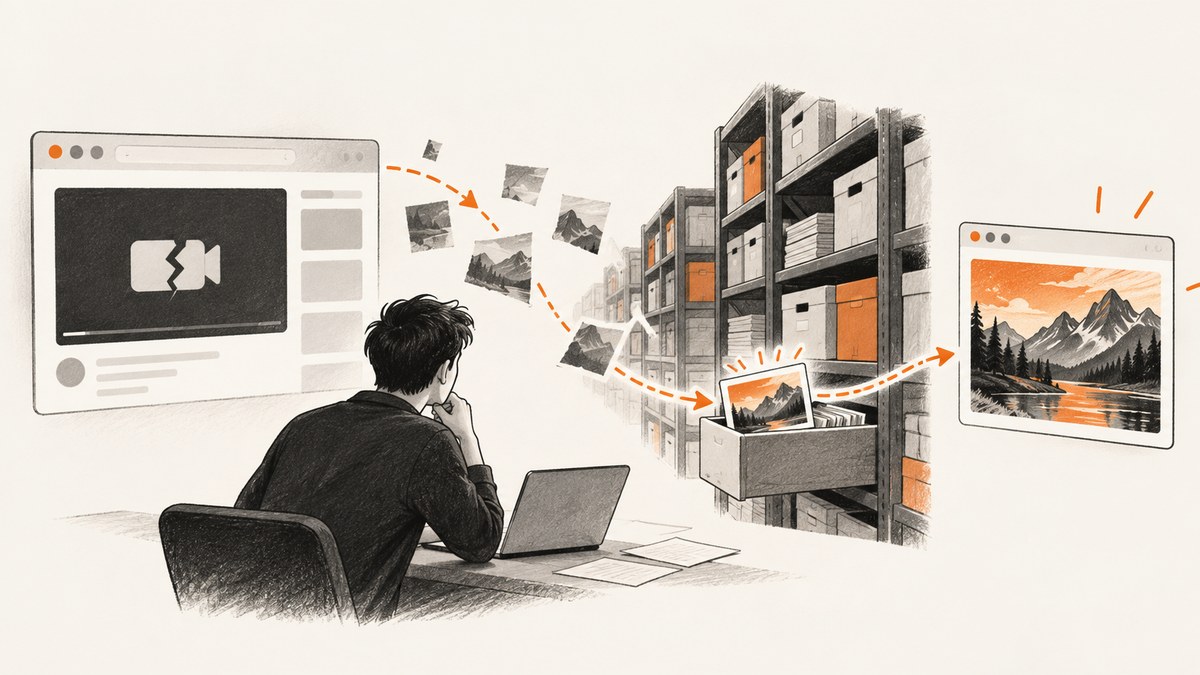
If you have the original YouTube URL or its 11-character video ID, you can often find a deleted video’s thumbnail even when the watch page no longer loads. Start by testing YouTube’s thumbnail URL pattern, then check the Wayback Machine for both the watch URL and the image URL. If those fail, search an archive index by video ID and use reverse-image search on any recovered image.
Keep the result types separate: finding a thumbnail does not prove that the page metadata survived, and either result does not prove that a playable video file exists. Archives save pages, images, metadata, and media independently.
1. Recover the YouTube video ID
The video ID is the most useful clue because direct thumbnail checks and archive indexes can search for it. A standard watch URL looks like https://www.youtube.com/watch?v=VIDEO_ID; the value after v= is normally 11 characters. Also check shortened links such as https://youtu.be/VIDEO_ID, playlist entries, embedded players, browser history, bookmarks, old messages, and page source from sites that embedded the video.
Preserve the complete original URL as well as the ID. A watch URL gives the Wayback Machine an exact page to search, while the ID is convenient for image URLs and archive indexes. Do not remove query parameters until you know they are tracking-only; an unusual parameter may identify a particular embed or archived version.
Validate the ID before searching
- Copy only the ID, without surrounding punctuation or a trailing quote.
- Check that it has the expected 11-character shape, while remembering that format alone does not prove the video exists.
- Keep alternate URLs if the video appeared in an embed, playlist, or social post.
python - <<'PY'
from urllib.parse import urlparse, parse_qs

url = 'https://www.youtube.com/watch?v=VIDEO_ID'
query = parse_qs(urlparse(url).query)
video_id = query.get('v', [None])[0]
print(video_id)
PY
2. Try YouTube’s familiar thumbnail URLs
Test the conventional image endpoint first. Replace VIDEO_ID with the recovered value:
https://i.ytimg.com/vi/VIDEO_ID/maxresdefault.jpg
https://i.ytimg.com/vi/VIDEO_ID/hqdefault.jpg
https://i.ytimg.com/vi/VIDEO_ID/default.jpg
maxresdefault.jpg is the largest commonly referenced variant; hqdefault.jpg and default.jpg are useful fallbacks. This naming pattern comes from a third-party guide, not an official YouTube specification, so treat every URL as a check rather than a guarantee. A deleted video may still have an image endpoint that responds, an endpoint may return a lower-resolution placeholder, or no candidate may resolve at all.
Open each URL directly and inspect the image. A successful HTTP response alone is not enough: download the bytes or view the result to ensure it is the video’s actual thumbnail rather than an error or placeholder.
curl -L --fail 'https://i.ytimg.com/vi/VIDEO_ID/maxresdefault.jpg' -o thumbnail-max.jpg
curl -L --fail 'https://i.ytimg.com/vi/VIDEO_ID/hqdefault.jpg' -o thumbnail-hq.jpg
curl -L --fail 'https://i.ytimg.com/vi/VIDEO_ID/default.jpg' -o thumbnail-default.jpg
Check candidates programmatically
import requests

video_id = 'VIDEO_ID'
for name in ('maxresdefault', 'hqdefault', 'default'):
    url = f'https://i.ytimg.com/vi/{video_id}/{name}.jpg'
    response = requests.get(url, timeout=30)
    content_type = response.headers.get('content-type', '')
    print(name, response.status_code, content_type, len(response.content))
    if response.ok and content_type.startswith('image/'):
        with open(f'{name}.jpg', 'wb') as file:
            file.write(response.content)
When comparing variants, record the exact URL and resolution that worked. That record makes later archive and reverse-image searches easier to reproduce.
3. Search the Wayback Machine for the watch page
Search the original watch URL in the Wayback Machine. A captured page can reveal the title, channel, upload date, description, or links even if the current YouTube page is unavailable. Inspect an actual capture, not just the calendar marker, because a timestamp means that the archive attempted to save something at that URL.
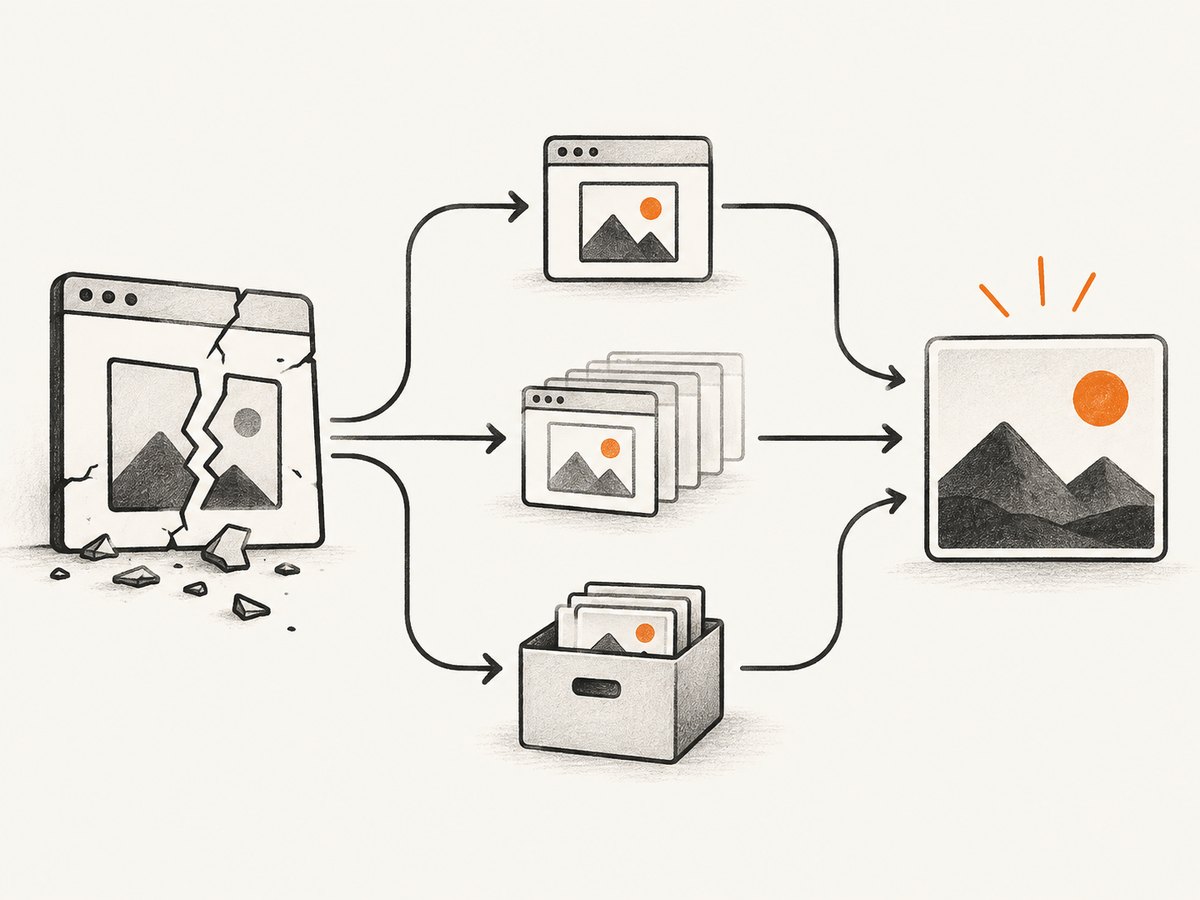
A saved watch page may omit the thumbnail or playable media. The page, image, and video file are separate capture outcomes. If the page loads in the archive, save the capture URL and note its capture date, then continue with the image search below.
curl -L 'https://web.archive.org/web/*/https://www.youtube.com/watch?v=VIDEO_ID' -o wayback-watch.htmlYou can also paste the URL into the Wayback interface manually. Try both the exact watch URL and a shortened URL if you have one. An embedded-player URL can have its own capture history.
4. Search the thumbnail URL separately
Enter each candidate image URL into the Wayback Machine independently. The Internet Archive help guidance says an image or link URL can be entered to check whether it was archived. Search at least:
https://i.ytimg.com/vi/VIDEO_ID/maxresdefault.jpghttps://i.ytimg.com/vi/VIDEO_ID/hqdefault.jpghttps://i.ytimg.com/vi/VIDEO_ID/default.jpg
Searching the watch page does not automatically search every resource it referenced, and searching one resolution does not establish that another resolution was saved. Open the archived image capture and download it if it is the correct artwork.
curl -L 'https://web.archive.org/web/*/https://i.ytimg.com/vi/VIDEO_ID/maxresdefault.jpg' -o wayback-thumbnail.htmlIf no capture appears, try the other resolutions, the img.youtube.com hostname if it was present in an old page, and any image URL copied from an embed or article. Archive coverage changes, so a negative result from one URL is not proof that no copy exists.
5. Query an archive index by video ID
Use an archive index when direct URLs and Wayback searches do not produce an image. Archivarix Tube Search states that it accepts a YouTube URL or video ID and can expose archived metadata, thumbnails, subtitles, and possible video-file records. Its results are leads to inspect, not proof that every listed asset is retrievable.
Search the ID and the full URL separately. Compare the returned title, channel, dates, and thumbnail against any information you recovered from bookmarks or messages. Xarchive’s deleted-video finder similarly distinguishes saved-page traces from possible playable copies; availability depends on what public archives captured.
Interpret index results carefully
| Result | What it establishes | What it does not establish |
|---|---|---|
| Thumbnail opens or downloads | An image copy was recovered. | That the video file survives. |
| Title or channel metadata appears | A service indexed descriptive information. | That the page or image is still retrievable. |
| Media record is listed | An index reports a possible file. | That playback will work without testing the source. |
6. Use reverse-image search after recovery
Once you have a usable thumbnail, submit it to a reverse-image search service. This can reveal reuploads, forum posts, news articles, cached references, or mirrors that contain the same artwork. Archivarix’s reupload guide describes reverse-image search as one step in following leads from recovered metadata and images.

Verify every apparent match with more than visual similarity. Compare the video ID, title, channel name, upload date, visible watermark, surrounding text, and archive capture date. A similar-looking frame may belong to another upload or a different video in the same series.
7. Automate a repeatable recovery workflow
For a one-off search, manual checks are quickest. For a list of deleted videos, generate candidate URLs and save an evidence record for every request.
import csv
import requests

with open('video_ids.csv', newline='') as source:
    for row in csv.DictReader(source):
        video_id = row['video_id'].strip()
        for resolution in ('maxresdefault', 'hqdefault', 'default'):
            url = f'https://i.ytimg.com/vi/{video_id}/{resolution}.jpg'
            response = requests.get(url, timeout=30)
            kind = response.headers.get('content-type', '')
            found = response.ok and kind.startswith('image/')
            print(video_id, resolution, response.status_code, found)
            if found:
                with open(f'{video_id}-{resolution}.jpg', 'wb') as image:
                    image.write(response.content)
                break
For each recovered asset, record the original URL, candidate image URL, archive URL, capture date, resolution, HTTP status, content type, and whether the image was visually inspected. This prevents a metadata hit from being reported later as a recovered video.
8. Or skip the browser setup
If you need a clean screenshot of an archive result, a surviving thumbnail page, or another public URL for documentation, ScreenshotNeo provides a single screenshot request. It cannot resurrect an image that no server still serves, but it can document the page you found without maintaining browser automation.
See the ScreenshotNeo API documentation for the complete option list. The basic request is:
curl -G 'https://api.screenshotneo.com/v1/shot' -d access_key=YOUR_API_KEY --data-urlencode url=https://i.ytimg.com/vi/VIDEO_ID/maxresdefault.jpg -o shot.webpimport requests
r = requests.get('https://api.screenshotneo.com/v1/shot', params={'access_key': 'YOUR_API_KEY', 'url': 'https://i.ytimg.com/vi/VIDEO_ID/maxresdefault.jpg'}, timeout=90)
r.raise_for_status()
open('shot.webp', 'wb').write(r.content)const q = new URLSearchParams({ access_key: 'YOUR_API_KEY', url: 'https://i.ytimg.com/vi/VIDEO_ID/maxresdefault.jpg' });
const res = await fetch(`https://api.screenshotneo.com/v1/shot?${q}`);
if (!res.ok) throw new Error(`HTTP ${res.status}`);
const image = Buffer.from(await res.arrayBuffer());
await import('node:fs/promises').then(fs => fs.writeFile('shot.webp', image));ScreenshotNeo removes cookie and consent banners, newsletter popups, and chat widgets before capture. Bot checks, blank pages, timeouts, failed loads, and cache hits are not billed, and the response reports the result through X-Page-Verdict and X-Billed headers. Its MCP server lets Claude, Cursor, and other MCP clients use take_screenshot, get_page_info, and capture_pdf. You get 1,000 screenshots a month free without a card; paid plans start at $5 for 3,000. Create a free ScreenshotNeo account.
9. Troubleshooting common failures
The image URL returns an error or placeholder
Try all three resolutions and both the current and archived URL. The familiar filename pattern is not guaranteed, and a deleted video’s image may no longer be served. Inspect the downloaded bytes instead of relying only on the status code.
The Wayback calendar has no capture
Search the exact image URL, alternate resolution, shortened URL, and any embed URL. The watch page and image are archived separately, and a negative result only describes that URL’s visible archive coverage.
An archive index shows metadata but no image
Use the metadata to refine searches by title, channel, and date, then look for reposts or reverse-image matches. Metadata proves that information was indexed; it does not prove that the thumbnail file remains downloadable.
The recovered image looks unrelated
Check the ID and URL encoding, then compare all resolutions. Confirm the channel and title from an independent source. Cached placeholders and similarly named videos can mislead a visual-only check.
A screenshot request fails
Confirm that the target URL is publicly reachable, URL-encode query parameters, and allow enough time for the page to load. With ScreenshotNeo, inspect X-Page-Verdict and X-Billed to distinguish a failed load, bot check, blank page, timeout, or cache hit from a clean billed capture.
10. Performance, reliability, and cost notes
- Check the direct image endpoints before archive searches; one small request can settle the question quickly.
- For batches, stop after the first verified image and cache your own evidence record so you do not repeat archive queries.
- Run independent resolution checks concurrently only when your network and the archive service permit it; use timeouts and backoff for large lists.
- Archive indexes and Wayback coverage change. Save capture URLs and dates when you find them.
- Do not estimate recovery rates from a few successful searches; the supplied research contains no reliable percentage.
- ScreenshotNeo’s cache can reduce repeated capture work, and failed loads, bot checks, blank pages, timeouts, and cache hits are not billed.
11. Evidence checklist
- Original YouTube URL and extracted video ID.
- Every tested thumbnail URL and resolution.
- Downloaded image or an archived image capture that opens successfully.
- Wayback watch-page capture URL, if available.
- Archive-index result and its source.
- Reverse-image matches checked against title, channel, ID, or date.
- A clear statement of whether you found an image, metadata, or playable video.
Frequently asked questions
Can I recover the original video from its thumbnail?
No. A thumbnail is an image clue. A playable file is a separate archive outcome and must be tested at its source.
What if I only know the video title?
Search old messages, playlists, embeds, and channel pages to recover the URL or ID first. Archive indexes can sometimes search descriptive metadata, but the ID is more precise.
Which thumbnail resolution should I use?
Try maxresdefault.jpg, then hqdefault.jpg and default.jpg. Availability differs by video and endpoint.
Is a Wayback capture permanent?
Treat it as an archived snapshot with a capture date. Save the capture URL and download the image when possible.
Can ScreenshotNeo find a deleted thumbnail?
It captures URLs that still return a page or image. It does not recover content that no server or archive serves, but it is useful for recording surviving archive results.


