How to Find Missing Popup Form HTML in Puppeteer
When a popup form is missing from Puppeteer’s HTML, first check whether it opened a new page, an in-page modal, or a frame. Here’s how to capture and diagnose each case.
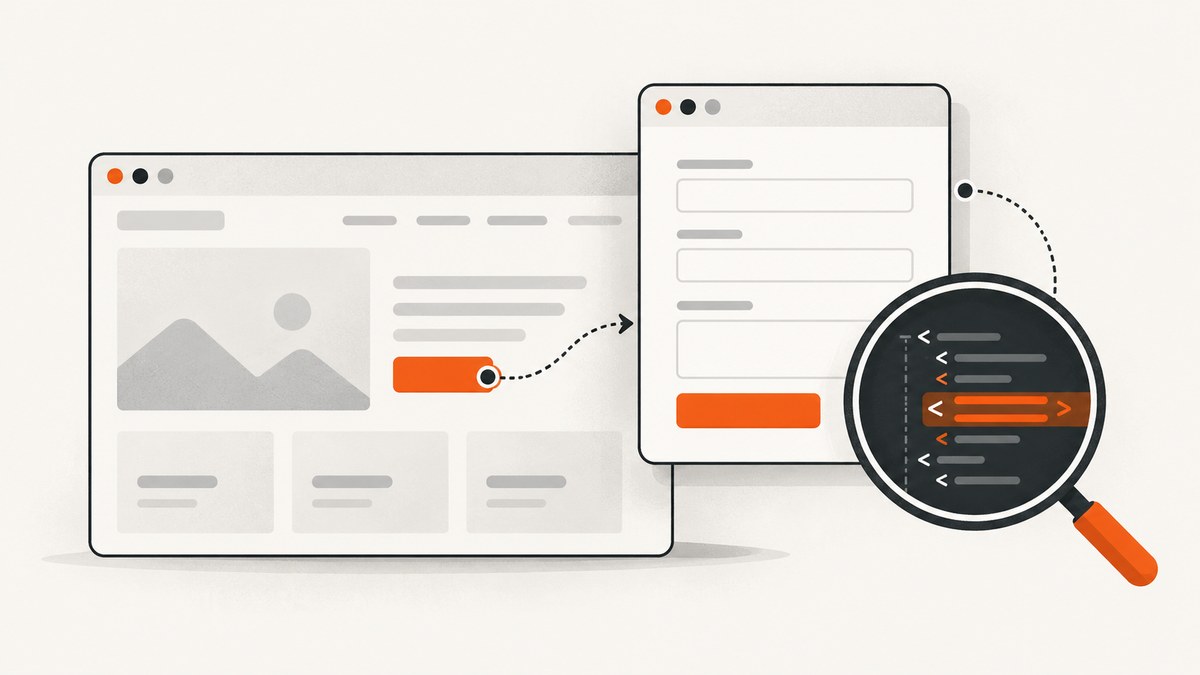
If Puppeteer’s page.content() does not contain a popup form, first check where the form lives. A browser popup opened as a new tab or window has its own Puppeteer Page: listen for the opener’s popup event before clicking, then call content() on the popup. An in-page modal belongs to the original page, while a form inside an iframe belongs to that frame’s document.
Puppeteer is a JavaScript library for controlling Chrome or Firefox, and it runs headless by default. Its Page API defines the popup event for a page that opens a new tab or window. Puppeteer PageEvent documentation
1. Capture the popup page before reading its HTML
Register the event listener before the click. If the listener is attached afterward, the popup may already have opened and the script can wait forever. Then inspect the returned Page, not the opener.

import puppeteer from 'puppeteer';

const browser = await puppeteer.launch({ headless: true });
try {
  const page = await browser.newPage();
  await page.goto('https://example.com', { waitUntil: 'domcontentloaded' });

  // Arm the listener before the user action that opens the new page.
  const popupPromise = new Promise(resolve => page.once('popup', resolve));
  await page.click('button.open-form');
  const popup = await popupPromise;

  console.log('Popup URL:', popup.url());
  await popup.waitForSelector('form', { timeout: 10000 });
  const html = await popup.content();
  console.log(html.slice(0, 4000));
} finally {
  await browser.close();
}
Page.content() returns the page’s full HTML contents, including the doctype. It describes the Page on which you call it. Calling page.content() on the opener will not switch to a newly opened popup. Puppeteer Page.content documentation
The popup is a separate page in the opener’s browser context. You can inspect its URL, wait for its own selectors, and read its own content. If there can be several popups, use a listener strategy that matches the specific action and validate the resulting page rather than assuming every new page is the one you need.
2. Wait for the form’s state, not an arbitrary delay
A popup event tells you that a new Page opened; it does not guarantee that its document has reached the state you need. The page may still be navigating, loading scripts, or rendering the form after a client-side request. Prefer waiting for a meaningful condition, such as an expected URL or form selector.
const popupPromise = new Promise(resolve => page.once('popup', resolve));
await page.click('button.open-form');
const popup = await popupPromise;

await popup.waitForFunction(
  () => location.pathname.includes('/signup'),
  { timeout: 10000 }
);
await popup.waitForSelector('form#signup', { visible: true, timeout: 10000 });
const html = await popup.content();
If you know the popup navigates to a particular URL, a navigation wait can be useful. Attach the wait to the popup Page, and set it up before the navigation-producing action if that action is available on the popup. Do not wait for navigation on the opener and assume that means the popup finished loading. waitForNavigation() applies to the Page where it is called. For a same-page click that triggers navigation, Puppeteer documents pairing the navigation wait and click with Promise.all. Puppeteer Page.waitForNavigation documentation
// Same page navigates after this click:
await Promise.all([
  page.waitForNavigation({ waitUntil: 'domcontentloaded' }),
  page.click('a.continue')
]);

// A popup is a different Page: capture it from the opener first.
const popupPromise = new Promise(resolve => page.once('popup', resolve));
await page.click('button.open-form');
const popup = await popupPromise;
await popup.waitForSelector('form', { timeout: 10000 });
Use domcontentloaded when the initial document is enough, and wait for a selector when the form is inserted or made visible by application code. networkidle can help with pages that fetch content after navigation, but analytics, polling, and long-lived requests may prevent the network from becoming idle. A selector that represents the result you need is usually a more precise readiness check.
3. Determine whether it is a popup, modal, or frame
“Popup” can mean several different browser structures. Use the following checks before changing selectors or adding waits.

| What the UI opened | Where the form lives | What to inspect |
|---|---|---|
| New tab or window | A new Puppeteer Page | Listen for page’s popup event; read popup.content() |
| Modal or overlay in the same tab | The opener’s document | Wait for the modal selector on page; read page.content() |
| Embedded form in an iframe | A child frame document | Find the matching Frame and inspect its content or elements |
In-page modal
A modal may look like a separate window but still be ordinary markup in the opener’s DOM. In that case no new popup event is expected. Wait for the modal on the original Page:
await page.click('button.open-modal');
await page.waitForSelector('[role="dialog"] form', {
  visible: true,
  timeout: 10000
});
const html = await page.content();
console.log(html.includes('role="dialog"'));
If the HTML does not contain the form even after it is visible, inspect the live DOM with page.$eval() or page.evaluate(). Some frameworks render only after an interaction, and the form may be inserted after your first snapshot.
Form in an iframe
content() on the top-level Page should not be treated as a merged export of every child frame’s document. If the popup exists but its HTML lacks the form, enumerate frames and identify the one whose URL or selectors match the embedded form.
for (const frame of popup.frames()) {
  console.log('Frame URL:', frame.url());
  const form = await frame.$('form');
  if (form) {
    console.log('Form found in frame:', frame.url());
    console.log((await frame.content()).slice(0, 3000));
  }
}
Frames may be cross-origin. Browser automation can interact with frame contexts through Puppeteer, but application security rules still affect what page scripts can read across origins. In automation code, select the frame using its URL or a stable identifying selector instead of relying on a fixed frame index, which can change as third-party resources load.
4. A diagnostic script for missing form markup
This version records page-side errors, console messages, the final URL, and the main-document response status. It prints a short HTML excerpt for diagnosis and closes the browser even when a wait fails.
import puppeteer from 'puppeteer';

const browser = await puppeteer.launch({ headless: true });
try {
  const page = await browser.newPage();
  await page.goto('https://example.com', { waitUntil: 'domcontentloaded' });

  const popupPromise = new Promise(resolve => page.once('popup', resolve));
  await page.click('button.open-form');
  const popup = await popupPromise;

  popup.on('pageerror', error => console.error('Page error:', error.message));
  popup.on('console', message => console.log('Console:', message.type(), message.text()));
  popup.on('requestfailed', request => {
    console.error('Request failed:', request.url(), request.failure()?.errorText);
  });

  const response = await popup.waitForNavigation({
    waitUntil: 'domcontentloaded',
    timeout: 10000
  }).catch(() => null);

  console.log('Popup URL:', popup.url());
  console.log('Navigation response status:', response?.status() ?? 'no navigation response');

  const form = await popup.waitForSelector('form', { timeout: 10000 }).catch(() => null);
  if (!form) {
    console.log('No form selector found. HTML excerpt:');
    console.log((await popup.content()).slice(0, 4000));
    console.log('Frames:', popup.frames().map(frame => frame.url()));
  } else {
    console.log('Form found. HTML excerpt:');
    console.log((await popup.content()).slice(0, 4000));
  }
} finally {
  await browser.close();
}
For a popup that navigates immediately, attaching a navigation wait after receiving the popup event can miss the navigation that already happened. The script above uses the wait as an optional diagnostic, then checks the current URL, DOM, and frames. If you need to capture a specific response, attach relevant listeners as early as possible and validate the URL and status you actually receive.
5. Troubleshooting by symptom
| Symptom | Likely explanation | Fix |
|---|---|---|
| No popup event arrives | The control opened an in-page modal, or the click did not trigger a new tab/window. | Check the DOM for a dialog. If it is a real new page, register page.once('popup') before the click and confirm the click succeeded. |
| Popup exists, but content is empty or incomplete | You read too early, used the opener Page, or the form lives in a child frame. | Call content() on the popup; wait for the expected selector; inspect popup.frames(). |
| Popup URL is unexpected | The action redirected, opened an error page, or navigated through an intermediate URL. | Log popup.url(), wait for the expected destination, and inspect the main-document response status. |
| Navigation appears successful but the page is an error | HTTP error responses such as 404 or 503 can still complete as successful network requests. | Check the response status and page content. Request completion alone does not establish that the intended form loaded. Puppeteer navigation documentation |
| Form never appears | Client-side code failed, the selector is wrong, consent is required, or the page is blocked. | Attach pageerror and console listeners early; inspect requests, URL, status, and current markup. Treat logs as clues, not proof of a single cause. |
| Script waits indefinitely | The listener was installed after the event, the wrong Page is being awaited, or the expected event never occurs. | Install the popup listener before clicking; add a finite timeout to selector and navigation waits; distinguish popup from modal behavior. |
| HTML shows a form shell but no fields | Fields may be inserted after script execution or live in an embedded frame. | Wait for a field selector or inspect frames and the live DOM after the application finishes rendering. |
6. Reliability, speed, and resource use
- Prefer explicit readiness conditions. Waiting for a form selector is typically more reliable than sleeping for a fixed number of milliseconds. A delay can be too short on a slow run and waste time on a fast one.
- Set timeouts deliberately. Use finite waits so a broken page does not stall a whole job. On timeout, log the popup URL and a bounded HTML excerpt before closing the browser.
- Close pages and browsers. Use
try/finallyso failed selectors do not leave browser processes running. For repeated jobs, reuse a browser where appropriate, but isolate page state and close pages after capture. - Limit diagnostic output. HTML can contain personal data, hidden tokens, and large embedded scripts. Save only the fragment needed to understand the failure and protect logs accordingly.
- Check status and content. A completed request is not the same as a successful application page. Record URL, status, and the presence of an expected form selector.
Popup handling itself does not require a special paid browser feature; the main operational costs are the machine time and infrastructure needed to run Chrome or Firefox, plus the time spent on retries and debugging. Avoid repeated broad retries for deterministic errors such as a missing selector. Capture enough diagnostics to classify the failure, then retry only transient cases such as temporary timeouts.
7. Or skip the browser setup
If the goal is a clean screenshot of a page rather than reading its form HTML, ScreenshotNeo provides a screenshot API and MCP server. It cannot replace Puppeteer when you need to extract or inspect HTML; use Puppeteer for DOM debugging. For a screenshot, the one-call API avoids managing a browser process. See the ScreenshotNeo docs for request options.
curl -G "https://api.screenshotneo.com/v1/shot" -d access_key=YOUR_API_KEY --data-urlencode url=https://stripe.com -o shot.webpPython:
import requests

r = requests.get(
    "https://api.screenshotneo.com/v1/shot",
    params={"access_key": "YOUR_API_KEY", "url": "https://stripe.com"},
    timeout=90,
)
open("shot.webp", "wb").write(r.content)
Node.js:
const q = new URLSearchParams({ access_key: 'YOUR_API_KEY', url: 'https://stripe.com' });
const res = await fetch(`https://api.screenshotneo.com/v1/shot?${q}`);
if (!res.ok) throw new Error(`Screenshot request failed: ${res.status}`);
await Bun.write('shot.webp', res);
ScreenshotNeo removes cookie and consent banners, newsletter popups, and chat widgets before the shot; each step can be turned off. Bot checks, blank pages, failed loads, timeouts, and cache hits are not billed, and response headers identify the page verdict and billing status. Its MCP server lets Claude, Cursor, and other MCP clients take screenshots. The free plan includes 1,000 screenshots a month with no card; paid plans start at $5 for 3,000. Every feature is on every plan. Read the API docs or create a free account for 1,000 screenshots a month, no card required.
8. FAQ
Does page.content() include the doctype?
Yes. Puppeteer documents it as returning the full HTML contents, including the doctype. Call it on the Page whose document you want. API reference
Can I read popup HTML if it is cross-origin?
Puppeteer gives you a Page for a newly opened tab or window, so inspect that Page directly. If the form is in a child frame, locate the frame and inspect that frame’s document; do not expect the opener’s HTML string to contain it.
What if my site opens a new tab but does not fire the event?
Confirm that the click actually occurs and that the target creates a browser tab or window. Set the event listener before the action, and use a timeout around your wait so the script can report diagnostics if the event never arrives.
Should I wait for network idle?
Only when network settling is a useful proxy for readiness on that page. Polling or analytics can keep requests active. Waiting for the actual form or a known application state is usually more targeted.


