How to Find Sibling HTML Nodes with PHP
Learn how to find next and previous sibling elements in PHP with DOMDocument, safe node filtering, XPath, PHP 8.4 notes, and fixes for whitespace surprises.
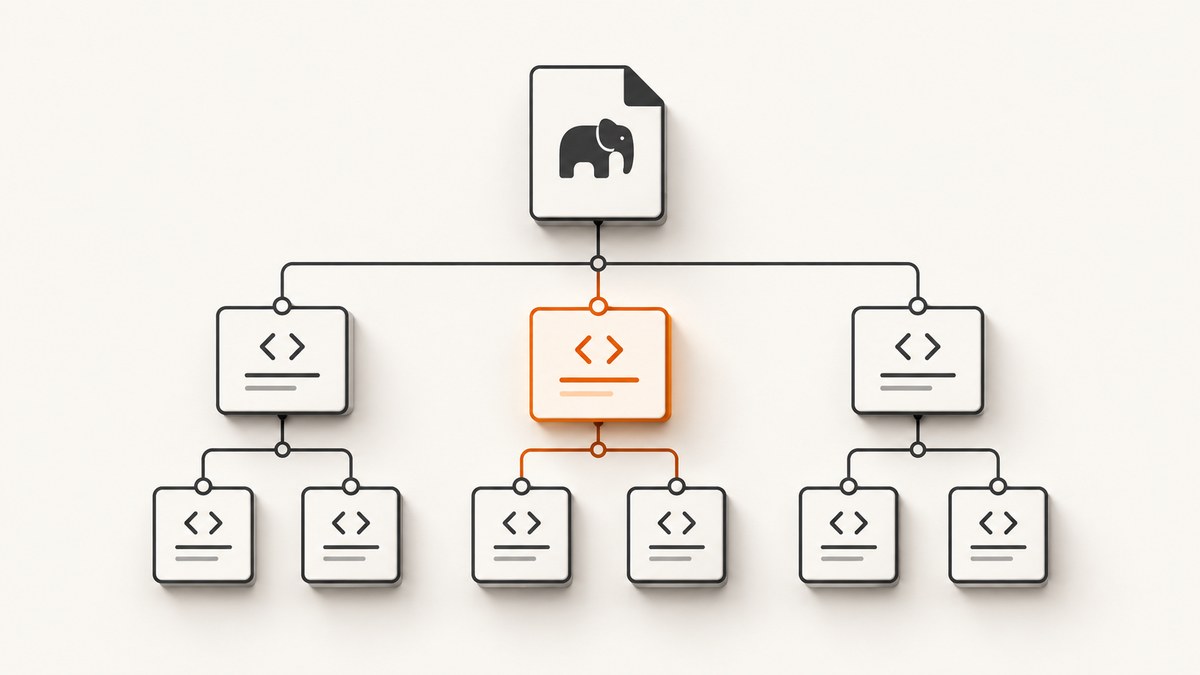
To find a sibling HTML element in PHP, parse the markup with DOMDocument, start from the target node, then walk through nextSibling or previousSibling until you reach an element node. A direct $target->nextSibling lookup is often surprising because formatted HTML contains whitespace text nodes between elements.
For a concise selector-style query, use DOMXPath with following-sibling::*[1] or preceding-sibling::*[1]. The * restricts the result to elements, and [1] selects the nearest matching sibling.
What “sibling” means in the DOM
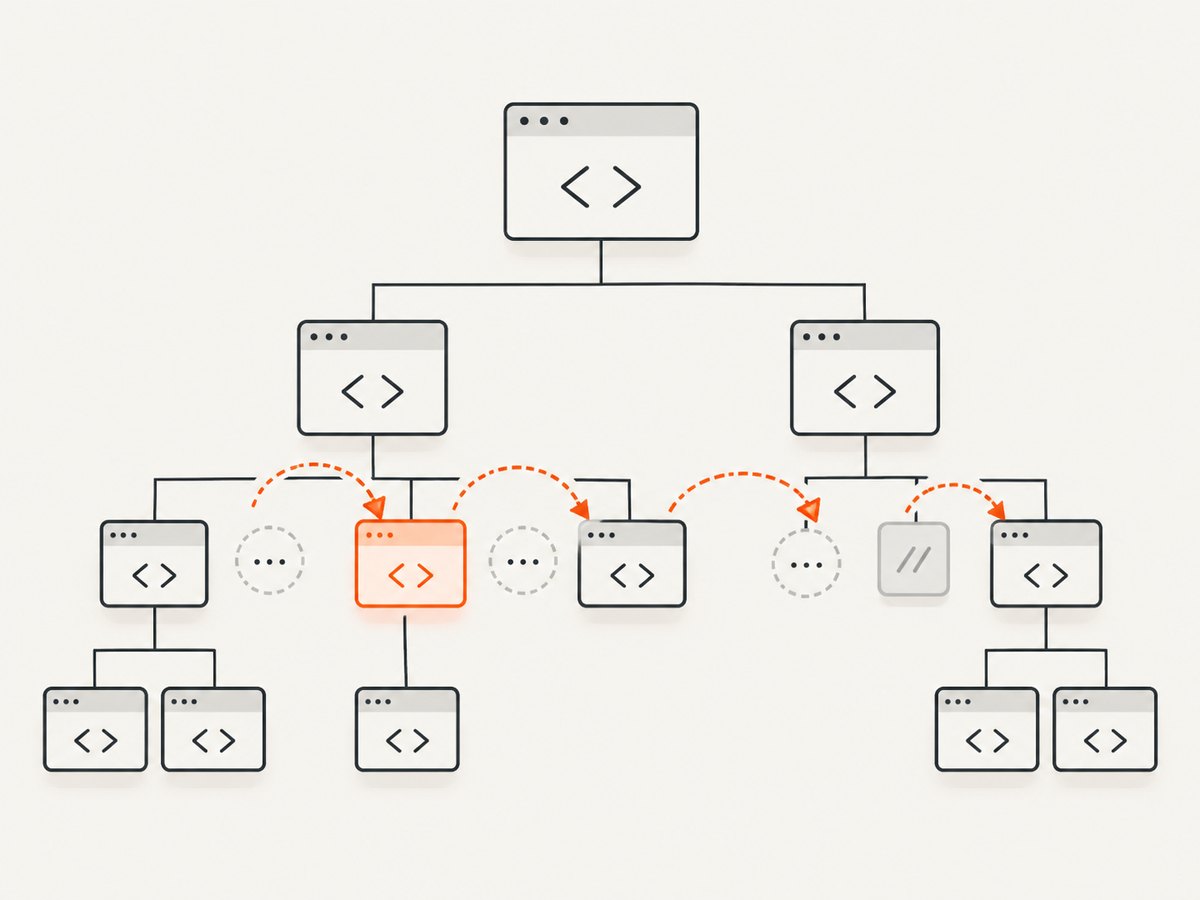
Sibling nodes have the same parent. If a <ul> contains three <li> elements, each list item is a sibling of the others because all three belong directly to that <ul>. A node nested inside one list item is a descendant, not a sibling.
The PHP DOM extension provides an API for operations on XML and HTML documents. DOMDocument represents the parsed document tree, while each node exposes relationships such as parentNode, firstChild, lastChild, nextSibling, and previousSibling. See the PHP DOM extension documentation and the MDN definition of nextSibling.
Complete example: find the next element
This runnable example loads HTML, selects the second list item, and walks forward until it finds the next element. It safely handles whitespace and comments.
<?php
$html = <<<'HTML'
<ul>
  <li class="first">One</li>
  <li class="target">Two</li>
  <!-- A comment can also be a sibling node -->
  <li class="third">Three</li>
</ul>
HTML;

$doc = new DOMDocument();
libxml_use_internal_errors(true);
$doc->loadHTML($html, LIBXML_HTML_NOIMPLIED | LIBXML_HTML_NODEFDTD);
libxml_clear_errors();

$items = $doc->getElementsByTagName('li');
$target = $items->item(1);
$nextElement = null;

for ($node = $target?->nextSibling; $node; $node = $node->nextSibling) {
    if ($node->nodeType === XML_ELEMENT_NODE) {
        $nextElement = $node;
        break;
    }
}

echo $nextElement?->textContent ?? 'No next element'; // Three
?>
nextSibling means the immediately following entry in the parent’s childNodes list. That entry can be an element, text node, or comment. Pretty-printed newlines usually become text nodes, which is why the loop checks nodeType before reading element-specific properties.
Find the previous element
The backward operation is identical except that it starts at previousSibling and moves backward.
<?php
$previousElement = null;

for ($node = $target?->previousSibling; $node; $node = $node->previousSibling) {
    if ($node->nodeType === XML_ELEMENT_NODE) {
        $previousElement = $node;
        break;
    }
}

echo $previousElement?->textContent ?? 'No previous element'; // One
?>
The first child has no previous sibling, and the last child has no next sibling. Both properties can therefore be null. Use the null-safe operator or an explicit check before dereferencing the result.
Reusable helper functions
When sibling traversal appears in several places, put the filtering rule in small helpers. Returning ?DOMElement makes the “not found” case explicit.
<?php
function nextElementSibling(?DOMNode $node): ?DOMElement
{
    for ($current = $node?->nextSibling; $current; $current = $current->nextSibling) {
        if ($current instanceof DOMElement) {
            return $current;
        }
    }

    return null;
}

function previousElementSibling(?DOMNode $node): ?DOMElement
{
    for ($current = $node?->previousSibling; $current; $current = $current->previousSibling) {
        if ($current instanceof DOMElement) {
            return $current;
        }
    }

    return null;
}

$next = nextElementSibling($target);
$previous = previousElementSibling($target);

if ($next) {
    echo $next->getAttribute('class');
}
?>
instanceof DOMElement is readable when you need to use element methods such as getAttribute(). The equivalent numeric test is $node->nodeType === XML_ELEMENT_NODE.
Use XPath for the nearest matching sibling
XPath is usually shorter when you already know how to identify the target. DOMXPath evaluates XPath 1.0 expressions against a DOMDocument.
<?php
$xpath = new DOMXPath($doc);

$next = $xpath->query(
    "//li[@class='target']/following-sibling::*[1]"
)->item(0);

$previous = $xpath->query(
    "//li[@class='target']/preceding-sibling::*[1]"
)->item(0);

echo $next?->textContent ?? 'No next element';
echo $previous?->textContent ?? 'No previous element';
?>
Useful sibling-axis expressions
| Expression | Result |
|---|---|
following-sibling::*[1] |
Nearest following element, regardless of tag |
preceding-sibling::*[1] |
Nearest preceding element, regardless of tag |
following-sibling::div |
Every later sibling div |
preceding-sibling::p[1] |
Nearest earlier sibling p |
following-sibling::*[@data-state='open'][1] |
Nearest later element with the requested attribute |
XPath’s preceding axis is reverse-ordered for predicate evaluation, so preceding-sibling::p[1] means the closest earlier paragraph. Always call item(0) and check for null; an XPath query can legitimately return an empty list.
Choosing the target node reliably
getElementsByTagName() returns a live collection of matching descendants. For a unique identifier, XPath is often clearer:
<?php
$xpath = new DOMXPath($doc);
$target = $xpath->query("//li[@class='target']")->item(0);

if (!$target) {
    throw new RuntimeException('Target list item was not found');
}

$next = $xpath->query("following-sibling::*[1]", $target)->item(0);
echo $next?->textContent ?? 'No next sibling element';
?>
When a class contains multiple tokens, avoid exact equality such as [@class='target']. Use a token-safe expression:
<?php
$query = "//*[contains(concat(' ', normalize-space(@class), ' '), ' target ')]";
$target = $xpath->query($query)->item(0);
?>
Parsing HTML safely and handling encoding
DOMDocument::loadHTML() is an HTML parser, not a browser. It repairs malformed markup according to libxml’s HTML rules, inserts implied elements in some documents, and may emit warnings. If warnings are expected for third-party HTML, temporarily enable internal error handling and clear the buffer after parsing.
<?php
$previous = libxml_use_internal_errors(true);
$doc = new DOMDocument();
$ok = $doc->loadHTML($html, LIBXML_HTML_NOIMPLIED | LIBXML_HTML_NODEFDTD);
$errors = libxml_get_errors();
libxml_clear_errors();
libxml_use_internal_errors($previous);

if (!$ok) {
    throw new RuntimeException('HTML could not be parsed');
}
?>
Normalize input to UTF-8 before parsing when the source encoding is uncertain. Incorrect encoding can change text content and attribute values even when the sibling relationship itself is correct. For hostile or untrusted input, treat extracted text and attributes as data; escape them when writing HTML.
PHP version and API choices
The established global DOMDocument, DOMElement, and DOMXPath classes remain the compatibility baseline for existing applications. PHP 8.4 adds namespaced, specification-aligned DOM classes in the Dom namespace. Their sibling properties represent the same tree relationship. Choose the family supported by your deployment and dependencies, and avoid mixing examples from different APIs without checking method and type names.
Common errors and fixes
“nextSibling returns whitespace”
Cause: indentation and newlines are text nodes in the child list.
Fix: loop until XML_ELEMENT_NODE, use instanceof DOMElement, or query following-sibling::*[1].
“Trying to read a property on null”
Cause: the target is the first or last sibling, or the target selector matched nothing.
Fix: check the target and sibling result before reading textContent, attributes, or children.
“The expected node is not a sibling”
Cause: the desired element is nested in another branch of the tree.
Fix: inspect parentNode and adjust the XPath context. Sibling axes only search nodes sharing the current parent.
“XPath returns no result”
Cause: an incorrect class test, namespace, malformed selector, or a target that was never found.
Fix: query the target first, inspect length, then run the sibling query with that node as the context. For XML namespaces, register a prefix with DOMXPath::registerNamespace().
“HTML parsing emits warnings”
Cause: incomplete or invalid markup is common in real HTML.
Fix: use libxml_use_internal_errors(true), inspect errors when they matter, and do not assume browser DOM behavior for every malformed fragment.
Performance, reliability, and maintainability
- Parse once: create one
DOMDocumentwhen several sibling lookups use the same HTML. - Start narrowly: identify a unique target before walking siblings instead of scanning the whole document repeatedly.
- Prefer XPath for compound conditions: filtering by tag, class, and attribute in one query is easier to review than several nested loops.
- Bound repeated work: if input can be very large, avoid running a global XPath query inside a loop for every node.
- Handle missing nodes: production HTML changes over time. Return
nullor a domain error rather than assuming a sibling always exists. - Keep parsing separate from output: extract nodes first, then escape and render values in the appropriate output context.
Sibling traversal itself is constant-time per node visited. The dominant cost is usually parsing the document and locating the target. XPath improves clarity but does not remove the cost of parsing the HTML.

Or skip the browser setup
If your PHP workflow starts with a live website rather than HTML you already possess, ScreenshotNeo can return a screenshot or PDF through one GET request. It accepts the cookie or consent banner before capture and removes more than 60 known consent platforms, newsletter popups, and chat widgets; each step can be disabled. Bot checks, blank pages, timeouts, failed loads, and cache hits are not billed, and response headers identify the page verdict and billing result.
See the ScreenshotNeo API documentation for all options. A PHP application can call the endpoint with cURL:
<?php
$query = http_build_query([
    'access_key' => 'YOUR_API_KEY',
    'url' => 'https://stripe.com',
]);

$body = file_get_contents(
    "https://api.screenshotneo.com/v1/shot?$query"
);

if ($body === false) {
    throw new RuntimeException('Screenshot request failed');
}

file_put_contents('shot.webp', $body);
?>
Equivalent requests:
curl -G "https://api.screenshotneo.com/v1/shot" -d access_key=YOUR_API_KEY --data-urlencode url=https://stripe.com -o shot.webpimport requests
r = requests.get("https://api.screenshotneo.com/v1/shot", params={"access_key": "YOUR_API_KEY", "url": "https://stripe.com"}, timeout=90)
open("shot.webp", "wb").write(r.content)const q = new URLSearchParams({ access_key: 'YOUR_API_KEY', url: 'https://stripe.com' });
const res = await fetch(`https://api.screenshotneo.com/v1/shot?${q}`);ScreenshotNeo also provides full-page capture with lazy images loaded, CSS-selector element capture, dark mode, 12 device presets and custom viewports, retina scale, PDF controls, custom CSS and JavaScript, click and wait actions, request blocking, headers, cookies, user agents, authorization, timezone, geolocation, transparent backgrounds, resizing, configurable caching, signed links, asynchronous jobs with signed webhooks, bulk capture for up to 100 URLs per call, a usage API, and an OpenAPI specification. Its MCP server exposes take_screenshot, get_page_info, and capture_pdf to Claude, Cursor, and other MCP clients.
Create a free ScreenshotNeo account for 1,000 screenshots per month with no card. Paid plans start at $5 for 3,000 shots.
FAQ
Can I use CSS selectors with DOMDocument?
Not directly. Use XPath for selector-style queries, or write a traversal that checks tag names and attributes.
Does nextSibling cross parent elements?
No. It only returns the next entry in the same parent’s child-node list.
Should I use XPath or a loop?
Use a loop when you need custom traversal or want to make node filtering explicit. Use XPath when the target and sibling conditions can be expressed clearly in one query.
What does an empty sibling result mean?
Usually the target is at the edge of its parent, the target selector failed, or the desired node is nested elsewhere.
Can PHP parse a complete web page like a browser?
It parses supplied HTML into a DOM tree, but it does not execute the page’s JavaScript or load resources as a browser does. For rendered-page capture, use a browser-based service such as ScreenshotNeo.


