How to Find Subdomains of a Domain
Combine certificate logs, search engines, DNS enumeration and validation to build a reliable, authorized subdomain inventory.

Short answer: combine several discovery sources, then validate every hostname. Start with Certificate Transparency (CT) logs and search engines for passive clues. Use tools such as Amass or subfinder, plus DNS lookups and permitted wordlist or permutation scans, when active enumeration is allowed. Normalize and deduplicate the results, resolve each candidate, record its source and status, and confirm ownership before testing it.
No public source guarantees a complete, current list. A certificate entry can be historical, a search result can be stale, and a guessed name can match a wildcard DNS record. Treat discovery as inventory work, not proof that a live service is in scope.
1. Set scope before you enumerate
Write down the exact domain, related domains that are explicitly included, and the techniques allowed by the engagement. Record whether DNS queries, wordlist scans, third-party data sources, HTTP requests and takeover checks are permitted. OWASP describes subdomain discovery as part of attack-surface identification and says discovered assets should be validated and documented before further testing. Read the OWASP Attack Surface Identification guidance for the full testing context.
- Use the registrable domain (for example,
example.com) as the boundary, not an arbitrary hostname. - Keep production, staging and development findings separate.
- Do not test a hostname merely because it appears in a public database.
- Save timestamps, source URLs, DNS answers and validation decisions.
2. Find passive clues with Certificate Transparency
Certificate Transparency logs record publicly issued TLS certificates. Searching them is a fast way to find names that may not appear in DNS zone transfers, reverse lookups or search-engine results. OWASP lists crt.sh, Merklemap and SSLMate Cert Spotter as CT portals. CT coverage depends on certificate issuance and the portal’s search availability; OWASP notes that crt.sh can experience downtime or high latency.
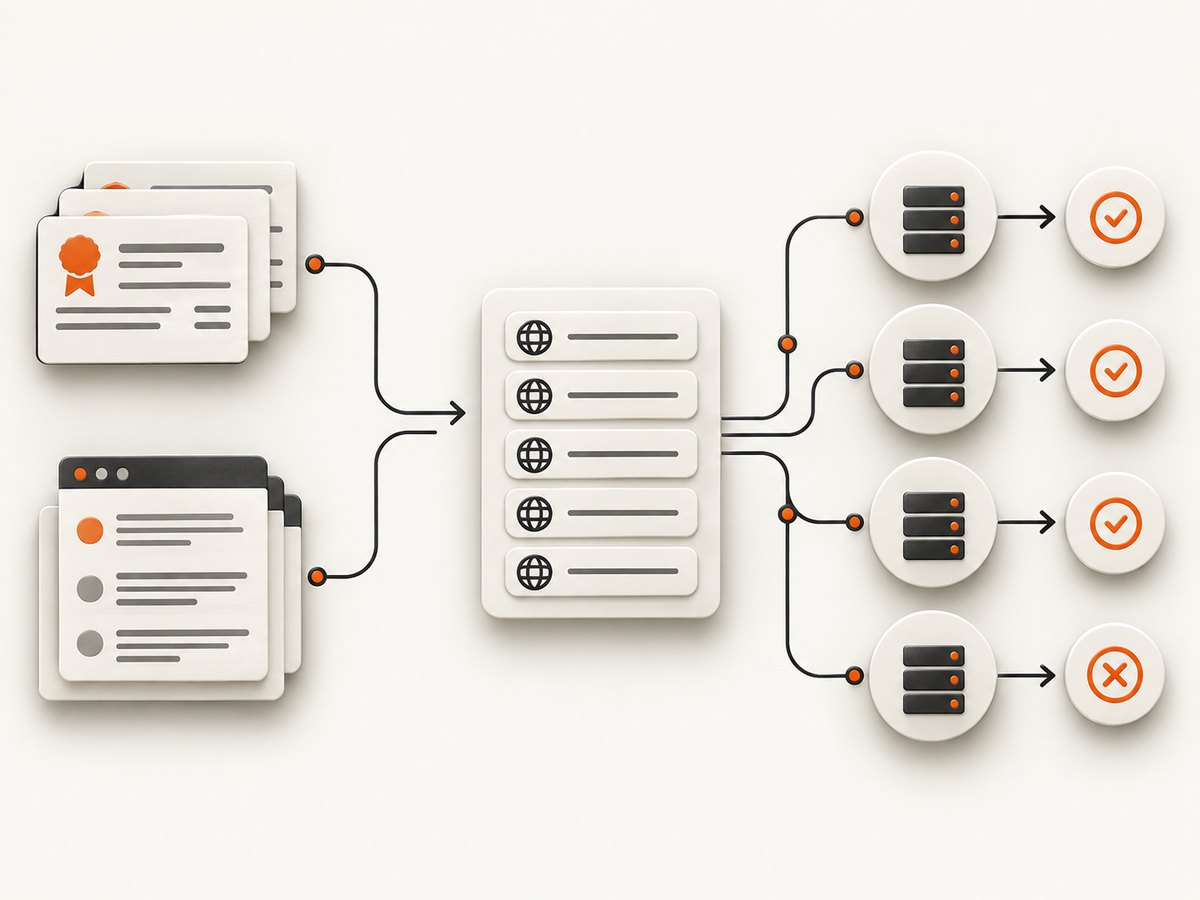
Using crt.sh
- Open
https://crt.sh/?q=%25.example.com&output=json, replacingexample.com. - Extract both
name_valueandcommon_namefields. - Split multi-line names, lowercase them and remove a trailing dot.
- Keep only names equal to the target domain or ending in
.example.com.
curl -s 'https://crt.sh/?q=%25.example.com&output=json' \
  | jq -r '.[].name_value' \
  | tr '\r' '\n' \
  | sed 's/^\\*\\.//' \
  | tr '[:upper:]' '[:lower:]' \
  | sort -u
A wildcard certificate such as *.example.com proves that a certificate covered that pattern; it does not identify every hostname or prove that any particular name resolves. CT records are evidence of certificate history. Resolve each extracted candidate before considering it current.
Search engines and public indexes
Search engines can reveal hostnames in indexed pages, documentation, JavaScript bundles, links and error messages. Try queries such as:
site:example.com
site:example.com -www
site:*.example.com
"dev.example.com"
Public asset indexes and passive DNS services can add clues, but their coverage, freshness, API limits and access rules vary. Use them as supplementary sources and record which dataset produced each name.
3. Enumerate DNS candidates when active queries are allowed
Passive sources miss names that have never received a public certificate or been indexed. Authorized active discovery tests likely names against DNS. OWASP’s tool list includes Amass, subfinder, dnsx, MassDNS, dnsrecon and standard utilities such as dig, host and nslookup.
Established tools
# Passive and active collection with subfinder
subfinder -d example.com -all -silent -o subfinder.txt

# Broader collection with Amass (follow your engagement limits)
amass enum -passive -d example.com -o amass-passive.txt

# Resolve a candidate list with dnsx
dnsx -l candidates.txt -a -aaaa -cname -resp -silent -o resolved.txt
Use the narrowest mode that meets your objective. Passive mode reduces DNS traffic. Active modes and permutations can discover more, but they create more queries and may violate a program’s rules or trigger defensive controls.
Wordlist and permutation discovery
Generate candidates from names that fit the organization: www, api, app, admin, dev, staging, region codes and product names. Permutations can combine these terms, such as api-us or staging-v2. Keep the list bounded, rate-limit queries, and stop when the authorized query budget is reached.
while read -r label; do
  host "$label.example.com" | awk '/has address|has IPv6 address|is an alias for/ {print}'
done < wordlist.txt
A successful DNS response is not automatically an application. A name may point to a shared CDN, a parked service or an intentionally empty endpoint. DNS enumeration finds candidates; HTTP and ownership validation determine relevance.
4. Normalize, deduplicate and resolve every candidate
Merge all sources into one set before validation. Normalize casing, remove a final dot, convert internationalized names consistently, discard names outside the approved boundary and deduplicate.

cat crt.txt subfinder.txt amass-passive.txt search-notes.txt \
  | tr '[:upper:]' '[:lower:]' \
  | sed 's/\\.$//' \
  | sed 's/^\\*\\.//' \
  | awk '$0 == "example.com" || $0 ~ /\\.example\\.com$/ ' \
  | sort -u > candidates.txt

while read -r host; do
  printf '%s\t' "$host"
  dig +short A "$host" | paste -sd, -
  printf '\n'
done < candidates.txt > dns-audit.tsv
For each name, store:
| Field | Purpose |
|---|---|
| Hostname | Canonical lowercase name |
| Source | CT, search, tool, wordlist or other dataset |
| First seen | When the source produced it |
| DNS status | Resolved, NXDOMAIN, timeout or wildcard-like response |
| Records | A, AAAA, CNAME, NS and MX answers |
| HTTP status | Optional, only when permitted |
| Ownership and relevance | Confirmed, unknown or excluded, with evidence |
Check A and AAAA records, then CNAME, NS and MX records. Compare responses for random nonexistent names to detect wildcard DNS. A wildcard can make every guessed name appear to resolve; require additional evidence such as a distinct HTTP response, certificate name or known service.
5. A repeatable command-line workflow
The following sequence keeps collection and validation separate. Replace the domain and adjust tools to your authorization.
DOMAIN=example.com

# 1) CT names
curl -s "https://crt.sh/?q=%25.${DOMAIN}&output=json" \
  | jq -r '.[].name_value' \
  | tr '\r' '\n' \
  | sed 's/^\\*\\.//' \
  | tr '[:upper:]' '[:lower:]' \
  | awk -v d="$DOMAIN" '$0 == d || $0 ~ "\\." d "$"' \
  | sort -u > ct.txt

# 2) Tool-assisted collection (if allowed)
subfinder -d "$DOMAIN" -silent -o subfinder.txt

# 3) Merge and normalize
cat ct.txt subfinder.txt | sed 's/\\.$//' | tr '[:upper:]' '[:lower:]' | sort -u > candidates.txt

# 4) Resolve and preserve record types
dnsx -l candidates.txt -a -aaaa -cname -resp -silent -o resolved.txt

# 5) Review manually, confirm ownership, then document scope
Keep the raw outputs. They let you explain why a name was included, reproduce a result later and distinguish a historical CT clue from a currently resolving service.
6. Investigate possible subdomain takeover safely
Takeover checking requires a separate, careful workflow. OWASP describes enumeration, fingerprint-based detection and manual validation. First resolve candidates and filter for CNAME, NS or MX records that point to third-party services. Then compare the response with the provider’s documented unclaimed-resource behavior. An automated fingerprint or dangling record is a lead, not a confirmed finding.
- Confirm the DNS record is controlled by the target organization.
- Identify the external provider and the resource type.
- Check whether the resource is actually unclaimed using the provider’s approved process.
- Avoid registering, claiming or modifying resources unless the engagement explicitly authorizes it.
- Report evidence, timestamps and the minimal reproduction steps.
See OWASP’s Subdomain Takeover testing guide for the validation model.
7. Troubleshooting common discovery problems
| Symptom | Likely cause | Fix |
|---|---|---|
| crt.sh returns an error or times out | Portal downtime, latency or a large query | Retry later, narrow the query, or use another CT portal. Preserve the query time in your notes. |
| Many names resolve to the same IP | CDN, shared hosting or wildcard DNS | Compare random names and CNAMEs; do not treat one IP as proof of one application. |
| A CT name no longer resolves | Historical certificate entry or retired service | Keep it as historical evidence, mark it inactive and do not test it without authorization. |
| Wordlist scan finds nothing | Weak vocabulary, DNS wildcard handling or resolver limits | Improve terms from passive sources, detect wildcards, use an approved resolver and reduce query rate. |
| Tool output contains out-of-scope names | Related domains, providers or loose filtering | Filter on the registrable domain and review every candidate manually. |
| DNS resolves but HTTPS fails | No service, wrong port, certificate mismatch or network policy | Record DNS separately from HTTP status; verify only permitted ports and protocols. |
| Automated takeover scanner flags a host | Fingerprint false positive or shared provider response | Follow the provider-specific manual validation steps before reporting. |
8. Performance, reliability and cost considerations
Passive collection is usually cheaper in traffic and safer for production targets, but it depends on certificate issuance and index coverage. Active DNS enumeration improves coverage at the cost of resolver load, query volume and possible detection. Run large lists in batches, cache answers during one assessment, set timeouts and back off on rate-limit responses.
- Reliability: use at least two independent discovery sources and retain raw evidence.
- Accuracy: resolve candidates at collection time and record TTLs where useful.
- Freshness: repeat validation when the inventory will drive a later test; DNS and certificates change.
- Cost: public CT and local DNS tools may avoid API fees, while commercial datasets can impose access or query limits. Follow each service’s terms.
- Safety: keep HTTP probing and takeover validation behind explicit authorization.
9. Or skip the browser setup: capture each discovered hostname with ScreenshotNeo
After you have an authorized list, you may need visual evidence for an inventory, change review or report. ScreenshotNeo captures a URL with one GET request and returns PNG, JPEG, WebP or PDF. Its clean-shot flow accepts cookie banners and removes more than 60 known consent platforms, newsletter popups and chat widgets before capture; each step can be disabled. Bot checks, blank pages, timeouts, failed loads and cache hits are not billed, and response headers identify the page verdict and billing status.
Use the ScreenshotNeo API documentation for all 63 options, including full-page capture with lazy images, CSS element capture, dark mode, device presets, custom viewports, retina scale, PDF paper sizes and page ranges, custom CSS and JavaScript, clicks, waits, request blocking, headers, cookies, user agents, authorization, timezone, geolocation, transparent backgrounds, resizing, TTL caching, signed links, async jobs, signed webhooks, bulk capture for 100 URLs and usage data.
cURL
curl -G "https://api.screenshotneo.com/v1/shot" -d access_key=YOUR_API_KEY --data-urlencode url=https://stripe.com -o shot.webpPython
import requests
r = requests.get("https://api.screenshotneo.com/v1/shot", params={"access_key": "YOUR_API_KEY", "url": "https://stripe.com"}, timeout=90)
open("shot.webp", "wb").write(r.content)
Node.js
const q = new URLSearchParams({ access_key: 'YOUR_API_KEY', url: 'https://stripe.com' });
const res = await fetch(`https://api.screenshotneo.com/v1/shot?${q}`);
Replace the target URL with a discovered, authorized hostname. For repeatable reporting, add a wait condition for the page’s main selector, choose full-page capture when content is lazy-loaded, and use caching with a TTL when the same page is requested repeatedly. ScreenshotNeo also provides an MCP server with take_screenshot, get_page_info and capture_pdf tools for Claude, Cursor and other MCP clients.
The Free plan includes 1,000 screenshots per month with no card. Paid plans start at $5 for 3,000 shots; every feature is available on every plan. Create a free ScreenshotNeo account and start with the 1,000 included screenshots.
10. FAQ
Can I get a guaranteed complete list?
No. Combine sources, state your coverage and validate results at a specific time.
Does a certificate prove that a subdomain is live?
No. It proves that a certificate included the name. DNS resolution and service checks are separate.
Should I query the DNS zone directly?
Only if an authorized zone transfer is available. Most zones refuse transfers, so CT, passive data and candidate enumeration are still needed.
Why do several subdomains share one address?
CDNs, reverse proxies, shared hosting and wildcard DNS commonly produce this result. Inspect records and application behavior before grouping assets.
When is a subdomain takeover confirmed?
After ownership, DNS delegation, provider state and the provider-specific unclaimed-resource condition are manually verified. A scanner alert alone is insufficient.
How should I report inactive names?
Keep them in the inventory with their source, last validation time and status such as historical, NXDOMAIN or unresolved. Do not silently delete evidence.


