How to Find a Website’s Subdomains
Find candidate subdomains with public records and enumeration tools, validate them through DNS, and keep discovery within your authorized scope.

To find a website’s subdomains, combine public sources such as Certificate Transparency (CT) logs, search results, and passive DNS with an enumeration tool, then resolve the candidate names through DNS. No single public directory guarantees a complete list: sources can be incomplete, stale, or limited to names that appeared in a particular dataset. Treat findings as candidates, document where they came from, and only investigate domains you own or are authorized to assess.
A subdomain is a hostname beneath a domain, such as docs.example.com beneath example.com. Finding a name does not establish that it is active, owned by the organization you expect, or in scope for testing. This guide uses example.com in commands; replace it only with a domain you control or have permission to assess.
1. Decide what “found” means
Subdomain discovery has several distinct outcomes. Keep them separate in your notes so a historical record does not get mistaken for a live asset.
- Candidate: a source has recorded or referenced the hostname.
- DNS-resolving: a DNS query currently returns an answer, such as an address or alias.
- Web-accessible: an HTTP or HTTPS service responds. This is a separate check and may be outside the discovery task’s scope.
- Confirmed asset: the domain owner verifies that the hostname is theirs, relevant, and in scope.
DNS resolution alone does not prove ownership or permission to probe a host. If you are working under an assessment agreement, its scope and rules take precedence over any list produced by a tool.
2. Start with passive sources
Passive discovery consults public or third-party data without directly querying the target’s DNS infrastructure. It is a good starting point for an authorized inventory because sources may expose names that are not linked from the main website. Coverage differs by source, and a passive lookup can still reveal historical names that no longer exist.
Search Certificate Transparency logs
Public CT portals, including crt.sh, let you search for certificates issued for a domain. A certificate may name a production, staging, development, administrative, or legacy hostname. A CT entry means a name appeared in a logged certificate; it does not prove that the hostname currently resolves or remains in use. Wildcard certificates such as *.example.com also do not enumerate every name covered by the wildcard.
- Search for
%.example.comin a CT portal that supports wildcard searches. - Include the root domain in your review, since some results may show
example.comas well as subdomains. - Record the hostname and source, then deduplicate it with results from other sources.
- Resolve candidates through DNS before classifying them as currently active.
Check search and passive DNS sources
Search engines can surface hostnames mentioned in indexed pages, documentation, or public repositories. Passive DNS services collect observations of DNS names over time. The amount and age of available data varies. Treat a result as evidence that a name was indexed or observed, not proof that it is a current asset. Keep the source and date with each observation so another reviewer can assess its provenance.
3. Collect candidates and normalize them
Merge results into a working list before validation. Hostnames are case-insensitive, and a trailing dot is simply an alternate fully qualified spelling, so normalize both before deduplicating. Preserve the original source records separately if you need an audit trail.
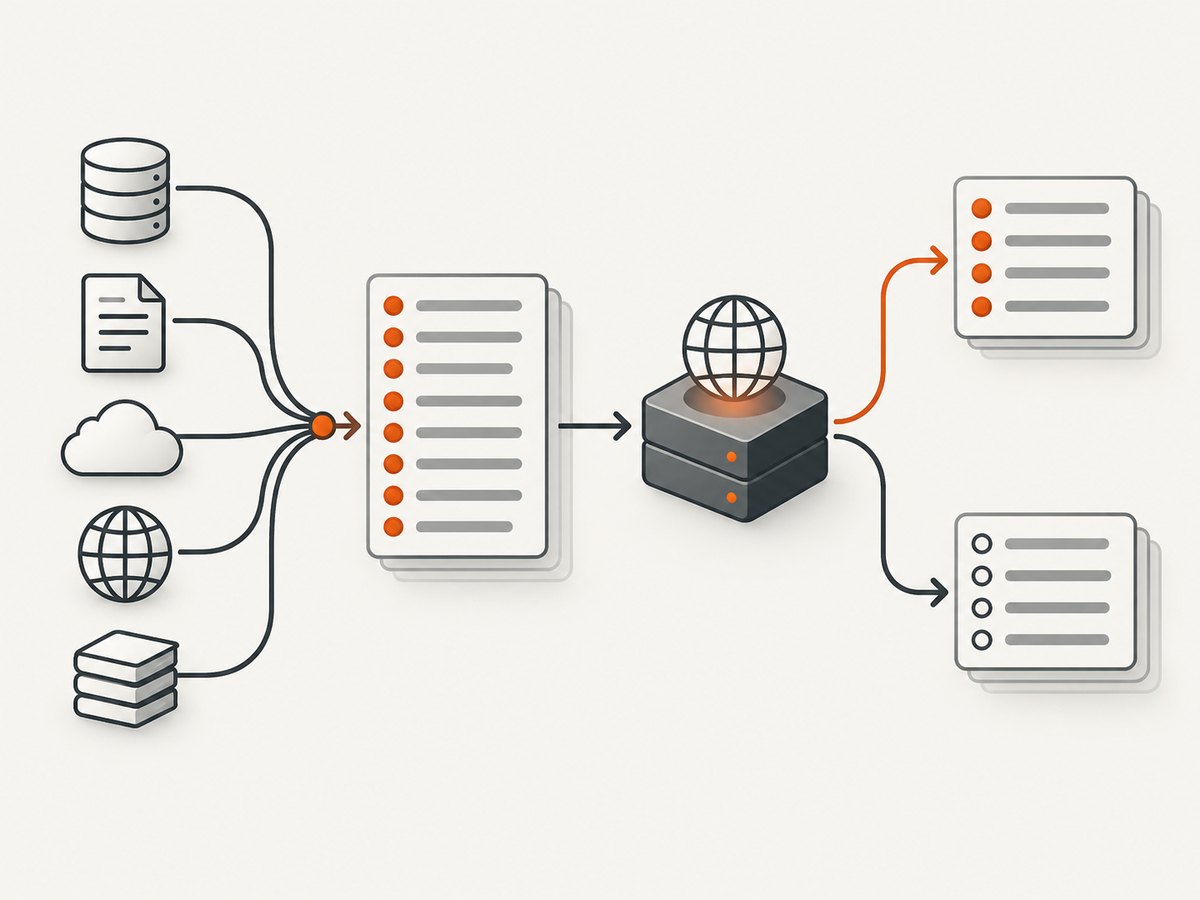
# Example candidate file, one hostname per line
www.example.com
api.example.com.
STAGING.example.com
old.example.com
A useful inventory has more than a hostname column:
| Field | What to record |
|---|---|
| Candidate hostname | Normalized lowercase name without a trailing dot. |
| Evidence source | CT portal, passive DNS source, search result, or tool output. |
| Observed date | When you collected the evidence. |
| DNS status | Resolves, does not resolve, or ambiguous; include the query date. |
| Owner and scope status | Confirmed by the responsible asset owner, or still unconfirmed. |
4. Validate candidates with DNS
Use a DNS lookup utility to check whether each candidate currently has DNS data. For a single name, dig is widely available on Unix-like systems; nslookup is another option.
dig +noall +answer api.example.com A
dig +noall +answer api.example.com AAAA
dig +noall +answer api.example.com CNAME
These queries ask for IPv4, IPv6, and alias records. An empty answer for one type does not automatically mean a name is nonexistent: it may have a different record type, or a resolver may respond with a referral or other status. For a broader view, query the name without restricting the type:
dig api.example.comFor a quick check with nslookup:
nslookup api.example.comClassify results carefully. A name can fail to resolve from one resolver and resolve from another because of DNS changes, caching, split-horizon DNS, or transient issues. Record the resolver and time when that distinction matters. A DNS answer is not an HTTP availability check, and an IP address does not by itself identify the service owner.
5. Use enumeration tools for broader coverage
When you have authorization to inventory a domain, tools can combine multiple sources and reduce manual collection. Their results still depend on configured data sources, credentials, methods, and versions. Check the installed tool’s help and current project documentation before relying on a command or interpreting its output.
Amass passive enumeration
OWASP Amass documents passive enumeration with this command:
amass enum --passive -d example.comPassive mode gathers from available sources without intentionally performing active DNS enumeration. The results depend on which sources are available and configured; some may require API credentials. Review the Amass user guide and the installed version’s help for current options. Save output and source details according to your inventory process.
Subfinder
Subfinder is another tool for passive subdomain discovery from online sources. Its source coverage and results depend on its configuration and the data available to those sources. Read the project documentation for installation, configuration, and current output options. Do not treat its output—or any single tool’s output—as exhaustive.
Active discovery and brute force
Active techniques directly query target DNS infrastructure and may generate logs. Brute-force techniques test guessed names, so results depend on the wordlist, resolver behavior, and query method. They can miss names and return candidates that are not useful. Confirm that the domain and technique are authorized and within scope before running active enumeration. OWASP distinguishes passive sources from active techniques in its Web Security Testing Guide: Attack Surface Identification.
6. Compare the discovery methods
| Method | What it may reveal | Main limitation | Interaction |
|---|---|---|---|
| Certificate Transparency | Names included in publicly logged certificates. | May include historical, wildcard, or certificate-only names. | Passive lookup; validate with DNS. |
| Search engines | Names referenced by indexed pages or documents. | Indexing is incomplete and can lag behind changes. | Passive lookup. |
| Passive DNS | Names previously observed by a data provider. | Coverage, retention, and freshness vary. | Generally passive collection. |
| Passive enumeration tools | Aggregated findings from configured public sources. | Coverage depends on source access and configuration. | Lower direct interaction; follow engagement rules. |
| Active enumeration or guessing | Names found by direct DNS queries or tested guesses. | Can generate logs; results depend on method and inputs. | Direct interaction; use only when authorized. |
Combining independent sources can produce a more useful candidate set because each source sees different evidence. It still cannot guarantee every subdomain. A hostname may never have appeared in public data, and active guessing cannot exhaust all possible labels.
7. Turn discoveries into a maintained inventory
For a site owner, a discovery run is a snapshot, not a durable source of truth. Compare new candidates with your DNS zone, infrastructure records, deployment inventory, and confirmation from the people responsible for the assets. Keep historical observations so you can explain why a hostname was included or removed.
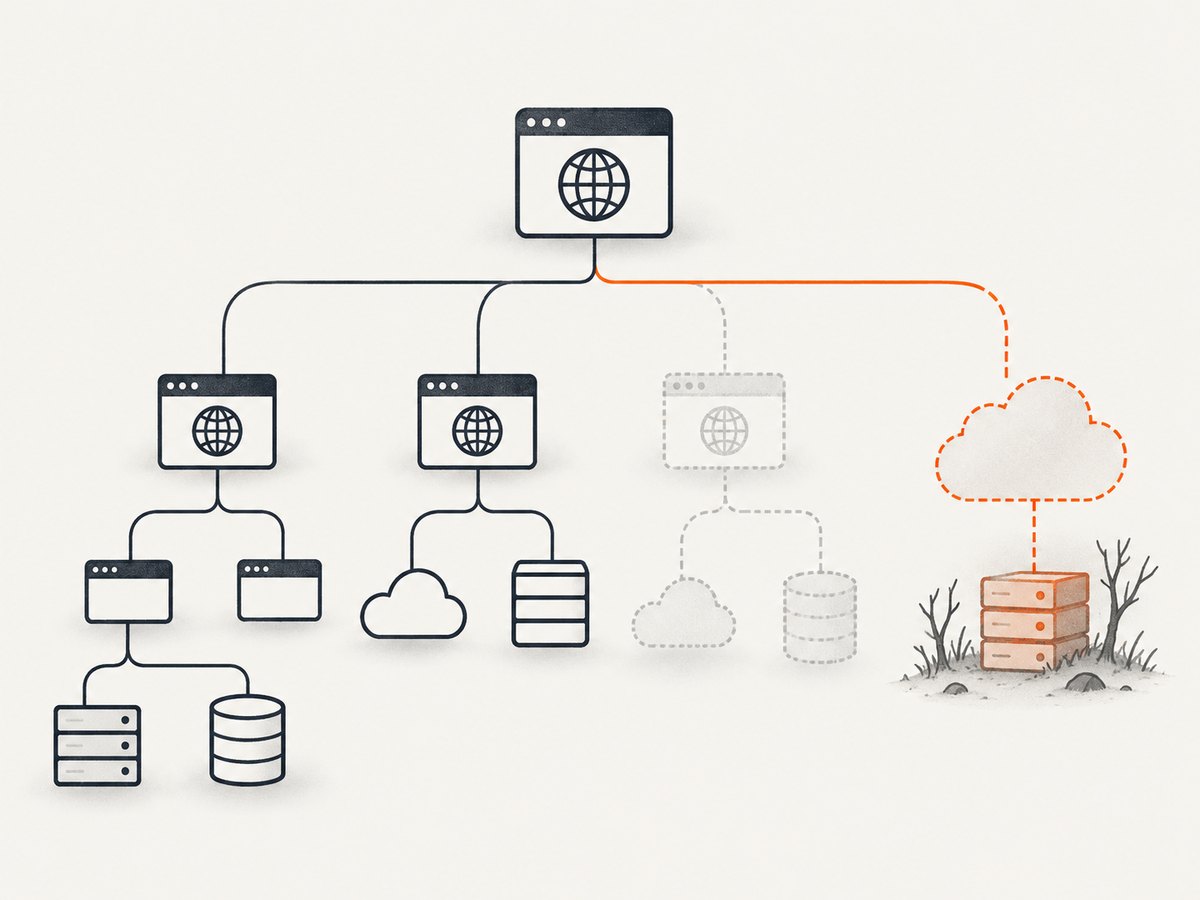
Review stale records with the domain administrator, especially CNAME records that point to a third-party service or cloud resource that may have been deprovisioned. A dangling record can create subdomain takeover risk if the referenced resource can be claimed by someone else. Do not attempt to claim a resource or test takeover against a domain without explicit authorization. See the OWASP guidance on subdomain takeover.
8. Troubleshooting
| Symptom | Likely cause | What to do |
|---|---|---|
| CT search returns no names | No matching certificates are indexed for that query, or the portal’s search syntax differs. | Check the portal’s query syntax and try other passive sources. An empty result does not prove there are no subdomains. |
| A CT name does not resolve | The name may be historical, removed, or temporarily unavailable in DNS. | Record it as non-resolving at the time checked; recheck if the inventory requires it. |
| Tool output is unexpectedly small | Sources may be unavailable, credentials may be missing, or the selected mode may be limited. | Review the tool’s source configuration and help output. Do not infer that a small result set is complete. |
| Amass or another tool rejects a flag | Command syntax differs between installed versions. | Use that version’s --help and current project documentation; avoid copying flags from an older guide. |
| DNS returns no answer | The record may be absent, the queried record type may not exist, or the resolver may have a transient or view-specific result. | Query the name without a type restriction, check relevant record types, and note resolver and time. |
| Several sources report the same name | Sources overlap or repeat historical observations. | Deduplicate the normalized hostname while retaining all source references. |
| A name resolves to a third-party alias | The organization may depend on a hosted service, or the record may be stale. | Ask the responsible domain and service owners to verify the dependency and its status. |
9. Performance, reliability, and cost
Passive checks are usually straightforward to run, but a multi-source tool’s time and results depend on source response times, rate limits, credentials, and configuration. A slow or unavailable source can affect a run without implying anything about the target’s DNS. For repeatable inventory work, keep the date, tool version, mode, and source configuration with the output.
DNS answers can change and may be cached. A resolved name is a point-in-time observation, so use a consistent resolver and timestamp when comparing runs. Avoid aggressive query rates or large guessing jobs unless they are approved and necessary; active methods can be visible to target operators. Public sources and open-source tools may have their own service limits or account requirements. No single method provides a completeness guarantee, so plan time for deduplication, DNS validation, and owner review rather than treating raw output as a final inventory.
10. Or skip the browser setup
ScreenshotNeo is a website screenshot API and MCP server, not a subdomain discovery service. After you have identified a hostname through the authorized discovery steps above, it can capture that page if you need a visual record. The browser-based screenshot is a separate step and does not validate the hostname or establish permission to access it. See the ScreenshotNeo API documentation.
curl -G "https://api.screenshotneo.com/v1/shot" -d access_key=YOUR_API_KEY --data-urlencode url=https://stripe.com -o shot.webpimport requests
r = requests.get("https://api.screenshotneo.com/v1/shot", params={"access_key": "YOUR_API_KEY", "url": "https://stripe.com"}, timeout=90)
open("shot.webp", "wb").write(r.content)const q = new URLSearchParams({ access_key: 'YOUR_API_KEY', url: 'https://stripe.com' });
const res = await fetch(`https://api.screenshotneo.com/v1/shot?${q}`);ScreenshotNeo removes cookie banners, newsletter popups, and chat widgets before capture. Bot checks, blank pages, and failed loads are never billed. Its MCP server lets AI agents take screenshots. The free plan includes 1,000 screenshots a month with no card; paid plans start at $5 for 3,000. Sign up for ScreenshotNeo’s free plan.
Frequently asked questions
Can I find every subdomain?
No public source or enumeration method guarantees a complete list. Combine sources, validate candidates, and confirm assets with the owner.
Does a certificate prove a subdomain is live?
No. It shows that a name appeared in a certificate record. Check current DNS and confirm relevance separately.
Is passive enumeration always invisible?
Passive sources generally avoid direct queries to target DNS infrastructure, but tool behavior depends on its mode and sources. Check the command and scope before running it.
Does a DNS answer mean I can test the host?
No. DNS discovery does not grant permission. Follow the asset owner’s authorization and engagement scope.
Why keep names that no longer resolve?
A dated historical record can help an owner investigate stale inventory and dependencies. Label it clearly so it is not confused with a current asset.


