How to Embed Firebase Storage Images in PDFs with html2canvas
Make Firebase Storage images available to html2canvas, avoid canvas CORS failures, and turn the captured content into a PDF with jsPDF.

To include a Firebase Storage image in an html2canvas PDF, first retrieve or load the image through a browser-permitted path, wait for it to load, capture the relevant DOM with html2canvas, then pass the result to jsPDF. The key detail: an image can display in an <img> and still be unavailable to canvas export. For a cross-origin image, the response must permit CORS; otherwise html2canvas may skip it, or the canvas may become unreadable.
This guide shows the complete browser-side flow, including Firebase SDK retrieval, bucket CORS, html2canvas configuration, jsPDF output, and ways to diagnose missing or clipped images. The right retrieval method depends on whether the image is public, protected by Firebase Storage Security Rules, or fetched through a controlled backend.
1. Choose how the browser will retrieve the image
There are three common paths. They have different access-control and deployment tradeoffs; none is universally right for every Firebase URL or app.

| Path | Use it when | Important detail |
|---|---|---|
getDownloadURL() |
The app already uses the Firebase Storage web SDK and can render a download URL. | Getting the URL does not make it a same-origin resource. Browser CORS still applies when canvas reads it. |
getBlob() or getBytes() |
You want the SDK to retrieve the object and then create a browser-local object URL or process bytes. | Browser downloads require the bucket CORS configuration to allow the app origin. |
| Controlled same-origin proxy | You need a server-side access pattern or the remote endpoint cannot provide the required CORS response. | Authenticate and authorize proxy requests, restrict destinations, and avoid turning it into an open proxy. |
Firebase Storage Security Rules govern whether a requester may access an object. CORS governs whether browser code from one origin may read a response from another origin. Configure both for their separate jobs; a permissive CORS rule does not grant access to a protected object. Firebase documents download URLs, blobs, and bytes and separately describes Cloud Storage CORS configuration.
Retrieve a download URL with the Firebase web SDK
This example assumes Firebase has been initialized and the signed-in user, if needed, is authorized by your Storage Rules. Substitute your actual bucket path. The returned URL is then used by an image element. Depending on your bucket, endpoint, and response headers, you may need to configure CORS before canvas capture can read it.
import { getStorage, ref, getDownloadURL } from "firebase/storage";

const storage = getStorage();
const imageRef = ref(storage, "invoices/receipt.png");
const imageUrl = await getDownloadURL(imageRef);

const img = new Image();
img.crossOrigin = "anonymous";
img.src = imageUrl;
await img.decode();
document.querySelector("#receipt-image").replaceWith(img);
Set crossOrigin before assigning src. This requests the image in CORS mode; it does not force the server to approve that request. The server response still needs an appropriate Access-Control-Allow-Origin header for the page origin. If the response does not allow it, use a supported SDK blob/bytes route or a controlled proxy rather than assuming the image is canvas-safe.
Retrieve bytes or a blob
Firebase’s getBlob() and getBytes() can fit apps that want to retrieve through the SDK before creating a browser-local URL. Browser-side downloads need the bucket’s CORS policy to allow the app origin. Always revoke object URLs after use to release their backing resources.
import { getStorage, ref, getBlob } from "firebase/storage";

const storage = getStorage();
const imageRef = ref(storage, "invoices/receipt.png");
const blob = await getBlob(imageRef);
const objectUrl = URL.createObjectURL(blob);

try {
  const img = new Image();
  img.src = objectUrl;
  await img.decode();
  document.querySelector("#receipt-image").replaceWith(img);

  // Capture the page while the object URL remains valid.
  await makePdf();
} finally {
  URL.revokeObjectURL(objectUrl);
}
If your application retrieves bytes with getBytes(), wrap the resulting typed array in a Blob with the correct image MIME type, then use URL.createObjectURL(). Keep the URL alive until html2canvas has finished rendering. Large images consume memory in the browser; avoid making extra base64 copies unless you need them.
2. Configure and verify CORS for the actual request
Before changing bucket settings, inspect the browser Network panel. Identify the exact request URL, its origin, the request mode, status, and response headers. Firebase Storage URL forms and Google Cloud Storage endpoints can behave differently. In particular, the authenticated storage.cloud.google.com endpoint does not allow CORS requests. Google documents different response behavior for JSON and XML API endpoints, so confirm which endpoint your page actually calls before diagnosing a policy.
Configure CORS on the Cloud Storage bucket when required. Restrict origin to the app’s real origins and allow only the methods needed by the retrieval pattern. A development origin and production origin may both be required. Firebase’s download guide includes a permissive wildcard example for common cases; for a deployed application, scope the policy where practical. CORS is not a substitute for Storage Rules.
After updating bucket CORS, retry from the browser origin and inspect the response headers. A successful request in a command-line client does not prove browser JavaScript can read the response, because browser CORS enforcement is a separate check. Likewise, seeing the image on screen proves the browser fetched pixels for display, not that script may export those pixels from a canvas.
3. Wait for images, then capture the DOM
html2canvas reconstructs a rendering of the page from DOM and styles; it does not take a privileged operating-system screenshot or bypass browser security. Its useCORS option defaults to false. Set it to true for remote images only when their responses support CORS. Its proxy option can be used with a same-origin proxy implementation.
Here is a runnable pattern for a page with a Firebase image already present in the DOM. It waits for image decode, checks for incomplete images, captures the element, then inserts the raster result into a PDF. Install the packages in your app with your normal package manager: html2canvas and jspdf.
import html2canvas from "html2canvas";
import { jsPDF } from "jspdf";

async function waitForImages(root) {
  const images = [...root.querySelectorAll("img")];
  await Promise.all(images.map(async (img) => {
    if (!img.complete) {
      await new Promise((resolve, reject) => {
        img.addEventListener("load", resolve, { once: true });
        img.addEventListener("error", reject, { once: true });
      });
    }
    if (img.decode) await img.decode();
    if (!img.naturalWidth) throw new Error(`Image failed to load: ${img.currentSrc || img.src}`);
  }));
}

export async function makePdf() {
  const element = document.querySelector("#invoice");
  if (!element) throw new Error("Missing #invoice element");
  await waitForImages(element);

  const canvas = await html2canvas(element, {
    useCORS: true,
    allowTaint: false,
    backgroundColor: "#ffffff",
    scale: window.devicePixelRatio || 1,
    windowWidth: Math.max(document.documentElement.clientWidth, element.scrollWidth),
    windowHeight: Math.max(document.documentElement.clientHeight, element.scrollHeight),
    scrollX: 0,
    scrollY: 0
  });

  const pdf = new jsPDF({ orientation: "portrait", unit: "pt", format: "a4" });
  const image = canvas.toDataURL("image/png");
  const pageWidth = pdf.internal.pageSize.getWidth();
  const pageHeight = pdf.internal.pageSize.getHeight();
  const ratio = Math.min(pageWidth / canvas.width, pageHeight / canvas.height);
  const width = canvas.width * ratio;
  const height = canvas.height * ratio;
  pdf.addImage(image, "PNG", (pageWidth - width) / 2, 24, width, height);
  pdf.save("invoice.pdf");
}
For a real invoice or report that runs longer than one page, this compact example scales the entire capture to fit a single page, making text smaller as content grows. Use deliberate pagination for long documents: split content into page-sized sections, capture each section, and add a page for each image, or use jsPDF’s HTML integration where its layout behavior suits the document. jsPDF documents its html method, which depends on html2canvas, and its project README shows PDF generation and saving. A canvas-to-PDF workflow is visual raster content: text may not be selectable or searchable like text laid out directly into a PDF.
Important html2canvas options
| Option | What it does | When to use it |
|---|---|---|
useCORS |
Attempts to load remote images with CORS. | Use when the remote host responds with a permitting CORS header. Default is false. |
allowTaint |
Allows rendering that may taint the output canvas. | Do not treat true as an export fix. A tainted canvas cannot be read back safely. |
proxy |
Uses a proxy route for image loading. | Use a controlled proxy when remote CORS cannot be changed. Default is null. |
scale |
Controls render pixel density. | Higher values can improve sharpness while increasing memory use and canvas dimensions. |
windowWidth, windowHeight |
Set the viewport dimensions used for rendering. | For tall or wide elements, align these with the intended layout and element scroll dimensions. |
backgroundColor |
Sets the canvas background; null can preserve transparency. | Choose a PDF-friendly background if transparent regions should appear white. |
4. Pick the right PDF layout path
Choose between visual capture and document layout based on what the recipient needs. Adding a captured image to jsPDF is straightforward and preserves the visible appearance at capture time, but it rasterizes the page. The jsPDF html() method offers a DOM-to-PDF path that relies on html2canvas; it still inherits browser image and canvas constraints and is not automatically a semantic document renderer.
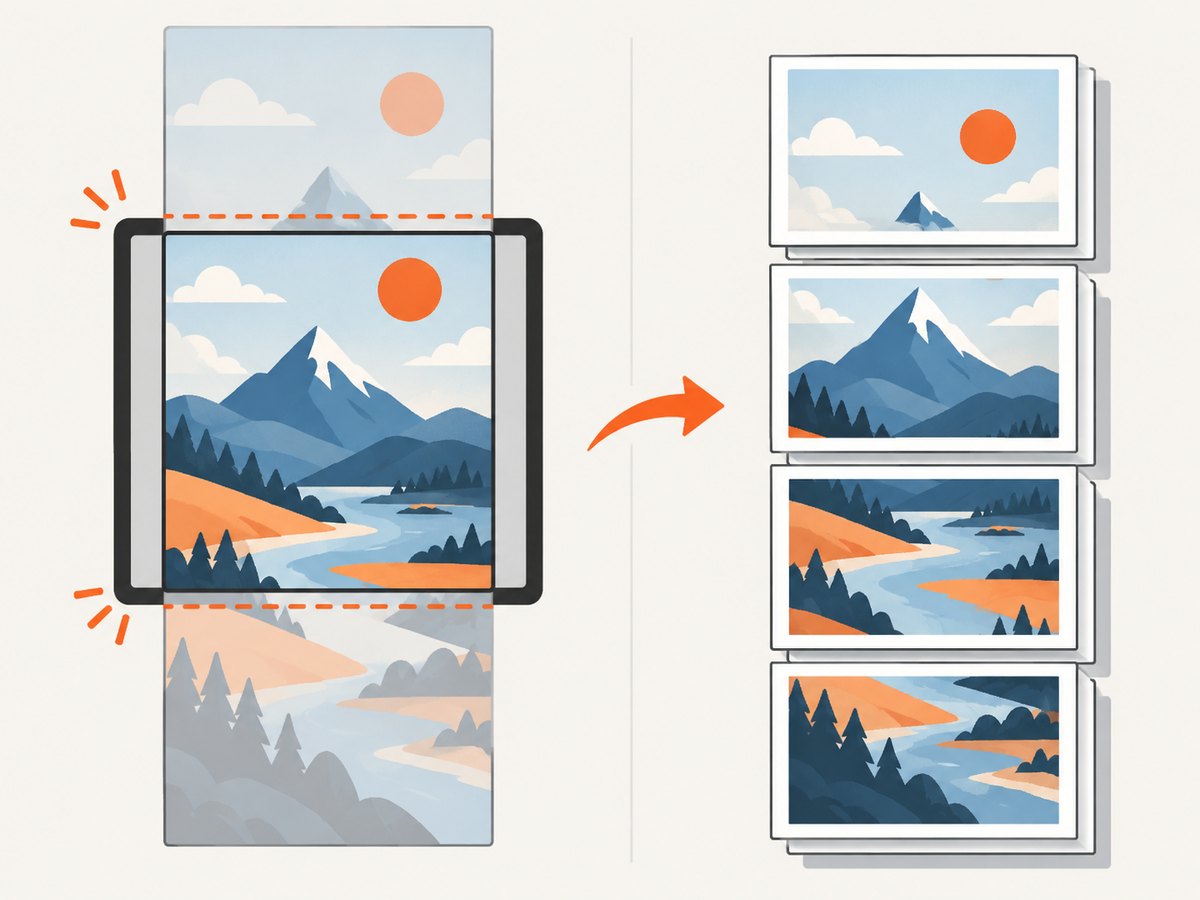
- One-page visual receipt: capture the element and scale it into a page.
- Long visual report: define page breaks and capture sections individually, or use a pagination strategy that accounts for page size and margins.
- Selectable, searchable text: create PDF text and images using document layout APIs instead of converting the whole page to a bitmap.
For image-heavy long captures, consider capturing at a lower scale or splitting into pages. Canvas limits vary by browser and device; very large width, height, or total pixel count can produce blank output, clipping, or allocation failures. Increasing windowWidth and windowHeight helps when the virtual render viewport is too small, but cannot exceed the browser’s canvas limits.
5. Common errors and fixes
| Symptom | Likely cause | Fix |
|---|---|---|
| Broken image icon or failed request | Wrong object path, expired/invalid URL, missing object, or denied Storage access. | Check the request status and Firebase authorization. Confirm the object exists and the requesting user satisfies Storage Rules. |
| Image displays in the page but is absent in the PDF | The image is cross-origin and html2canvas cannot load it with usable CORS permission. | Inspect the image response’s CORS headers. Set useCORS: true when the server allows the app origin, or use SDK bytes/blob retrieval or a controlled same-origin proxy. |
SecurityError at toDataURL() or canvas readback |
A cross-origin image or nested canvas tainted the canvas. | Find every cross-origin asset in the captured subtree, not just the Firebase image. Fix CORS or proxy the assets. allowTaint: true does not grant pixel-reading permission. |
| Browser fetch fails although an image seems to load | Displaying an image and reading a response with browser code have different cross-origin requirements; the endpoint may also disallow CORS. | Inspect the actual endpoint. The authenticated storage.cloud.google.com endpoint does not allow CORS requests. Use an appropriate endpoint or retrieval path. |
| Blank canvas, cut-off bottom, or partial capture | Render viewport does not cover the content, or dimensions exceed browser canvas limits. | Set viewport dimensions intentionally, inspect scrollWidth/scrollHeight, reduce scale, or split the capture into pages. |
| Image is occasionally missing | Capture starts before network loading or image decoding completes. | Wait for each image’s load/decode and surface failed images before calling html2canvas. |
| Memory spike or tab crash | Large images, high device-pixel scale, and large canvas allocations multiply memory use. | Reduce scale, resize source images when appropriate, capture sections, and avoid retaining duplicate data URLs and canvases. |
html2canvas’s FAQ addresses both “Why aren’t my images rendered?” and “Why is the produced canvas empty or cuts off half way through?” Its central constraints are browser security, supported rendering, and output size. See the html2canvas FAQ and configuration reference while diagnosing a specific failure.
6. cURL, Python, and Node.js: inspect an image URL
These snippets can help check whether a URL responds and inspect headers from a non-browser client. They do not reproduce browser CORS enforcement: a successful cURL or server-side fetch does not prove that html2canvas may export the image. Use the browser Network panel to verify the response as seen from your page’s origin.
curl -I 'https://YOUR_IMAGE_URL'import requests
url = "https://YOUR_IMAGE_URL"
response = requests.get(url, timeout=30)
response.raise_for_status()
print("status:", response.status_code)
print("content-type:", response.headers.get("content-type"))
print("allow-origin:", response.headers.get("access-control-allow-origin"))const url = "https://YOUR_IMAGE_URL";
const response = await fetch(url);
console.log({
status: response.status,
contentType: response.headers.get("content-type"),
allowOrigin: response.headers.get("access-control-allow-origin")
});For Node.js, this inspects a server-side response and does not enforce browser CORS in the same way. Never expose privileged service credentials in frontend code to work around a failed browser request.
7. Performance, reliability, and cost
Capturing a DOM subtree takes time proportional to its complexity and rendered pixel area. Full-page, high-scale output can create large canvases and PDF files. Limit the captured element to the content needed, wait for only its images, use sensible image dimensions, and choose an output scale that remains legible at the PDF’s physical size. For long documents, pagination usually gives more predictable memory use than one enormous canvas.
For reliability, test the actual production origin and storage endpoint, not only a local development URL. Treat failed image loads as explicit errors, keep object URLs alive through rendering and revoke them afterward, and handle PDF generation exceptions. If images are protected, verify authorization for the current user and avoid logging reusable download URLs unnecessarily. Firebase’s download URL is a retrieval mechanism, not a complete authorization design.
There is no single cost estimate for this workflow: it depends on Firebase Storage usage, any proxy or backend, image sizes, and your PDF-generation environment. Browser-side html2canvas and jsPDF avoid a dedicated rendering service, but transfer, browser memory, and user-device performance remain part of the operational cost. A proxy introduces server infrastructure and must enforce authorization and safe destination handling.
Or skip the browser setup
If your goal is a clean screenshot of a web page rather than a PDF assembled from your app’s protected Firebase assets, ScreenshotNeo is a website screenshot API and MCP server. One GET request returns a PNG, JPEG, WebP, or PDF. See the API documentation for parameters and formats.
curl -G "https://api.screenshotneo.com/v1/shot" \
  -d access_key=YOUR_API_KEY \
  --data-urlencode url=https://stripe.com \
  -o shot.webp
import requests
r = requests.get(
"https://api.screenshotneo.com/v1/shot",
params={"access_key": "YOUR_API_KEY", "url": "https://stripe.com"},
timeout=90,
)
r.raise_for_status()
open("shot.webp", "wb").write(r.content)const q = new URLSearchParams({
access_key: 'YOUR_API_KEY',
url: 'https://stripe.com'
});
const res = await fetch(`https://api.screenshotneo.com/v1/shot?${q}`);
if (!res.ok) throw new Error(`Screenshot request failed: ${res.status}`);
await Bun.write("shot.webp", res);ScreenshotNeo accepts cookie and consent banners, removes more than 60 known consent platforms, newsletter popups, and chat widgets before capture; each cleanup step can be turned off. Bot checks, blank pages, timeouts, failed loads, and cache hits are not billed, and response headers report the page verdict and billing status. Its MCP server gives AI agents tools to take screenshots, get page information, and capture PDFs. The free plan includes 1,000 screenshots a month with no card; paid plans start at $5 for 3,000 shots. That workflow captures a page URL; it does not replace Firebase authorization or retrieve private Storage objects on behalf of your app.
Create a free ScreenshotNeo account for 1,000 screenshots a month, with no card.
FAQ
Does setting crossOrigin = "anonymous" solve the problem by itself?
No. It asks the browser to use CORS mode for the image request. The image server must still return a permitting CORS header.
Can I set allowTaint: true and still save the PDF?
That option does not grant permission to read pixels from a tainted canvas. For an exportable canvas, make the image CORS-readable or load it through an appropriate proxy or SDK path.
Will the PDF text be selectable?
Not when the captured page is inserted as a canvas image. Use a document-layout approach when selectable, searchable text is required.
Should I make my Firebase bucket public to fix CORS?
No. CORS and authorization are separate. Configure a browser-appropriate CORS policy while keeping Firebase Storage Rules aligned with the access your application intends to grant.


