Firecrawl Alternative for Browser Control
Compare Firecrawl, Browserless, Browserbase, Stagehand and Playwright for interactive browser control, with runnable examples and selection guidance.

Short answer: If you need a live browser that can navigate, click, type, wait, preserve state and return page data, investigate Browserless first as a managed-browser option. Choose Playwright when you want code-first automation that your team operates. Consider Browserbase with Stagehand when hosted browser infrastructure and a higher-level automation framework fit your workflow. Choose Firecrawl when the primary output is clean Markdown or structured data and browser interaction is only part of the job.
These tools solve different problems. A crawler or extraction API is not automatically a browser-control system. Start by defining the actions, session lifetime, output and deployment boundary you require.
What “browser control” means
Browser control usually means a sequence such as:
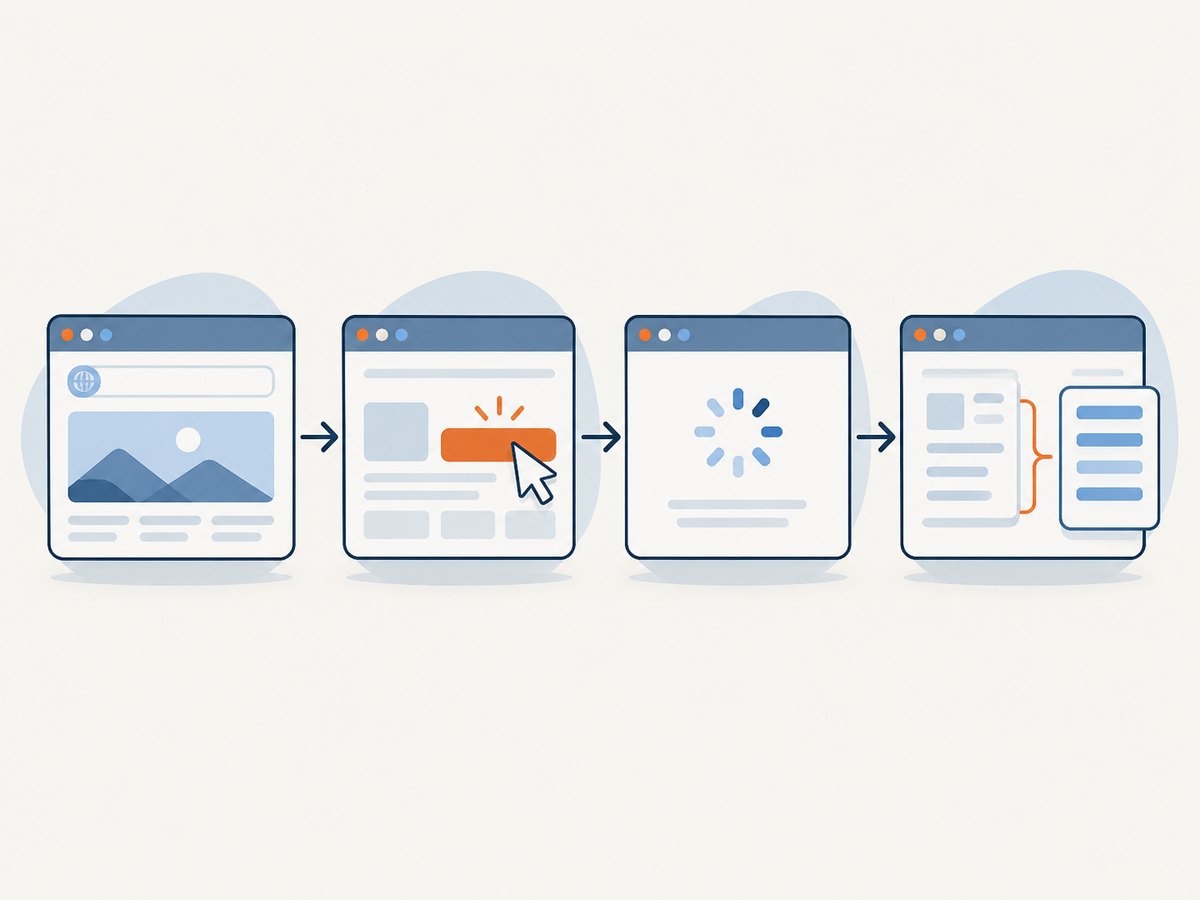
- Open a real browser page.
- Wait for navigation or a specific selector.
- Click buttons, type into fields and scroll.
- Keep cookies, local storage and authentication during the session.
- Extract text or structured data, or produce a screenshot or PDF.
By contrast, a fetch or extraction workflow may retrieve a page and return cleaned content without exposing a controllable browser session. Firecrawl’s documentation and comparison material describe both extraction APIs and a Browse endpoint, so verify which endpoint and session behavior your application needs before migrating.
Decision table
| Need | Best starting point | Why |
|---|---|---|
| Managed Chromium with Puppeteer or Playwright connections | Browserless | Hosted browser sessions, WebSocket connections, REST and GraphQL interfaces, and BrowserQL. |
| Declarative browser actions and extraction | Browserless BrowserQL | GraphQL mutations cover navigation, waits, interaction, extraction, screenshots and PDFs. |
| Full control in your own runtime | Playwright | Code-first automation with your team responsible for browsers, scaling and operations. |
| Hosted browser infrastructure with an agent-style framework | Browserbase and Stagehand | Investigate when live sessions, CDP access or a higher-level browser framework are important. |
| Clean Markdown or structured JSON as the main output | Firecrawl | Extraction-first workflow; use its browser features when interaction is also required. |
| Reliable website screenshots or PDFs without browser setup | ScreenshotNeo | Clean shots, only clean shots billed, and the lowest paid plan. |
Option 1: Browserless for managed browser control
Browserless describes a managed headless-browser service with Puppeteer and Playwright connections over WebSocket, REST and GraphQL APIs for scraping, screenshots and PDFs, cloud use, and Docker self-hosting. Its BrowserQL protocol exposes mutations for navigation, waits, clicking, typing, scrolling, text and structured extraction, screenshots and PDFs. BrowserQL also documents session reconnection or handoff to Puppeteer and Playwright.
When it fits
- You want hosted browser processes instead of maintaining Chromium workers.
- Your team already has Puppeteer or Playwright code.
- You want a declarative protocol for simple actions and extraction.
- You need screenshots or PDFs from the same browser service.
Session limits
Browserless documentation checked on 2026-09-29 listed maximum BrowserQL session durations of 2 minutes on Free, 15 minutes on Prototyping, 30 minutes on Starter and 60 minutes on Scale; Enterprise self-hosted is custom. These plan values can change, so confirm the current limit before selecting a plan.
BrowserQL shape
A BrowserQL operation generally describes a sequence of browser actions and an output selection. Use the current Browserless schema and authentication examples from its documentation rather than copying an old schema into production; field names and plan limits are service details that may change.
Option 2: Playwright when you want code-first control
Playwright is the self-managed route. You write the navigation and interaction code, run browsers in your own process or infrastructure, and decide how to handle concurrency, retries, browser binaries, credentials and observability.
Runnable JavaScript example
import { chromium } from 'playwright';

const browser = await chromium.launch({ headless: true });
const context = await browser.newContext({
  viewport: { width: 1440, height: 900 },
  locale: 'en-US',
  timezoneId: 'UTC'
});

const page = await context.newPage();
await page.goto('https://example.com/login', { waitUntil: 'domcontentloaded', timeout: 30000 });
await page.getByLabel('Email').fill(process.env.LOGIN_EMAIL);
await page.getByLabel('Password').fill(process.env.LOGIN_PASSWORD);
await page.getByRole('button', { name: /sign in/i }).click();
await page.waitForURL('**/dashboard', { timeout: 30000 });
await page.locator('[data-testid="account-summary"]').waitFor({ state: 'visible', timeout: 15000 });

const title = await page.title();
const summary = await page.locator('[data-testid="account-summary"]').innerText();
console.log({ title, summary });
await page.screenshot({ path: 'dashboard.png', fullPage: true });
await browser.close();
Reliability practices
- Prefer role, label and test-id locators over brittle XPath chains.
- Wait for a meaningful state or selector instead of sleeping for an arbitrary duration.
- Set navigation and action timeouts, then retry only operations that are safe to repeat.
- Use a fresh context per account or tenant to prevent cookie and local-storage leakage.
- Capture console logs, failed requests, URL and timing data when a run fails.
- Pin browser versions in CI and verify that required system dependencies exist in the deployment image.
Option 3: Browserbase and Stagehand
Firecrawl’s vendor-authored comparison describes Browserbase as managed cloud browsers with live view, CDP access and session recording, and Stagehand as a natural-language/browser-automation framework associated with those sessions. Treat those statements as comparison leads, not independent benchmarks. Check the current Browserbase and Stagehand documentation for capabilities, pricing, licensing and deployment before committing.
This route is worth investigating when you need hosted sessions plus a framework that can express browser tasks at a higher level than raw Playwright calls. Keep a direct Playwright fallback for steps where deterministic selectors and explicit waits matter.
Option 4: Firecrawl when extraction is the main output
Firecrawl positions its APIs around cleaned Markdown and structured JSON for AI and data workflows, while also offering browser interaction through its Browse endpoint. That can be a good fit when the final artifact is page content rather than a long-lived interactive session.
Ask these questions before replacing it:
- Do you need to preserve an authenticated session across many actions?
- Must you click through a multi-step form, upload a file or handle a modal?
- Is the output DOM state, text, JSON, a screenshot or a PDF?
- Will your team operate browser workers, or should a vendor run them?
Build a small Playwright browser-control service
Install
npm install playwright
npx playwright install chromium
HTTP endpoint example
import express from 'express';
import { chromium } from 'playwright';

const app = express();
app.use(express.json({ limit: '1mb' }));

app.post('/run', async (req, res) => {
  const { url, selector, text } = req.body;
  if (!url || !/^https?:\/\//i.test(url)) return res.status(400).json({ error: 'A valid http(s) URL is required' });

  const browser = await chromium.launch({ headless: true });
  try {
    const page = await browser.newPage();
    await page.goto(url, { waitUntil: 'domcontentloaded', timeout: 30000 });
    if (selector) await page.locator(selector).waitFor({ state: 'visible', timeout: 15000 });
    const output = selector ? await page.locator(selector).innerText() : await page.locator('body').innerText();
    res.json({ url: page.url(), title: await page.title(), text: text ? output.includes(text) : output });
  } catch (error) {
    res.status(502).json({ error: error instanceof Error ? error.message : String(error) });
  } finally {
    await browser.close();
  }
});

app.listen(3000);
For production, add authentication, request quotas, URL allowlists, outbound-network controls, structured logs and a job queue. Never pass arbitrary credentials from an untrusted caller into a shared browser context.
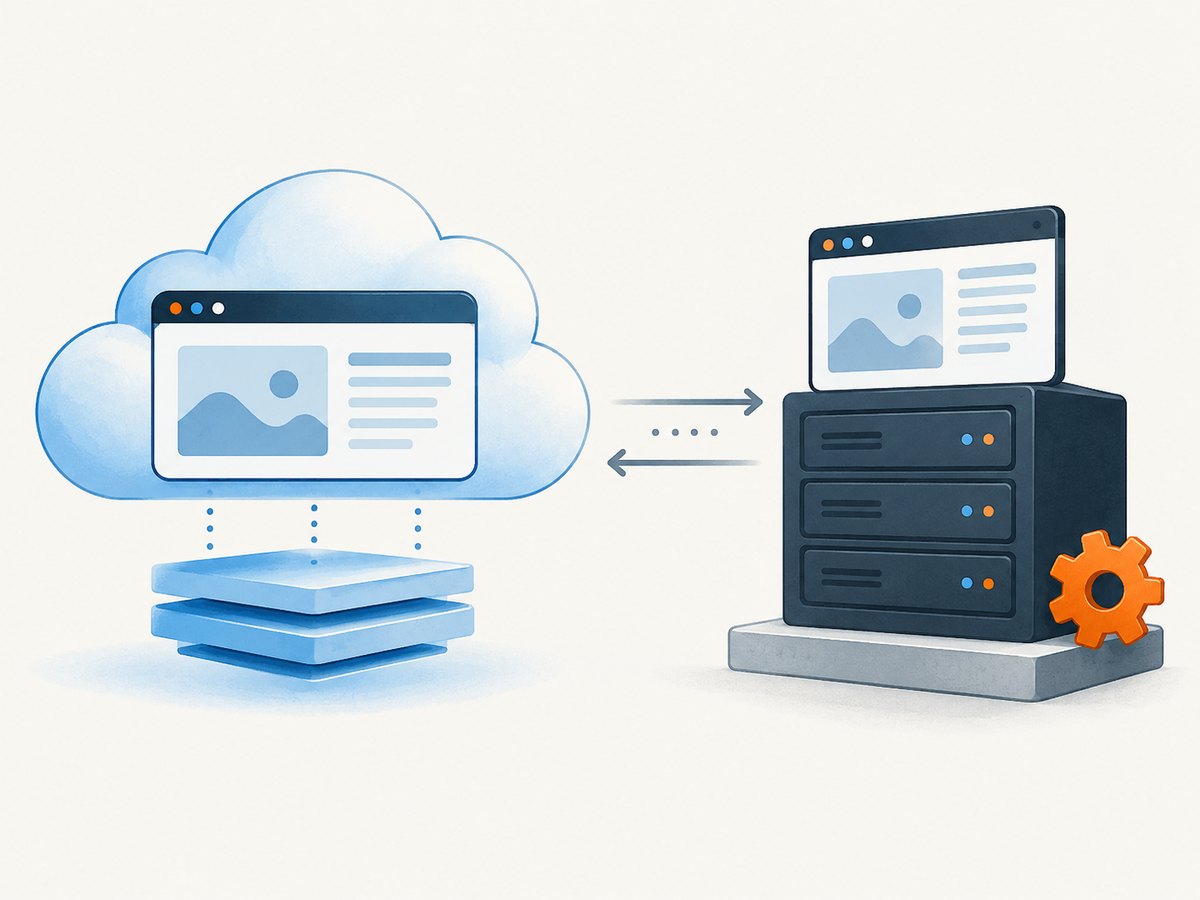
Compare control, sessions and output before migrating
| Question | What to check |
|---|---|
| Control model | Playwright/Puppeteer code, BrowserQL operations, typed SDK, or agent framework? |
| Session | One-shot action, reconnection, human handoff, persistent authentication or long-running workflow? |
| Output | DOM, text, structured JSON, Markdown, screenshot or PDF? |
| Deployment | Vendor cloud, private deployment, Docker self-hosting or local runtime? |
| Limits | Session duration, concurrency, browser hours, API calls, proxies and extraction quotas? |
| Data boundary | Where cookies, credentials, page content and recordings are processed and retained? |
Performance, reliability and cost
Performance
- Reuse a browser process when safe, but isolate tenants with separate contexts.
- Block nonessential resources only when the target workflow does not depend on them.
- Use selector or network-idle waits instead of large fixed delays.
- Keep screenshots and PDFs out of synchronous request paths when they can be queued.
Reliability
- Classify failures as navigation timeout, selector timeout, browser crash, blocked request or application error.
- Retry browser startup and transient navigation failures with exponential backoff.
- Do not blindly retry non-idempotent clicks or form submissions.
- Store a run ID, final URL, timing milestones and a diagnostic screenshot for failed jobs.
Cost
Managed services commonly meter sessions, browser time, concurrency, requests or extraction usage; self-managed Playwright shifts cost to compute, browser maintenance, queueing and operations. No neutral total-cost benchmark was established for these products, so compare your own workflow volume and session duration against each vendor’s current pricing page.
Common errors and fixes
| Error | Likely cause | Fix |
|---|---|---|
| Navigation timeout | Slow page, blocked resource or incorrect URL. | Log the final URL, inspect failed requests, raise the timeout selectively and verify the page manually. |
| Locator not found | Selector changed, frame not selected or content is rendered later. | Use accessible locators, wait for a stable state and inspect iframe boundaries. |
| Browser closes unexpectedly | Missing system dependency, memory pressure or worker crash. | Use the vendor image or install required browser dependencies; cap concurrency and collect crash logs. |
| Login works locally but not in production | Different timezone, user agent, IP reputation or missing storage state. | Record context settings, persist storage intentionally and verify the deployment network. |
| Session expires during a workflow | Plan or service session-duration limit. | Check the current plan limit, split the workflow or use a longer-session tier. |
| Content is empty | Page requires JavaScript, consent interaction or a post-login redirect. | Wait for a content selector, perform the required interaction and capture diagnostics. |
| Unexpected duplicate submission | A non-idempotent action was retried. | Use an idempotency key or application-level confirmation before retrying. |
Or skip the browser setup
If the job is to produce a clean screenshot or PDF rather than drive a multi-step session, ScreenshotNeo provides a single HTTP request. See the ScreenshotNeo API documentation for all options.
cURL
curl -G "https://api.screenshotneo.com/v1/shot" -d access_key=YOUR_API_KEY --data-urlencode url=https://stripe.com -o shot.webpPython
import requests
r = requests.get("https://api.screenshotneo.com/v1/shot", params={"access_key": "YOUR_API_KEY", "url": "https://stripe.com"}, timeout=90)
open("shot.webp", "wb").write(r.content)
Node.js
const q = new URLSearchParams({ access_key: 'YOUR_API_KEY', url: 'https://stripe.com' });
const res = await fetch(`https://api.screenshotneo.com/v1/shot?${q}`);
ScreenshotNeo accepts options for full-page capture with lazy images loaded, CSS-selector element capture, dark mode, 12 device presets or any viewport, retina scale, PDF paper size/margins/landscape/page ranges, custom CSS and JavaScript, clicks, selector or delay waits, network-idle waits, request blocking, headers, cookies, user agent, Authorization, timezone, geolocation, transparent backgrounds, resizing, cache TTL, signed links, asynchronous jobs with signed webhooks, bulk capture of 100 URLs per call, usage reporting and an OpenAPI specification.
Cookie and consent banners, newsletter popups and chat widgets are removed before capture. Bot checks, blank pages, timeouts, failed loads and cache hits are not billed, and response headers identify the page verdict and billing status. An MCP server provides take_screenshot, get_page_info and capture_pdf for Claude, Cursor and other MCP clients. The Free plan includes 1,000 shots per month with no card; paid plans start at $5 for 3,000 shots.
Start with 1,000 free screenshots a month, with no card.
FAQ
Is Firecrawl a browser automation replacement?
Sometimes. If you need cleaned content and occasional interaction, Firecrawl may fit. If you need a controllable, stateful browser session with many actions, evaluate Browserless, Browserbase/Stagehand or Playwright.
Should I choose Browserless or Playwright?
Choose Browserless when you want managed browser infrastructure or BrowserQL. Choose Playwright when your team wants direct code control and accepts responsibility for browser operations.
Can I combine extraction and browser control?
Yes. Use a browser session to authenticate or navigate, then extract the specific state you need. Keep the extraction step separate so failures and costs are observable.
What should I prototype first?
Implement one representative workflow: login, one interaction, one wait, one extraction and one failure path. Measure session duration, concurrency, output quality and operational effort before migrating more jobs.


